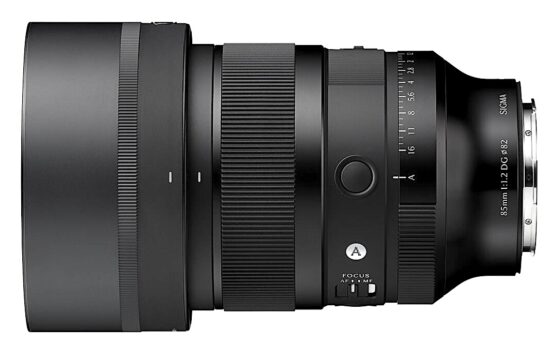
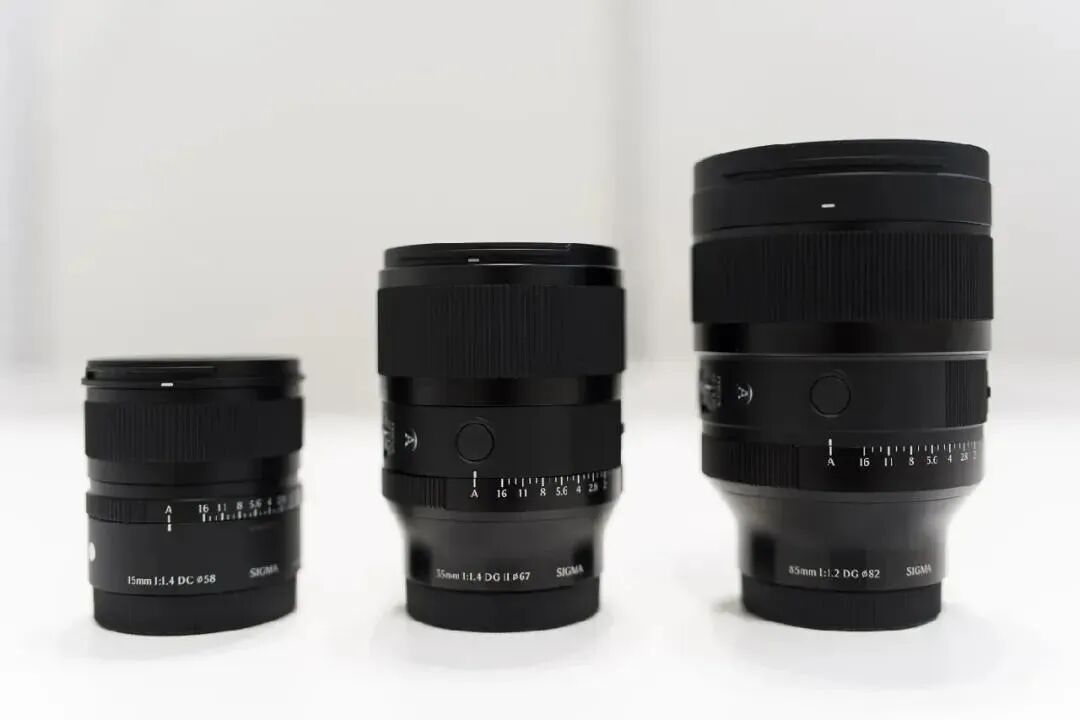
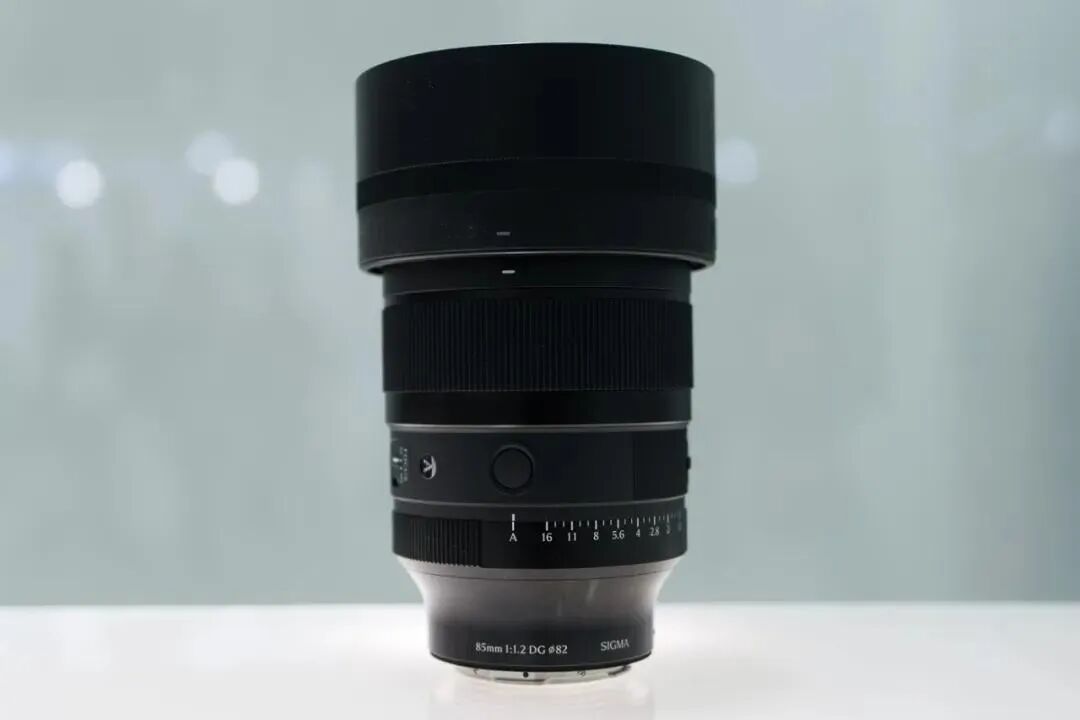
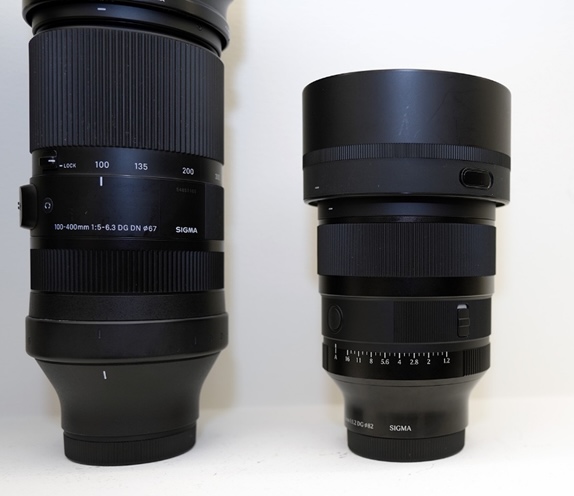
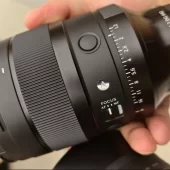
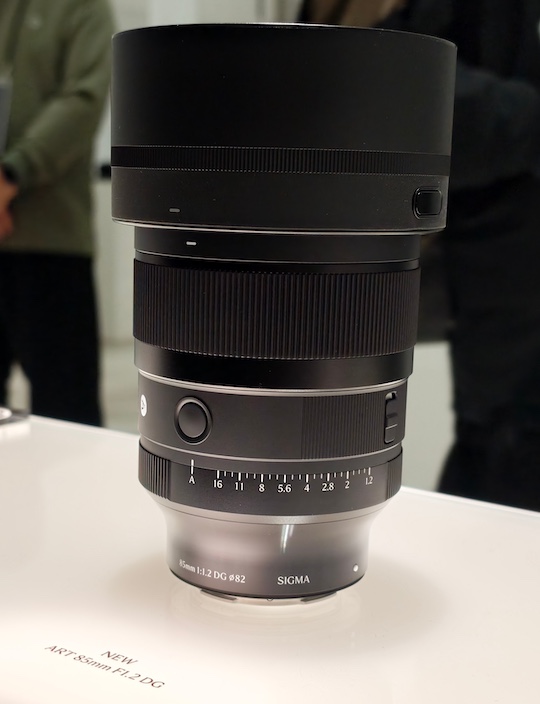
The AF 135mm F1.8 (7artisans occasionally adds "Max" to the end of the name, but not consistently) has 16 elements in 13 groups, with six extra-low dispersion lenses and five high refractive index elements. It has a 0.68m (2' 3") minimum focusing distance, and can achieve up to 0.25x magnification. Its aperture has 12 blades, which the company says will provide "naturally circular bokeh" and 12-point starbursts.
Autofocus duties are handled by a stepper motor, and the lens has a switch for going between manual and auto focus. It also has two function function buttons, though it's not entirely clear whether they can be programmed to do different things, or if it's the same function but easy to access whether you're shooting in portrait or landscape. It also has a customizable control ring.
Image: 7artisans
At 1014g (35.8oz), it's relatively hefty, though a touch lighter than Viltrox's AF 135mm F1.8 Lab. Part of that is likely down to its aluminum construction. It's 130mm (5.1") long, and accepts 82mm filters. The company says the mount has a gasket to keep out dust, and that the front element has a coating to repel fingerprints, moisture and oils.
At CP+, the company said the lens would also be coming to L and Sony E mount, and there are references to those versions in recent Instagram posts and product photos. However, at time of writing those don't appear to be available for sale yet. Those versions will have a dedicated aperture ring, rather than the Z mount version's customizable control ring.
The Z mount version of the lens is available now for $690. That's quite an aggressive price point, as Samyang's 135mm F1.8 retails for around $800, with the Viltrox option selling for $100 more.
Lux Camera, the company behind the Halide camera app for iPhones, has announced Halide Mark III, the third generation of the popular app. The new version includes several upgrades and new features, including one that caught us by surprise: the ability to process Raw files from several popular camera brands.
Photo looks
According to CEO Ben Sandofsky, the company put significant effort into developing the app's photo processing capabilities. As part of that effort, it teamed up with a Hollywood colorist to build a custom photo processing pipeline designed around the specific dynamic range and color gamut of the iPhone camera. The result is a new set of Halide Looks.
Halide Mark III ships with five: Valencia, which features saturated colors and heavier contrast, designed for landscapes and cityscapes; Rembrandt, a portrait look with extra mid-tone contrast that "emphasizes bone structure and lighting," along with uniform skin tones; Nova, a colorful look with strong contrast and "smooth, peachy highlights," also intended for landscapes and cityscapes; Zephyr, a more neutral look designed to mimic the subtle contrast of film with the character of a traditional print; and Chroma Noir, a black-and-white look with medium contrast.
Sample gallery
This widget is not optimized for RSS feed readers. Click here to open it in a new browser window / tab.
Photos captured with Halide Mark III's new photo looks. Photos: Lux Camera
The new looks join Halide's existing Process Zero, which bypasses the computational processing typically applied to smartphone photos, resulting in a grittier, more retro photo look.
Camera design
Sandofsky says the camera interface has been redesigned to keep the most important controls within thumb's reach. This includes a tile in the lower right corner representing your currently selected look – inspired by the windows on film cameras that allowed you to see what film was loaded in your camera.
Other new tools include aspect ratio options to match popular camera formats: 3:2, 1:1, and a 65:24 panoramic format, plus a dynamic aspect ratio for Instagram that adjusts depending on whether you're shooting landscape or portrait. New composition overlays add a uniform grid, the golden ratio and the rabatment of the rectangle to the existing rule-of-thirds grid.
Halide Mark III's new camera interface.
Image: Lux Camera
Additional controls are accessible via a three-dot "More" menu. In a nod to photographers more comfortable with the previous layout, there's an option to revert to the Halide Mark II interface.
The Photo Lab
The updated app also includes a new Photo Lab module for reprocessing Raw files. It's designed to let you quickly try different looks, adjust exposure, toggle HDR, and make other basic adjustments.
The new Photo Lab module is designed to quickly try out different looks
Image: Lux Camera
Photo Lab also supports Raw files from several camera brands. Sandofsky says that during development, the team felt Halide Mark III's output was beginning to rival their dedicated cameras, and wanted a way to bring that processing to files shot on those cameras.
The result: Halide Mark III can process Raw files from Canon, Sony, Nikon, Fujifilm, Leica, and Hasselblad. The company currently classifies this as a beta feature.
Pricing and availability
Halide Mark III is available on the iOS App Store as a one-time purchase for $60, or via a $20/year subscription. Users who purchased Halide Mark II will receive a free upgrade.
Welcome back to our Question of the Week series! This reader-focused series aims to get our photographic community to share thoughts on all sorts of photography-related topics in our forums. We pose questions about gear, favorite camera stores, advice, problem-solving and more, and you share your thoughts and opinions.
This week, we’re leaning into the holiday spirit! The season of giving (and occasionally re-gifting) is upon us, and that means it’s time to unwrap some memories – both heartwarming and hilarious.
What are the best (and worst) photography-related gifts you've received?
What’s the best photography-related gift you’ve ever received? Maybe it was a dream lens that caused you to take on an adventure deep in the mountains, or a handmade camera strap that’s now an essential part of your kit. And what about the worst? Perhaps someone thought you needed yet another "World’s Best Photographer" mug, or that odd lens filter set that turned every photo a shade of green.
In this edition of our Question of the Week series, we want to hear your gift stories: the memorable, the useful and the truly baffling. Share your favorites (and flops) in the forum link below. Photos of the gifts (or what you created with them) are also more than welcome! We'll highlight some of your most entertaining and heartfelt responses in next week's roundup.
When you use DPReview links to buy products, the site may earn a commission.
Sample gallery
This widget is not optimized for RSS feed readers. Please open this article's permalink in a browser to view this content.
Product Photos: Mitchell Clark
The Panasonic DC-L10 is an enthusiast compact with a Four Thirds sensor and an optically stabilized 24-75mm equiv. F1.7-2.8 lens with motorized zoom. Like the Panasonic's LX100 and Leica's D-Lux series of cameras, the camera doesn't use its entire sensor, instead letting you preserve the same diagonal angle of view from 4:3, 3:2 and 16:9 crops of it, which use up to 81% or around 183mm² of the sensor.
Key Specifications:
Up to 20.4MP images from a 26.5MP BSI CMOS Four Thirds sensor
10.9 - 34mm (24-75mm equiv.) F1.7-2.8 lens with OIS
2.36M dot OLED viewfinder
1.84M dot 3" fully articulating display
Phase detect autofocus with 6 subject recognition modes
Metal body
5.2K open-gate up to 30p
1x UHS-II SD card slot
The L10 will be available in June, with the black and silver versions costing $1499. There will also be a special edition "Titanium Gold" version for $100 more, which will be available from limited outlets and include a threaded shutter button, leather strap and a color-matched automatically-opening lens cap (the latter accessory will be available to buy separately for the standard editions in silver and black).
The LX100 II (left) is a fair bit smaller than the L10 (right).
Panasonic is pitching the L10 as the start of a new line of compacts, rather than a direct successor to the LX100 II from 2018, but the cameras' shared DNA and place in the market make it worth seeing what else the removal of an X and a zero has changed. The biggest difference is, of course, the design, which will be covered in the body and handling section.
Updated sensor
The L10 uses the same 26.5MP Four Thirds (225mm²) sensor that's found in the GH7 and G9 II. This results in images that have better dynamic range and are slightly higher resolution than you could get out of the LX100 II: up to 20.4MP in its 4:3 mode, rather than 17MP.
The L10 continues Panasonic's tradition of cropping in on its sensor to produce a multi-aspect ratio shooting experience, where the different crop modes it offers generally have the same diagonal angle of view.
Graphic: Richard Butler
The bigger improvement, though, is the addition of phase detect autofocus. The L10 has essentially the same autofocus we've seen in all of Panasonic's most recent cameras, with algorithms for recognizing six kinds of subjects (humans, animals, cars, motorcycles/bikes, trains and planes), as well as part priority (e.g., focusing on a rider's helmet, or the cockpit of a plane) derived from machine learning.
New processor
Panasonic has used its latest processor in the L10, the same one found in recent models like the S1RII. The camera runs Panasonic's latest-generation of firmware, so it's compatible with the company's Lumix Lab app and has features like HLG HEIF output, Live View Composite (a multi-exposure mode that shows you the image as it builds up, and lets you stop it when you choose), in-camera processing of focus stacking bursts and the Real-Time LUT system, which lets you bake custom-designed color profiles into your JPEGs and videos.
A cornucopia of colors
While the Real-Time LUT system (for which there's a dedicated button on the rear plate) lets you use custom color modes for your JPEGs, the camera includes a few new built-in color modes too, which Panasonic says are "film‑inspired." These are "L.Classic," which the company says is low-saturation and highlights greens, and "L.ClassicGold," which gives your photos a very warm, amber look.
Standard Color Profile
L.Classic Neo
L.Classic
L.Classic Gold
The decision to include these new modes was apparently based on the popularity of the L.ClassicNeo profile that it's included in its cameras for years. For video shooters (or photographers looking for a video-like look), the camera also includes a suite of "Cinelike" modes designed to give you a pleasingly flat look that, unlike the also-included V-Log, can be used for output, but which also offer some editing flexibility in post.
How it compares
One of the most exciting things about the L10 is that it's a new enthusiast compact camera aimed at photographers, which is something we haven't seen in quite a while. Companies like Canon and Sony still sell the latest entries in the G7X and RX100 lines, but both cameras were introduced in 2019, around 7 years ago.
While it can be tempting to compare the L10 to cameras with fixed prime lenses like the Ricoh GR4 and Fujifilm X100VI, the use of a zoom lens means that it's targeting a different kind of photographer. Likewise, vlogging compacts like Canon's PowerShot V1 and Sony's ZV-1 II are much more focused on pleasing videographers than photographers.
By virtue of being the newest camera on this list by at least seven years, the L10 has the benefit of many modern features we've come to expect: subject recognition for more than just faces, fast wi-fi transfers to a modern app, pre-burst capture, full-width video even at ambitious resolutions and frame rates and more. And while Panasonic typically hasn't matched the autofocus performance of Sony and Canon's latest systems, the systems used by the compacts discussed here are noticeably less advanced.
Body and Handling
The L10 isn't a tiny camera by any means; it's noticeably larger and heavier than its Type-1 competitors, and even the LX100 II, though it's essentially the same size as Fujifilm's ever-popular X100-series. It feels solid, with ample grip and some breathing room for its controls. While the top plate controls aren't the most premium feeling – they're similar to the S9's – they're well-placed for one-handed use.
Controls and customization
The L10 has a wide variety of customizable dials, buttons and switches along almost every surface. While this affords a lot of flexibility to customize the camera how you want – you can easily set it up in a way that lets you largely avoid the main menus while shooting – some of the defaults aren't the most sensible in our view.
As an example, when you're in aperture priority or manual mode, the top plate command dial is set to control aperture... which it won't do unless the dedicated aperture ring is in the 'A' setting. If it's not, turning the wheel does nothing, wasting the camera's single top plate dial. In our view, it'd have made more sense to control exposure compensation by default, at least in aperture priority mode.
Most of what were dedicated controls on the LX100 cameras have become customizable. What was previously a shutter speed dial is now a mode dial, and what was once a marked exposure compensation dial is now a customizable dial with a button in the middle.
Speaking of aperture, though, we appreciate that the ring is clicked, and that it handles the variable aperture in a sensible manner. For example, if you have it set to F1.7, but have the lens at 75mm equiv., it'll set the aperture to F2.8. The aperture setting will stay the same as you rotate it, until you hit F2.8, at which point it'll begin to change.
Behind the aperture ring is a customizable control ring. By default, it's set to control the power zoom (another redundancy; the toggle rocker around the shutter button does that, too), but you can have it control things like exposure compensation, ISO, white balance, AF mode and more.
Switching between the 'A' setting on the lens and the aperture range takes a bit of force – it'd be difficult to accidentally knock it out of your preferred position. Conversely, we found the focus mode switch to be a bit too easy to knock into macro mode.
Finally, there's the four-way switch on the top barrel of the lens. By default, it controls your aspect ratio, and you can customize what the 1, 2 and 3 positions do; the first position hands off control to the body. If you prefer, you can remap the control to do something else, like switching between three color modes, focal lengths or subject recognition settings.
You can also set any of the physical zoom controls to work linearly, smoothly zooming in through the lens' entire range, or to jump between common preset focal lengths (24, 28, 35, 50, 70 and 75mm equiv.). You can also have the camera remember what focal length it was at when you turned it off, and return to it when you start it up again.
EVF and display
The OLED panel in the L10's view finder is bright and high-resolution for a compact. While its eye point is only 20mm, we found it was relatively easy to see, even when wearing glasses. Thankfully, the color tearing of the field sequential displays that Panasonic used in the LX100 series is no longer an issue.
The rear monitor is fully-articulating, offering nearly unlimited flexibility in what angle you shoot from, though not the quickest deployment if you're just trying to shoot from above or below. Panasonic has created a vertical version of its on-screen UI, so if you're shooting in portrait, the details on the screen will be much easier to read, as they'll be in the correct orientation.
Ports
You can have audio input, but you can't monitor due to the lack of a headphone jack.
The L10 doesn't have an immense amount of input and output options. There's a USB-C port for charging and data transfer, which it can do at 10Gbps, and a 3.5mm microphone jack. The camera also has a fully functional hotshoe, which can be used to connect to a flash, digital microphones, and even Panasonic's XLR2 accessory that lets you record four-channel and 32-bit float audio, all but eliminating the risk of clipping.
Battery
The SD card slot gets its own dedicated door, rather than having to share one with the battery.
The L10 uses the same 16Wh BLK22 battery found in many of Panasonic's full-frame mirrorless cameras, providing a CIPA-rated 410 shots per charge when using the EVF, and 420 shots when using the display. It's not unusual to get double those ratings in real-world use, so many users may be able to get through even relatively heavy weekends of shooting without having to recharge.
Autofocus
The L10's autofocus can recognize several types of subjects, not just humans.
The L10 has several modes for selecting your autofocus point: the fine-grained pinpoint, a resizable single area, area-plus, a customizable zone, horizontal/vertical zone, full area, and tracking.
It doesn't have an autofocus joystick, so selecting your AF point will require using the touchscreen, or setting up the four-way controller to move it around. You can also set the screen or a portion of it to act as a touchpad to move it when your eye is up to the viewfinder.
Besides pinpoint, all of those modes can be combined with subject detection, which can be set to recognize several different types of subjects. If there are multiple recognized subjects, the camera draws a box around each of them, highlighting which one is selected, and allowing you to switch to another one. In general, it does a good job of respecting your chosen AF point; it won't jump to a recognized subject unless it's quite close to your selected area, letting you leave it on most of the time.
The L10's tracking mode won't fall back to generic tracking if it doesn't recognize a subject
The one exception is if you're a fan of the track to recompose method. Like the S1II-series, the L10's tracking mode won't fall back to generic tracking if it doesn't recognize a subject. The AF point will stay in the same place in the frame, instead of trying to stick to whatever you placed it over. This means you'll have to constantly engage and disengage subject recognition mode depending on what you're shooting, which you can do with a custom button or using the lens's four-way switch.
Video
The L10 has a lot of video capabilities, but cuts down on at least some complexity due to its lack of advanced codecs like ProRes and ProRes Raw (which would likely be too much for an SD card to handle).
While the company mainly pitches it as a stills camera, the L10's use of the GH7's sensor means it has an extremely robust set of video features. In its H.265 mode, it can capture 5.2K 4:3 open gate at up to 30p, and full-width 4K at up to 120p. As we'd expect, there are a lot of other options too; 60 in total, with All-I recording modes, 17:9 aspect ratios and >4K options.
It also incorporates Panasonic's MP4 (Lite), which is designed to produce files that are good enough quality for social media, but that are relatively small and therefore easy to transfer and upload. That codec supports 4:3 open gate at around 4K at 30p, which gives you the flexibility to take both horizontal and vertical crops for different platforms, as well as output-ready UHD 4K and FullHD, but, strangely, only in 60 and 120p.
The L10 mostly continues the tradition of offering every video assist feature
The L10 mostly continues Panasonic's tradition of including every video feature under the sun*. It has Log and HLG recording modes, and view assist tools for them, waveform exposure monitoring, multiple customizable frame guides, the Focus Transition tool that lets you do automated, repeatable focus pulls and more. All of its autofocus subject recognition modes are available in video, even when shooting at high frame rates, and you have a lot of control over which settings are or are not shared between your stills and video modes.
This means that it can be used as both a simple point-and-shoot video option for photographers who occasionally want to just capture something in motion without thinking too hard about it, and as a tool for someone serious about getting good video (though its form-factor comes with plenty of inherent limitations, despite its 43mm thread technically allowing you to attach an ND filter).
* There are a few omissions: unlike other Panasonic cameras, it doesn't offer a false color overlay for judging exposure, nor is there the option to use shutter angle instead of shutter speed.
Initial Impressions
By Mitchell Clark
Since the L10 launched, I've read hundreds of comments about it, a large portion of which focused on what the writers wished it was instead; a Micro Four Thirds interchangeable lens camera, a prime-lens compact, a smaller, more direct successor to the LX100 II, a full-frame follow-up to the S9, the list goes on. And while I understand why people want the cameras of their imaginations, we should set our dreams aside and focus on what it actually is: an enthusiast compact with modern tech.
At a high level, there are a few reasons to get a compact camera: you might want something that's flexible, but still provides an engaging experience without being a burden to carry around. Or you want a step up from your phone to something that's still relatively easy to use, but that has better zoom and subject separation.
I suspect the L10 produces better photos than my iPhone 15 Pro. I know it's more fun to use.
To me, the L10 checks those boxes handily. Having the latest autofocus with several subject recognition types makes it easier to use for beginners, and features like pre-capture and capable video expand the envelope of what an experienced photographer can easily do with it. It lets you easily get the look you want in camera with LUTs and aspect ratios, then offload them to your phone, but doesn't preclude editing in post. And its EVF and copious control points provide an engaging shooting experience, though you might have to spend some time in the customization menus to get a setup you find truly satisfying to use.
While none of this is revolutionary for cameras in general, it's not something you get with many of the other compacts on the market, with the closest competitors to the L10 dating back to 2019 (read: before ubiquitous 5Ghz Wi-Fi and fast USB C).
There are still frustrations with it. While the camera's UI is snappy and responsive, the lens, which is an older design, can be ponderous. It takes around two seconds to extend when booting the camera up (and to retract when shutting it down), and another few beats to make its way through its zoom range. And while I've found the tracking AF performance to be decent so far, there have already been times where it fell down, making me wish I had a direct control for my focusing point. It also doesn't feel quite as premium as the marketing and price tag lead me to expect.
I remain enthusiastic about this compact.
Figuring out how those affect the shooting experience, and if there are any other hidden gotchas, will require a bit more time with it. But at the moment, my dreams of what this camera could be haven't been shattered by actually using it.
Sample Gallery
Please do not reproduce any of these images on a website or any newsletter/magazine without prior permission (see our copyright page). We make the originals available for private users to download to their own machines for personal examination or printing (in conjunction with this review); we do so in good faith, so please don't abuse it.
Sample gallery
This widget is not optimized for RSS feed readers. Click here to open it in a new browser window / tab.
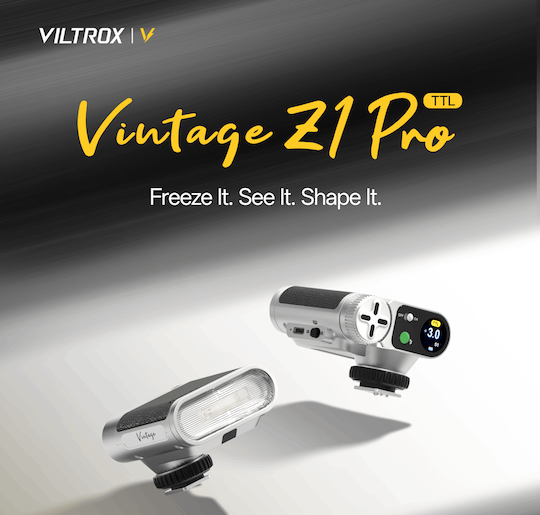
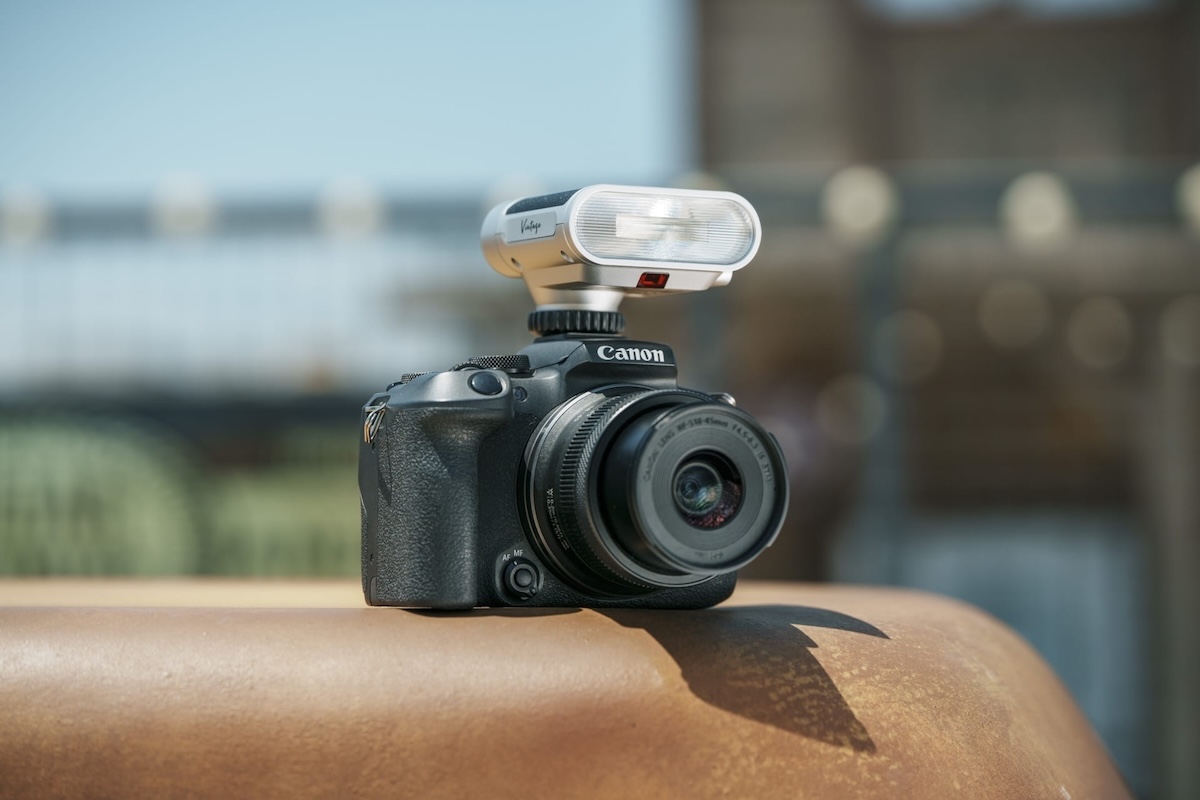
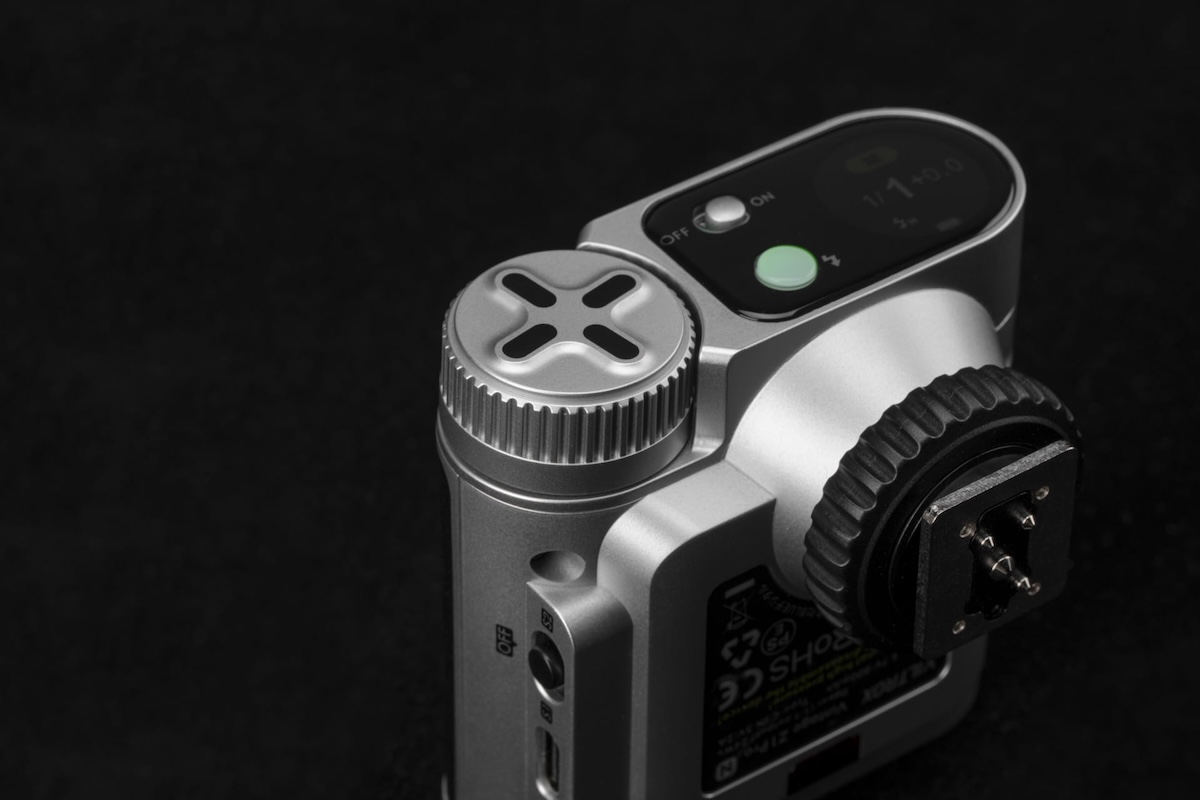
Up to 1/8000s High-Speed Sync for Greater Shooting Flexibility.
TTL & Manual Flash Modes for Versatile Creative Control.
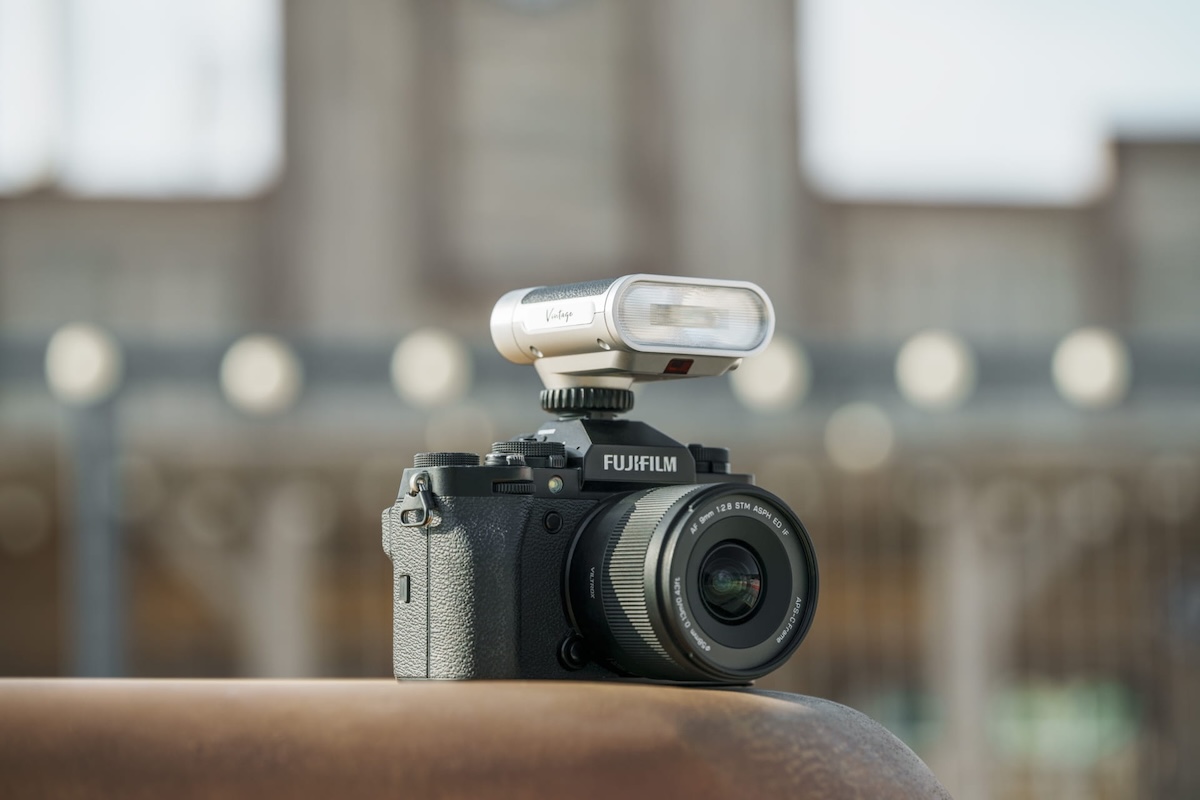
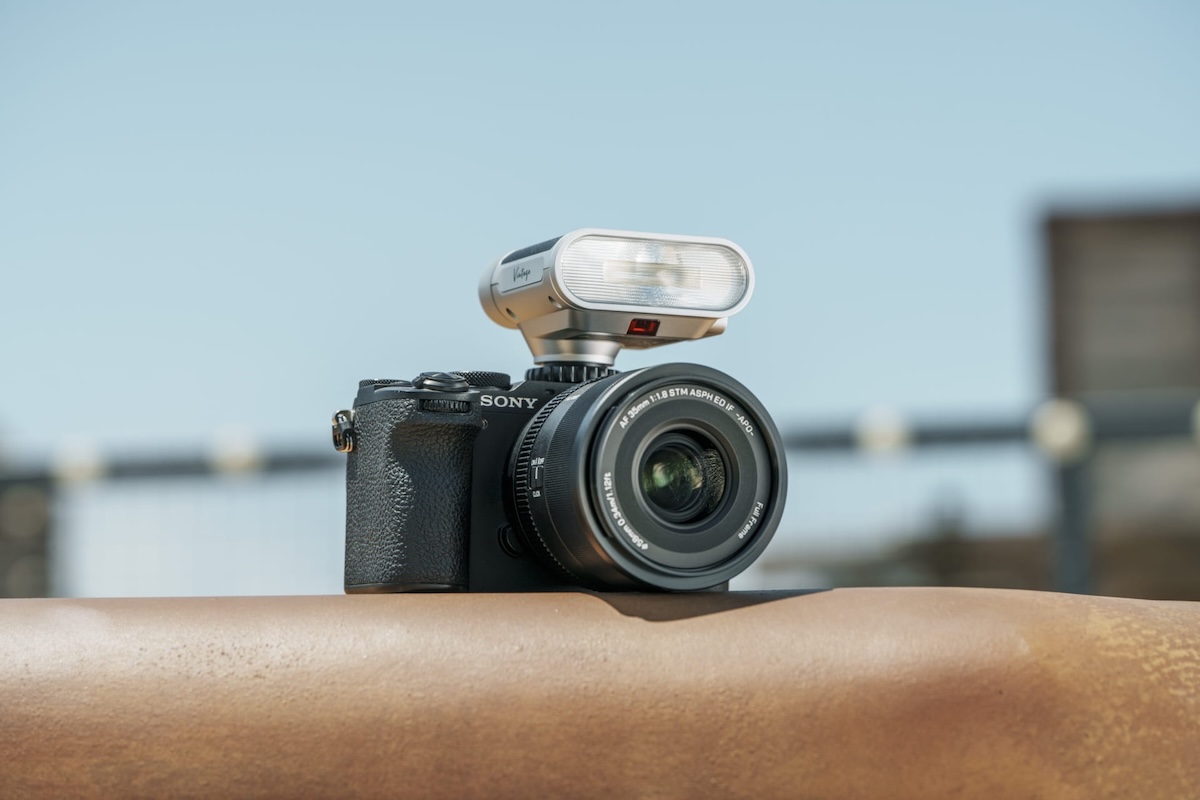
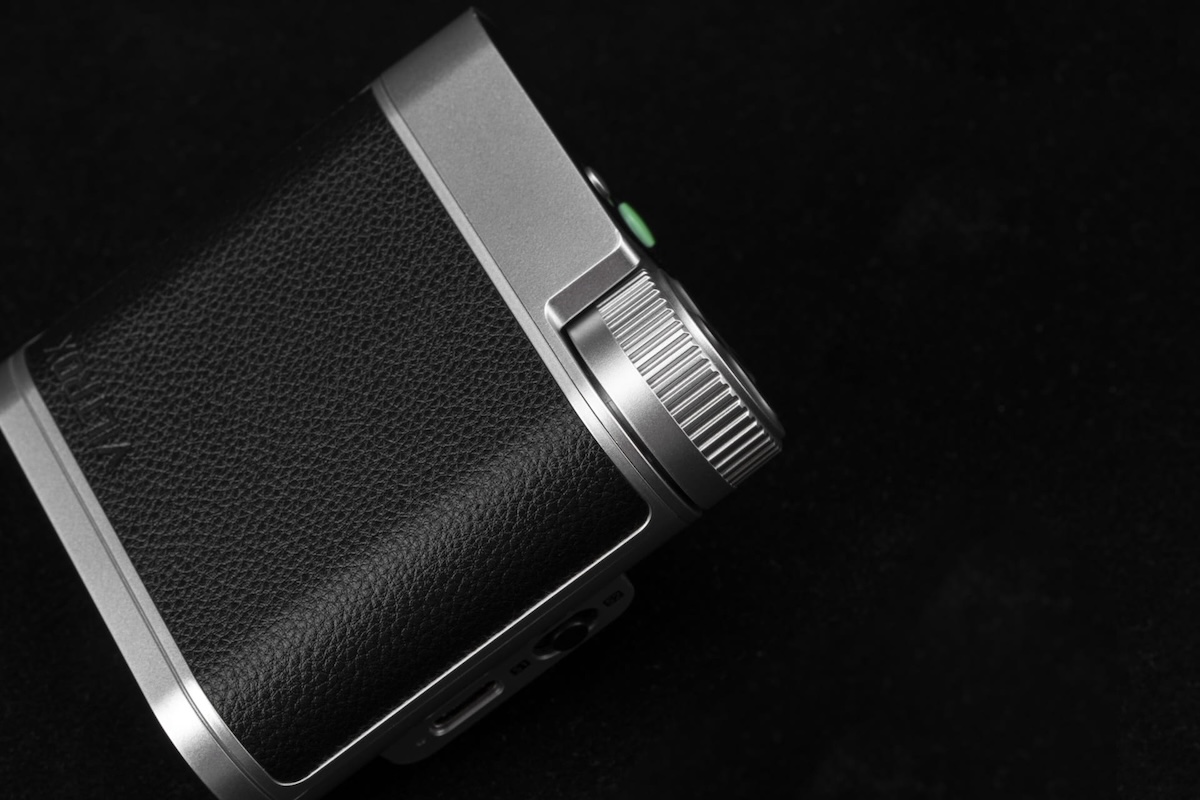
Retro-Inspired Design with Timeless Mechanical Styling.
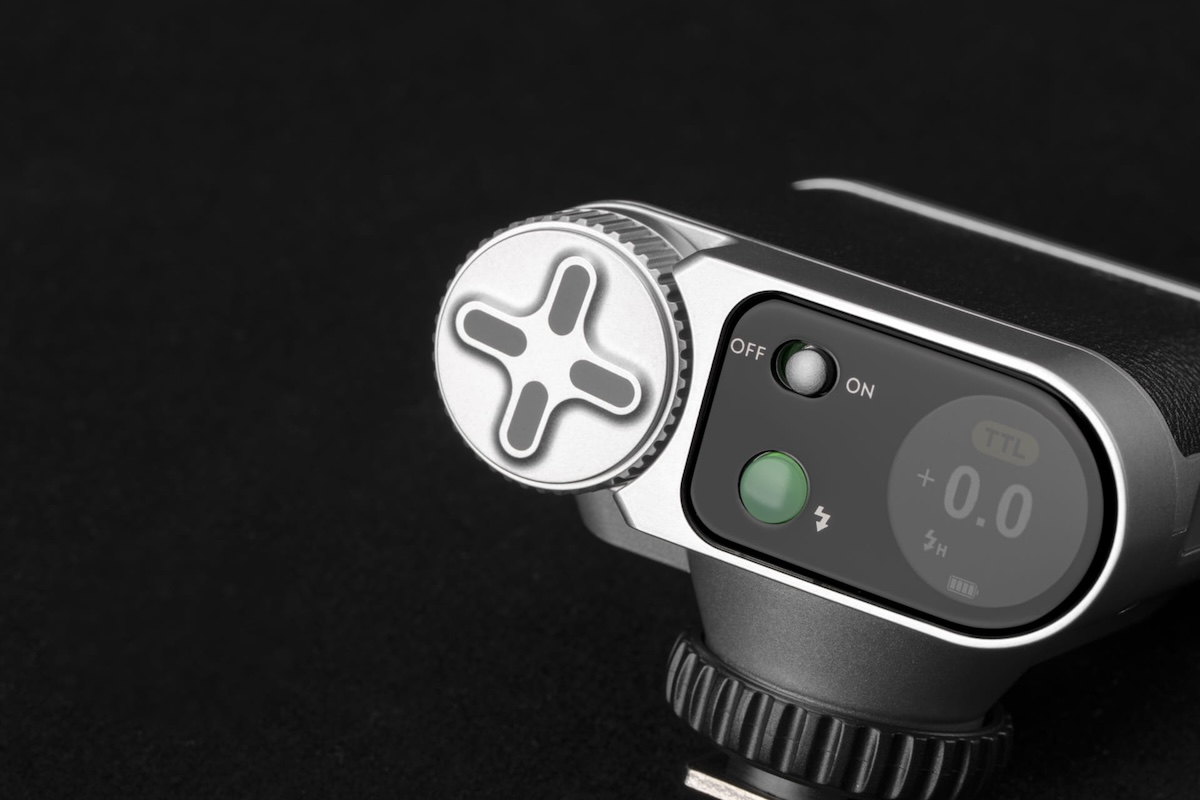
Touchscreen Interface with Dial Control for Intuitive Operation.
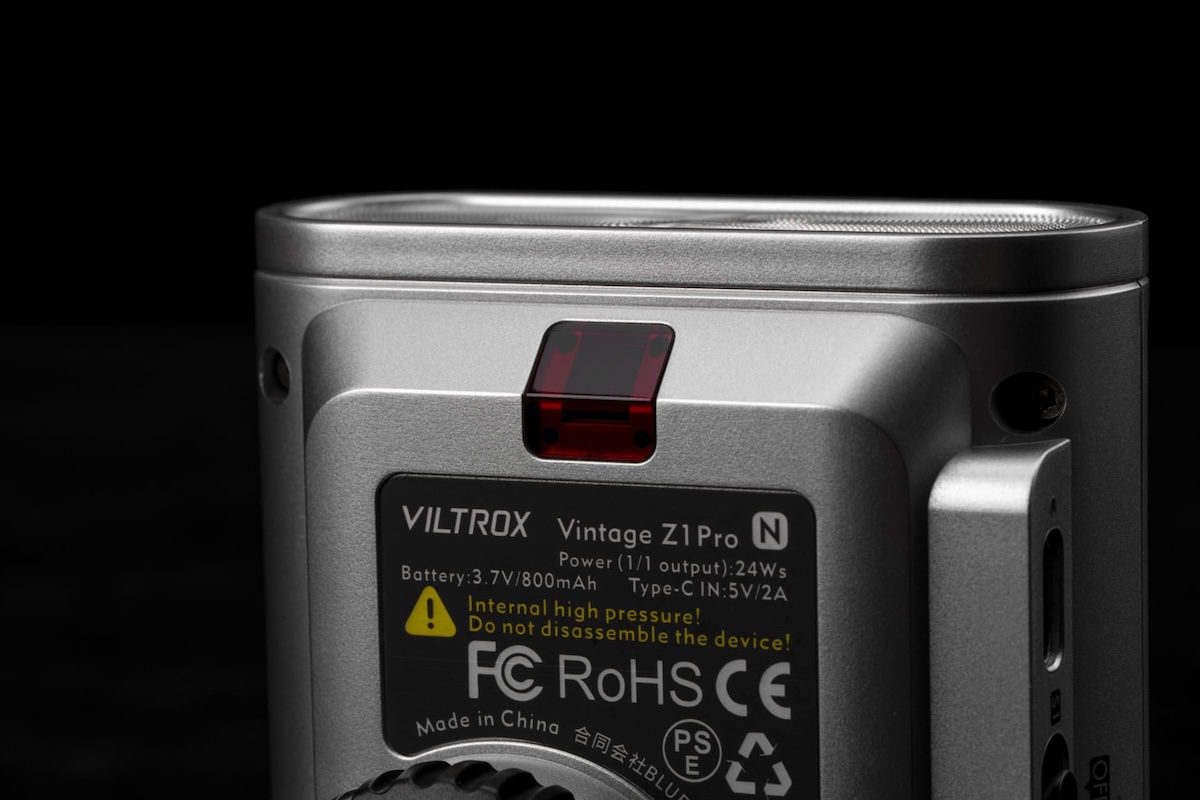
24Ws Flash Power with Fast 1s Recycle Time.
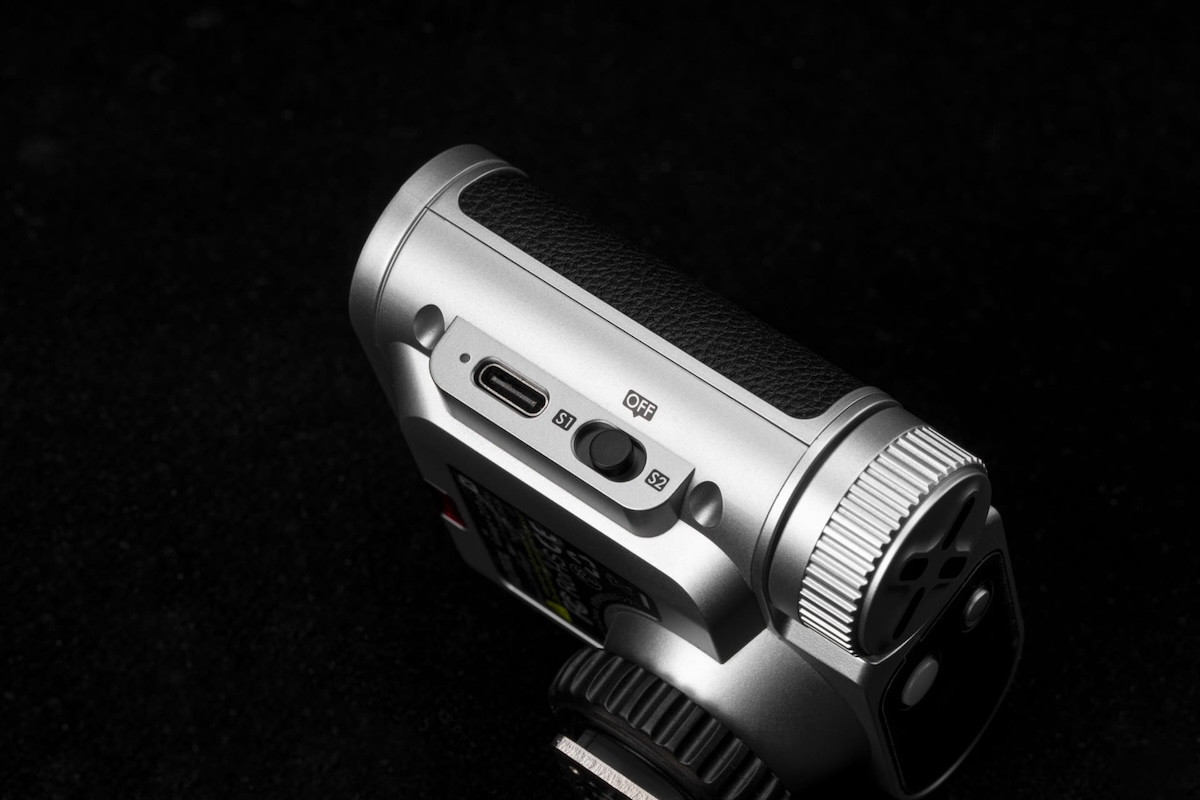
S1/S2 Optical Trigger Modes for Multi-Flash Setups.
Multi-System Hot Shoe Compatibility for Broad Camera Support.
Up to 350 Full-Power Flashes for Extended Shooting Sessions.
TTL Automatic Flash Metering and New High-Speed Sync
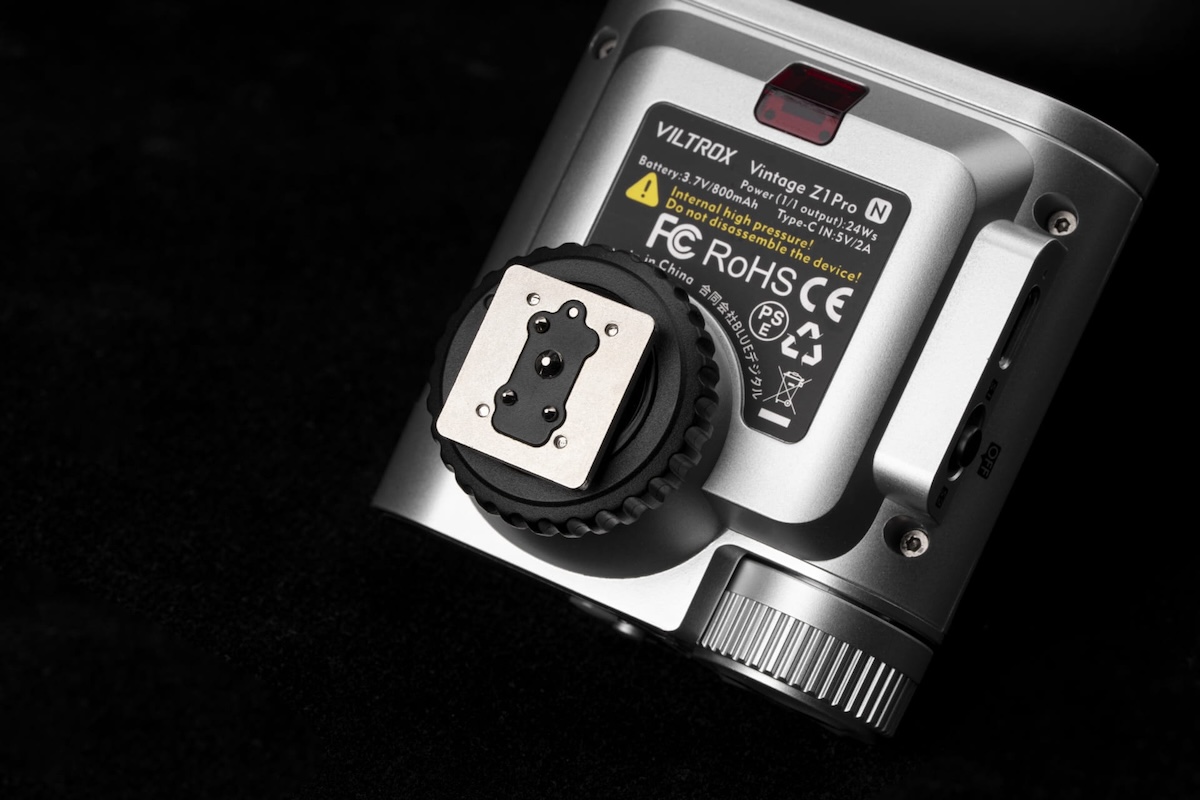
The Vintage Z1 Pro is the first in the series to include High-Speed Sync (HSS) functionality up to 1/8000s, enabling photographers to shoot in bright daylight with wider apertures and capture fast-moving subjects in natural ambient conditions.
TTL flash metering automatically adjusts flash output based on ambient lighting conditions. The Vintage Z1 Pro supports two optical trigger modes: S1 mode, which triggers simultaneously when another flash burst is detected, and S2 mode, which ignores TTL pre-flashes and triggers on the primary flash burst, enabling flexible multi-light arrangements and off-camera flash setups.
Intuitive Circular Color Touchscreen
The Vintage Z1 Pro features a newly integrated circular color touchscreen UI designed to simplify workflows. The display provides clear access to flash output levels, shooting modes, battery status, and sync settings, while touch-based controls enable faster and more intuitive adjustments compared to traditional button-operated interfaces.
High-Speed, High-Performance Flash
The Vintage Z1 Pro delivers 24Ws flash output with a 1-second recycle time. The high-capacity battery supports up to 350 full-power flashes per charge, helping creators maintain a smooth shooting rhythm. Integrated USB-C charging allows the flash to fit conveniently into modern loadouts, with a full recharge taking just 70 minutes.
Broad Camera Compatibility
The Vintage Z1 Pro supports Sony, Nikon, Canon, and Fujifilm camera systems (hot shoe versions) across a wide range of mainstream cameras.
The Diversity of Style in Viltrox’s Flash Series
With the launch of the Vintage Z1 Pro, Viltrox continues to expand its flash lineup, offering creators a broader range of lighting solutions across different shooting styles, creative preferences, and performance needs.
For Canon RF, Fuji X, Nikon Z, Sony E, and MFT mounts
Price: $190
Additional information:
The Twist 28 draws on 19th-century Petzval optical design, which produces a sharp center of focus with a swirling blur effect in the outer portions of the frame. At 28mm, this optical characteristic applies across a wider field of view than prior Twist lenses, which photographers have used to create layered, motion-influenced images in tighter focal lengths.
Panasonic Japan issued a notice that the new Lumix L10 camera “received significantly more pre-orders than anticipated” and customers who pre-order in the future may experience delays in delivery after the release date of June 18th (pre-orders: B&H Photo | WEX Photo | Foto Erhardt):
Notice Regarding Delivery of Digital Camera DC-L10
Thank you for your continued patronage of Panasonic products.
Regarding the LUMIX “DC-L10” digital camera, scheduled for release on June 18th, we have received significantly more pre-orders than anticipated. Therefore, some customers who have already pre-ordered may not receive their product on the release date. Furthermore, customers who pre-order in the future may experience delays in delivery after the release date.
We sincerely apologize for the considerable inconvenience caused to our customers who are eagerly awaiting the product, as well as to all those involved.
We will do our utmost to meet customer expectations and deliver the product as quickly as possible, and we appreciate your understanding.
Xiaomi is gearing up to announce its next T-series phones: the 17T and 17T Pro. Ahead of the launch, the company sent us the new devices so we could check them out. We spent some time specifically shooting the Pro model to see what the camera is like. You can check out the resulting images in the gallery below.
We'll be able to share more details at launch, so stay tuned to hear more on May 28th at 3:00 PM CEST (GMT+2) / 9:00 AM EDT.
Sample Gallery
Please do not reproduce any of these images on a website or any newsletter/magazine without prior permission (see our copyright page). We make the originals available for private users to download to their own machines for personal examination or printing; we do so in good faith, so please don't abuse it.
Sample gallery
This widget is not optimized for RSS feed readers. Click here to open it in a new browser window / tab.
When you use DPReview links to buy products, the site may earn a commission.
Sony a7R VI | Sony FE 100-400mm F4.5 GM OSS | 320mm | F4.5 | 1/800 sec | ISO 800 Photo: Richard Butler
Alongside the a7R VI, Sony launched an ambitious new telephoto lens: the FE 100-400mm F4.5 GM OSS. It has a constant aperture through its range, internal zoom, and a wide selection of controls, making it clear that it's aimed towards professional sports and action photographers.
We were able to shoot it alongside the a7R VI, taking it to a rugby game, a bird sanctuary and the streets of New York City to test it in a variety of scenarios. And, now that we have Raw support for the a7R VI, we can provide a closer look at how the lens performs, without having to worry about what corrections the body is applying and JPEG noise reduction. You can see the results in the gallery below.
Sample Gallery
Please do not reproduce any of these images on a website or any newsletter/magazine without prior permission (see our copyright page). We make the originals available for private users to download to their own machines for personal examination or printing; we do so in good faith, so please don't abuse it.
While we typically process images for a lens sample gallery using Capture One, we used the Sony a7R VI to test the lens, which isn't currently supported by that program. We've reverted to processing these images using ACR. We've worked to use settings similar to our standard C1 recipe while also using the lens' built-in correction profile. No correction for vignetting was applied, and we'll replace the images with ones processed in Capture One when a7R VI support becomes available.
Sample gallery
This widget is not optimized for RSS feed readers. Click here to open it in a new browser window / tab.
The BBC has been sharing footage from its archives on YouTube, and one video caught our attention. The clip is from the Tomorrow's World programme, and it was originally broadcast on BBC One on February 22, 1990. In it, three broadcasters look back at some of the cameras they'd covered in the past that were meant to change photography, and how successful they ended up being.
The segment walks through different types of camera innovations, starting with a digital "video stills" camera that recorded images on floppy disks and Minolta's hybrid camera that supported film and video stills using a very bulky detachable back. They also walk through 3D cameras, autofocus and disposable cameras.
It's a fascinating look back at some of the technology that led to (and, in video stills' case, was eventually supplanted by) the digital cameras we rely on today. There are plenty of modern videos that look back at old technology, but I think it's especially interesting to see footage like this when it was contemporary and looked like it could be the future, as predicted in 1990.
The BBC also shared a separate video that looks back at when cameras first appeared on phones. It was a move by cell phone makers to boost sales, and was considered a bold move that we now know paid off big time. Interestingly, the cameras in those phones were based on technology originally developed for NASA, which you can learn more about in another video we shared.
Aiarty Image Enhancer: Restore Old Photos and Recover Blurry Faces with AI (49% Lifetime License)
Restoring old photos is rarely as simple as increasing sharpness or removing visible damage. Many photographers and families are now digitizing decades-old prints, film negatives, and family albums to preserve them before physical deterioration becomes irreversible. However, scanned family photos and aging film prints often suffer from multiple issues simultaneously, including faded colors, scratches, dust, low-resolution scans, compression artifacts, and facial detail loss accumulated through years of storage, rescanning, and digital compression.
For photographers and archive enthusiasts, the challenge is restoring clarity without destroying the original texture and character of the image. Film grain is often mistaken for digital noise, facial details become overprocessed, and low-quality scans leave limited data for accurate restoration or upscaling.
Traditional workflows still rely heavily on manual Photoshop adjustments such as denoising, retouching, sharpening, scratch removal, and color correction, especially when processing larger photo archives or film scan collections.
AI-assisted restoration tools are increasingly being used to simplify repetitive cleanup tasks within a broader editing workflow. Designed around a restoration-oriented approach rather than one-click filters, Aiarty Image Enhancer combines denoising, deblurring, face recovery, scratch cleanup, upscaling, and color correction into a single workflow pipeline while maintaining more natural-looking results.
Free lifetime upgrades and priority technical support
30-day money-back guarantee
How Aiarty Image Enhancer Fits Into Modern Photo Restoration Workflows
Rather than functioning as a one-click AI filter, Aiarty Image Enhancer is designed around a workflow-oriented approach for restoring old photos, film scans, and archived images while maintaining natural-looking detail.
A video demonstration showing real restoration results can be viewed below:
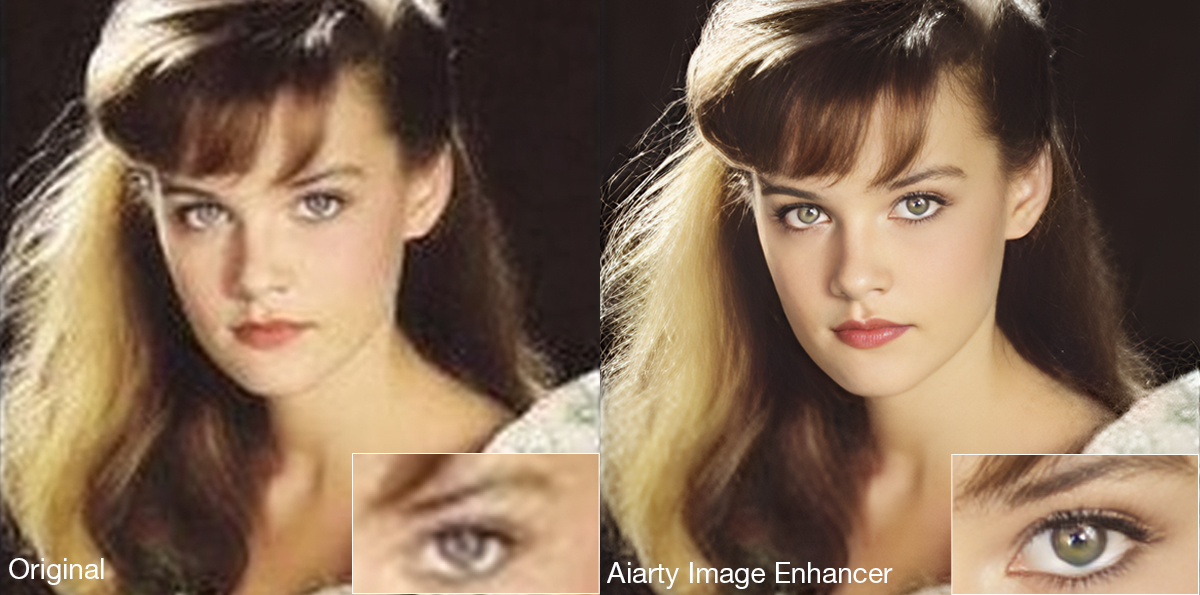
Its AI denoise and deblur tools help recover clarity from noisy or slightly soft scans without aggressively removing texture. A built-in Strength slider allows more controlled adjustments, which is particularly useful when working with film grain or older portraits where overprocessing can quickly create artificial-looking results.
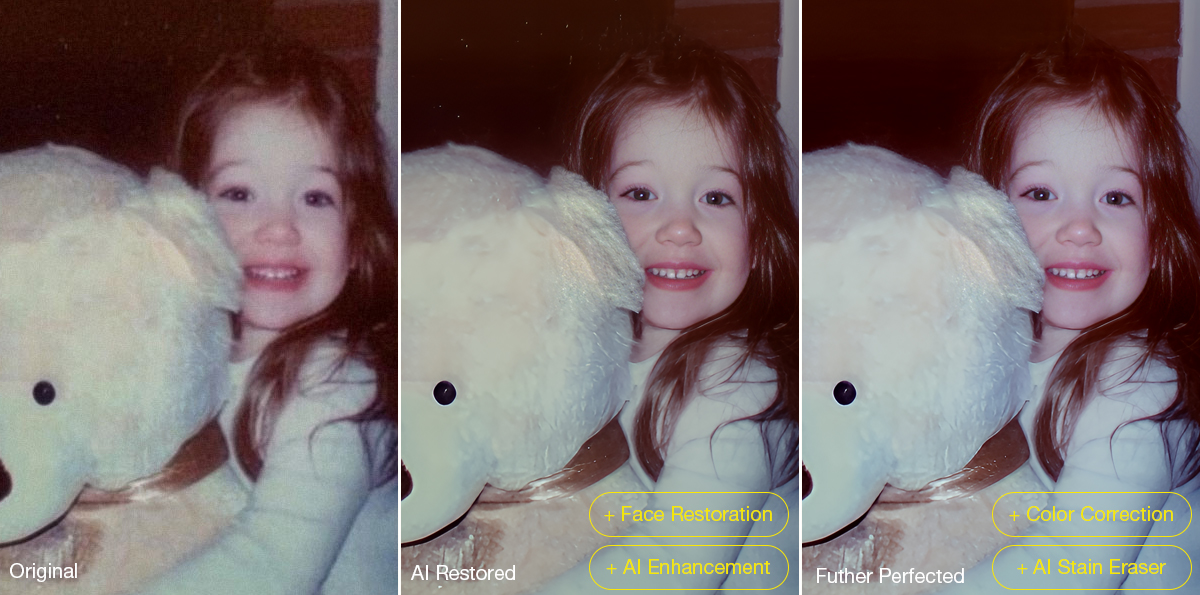
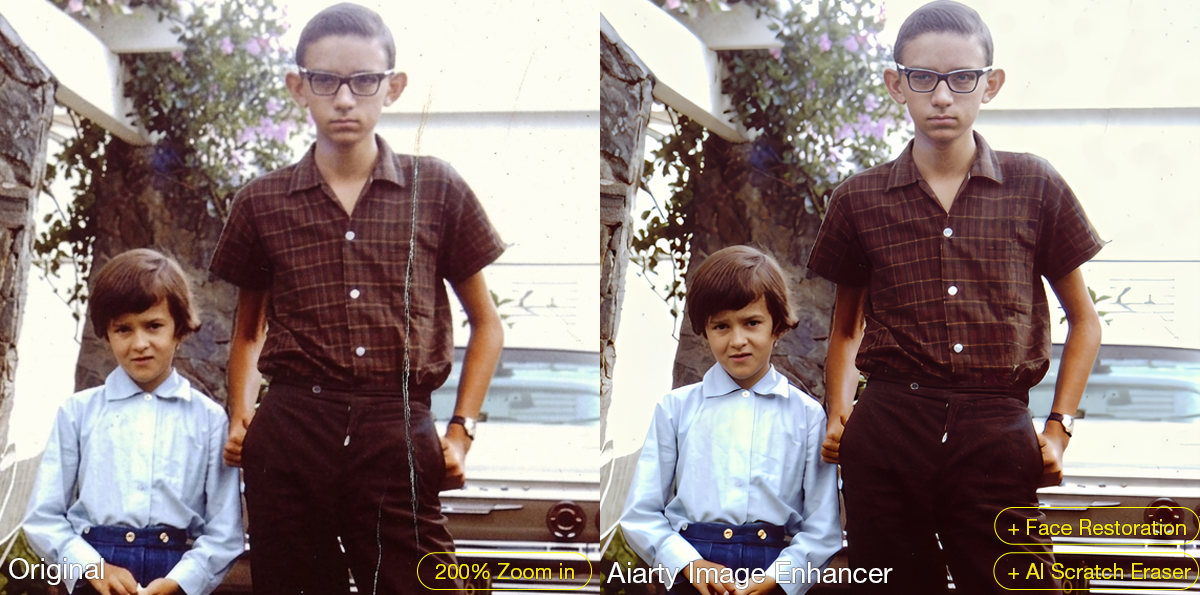
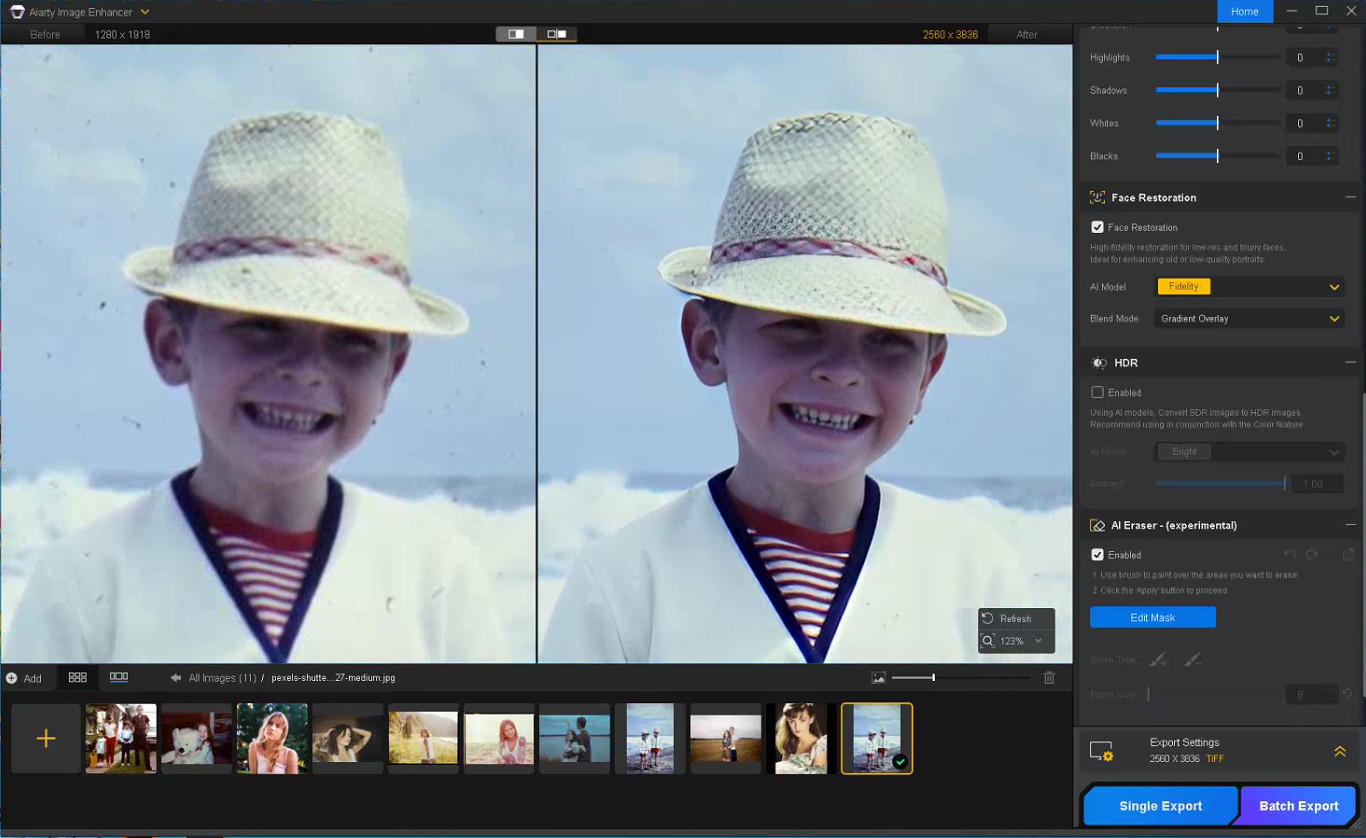
The latest Face Restoration improvements focus on rebuilding blurred facial areas while preserving realistic skin texture and facial structure. For damaged prints, the integrated AI Eraser can remove dust spots, scratches, stains, fold marks, and other small distractions commonly found in archived photographs.
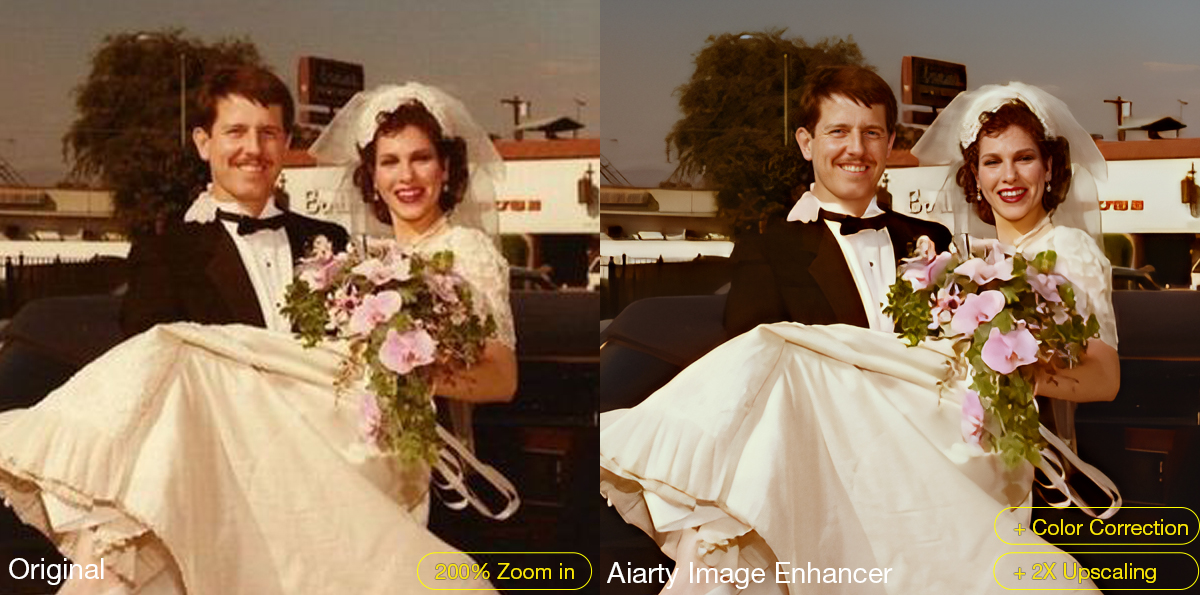
The software also supports AI upscaling for printing, digital archiving, and recovering low-resolution scans. Upgraded color controls help correct faded tones and yellow aging, while TIFF/DNG export support improves compatibility with Lightroom, Photoshop, and non-destructive editing workflows. Batch processing can further simplify repetitive cleanup work across multiple images or film scans.
A Practical Workflow for Restoring Old Photos
Step 1: Scan the Original Photo Properly
The quality of the restoration process still depends heavily on the original scan. For best results, scan photos at least 300dpi or higher, use TIFF when possible, avoid repeated JPEG compression, and clean the scanner surface before digitizing older prints.
Step 2: Reduce Noise and Upscale the Photo
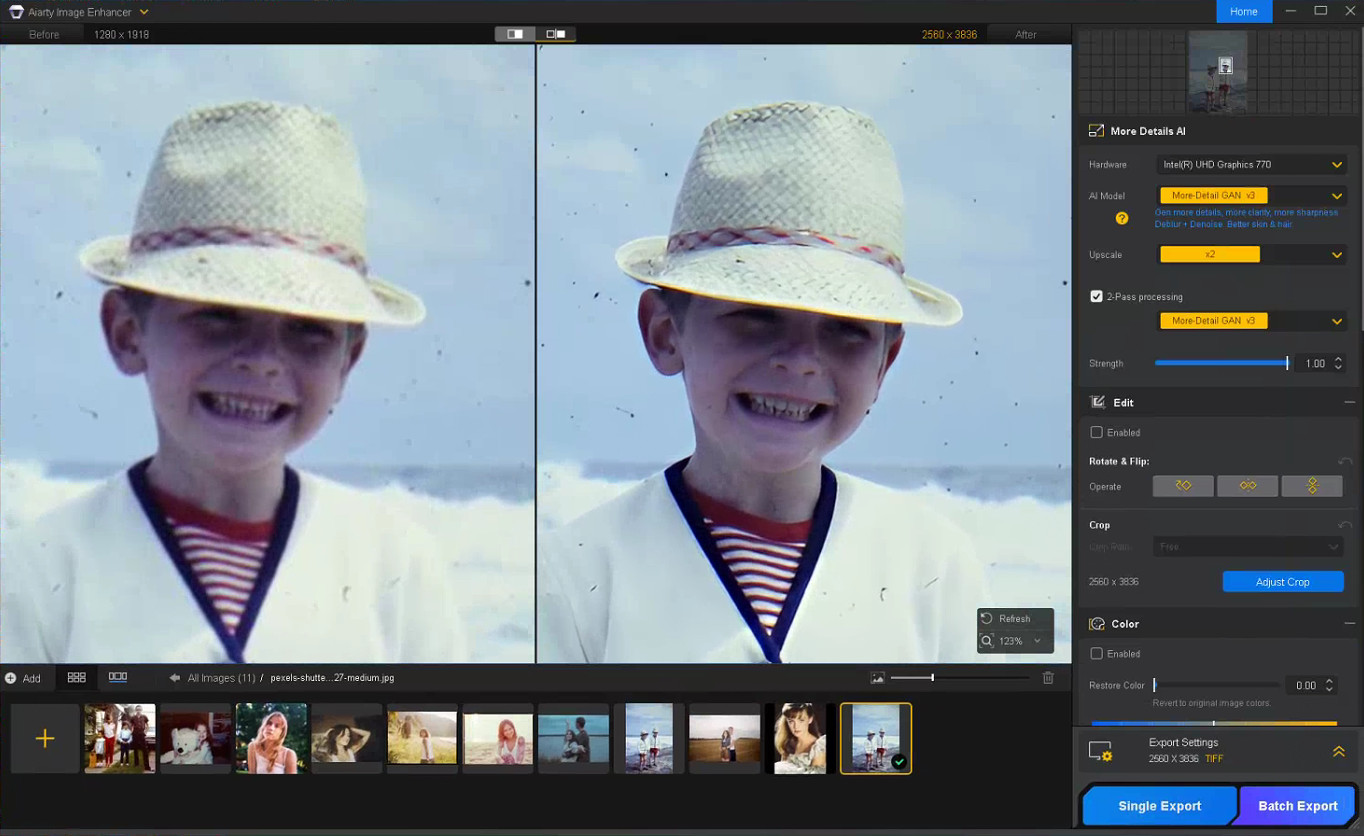
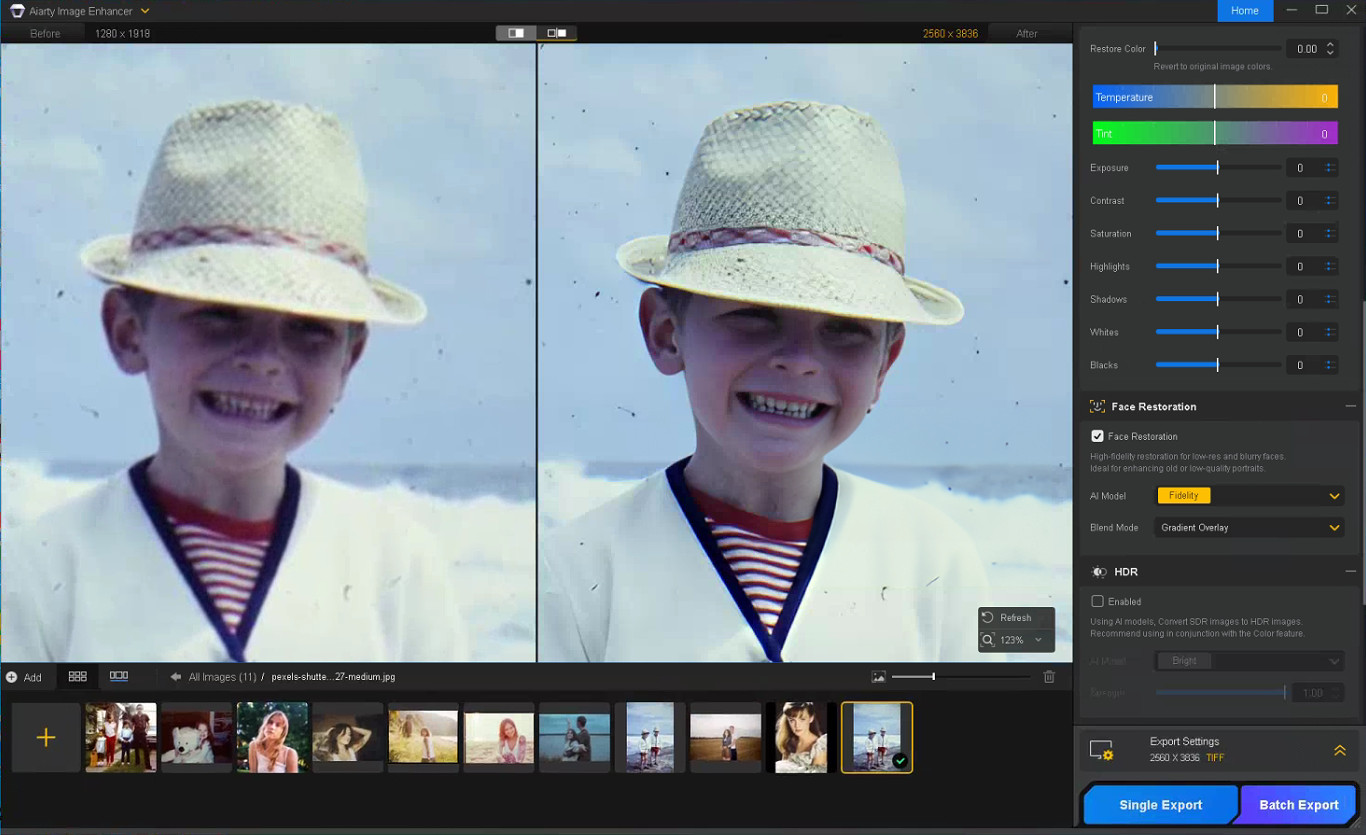
The first stage of restoring old photos usually focuses on improving image clarity while preserving the original texture of the photo. In Aiarty Image Enhancer, denoising, detail enhancement, and AI upscaling are processed together within the same AI pipeline.
Choose a suitable AI model and upscale factor depending on your old/damaged photo restoration goal. Using x1 applies denoising and enhancement only, while higher upscale settings can help AI upscale photos from low-resolution scans and prepare restored photos for printing or digital archiving without heavily over-smoothing fine details.
Step 3: Restore Facial Details Carefully
Enable Face Restoration and choose the Fidelity mode to better preserve the original facial structure and maintain more realistic-looking results. Rather than aggressively sharpening every facial feature, Aiarty’s Face Restoration focuses on recovering eye clarity, hair detail, facial edges, and natural skin texture while avoiding an over-smoothed or artificial appearance.
Step 4: Remove Scratches, Dust, and Small Damage
Enable the AI Eraser and mask scratches, stains, fold marks, or other distracting elements. Working in smaller sections with a properly adjusted brush size generally produces more natural-looking results than masking large areas at once.
Step 5: Correct Faded Colors and Improve Contrast
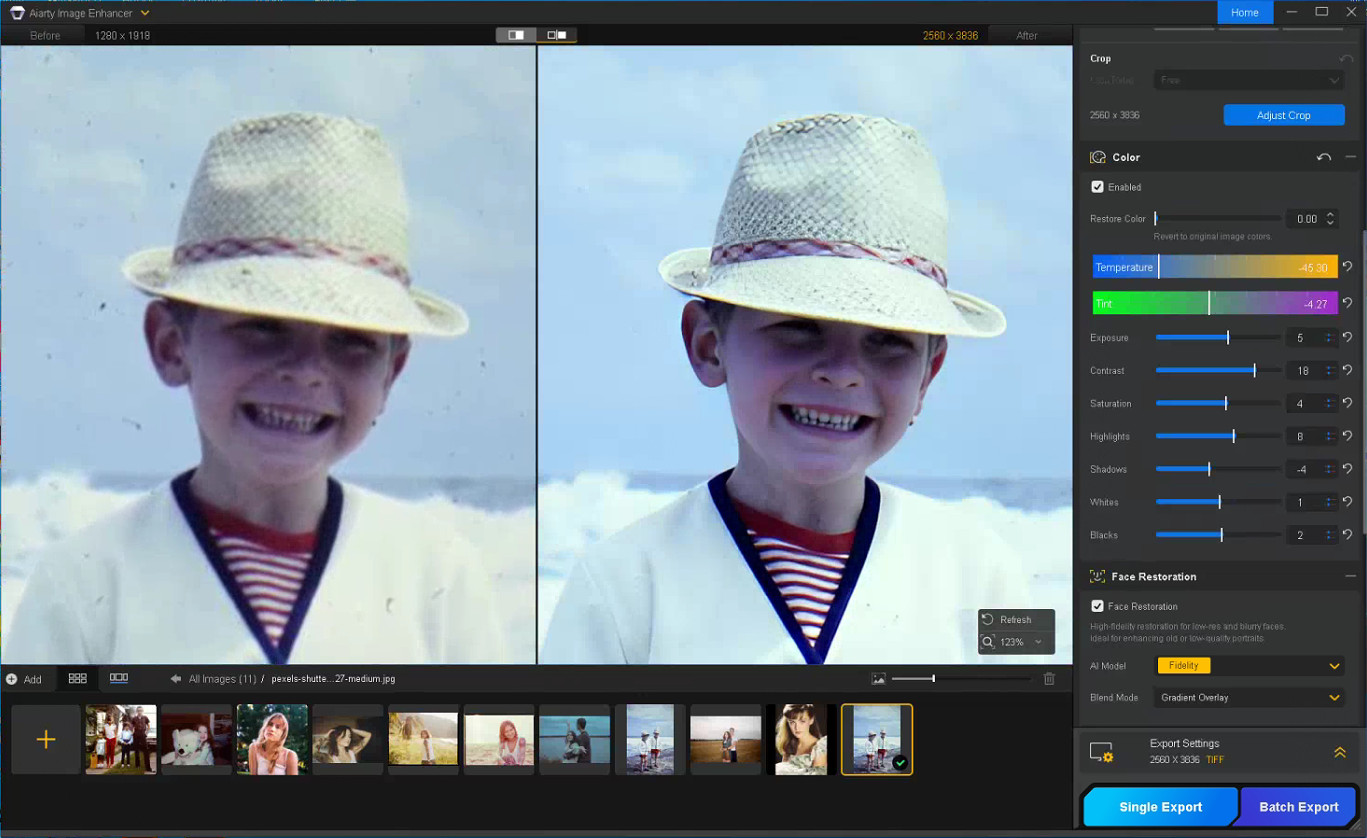
With the Color option enabled, you can fine-tune temperature, tint, contrast, exposure, shadows, and other parameters to correct yellow tint, faded contrast, washed-out shadows, and uneven color fading commonly found in older photos, helping restore depth and readability without making the image look overly processed.
Step 6: Export the Restored Photo
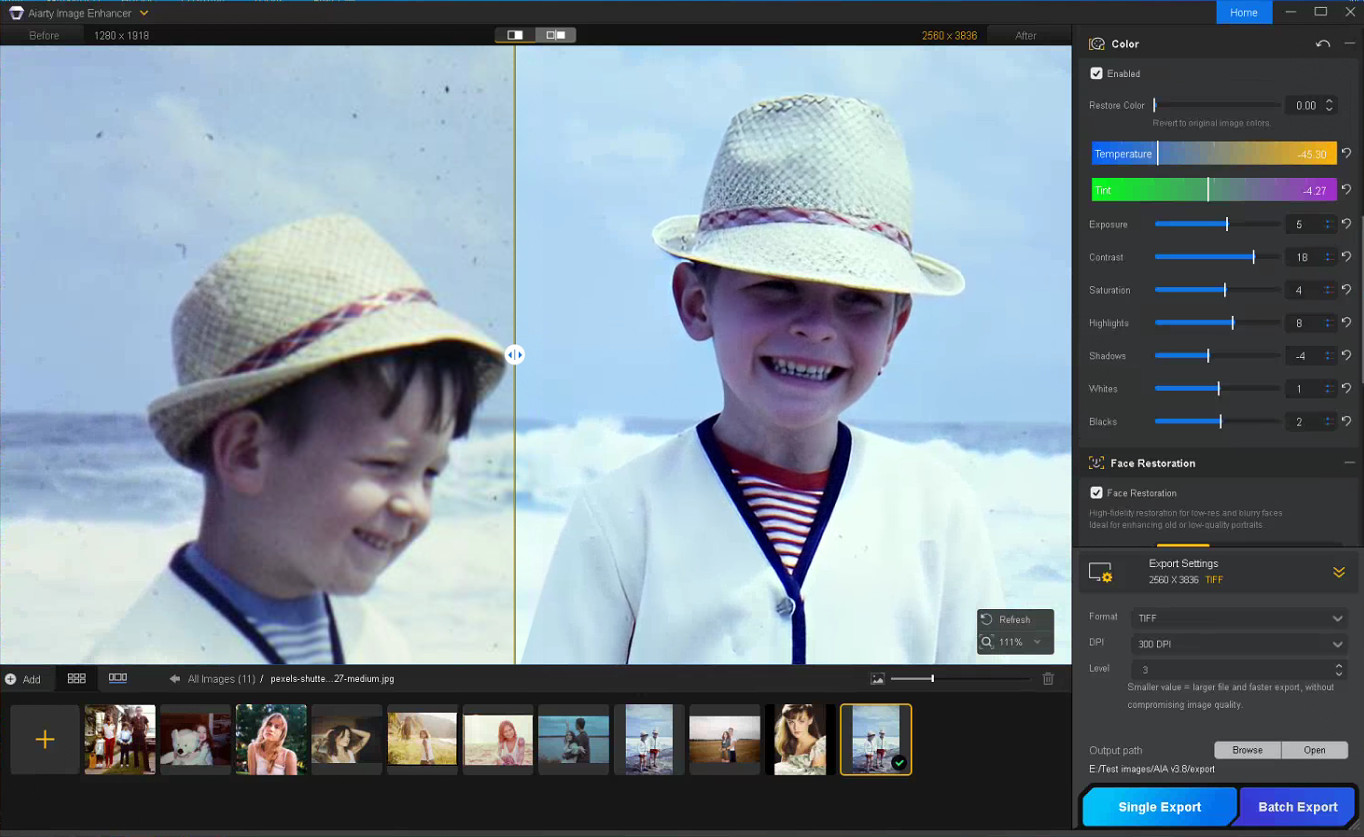
Once restoration is complete, choose the output format, DPI, and quality settings before exporting the final image. TIFF and DNG formats are recommended for preserving image quality and maintaining compatibility with Lightroom and Photoshop workflows.
Notes for Getting Better Restoration Results
Old photo restoration results can vary depending on the condition of the original image, so small workflow adjustments often produce better outcomes.
Trying Different AI Models
Each AI model in Aiarty Image Enhancer is optimized for different enhancement scenarios.
More-Detail GAN v3: Enhances detail and sharpness while reducing blur and noise
AIGCsmooth v3: Optimized for AI-generated images and smoother surfaces
Real-Photo v3: Designed for high-quality photos with more natural detail recovery
Experimenting with different AI models can help identify which one produces the most natural-looking old photo restoration for a specific image.
Adjusting the Strength Setting
If the restored image looks slightly waxy or overprocessed, lowering the Strength value can help preserve more natural texture and finer details.
Restoring Before Upscaling
For printing or digital archiving, it is generally recommended to complete denoising and face correction before applying upscaling, as cleaner base images usually produce more stable results.
In some cases, sequential upscaling (such as 2x + 2x) may also preserve detail better than applying a direct 4x upscale in a single pass.
Using Face Restoration Selectively
Face Restoration works best on photos where facial details are still partially visible but have become soft or faded over time. Fidelity mode keeps results closer to the original image, while Rebuild focuses more on reconstructing missing facial details.
Final Thoughts
The photo restoration workflow used in Aiarty Image Enhancer helps streamline the process while preserving more natural-looking detail compared to isolated manual adjustments. By combining cleanup and enhancement into a structured sequence, it reduces repetitive Photoshop work and improves consistency across different image types.
Beyond old photo recovery, the same workflow can also improve compressed social media uploads, AI-generated images, low-quality web photos, and images prepared for posters or large-format printing.
With the anniversary promotion, users can get the Aiarty Image Enhancer Lifetime License for only $74 (up to 52% OFF) with the code “ANNIVERSARY”, including lifetime access, lifetime free updates, and a 30-day money-back guarantee with no hidden fees.
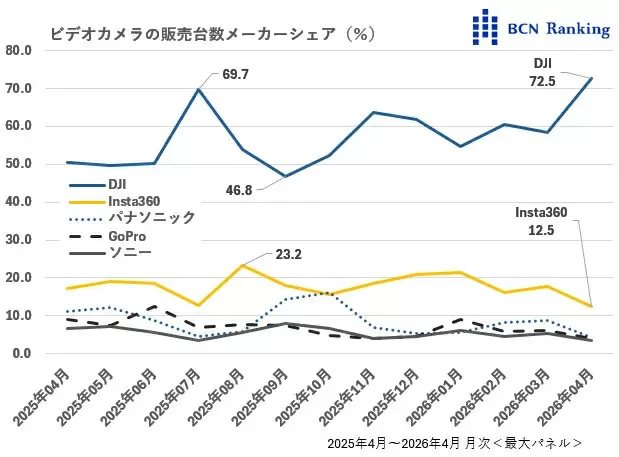
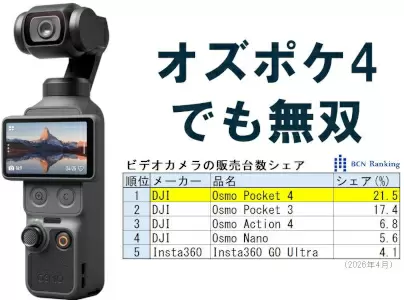
DJI currently holds a whopping 72.5% of the video camera market in Japan (Insta360 is at 12.5%):
DJI’s share of the video camera market has also risen, reaching an astonishing 72.5%, its highest ever. New products have also revitalized the entire video camera market. Sales in April increased significantly, with a 158.1% year-on-year increase in units and a 135.2% increase in sales value. This was revealed by the BCN ranking, which compiles actual sales data from 2,400 electronics retailers and online shops nationwide. (source)

 Connexion