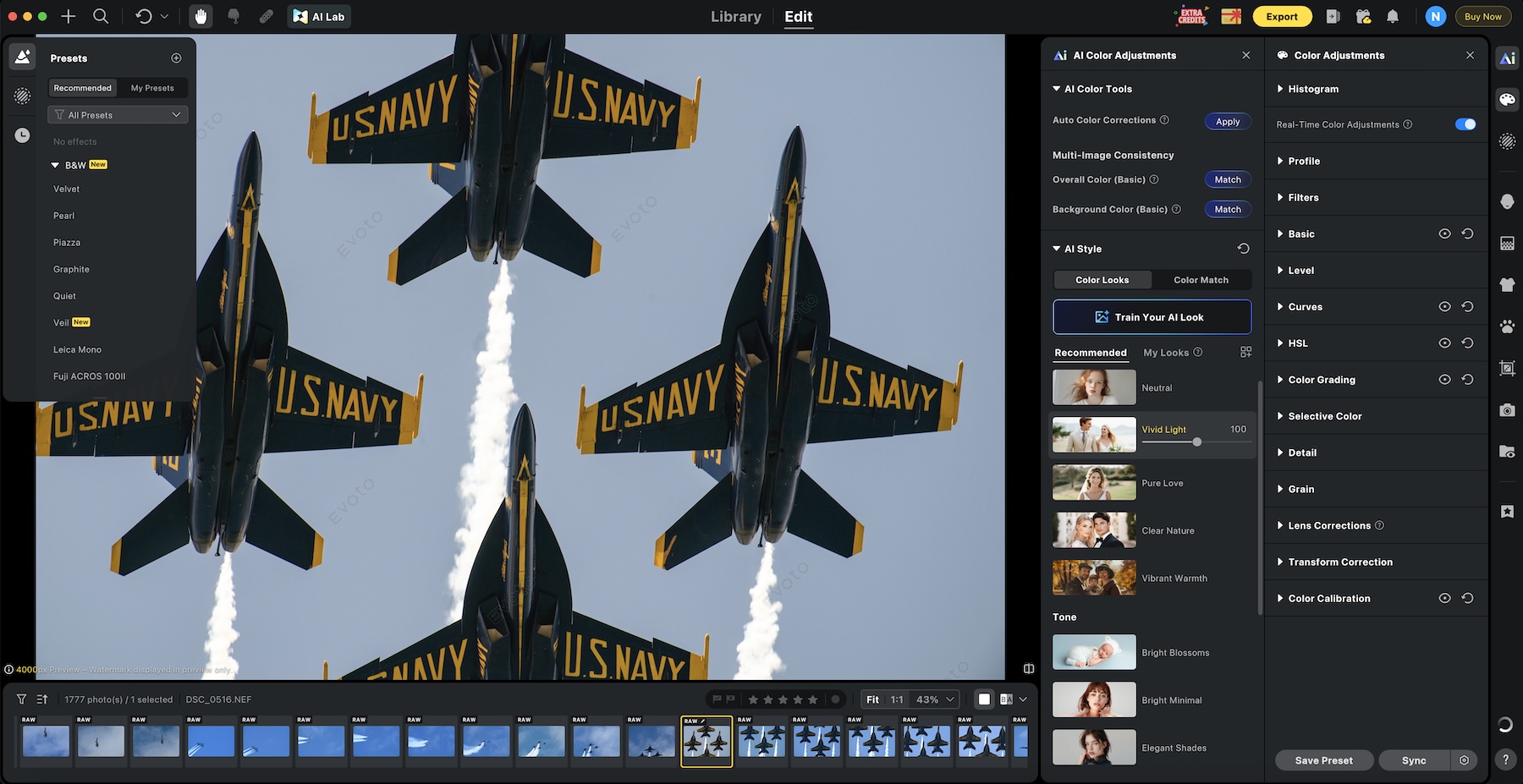
DxO started a new summer sale where you can get 20% off any DxO software with the discount code SummerRumors2026 (valid for new customers only). This offer is valid until July 10th, 2026. See the latest DxO releases here. DxO recently introduced 965 new modules – see this page for details.
You can use the exclusive Luminar coupon code RUMORS20NEO for an additional 20% off on top of the ongoing Summer sale. The code is valid until June 30. Additional information on the Skylum Luminar Neo Summer Sale can be found here
When you use DPReview links to buy products, the site may earn a commission.
The Tamron 17-70mm F2.8 Di III-A VC RXD is a versatile, fast lens that's great for activities like family vacations.
Canon EOS R7 | Tamron 17-70mm F2.8 Di III-A VC RXD | F2.8 | 1/2000 sec | ISO 160 Photo: Dale Baskin
Last week, Tamron announced new versions of its 17-70mm F2.8 Di III-A VC RXD zoom for Canon RF and Nikon Z mount APS-C cameras. While the lens has been around for several years in E-mount and X-mount versions, this news brings an exciting new zoom option to Canon and Nikon shooters.
The 17-70mm F2.8 delivers a 26-105mm equiv. range on Nikon APS-C cameras, and 28-112mm equiv. range on Canon's APS-C bodies. Most other F2.8 zooms for APS-C cameras in this range top out around 50-55mm, making the Tamron a distinctive option for those who want extra zoom reach with a constant F2.8 aperture.
That range makes it a great walk-around or travel lens, but the extra reach to 105mm equiv. also makes it well-suited to events, portraits, and street photography in ways the shorter 50-55mm competitors aren't.
Canon EOS R7 | Tamron 17-70mm F2.8 Di III-A VC RXD | F2.8 | 1/100 sec | ISO 320 Photo: Dale Baskin
We had a chance to borrow the RF-mount version of the lens, which we shot on a Canon EOS R7. Build quality and handling are pretty typical of Tamron's product line; the lens is relatively light for its size, and the zoom ring is well-balanced and easy to turn. There's no zoom lock, but I experienced virtually no lens creep during my use.
Notably, the RF-mount version of the lens gains two hardware controls not found on the other versions: manual switches to turn autofocus and optical image stabilization on or off – a nice touch, in our opinion.
Optically, the Tamron 17-70mm F2.8 delivers solid performance throughout its range. While it doesn't deliver the same level of sharpness as the most premium zooms on the market, it doesn't command a premium price, either, making it accessible to a lot of people.
To learn more about this lens, see our detailed launch coverage. In addition to the gallery below,you can also check out our earlier sample gallery, captured when the lens was launched for E-mount.
Please do not reproduce any of these images on a website or any newsletter/magazine without prior permission (see our copyright page). We make the originals available for private users to download to their own machines for personal examination or printing; we do so in good faith, so please don't abuse it.
Sample gallery
This widget is not optimized for RSS feed readers. Click here to open it in a new browser window / tab.
You can use the exclusive Luminar coupon code RUMORS20NEO for an additional 20% off on top of the ongoing Summer sale. The code is valid until June 30. Additional information on the Skylum Luminar Neo Summer Sale can be found here:
Evoto AI is a powerful, AI-driven photo editing platform built specifically for professional photographers who want to dramatically speed up their post-production workflow without sacrificing natural-looking results. It combines advanced per-face retouching, intelligent batch processing, color grading tools, and creative features like the AI Lab into one seamless system that supports the entire process – from tethered shooting and culling to final delivery. Available on desktop, mobile, iPad, and in the browser, Evoto helps photographers handle high-volume work efficiently while maintaining creative control.
Professional photography has always been a race against time – especially after the shutter clicks. Between culling thousands of frames, meticulous skin retouching, stray hair removal, color consistency, and client delivery, post-production can eat up days that could otherwise be spent shooting or with clients.
Evoto AI (evoto.ai) positions itself as the solution: a specialized, AI-first photo editing and retouching platform built specifically for working photographers who need speed, consistency, and natural-looking results without sacrificing control.
Product Information & Key Features
Evoto is an all-in-one AI photo editing suite that covers the full workflow from tethered capture through culling, retouching, color work, and delivery. It runs as a native desktop app (macOS & Windows), with companion iPad/mobile apps and a browser-based version for lighter or on-the-go use. There’s also Evoto Video for portrait retouching and color correction on moving footage, plus an Instant Photo Gallery tool for client proofing and delivery. The software handles both RAW and JPEG files and is fast – users and benchmarks routinely report processing hundreds of images in minutes once presets are dialed in.
Standout AI capabilities include:
Per-face / subject-aware retouching: Skin smoothing that preserves natural texture (freckles, pores), blemish/acne/wrinkle reduction, skin tone balancing, glasses glare removal, stray hair cleanup (inside and outside the frame), red-eye fix, teeth whitening/straightening, and even “open eyes” fixes.
Body & clothing tools: Subtle slimming, wrinkle/de-blemish removal on clothes, and color-changing options.
Background & environment tools: One-click or masked background removal/clean-up, distraction removal, sky replacement, and backdrop enhancement.
Smart culling: AI quickly flags and removes closed eyes, blurry shots, and duplicates.
Batch intelligence: Apply edits or presets across a set; the AI adapts per image rather than applying blunt global filters.
Additional tools: AI-based old-photo restoration, color matching/grading, tethered shooting support, and a preset system with sync across devices.
AI Color Adjustments
AI Color Adjustments in Evoto AI combine intuitive manual controls with intelligent AI assistance to deliver fast, consistent, and professional color grading across single images or large batches. Photographers can fine-tune exposure, white balance, brightness, tone balance, HSL, curves, and color masking in a Lightroom-style interface, while AI-powered tools like AI Color Match intelligently transfer the tone, mood, and color profile from a reference image to an entire set – ensuring unified results even when lighting varies across a wedding, event, or portrait session. This hybrid approach allows for both precise creative control and automated corrections that adapt naturally to skin tones, backgrounds, and subject matter, dramatically reducing the time spent chasing color consistency while preserving a realistic, non-plastic look that clients expect from professional work.
AI Color Adjustments
AI Color Adjustments in Evoto AI is a comprehensive, intelligent color grading system that blends precise manual controls with powerful AI-driven tools to deliver fast, consistent, and natural-looking results for individual images or large batches.
The AI Color Tools provide an intuitive Lightroom-style panel for fine-tuning exposure, white balance, brightness, tone balance, HSL, curves, color masking, and filters, while AI-powered features like AI Color Match allow photographers to instantly transfer the tone, mood, and color profile from a reference image to an entire set -ensuring unified results even when lighting conditions vary across a wedding, event, or portrait session. Complementing these are the
AI Style (also referred to as AI Color Looks) provides one-click, AI-driven stylistic transformations that intelligently analyze each photo and apply a predetermined aesthetic or “vibe” with natural, adaptive results. With over 20 pro-grade options ranging from warm and cinematic to vintage film, bright modern, or clean natural looks, the algorithms automatically correct color, contrast, and tone to match the chosen style while respecting the original image’s lighting and subject characteristics. This makes it exceptionally powerful for high-volume workflows – such as applying a cohesive “film-inspired” or “high-end portrait” look across an entire wedding gallery in seconds – while still allowing photographers to tweak intensity or combine multiple styles for a custom signature aesthetic that elevates their brand without hours of manual grading.
Presets
Presets functionality in Evoto AI is a cornerstone of efficient, repeatable workflows, letting photographers save any combination of retouching settings, AI Color Adjustments, AI Styles, and manual tweaks as reusable, one-click presets that can be applied to individual images or synced intelligently across entire batches. Official recommended presets (Natural, High-End Portrait, Event, Cinematic, Family, etc.) provide excellent starting points, while users can easily create and organize their own custom presets, capturing a specific color grade plus skin and hair retouching, for example, and apply them consistently across future shoots or different devices via cloud sync. This system not only slashes editing time on high-volume jobs but also helps maintain a recognizable, professional style that strengthens a photographer’s brand identity and enables faster client deliveries.
AI Lab
AI Lab in Evoto AI is a dedicated creative hub (accessed via an icon in the top-left of the Edit interface) that houses advanced, high-resolution AI tools designed for complex editing tasks beyond standard retouching. It specializes in intelligent removal and compositing features, such as People Removal (with auto-detection and passerby selection to cleanly eliminate unwanted individuals from backgrounds), Smart Removal / AI Object Remover for distractions, and AI Background Fusion, which enables sophisticated cutouts and scene compositing, perfect for placing subjects into new environments like school gymnasiums, stages, or custom backdrops. These generative tools deliver professional-grade, full-resolution results while preserving natural lighting and edges, making them invaluable for wedding, event, school, and portrait photographers who frequently need to clean up busy scenes or create polished composites without hours of manual masking in Photoshop. By consolidating these powerful capabilities into one streamlined workspace with its own credit model for generative actions, AI Lab significantly expands Evoto’s utility from fast retouching into true creative production, helping photographers deliver cleaner, more polished final images efficiently.
Evoto Mobile and Evoto Online
Evoto Mobile and Evoto Online extend the power of Evoto AI beyond the desktop, giving photographers true flexibility across devices and locations.
The Mobile version (available on iPad and smartphones) delivers a full-featured AI editing experience optimized for on-the-go use, supporting portrait retouching, color correction, batch processing, preset application, and even tethered shooting directly from compatible cameras. This makes it ideal for location photographers who want to cull, retouch, and show clients polished previews in real time, often closing sales on-site before leaving the session.
Evoto Online is a browser-based editor that provides instant access to core AI tools without installing software, making it especially useful for quick edits, e-commerce product work, background removal, and color adjustments on any computer. Both versions sync seamlessly with the desktop app via the cloud, allowing photographers to start a project on their main workstation, continue refining on an iPad while traveling or at a client meeting, and even perform light edits or client proofing in a browser when needed. Together, they transform Evoto from a powerful studio tool into a complete, location-independent workflow solution that keeps high-quality AI retouching and color work accessible wherever the photographer works.
Evoto Beta and Stable Versions
When downloading Evoto AI, users can choose between the Beta and Stable versions, giving photographers flexibility depending on their priorities.
The Stable version is the recommended choice for most professional users, as it offers a thoroughly tested and reliable experience with fewer bugs, making it ideal for high-volume workflows where consistent performance is critical.
In contrast, the Beta version provides early access to the newest features, AI tools, and improvements – often updated weekly, allowing photographers to test cutting-edge capabilities before they reach the stable release. While the Beta channel is excellent for those who enjoy experimenting with the latest innovations and don’t mind occasional glitches, most working photographers opt for the Stable version to maintain smooth, uninterrupted editing sessions. Evoto makes it easy to switch between the two on their download page, so users can start with Stable for reliability and move to Beta when they want to explore upcoming tools.
Brand Description
Streamlining the workflow for professional photographers worldwide, powered by AI.
Evoto was founded with a clear mission: let AI handle the repetitive “pixel work” so photographers can focus on creativity, storytelling, and client relationships. The company (led by founder/CEO Mitta) has grown rapidly by targeting high-volume professionals – wedding, portrait, newborn, event, school, and commercial shooters, as well as studios that need consistent results at scale.
It claims a large global user base (1M+ photographers across 200+ countries/regions and tens of thousands of collaborating studios). The brand emphasizes ethical AI practices: images are not used to train models without consent, and the platform is GDPR/CCPA compliant with secure cloud options for collaboration and cross-device sync.
Recent expansions (desktop 6.x updates, mobile/Instant apps, and video tools) show Evoto evolving from a specialized retoucher into a broader workflow platform that competes with traditional tools while carving out its AI-retouching niche.
Workflow Examples & Real-World Use Cases
Typical high-volume wedding or event workflow:
Shoot tethered (wired or wireless) directly into Evoto for instant previews and early polishing.
Run AI Smart Culling to quickly eliminate blinks, blur, and duplicates.
Apply or create a portrait preset (skin, hair, glare, teeth) and sync across the gallery, the AI handles per-face variations intelligently.
Quick global or selective color grading.
Export and deliver same-day or push to the Instant Photo Gallery for client viewing/proofing.
Many users report turning what used to be multi-day editing marathons into same-day or next-day deliveries, which improves cash flow and client satisfaction.
Portrait/headshot/fashion studio use case: Photographers often export selects from Capture One or Lightroom into Evoto for targeted cleanup (skin, stray hairs, clothes, background), then do final polish back in their main editor if needed. The per-face controls and masking tools make it excellent for preserving natural skin texture while quickly removing distractions.
On-location/mobile use case: With the iPad or mobile apps, photographers can retouch on-site, show clients polished previews in real time, and even close sales before leaving the location, a game-changer for tourist, event, or mini-session shooters.
Hybrid workflow tip (from working photographers): Do primary color correction in your usual raw processor, export selects to Evoto for AI retouching and cleanup, then finish any ultra-fine texture work in Photoshop only where necessary. This minimizes credit usage while maximizing speed.
Other niches: Newborn and maternity photographers appreciate the gentle, texture-preserving skin tools. E-commerce and content creators use the browser version for quick background removal and product cleanup. Video users are exploring newer video retouching tools to achieve consistent skin and color across talking-head or event footage.
Pricing & Value Proposition
Evoto uses a credit-based model that’s different from traditional subscriptions:
Editing, previewing, and most tools are free.
Exporting an image typically costs 1 credit per photo (some advanced generative features may cost more – you’ll see the exact cost before exporting).
Credits are purchased via annual subscription plans (best value, with rollover and cheaper add-on packs) or pay-as-you-go (more expensive per credit, 2-year expiration).
Approximate annual subscription tiers (as of mid-2026; check site for current):
Starter: ~800 credits (~$89/yr)
Basic: ~1,600 credits (~$149/yr)
Higher tiers scale up to 24,000 credits with better per-credit pricing and add-on discounts.
Pay-as-you-go options start around 200 credits for ~$49. New users usually get starter credits (often 15+), and referrals can add bonus credits.
Value verdict: For high-volume pros who deliver hundreds or thousands of images per month, the time savings (often cited as 5+ hours/day or cutting multi-day jobs to an hour) can easily justify the cost and even increase profitability by enabling faster turnarounds or bringing retouching in-house. Hobbyists or very low-volume shooters may find the credit model less attractive. Some users have noted past price adjustments, so it’s worth modeling your typical monthly exports before committing.
Pros & Cons
Pros:
Exceptionally fast and natural-looking portrait and subject retouching.
Intelligent batch/sync tools that adapt per image.
Strong tethered + culling + retouch + delivery workflow in one app.
Cross-platform sync (desktop iPad mobile).
Ethical/privacy stance and regular feature updates.
Free to experiment until you export.
Cons:
The credit system requires planning (especially for very high volumes or if you re-export after external edits).
Not a full layer-based compositor like Photoshop – best used for targeted cleanup rather than heavy compositing.
AI tools (especially culling or complex backgrounds) sometimes need manual refinement.
Extreme close-ups or ultra-high-end skin texture work may still benefit from finishing in Photoshop.
Overall verdict:Evoto AI is one of the strongest specialized AI retouching tools available to professional photographers in 2026, particularly for portrait, wedding, and event work, as well as any high-volume work where speed and consistency matter. It won’t completely replace a skilled retoucher or your full creative suite for every job, but it dramatically accelerates the most time-consuming parts of the job while delivering results that clients and photographers describe as natural rather than “AI-plastic.”
Conclusion
Evoto AI stands out as one of the most capable and photographer-focused AI editing platforms available in 2026, combining powerful per-face retouching, intelligent batch processing, advanced color tools (including AI Color Match and AI Style), creative features like the AI Lab for object removal and background fusion, and seamless cross-platform support across desktop, mobile/iPad, and browser versions. By automating the most time-consuming aspects of post-production while still giving photographers precise control and natural-looking results, it enables faster turnarounds, consistent quality across high-volume shoots, and even on-site client presentations that can directly boost sales. While its credit-based pricing model requires some planning, especially for high-volume users, the significant time savings and workflow efficiency often make it a worthwhile investment for professional wedding, portrait, event, and studio photographers. For anyone looking to reduce editing burnout, bring more work in-house, or simply deliver polished galleries faster without sacrificing quality, Evoto AI is well worth testing. Photographers can download the desktop app or try the mobile and online versions for free to experience how it fits into their own workflow.
When you use DPReview links to buy products, the site may earn a commission.
Looking for an original take in a scene set up by Pat Domingo, I asked the model if she could get into the driving seat of the car on the set. I wanted to see how much of the huge strobe outside would make it through the narrow windscreen. I asked her to look forward, as if driving, then turn to her right, as if something had caught her attention. This is the moment she did.
Leica SL3-P | Summilux-SL 50mm F1.4 | F5.6 | 1/200 sec | ISO 64 Photo: Richard Butler
The launch event for the Leica SL3-P included not only the chance to get trackside at the famous Nürburgring motor racing circuit and a studio setup by fashion photographer Pat Domingo but also the presence of famed photographer Steve McCurry.
This meant I found myself in the frankly ridiculous position of asking to shoot a portrait of one of the world's most famous portrait photographers, as well as the more familiar challenge of trying to find a unique shot in a pre-staged studio scenario.
Included in the gallery are a handful of shots taken with the new 50mm F1.4 and 100mm F2.8 Macro lenses.
Here's Leica SL3-P (and I) got on:
Leica SL3-P sample gallery
Please do not reproduce any of these images on a website or any newsletter/magazine without prior permission (see our copyright page). We make the originals available for private users to download to their own machines for personal examination or printing (in conjunction with this review); we do so in good faith, so please don't abuse it.
Sample gallery
This widget is not optimized for RSS feed readers. Click here to open it in a new browser window / tab.
Since it was released two months ago, Olivia Rodrigo's music video for the song "drop dead" has already garnered 42 million views. There are probably a lot of reasons it's been so popular: it's the lead single for a very popular artist's new album, was shot on location in Versailles and clips from it have been popular on social media sites like Instagram. But the aesthetic of the video probably helps too; it has a dreamy, old-school look to it that taps directly into 90s VHS nostalgia.
While that's well-trodden ground for modern music videos, the effect is very convincing... because it's real. A recent video from the YouTube channel Frame Set goes deep on how the video, directed by Petra Collins, was shot, in a wide-ranging interview with its cinematographer, Todd Banhazl.
The interview also covers how the team captured the dreamy, undercranked effect used in the striking opening scene.
The video obviously covers the mix of cameras used, going into why the crew chose to use BetaCam, VHS and MiniDV, and the different situations where they needed to go with one over the other. There are plenty of interesting details in it for camera nerds, but it also doesn't slack on discussing craft; a lot of the video is focused on the interesting lighting setups needed to film in a historic building with limited control while using cameras with very low sensitivity.
It also touches on other technical aspects, like the difficulties of editing interlaced footage that will eventually be shown using a platform designed for progressive video, and deeper topics like the rise of the lo-fi aesthetic in the age of AI-generated imagery. Even if you're not into music videos or Olivia Rodrigo's brand of pop-rock singer-songwriting, the interview is well worth a watch just to see a clearly talented creative talk about their process.
When you use DPReview links to buy products, the site may earn a commission.
Photos: Mitchell Clark
Earlier this year, Nikon introduced a new version of one of its professional full-frame workhorse lenses: the Nikkor Z 70-200 F2.8 VR S II. We've now had the chance to spend some time with it, shooting portraits, firefighting aircraft and more. You can jump straight to the gallery to see the results for yourself, or read on to see what we thought about how it feels to use and the images it produces.
In Use
Three of the Z 70-200mm F2.8 VR S II's states. Left: its smallest and lightest configuration (998g / 35oz). Middle: the lens with the cosmetic bayonet cover (1028g / 36.3oz). Right: the lens with its foot and hood (1248g / 44oz).
The big (or rather, not so big) selling point of this lens is its size and weight. Without the tripod foot and cosmetic sleeve installed, it's only 998g (35.2oz); the lightest full-frame 70-200mm F2.8 for a mirrorless system. With that said, I typically preferred to use it with the tripod foot; it's Arca-Swiss compatible, making it very easy to mount to a tripod, and the lens isn't quite light enough that I feel terribly comfortable toting it around without a solid handle to remind me that I'm carrying a camera attached to a lens, not the other way around.
Even with the foot, the lens’s weight is competitive with that of its lightest competitors, and is a substantial improvement over the original. The lens's center of gravity is also remarkably consistent as you move through its zoom range, so you don't have to shift your grip as you change focal lengths.
The tripod foot and decorative bayonet collar are toollessly removable using a button and a bit of a tug.
In terms of features and controls, this lens has most everything you could want, with the exception of the top-display from the previous generation that some – though not I – may miss. And as someone who has long disliked clickless control rings, it's good to see Nikon providing the option to click or declick the one on this lens, even if I’d still personally prefer a dedicated aperture ring.
I also appreciate the ample number of function buttons, which are available no matter what orientation you're holding the lens in. The manual focus and zoom rings are also satisfying to turn, and the latter is a relatively short throw, letting you move through the range quickly if need be. While the pattern on them provides plenty of grip, I do wish they were just a bit softer, but not enough that I'd be willing to accept any trade-off in durability.
The tripod collar can be freely rotated, making it easy to switch from portrait to landscape, even when mounted on a tripod. I do wish it had detents or clicks at 90° intervals, though, as those make it easier to tell when you're perfectly aligned.
Nikon says the lens has an upgraded autofocus system, and I found it always kept up with the camera, snapping into focus very quickly. It never felt like the lens’s autofocusing motors were bottlenecking the body, or like I would have gotten a shot if only it had moved a bit faster.
When working in concert with a stabilized sensor, this lens's optical stabilization is among the most impressive that I've used in a full-frame zoom. It's so effective, in fact, that it can occasionally be a bit difficult to precisely recompose your image with it on, though I only really noticed that in a few situations.
Optics
With the lens wide open at F2.8, there's noticeable vignetting at the corners throughout its focal range (though it's most noticeable at the long end). It mostly clears up by F4, though you'll see further improvements going to F5.6. While this can easily be corrected using the lens's profile, this will come at the cost of having fractionally more noise visible in the corners of the image.
You can gain a small sharpness advantage in the corners by stopping down, too, but in our experience, this lens is very sharp corner-to-corner no matter what focal length or aperture you're shooting at.
70mm
F2.8
F4
F5.6
F8.0
200mm
F2.8
F4
F5.6
F8.0
I find the lens's bokeh to be very pleasing, rendering even busy backgrounds relatively smoothly. The specular highlights are also quite clean, without distracting aberrations, which is exactly what we'd want to see in a professional lens destined to shoot a lot of weddings with trendy lighting.
Nikon's latest coatings are also quite impressive. There was one time when I was shooting pretty much directly into the afternoon sun, which produced a somewhat washed-out image, but things improved as soon as I was shooting even a little off-axis.
1
2
3
Even with the sun directly outside of, or even in the frame, the lens was able to hold onto a fair amount of color and contrast.
Nikon Z8 | Nikon Z 70-200mm F2.8 VR S II | 200mm | F8 | ISO 64 | Processed in Capture One
The lens makes use of minor software corrections for geometric distortion – there's a very mild amount of pincushion distortion at the long end and barrel distortion on the short end – but we wouldn't consider using them mandatory. And, indeed, neither does Nikon; with the 70-200mm F2.8 VR S II attached, the camera allows you to turn off Auto Distortion Control, which isn't the case with every Z mount lens, such as the Nikon 24-120 F4 S.
Sample Gallery
Please do not reproduce any of these images on a website or any newsletter/magazine without prior permission (see our copyright page). We make the originals available for private users to download to their own machines for personal examination or printing (in conjunction with this review); we do so in good faith, so please don't abuse it.
Sample gallery
This widget is not optimized for RSS feed readers. Click here to open it in a new browser window / tab.
Thank you to Nikon for the loan of a Nikon Z8 to capture this gallery. All images were processed using our standard lens workflow in Capture One, with the manufacturer's distortion correction applied but no correction of vignetting.
Adobe is acquiring Topaz Labs, the company behind widely used image and video enhancement tools, including Topaz Photo, Topaz Video and Topaz Gigapixel.
The announcement follows a previous partnership between the two companies, unveiled at Adobe Max in October 2025. At the time, Adobe integrated some of Topaz's popular upscale, denoise and sharpen models directly into Photoshop, providing access to the tools using Adobe's AI credits rather than a separate paid subscription for each app. Topaz Gigapixel was also added to the cloud-based version of Lightroom in February 2026.
With the acquisition, Adobe says it plans to expand Topaz's AI enhancement models – which include upscaling, noise removal, sharpening, stabilization, frame interpolation and footage restoration – across its Firefly AI generation software, Firefly Services, and Creative Cloud products. Adobe also highlighted the integration of Topaz's proprietary Neurostream technology, which enables large AI models to run locally on consumer hardware rather than requiring cloud processing.
What this means for existing Topaz customers isn't totally clear. Adobe says Topaz products will continue to be available as standalone offerings through Topaz's own website after the deal closes, and that Topaz Labs CEO Eric Yang will remain with the company. It adds that customers "can expect continued support and investment in future innovation." However, the announcement makes no mention of pricing, subscription structure or how Topaz's tools will be positioned relative to Creative Cloud subscriptions going forward.
The transaction is expected to close in the second half of 2026, pending regulatory approval (which isn't always a given).
Adobe to Acquire Topaz Labs
Adobe has seen strong demand for its AI products for creatives, including Adobe Firefly, the all-in-one creative AI studio, and Firefly Services, a collection of creative and generative APIs and services for enterprises
The combination of Topaz Labs, which specializes in developing industry-leading video and image enhancement models, with Adobe's leading creative products will provide creators, designers, video professionals, photographers and enterprises the tools to achieve exceptional quality across every format and workflow
Topaz Labs brings deep expertise in optimizing large, complex AI models to run directly on device, a capability that will allow Adobe to deliver faster, more responsive creative experiences for customers and make advanced AI more accessible and cost effective for creatives
SAN JOSE, Calif. —June 25, 2026 — Adobe (Nasdaq:ADBE) — the global technology leader that unleashes creativity, productivity and customer experiences through innovative tools and platforms — today announced that it has entered into a definitive agreement to acquire Topaz Labs, an AI company specializing in industry-leading video and image enhancement models.
Adobe empowers everyone from first-time creators to creative professionals and enterprises with groundbreaking AI tools and technology across every stage of the creative process. Adobe's creative AI portfolio brings together industry-leading AI models in Adobe Firefly the all-in-one creative AI studio, and Adobe Creative Cloud applications including Photoshop, Lightroom, Premiere and more, delivering creative professionals pixel-level control and precision tooling.
As AI rapidly reshapes video and image creation, creatives are increasingly working across hybrid workflows that combine traditionally captured footage with AI-generated content, and they are expected to deliver high-quality results across a growing range of formats, devices and production methods. Topaz Labs provides a broad array of advanced AI models for video and image enhancement that analyze and improve existing visual content by sharpening detail, removing noise, restoring footage and increasing resolution, making them essential for any workflow that combines real-world capture with AI-generated imagery.
Topaz Labs develops professional quality AI video and image enhancement models and tools that are trusted by creative professionals such as Asteria Film Co, award-winning filmmaker Robert Stone and enterprises to deliver exceptional fidelity and high-quality results across professional filmmaking, documentary restoration, social content creation, photography and archival workflows. The company has developed proprietary AI models to support professional video use cases such as upscaling, sharpening, stabilization, frame interpolation, noise removal, footage restoration and more.
"Adobe Firefly, Firefly Services and Creative Cloud offer the industry's best creative tooling and top AI models for creators and brands, and we're excited to build on the strong demand for these products with Topaz Labs," said David Wadhwani, President, Creativity & Productivity Business, Adobe. "Creators are creating more content by mixing captured and generated images and video, and with Topaz Labs we will give every creator the quality and control to easily produce that content at higher quality and resolution."
"Building technology to make images and videos look their absolute best has been our life's work for more than twenty years," said Eric Yang, CEO of Topaz Labs. "We've always believed that technology should serve human creativity rather than replace it — and so has Adobe. Together, we believe we can dramatically expand what's possible for filmmakers and creators everywhere."
With Topaz Labs, Adobe will expand its video and image model offerings with state-of-the-art AI enhancement models in Adobe Firefly, Firefly Services and Creative Cloud apps, giving creators, designers, video professionals, photographers and enterprises the tools to achieve exceptional quality across every format and workflow. With millions of customers, Topaz Labs and its Emmy Award-winning AI technology will be integrated across Adobe's creative AI portfolio, giving creatives the ability to enhance footage, restore and remaster archival content, and blend AI-generated and traditionally captured content into seamless final productions. Topaz Labs will also bring its proprietary Neurostream technology that enables large, complex AI models to run locally on consumer devices, democratizing advanced image and video models previously limited to high-end systems or cloud-only usage and positioning Adobe to tap into the growing opportunity for efficient, on-device AI video.
After the transaction closes, Topaz Labs customers of all sizes can expect continued support and investment in future innovation and Topaz Labs products will remain available as standalone offerings through the company's website. Upon close, Topaz Labs CEO Eric Yang will continue to lead the Topaz Labs team.
Transaction Details
The transaction is expected to close in the second half of 2026, subject to the receipt of required regulatory approvals and the satisfaction of other customary closing conditions.
When you use DPReview links to buy products, the site may earn a commission.
"The horse is symbolic of that ridden by Hussein, the great-grandson of the Prophet Muhammad, who was slaughtered over 1400 years ago and still revered in the modern era. This is an important day in the Muslim calendar – the ‘Muharram Jaloos’ procession."
Fuji X-H1 | Fuji 16mm F1.4 | F5.0 | 1/125 sec | ISO 200 Photo: Mark Lamb
Mark Lamb, known as Dark Inventions on the forums, serendipitously submitted a portrait photography spotlight to us right before we announced our community self-portrait mini challenge. This is a great capper for a week of luminous portrait photography among multiple community initiatives. Be sure to stop by the community forums to check them all out. In the meantime, see Mark's story and the people he photographed below.
This story is part of our What's in your bag? community spotlight series. The series showcases the diverse gear and photography of our community, and shares their stories of how that gear helped them to capture the perfect shot.
"Another image from the Whitby goth gathering – one of the regular attendees."
Sony a7R V | Sony 85mm F1.4 | F1.4 | 1/400 sec | ISO 400 Photo: Mark Lamb
Meet Mark Lamb
Home base: United Kingdom
"Photography has been part of my life for over forty years. What began as an interest in recording people and places gradually became an exploration of memory, identity and the passage of time. I have always been drawn to portraits because they allow me to connect with people from every walk of life."
"In recent years, my work has become centered on a long-term project called One Thousand Contemporary Portraits, an attempt to create a broad and inclusive portrait archive of contemporary Britain. The project has taken me from fishing communities and military veterans to Goths, performers, campaigners, artists and ordinary people whose stories might otherwise go unrecorded."
"The camera has become less important than the conversation that happens before the photograph. The image is often the final stage of a much longer process of listening and understanding."
For the Olympus PEN-F: 12mm and 17mm lenses (equivalent to 24mm and 35mm full-frame).
Support gear: Mark typically carries a silver/white foldable bounce board and, when using the Olympus PEN-F, its compact flash unit. Away from photography gear, he considers a notebook and pen essential, along with calling cards featuring contact information and samples of his work. He keeps the kit flexible primarily by changing lens combinations rather than adding equipment, usually choosing either a 24mm/50mm/135mm trio or a lighter 35mm/85mm pairing.
"I use two Peak Design slings, but usually only carry one of them on a shoot. Despite its modest size, the 10-liter sling will fit an a7R V with a 50mm lens and another a7R V with a 135mm lens. If I'm carrying a third body with the wide-angle lens, it will be on a QD sling outside the bag. I love these bags because I'm never tempted to overload them, and they are reassuringly waterproof."
"The girl’s precious rabbit was initially hidden, but a cooperative mom negotiated an appearance from him. Whitby Goth Gathering."
Sony a7R V | Sigma 65mm F2 | F2 | 1/3200 sec | ISO 200 Photo: Mark Lamb
"I am primarily a portrait photographer. I am interested in people who carry visible traces of their lives in their faces, clothing, surroundings and personal histories."
"Many of my photographs are taken in northern England, particularly around Scarborough and Whitby. Whitby has been especially important because it brings together people from remarkably diverse backgrounds. The annual Goth events provide opportunities to photograph individuals who have consciously created identities that challenge conventional ideas of age, beauty and self-expression."
"My aim is always the same: to create portraits that are honest, empathetic and respectful."
"Alongside this, I photograph travelers (gypsies), circus, religious groups, family members, veterans, theatrical performers, dancers, and any of the charismatic people I encounter in my everyday life. My aim is always the same: to create portraits that are honest, empathetic and respectful."
"Beamish, near the city of Durham in the north of England."
Sony a7R V | Sony 24mm F1.4 | F2.8 | 1/250 sec | ISO 2500 Photo: Mark Lamb
How has your photography changed over the years?
"I'm not getting any younger (my vintage is 1956), so I'm in a constant battle with myself to lose weight from my bag by shedding all but essential gear. I'm definitely more patient than I used to be and make a lot of effort to engage fully with my subjects."
"I tend to use a simpler visual language these days, and I think it helps give my work a recognizable stamp. I've been fairly successful in the last year or so since I made an effort to put my work out there (rather than sitting on a hard drive) and, as a result, found success in the Taylor Wessing Portrait Prize, when a portrait of my wife was selected in the English National Portrait Gallery in London. I've also had exhibition success and appeared in a few magazine articles."
"My wife and dog, Enid and Molly. This is entitled ‘Precious Things in the Stream of Time’ and was exhibited at the National Portrait Gallery in London."
Leica Q2 Monochrom | Summilux F1.7 28mm ASPH | ISO 200 Photo: Mark Lamb
Portraits don't always reveal the surrounding scene. What places are your favorites to take these photos in?
"I'm a frequent attendee at the Whitby Goth Weekend, which happens twice a year, in the historic streets of this old fishing village. I also attend community events, special-interest meetings such as comic cons, and turn up regularly at cultural events such as gypsy horse fairs, religious processions and so on. In short, I will go anywhere that I can expect to find interesting people."
"As a younger man, I traveled the world extensively (circa 170 countries), but these days I don't feel the need to leave the UK in my search for subjects. I'm pretty certain that if I lived closer to London, I wouldn't need to travel outside the M25 (the motorway that encircles the city). Instead of traveling, I prefer to spend my effort in returning repeatedly to the same communities, which allows me to build relationships over time."
"Joan was ninety-three when this portrait was shot. She had just been running (!!) to catch a bus and had narrowly missed it. Luckily for me, she then had plenty of time for a portrait session."
Sony a7R IVa | Sony 50mm F1.2 | F1.2 | 1/640 sec | ISO 100 Photo: Mark Lamb
Is there such a thing as "the perfect portrait"?
"The perfect portrait usually happens after the planned photograph. Once the subject believes the session is over, the performance often drops away and something more truthful emerges. I pay close attention to conversation, body language and silence. Technical decisions are important, but the most important part of portrait photography is creating an environment in which people feel comfortable enough to reveal themselves."
"The perfect portrait usually happens after the planned photograph."
"The only advice I could possibly offer to someone I don't know is to shoot what you know and not what you'd like to be seen shooting. That's how I view my ongoing One Thousand Contemporary Portraits project. I'm also continuing work on memory, aging, and identity, and I have a burning desire to create a lasting portrait record of contemporary Britain."
Editor's note: This article continues a series, 'What's in your bag?', highlighting DPReview community members, their photography and the gear they depend on. Would you like to be featured in a future installment? Tell us a bit about yourself and your photography by filling out this form. If you're selected for a feature, we'll be in touch with next steps.
When you use DPReview links to buy products, the site may earn a commission.
Sample gallery
This widget is not optimized for RSS feed readers. Please open this article's permalink in a browser to view this content.
Product photos: Mitchell Clark
The Leica SL3-P is a high-speed, high-resolution L-mount full-frame camera built around a 44MP BSI CMOS sensor. It's the latest in the company's SL range and perhaps the most polished and all-round capable camera in the series so far.
Key specifications
44MP BSI CMOS full-frame sensor with phase detection
up to 40fps shooting with AF in 12-bit mode. Up to 15fps in 14-bit.
Subject recognition AF
8K open-gate video up to 24p (7.2K open-gate up to 30p)
Full-width 8K (UHD or ∼DCI) up to 30p
Full-width 4K up to 30p, 4K/60 and 4K/120 with increasing crops
Content Credentials image certification
Battery rated to 383 shots per charge
IP54-rated all-metal construction
The Leica SL3-P will be available immediately at a recommended price of $6695 excluding tax in the USA, or €5990, including sales tax.
That 44MP BSI CMOS sensor will be familiar to anyone that's been following Panasonic's recent launches.
Thus far, Leica has produced high-resolution SL models and high-speed SL-S versions. The SL-P appears to be something of an attempt to merge the two lines, offering both high speed and high resolution.
The result is something akin to Sony's recent a7R VI or, perhaps more pertinently, the Panasonic S1RII: not an out-and-out sports camera but more a studio and landscape camera that's happy to venture further afield. That Panasonic comparison is unavoidable as the 44MP, 40fps headline spec is shared between both cameras, as are their processors, even if the branding of them differs.
However, our experience of the SL3-P and the S1RII reminded us of how different you can make two cameras, even if you start with many of the same components and have similar destinations in mind.
Leica talks a good game about building cameras that last, and that's immediately apparent in the feel and heft of the SL3-P. But what's really striking is how few control points the Leica seems to have. That minimalism, honing the camera down to its core functions and little more extends to the menus and interface, meaning it gives a very different experience to the Panasonic. Or, indeed, any other mainstream camera.
How it compares
Although it offers both high speed and high resolution, the SL3-P doesn't match the do-everything levels of capability of the Nikon Z8 and Canon EOS R5 II, with their stacked CMOS sensors. Instead it's closer in ethos to the Sony a7R VI or, perhaps unsurprisingly, the Panasonic S1RII, essentially delivering a studio and landscape camera that isn't scared of a little action, rather than a camera you might pick for sports work.
We've also compared it here to the SL3, which offers higher resolution but less speed, if absolute image quality is more important to you than the added speed.
* Autofocus performance reduced when shooting at 30fps in 14-bit
It probably shouldn't come as a surprise to find that the SL3-P's specs are a very close match for those of the S1RII. The differences between the two cameras aren't something readily captured in a specs table.
The original SL3 offers a slight boost in resolution capture but at the cost of a lot of the new camera's flexibility. Sony's a7R VI offers both though: higher resolution and competitively fast shooting with excellent autofocus and slightly wider dynamic range. It's hard to imagine how two user interfaces and user experiences could be more different, for two cameras ultimately trying to do the same thing, though.
Body and handing
The SL3-P's design is as simple and solid as the huge sans serif branding across its viewfinder hump. And with a vague sense that this is how it's always been.
The SL3-P uses the same body as the existing SL3 models: a solid, angular block of a thing with a few large control points and a substantial grip to wrap your hand around. The Leica branding across the viewfinder hump is so beautifully proportioned that it's easy to assume that this series (and, perhaps, a series of film cameras before it), have always looked this way. So it was a shock to see the original SL in the company's archives and see how far the design has evolved.
There are two buttons on the front of the camera, two on the top and one on the back, none of which have marked functions. Instead they can be re-programmed with a long press. In addition there are three marked buttons on the back of the camera: Play, Fn and Menu.
Then there are the three large command dials: one towards the front of the top plate, one protruding from the rear of the right shoulder and a third on the top left of the camera (which I kept forgetting about, as it's such an unorthodox place to find one).
Beyond this there's a small rubber joystick on the back of the camera, and that's about it. Relatively few control points and still fewer dedicated ones. No switches for focus mode or AF area, not even the seemingly obligatory stills/movie switch: that's controlled by swiping left or right on the rear screen.
Rather than making you dig through an incredibly long list of formats, the SL3-P makes it easy to filter down to the video modes that fit your shooting scenario.
We'll touch more on the user interface in the 'In use' section of the review, but Leica is continuing to refine the rather elegant and focused interface it introduced in the SL3. For instance, in this latest camera, the company has re-worked the way you select a video mode: letting you select the parameters that are most important to you: frame rate, resolution, codec, etc, then filtering down the available list from a seemingly unmanageable 193 down to the handful that fit your requirements. It sounds obvious once you've seen it done, but it's cleaner and simpler than most cameras we use.
Viewfinder and screen
The SL3-P has the same viewfinder as the other SL3 models: a 5.76M dot OLED panel (1600 x 1200px) with 0.76x magnification and a 21mm eyepoint. A large circular rubber cushion makes the camera comfortable to use if you wear glasses and there's a -4 to +2 diopter adjuster set behind that cushion.
The rear screen is a 2.33M dot (1080 x 720px) panel mounted on a tilt up/down mechanism.
Ports
The SL3-P has the same port arrangement as its sister models, with 3.5mm headphone and mic sockets and a full-sized HDMI socket under a large, rubber flap on the left flank of the camera. Below these is a USB-C socket that can be used for data transfer (10Gbps), tethering (including to an iPhone) or charging.
Battery
As has become standard for Leica, the base of the battery includes the outer surface of the camera. There's a sprung silver lever on the base to release the battery and a stepped latch to prevent it just dropping onto the floor when you do.
The camera uses the same BP-SCL6 battery as its siblings: a 15.8Wh unit that powers the camera to a rating of 383 shots per charge, when tested to the CIPA protocol. As always, this tends to significantly under-represent the actual number of shots you can expect to get, but a rating of nearly 400 shots per charge is the sort of number that should means an enthusiast photographer rarely has to worry about topping-up on a day's shooting. It's only intensive shooting such a weddings, or anything involving a mixture of video and stills that are likely to call for you to have a spare to hand.
Autofocus
The Leica's autofocus behavior is as innovative and unconventional as the rest of the UI.
The camera has three AF area modes, but offers more than three AF areas. The first is called "Spot / Field," the second is called "Multi-Field / Zone" and the last is called Tracking.
There are three AF area options available, but two of them represent a series of different AF area modes.
The clue is in the forward slashes. Spot / Field lets you select a single AF point of various sizes, while Multi-Field / Zone lets you choose between an adjustable AF zone and all-area AF, where the camera selects a subject from anywhere within the frame. Once you've chosen an AF zone mode, you can adjust it by pressing the AF area on your rear screen or long-pressing anywhere on the live preview. This then lets you use the rear dial to adjust the focus area size.
You can't adjust the size of the tracking AF target but you can, in the menus, reconfigure it so it doesn't keep jumping back to the center of the screen.
Like Panasonic's recent cameras, the camera will track recognized subjects when you have subject recognition turned on, but won't track non-recognized subjects at all. So you'll need to turn subject recognition on and off depending on what you're trying to photograph. We'd definitely recommend configuring a button to do this.
By default, the camera's Tracking AF mode gives you a small rectangle that resets to the center of the frame at the end of each burst. However, while you can't change the size of the initial target, you can configure the tracking target to revert to wherever you last triggered it. So, for instance, if you want to track a car down through a series of curves, across your frame, then have the camera jump back to where the next car is likely to arrive, you can.
In use
One of the Leica's most compelling aspects isn't something you can see from product photos or interpret from the spec sheets: the user interface.
The SL3-P uses the latest iteration of the back-to-basics interface Leica has been refining over the past few years.
Pressing the menu button brings up this status panel, which can be customized with a long press of any of the virtual buttons. You can even customize the list of available options, to make selection faster. Pressing the menu button again takes you into the main menu, which is impressively concise for a modern camera.
At its heart, it's designed around putting the key photographic parameters at your fingertips and minimizing the extent of, and need for, menu options. For instance, holding down a customizable button or long-pressing any of the on-screen icons brings up a list of other functions you can assign to it. In fact one of the few options present in the main menu is one to filter-down which options are presented to you, when you long-press a control point to customize its function.
The result is an interface very focused on the fundamental settings of photography. It affords you the luxury of just ignoring what's going on in the interface, much of the time, and just letting you concentrate on the settings assigned to the two big dials, and what you're seeing in your viewfinder.
The Play, Fn and Menu buttons on the back of the camera are the only ones with marked functions: the rest are designed to be configured (and reconfigured) to suit your shooting style and preferences.
This minimalist approach extends to the body and its control points, too, with a smattering of custom buttons, a joystick and three large, solid-feeling command dials being your points of contact. It's remarkable how few dedicated control points there are and while, for my shooting, I found myself sometimes wishing for an AF mode selector, with a little work it's very likely that you can set the camera up in a way you find very quick and easy to work with.
Because it's such a different way of working, the interface takes a little bit of getting used to, though. It rewards you for taking the time to adjust to its design philosophy. One aspect of which is learning to save your setup as a user profile, or risk discovering that selecting the default profile erases any customization you've started applying.
It's also worth recognizing what is and isn't included in these profiles. Exposure mode is, but specific exposure settings aren't, so my attempt to build a profile for freezing the action and another one, with a slower shutter speed, for panning ended up being unsuccessful. Likewise, it's worth carefully planning your profiles before saving them: I thought it would be handy to define a custom button to switch between profiles. Which was great until I pressed the button and switched to a profile with different custom buttons settings, so couldn't get back.
Overall it works very well, though, giving a very photo-focused shooting experience where, for all the cleverness that modern cameras have brought, you end up remembering that the only things that really matter are shutter speed, aperture value, composition and where you're going to focus.
Video
Despite us saying that the SL3-P has a very photo-focused interface, it's probably better to say that it's a very exposure-focused. Swipe left on the camera's settings panel and you get a similar but now video-centric display, with yellow, rather than red accents.
The SL3 offers an incredible range of video modes: 157 in total. These range from 8K open-gate capture, that uses the full extent of the sensor, via 8K in either 1.89:1 or 16:9 aspect ratios and on to 4K capture, again with a choice of aspect ratios. But the camera also offers a selection of other resolutions for each of these capture regions, letting you strike a balance between resolution capture and speed.
Like Panasonic's S1RII, the SL3-P doesn't quite have enough pixels to capture DCI 8K (8192 x 4320px) footage so instead outputs 8132 x 4288px footage. UHD 8K is no problem, though, so you can also select the more conventional 7680 x 4320 resolution, if you prefer.
As you'd expect of a modern camera, you get the choice of 10-bit Log or HLG, or 8-bit if you don't plan to color grade, and you're targeting SDR displays.
Video options:
Output dimensions
Frame rates
Crop
MOV
ProRes
DR Exp
1.89:1 modes
C8K
8128 x 4288
30, 25, 24
1.0
4:2:0
–
Yes
C6K
5760 x 4030
30, 25, 24
1.0
HQ
60, 50, 48
1.04
–
–
C4K
4096 x 2160
30, 25, 24
1.0
4:2:2
HQ
Yes
60, 50
1.04
–
30, 25, 24
1.52
Yes
60, 50,
–
120, 100
1.09
4:2:2
–
–
16:9 Modes
8K
7680 x 4320
30, 25, 24
1.0
4:2:0
–
Yes
6K
5888 x 3312
30, 25, 24
1.0
–
Yes
60, 50, 48
1.11
–
–
4K
3840 x 2160
30, 25, 24
1.0
4:2:2
–
Yes
60, 50
1.11
–
–
30, 25, 24
1.52
–
Yes
60, 50
–
–
120, 100
1.17
4:2:2
–
–
3:2 Modes
8K OG
8064 x 5376
24
1.0
4:2:0
–
Yes
7.2K OG
7200 x 4800
30
1.0
4:2:0
–
–
25
–
Yes
6.4K OG
6432 x 4288
30
1.0
4:2:0
–
–
25, 24
–
Yes
4:3 Modes
4.7K
4736 x 3552
30, 25, 24
1.71
4:2:0
HQ
Yes
60, 50, 48
–
–
- MOV boxes marked green offer All-I compression options - Red boxes have a ProRes option
As with the Panasonic S1RII, the SL3-P has a Dynamic Range Expansion mode in video, which reads each exposure in both low conversion gain mode for maximum highlight capture and in high conversion gain mode, for cleaner shadows, and combines the two, to boost DR.
This is available in any resolution mode but only at frame rates up to 30p. In each case it increases the readout rate by around 33%. So, for instance, the UHD 8K/24 mode increases from 23.9ms to 31.9ms.
Initial impressions
The Leica SL3-P is the fastest-shooting camera Leica has ever made and should, in principle, be the only SL model they need to persist with. It offers an awful lot of what the SL3 offers, in terms of resolution, and it outperforms the more speed-focused SL3-S.
The subject recognition AF performs impressively well: finding subjects very quickly and following them well (especially when it's a subject the camera has been trained to recognize). Just as the user interface as a whole takes some getting used to, it's worth digging around in the menus and familiarizing yourself with the SL3-P's AF logic before you go out shooting. Without an instruction manual it wasn't obvious that Leica had grouped its AF area modes, or how to switch between them, nor that you can override the camera's default behaviour when it comes to AF tracking.
Some issues you can't overcome, though. The sensor is fast, but it's not as quick as the best stacked CMOS sensors. So the camera will start showing a slideshow of the images you've just shot, when you're shooting at its fastest rates, making it very difficult to keep pace with the action. Similarly, we were advised to shoot Raw-only and to disengage Content Credentials, to get the best performance.
Rolling shutter can become visible if the camera or subject moves too quickly. The camera makes clear whether it's shooting in 12 or 14-bit readout mode, which significantly affects the rolling shutter rate.
Leica Vario Elmarit 24-90mm F2.8-4.0 @ 75mm | 1/320 sec | F6.3 | ISO 100 Photo: Richard Butler
And, even with that done, the camera's approximately 20ms (1/50 sec) readout rates in 12-bit mode mean that rolling shutter will be apparent if you're trying to follow really fast action.
In this respect it's a lot like the Sony a7R VI we recently reviewed: very fast for a high-res studio/landscape camera, meaning it'll handle itself very confidently in a much broader range of circumstances than that. It's not quite the high-res, high-speed all-rounder that Canon's EOS R5 II and Nikon Z8 are, but it'll still be more than enough camera for a very broad range of photographers, taking a very broad range of photos.
The challenge, as ever with Leica, is the price. It's a beautifully built object, constructed in Portugal and Germany, that wears the Leica name and is likely to sell in relatively small numbers, when compared to the volumes of the large Japanese manufacturers. As such, the price is high.
For that money you get the fruits of some very clever design work, in a body that feels like it's designed to last decades. However, parts availability and the continued march of technology (we can already see that sensors and AF will continue to get faster), will make it difficult to match the sense of longevity that a Leica film camera gave you. So, as always, part of the calculus comes down to: how important are those five letters to you?
Please do not reproduce any of these images on a website or any newsletter/magazine without prior permission (see our copyright page). We make the originals available for private users to download to their own machines for personal examination or printing (in conjunction with this review); we do so in good faith, so please don't abuse it.
Sample gallery
This widget is not optimized for RSS feed readers. Click here to open it in a new browser window / tab.
When you use DPReview links to buy products, the site may earn a commission.
Photo: Leica
Alongside the SL3-P, Leica has announced two new full-frame L-mount lenses: the Summilux-SL 50mm F1.4 Asph., and the APO-Macro-Elmarit-SL 100mm F2.8. The former is an update to an existing model, offering the same focal length and speed in a much smaller and lighter package, while the latter is a new addition to the company's mirrorless lineup.
The 50mm F1.4 features an optical design with 11 elements in 6 groups, with 2 aspherical lenses. It has an 11-blade aperture, and can focus as close as 0.5m (19.7").
The 100mm F2.8 Macro. Photo: Leica
The 100mm F2.8, meanwhile, can focus as close as 0.29m (11.4"), providing 1:1 reproduction. Its optical formula consists of 17 elements in 12 groups, and Leica says its apochromatic correction lets it provide "outstanding imaging performance right to the edges." It has a 9-blade aperture. Interestingly, these specs overlap precisely with those of Sigma's most recent 105mm F2.8 Macro.
The company says the 100mm F2.8 is designed to honor one of its classic designs, the 1987 APO-Macro-Elmarit-R 100 F2.8. It's 138mm (5.4") long, and weighs 862g (30.4oz)
The 50mm F1.4 is 76mm (3") long, and weighs 584g (20.6 oz). This is compared to Leica's previous Summilux-SL 50 F1.4 Asph., which was 124mm (4.9") and 1065g (37.6oz), making the new much nicer to carry around.
Both lenses feature an aluminum build painted black, and are sealed against dust and splashes. The 50mm features an extremely minimal design; its only control is the large focus ring. The 100mm has one too, as well as a focus limiter switch. Both are threaded for 67mm filters. For the 50mm, this represents a substantial downsizing from its predecessor, which used 82mm filters.
The Summilux-SL 50mm F1.4 Asph. will retail for $4950, and the APO-Macro-Elmarit-SL 100mm F2.8 will cost $2700. Both lenses are scheduled to launch at the end of the year.
Leica is expanding its SL-System for performance-oriented photography and videography with the release of its most advanced full- frame camera to date, accompanied by two new SL-Lenses, offering greater creative freedom
Teaneck, June 25th, 2026 – When it launched the SL-System in 2015, Leica set a new standard for creative photography and video production. Based on the L-Mount, the system combines technological innovation with the precision and quality that the company is known for. Developed in close consultation with professional users, the SL-System continues to be refined, drawing on practical experience. The result is an expanding full-frame system that meets the highest photographic and cinematic standards, while also offering non-professional users easy access to high-quality image and video production thanks to its convenient, intuitive operation. Looking to the future, Leica is now significantly strengthening the SL-System by presenting the Leica SL3-P, the brand’s most comprehensive full-frame camera to date, alongside the innovative Summilux-SL 50 f/1.4 ASPH. and APO-Macro-Elmarit-SL 100 f/2.8 lenses.
The New Leica SL3-P
At the heart of the SL3-P’s features are a new sensor and a new hybrid autofocus system. The 44- megapixel BSI full-frame sensor provides an ideal balance of high resolution and exceptional image quality. With a dynamic range of up to 14 aperture stops, even the finest tonal gradations are captured. The Multishot mode delivers extremely high-resolution, detailed images with up to 176 megapixels. The ISO range of 50 to 200,000 ensures high image quality and flexibility, even in challenging lighting conditions. The new hybrid autofocus system combines three focus technologies – phase detection (PDAF), depth mapping (object detection AF), and contrast detection (contrast detection AF) – to achieve quick, precise, and reliable focusing. With continuous shooting at up to 40 frames per second with full autofocus support, improved tracking performance with 819 AF points, and smart subject recognition, the SL3-P can handle even the most dynamic of subjects with ease.
In terms of video, the latest addition to the SL3 family enables recording at resolutions of up to 8K. This includes 8.1K Open Gate in 3:2 format at up to 24p, HDMI RAW 8K Open Gate, and 8K at 30p. For smooth motion rendering, the camera offers 5.9K recording at up to 60 frames per second as well as detailed slow-motion footage in 4K at 120p. Integration of the Apple ProRes codec at up to 5.8K guarantees outstanding image quality. Together with the two new in-camera LUTs – Leica Pure and Leica Cine – for the L-Log color space, this provides maximum freedom in professional post- production. This not only makes the SL3-P suitable for demanding film productions but also for high- quality hybrid workflows. It allows footage to be optimized for various channels and formats, and framing to be determined retrospectively without any loss of quality.
Manufactured in Germany, the SL3-P features a deliberately minimalist design with black control elements and without the red Leica logo. Its solid, full-metal body ensures maximum stability and reliability, while IP54 certification provides effective protection against dust and water splashes. The SL3-P also features the L-Mount, offering maximum flexibility for photography and filming with the exceptionally wide range of compatible lenses from L-Mount Alliance partners.
The SL3-P offers a unique combination of outstanding image quality, precision, feel, reliability, and speed as well as an unrivalled Leica user experience. This is based on well-conceived ergonomics, fully customizable controls, and a captivatingly clear user interface. The minimalist icon and menu design, which strictly separates photo and video modes, ensures particularly efficient navigation. A special color code – red for photos and yellow for videos – visually distinguishes between the two modes. In addition, the user interface automatically adapts to the camera’s orientation, displaying all information clearly and legibly on the high-resolution tilting screen in both vertical and horizontal positions. The exceptional Leica user experience is maintained through ongoing, uncompromising development. Regular firmware updates based on customer feedback are conveniently made available for the SL3-P via the Leica FOTOS App. This means that the camera embodies both modernity and longevity – from the choice of materials and continuous software improvements. It is a future-proof investment that offers a complete Leica experience from the very first use.
The SL3-P’s comprehensive connectivity ensures a seamless professional workflow. The Leica FOTOS App uses fast Wi-Fi and Bluetooth connections to link the camera directly to mobile devices. This enables fast downloads of DNG, JPG, and video files as well as full remote control via a smartphone or tablet.
Leica Looks can be applied as soon as the shutter is released, and their intensity can be adjusted either in the camera or later in the Leica FOTOS App. Native tethering support for Lightroom Classic and Capture One provides a stable, direct connection between the camera and computer, facilitating immediate image review in the studio. With Camera-to-Cloud via Adobe Frame.io, photos and videos can be transferred directly from the camera to the cloud, making them available for post-production immediately. In addition, the SL3-P is equipped with pioneering Content Credentials technology, developed in line with the Content Authenticity Initiative (CAI), which enables images to be signed with tamper-proof metadata if desired, thereby protecting creative professionals’ intellectual property.
The New Summilux-SL 50 f/1.4 ASPH.
The Leica SL-System is renowned not only for its high-performance cameras, but also for its range of lenses offering exceptional optical quality. With the Summilux-SL 50 f/1.4 ASPH., Leica once again demonstrates its innovative strength in lens manufacturing by presenting the world’s most compact autofocus lens with this focal length and a lens speed of f/1.4. The large aperture lets you capture high-quality images even in challenging lighting conditions, while also producing precise subject isolation and a soft, natural bokeh. Its compact dimensions are the result of state-of-the-art manufacturing processes, ensuring “Made in Germany” finesse. With a diameter of 74 mm (2.9″), a length of just 75.5 mm (3″) and a weight of 584 g (1.3 lbs.), it combines maximum portability with the exceptional image quality for which Leica is renowned. Eleven aperture blades, two aspherical lens elements, and perfectly matched, high-quality glass types produce the lens’s distinctive image aesthetics. The fast autofocus enables rapid operation and focuses by means of a particularly quiet mechanism. With a close focus distance of just 50 cm (1.6 ft), an E67 filter thread, and an L-Mount, the new Summilux-SL is a highly versatile standard focal length lens. The precision-crafted, full-metal lens body forms a unit with SL-Cameras that is protected against dust and water splashes as per the IP54 standard. The AquaDura coating also ensures reliable protection even under demanding conditions.
The New APO-Macro-Elmarit-SL 100 f/2.8
The Leica APO-Macro-Elmarit-R 100 f/2.8 was a milestone in optical craftsmanship when it was released in 1987. To honor this classic lens, Leica is now introducing the new APO-Macro-Elmarit-SL 100 f/2.8. Like its predecessor, this SL-System macro lens delivers outstanding imaging performance right to the edges thanks to apochromatic correction. With a close focus distance of just 30 cm (1 ft) and a maximum reproduction ratio of 1:1, this lens reveals details that are invisible to the naked eye. It is also ideal for use as a telephoto lens in portrait photography. The nine-blade aperture, in conjunction with the entire optical design, ensures a harmoniously rendered background. The robust, full-metal L-Mount body is 137.6 mm (5.4″) long and weighs 862 g (1.9 lbs.), including the supplied lens hood. The front element is protected from external influences by an AquaDura coating, while the E67 filter thread opens up additional creative possibilities.
Starting June 25th, 2026, the Leica SL3-P will be available worldwide from Leica Stores, the Leica Online Store, and authorized dealers. The retail price is $6,690.00 Leica is also offering three attractive kit deals for the SL3-P to mark its launch, providing customers savings up to $2,450.00, when compared to purchasing items separately. These are the SL3-P 28–70 Vario Kit, priced at $7,790.00, the SL3-P 24–70 Vario Kit, priced at $8,390.00 and the SL3-P 24–70 & 70–200 Vario Kit, priced at $10,995.00.
The Leica Summilux-SL 50 f/1.4 ASPH. and the Leica APO-Macro-Elmarit-SL 100 f/2.8 will be available worldwide from Leica Stores, the Leica Online Store, and authorized dealers at the end of 2026. The retail prices are $4,950.00 for the Summilux-SL 50 f/1.4 ASPH. and $2,700.00 for the Leica APO-Macro-Elmarit-SL 100 f/2.8.
When you use DPReview links to buy products, the site may earn a commission.
Photo: Chris Konesky / LK Samyang
LK Samyang has announced the AF 60-180mm F2.8 FE, a compact and versatile lens for Sony full-frame systems. The new lens joins the company's AF 14-24mm F2.8 FE and AF 24-60mm F2.8 FE lenses, completing the trio of lightweight zoom lenses designed in collaboration with Schneider-Kreuznach.
Like the other two lenses in the set, the 60-180mm offers a constant F2.8 maximum aperture and a compact, lightweight design. It weighs just 730 g (1.6 lbs), which LK Samyang says is the lightest in its class. For comparison, while it offers a slightly different range, Sony's 70-200mm F2.8 GM OSS II weighs 1045g (2.3 lbs). LK Samyang's lens is also lighter than the Tamron 70-180mm f/2.8 Di III VC VXD G2, which comes in at 810 g (1.8 lbs).
The lens uses an external zoom design, with a difference of 25mm (roughly 1") when zooming in or out all the way.
Photo: Chris Konesky / LK Samyang
The lens consists of 17 elements in 14 groups. These include one high-refractive, seven extra-low dispersion and two aspherical elements, aimed at minimizing aberrations and helping produce sharp images. It uses an extending zoom design, with the length increasing from 149mm (5.9") at the wide end to 174mm (6.9") when zoomed in.
The 60-180mm F2.8 features a floating focus system to help maintain image quality across the focus range. At the wide end, it offers a minimum focusing distance of 0.35m (1.2') and a maximum magnification of 0.26x (a ratio of 1:3.8), making it useful for close-up images. A linear stepping motor drives its autofocus system, which LK Samyang says is quiet and precise.
In terms of lens controls, it features an AF/MF switch and a zoom lock to keep the zoom constant even when moving. It accepts 77mm filters, the same as the LK Samyang 14-24mm F2.8 lens. Unfortunately, the 24-60mm F2.8 lens takes 72mm filters, so one set of filters won't be compatible with the entire lens set. There's also a USB port for firmware updates and weather sealing.
The 60-180mm F2.8 joins the 14-24mm F2.8 and 24-60mm F2.8, completing what LK Samyang calls "The Perfect F2.8 Trinity System."
Photo: Horia Vlad Bogdan / LK Samyang
The lens is only available for E-mount for now. However, LK Samyang recently released an L-mount version of the 14-24mm, and it says that the series will "continue to grow with L-mount." It isn't clear when we can expect it, but L-mount users should be able to count on the full trio coming to their system at some point.
The LK Samyang AF 60-180mm F2.8 FE lens is available for purchase starting today, though it hasn't specified a price. The company also says it will gradually launch across global markets with no set dates for specific regions.
LK SAMYANG Introduces AF 60-180mm F2.8 FE Completing an Ultra-Light Compact Zoom System with Three Lenses
Key Message
Only 730g, exceptional lightweight performance in its class
Constant F2.8 and 0.26x magnification for enhanced versatility
Seamless focal range coverage from 14mm to 180mm with just three lenses
July 02, 2026 - South Korea, LK SAMYANG, a global optical specialist, announces the upcoming launch of the AF 60-180mm F2.8 FE, developed in collaboration with Schneider-Kreuznach, scheduled for release this July.
As camera and lens performance continues to advance, the burden of heavier gear has also increased. Carrying multiple lenses to cover a wide focal range remains a challenge for creators. LK SAMYANG set out to rethink this balance with a simple question: "What if you could carry less, capture more, without compromising performance?". This philosophy led to the development of the "Compact Zoom Series" in collaboration with Schneider-Kreuznach aimed at redefining the balance between performance and portability. The new AF 60-180mm F2.8 FE further extends this vision.
Together with the AF 14-24mm F2.8 FE (445g) and AF 24-60mm F2.8 FE (494g), the new lens completes a truly lightweight zoom system, covering the entire focal range from 14mm to 180mm using just three lenses. Each lens in the series reflects LK SAMYANG’s consistent design philosophy delivering compact size, reduced weight, and practical usability without compromise.
Key Features
A New Standard in Lightweight Telephoto Zoom: Only 730g
The AF 60-180mm F2.8 FE weighs 730g and features a compact length of 149mm (wide) / 174.4mm (tele), offering exceptional portability within the F2.8 telephoto zoom category. Compared to traditional 70-200mm lenses, its significantly lighter design reduces fatigue during extended shooting sessions and enhances mobility in dynamic environments.
Constant F2.8 with Enhanced Close-Up Capability
With a constant F2.8 aperture throughout the zoom range, the lens ensures stable performance in low-light conditions and delivers smooth background separation, making it ideal for portrait photography. It also offers a maximum magnification of 0.26x (1:3.80), enabling detailed close-up shots and expanding creative possibilities across various shooting scenarios.
Compact Zoom Series, Co-Engineered with Schneider-Kreuznach
Developed in collaboration with Schneider-Kreuznach, the AF 60-180mm F2.8 FE embodies the core philosophy of the Compact Zoom Series, balancing optical performance and portability. The advanced optical design consists of 17 elements in 14 groups (including 1 HR, 7 ED, and 2 ASP elements), effectively minimizing aberrations while delivering sharp and clear images. A floating focus system ensures consistent image quality across the entire focus range.
Designed for Real-World Use
Equipped with a Linear Stepping Motor, the lens delivers fast and precise autofocus, making it suitable for both photography and video applications. Weather sealing enhances durability across various environments, while intuitive controls such as the AF/MF switch improve usability. In addition, the Zoom Lock function prevents unwanted zoom extension (zoom creep) during movement, keeping the lens securely in place. This ensures stable handling and a consistent user experience from transport to shooting.
Lightweight Coverage from 14mm to 180mm
The AF 60-180mm F2.8 FE expands the design philosophy of the Compact Zoom Series, enabling creators to cover a wide focal range with minimal weight. With three lenses weighing approximately 445g, 494g, and 730g, users can achieve seamless coverage from 14mm to 180mm while maintaining exceptional portability.
Availability
The LK SAMYANG AF 60-180mm F2.8 FE lens will be available for purchase starting today, with sales gradually launching across global markets through LK SAMYANG’s distribution network and authorized retailers. (For more information, please visit www.lksamyang.com)
The Panasonic DC-L10 is an enthusiast compact with a Four Thirds sensor and an optically stabilized 24-75mm equiv. F1.7-2.8 lens with motorized zoom. Like the Panasonic's LX100 and Leica's D-Lux series of cameras, the camera doesn't use its entire sensor, instead letting you preserve the same diagonal angle of view for 4:3, 3:2 and 16:9 crops of it, which use up to 81% or around 183mm² of the sensor.
Key Specifications:
Up to 20.3MP images from a 26.5MP BSI CMOS Four Thirds sensor
10.9 - 34mm (24-75mm equiv.) F1.7-2.8 lens with OIS
2.36M dot OLED viewfinder
1.84M dot 3" fully articulating display
Phase-detect autofocus with 6 subject recognition modes
Metal body
5.2K open-gate video up to 30p
1x UHS-II SD card slot
The black and silver versions of the L10 cost $1499, and there's a special edition "Titanium Gold" version for $100 more, available from limited outlets (typically direct from Panasonic). It includes a threaded shutter button, leather strap and a color-matched automatically-opening lens cap (the latter accessory is available to buy separately for the standard editions in silver and black).
The LX100 II (left) is a fair bit smaller than the L10 (right).
Panasonic is pitching the L10 as the start of a new line of compacts, rather than a direct successor to the LX100 II from 2018, but the cameras' shared DNA and place in the market make it worth seeing what else the removal of an X and a zero has changed. The biggest difference is, of course, the design, which will be covered in the body and handling section.
Updated sensor
The L10 uses the same 26.5MP Four Thirds (225mm²) sensor that's found in the GH7 and G9 II. This results in images that have better dynamic range and are slightly higher resolution than you could get out of the LX100 II: up to 20.3MP in its 4:3 mode, rather than 17MP.
The L10 continues Panasonic's tradition of cropping in on its sensor to produce a multi-aspect ratio shooting experience, where the different crop modes it offers generally have the same diagonal angle of view.
Graphic: Richard Butler
The bigger improvement, though, is the addition of phase detect autofocus. The L10 has essentially the same autofocus we've seen in all of Panasonic's most recent cameras, with algorithms for recognizing six kinds of subjects (humans, animals, cars, motorcycles/bikes, trains and planes), as well as part priority (e.g., focusing on a rider's helmet, or the cockpit of a plane) derived from machine learning.
New processor
Panasonic has used its latest processor in the L10, the same one found in recent models like the S1RII. The camera runs Panasonic's latest-generation of firmware, so it's compatible with the company's Lumix Lab app and has features like HLG HEIF output, Live View Composite (a multi-exposure mode that shows you the image as it builds up, and lets you stop it when you choose), in-camera processing of focus stacking bursts and the Real-Time LUT system, which lets you bake custom-designed color profiles into your JPEGs and videos.
A cornucopia of colors
While the Real-Time LUT system (for which there's a dedicated button on the rear plate) lets you use custom color modes for your JPEGs, the camera includes a few new built-in color modes too, which Panasonic says are "film‑inspired." These are "L.Classic," which the company says is low-saturation and highlights greens, and "L.ClassicGold," which gives your photos a very warm, amber look.
Standard Color Profile
L.Classic Neo
L.Classic
L.Classic Gold
The decision to include these new modes was apparently based on the popularity of the L.ClassicNeo profile that it's included in its cameras for years. For video shooters (or photographers looking for a video-like look), the camera also includes a suite of "Cinelike" modes such as Cinelike D2, which is designed to give you a pleasingly flat look that, unlike the also-included V-Log, can be used for output, while still offering some editing flexibility in post.
How it compares
One of the most exciting things about the L10 is that it's a new enthusiast compact camera aimed at photographers, which is something we haven't seen in quite a while. Companies like Canon and Sony still sell the latest entries in their G7X and RX100 lines, but both cameras were introduced in 2019, around 7 years ago.
While it can be tempting to compare the L10 to cameras with fixed prime lenses like the Ricoh GR IV and Fujifilm X100VI, the use of a zoom lens means it's targeting a different kind of photographer. Likewise, vlogging compacts like Canon's PowerShot V1 and Sony's ZV-1 II are much more focused on pleasing videographers than photographers.
By virtue of being the newest camera on this list by at least seven years, the L10 has the benefit of many modern features we've come to expect: subject recognition for more than just faces, fast Wi-Fi transfers to a modern app, pre-burst capture, full-width video even at ambitious resolutions and frame rates and more. And while Panasonic typically hasn't matched the autofocus performance of Sony and Canon's latest systems, the systems used by the compacts discussed here are noticeably less advanced.
Body and Handling
The L10 isn't a tiny camera by any means; it's noticeably larger and heavier than its Type-1 competitors, and even the LX100 II, though it's essentially the same size as Fujifilm's ever-popular X100-series. It feels solid, with ample grip and some breathing room for its controls. While the top plate controls aren't the most premium feeling – they're similar to the S9's – they're well-placed for one-handed use.
Controls and customization
The L10 has a wide variety of customizable dials, buttons and switches along almost every surface. While this affords a lot of flexibility to customize the camera how you want – you can easily set it up in a way that lets you largely avoid the main menus while shooting – some of the defaults aren't the most sensible in our view.
As an example, when you're in aperture priority or manual mode, the top plate command dial is set to control aperture... which it won't do unless the dedicated aperture ring is in the 'A' setting. When it's not, turning the wheel does nothing, wasting the camera's single top plate dial. In our view, it'd have made more sense to control exposure compensation by default, at least in aperture priority mode.
Most of what were dedicated controls on the LX100 cameras have become customizable. What was previously a shutter speed dial is now a mode dial, and what was once a marked exposure compensation dial is now a customizable dial with a button in the middle.
Speaking of aperture, though, we appreciate that the ring to control it is clicked, and that it handles the variable aperture in a sensible manner. For example, if you have it set to F1.7, but have the lens at 75mm equiv., it'll set the aperture to F2.8. The aperture setting will stay the same as you rotate it, until you hit F2.8, at which point it'll begin to change.
Behind the aperture ring is a smoothly-rotating, customizable control ring. By default, it's set to control the power zoom (another redundancy; the toggle rocker around the shutter button does that, too), but you can have it control things like exposure compensation, ISO, white balance, AF mode and more.
Switching between the 'A' setting on the lens and the aperture range takes a bit of force – it'd be difficult to accidentally knock it out of your preferred position. Conversely, we found the focus mode switch to be a bit too easy to knock into macro mode.
Finally, there's the four-position sliding switch on the top barrel of the lens. By default, it controls your aspect ratio, and you can customize what the 1, 2 and 3 positions do; the first position hands off control of your selected parameter to the body. If you prefer, you can remap the control to do something else, like switching between three color modes, focal lengths or subject recognition settings.
You can also set any of the physical zoom controls to work continuously, smoothly zooming in through the lens's entire range, or to jump between common preset focal lengths (24, 28, 35, 50, 70 and 75mm equiv.). If you're using the sliding switch for zoom control, you can also set it to take different levels of crop from the 75mm setting for additional reach, though they'll just take you to 75mm equiv if you're shooting Raw. You can also have the camera remember what focal length it was at when you turned it off, and return to it when you start it up again.
EVF and display
The OLED panel in the L10's view finder is bright and high-resolution for a compact. While its eye point is only 20mm, we found it was relatively easy to see, even when wearing glasses. Thankfully, the color tearing of the field-sequential displays that Panasonic used in the LX100 models is no longer an issue.
The rear monitor is fully-articulating, offering nearly unlimited flexibility in what angle you shoot from, though not the quickest deployment if you're just trying to shoot from above or below. Panasonic has created a vertical version of its on-screen UI, so if you're shooting in portrait, the details on the screen will be much easier to read, as they'll be in the correct orientation.
Fully-articulating screens aren't to everyone's taste, but this represents a big increase in flexibility over the LX100 cameras, on which we found the wide-angle lens and fixed screen were an awkward combination. And, while some photographers will inevitably have preferred a flip-up rear panel to keep things discreet, anyone traveling is likely to appreciate the ability to fold the screen in, leaving it protected from scratches when thrown in a bag.
Ports
You can have audio input, but you can't monitor due to the lack of a headphone jack.
The L10 doesn't have an immense amount of input and output options. There's a USB-C port for charging and data transfer, which it can do at 10Gbps, and a 3.5mm microphone jack. The camera also has a fully functional hotshoe, which can be used to connect to a flash, digital microphones, and even Panasonic's XLR2 accessory that lets you record four-channel and 32-bit float audio, all but eliminating the risk of clipping.
Battery
The SD card slot gets its own dedicated door, rather than having to share one with the battery.
The L10 uses the same 16Wh BLK22 battery found in many of Panasonic's full-frame mirrorless cameras, providing a CIPA-rated 410 shots per charge when using the EVF, and 420 shots when using the display. It's not unusual to get double those ratings in real-world use, so many users may be able to get through even relatively heavy weekends of shooting without having to recharge.
Image Quality
Our test scene is designed to simulate a variety of textures, colors, and detail types you'll encounter in the real world. It also has two illumination modes, full even light and low directional light, to see the effect of different lighting conditions.
Image Comparison
This widget is not optimized for RSS feed readers. Click here to open it in a new browser window / tab.
Shooting in Raw at its base ISO, the L10 captures a good amount of detail, on par with the Sony and Canon, and slightly more than the LX100 II. Despite using the same amount of sensor area as the LX100 II, it provides an image that can be 1EV cleaner thanks to its ability to gather more light by shooting at ISO 100 instead of 200. Likewise, it produces slightly less noise than its Type-1 peers, thanks to its 66% additional sensor area.
This advantage continues through to higher ISOs, though if you find yourself shooting in the dark often, it's worth considering the noise advantage that APS-C compacts like the Ricoh GR IV or Fujifilm X100VI provide, at the cost of less versatility thanks to their prime lenses. The L10's JPEG engine does a decent job of retaining details while reducing noise, though the older cameras that act as its competition are decent in this regard, too.
Where Panasonic's processing has improved is when it comes to its JPEG colors. Overall, they're pleasing and more punchy, and we've enjoyed them in the pictures we've taken with it outside of the studio. And if you don't enjoy the colors in its built-in modes, it's almost infinitely customizable thanks to the L10's Real Time LUT system, which lets you download new looks from its app, or create your own.
Dynamic Range
The L10 provides plenty of latitude to shoot to preserve highlights, then brighten in post.
Panasonic L10 | 75mm equiv. | F2.8 | 1/500 sec | ISO 100 | Edited to taste in Adobe Camera Raw Photo: Mitchell Clark
The sensor used in the L10 has been shown to have very good dynamic range in the other cameras we've tested that use it, and we're happy to say the L10 is no exception. While its deepest shadows aren't quite as clean as those of the cameras that use the sensor's entire area, you still have plenty of room to exploit them. There's perhaps not as much difference as we might expect from a camera that can combine high and low gain readout in a 16-bit space, vs the 12-bit, single-read approach from the LX100 II, but you should still find them pretty flexible.
Likewise, the sensor has very little read noise, giving you the option to choose an exposure, then lower your ISO to preserve highlights in low light situations, without having to worry about a ton of additional noise showing up in post when you raise the shadows. Shots at ISO 100 pushed 4EV will show a little more noise than shooting at ISO 1600 in the first place, but even by ISO 200 the difference isn't particularly distinguishable.
Lens performance
Image Comparison
This widget is not optimized for RSS feed readers. Click here to open it in a new browser window / tab.
When we reviewed the LX100 II in 2018, we said that camera's 17MP sensor was showing the limits of the lens. With the L10 essentially using the same optics, paired with a higher-resolution sensor, that's even more true today, with noticeable softness in the corners even when stopped down to F4 or 5.6 (though doing so provides noticeable improvement versus faster apertures like F2.8).
The bright, complex, foldable lenses on compacts of all brands are quite susceptible to sample variation. Putting them in the studio scene also pits them against extremely high-quality primes, many of which are larger and heavier than the L10 in its entirety, and holds them to a higher standard than most would expect from their real-world shooting. In the process of shooting our sample gallery, we haven't come across many situations where the L10's lens felt inadequate for what we were trying to capture.
Autofocus
The L10's autofocus can recognize several types of subjects, not just humans.
The L10 has several modes for selecting your autofocus point: the fine-grained pinpoint, a resizable single area, area-plus, a customizable zone, horizontal/vertical zone, full area, and tracking.
It doesn't have an autofocus joystick, so positioning your AF point will require using the touchscreen, or setting up the four-way controller to move it around. You can also set the screen (or a portion of it) to act as a touchpad to move it when your eye is up to the viewfinder.
Besides pinpoint, all of those modes can be combined with subject detection, which can be set to recognize several different types of subjects. If there are multiple recognized subjects, the camera draws a box around each of them, highlighting which one is selected, and allowing you to switch to another one. In general, it does a good job of respecting your chosen AF point; it won't jump to a recognized subject unless it's quite close to your selected area, letting you leave it on most of the time.
The L10's tracking mode won't fall back to generic tracking if you have it in subject recognition mode and it doesn't recognize a subject
The one exception is if you're a fan of the track to recompose focus method. Like the S1II-series, the L10's tracking mode won't fall back to generic tracking if you have subject recognition on and doesn't recognize a subject. The AF point will stay in the same place in the frame, instead of trying to stick to whatever you placed it over. This means you'll have to constantly engage and disengage subject recognition mode depending on what you're shooting, which you can do with a custom button or using the lens's sliding switch.
AF performance
As we've come to expect from Panasonic's current autofocus system, the L10 is at its most accurate and snappy when you're using one of its subject recognition modes, which we've found work well in a wide range of scenarios. They occasionally need tuning for best results – choosing the right human detection mode depending on how active your subject is, or manually switching between subject types, as there's no auto mode – but for most uses it's not something you'll have to worry about.
The generic tracking mode works well in proper lighting, but can lose track of subjects in darker settings, or if they're moving erratically. We found, though, that for the types of photography we'd typically use this kind of camera for, the system worked well without requiring too much attention (beyond the mild awkwardness of controlling the selection point).
Video
The L10 has a lot of video capabilities, but cuts down on at least some complexity due to its lack of advanced codecs like ProRes and ProRes Raw (which would likely be too much for an SD card to handle).
While the company mainly pitches it as a stills camera, the L10's use of the GH7's sensor means it has an extremely robust set of video features. In its H.265 mode, it can capture 5.2K 4:3 open gate at up to 30p, and full-width 4K at up to 120p. As we'd expect, there are a lot of other options too; 60 in total, with All-I recording modes, 1.89:1 'DCI' aspect ratios and >4K options.
It also incorporates Panasonic's MP4 (Lite), which is designed to produce files that are good enough quality for social media, but that are relatively small and therefore easy to transfer and upload. That codec supports 4:3 open gate at around 4K at 30p, which gives you the flexibility to take both horizontal and vertical crops for different platforms, as well as output-ready UHD 4K and FullHD, but, strangely, only in 60 and 120p.
The L10 mostly continues the tradition of offering every video assist feature
The L10 mostly continues Panasonic's tradition of including almost every video feature under the sun*. It has Log and HLG recording modes, and view assist tools for them, waveform exposure monitoring, multiple customizable frame guides, the Focus Transition tool that lets you do automated, repeatable focus pulls and more. All of its autofocus subject recognition modes are available in video, even when shooting at high frame rates, and you have a lot of control over which settings are or are not shared between your stills and video modes.
This means that it can be used as both a simple point-and-shoot video option for photographers who occasionally want to just capture something in motion without thinking too hard about it, and as a tool for someone serious about getting good video (though its form-factor comes with plenty of inherent limitations, despite its 43mm thread technically allowing you to attach an ND filter).
* There are a few omissions: unlike other Panasonic cameras, it doesn't offer a false color overlay for judging exposure, nor is there the option to use shutter angle instead of shutter speed.
In use
The L10 isn't comfortably pocketable, but it's a world away from the size of most mirrorless cameras once you factor in a lens.
Where the L10 really shines is being so easy to bring along if there's any chance at encountering interesting things to photograph, without having to worry about lugging something big and heavy around for no reason. When there are photographs to be taken, it's proven capable at capturing most of what I've asked it to, without demanding I compromise on features and autofocus capabilities I've grown used to from Panasonic's interchangeable lens cameras. And having something like that with me all the time has lead to me feeling more creative in my photography than I have in a while.
There are a few annoyances. Chief among them is the lens, which is ponderous to deploy and zoom. It takes around two seconds to extend when booting the camera up (and to retract when shutting it down), and another few beats to make its way through its range. And while I have no reason to doubt its build quality, it doesn't quite feel as premium as its price tag suggests.
The L10's use of a leaf shutter means you can sync flash at any speed, which can be a lot of fun when paired with a relatively inexpensive Godox iT32.
Panasonic L10 | 24mm equiv. | F1.7 | 1/2000 | ISO 100 | Shot with external flash | Cropped and edited to taste in ACR
By default, the camera only uses its mechanical shutter, which I found frequently left me wishing for an internal ND, as it maxes out at 1/2000 sec. Switching the shutter type to Auto, and allowing it to go faster using the electronic shutter – up to 1/32000 sec – helped in most scenarios, though it introduces the risk of rolling shutter, and won't help if you're trying to shoot video with traditional amounts of motion blur. Any external ND you add will need to be pretty small to avoid putting too much force on the lens.
Conversely, it's lovely to be able to sync flash all the way up to that 1/2000 sec limit, because of its use of a leaf shutter, so there are definitely pros as well as cons.
The rear dial is extremely fiddly, to the point of it being a constant frustration when scrolling through the main menus, often deciding to jump to different pages or levels. This means the best navigation option is directly using the touchscreen; something you can, thankfully, do, but that usually requires two hands.
Where the dial is more annoying is in certain shooting modes. Panasonic has made the odd decision to move away from the dedicated shutter speed and exposure comp dials on the LX100 cameras, which closely mimicked the early Fujifilm X100 models and meant you rarely had to use the fiddly rear face dial. Instead the L10 can, particularly before customization, feel like it's running a different camera's firmware: a camera with front and rear command dials.
While there were plenty of complaints around the original LX100's propensity to gather dust, we've seen fewer about the LX100 II, after Panasonic said it worked to mitigate the issue. Realistically, it's a bit of a concern with most compacts – even more so if you put them in your pocket – and we wouldn't be more concerned about dust or weather resistance with the L10 than with, say, a GR IV or X100 VI (though the latter camera gives you the option of screwing on an adapter and filter for additional sealing if it starts to rain).
Conclusion
by Mitchell Clark
Things we liked
Things to consider
Very good image quality and DR
Autofocus is usually accurate and easy to use
Ambitious zoom lens is versatile
EVF is a pleasure to use
Extensive battery life
Modern connectivity and app experience
Some good color modes, and near-infinite customizability with LUTs
Wide range of usable video modes
Flip-out screen can be folded in to protect screen
Controls won't match everyone's tastes
No dedicated autofocus control
Not particularly pocketable
Lens can be sluggish to zoom
Feel doesn't consistently match premium price
Lack of a headphone jack and IBIS limits video capabilities
Flip-out screen won't be to everyone's taste
A fraction more reach on the zoom would significantly expand capabilities
Possibly prone to switching on in bags
The L10 is, essentially, the camera we asked Panasonic for in our LX100 II review. If you look at our list of cons for that camera, almost all of them have been addressed. Add to that the other improvements – its battery has gone from good to great, and it has a majority of the company's latest and greatest features – and it feels like it should be an instant classic. After a string of great prime lens compacts, the people who want the versatility of a zoom finally have something to be excited about.
It gets close to that exciting potential. You can set the controls up to provide an engaging shooting experience, and its sensor and relatively ambitious lens provide image quality that's a step above what you can get from a camera with a Type 1 sensor or a phone (especially when you're comparing its telephoto performance with the latter). Its autofocus is among the most capable and responsive we've seen on a compact, and that, paired with blistering burst rates and precapture, means it can adapt to a wider range of moving subjects than the LX100 II.
I suspect the L10 produces better photos than my iPhone 15 Pro. I know it's more fun to use.
Despite its clear focus on enthusiast photographers, it offers a lot to people looking for a capable and portable video camera, or beginners looking to upgrade from shooting on a phone, too. It may not be the perfect option for either camp – the lack of a headphone jack and IBIS limit its video ambitions, and the price may be a bit steep for someone looking for their first camera – but it's certainly a workable one, and it offers people just beginning their photography journey a lot of room to grow while still being approachable.
Richard's take
"There’s a lot to like about the L10, even though every change made to its controls feels like a step backward, to me. It still isn't quite the X100-with-a-zoom that it wants to be, possibly as a result of the distancing effect of the zoom lag or because the image quality doesn’t ‘Wow’ in the way the X100’s can. But the larger battery, protected screen and added responsiveness make it a cracking travel camera and I really like it." – Richard Butler
But despite all of that praise, the L10 isn't quite the unalloyed success that it seemed at first glance. While the new battery brings with it a lot of benefit, and there's not a centimeter of wasted space on or in it, the fact of the matter is that you used to be able to get this lens in a substantially smaller package (though with a slightly less impressive sensor, and much less advanced autofocus). And while the buttons now have room to breathe, that benefit is offset by its somewhat clumsy new control scheme and stuffed menus that feel grafted on from another camera, rather than custom-made to match the experience this camera wants to provide.
We appreciate the lens's fast aperture, but the actual experience is better described as sluggish. There just enough lag from when you push the zoom rocker and when it actually starts zooming to be annoying, and it's not in any hurry to make it through its range.
Despite those complaints, we've always said that a Gold isn't meant to say that camera is perfect. It indicates that if you're shopping for this kind of camera, the model in question should be at the top of your list. And the L10 should be. Not just because it's the first truly new enthusiast zoom compact we've seen in nearly a decade, but because it actually delivers the benefits of modern sensor and processing tech in a body that can provide an engaging shooting experience.
Scoring
Scoring is relative only to the other cameras in the same category. Click here to learn about what these numbers mean.
Panasonic Lumix DC-L10
Category: Enthusiast Large Sensor Compact Camera
Build quality
Ergonomics & handling
Features
Metering & focus accuracy
Image quality (raw)
Image quality (jpeg)
Low light / high ISO performance
Viewfinder / screen rating
Optics
Performance
Movie / video mode
Connectivity
Value
PoorExcellent
Conclusion
The Panasonic L10 offers an engaging shooting experience for enthusiasts, with a relatively versatile and ambitious lens.
Good for
Enthusiasts looking for a small everyday carry or travel camera
Photographers looking to dabble in video
Not so good for
Those who want lots of reach
Anyone who needs the most compact option
85%
Overall score
Compared to its peers
Compared to the Panasonic LX100 II(and its updated and more pedigreed sibling, the Leica D-Lux 8), the L10 is noticeably larger, no longer comfortably fitting in a jacket pocket. However, for the reduction in portability, you get better battery life, a much nicer viewfinder, and modern autofocus and connectivity. Its controls and interface aren't as refined as those of its predecessor or the Leica, but it's also capable of capturing a broader range of subjects and scenarios.
We find the L10 more engaging to shoot with than the Sony Cyber-Shot RX100 series, and appreciate its lens' speed (even if we wouldn't mind having at least a bit of the extra reach provided by Sony's most recent VII models). The L10's modern USB-C port and compatibility with Panasonic's most recent app are also big conveniences over the Sony as well. The cameras are relatively equally matched when it comes to autofocus performance, but the L10's inclusion of more extensive subject recognition will make it easier to capture certain kinds of subjects.
The Canon PowerShot G7X III suffers from being perpetually out of stock, but matches many of the L10's modern conveniences, while offering that bit extra reach at the cost of a bit of image quality. We find the L10 a bit more engaging to shoot with, perhaps because of its EVF, and despite the G7X III's focus on content creators, it doesn't come close to matching the L10's video capabilities.
Please do not reproduce any of these images on a website or any newsletter/magazine without prior permission (see our copyright page). We make the originals available for private users to download to their own machines for personal examination or printing (in conjunction with this review); we do so in good faith, so please don't abuse it.
Sample gallery
This widget is not optimized for RSS feed readers. Click here to open it in a new browser window / tab.
Product images: Nikon, Canon, DJI, Insta360 and Lexar
Amazon Prime Day is officially underway, running from June 23 to June 26. The shopping holiday is certainly flooded with noise, with loud claims of sales that aren't really that beneficial. However, there are good deals buried in all of that, including some all-time lows on popular cameras, and, perhaps more helpful, discounts on memory cards and storage. We've done our best to cut through the clutter to share discounts that actually matter for photographers and videographers.
It's important to note that Prime Day deals require an active Amazon Prime membership, and prices can – and do – change without warning mid-sale. The deals and prices below are confirmed at the time of writing, but they may sell out or revert before Prime Day ends on June 26.
Updated Wednesday, June 24
Prime Day deals on memory
Image: Lexar
It's no secret that the cost of items like memory cards and hard drives has skyrocketed, with prices doubling (and more) in just a few months. Thankfully, there are some discounts on these items with Prime Day, albeit not as plentiful as in years past. And, unfortunately, most of the discounts still don't bring prices back to last year's levels, but any discount is better than none right now. If you need to stock up on storage and can't wait for a potential AI bubble burst to bring prices down, this could be a good time to do so.
Summer is in full swing, which, for many, means more time outside adventuring. If you're looking to upgrade your means of capturing your summer fun, you could be in luck, since most of the camera-related deals we've seen this Prime Day are on action cameras and drones. That includes the lowest price we've seen on the highly popular DJI Osmo Pocket 3.
Discounts on cameras and lenses are always hit-or-miss during Prime Day, and that's no different this year. There aren't many true deals out there (at least at the time of writing), but there are some worth checking out. That includes the lowest price we've seen on the Nikon Z5 and healthy savings on the Canon EOS R5.
Last but not least, there are some healthy discounts on accessories like mics, lights, tripods and printers this Prime Day. That includes Insta360's newly released customizable Mic Pro and a very good price on the DJI Mic 3. Canon's Pro-310 photo printer is also at the lowest price we've seen, making it a good time to invest in a quality printer if you've been considering it.

 Connexion













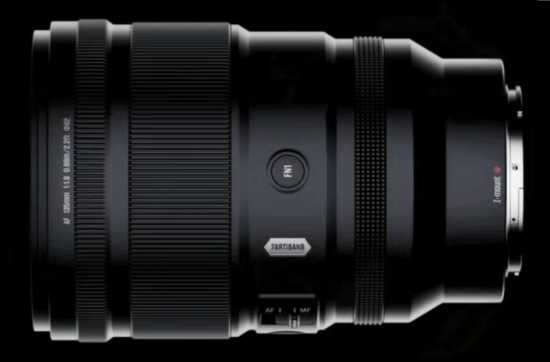
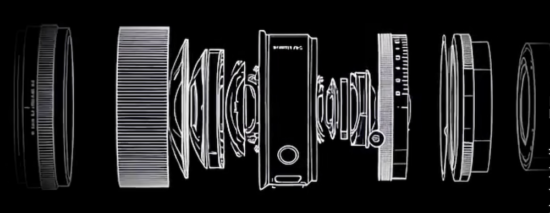
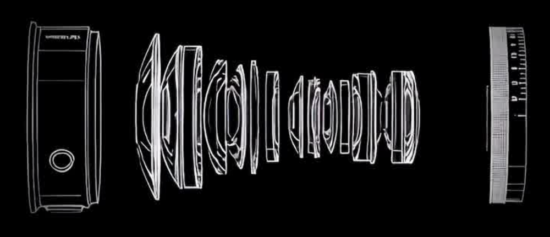


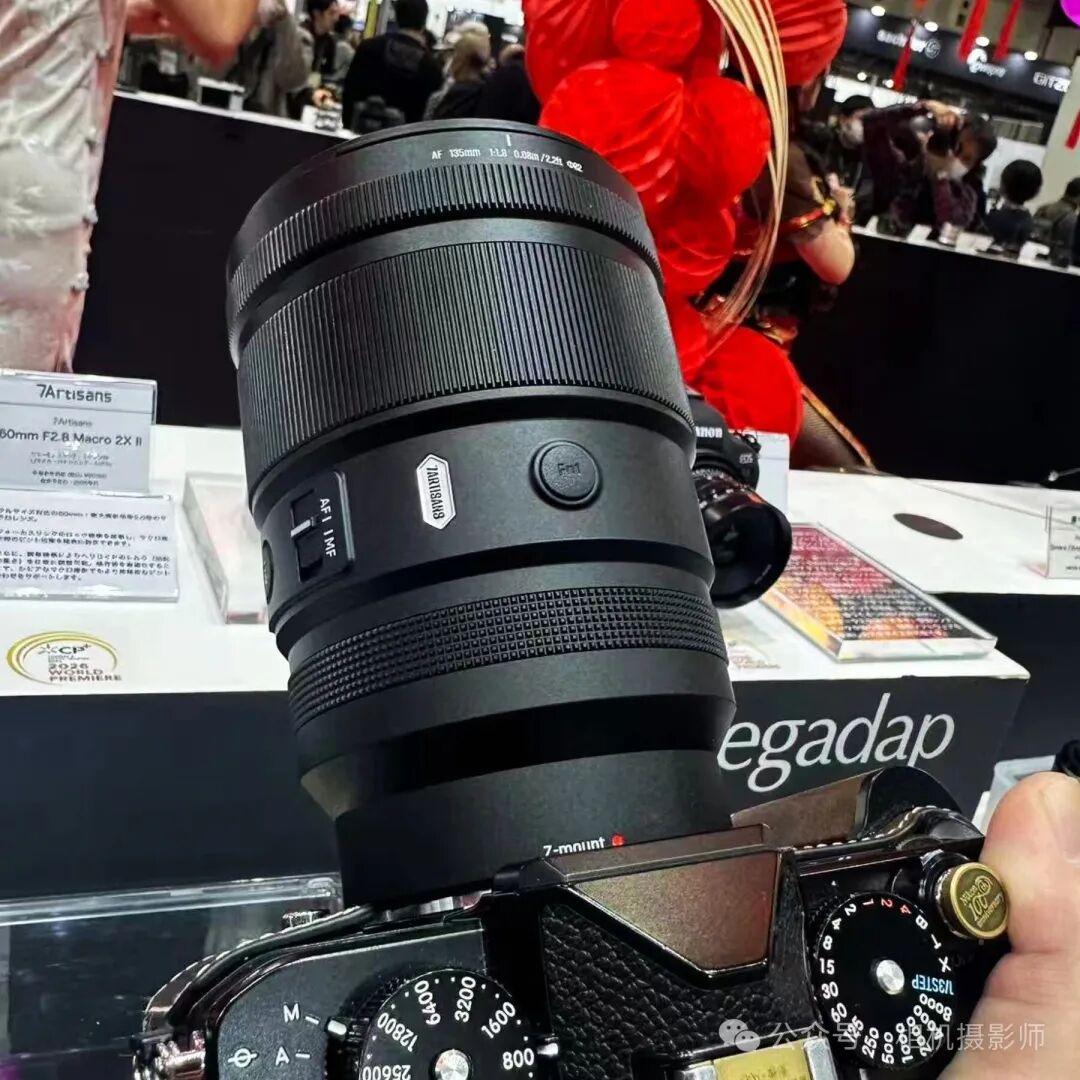
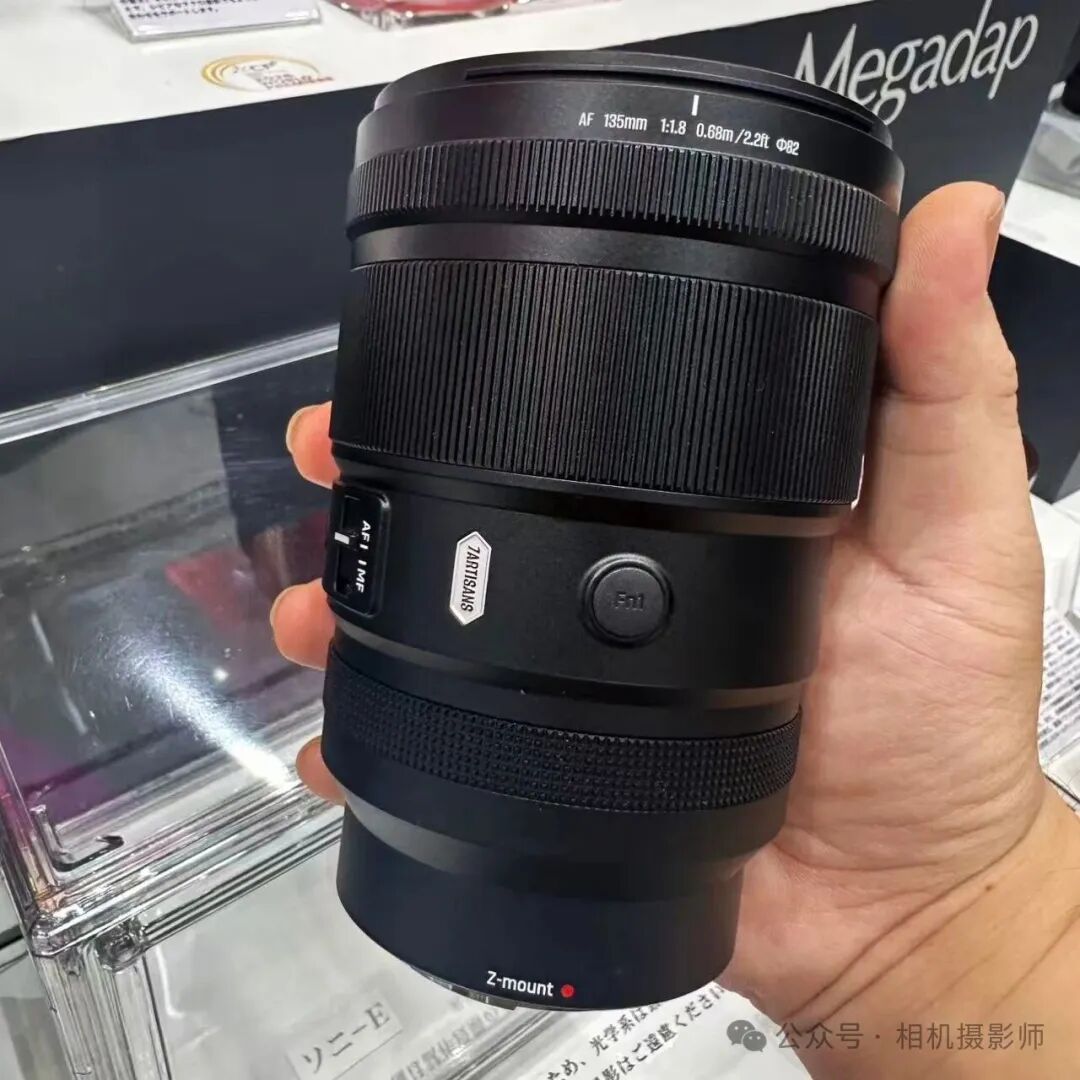
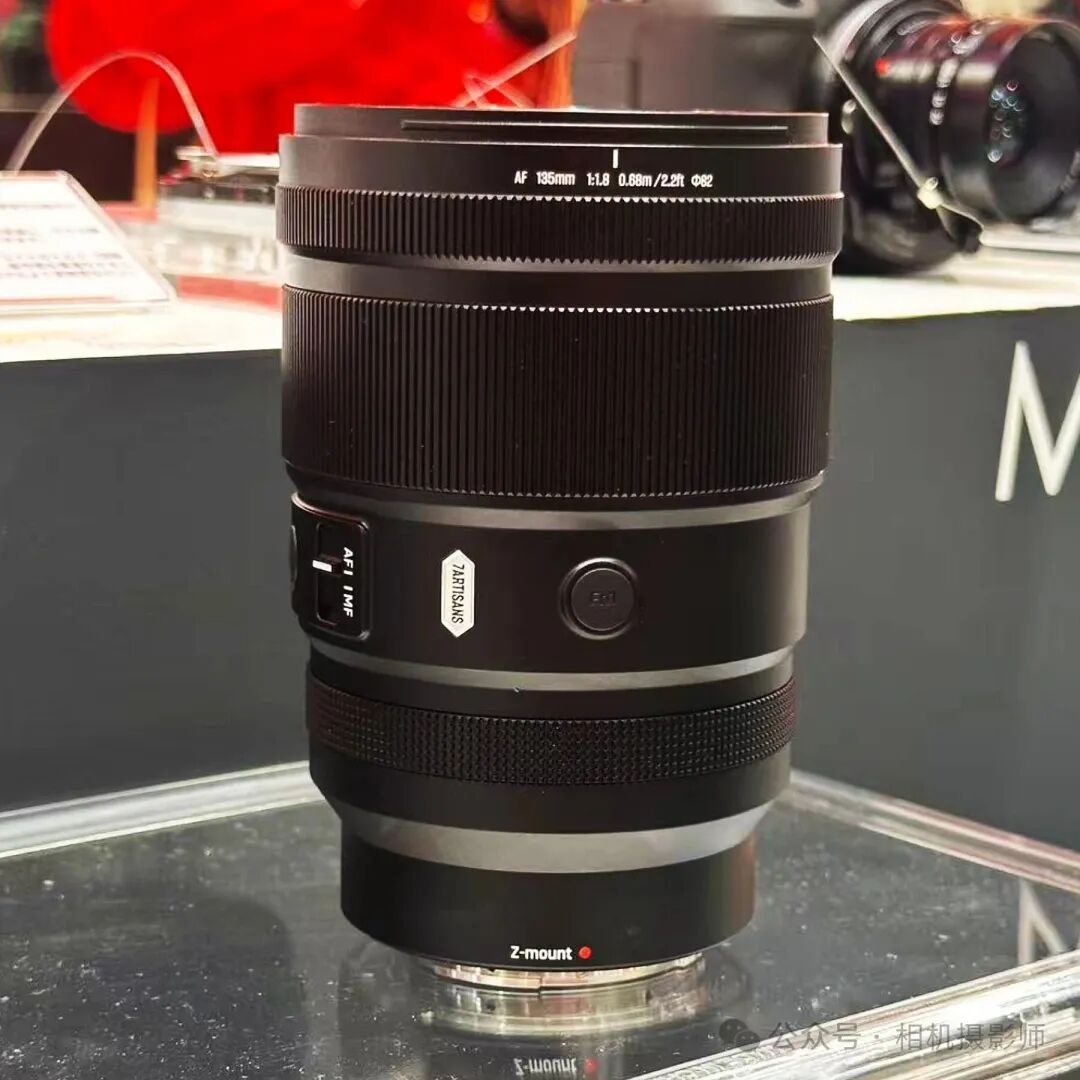
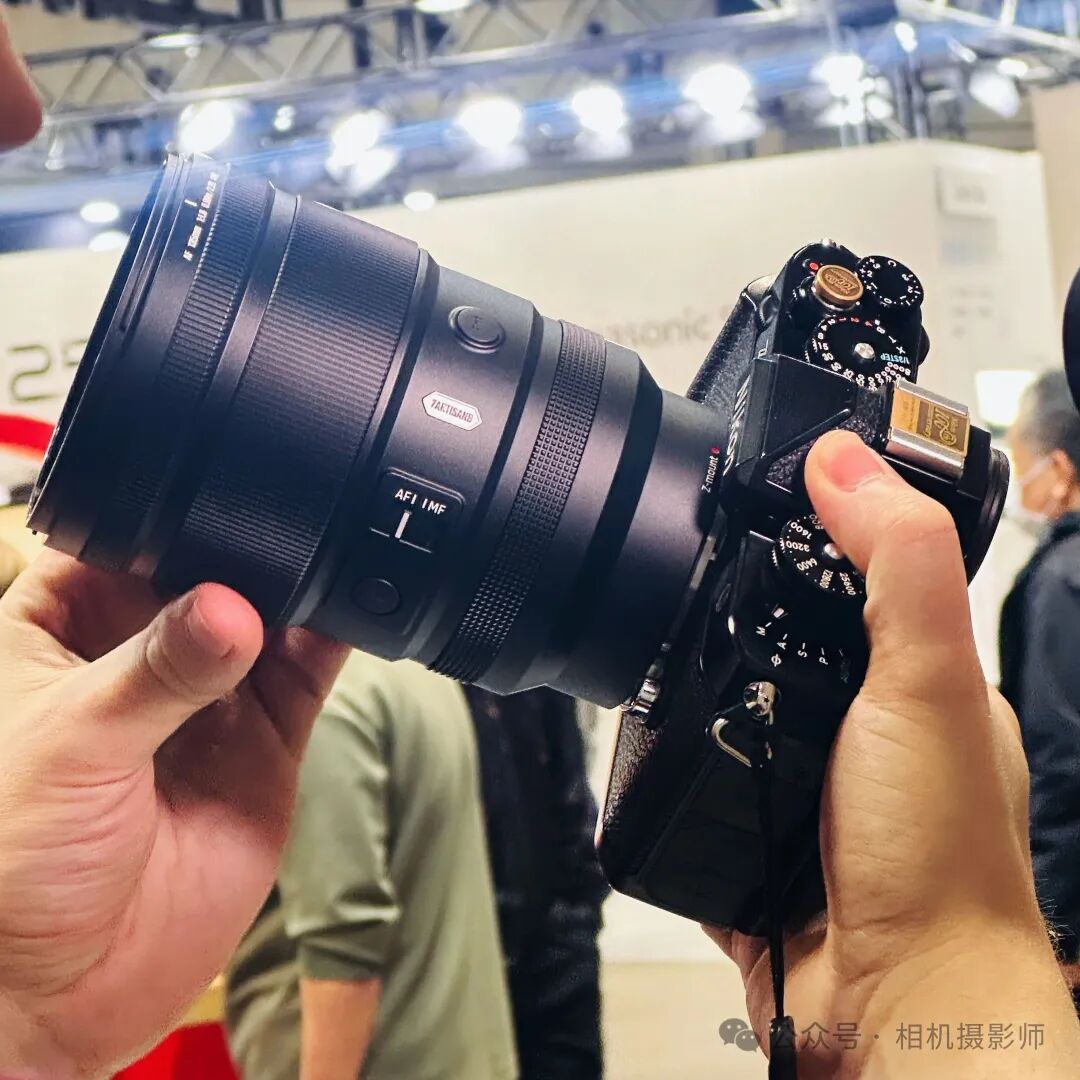
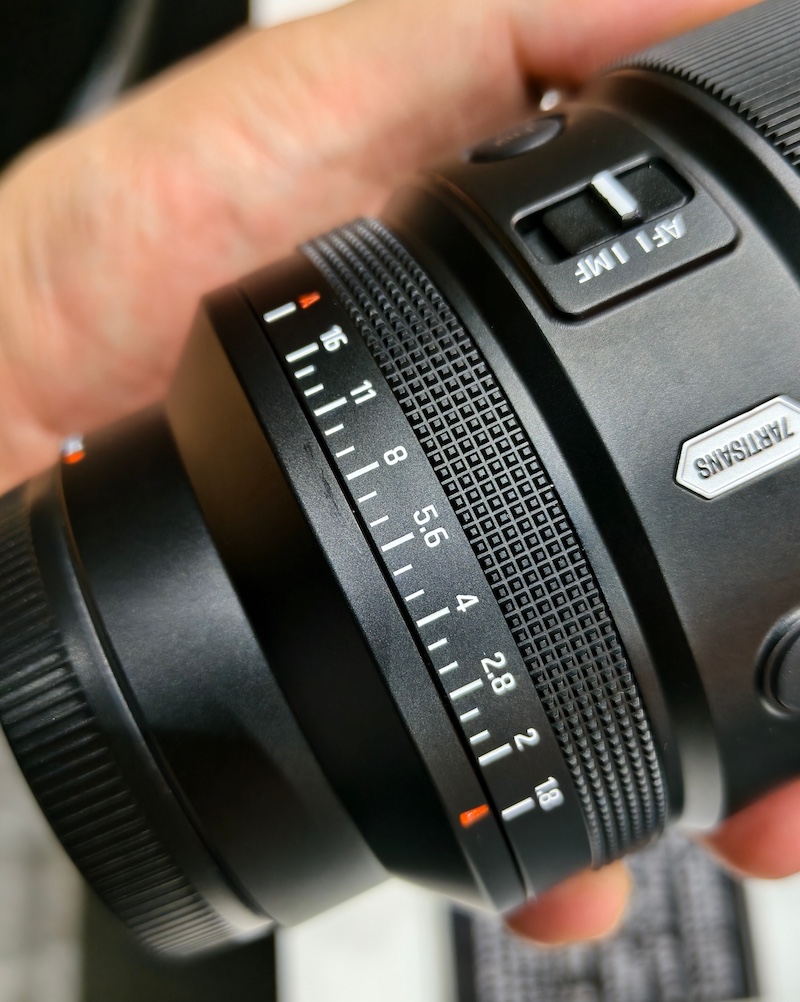
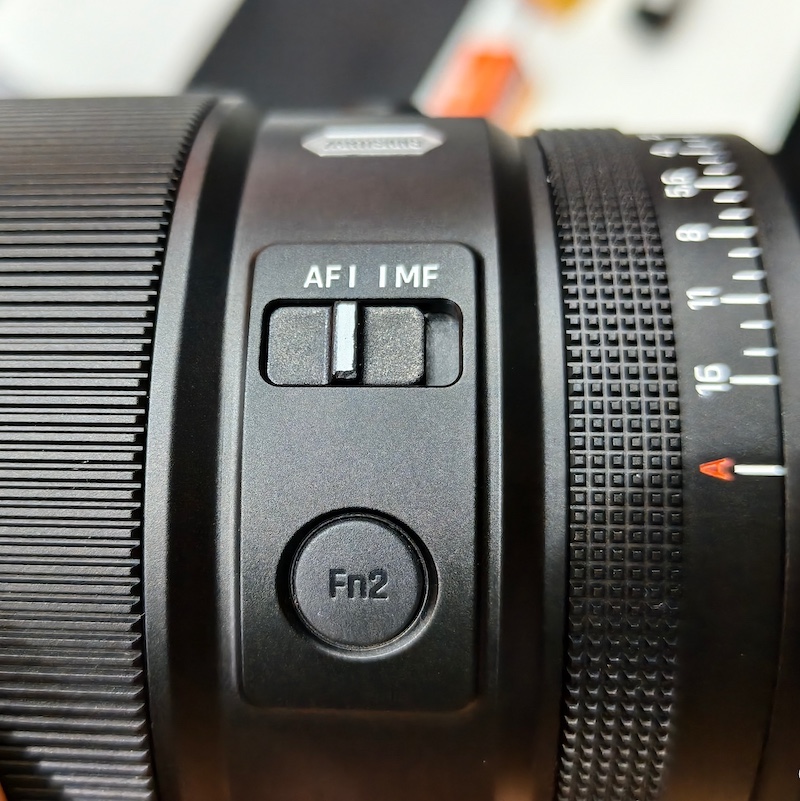
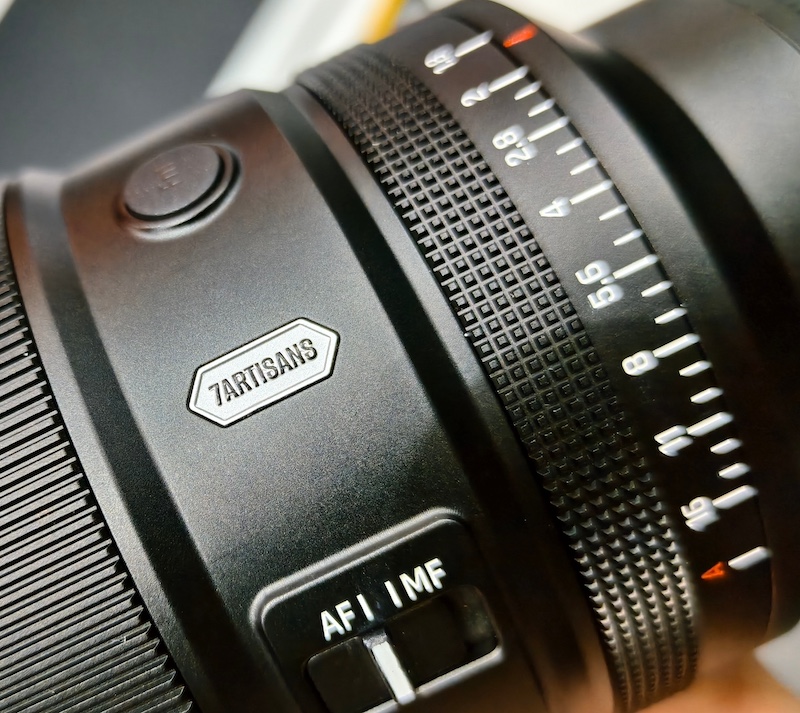
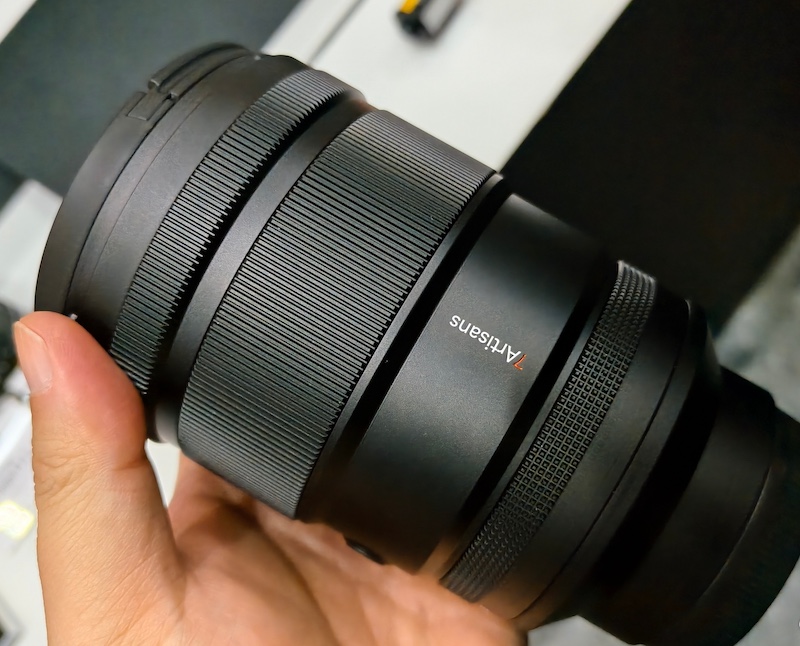
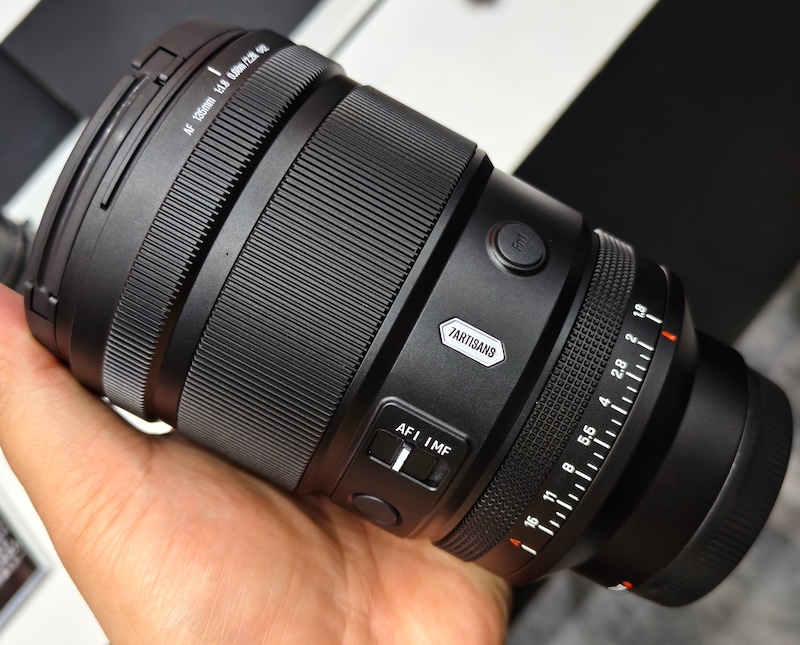
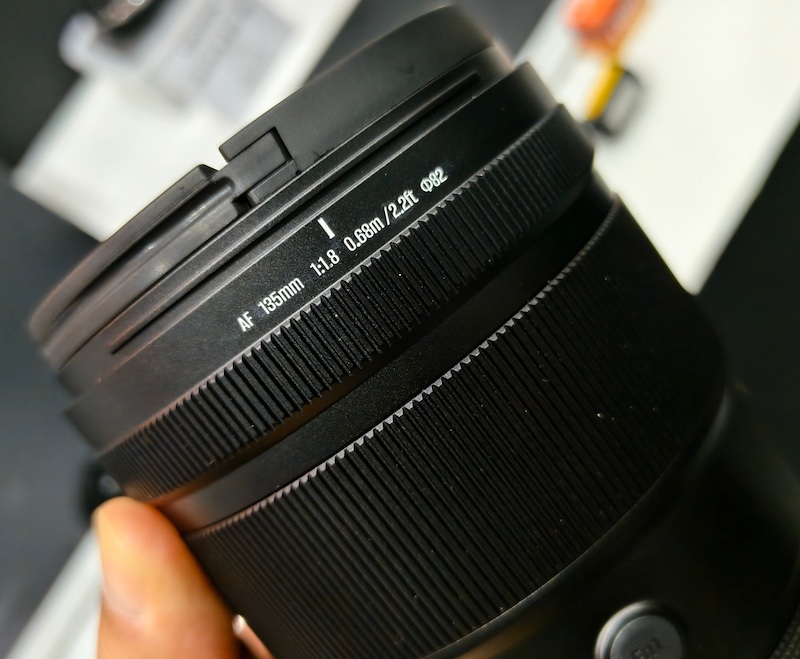
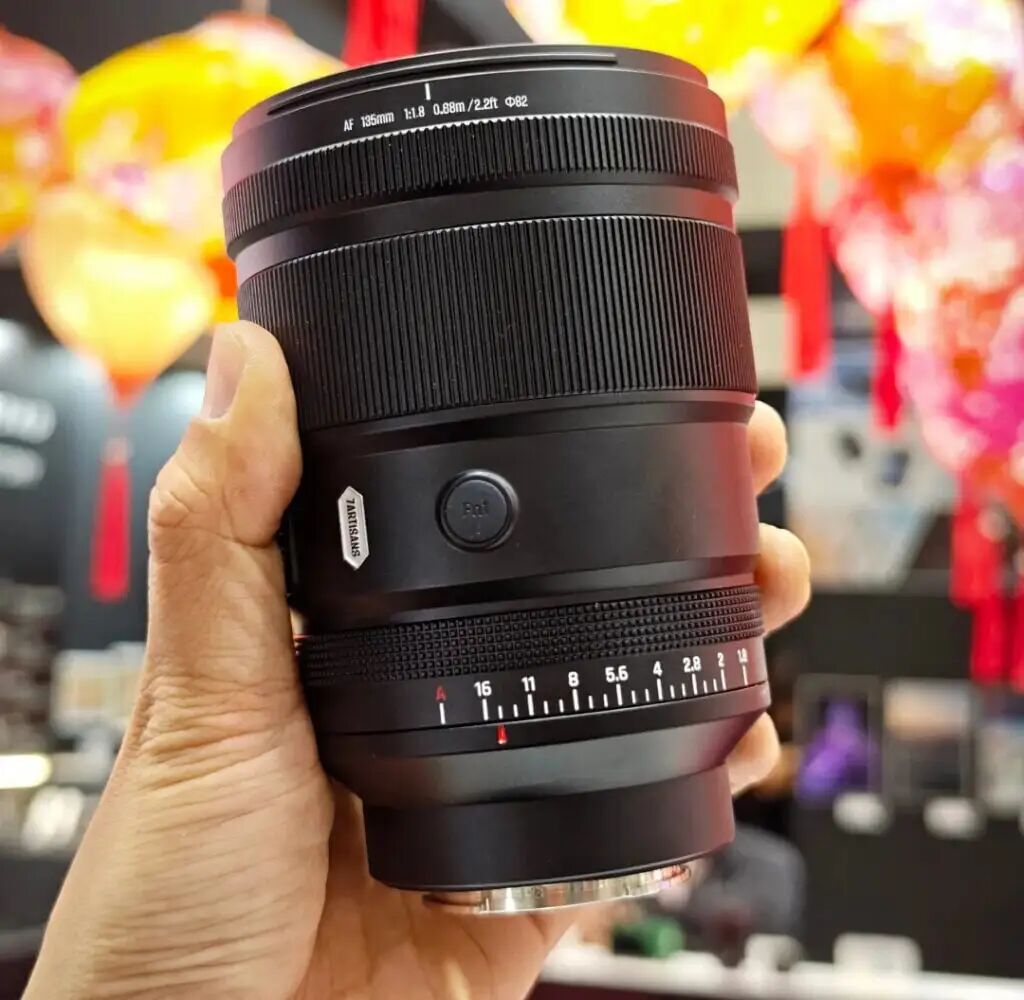
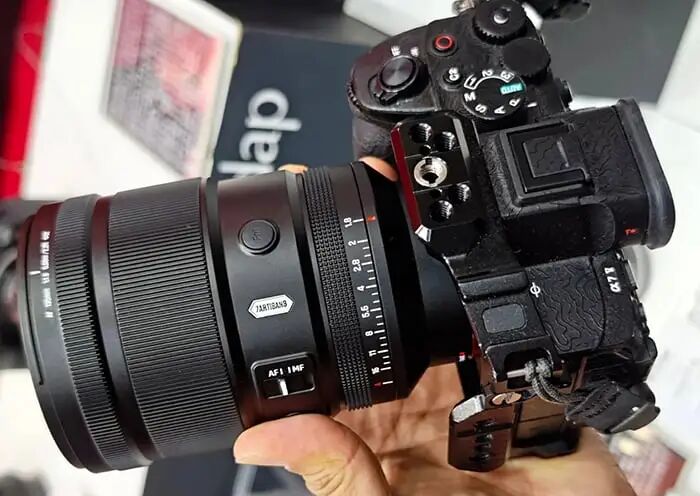

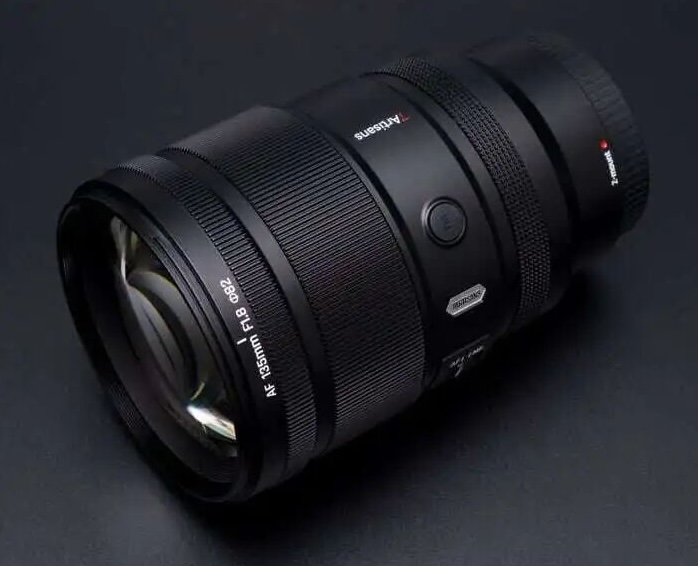
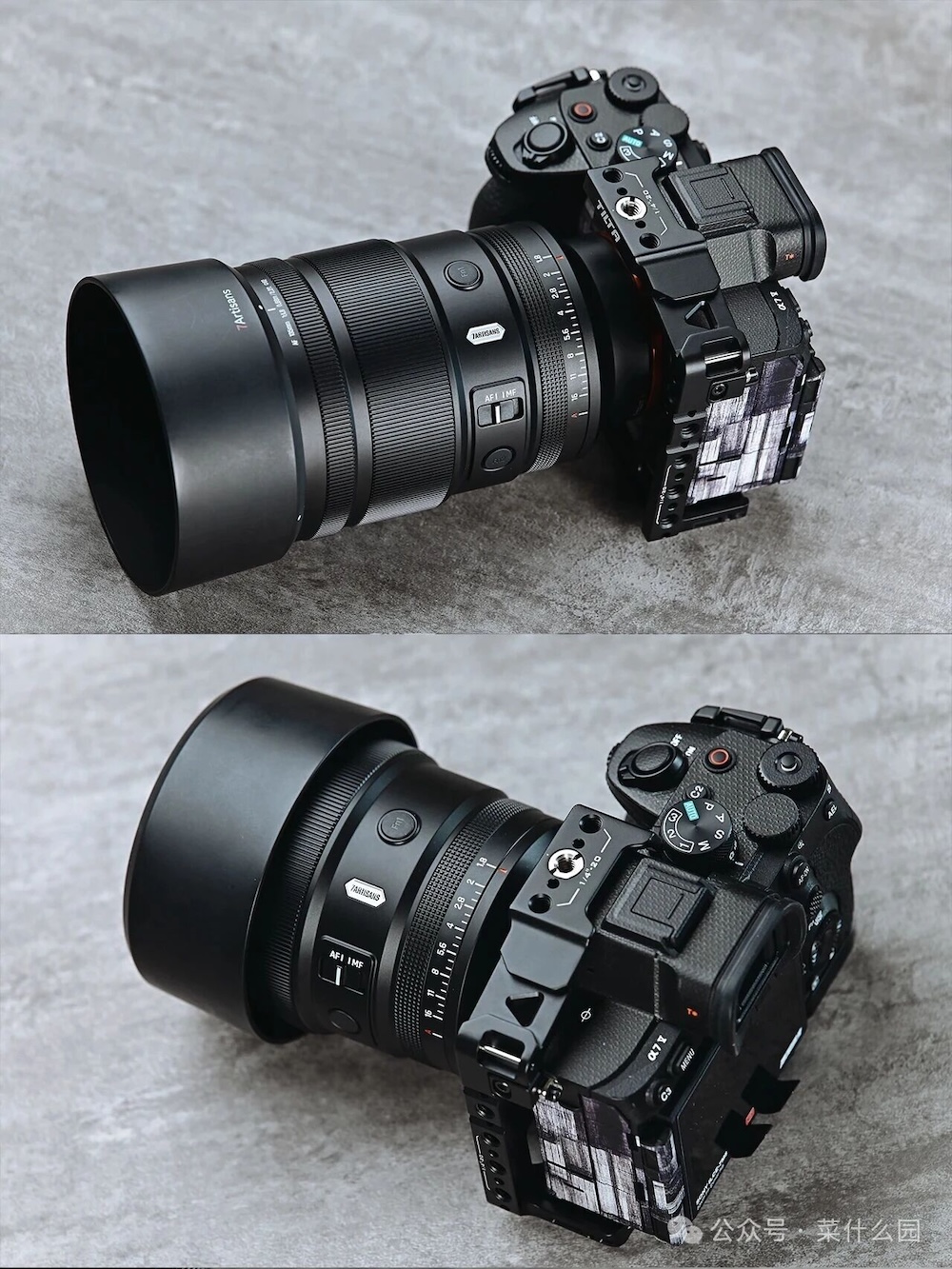

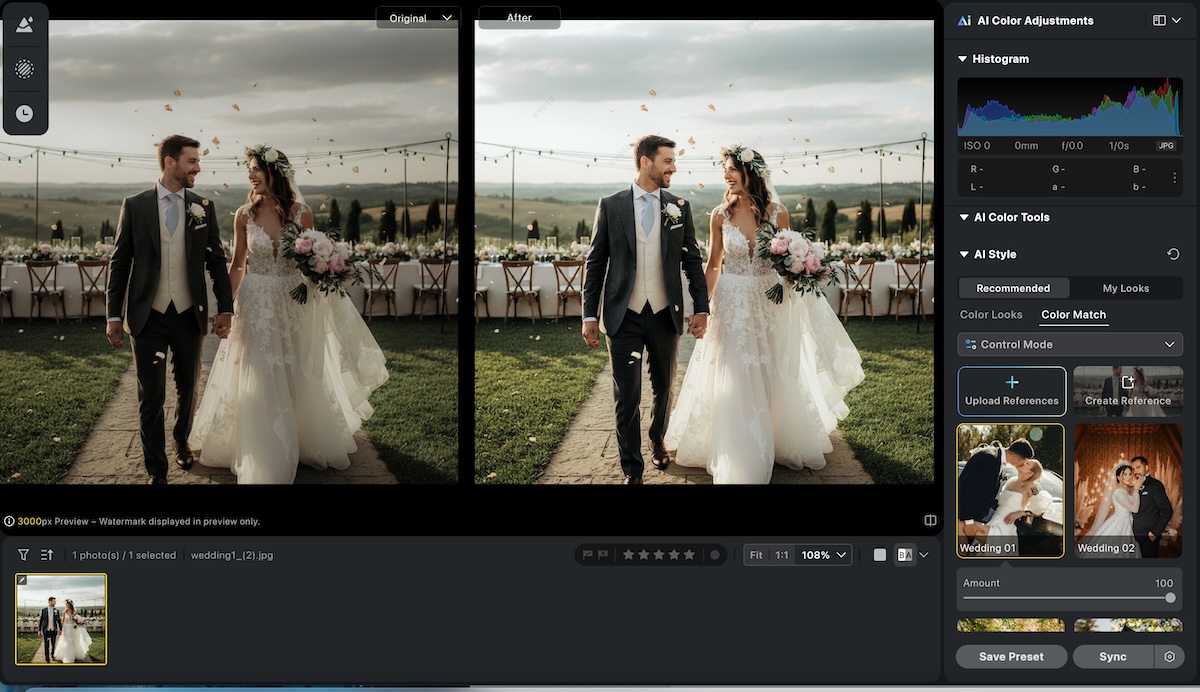
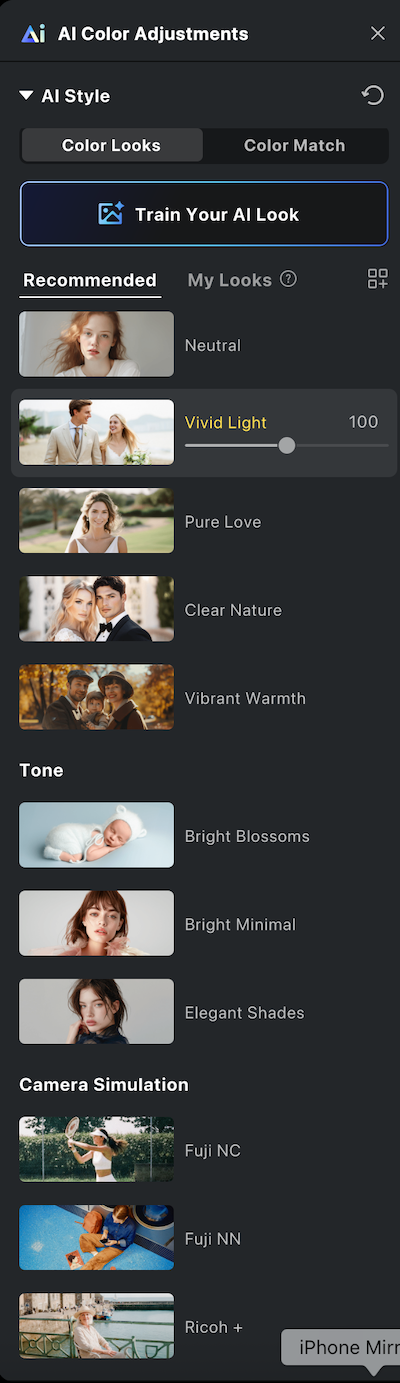
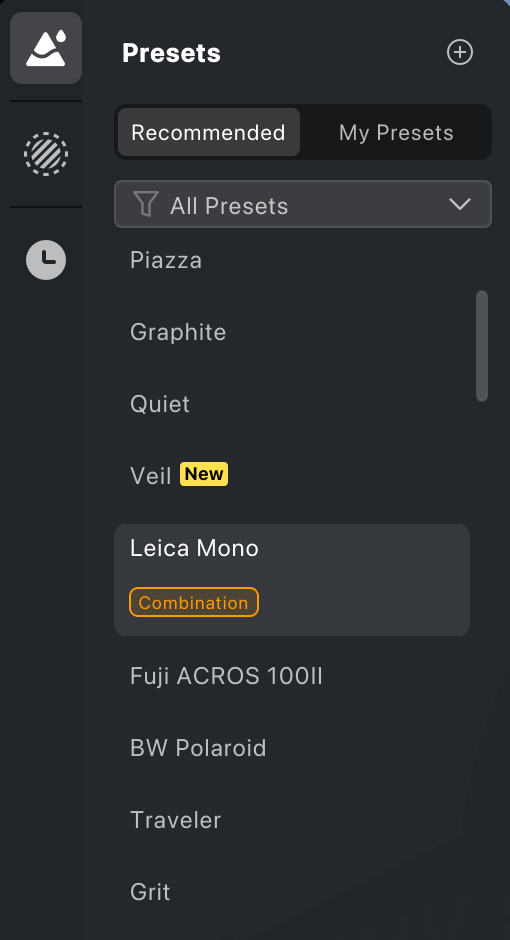


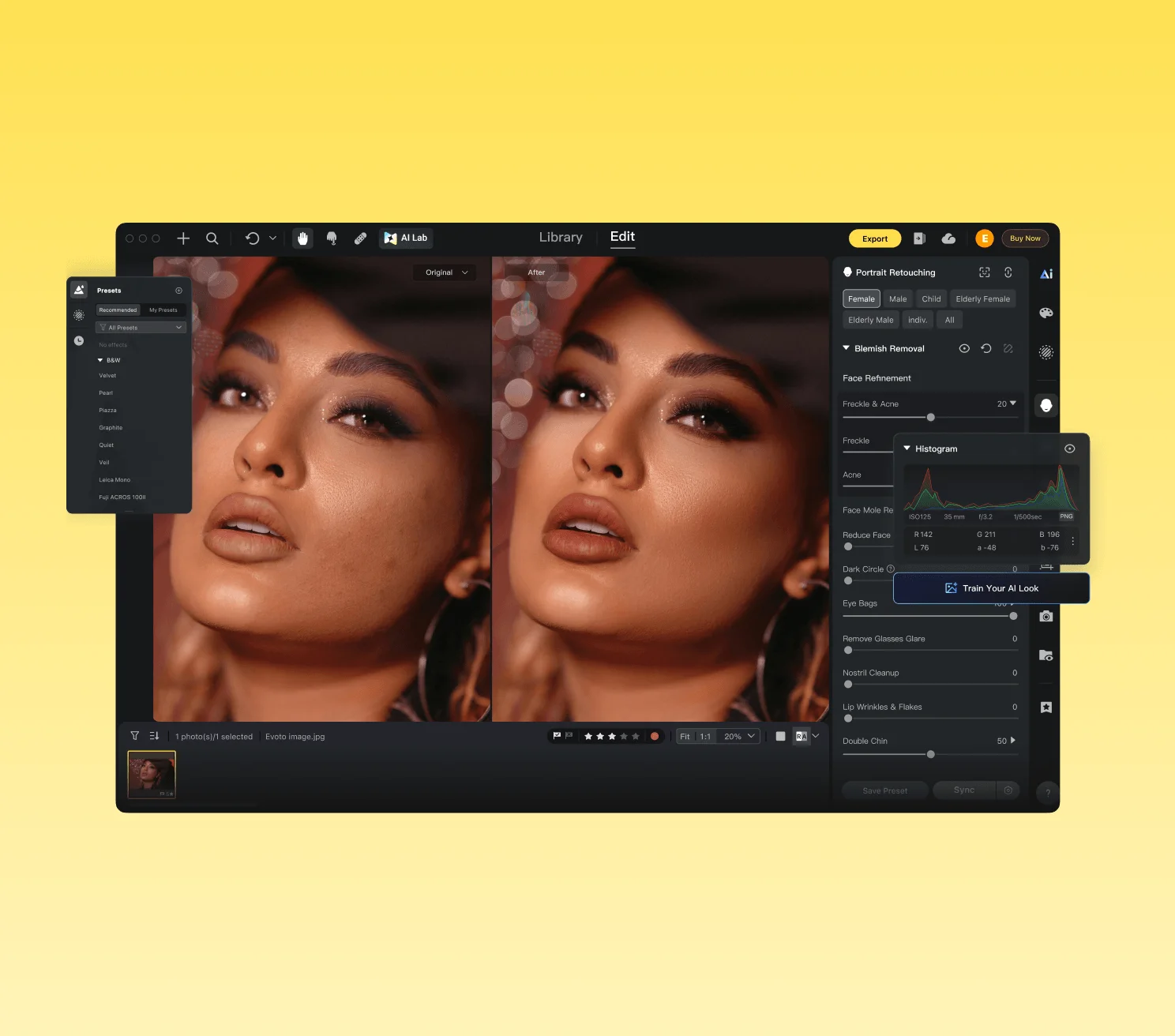
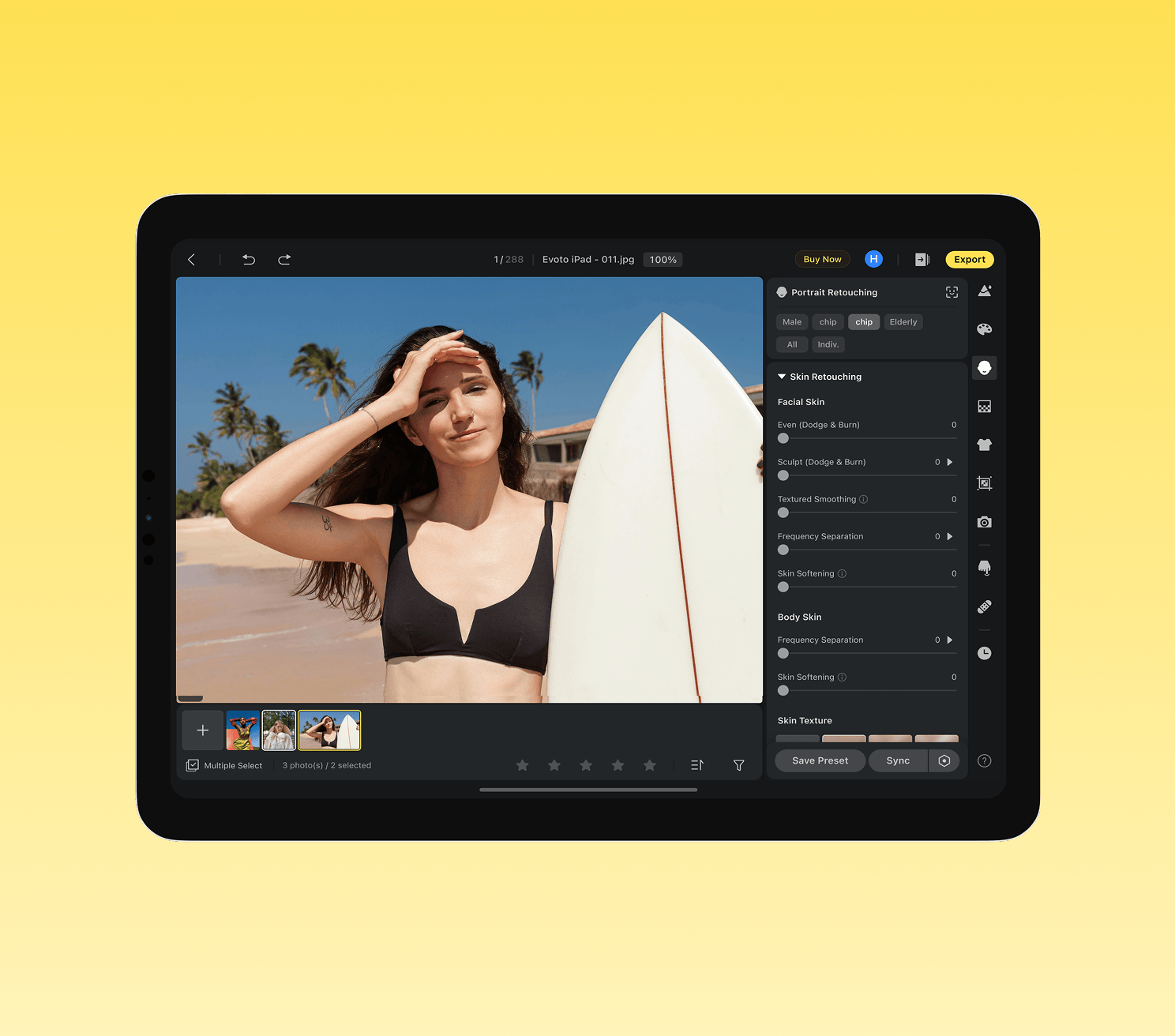
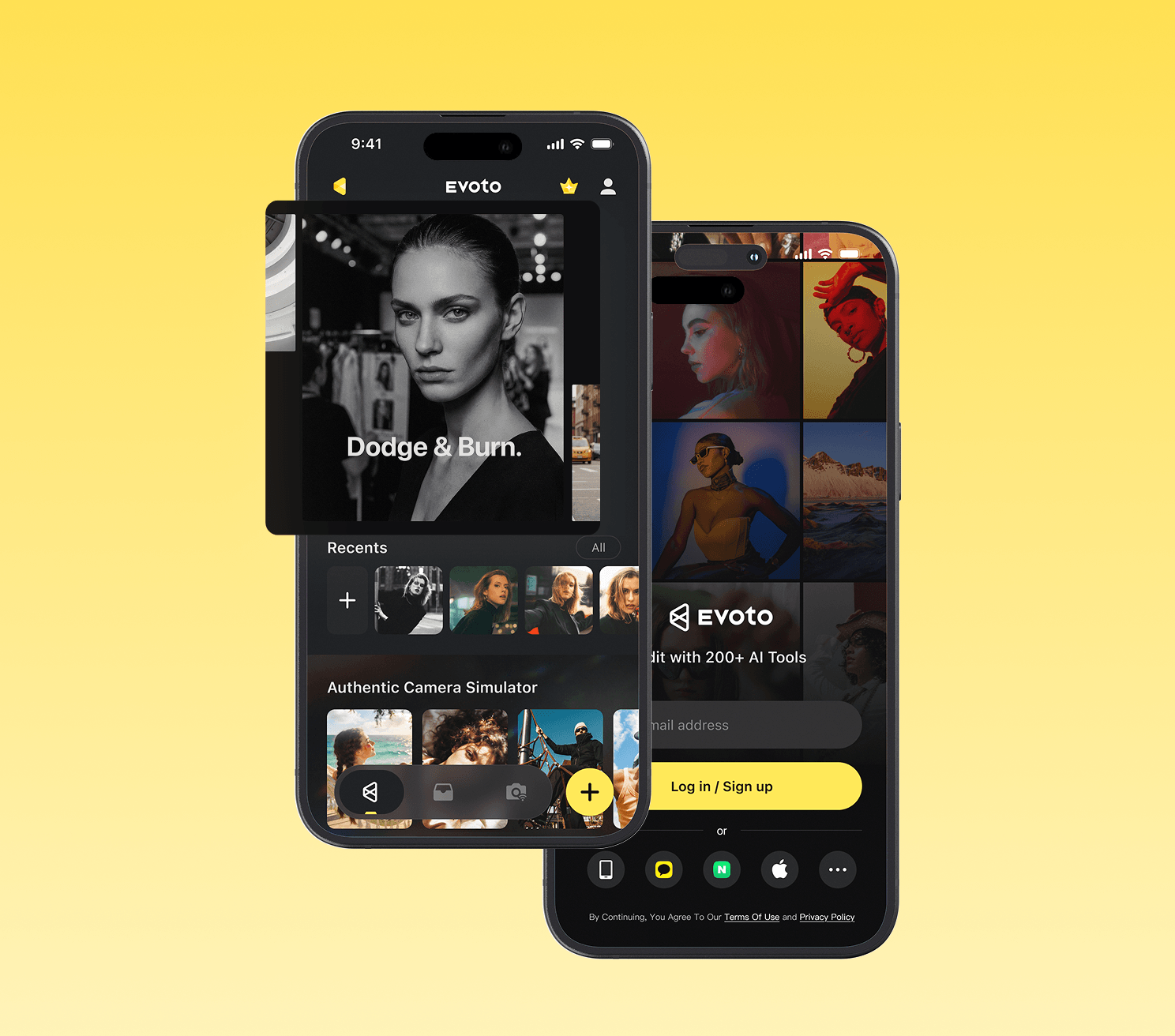
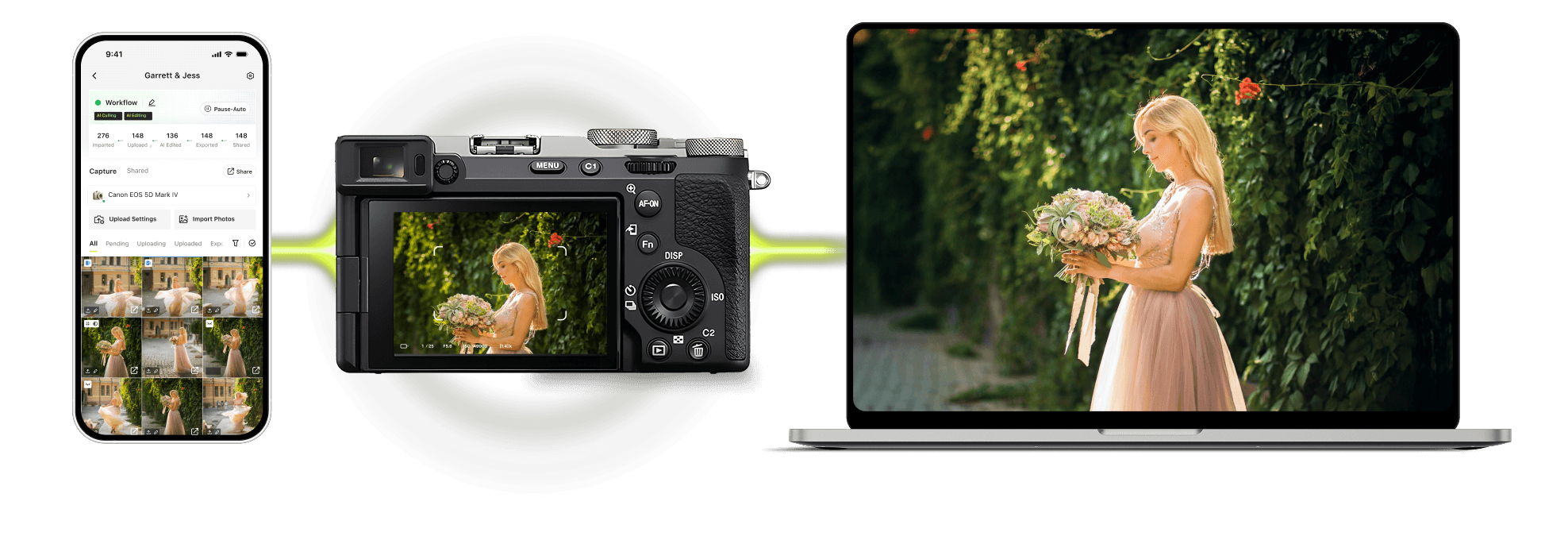


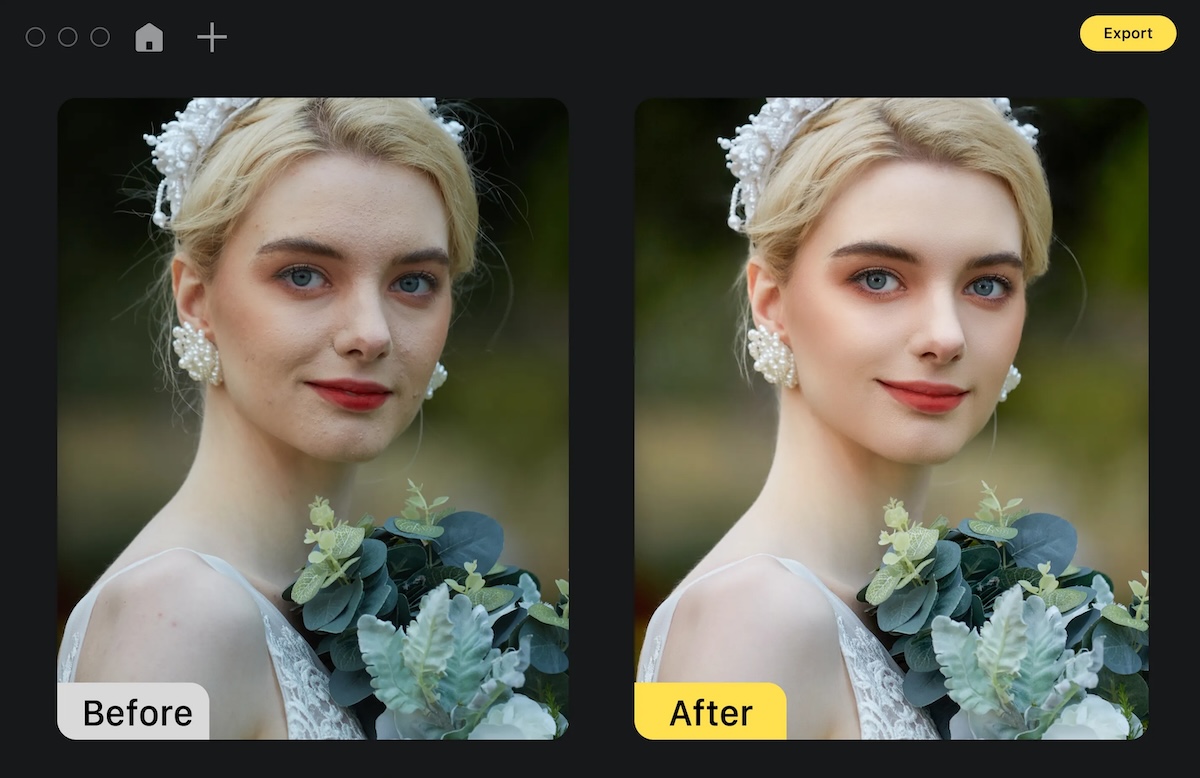
 iPad
iPad