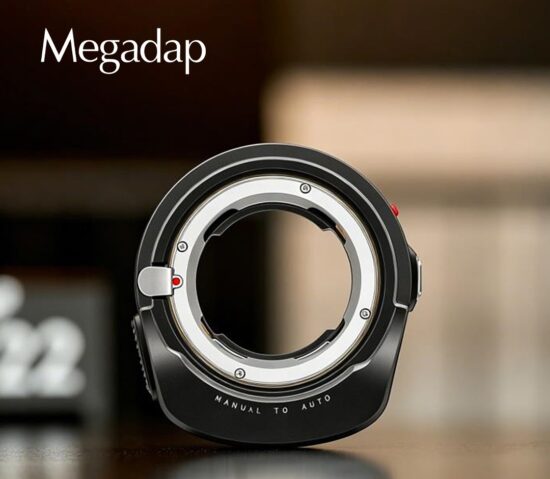
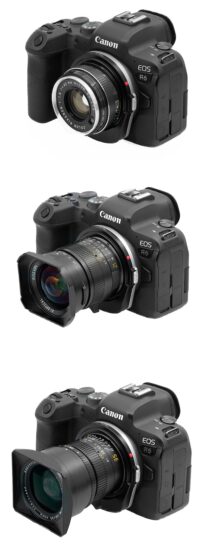
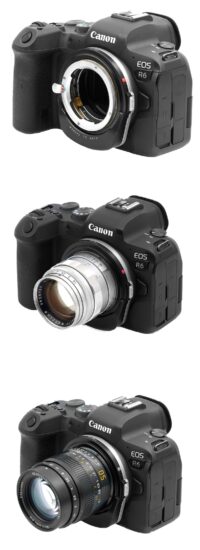
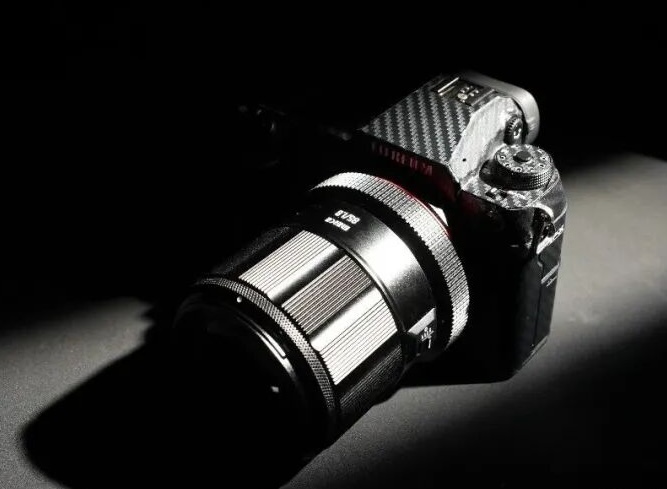
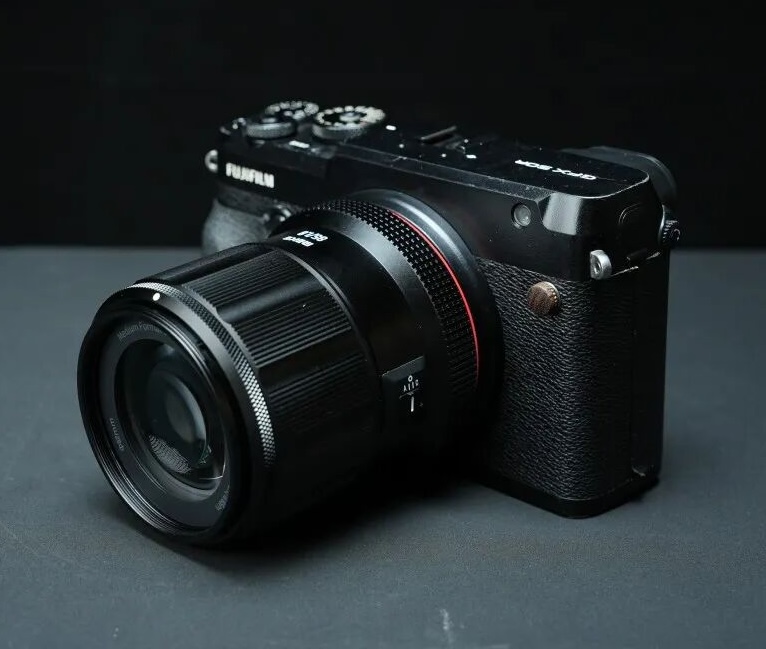
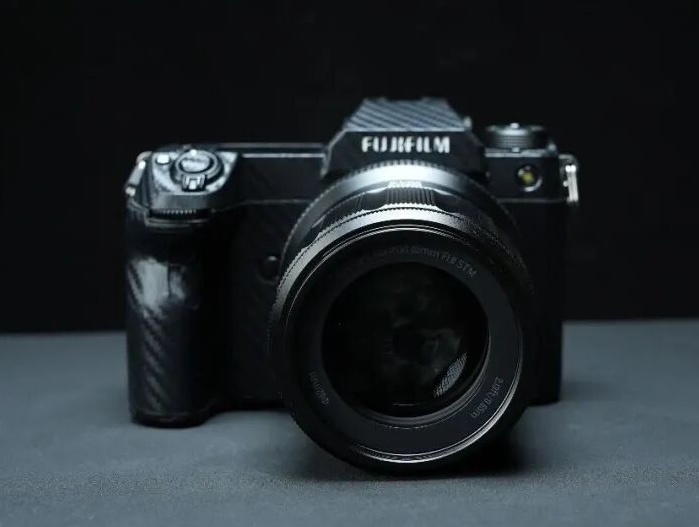
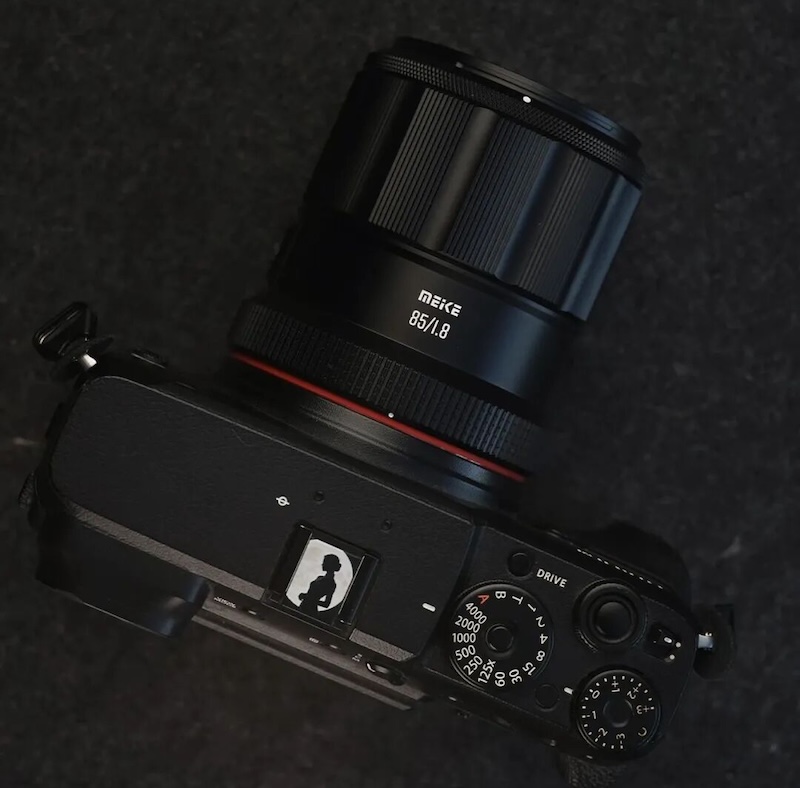
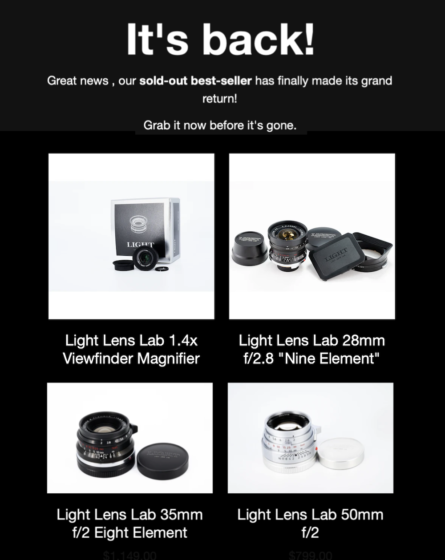
The world’s first Megadap M2RF autofocus lens adapter for using Leica M lenses on Canon RF cameras (previously reported here) is now available to order at:
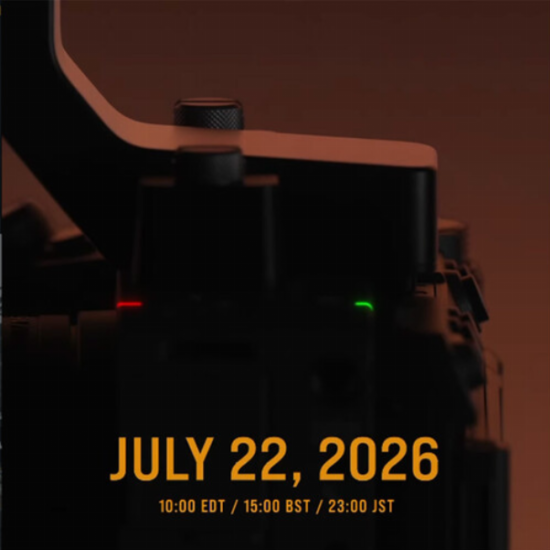
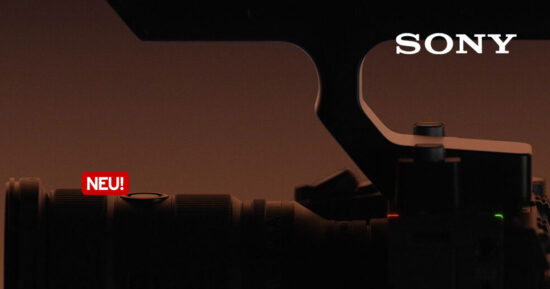
Sony has released a teaser for a new product announcement in its cinema line. As always, the video is very short on details, showing just the silhouette of a camera, tally lights blazing and a top handle attached, and the tagline “lighting the way forward.”
The company is no stranger to posting teaser videos, but, unlike with the one for what turned out to be the RX10 V, it isn’t giving a lot of time for hype to build. The video says the announcement is coming on July 22nd at 7 AM PT (15:00 BST), which is just around 24 hours after the video was published. Whatever the camera is, it seems we won’t have to wait long to get more details.
About the Author: Mitchell started taking pictures at 10 and hasn’t stopped since. It’s been a wide-ranging adventure, spanning a wide variety of genres and locales, and occasionally dipping into fascinations with video and filmmaking. They honed their technical knowledge doing documentation, programing and QA, writing for The Verge, and just generally messing around on the computer to see what breaks.
Want to stay up to date on the latest product news and releases? Add DPReview as a preferred source to ensure our independent journalism makes it to the top of your Google search results.
ACR has a new feature that lets you see where your camera’s focus point was set to
Adobe
The latest version of Adobe Camera Raw, 18.4.1, started rolling out a few weeks ago, but it quietly introduces a feature that I’ve personally wanted for years: the ability to see where your camera’s focus point was set to. This makes it much easier to tell whether it was your camera’s autofocus system that messed up, or if you simply put the focus point in the incorrect place (which is especially important when, say, you review cameras for a living).
The way it works is relatively simple (if a bit of a finger workout): you open up a Raw in ACR, and press Ctrl + Alt + Shift + O on Windows, or Command + Option + Shift + O on Mac. You can also right click on the image and select the “Show Autofocus Points” option. After you do, ACR will draw a red box around the camera’s selected focus point or area.
Screenshot: Mitchell Clark
While the feature isn’t a fool-proof way of assigning blame for an out-of-focus image – if the box is in the wrong place, it could either mean that you put it there in error, or that your camera’s tracking failed – it’s still very nice to have access to this information without having to view it on your camera’s screen, or in camera makers’ own software. Sometimes it’s just nice to be able to check where you were trying to focus, or, to pick a random example, to see where the photographers from your favorite camera review site were focusing in the images they uploaded to their sample galleries.
Currently, the feature is available for Raw files from Canon, Sony and Nikon cameras. We confirmed that we weren’t able to see autofocus points from the most recent cameras from any other manufacturer, so hopefully Adobe will expand the models it’s available to in the future. We’d also hope that this feature, which is currently only available in Photoshop’s ACR module, makes its way to Lightroom and Lightroom Classic, too.
ACR 18.4.1 also adds a “presentation” mode that shows the photo you’re editing full-screen with a customizable matte around it, and which lets you use the arrow keys to move through the photos you currently have open within the tool. It also lets you use the company’s AI-powered “Generative Expand” feature to fill transparent edges, and improves bidirectional gradient masks, adding support for feathering and giving you more precise control over them. You can download the update through the Creative Cloud app, or via the standalone installer.
About the Author: Mitchell started taking pictures at 10 and hasn’t stopped since. It’s been a wide-ranging adventure, spanning a wide variety of genres and locales, and occasionally dipping into fascinations with video and filmmaking. They honed their technical knowledge doing documentation, programing and QA, writing for The Verge, and just generally messing around on the computer to see what breaks.
Want to stay up to date on the latest product news and releases? Add DPReview as a preferred source to ensure our independent journalism makes it to the top of your Google search results.
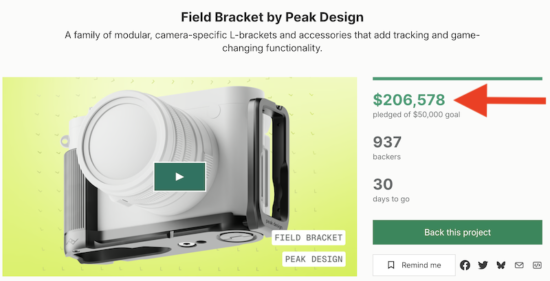
Peak Design introduced a new modular field L-bracket system for Sony, Nikon, Canon, Fuji, and Leica cameras (with an AirTag pocket) and is currently crowdfunding the project on Kickstarter. In just the first few hours, they already raised over $200k:
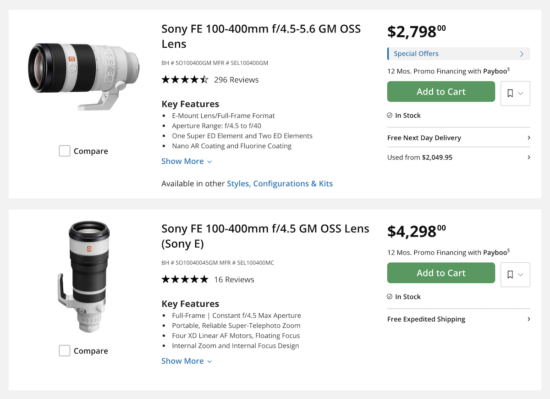
In addition to the new FX camera, Sony will also announce a new FE 100-400mm f/5.6-8 OSS lens that will have an integrated focus limiter switch (∞-3m) into the lens’s AF/MF switch (according to camerainsider).
A new enforcement push goes after suspected DJI clones and leans on the FCC’s recently expanded power to shut off previously‑approved gear.
Xtra
The U.S. Federal Communications Commission (FCC) is proposing a retroactive ban on suspected DJI‑linked drones and cameras, affecting products sold under brands like Xtra and Skyrover. The move escalates last week’s announcement of proposed $25,000 fines against eight companies that allegedly ignored FCC inquiries about DJI‑related gear marketed in the U.S., penalties that were technically for non‑response rather than the hardware itself.
In the past, the FCC’s decisions generally couldn’t touch products that were already approved, but a recent rule adjustment changed that. As The Verge reported, in late 2025, the Commission amended its equipment‑authorization rules so it can now restrict the import and sale of previously approved devices from companies on its national‑security “Covered List,” without formally revoking those original approvals or disabling gear that’s already in users’ hands.
DJI itself was added to the Covered List in late 2025 after a national‑security review under the Secure and Trusted Communications Networks Act, a designation that already blocks new DJI radio‑equipped products from receiving FCC approval in the U.S.
Skyrover’s X1 drone has drawn scrutiny for its close resemblance to DJI’s Mini‑series designs and its ties to SZ Knowact, a manufacturer named in the FCC’s DJI‑linked enforcement action.Skyrover
This could be the first time the FCC uses its new power, with potential bans on products from Cogito, Fikaxo, Lyno Dynamics, Skyhigh Tech, Spatial Hover, SZ Knowact, WaveGo, Xtra and XAG. The Commission says those products “pose an unacceptable risk” to U.S. national security because they are suspected of containing DJI‑designed radio components under different brand names.
Those who already own products from the at-risk companies won’t be impacted by the FCC’s decision and can continue using them. However, affected drones and cameras are expected to disappear from major online retailers and from the brands’ own sites if the order is finalized, and unsold inventory in the U.S. could need to be written off.
The FCC is accepting public comments for 30 days, so the ban won’t take effect immediately. The Commission says it will consider “specific evidence” that might show the products are compliant, though, as The Verge points out, the organization doesn’t have a great track record of listening to public sentiment. If you would still like to voice your opinion, you can do so via the FCC’s Electronic Comment Filing System on the FCC website.
Want to stay up to date on the latest product news and releases? Add DPReview as a preferred source to ensure our independent journalism makes it to the top of your Google search results.
It only takes one step, but there’s more you should know
DPReview
It’s been about two weeks since we launched the new DPReview website, and our team is still hard at work. Along with fixing some critical behind-the-scenes bugs, we’ve been collecting your feedback and have already made some fixes where we could act quickly, with much more to come.
In the whirlwind since launch, however, there’s one new feature we haven’t talked about much: it’s now possible to see fewer ads on DPReview.
Ads were a source of frustration on the legacy site, and the new site gives you an easy way to cut down on them.
How to see fewer ads
It’s simple: use DPReview while logged in. That’s it. Logged-in readers see fewer ads, particularly the most disruptive kinds, like motion-heavy and video ads.
To be clear, this isn’t an ad-free experience; you’ll still see ads, just fewer of them. Consider it our way of thanking logged-in readers for your support as we continue to improve the ad experience for everyone.
Don’t have a DPReview account? Now’s a great time to create one. Just click the Register link to get started.
The Sign In link appears in the upper-right corner of the website (L) or in the mobile menu (R). You can also register to create a new account.
We know nobody loves ads. Believe me, we don’t either, but they’re a necessity to keep the site running. It costs real money to operate DPReview, and advertising is an important part of how we cover those costs. It’s not our only source of revenue, but it’s one of the things that lets us offer all of our content for free, whether you visit every day or once in a blue moon.
We also get why people use ad blockers. The reasons aren’t lost on us. We just ask you to keep one thing in mind: when you block ads, you’re not only preventing us from earning revenue, you’re actively costing us money. A photography-rich site uses a lot of bandwidth, and that’s a big part of our expenses. Every time you load our content without ads, we lose money, which makes it harder to do things like pay our writers and maintain our servers.
So if you’ve been browsing with an ad blocker, we ask that you try the new site without it (while logged in). We think you’ll find the ads less intrusive than they were on the legacy site, and you’ll be helping us stay on the internet.
In case you missed it
If you haven’t seen our earlier coverage about the new website, a few links are worth your time:
Gear Patrol founder and CEO Eric Yang – a DPReview user for over two decades – wrote about why we needed to rebuild the site from the ground up, including some helpful historical perspective.
Finally, thank you for bearing with us as we improve the site. We know some things aren’t working as expected and that there’s plenty left to fix and improve. We appreciate your patience while our team works overtime to address those issues so we can remove the beta logo from the site.
About the Author: Dale Baskin is a professional photographer, writer, and filmmaker based in the Pacific Northwest. He is the Managing Editor of DPReview.com.
Want to stay up to date on the latest product news and releases? Add DPReview as a preferred source to ensure our independent journalism makes it to the top of your Google search results.
The Peak Design Field Bracket is designed as a modular system with optional accessories for greater versatility.
Peak Design
Peak Design’s latest product is much more than just a standard L-bracket.
After becoming a go-to brand for tripods and various ways to carry your camera around, Peak Design is tackling the next piece of the puzzle: the L-bracket. As is its usual style, the company isn’t content with simply making a piece of hardware that makes it easy to switch between portrait and landscape shooting. Instead, it has built the Field Bracket as a modular system, launching it alongside additional accessories that aim to solve multiple issues.
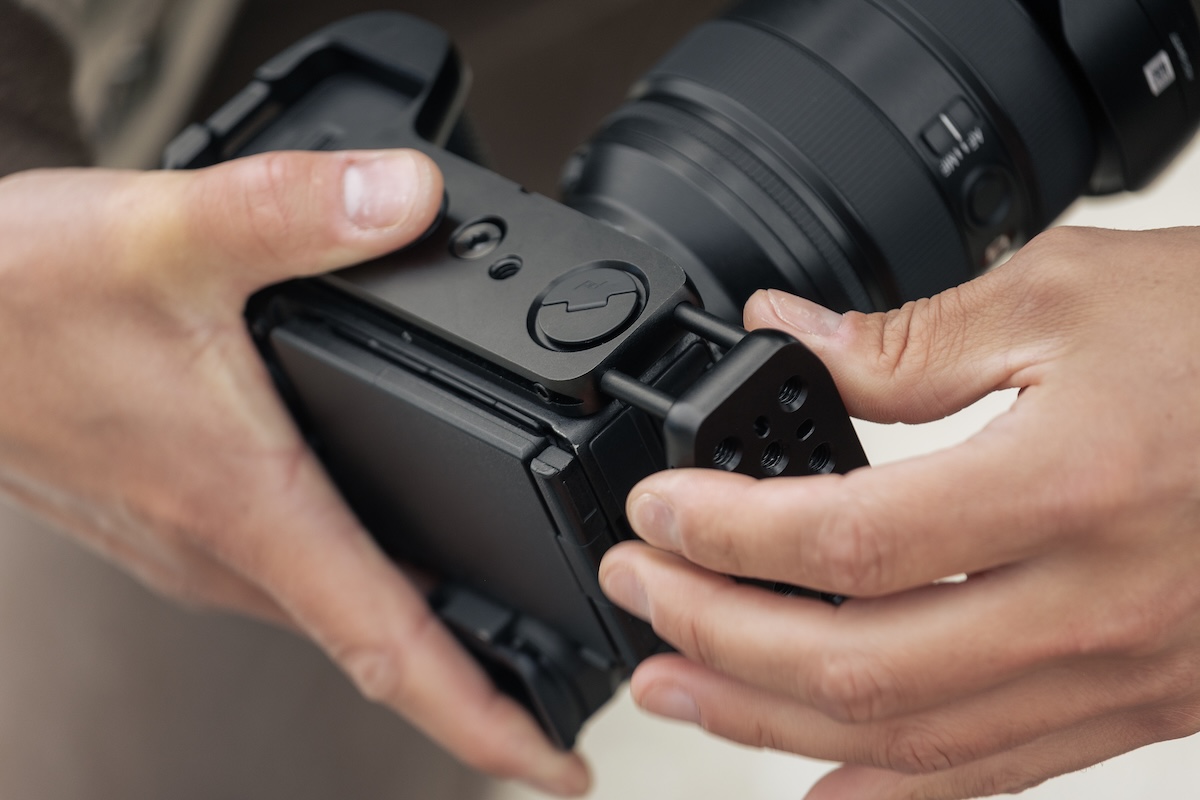
The Field Bracket takes design cues from the “Field” tripod plate the company released last year. Like the Field Plate, the L-bracket doesn’t require a tool for installation. Instead, it uses the company’s “Field Latch” mechanism, which features a tab that pops up with the press of a button, turning into a thumb-drive handle. That means no more relying on having a hex tool on hand at all times.
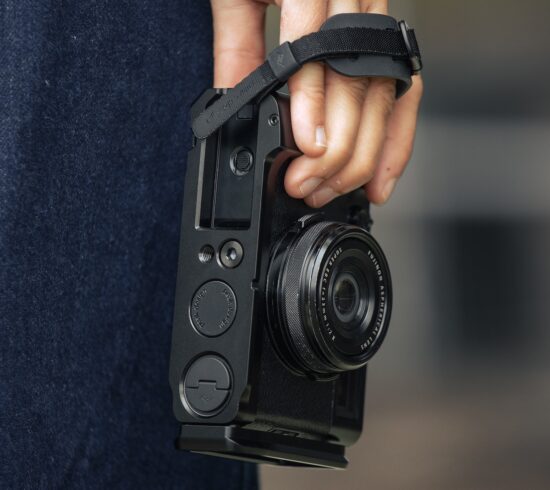
The bracket is modular, so it can be used as a low-profile base plate as well. It’s designed to fit into Arca-style tripod heads without a separate plate.Peak Design
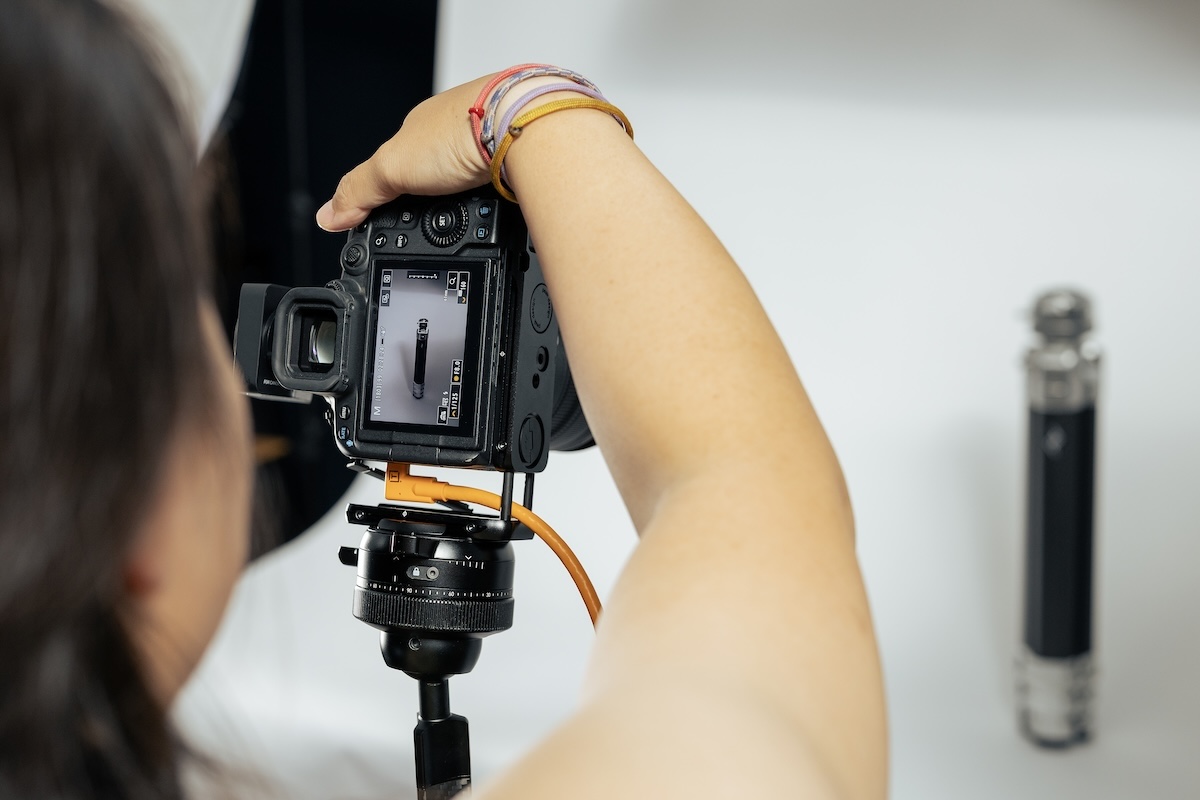
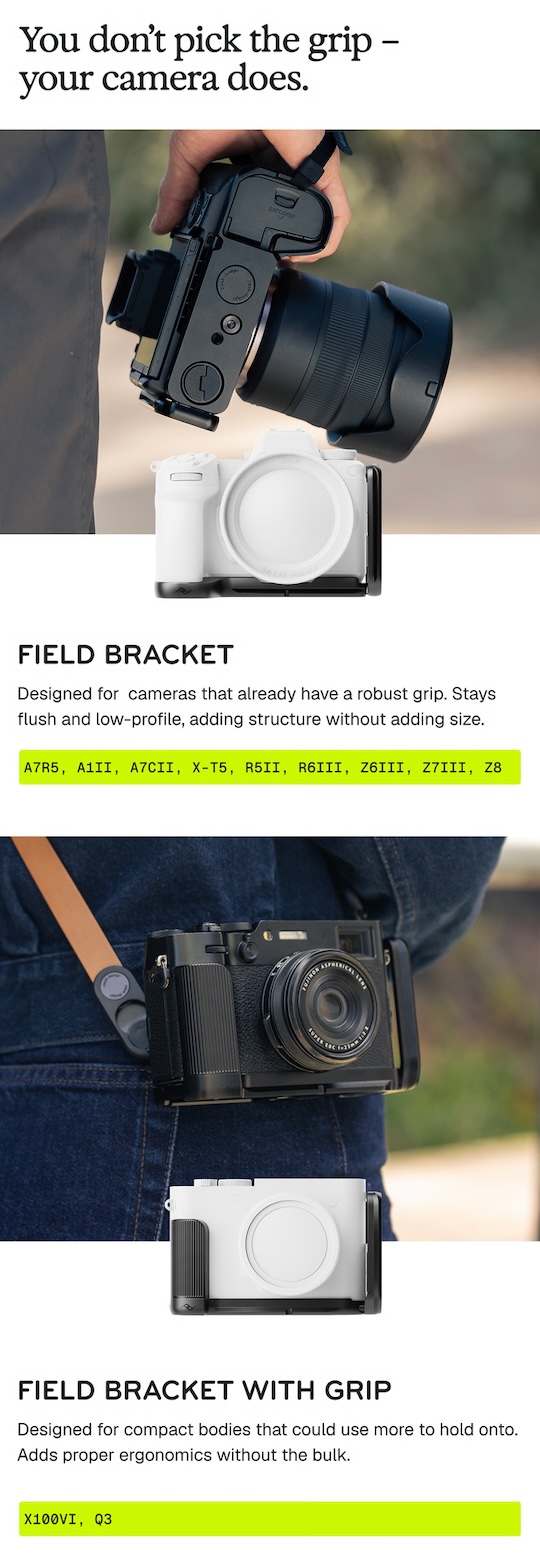
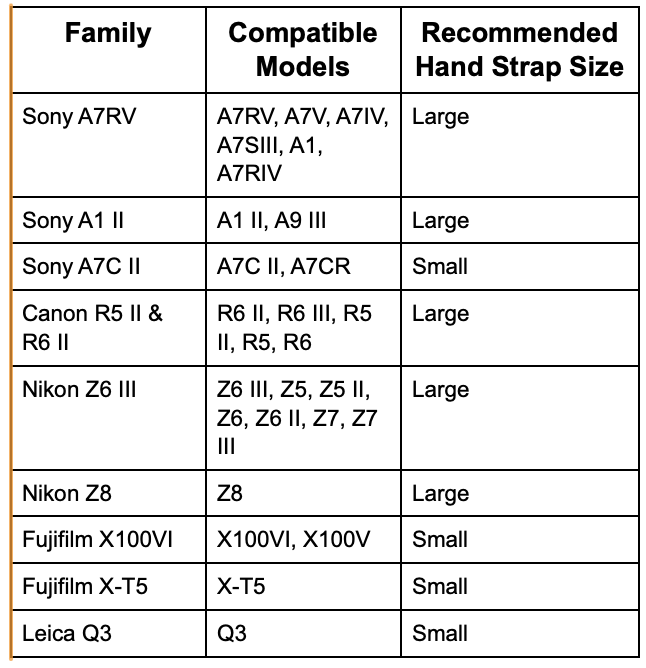
The tool‑free design makes it quick and easy to attach the part of the bracket that goes up the side of the camera, transforming from a simple base plate into a full L‑bracket for shooting in portrait orientation on a tripod. Users can also adjust the upright position to provide room for tethering cables, making it easier to use in a studio setup. The Field Bracket is camera-specific, with versions for select Sony, Canon, Nikon, Fujifilm and Leica camera systems.
Peak Design says that the Field Bracket is the base of a modular system of accessories. In that spirit, it’s also launching the Beacon Finder Tag, a smaller version of its card-sized tracker that it released with its wallet system and which ties in with Apple’s Find My ecosystem. Peak Design says the tag is the first tracker specifically designed to fit in Arca-compatible camera plates, offering a discreet way to keep track of camera gear.
The Cheese Plate, Hand Strap and Beacon Finder Tag are all optional accessories sold separately. Peak Design
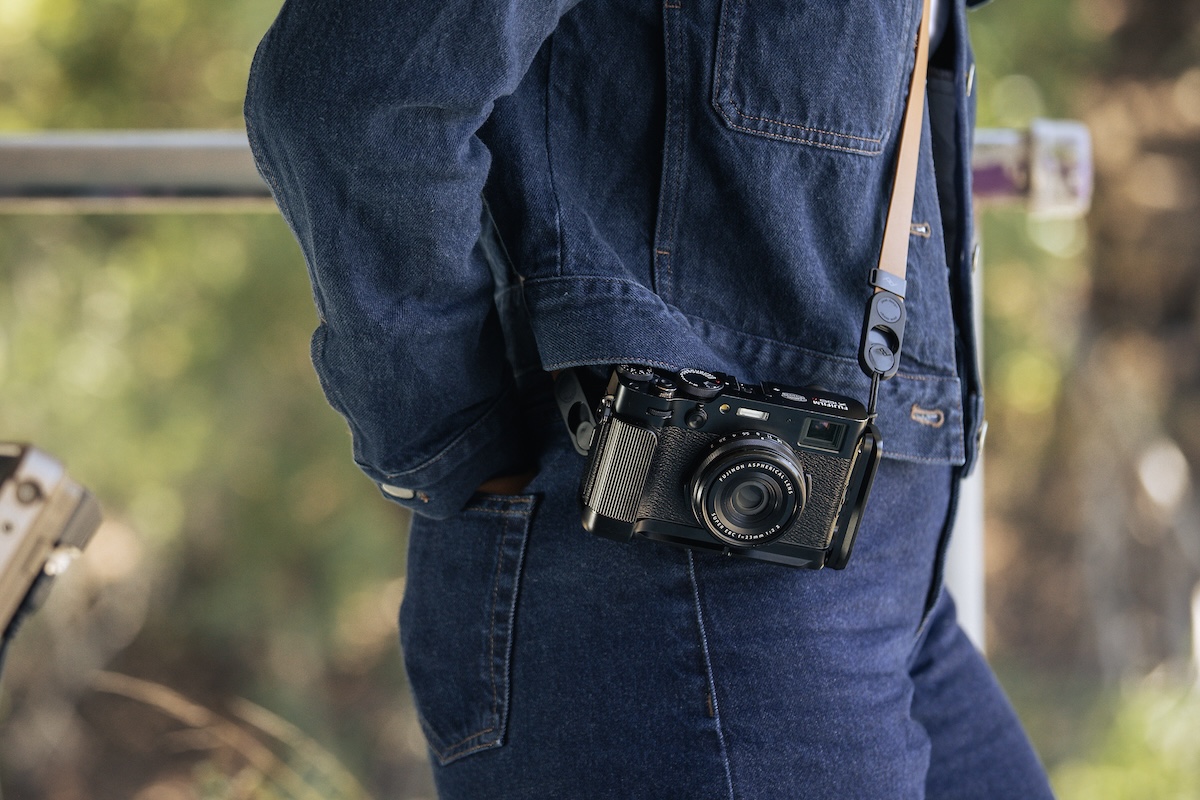
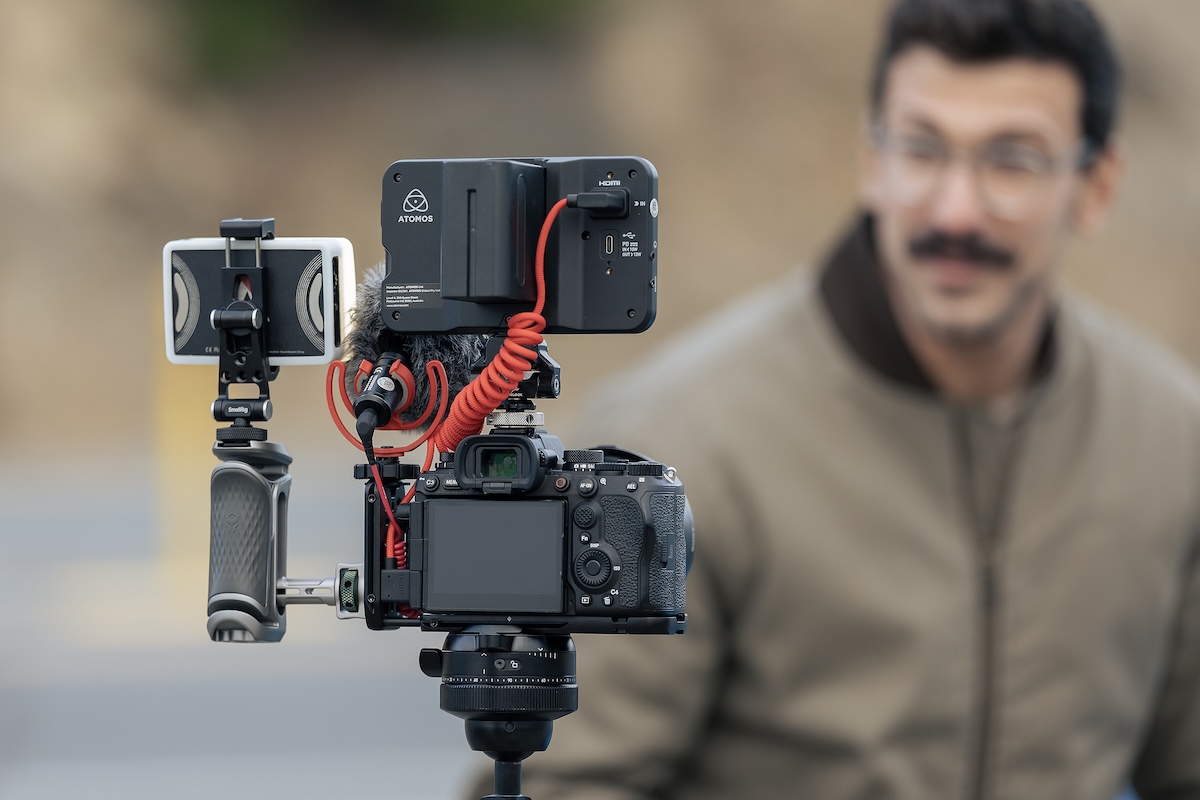
The company has also created a few additional new accessories for the Field Bracket. Its Cheese Plate adds 1/4″-20, 3/8″-16 and cold shoe mounting points for adding accessories like lights, mics, monitors and more. There’s also a hand strap, making it easier to work handheld with it attached to your camera. No matter which accessories are attached, Peak Design says all your camera’s ports and controls will remain easily accessible. It also allows full integration with existing Peak Design accessories, such as its camera straps and Capture Clip.
As is typical for Peak Design product launches, the new gear will first be available via Kickstarter (its 17th such launch). The Kickstarter campaign will allow users to purchase the system at a discount before the retail release. The camera-specific Field Brackets have an MSRP of $150, while the Cheese Plate, Hand Strap and Beacon Finder tag will be sold separately, starting at $40.
Press release:
Peak Design Rethinks the Traditional L-Bracket with New Field Bracket System
A tool-free, modular L-bracket system that gives photographers flexibility on and off their tripod
San Francisco, CA (July 21st, 2026) – Peak Design, Peak Design, a global leader in camera accessories and everyday carry solutions, is proud to announce Field Bracket™, a modular L-bracket system that eliminates many of the compromises of traditional L-brackets. While L-brackets have become indispensable for quickly switching between portrait and landscape tripod shooting, they’ve remained largely unchanged, fixed in form, and often at odds with the rest of a photographer’s kit. Peak Design’s Field Bracket rethinks this accessory category with a modular design that adapts as photographers’ needs change.
At the heart of Field Bracket is a camera-specific baseplate precision-machined from recycled aluminum to hug the contours of each supported camera body. Using Peak Design’s custom Field Latch™ mechanism, photographers can attach or remove Field Bracket’s upright in seconds without tools, transforming the system from a low-profile baseplate into a full L-bracket for portrait tripod shooting. The upright can also be repositioned to provide clearance for tethering and other connected cables, allowing photographers to keep their camera mounted on a tripod without disrupting their workflow.
Field Bracket serves as the foundation for an expandable system. The optional Beacon Finder Tag is the first tracker specifically designed to fit inside an Arca-compatible camera plate, offering a discreet way to help locate and secure camera gear without the bulk of conventional tracking solutions. For added versatility, photographers can replace Field Bracket’s upright with the optional Cheese Plate, creating a lightweight rig with 1/4″-20, 3/8″-16, and cold shoe mounting points for lights, microphones, monitors, and other accessories. For handheld shooting, users can also add the optional Hand Strap, which integrates directly with Field Bracket to provide greater comfort and security. Across the system, Field Bracket preserves access to camera ports and controls while cleanly integrating with Peak Design Capture, Peak Design camera straps, and a wide range of third-party accessories.
“The best camera accessories disappear into your workflow until you need them. That idea shaped every decision we made with Field Bracket,” commented Peak Design Founder and CEO, Peter Dering. “Instead of asking photographers to permanently attach functionality they only use some of the time, we built a system that can transform in seconds while remaining just as rigid and dependable as a traditional L-bracket.”
Field Bracket will launch on Kickstarter as part of Peak Design’s 17th crowdfunding campaign beginning July 21. Customers will have an opportunity to pre-order the system at a limited-time discount before its retail release. Camera-specific Field Brackets will be available for select Sony, Canon, Nikon, Fujifilm, and Leica camera systems. The optional Cheese Plate, Hand Strap, and Beacon Finder Tag will be sold separately, allowing photographers to configure the system around their individual needs. Field Bracket carries an MSRP of $149.95, with optional accessories beginning at $39.95.
About the Author: Abby Ferguson holds an MFA in photography and blends a fine-art background with extensive editorial and commercial experience. She built and led an in-house imaging program for a large vacation rental company and has served as an associate editor at Popular Photography. She also teaches at a local community college and serves on its Photographic Technology Program Advisory Board, sharing her knowledge and enthusiasm for the medium.
Want to stay up to date on the latest product news and releases? Add DPReview as a preferred source to ensure our independent journalism makes it to the top of your Google search results.
You can clearly see how the big Japanese brands are behind on the trend – Kodak has four cheap mediocre cameras in the top 10 list.
The BCN Ranking is a POS database that collects and aggregates daily sales data of digital cameras from major consumer electronics retailers and online shops covering approximately 40% of the Japanese retail market.
The official announcement is rumored to be on July 22nd – here is what to expect from the new FX model that will be positioned between the FX3/FX3A and the FX6:
The experimental tools enable distraction removal, art style–based edits and more, but only for a small subset of users.
Adobe
Last year, Adobe’s Nextcam team launched Project Indigo, an experimental camera app for iPhones that offered full manual controls and promised a more natural look from smartphone photos. Now, the team has announced AI Playground, an experimental generative AI tool inside of Project Indigo.
In its announcement, Adobe explains that text-based editing (e.g., asking an AI chatbot to make changes to a photo for you) is still clunky, both in its results and usability. This new tool aims to improve that experience by keeping more of the process – both capture and edit – in one app. It says that AI Playground aims to “explore how generative AI can assist mobile photographers at the point of capture.”
AI Playground offers a handful of buttons that, when tapped, trigger specific generative AI prompts engineered by Adobe. These include options for removing distractions, creating a shallow depth of field, applying certain styles, changing lighting and critiquing photos. There’s also a Custom Edit button where users can input their own prompts, either via typing or dictation. For now, Adobe says it is using Google’s Nano Banana model, but that is subject to change, and may even change on a per-button basis.
For now, the AI Playground offers four different buttons: Object Editing, Styles, Photo Guidance and Custom Edit.Adobe
The “Styles” button allows users to apply a range of preset styles, turning photos into drawings or paintings or changing the lighting. Adobe says the available options “represent techniques we have found to be most successful when applied to everyday snapshots,” so it isn’t an endless list. It also clarifies that it trained the model to identify and highlight the main subject to keep focus on the most important parts of the photo.
The AI Playground allows users to remove distractions in the camera app, instead of opening a separate editing app. Adobe
Object Editing offers tools familiar to editing apps, but Adobe says it is “exploring whether simple editing operations can be performed in the camera app using a generative model.” There are buttons for removing distractions and creating a shallow depth of field. If those specific tools don’t cover what you are looking to do, the Custom Edits button lets you change almost anything, similar to standalone generative AI tools. That includes completely swapping out backgrounds and specifying different styles. Adobe also showed off the ability to turn a drawing into a photo-like image, or change a sculpture into a “real” person.
The AI Playground lets you completely reimagine photos, including turning sculptures or paintings into photo-realistic-style people or scenes. Adobe
Adobe also highlighted the feedback section, which looks to be a more robust version of Google’s “Camera Coach,” albeit one that critiques photos after the fact, rather than giving you suggestions as you’re composing. It says that it is aimed at helping users learn or advance their photography by providing critique. The tool can provide both reshooting suggestions since it operates within a camera app, along with editing suggestions. Adobe says it is “working on customizing these prompts to reflect individual phone models and lenses, each of which has unique capabilities,” so that users get suggestions specific to what their phone is capable of.
There are some caveats with the AI Playground. First, while it’s free (for now) and doesn’t require sign-in, Adobe is only rolling this out to a small percentage of Project Indigo users. It says that if AI Playground is successful, there will be a paid version. Adobe also makes it clear that this is an experiment inside of an experimental app, so things are subject to change. You need to be connected to the internet to use AI Playground, and to save transmission and generation time, images are 2K pixels on a side.
The critique tool can provide detailed feedback on how to improve an image. Adobe
The Nextcam team also explains that it has had to create a workaround for HDR images, as image-generation models only output SDR images at this point. So, if you use Nano Banana to edit an HDR photo (even one taken with Project Indigo), it will produce an SDR image. To address this, Adobe says it built a custom ML model to post-process the SDR image and boost it back to HDR, but warns that it isn’t always accurate.
The announcement also briefly addresses ethics as well. Adobe says it is “working to attach metadata to AI-edited images produced from the AI Playground by using technology from Adobe’s Content Authenticity Initiative,” and specifies that some models, such as Nano Banana, apply invisible watermarks to images. At the end of the day, though, Adobe puts the onus on users: “Whether the edits you apply are ‘fair’ or ‘misleading’ depend on what you do, who you share the images with, and how you present them.”
The AI Playground means you can completely alter a photo with a simple prompt. Adobe
Ethics aside, it seems like an interesting move for the app, given that the original goal of Project Indigo was to produce more natural images that offer “SLR-like” quality from your iPhone. DPReview’s Dale Baskin even chose Project Indigo as his Gear of the Year last year, because it unlocked the ability to take more natural images, encouraging him to use his phone for photos more often. The AI Playground tools, however, seem to take things in a very different, more synthetic direction.
Additionally, the results, at least for now, don’t necessarily inspire confidence. The image at the top of this article looks more like a video game rendering than a photograph, with a distinctly synthetic sheen rather than the ‘natural’ look Indigo set out to offer. Plus, in some instances, such as the cycling image above, Adobe acknowledges that the models will change details that you don’t want changed. That includes altering face shape and expressions, even if it isn’t part of the user’s prompt or intent. The company’s workaround is to upload reference photos, which certainly isn’t ideal.
For those interested in testing AI Playground, you’ll need to update the Project Indigo app to version 1.1. If you are one of the selected users, you’ll see a screen pop up inviting you to use the feature. If you’re not a fan of GenAI in your camera app and you get invited, you can simply decline and keep using Project Indigo as you did before. Adobe also says that the Nextcam team is working on non-GenAI computational photography features that it plans to launch soon.
About the Author: Abby Ferguson holds an MFA in photography and blends a fine-art background with extensive editorial and commercial experience. She built and led an in-house imaging program for a large vacation rental company and has served as an associate editor at Popular Photography. She also teaches at a local community college and serves on its Photographic Technology Program Advisory Board, sharing her knowledge and enthusiasm for the medium.
Want to stay up to date on the latest product news and releases? Add DPReview as a preferred source to ensure our independent journalism makes it to the top of your Google search results.
The RX100 series represented a big breakthrough for image quality, back in 2012, but the six iterations since then suggest it’s not about to turn into my dream camera.
Carey Rose
I’m not completely shocked that Sony updated the RX10: the existing model was clearly out of production and increasingly silly second-hand prices suggested there was pent-up demand. And now the work of integrating more modern components with a Type 1 sensor has been done, surely an updated RX100 will be next?
I found myself thinking about what that might look like, and the more I do, the more I suspect it won’t be what I want.
Two years ago I made the argument that there is a market for enthusiast compacts: small cameras with decent image quality and sufficient direct control to give a satisfying photographic experience. I proposed an RX100-style camera with a less-expensive sensor and the original 24-70mm equiv F1.8-2.8 lens. Sadly, that’s not what I’m expecting Sony to make, at all.
Sony is a technology company. A technology company that makes some very good cameras, but ultimately a company that believes that their cameras will always be made better by throwing more and newer technology into them.
The RX100 series have always been products whose engineering I admired, rather than cameras I enjoyed
So instead of the stripped-back camera with direct controls and a (relatively) accessible price tag that I’d love someone to make, I suspect we’ll get a camera with, at the very least, all the bells and whistles of the RX10 V. I’m going to guess it’ll have the rangier but slower 24-200mm equiv lens, the ability to shoot at framerates around double the speed of a pro-targeted DSLR and a list price of at least the $1500 that the VII’s launch price would equate to, today.
And thinking about this made me remember how frustrated I’ve always been with the RX100 cameras. Because, with their introduction of the Type 1 (13.2 x 8.8) sensor to the compact market, they represented a huge step forward in terms of how much image quality you could fit in your pocket. The JPEG color on the first one was perhaps a little wonky but that 116mm2 sensor was nearly three times the size of the Type 1/1.7 (43mm2) chip that had dominated the space up until then, and that’s the kind of difference you could see in every photo.
The Olympus XZ-2 iHS had a relatively small sensor but a bright lens with a useful range. It also had a clicking dial around the lens that gave good feedback when changing settings and worked well with the touchscreen interface. It also had a switch that de-clicked the ring and engaged a different function, for additional control.Richard Butler
But despite the appearance, price and that short, bright lens, the RX100 never felt like an enthusiast compact. Compared to the likes of the Olympus XZ models or Canon’s G and S-series cameras, the Sony sorely lacked engaging control points. Typically I’ll use an enthusiast compact in Aperture Priority mode, so would want to be able to control the aperture value and exposure compensation: both of them settings that adjust in fixed, stepped intervals. The RX100 doesn’t have a well-placed clicking control point, meaning you have to change most settings via the vague, free-rotating ring around the lens. There’s a lag before it recognizes that your input is intentional and there’s no tactile feedback that you’ve changed anything.
The result was a user experience that left you feeling detached from the photo taking process
The result, even before you visited the old, rather chaotic menus, was a user experience that left you feeling detached from the photo taking process: the precise opposite of what I believe a standalone camera needs to offer. The RX100 series have always been products whose engineering I admired, rather than cameras I enjoyed.
I remember being advised “stop trying to make it do what you want, and just use it as a point-and-shoot,” and finding that helped. But if I wanted to just take snaps, I’d probably use a smartphone, because the phone makers know their devices aren’t about taking control, so they’re happy to shoot and combine multiple images with every shot, letting them rival or exceed the image quality of a Type 1 camera taking single photos.
I could be wrong, of course. Sony might significantly rework the RX100 to make it fun to take control of. Or it might not make one at all. And, even if it does, I’m not going to assume that the things I, personally, want are the things that the market as a whole wants: Sony will have a much better idea of what sells and what doesn’t, and of what would-be customers are asking for.
But, while the whole thing remains hypothetical, you can’t blame me for hoping.
About the Author: Richard graduated as a scientist but had a lot more fun writing and shooting for his university magazine. A number of years spent variously as a reporter, writer and editor on science and engineering titles combined his knowledge of science with his interest in images and words. But it was spotting the connections between emission spectra, white balance and all the nonsense he’d taught himself playing around in Photoshop that helped kindle an interest in digital photography. Searching for a camera led to him discovering DPReview and Richard was recruited by Phil Askey in 2007. He’s been combining his love of photography, communication and attention to detail (pedantry?) ever since.
He has unusually strong opinions about lenses for the APS-C format.
Want to stay up to date on the latest product news and releases? Add DPReview as a preferred source to ensure our independent journalism makes it to the top of your Google search results.
From DPReview’s Community Manager, we take a quick look at the state of the community in mid-2026, and where we’re headed next.
nick10
As we enter the second half of this year, I wanted to take a moment to say thank you for all your fantastic contributions in the forums and elsewhere, and to consider where we go next together on a community level.
One of the great things about our community is that every day I see photographers talking about their exciting new G.A.S. purchases (my own “needs” list keeps expanding, too), sharing unique photos like the above and reminding each other that we truly have a special place that supports both gear and photography interests.
So far this year, you’ve started so many fantastic discussions, several of which are still ongoing as of several weeks ago.
One of the community’s great strengths is when you engage with each other and constructively answer questions from both new and old members. Thank you for inviting those new members into our community.
Baby birds with snow on their heads.Ab S
Showcasing your content
One of the most exciting initiatives you’ve continued to proudly coordinate for years now are the weekly photo threads. I love these because every day brings a new opportunity to give you a reason to share your photography on a fresh topic.
For those who are not aware, various community members (often from camera-specific forums) coordinate weekly photo showcase threads that encourage everyone to post a photo on the week’s topic. Topics range from nature to indoor decorations to photos taken with a specific camera brand, and sometimes it’s completely open-ended. They are usually more informal and less rules-based than structured photo challenges, which you may have also heard about. Everyone is welcome to participate. Feel free to include a short story along with the photo.
If you are a new member and need a way to “break the ice” on getting involved, sharing your photography wherever you can is a great start.
If you are new to photography itself, don’t feel like you’re “not professional enough” because there is no such thing. Our community is not some elites-only club, even if it feels intimidating at first upon seeing a technical-heavy discussion in forums like Studio and Lighting Technique.
Biker on crowded street with reflective helmet.cezirkle
What’s next for our community
I’ve seen some great ideas about how to make the forums an even more valuable and enjoyable place to share your gear choices and photography. I’m committed to giving all the content you create the support it deserves, even if it takes a little while to develop support programs for it. Please keep those great ideas coming.
Here are a few of the projects I’m looking forward to collaborating on with you all over the rest of the year and into the next:
Create more activities across the forums, including within the photo and album system itself, to maximize opportunities to share your photography. This includes expanding on the per-forum section photo albums we created just a couple of months ago.
Explore better ways to showcase your gear and photography how-to guides and community reviews – a place that would keep them more in the spotlight than an endless ongoing forum of posts that would otherwise eventually bury the guide.
Ensure the rest of our community outside the forums has more opportunities to become aware of and contribute to your discussions and activities. This includes us reaching out more on places like reddit to bring them to the forums. Do you know about a photography group that we could invite to our community? Please let us know!
Onlooking a music festival crowd – black and white.wouterv
Whether you’ve been part of the community for more than 25 years, or this is the first DPReview article you’ve read, I hope you will stop by the forums and say hello. While you’re there, feel free to share your photography. We can’t wait to hear from you!
Special thanks to community members, nick10, cezirkle, Ab S and wouterv for their photos being spotlighted in this article. You can find these photos and more in the weekly photo threads.
About the Author: Mathew Anderson is a proud Community Manager for the technology industry and a past visitor to DPReview.com for all his camera needs. He is currently the lead of DPReview’s community and primary communication link between the community and DPReview’s team.
Want to stay up to date on the latest product news and releases? Add DPReview as a preferred source to ensure our independent journalism makes it to the top of your Google search results.
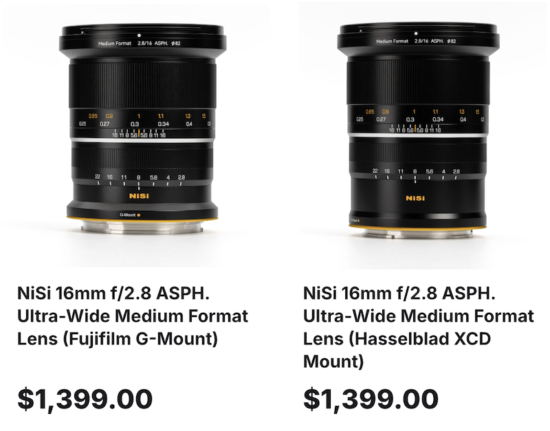
Ultra-Wide 16mm Field of View: With a full-frame equivalent of approximately 12.6mm, it delivers an expansive field of view exceeding 118 degrees for dramatic medium format compositions.
Bright f/2.8 Maximum Aperture: A fast f/2.8 aperture lets you work at lower ISO for cleaner night skies, astrophotography, and dim interiors on high-resolution sensors.
Built for 100MP Medium Format Sensors: The advanced optical design resolves fine detail from center to edge across the entire image circle, matching today’s highest-resolution medium format cameras.
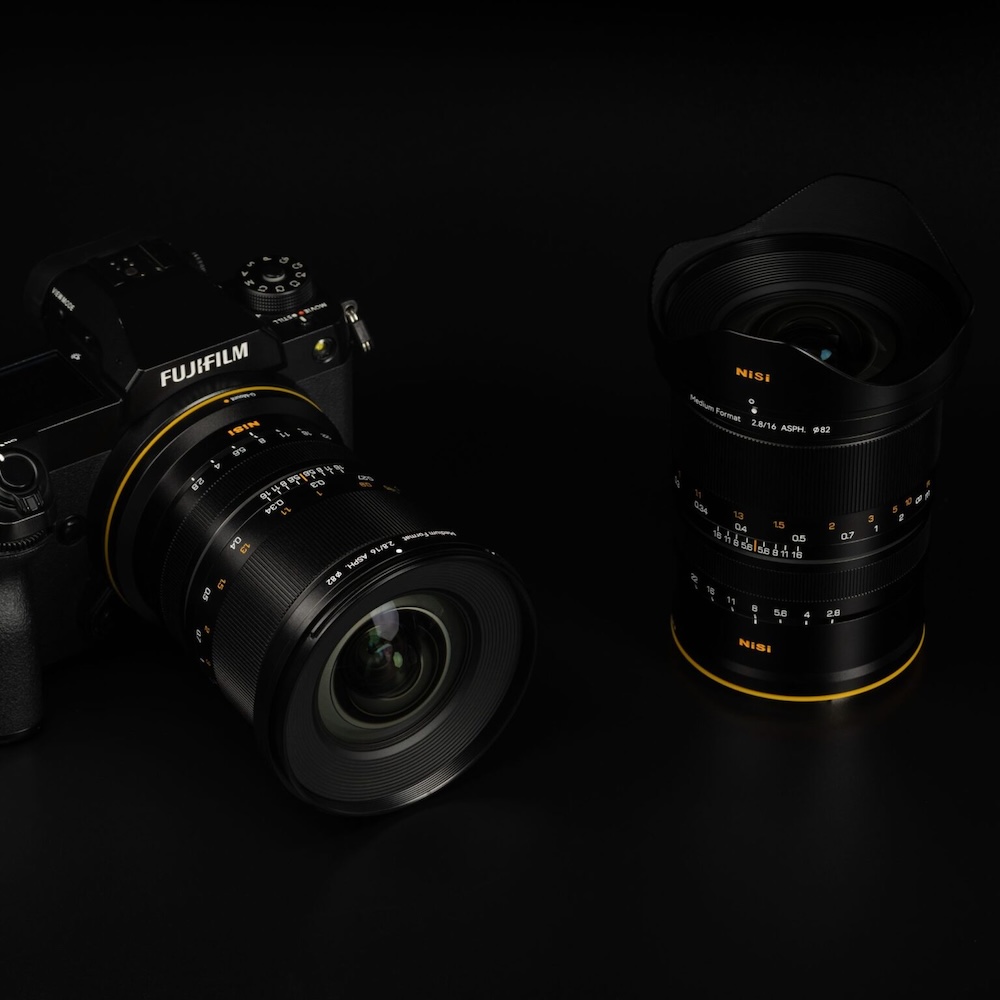
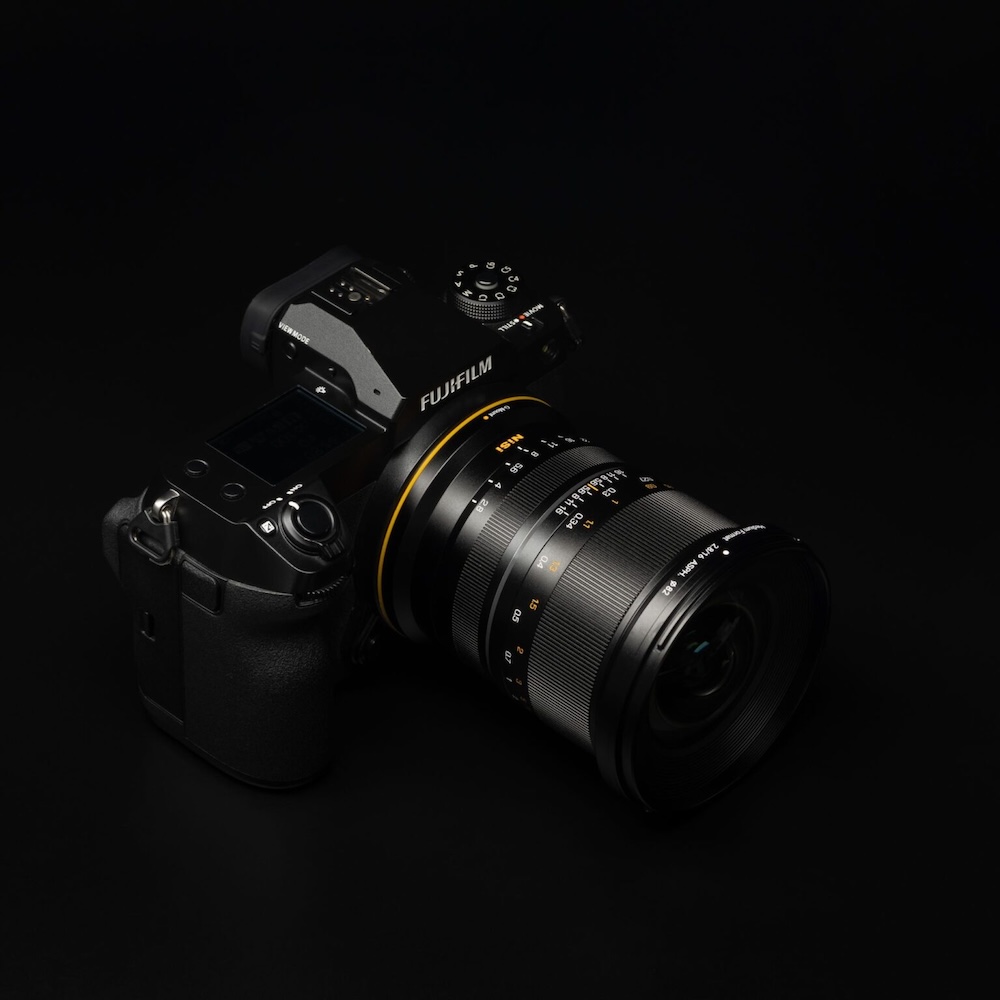
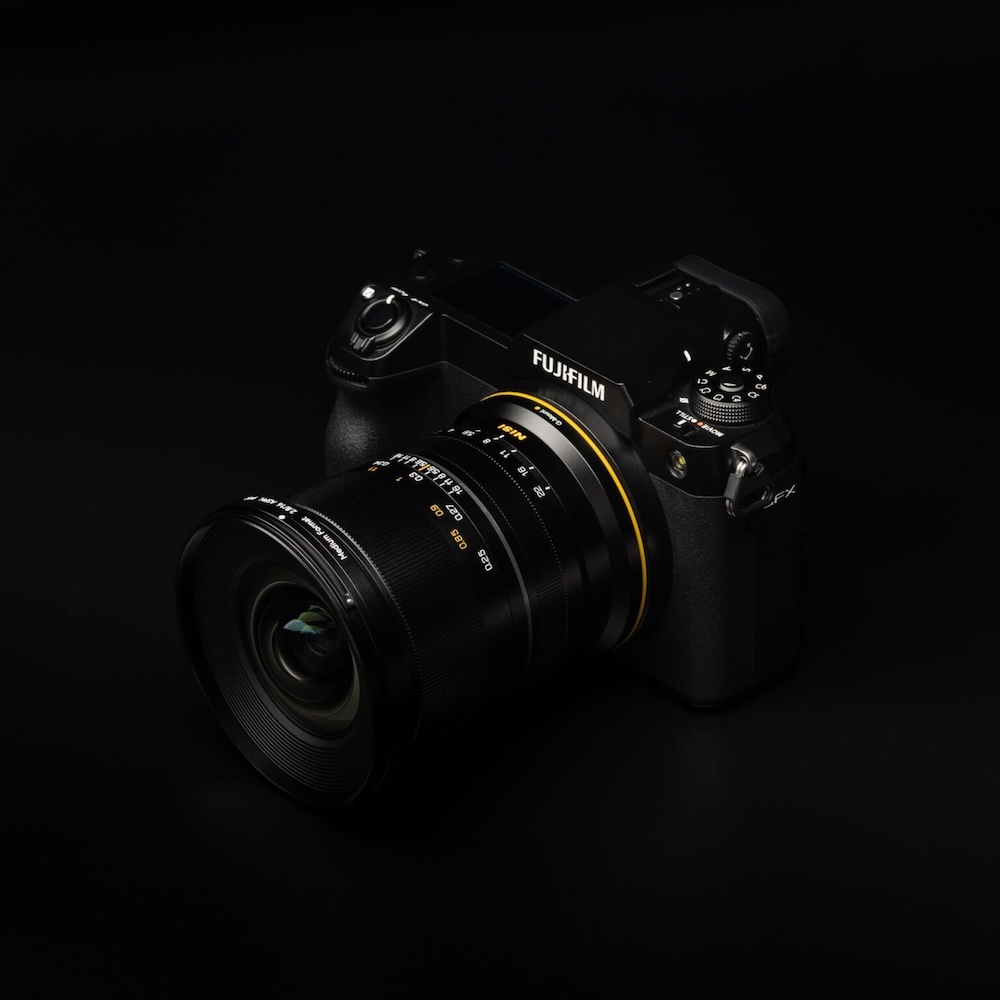
Native Fujifilm G-Mount Fit: This version mounts directly to Fujifilm GFX medium format bodies with no adapter, in a compact 108mm barrel that balances well in the field.
12-Group, 16-Element Optical Design: Three glass aspherical elements and four ultra-low dispersion elements work together to deliver outstanding sharpness, contrast, and color accuracy.
APO-Level Chromatic Aberration Control: Axial and lateral color fringing is held to a minimum even wide open, resulting in clean edge definition and true-to-life color across the frame.
Clean 8-Point Sunstars: A specially designed 8-blade aperture creates crisp, defined 8-point sunstars from f/4 to f/22 for striking starburst effects in cityscapes and night scenes.
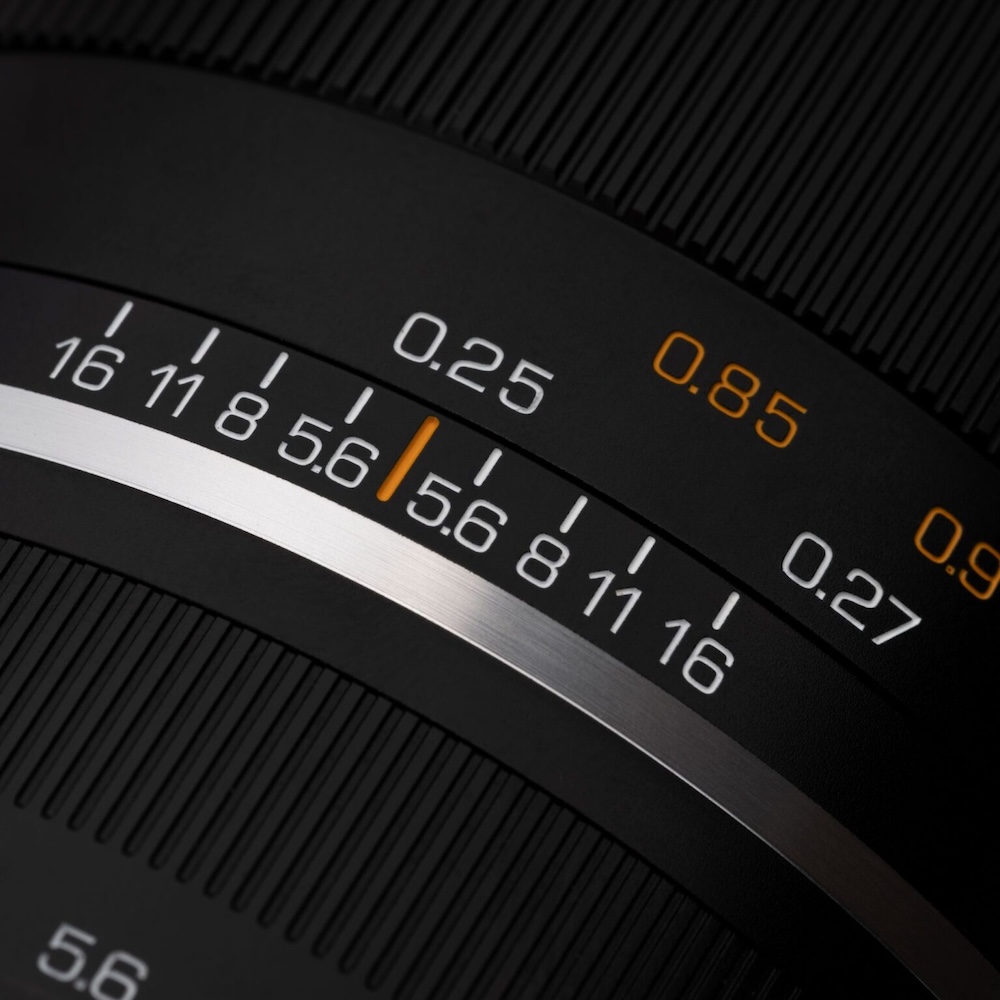
0.25m Close-Focus Capability: A minimum focusing distance of just 0.25m enables close-up compositions with strong foreground impact and an exaggerated ultra-wide perspective.
Weather-Sealed Metal Body: A durable metal barrel with a weather-sealing ring helps resist moisture and dust, staying compact and lightweight at approximately 835g.
82mm Filter Thread with SA+ Coating: An 82mm front thread accepts screw-in filters, while SA+ anti-reflection and ultra-hard surface coatings deliver low flare and lasting protection.
Designed for Fujifilm GFX Medium Format Cameras
This Fujifilm GFX (G-Mount) version mounts natively to Fujifilm GFX medium format bodies with no adapter required. It brings genuine ultra-wide coverage to a system that has long lacked an affordable, fast wide prime, unlocking sweeping landscapes, tight interiors, and night-sky work for high-resolution shooters who want maximum angle without compromise.
16mm Ultra-Wide Coverage
With a full-frame equivalent focal length of approximately 12.6mm, the NiSi 16mm f/2.8 delivers an ultra-wide field of view exceeding 118 degrees. That sweeping angle captures vast scenes, expansive skies, and exaggerated foreground perspective that longer lenses simply cannot reach, making it a natural choice for grand vistas and confined interior spaces alike.
Advanced Optical Design
A 12-group, 16-element optical formula includes three glass aspherical elements and four ultra-low dispersion elements. Together they suppress distortion, control aberrations, and keep lines straight even at the edges, delivering excellent image quality and resolving power across the large medium format image circle for architecture and symmetrical compositions.
Resolving Power for 100-Megapixel Sensors
The optical design delivers outstanding resolution from center to edge across the entire image circle, perfectly matched to high-resolution medium format cameras. Fine textures, distant detail, and subtle tonal transitions are rendered cleanly on today’s 100MP sensors, with peak performance reached around f/5.6 for the most demanding studio and landscape work.
Stays Sharp Wide Open at f/2.8
Even wide open at f/2.8, the NiSi 16mm f/2.8 holds sharp detail from the center to the edge. Three aspherical elements help control coma, rendering point light sources cleanly, which makes it a strong performer for Milky Way and astrophotography. The bright aperture also lets you shoot at lower ISO for cleaner, less noisy night-sky frames.
Minimal Chromatic Aberration
The lens delivers APO-level control of chromatic aberration across the entire image circle. Axial and lateral color fringing is kept to a minimum even wide open, resulting in clean edge definition and true-to-life color in high-contrast scenes such as backlit horizons, city lights, and bright winter skies, so files need less correction in post.
Clean 8-Point Sunstars and Close Focus
A specially designed 8-blade aperture produces clean, defined 8-point sunstars from f/4 to f/22, balancing image quality with a strong starburst effect and a small, tidy center spot. A close 0.25m minimum focusing distance and 0.12x magnification let you push in on foreground subjects for added depth, scale, and dramatic wide-angle storytelling.
Precision Handling and Durable Build
The manual focus ring moves smoothly across a 180-degree rotation, while the clicked aperture ring gives accurate, tactile stop control. A weather-sealed metal body, cinema-inspired painted markings, SA+ anti-reflection coating, and an ultra-hard surface coating that resists water, oil, and fingerprints round out a lens built for serious, repeatable work in tough conditions.
Whether you are capturing the Milky Way, expansive landscapes, or dramatic architecture, the NiSi 16mm f/2.8 ASPH. delivers a rare combination of ultra-wide coverage, a bright f/2.8 aperture, and ultra-high resolution. Its 82mm filter thread also pairs with the JetMag Pro 95MAG magnetic system using a dedicated adapter. Built for the Fujifilm GFX (G-Mount) medium format system, it stands among the highest image quality ultra-wide medium format lenses available today, ready for ambitious work in the studio and the field.
Has Tamron hit the target with its latest fast ultra-wide zoom for Sony and Nikon? Check out our gallery to decide for yourself.
Mitchell Clark
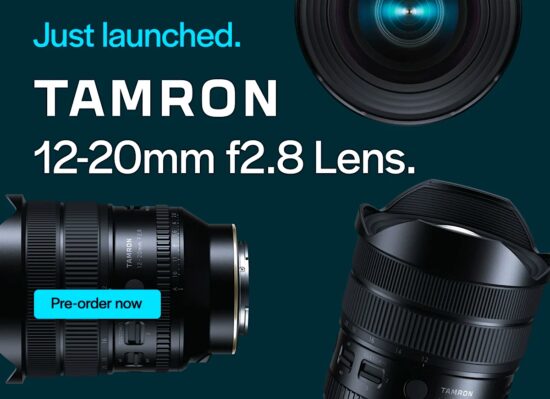
Tamron’s 12-20mm F2.8 adds a fast, ultra-wide option for Sony and Nikon shooters. It goes wider than its rival zooms on the Z-mount and is smaller and lighter than its closest competitor on E-mount, making it an interesting addition to both systems.
We had a chance to use it, prior to launch, with Mitchell taking it with him on his vacation out beyond Eastern Washington. He’s been sending back samples, to broaden the range of the gallery. Have a look to see how this compact ultra-wide performs.
About the Author: Richard graduated as a scientist but had a lot more fun writing and shooting for his university magazine. A number of years spent variously as a reporter, writer and editor on science and engineering titles combined his knowledge of science with his interest in images and words. But it was spotting the connections between emission spectra, white balance and all the nonsense he’d taught himself playing around in Photoshop that helped kindle an interest in digital photography. Searching for a camera led to him discovering DPReview and Richard was recruited by Phil Askey in 2007. He’s been combining his love of photography, communication and attention to detail (pedantry?) ever since.
He has unusually strong opinions about lenses for the APS-C format.
Want to stay up to date on the latest product news and releases? Add DPReview as a preferred source to ensure our independent journalism makes it to the top of your Google search results.

 Connexion