Vue lecture

Panasonic did what Apple, Sony and Nikon couldn’t: overturn a Red Raw video patent

Japan’s patent court just invalidated one of the patents that stood in the way of Raw video’s adoption

An array of Red Cinema Camera products with the V-Raptor XL 8K at the frontRed

The Japanese Patent Office has declared one of Red’s key Raw video patents as invalid, following a challenge by Panasonic.

The court determined that many of the claims made in the patent, first filed in the US in 2008, would have been obvious to someone skilled in the subject area and familiar with existing developments.

The news, first reported by Thom Hogan, put Nikon’s video subsidiary in the position of trying to defend a patent that Nikon had previously argued was invalid.

The patent itself describes a high-resolution video camera that compresses its Raw data, and appears to correspond to the patent at the center of historic claims against Sony and Apple and the almost inevitable counter-suits from those companies. We reported on many of these challenges, as well as Nikon’s, over the years. 

Nikon famously resolved the dispute by buying the company. Some of Red’s cinema camera and Raw knowledge has subsequently been applied to recent Nikon models.

It’s difficult to know what the impact the rejection of this patent will be, given Canon, Panasonic, Sony and Blackmagic Design all now produce cameras with internal Raw video capture. One possibility the abolition of the license fees reportedly due to Red from users of Apple’s ProRes RAW codec. But given Red went from being privately held to being absorbed into Nikon, it’s difficult to get a sense for how significant these might be. And, of course, we shouldn’t assume even a minor cost reduction would necessarily get passed on to consumers.

About the Author: Richard graduated as a scientist but had a lot more fun writing and shooting for his university magazine. A number of years spent variously as a reporter, writer and editor on science and engineering titles combined his knowledge of science with his interest in images and words. But it was spotting the connections between emission spectra, white balance and all the nonsense he’d taught himself playing around in Photoshop that helped kindle an interest in digital photography. Searching for a camera led to him discovering DPReview and Richard was recruited by Phil Askey in 2007. He’s been combining his love of photography, communication and attention to detail (pedantry?) ever since. He has unusually strong opinions about lenses for the APS-C format.

Want to stay up to date on the latest product news and releases? Add DPReview as a preferred source to ensure our independent journalism makes it to the top of your Google search results.

add as a preferred source on google

  •  

Flashback’s “dream job” pays you to live and shoot in Hong Kong for up to 6 months

The film-inspired digicam maker is asking for a one-minute video, some samples of your work and a link to your portfolio – if you have one.

Black vintage-style camera with an orange stripe and "Flashback" label, featuring lens, flash, viewfinder, and slider; set against a light blue background.Flashback

Flashback, the company behind a digital camera built to replicate the disposable film camera experience, is advertising a “dream job” for a lucky content creator or photographer. The winner will spend up to six months in Hong Kong, fully paid, shooting content for the brand.

Flashback makes the One35 V2, a 13MP digital camera engineered to feel like a single-use film camera: it’s screenless, with a mechanical winding dial to advance frames, an optical viewfinder and a Xenon flash. Shots are capped at a 27-frame ‘roll’, after which images transfer to a companion app for ‘developing’ (with an optional 24-hour wait, a nod to dropping film at the lab).

Text graphic displays the words: "Flashback. DREAM JOB. What if you could spend the next three to six months living in Hong Kong, travelling and getting paid to create content with the Flashback team?"
Flashback is offering one lucky photographer or content creator up to six months in Hong Kong, all expenses covered.
Flashback

The company relocated its operations to Hong Kong to stay close to its Shenzhen production facility, so the city isn’t just a backdrop here; it’s central to the brand right now. The winner will be expected to produce photo and video content featuring the city.

Unlike most jobs, there’s no lengthy application process. The company simply asks for a one-minute video introducing yourself and explaining why you want the job, examples of content you’ve created and a link to your portfolio if you have one. Flashback hasn’t disclosed the compensation beyond describing the role as fully paid.

If that pitch sounds familiar, it should. Icelandair ran a similar campaign earlier this year, also built around a 60-second audition video, except it was hunting for the world’s worst photographer, on the theory that Iceland is beautiful enough to survive anyone’s bad photography skills. That one drew 127,642 entries from 178 countries, and the winner, Blanche Mortemard, walked away with a 10-day trip and $50,000.

If you shoot with any retro-inspired compact – Flashback’s or otherwise – love travel and want to get paid to document a city for six months, this could be your chance.

How to apply

Applications can be submitted through Flashback’s online form. The company hasn’t announced a deadline, so it’s probably better to apply sooner rather than later.

About the Author: Dale Baskin is a professional photographer, writer, and filmmaker based in the Pacific Northwest. He is the Managing Editor of DPReview.com.

Want to stay up to date on the latest product news and releases? Add DPReview as a preferred source to ensure our independent journalism makes it to the top of your Google search results.

add as a preferred source on google

  •  

Nikon is updating the D6 and D780’s firmware, six years after launch

They’re just minor bug fixes, but the releases are part of the story about Nikon’s commitment to software improvements

The Nikon D780 on an orange and yellow background.Dan Bracaglia

Nikon has released firmware updates for two of its six-year-old DSLRs: the D6 and the D780, as discovered by Nikon Rumors. While the fixes included in them are relatively minor, it’s impressive to see last-generation models getting some love, and it speaks to how Nikon has become an exemplar of improving its cameras through software.

According to the release notes, firmware version 1.71 for the D6 fixes an issue where photos taken with older D-type lenses would “sometimes be underexposed,” as well as one where using the recall shooting feature to quickly change settings could limit your shutter speed if you were also using Auto FP High-Speed Sync. Firmware version 1.21 for the D780, meanwhile, solves an issue where the camera could underexpose images if you were zooming in while shooting a high-speed continuous burst. Both firmware updates are available to download via the company’s website.

These are minor updates, but they’re illustrative of Nikon’s commitment to software updates

Nikon also released a firmware update for a much newer camera, the Z50II, though its changelog makes the updates to the D6 and D780 look like complete overhauls in comparison; it basically just changes the names of some menu items in Chinese.

While all of these are minor updates, they’re illustrative of Nikon’s commitment to software updates. Ask a camera enthusiast about post-release software support, and you’ll probably hear about Fujifilm and Kaizen, but it’s worth realizing that other companies like Nikon and Panasonic have caught on. In recent years, the company has released software updates that substantially improve the capabilities of its cameras be that the addition of bird detection mode to the Z6III, a new film grain mode and support for its Imaging Cloud service to the Zf or the ability to use shutter angle in video on the Z8.

This isn’t to say that Nikon has done things perfectly. It’s easy to find complaints about how some features take longer to come to some cameras than others, when it seems like the models should be on par with each other. And  the company has, on occasion, broken things with its updates. (Its still-unfixed Content Credentials implementation for the Z6III and issues with updating cameras with third-party lenses – even licensed ones – attached come to mind.) And while these issues may stem from the practical realities of software engineering and how many resources Nikon can put into it, that doesn’t change the fact that those issues don’t make for a great user experience.

Still, it’s commendable that Nikon is continuing to support older cameras and improve its existing models. I’m sure most Nikon users would rather it continue along that path with the occasional misstep, rather than it not bother with updates at all. Now we just need that update it promised for the ZR.

About the Author: Mitchell started taking pictures at 10 and hasn’t stopped since. It’s been a wide-ranging adventure, spanning a wide variety of genres and locales, and occasionally dipping into fascinations with video and filmmaking. They honed their technical knowledge doing documentation, programing and QA, writing for The Verge, and just generally messing around on the computer to see what breaks.

Want to stay up to date on the latest product news and releases? Add DPReview as a preferred source to ensure our independent journalism makes it to the top of your Google search results.

add as a preferred source on google

  •  

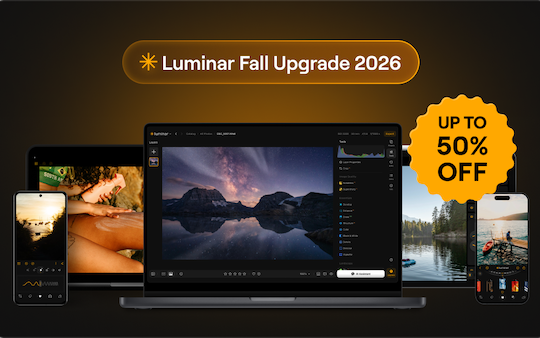
The major new Luminar Prime Fall Upgrade 2026 is now available for pre-order with a 50% off early-bird price


The major new Luminar Prime Fall Upgrade 2026 is now available for pre-order with a 50% off early-bird price. Here’s what’s new:

  • A redesigned experience — Cleaner navigation and a smoother editing workflow. Catalog and Edit are now unified into a single workspace with a redesigned right sidebar, so Presets, Tools, Edits, Info, and Extra tools (including generative AI) are always one click away. No more switching between modes.
  • More realistic Generative AI — Natural textures, believable light, and seamless results. GenErase, GenSwap, and GenExpand now produce more convincing fills, object replacements, and extensions that blend convincingly into the original photo.
  • Up to 25% faster exports — Deliver your finished photos even sooner (some reports note up to ~27% faster on both Windows and macOS).
  • Preset previews up to 4× faster — Discover your perfect look in seconds thanks to significantly quicker preset rendering.
  • Improved performance — Masking now uses up to 33% less RAM for faster, smoother editing, with more efficient resource use during batch work and complex selections.
  • 365 days of Luminar Prime at the best launch price — One year of full access to the new subscription model that replaces the old seasonal Upgrade Passes.
  • Luminar Web: Edit from any browser, wherever inspiration strikes. Yours forever — Browser-based editing (coming Fall 2026) so you can continue work on any computer without installing the app. Included with All Platforms / Max licenses.
  • Fall Upgrade 2026 — Including:
    • Crop 2.0 — AI analyzes the image and suggests multiple finished compositions based on the main subject, balance, leading lines, and visual weight (with helpful overlays such as golden ratio / golden spiral).
    • Atmosphere 2.0 — Much more realistic fog and atmospheric effects that intelligently blend into the scene, responding to light, color, and depth of field for natural spatial integration instead of flat overlays.
    • Enhance 2.0 — A smarter model that reads the photo more precisely, protects highlights better, respects existing colors, and avoids over-processing for more natural results.
    • AI Assistant 2.0 — Describe what you want in everyday language; the assistant recommends the right tools and can apply adjustments for you.
    • Plus other refinements (improved printing options, export with watermarks/frames, etc.).
  • Every new feature: Get every update released during your subscription — yours to keep forever — Features unlocked while your Luminar Prime period is active remain permanently available even if you later cancel.
  • Unlimited AI editing — Restoration, GenErase, GenSwap, GenExpand, and AI Assistant without credits or usage limits for the full 365 days (subject to fair-use policy).
  • Creative Library of Assets — Unlimited access to an ever-growing collection of 2,150+ presets, 500+ LUTs, 400+ overlays, 550+ skies, and 50+ photography courses.


The post The major new Luminar Prime Fall Upgrade 2026 is now available for pre-order with a 50% off early-bird price appeared first on Photo Rumors.

  •  

The photographer who swapped bulky camera bags for a grocery bag

With only a single camera and a simple 25-cent produce bag to carry it in case of rainstorms, community member Gordon Pritchard manages to capture some amazing shots.

Deadpool Portrait - Gordon PritchardGordon Pritchard

Meet Gordon Pritchard

Home base: Victoria, British Columbia, Canada

Community member Gordon Pritchard preaches simplisticity quite like no one else we’ve spotlighted before. With only a single camera and a simple bag to carry it in case of rain, and by using a digital darkroom, he’s managed to capture some amazing shots of alien-looking landscapes and beautiful wildlife around the world, while developing a career as a commercial graphic artist.

“I’ve been involved in the arts for as long as I can remember, but my love of photography started in my mid-teens when, as a summer job, I did photo retouching at a commercial printshop. Sixty-two years later, I’m still at it.”

Our ‘What’s in your bag?’ community spotlight series features readers sharing their favorite gear and photography, including from past DPReview collaborators. See below for what Andrew has to share.

How did you get started as a photographer and commercial artist?

View into a tulip
View into a tulip

Nikon COOLPIX P950 | Built-in lens @ 50mm (35mm equiv.) | F3.5 | 1/250 sec | ISO 100
Gordon Pritchard

“When I worked as a commercial artist, I designed the ads and related materials that launched the IKEA brand in North America and did advertising for Peterbilt trucks and Bushnell optics. I also taught design, illustration and photography at the Montreal Museum of Fine Arts school of art and design.”

Based on Gordon’s commercial artist work and related to the lead image in this article, Gordon has spent decades crafting his art, which sometimes merges his photography with other images. Many of the images he’s created are a combination of original photography, a mix of careful composites and various other techniques that give you a unique look that fits his vision for the mood of the scene.

“Starting in 1996, I was the quality in print manager at Creo, the largest graphic arts software and hardware manufacturer at that time. During that time, I was also involved in developing FM screening technology that enables magazines to reproduce images with photographic detail fidelity. The company was then acquired and is now operated by Kodak.”

What’s in Gordon’s bag

Gordon Pritchard's camera bag
Gordon Pritchard’s camera bag.
Gordon Pritchard

My favorite cameras(s): Nikon P950 and Sony SLT-A77 II

“Gear-wise, I like to keep things simple, so I use the all-in-one approach. My Nikon P950 with its built-in 24-2000mm equiv. range or my Sony SLT-A77 II with a Tamron 16-300mm zoom. It has become my favorite all-in-one. It has expanded my range of photo opportunities as well as my post-processing skills.”

My camera “bag”: “My camera bag is a light film grocery bag – the kind used for vegetables – just in case it rains. It’s very lightweight and fits in my pocket. Simplistic, but it works.”

My favorite accessories: “I always have a clear lens filter mounted to protect the front element – never had an image quality issue as a result. In my kit, I also have a +2 close-up lens (to allow for close-ups at distance), a polarizer filter (to deal with reflections or act as a mild ND filter), and a Neutral Density 8 (for blurring motion).”

“I might have a pocket multi-tool and lens wipe cloth with me. I keep a tripod in my car – just in case. Again, I try to keep things as simple as possible so as not to interfere with my photo taking.”

What do you like to shoot?

Portrait of an old friend
Portrait of an old friend.

Sony a77 II | Tamron 16-300mm F3.5-6.3 Di II PZD Macro @ 80mm | F9.5 | 1/250 sec | ISO 400
Gordon Pritchard

“I’m a retired commercial artist, so I’m drawn to any subject that appeals from an artistic or technical point of view, from micro to macro subjects. Currently, I’m focusing on the birds I see during my daily morning neighborhood walks. In the past, I did editorial photography for magazines, advertising, and personal pleasure. I’ve also taught photography part-time at the college level.”

“Because I can fine-tune the light, I use my bathroom as a studio for tabletop subjects like my toy and macro photography. Mostly, though, I photograph outdoors.”

Is photography art?

A dog's collar lights the action
A dog’s collar lights the action.

Sony SLT-A57 | Sony DT 18-250mm F3.5-6.3 @ 22mm | F5.6 | 11 sec | ISO 800
Gordon Pritchard

“I approach photography from an artist’s point of view – so I’m most interested in how light plays with the subject, tonal contrast, composition, and color rather than the subject itself. I played with those elements back in the old analog darkroom days, but the digital darkroom has totally expanded my ability to render images to interpret the subject rather than record it.”

“I was fortunate in that my work has taken me across North America, Europe and Southeast Asia. From a landscape photography point of view, I particularly love the alien-looking rock formations of the U.S. southwest as found in places like Valley of Fire, Nevada.”

Take a moment to visualize the scene

Song Sparrow
Song Sparrow

Nikon COOLPIX P950 | Built-in lens @ 196mm | F5.6 | 1/400 sec | ISO 400
Gordon Pritchard

“I always try to visualize the final image before I take the shot. That might result in returning to a scene at a different time of day or even year. Have an idea in mind as to why you are taking the photo – what made you decide to aim the camera and take a shot? Are you interpreting the scene or recording it?”

Gordon really enjoyed participating in this spotlight article and would love to hear what you think of his photography and to answer any of your questions in the comments below.

You can check out Gordon’s other work on flickr.com.


Editor’s note: This article continues a series, ‘What’s in your bag?’, highlighting DPReview community members, their photography and the gear they depend on. Would you like your photography to be featured in a future installment? Tell us a bit about yourself by filling out this form.

About the Author: Mathew Anderson is a proud Community Manager for the technology industry and a past visitor to DPReview.com for all his camera needs. He is currently the lead of DPReview’s community and primary communication link between the community and DPReview’s team.

Want to stay up to date on the latest product news and releases? Add DPReview as a preferred source to ensure our independent journalism makes it to the top of your Google search results.

add as a preferred source on google

  •  

Lightroom’s latest update brings Generative Expand to Mobile and Desktop

Adobe has unveiled Lightroom Classic 15.5, Lightroom Desktop 9.5 and Lightroom Mobile 11.5, bringing long‑requested tools like Generative Expand and improved masking controls to the Lightroom ecosystem.

Blue “Lr” letters in a modern, clean font centered on a dark blue background.Adobe

Adobe has rolled out updates across Lightroom Classic (15.5), Lightroom Desktop (9.5) and Lightroom Mobile (11.5), bringing long‑requested tools like Generative Expand and improved masking controls. The August releases aim to let photographers do more without leaving the Lightroom ecosystem.

Generative Expand and Render to DNG

On Lightroom Desktop and Mobile, the headline feature is Generative Expand, which Adobe first rolled out in Photoshop in mid-2023. The tool uses generative AI to extend a photo beyond its original borders, filling transparent areas created by perspective adjustments or making room for new aspect ratios without leaving blank edges. Generative Expand is still not available in Lightroom Classic, however.

Lightroom Classic 15.5 and Desktop 9.5 also introduce a Render to DNG command in the right‑click menu, which creates a new DNG file with your current edits baked in. It’s important to note that under the hood, it’s closer to a compressed TIFF, so you lose the ability to pull extra highlight or shadow detail from the original sensor data. The feature is mainly aimed at generative workflows and for flattening complex edit stacks. For example, you can refine a crop, render that version to DNG, then use Generative Expand to grow the frame around your new composition, all without sending the image out to Photoshop.

Smarter masking and catalog resilience

Both Lightroom Classic and Desktop also gain long-requested Feather and Edge sliders for AI masks. These sliders give photographers finer control over transition softness and edge precision when using Subject, Background or Object masks. Classic also adds in‑app lrcat‑data repair, allowing the software to detect and fix corruption in the catalog’s AI data store on startup. It’s an unglamorous but important safeguard when catalogs live on synced drives or tethered workflows run hard day after day.

Mobile gets serious AI and video tools

As mentioned, Lightroom Mobile’s August release brings Generative Expand to phones and tablets, but that’s not the only update. It also adds AI Denoise to iOS devices for cleaner high‑ISO files on Apple mobile devices. Plus, Adobe’s Animate feature, which turns a photo into a short video clip, now runs on Google’s Veo 3.1 Lite model, promising faster, more efficient photo‑to‑video clips.

On both iOS and Android devices, Adobe improved handling of masks with edge refinement created on the Desktop, so edits travel more reliably between devices. Mobile also gains natural‑language search, promising to make searching for images faster. On Android devices, justified grid and collapsible segments come to Gallery view, and both platforms pick up additional camera and lens profiles. Overall, these changes nudge the phone and tablet apps closer to full Lightroom clients rather than simple companions.

Quality‑of‑life upgrades for Classic

For Classic users, the August update also allows you to adjust the photo opacity when viewing cropped-out areas, for more precise cropping. Plus, Adobe has expanded GoPro, Laowa and Sigma lens support, improved Canon tether reliability via updated PTP support and added numerous other UI and performance fixes across both Classic and Desktop. Most of these are incremental changes, but the kind that can add up when you’re culling thousands of files or relying on Lightroom as the backbone of a studio catalog.

About the Author: Abby Ferguson holds an MFA in photography and blends a fine-art background with extensive editorial and commercial experience. She built and led an in-house imaging program for a large vacation rental company and has served as an associate editor at Popular Photography. She also teaches at a local community college and serves on its Photographic Technology Program Advisory Board, sharing her knowledge and enthusiasm for the medium.

Want to stay up to date on the latest product news and releases? Add DPReview as a preferred source to ensure our independent journalism makes it to the top of your Google search results.

add as a preferred source on google

  •  
❌