Vue lecture

Fujifilm’s XApp tested: It’s finally the app your Fujifilm camera deserves

We tested every corner of Fujifilm’s XApp with an X-T5 – from image transfers to camera backups, it’s a solid companion app, with a few rough edges.

Fujifilm X-T5 camera in black, front-facing with lens attached; below the camera are Bluetooth connected and location on icons, plus the model name.

When you use DPReview links to buy products, the site may earn a commission.

For many years, camera companies built excellent hardware while shipping smartphone apps that felt like an afterthought. That trend has changed. Today, apps for cameras do much more than transfer photos to your phone: they can serve as the camera’s dashboard, providing a variety of useful tools and features, and in most cases, they do so much more reliably than in the past.

Fujifilm’s XApp is no exception. It replaced Camera Remote – Fujifilm’s previous app that was dogged by reliability issues and low app store ratings – and the difference is substantial. In addition to manual and automated image transfer, it can control cameras remotely, provide geolocation data, backup multiple sets of camera settings, manage firmware updates and provide a record of your camera’s activity. 

We tested XApp on an iPhone 17 Pro Max and a Google Pixel 11 Pro XL with the Fujifilm X-T5. While this provides a solid baseline, keep in mind that features and performance may vary slightly depending on the specific camera model and phone you use.

Index

Camera compatibility

Fujifilm launched XApp in 2023, but not every Fujifilm body works with XApp, and some older models still require the old Camera Remote app. 

0162052316-fujifilm_x-t5_front
XApp supports camera models dating back to 2018. We tested it on an X-T5.

The company maintains a list of compatible cameras and mobile operating systems on its website, including camera models dating back as far as 2018, with the GFX 50R being the oldest camera we spotted on the list. 

Wireless setup and image transfer

Pairing your camera with XApp is relatively straightforward, and the app provides instructions to guide you through the process. Initial pairing is done via Bluetooth but hands off to Wi-Fi for data-intensive tasks like image transfers and remote camera operation. Once paired, the connection generally remains stable, though the app can occasionally lose its connection and fail to recover. In almost all cases, forcing the app to quit and restarting it reestablished the connection. It’s more an annoyance than a limitation.

Fujifilm camera connected to app displayed on smartphone screen, showing options for remote control, backup and restore, upload activity, and main menu icons along the bottom.
XApp pairs initially via Bluetooth, then hands off to Wi-Fi for data-intensive tasks like image transfers and remote control.
Dale Baskin

Image transfer options and speed 

Transferring photos from your camera to your phone is straightforward, and the gallery-like interface works well for selecting images, individually or in batches. If you have a camera with two memory cards, it’s easy to select which card to browse.

Phone gallery screen displaying 12 RAW-format airplane photos on a runway, date marked Aug. 22, 2026; storage information at bottom indicates 473.23 of 953.07 GB used.Dale Baskin

One feature we really appreciated was the image filtering options, which let you filter by star rating (if you’ve set ratings in-camera), file type, folder name, subject type, including person, animal, bird, automobile, bike or motorcycle, train, and airplane (or whatever subset of subject your camera model is trained to detect). You can set a range for capture date – helpful if there are a lot of images on a card and you want to narrow the selection down to a time window. We found the star-rating filter particularly useful; if you rate images in the field as you shoot, you can quickly find your favorites and transfer them.

On the X-T5, which captures 40MP images, it took just under three minutes to transfer five full-resolution Raw/JPEG image pairs (10 files total), or about 45 seconds for just the JPEG images. Transfer times for other cameras may differ: one would expect a Fujifilm model with a 26MP sensor to transfer images a bit more quickly, whereas a medium format model with a 100MP sensor will take longer.

Filtering menu with rating options showing four five-star items selected, folder labeled _FUJI highlighted with 970 items, file type choices including JPEG with 517 selected, HEIF, RAW, and MP4. Clear and OK buttons displayed at the bottom.
XApp lets you filter images by star rating, file type, folder name and subject type before transferring.
Dale Baskin

Images can be transferred at full resolution, but there’s also an option to downsize images. The app doesn’t indicate what resolution images will be downsized to, but according to Fujifilm’s documentation, it’s 3MP, which could be useful for social media posts.

Automatic image transfer

XApp can manage automatic image transfers from your camera, but you set this up on the camera, not in the app. To do so, navigate to the camera’s Bluetooth/Smartphone settings and turn Auto Image Transfer (or Auto Image Transfer Order) to ‘On’. 

It’s worth noting that automatic image transfer doesn’t transfer images to your phone in real-time as you shoot; it’s effectively a send/queue mechanism. As you shoot, images are tagged for transfer, and once you switch to playback mode or turn the camera off, the transfer process begins. Your phone will receive a notification that images are queued for transfer, and you can choose to start the transfer right then or wait until later.

Mobile notification on smartphone screen showing XApp logo and message requesting permission to receive transferred images from FUJIFILM-X-T5 camera, with an option to tap and accept.
You receive a message on your phone when the camera is ready to transfer a batch of images.
Dale Baskin

Remote control and live view

Live view and remote shooting work as expected. Triggering the shutter over a wireless connection isn’t as instantaneous as clicking the physical shutter button, but the lag is minimal, and you would probably only notice it if you were shooting something moving quickly enough that split-second accuracy was critical.

Camera app interface displaying a landscape viewfinder with a grassy field, sparse trees, and mountains beneath a cloudy sky; visible camera settings include ISO 12800, shutter speed 1/800, and f/5.6 aperture.
Remote camera operation is one of XApp’s core features, turning a paired smartphone into a wireless camera controller.
Dale Baskin

When using remote shooting, you can adjust the shutter speed, F-stop, ISO, film simulation, WB and flash from the app. Tap-to-focus on the image lets you set your AF point. The lag between tapping to set the AF point and the camera activating it is just enough to be slightly annoying, but it’s not a showstopper. For situations like tripod self-portraits, remote triggering for group photos, or landscape setups, it’s a useful feature; it does what it needs to do, and it does it well. If you want to adjust any of the camera’s other settings, you’ll need to do it directly from the camera.

GPS location sync

When GPS location sync is turned on in the app (labeled “smartphone location sync”), XApp pulls location data from the phone’s GPS and syncs it to the camera over Bluetooth, embedding it in the image’s metadata.

In principle, this should function seamlessly in the background, and it generally does. However, when syncing with the iPhone 17 Pro Max, we discovered that if we hadn’t used the camera or the app for a few days, photos stopped getting geotagged. Opening XApp on the phone generally restored geotagging activity. Reports online, as well as in app store reviews, suggest others have run into the same issue, so if geotagging is important to you, it’s a good idea to launch the app if it’s been dormant for a few days before heading out on your next shoot.

Smartphone screen showing a list of location synchronization intervals from 10 to 480 seconds; the 10-second option, marked as Accuracy Priority, is selected. Instructions are displayed at the top of the screen.
The geotagging feature lets you select the synchronization interval so you can balance accuracy with battery usage.
Dale Baskin

One other setting to be aware of is the “Location synchronization interval,” which is set in XApp’s app-wide settings rather than on a per-camera basis. You can set this interval to as short as 10 seconds to prioritize accuracy, or as long as 480 seconds to prioritize battery usage. On the iPhone 17 Pro Max, we left it set on 10 seconds and didn’t notice a big impact on battery life, but this will obviously vary based on what phone you’re using, how big its battery is, and even the age of the battery, so it’s worth testing various settings to get a sense of what works with your own setup.

Backing up camera settings

The ability to back up and restore camera settings from XApp is a useful and, thankfully, easy-to-use feature. Tapping the Backup/Restore button under your camera model will save the camera’s current settings to the app and add them to a list. You can save multiple sets of settings and even name them. Tapping any item on the list restores those settings to the camera.

Fujifilm app screenshot displaying the Backup/Restore menu for the X-T5 camera, featuring branded interface elements and options to back up settings or restore profiles labeled Settings for Mom, Sports Setup, and Portrait Setup.
XApp can back up multiple sets of camera settings, making it easy to save and restore configurations.
Dale Baskin

Not only does this let you restore your camera’s settings if they get changed or deleted, but it also lets you save specific profile settings for different subjects or shooting situations, allowing you to quickly reconfigure your camera as needed. It also allows you to apply the same settings to multiple cameras as long as they’re the same model – useful for someone like a wedding photographer who rapidly switches between two bodies.

There are a couple of caveats to be aware of. First, network settings and custom white balance settings don’t get backed up. Second, some users have reported that mismatched firmware versions can cause restore failures, so it’s a good idea to ensure all cameras are running the same firmware version if possible.

Timeline and Activity

Timeline and Activity are features that display information based on how you use any connected Fujifilm equipment.

Activity provides a visual summary of what you’ve done in the form of infographics: how many images or how much video you’ve shot, how those captures break down across the various cameras and lenses that have connected to the app, how many photos you’ve taken with each film simulation and what types of subjects you’ve captured.

Digital interface showing multiple film roll icons in different colors and grayscale, each accompanied by numbers and labels that represent activity levels and types of film simulation.
The Activity feature shows infographics that show how you have used your camera, like the number of photos on a card shot with each film simulation.
Dale Baskin

One potentially useful feature is that tapping on the infographics (except for subject type) opens a gallery displaying the corresponding photos. For example, you can tap a film simulation and see all the photos captured using that film simulation. However, as of the time of writing, this particular feature was very unstable for us – more often than not, tapping an item caused the app to crash and close (at least on iOS).

Timeline shows your photographic activities chronologically, like a diary. If you take several photos together, it identifies it as a shoot. Tapping the link takes you to the photos from that shoot and displays shoot-specific Activity infographics. When you link a new camera to the app or attach a new lens to a linked camera, that shows up in the timeline, too.

Person wearing a blue floral shirt and tan hat sits on a boat on a lake with hills in the background; timeline displays two photos of the same individual taken on different dates, both outdoors near water.
The timeline feature lets you see your history, including groups of images shot together.
Dale Baskin

Unhelpfully, Fujifilm also inserts ads for Fujifilm events and products into the timeline, though fortunately, not very often.

It’s easy to see Timeline and Activity as eye candy, but they can be quite useful. If you’re looking for a set of photos from a specific shoot or all the photos you’ve captured with a particular camera, lens or film simulation, it’s an easy way to find them.

There’s a caveat here, too, though. Using Timeline and Activity requires you to sign in with an Apple or Google account, and the features aren’t available in all countries or regions.

Firmware updates

Finally, XApp facilitates firmware updates to your camera when they become available. If the app detects a firmware update for your camera, it downloads the update. The next time the app connects to your camera via Wi-Fi, it transfers the update to the camera’s memory card.

What XApp doesn’t do is automatically install the firmware, which is up to you. When you next power on the camera, it displays a screen letting you know an update is ready, and you can choose to update right then, be reminded later, or schedule a date and time for the camera to update. XApp doesn’t manage firmware updates for lenses.

The verdict

Fujifilm’s XApp is a well-rounded companion app for your camera, and it’s a huge improvement over the company’s old Camera Remote app. It may have taken Fujifilm a few years to ship an app that runs reliably, but for the most part, XApp delivers on its feature set. 

However, there’s one thing we still wish XApp could do: manage custom film recipes on your camera. Film Recipes have been popular in the Fujifilm user community for years, and Fujifilm has expanded support for them on recent models. Additionally, custom looks have already found their way into other companies’ apps. Fortunately, several third-party developers have stepped in to fill that gap; if you’re interested, check out this article covering some of our favorites.

About the Author: Dale Baskin is a professional photographer, writer, and filmmaker based in the Pacific Northwest. He is the Managing Editor of DPReview.com.

Want to stay up to date on the latest product news and releases? Add DPReview as a preferred source to ensure our independent journalism makes it to the top of your Google search results.

add as a preferred source on google

  •  

This is refreshing: Blackmagic is making some of its cameras over $1000 cheaper

These days, it’s not often you get to write about prices going down, rather than up.

A Blackmagic Cinema Camera 6K in front of a desert landscape.Blackmagic

Here’s a refreshing bit of news: there’s at least one camera company out there whose products are getting appreciably cheaper. Today, cinema company Blackmagic Design announced that it’s slashing the prices of its full-frame Cinema Camera 6K and Pyxis 6K models by over $1000, something it says it can do after “securing better pricing on parts.”

Neither camera is particularly new: the Cinema Camera was announced in 2023, and the Pyxis in 2024. So it’s not surprising that Blackmagic is able to make them for less than it initially was. What I wouldn’t typically expect is the company passing those savings on to its customers, given our age of prices rising due to AI-driven chip scarcity and inflation. 

New PriceOld PriceSavingsLaunch Price
Blackmagic Cinema Camera 6K$1595$2715$1120$2595
Blackmagic PYXIS 6K L$1995$3080$1085$2995
Blackmagic PYXIS 6K EF$1995$3070$1075
Blackmagic PYXIS 6K PL$2195$3265$1070

It’s also not a situation where Blackmagic raised prices due to tariffs in the US, and is lowering them back down now that they’re gone. It did raise prices – the Cinema Camera 6K launched for $2595 – but the new prices are well below what the cameras were originally announced at.

Realistically, I realize most of our audience won’t be interested in dedicated cinema cameras in an age when the best hybrid mirrorless models excel in both video and stills, no matter how inexpensive they are. But I’d like to think this is a sign that things might be changing in the camera world. While it may be too much to hope that we’ll see new models that are cheaper than their predecessors, or similar price reductions for existing cameras – I suspect the bigger, more established companies are already getting parts for as cheaply as they can, and Blackmagic is just moving up towards that level of economy of scale – perhaps we’ll at least see some cameras that aren’t substantially more expensive than their predecessors.

About the Author: Mitchell started taking pictures at 10 and hasn’t stopped since. It’s been a wide-ranging adventure, spanning a wide variety of genres and locales, and occasionally dipping into fascinations with video and filmmaking. They honed their technical knowledge doing documentation, programing and QA, writing for The Verge, and just generally messing around on the computer to see what breaks.

Want to stay up to date on the latest product news and releases? Add DPReview as a preferred source to ensure our independent journalism makes it to the top of your Google search results.

add as a preferred source on google

  •  

GoPro’s CEO says the company isn’t done with cameras despite its merger promises

The company’s announcement earlier this week placed a lot of emphasis on AI and national security.

The three GoPro Mission 1 cameras against a dark black background.GoPro

GoPro’s merger with Starman Optical doesn’t mean the company will stop making action cameras, according to a letter from the action cam company’s CEO, Nick Woodman. Earlier this week he said the company planned to address “important areas of national security related to cameras, optics and AI infrastructure,” but now tells the GoPro community that he expects the merger to “make GoPro a stronger, more capable camera company than ever before.”

If you missed the merger announcement earlier this week, that statement may seem unnecessary; of course GoPro would keep making cameras, that’s the main thing it does. But its consumer-facing business didn’t get much attention in its merger announcement, with the company talking more about expanding into “AI data center, government, defense and aerospace markets.” It did promise to “continue to fully support its existing consumer products and its subscription and cloud platform,” but the word “existing” made some (myself included) wonder how much work it’d put into future consumer cameras.

“we’ll be in a much better position to innovate, invent and advance the future of consumer and professional content creation”

Nick Woodman

In his new letter, Woodman says the company’s “improved financial strength” after the merger, planned for later this year, pending regulatory approval, will put the company in “a much better position to innovate, invent and advance the future of consumer and professional content creation.” He also says that Starman is passionate about the GoPro brand, too.

“We plan to bring you more innovative cameras, smarter accessories, and more powerful software and services designed to make capturing, editing and sharing your experiences easier and more exciting than ever,” he says later in the letter.

Personally, I’m glad to hear this, as I think GoPro is an important competitor in the action camera space, even if it’s struggled to keep up with the pace set by other companies like DJI and Insta360 in recent years. Of course, there’s a storied history of companies and executives making promises about what things will be like post-merger, with the reality ending up very different. But for now, it sounds like GoPro plans to continue working on cameras alongside bringing manufacturing of optics and transceivers to the US and breaking into the defense market.  

About the Author: Mitchell started taking pictures at 10 and hasn’t stopped since. It’s been a wide-ranging adventure, spanning a wide variety of genres and locales, and occasionally dipping into fascinations with video and filmmaking. They honed their technical knowledge doing documentation, programing and QA, writing for The Verge, and just generally messing around on the computer to see what breaks.

Want to stay up to date on the latest product news and releases? Add DPReview as a preferred source to ensure our independent journalism makes it to the top of your Google search results.

add as a preferred source on google

  •  

Lomography’s Fisheye No. 2 Graffiti is a budget gateway to analog fisheye

The new camera features the same 170° optics and fixed F8 lens as the standard Fisheye No. 2, wrapped in a new graphic design.

A colorful, toy-like camera with a large yellow lens and artistic designs is held in a hand against a blurred, vibrant graffiti wall background.Lomography

Lomography recently launched the Fisheye No. 2 Graffiti, a redesigned version of its long-running Fisheye No. 2 camera that pairs a 170° fisheye lens with a graffiti-styled 35mm body. It sits below the brand’s LomoApparat in price, and Lomography says it packs bulb mode, multiple-exposure capability and a built-in flash into a compact, beginner-friendly body.

The Graffiti edition shares its core optics and feature set with the standard Fisheye No. 2 but distinguishes itself with its graphic design. It still is a point-and-shoot camera with a fixed F8 aperture and 1/100 sec shutter speed. There are also no ISO settings. Its bulb mode allows for long exposures, and multiple-exposure support lets photographers play with layered images in camera for unexpected results. 

Red and blue neon signs displaying the word IZAKAYA are illuminated against a dark background, with reflections on nearby surfaces and additional neon symbols and text surrounding them.Lomography

Lomography describes the lens as producing heavy vignetting and spherical distortion, characteristics that the brand frames as exciting features rather than flaws. The camera focuses as close as 10cm, which opens up the opportunity for exaggerated wide-angle close-up shots. The beginner-friendly features and its relatively affordable price make it an ideal option for experimental shooters looking for an easy entry into analog fisheye photography.

This isn’t the most affordable camera Lomography has launched this year, either. The brand recently added a $35 half-frame camera that gives photographers twice the frames on a single roll of film. These build on a broader industry trend of releasing beginner-friendly film cameras, a pattern Kosmo Foto’s Stephen Dowling recently argued is good for the medium.

The Fisheye No. 2 Graffiti is available now for $69 through the Lomography shop.

About the Author: Abby Ferguson holds an MFA in photography and blends a fine-art background with extensive editorial and commercial experience. She built and led an in-house imaging program for a large vacation rental company and has served as an associate editor at Popular Photography. She also teaches at a local community college and serves on its Photographic Technology Program Advisory Board, sharing her knowledge and enthusiasm for the medium.

Want to stay up to date on the latest product news and releases? Add DPReview as a preferred source to ensure our independent journalism makes it to the top of your Google search results.
add as a preferred source on google

  •  

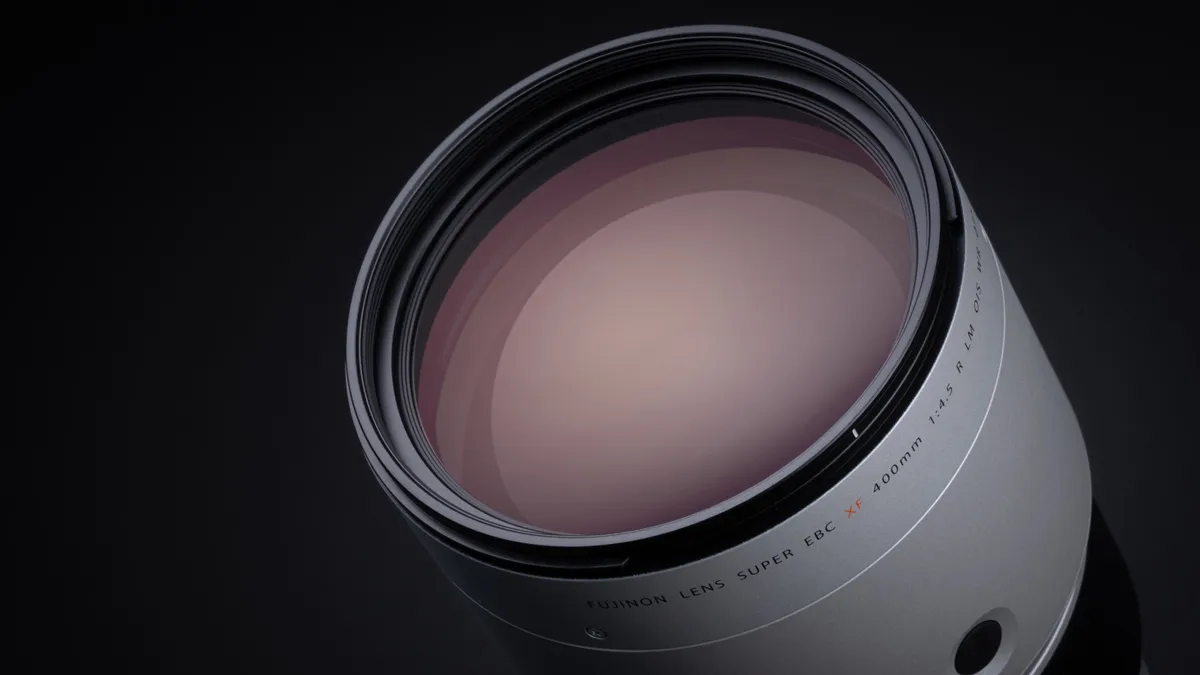
Fujifilm announced a new XF 400mm f/4.5 R LM OIS WR lens


Fujifilm announced a new XF 400mm f/4.5 R LM OIS WR lens:

  • APS-C | f/4.5 to f/22
  • 600mm (Full-Frame Equivalent)
  • Lightweight Super-Telephoto Prime
  • High-Speed Linear Autofocus Motor
  • Optical Image Stabilization
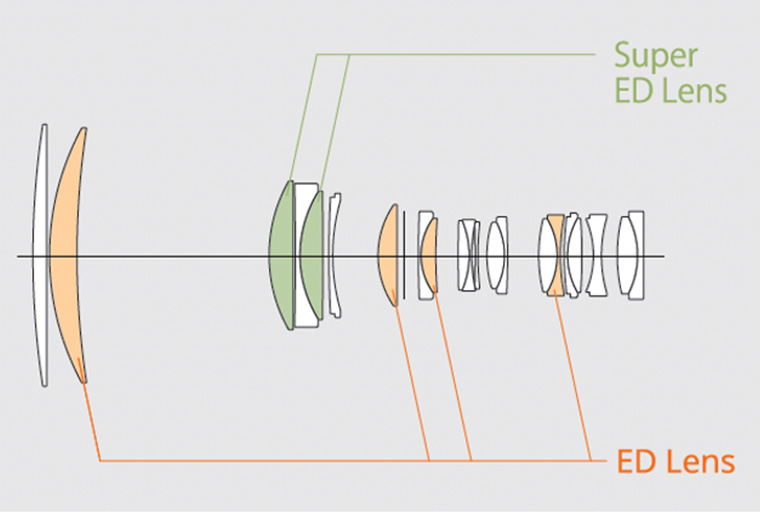
  • Four ED and Two Super ED Elements
  • Rounded 9-Blade Diaphragm
  • Weather-Resistant Construction


The post Fujifilm announced a new XF 400mm f/4.5 R LM OIS WR lens appeared first on Photo Rumors.

  •  

Fujifilm rounds out its sports and wildlife trio with a 400mm F4.5

The XF 400mm F4.5 shares nearly the same optical design as the XF 500mm F5.6, but Fujifilm claims it will offer better sharpness.

Large telephoto camera lens with tripod mount, black finish, positioned horizontally against a dark background; glass elements visible at the front reflecting light.Fujifilm

When you use DPReview links to buy products, the site may earn a commission.

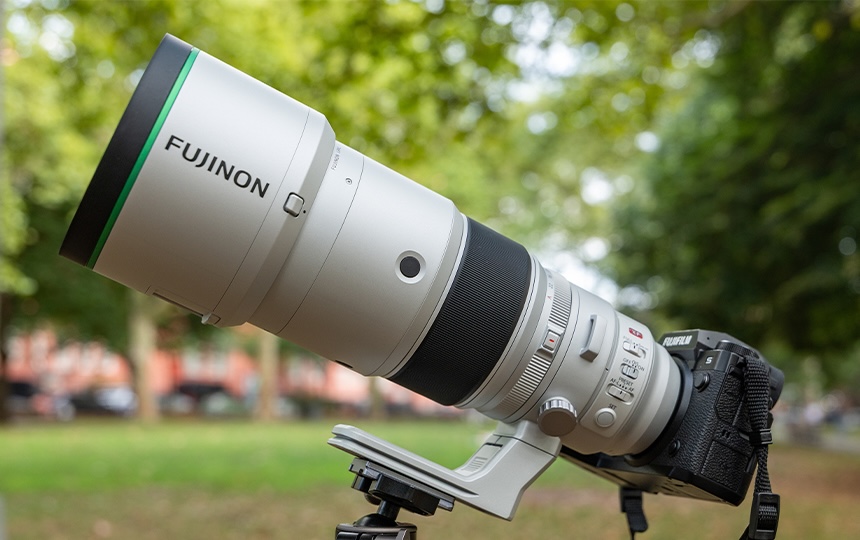
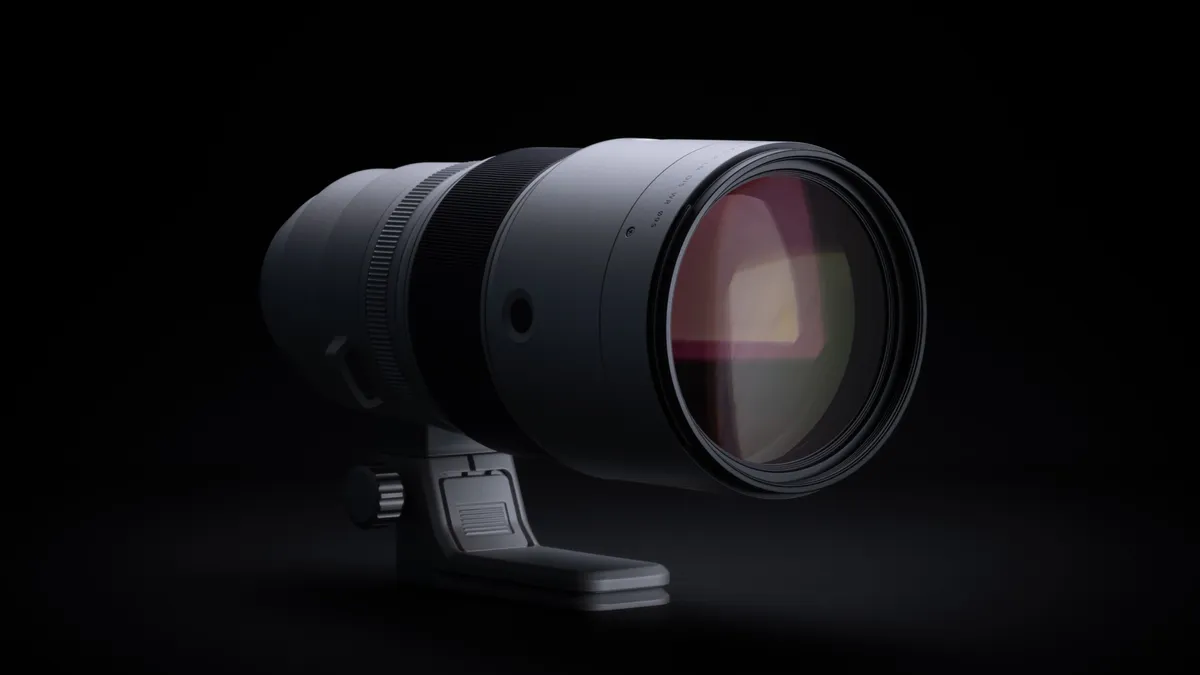
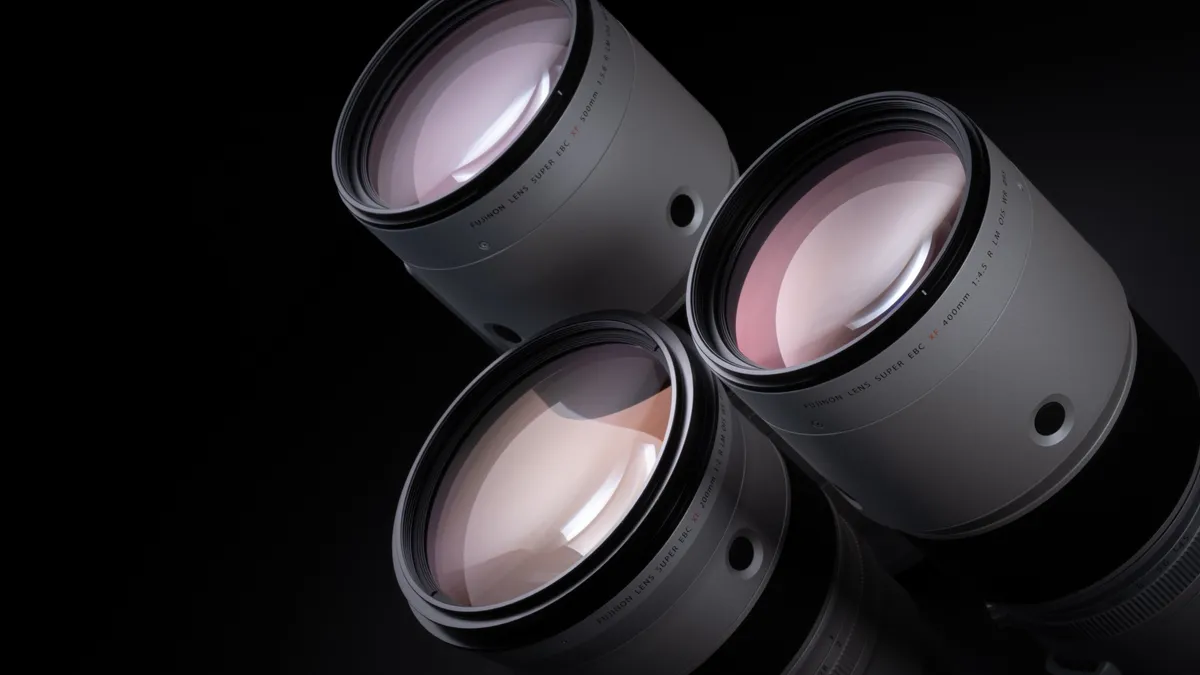
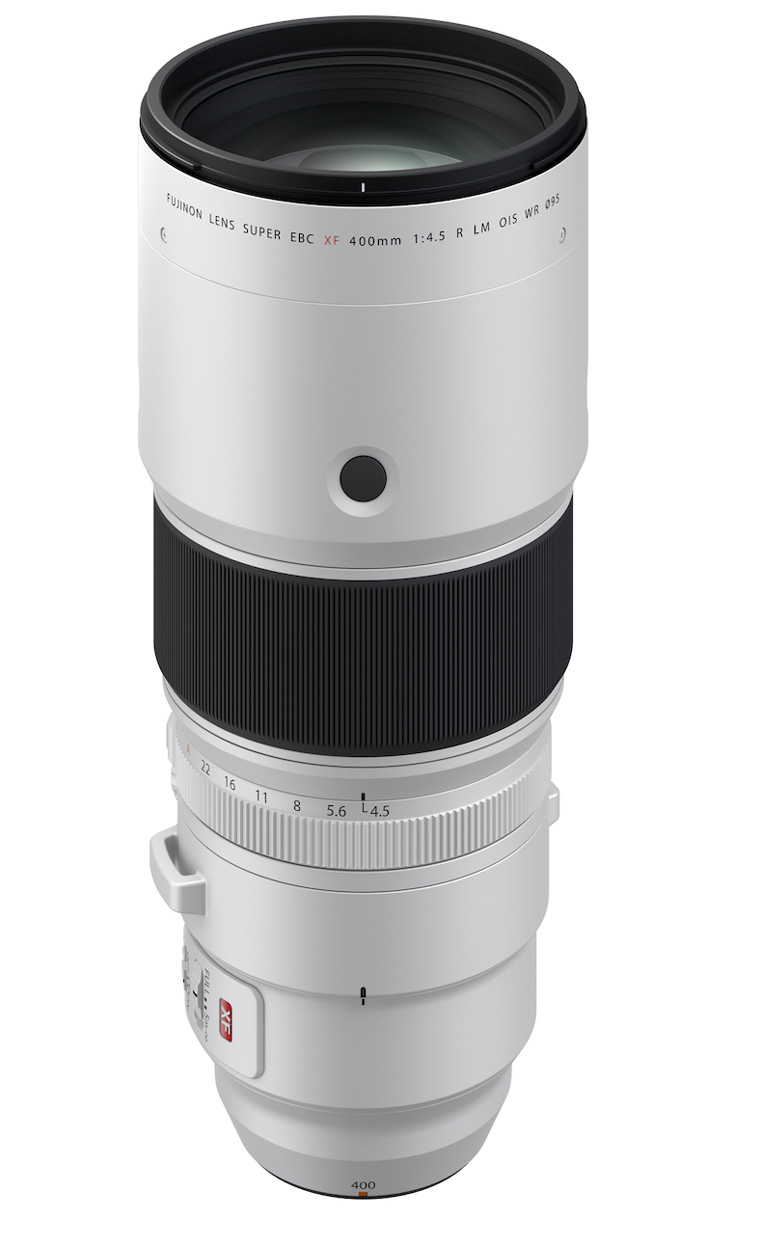
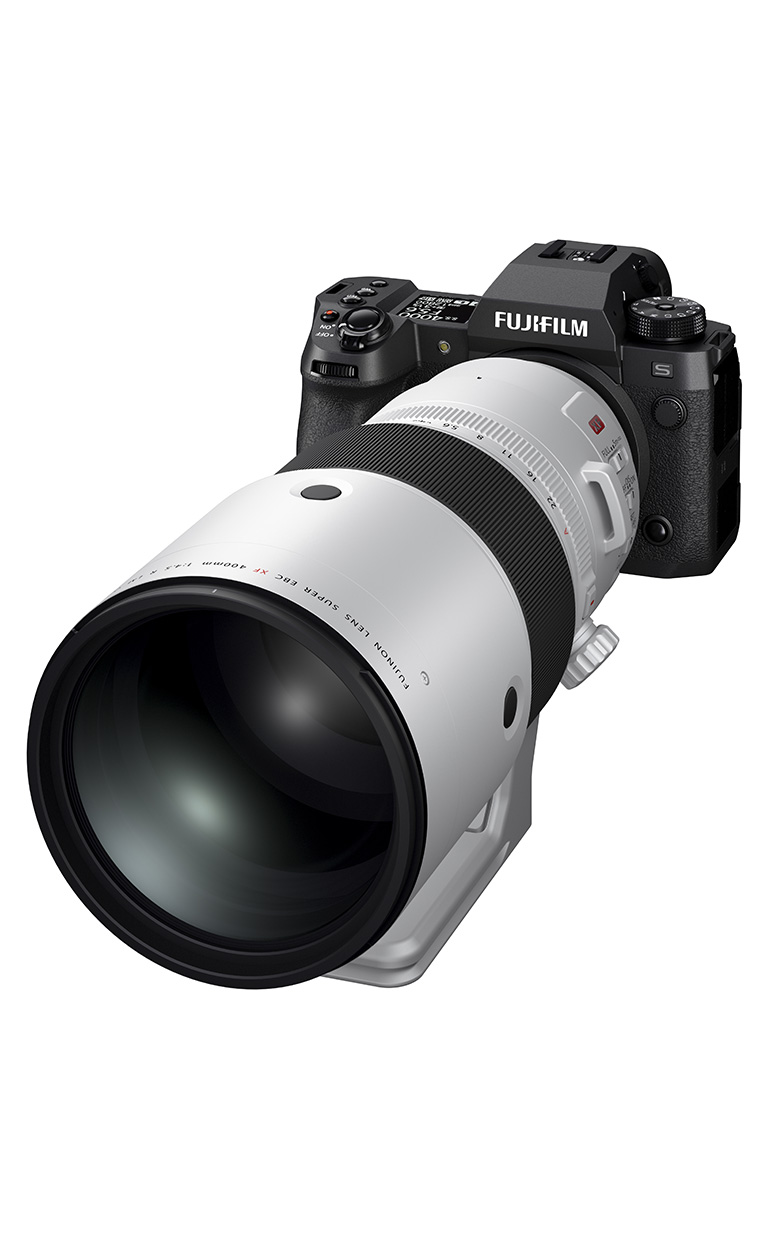
Fujifilm has announced the Fujinon XF 400mm F4.5 R LM OIS WR, a new super-telephoto prime lens for its APS-C X-mount system. The company says the lens delivers exceptional sharpness in a relatively compact package aimed at wildlife and sports photographers.

The XF 400mm F4.5 is positioned as a sister lens to the previously released XF 500mm F5.6 R LM OIS WR. Alongside the XF 200mm F2 R LM OIS WR, which Fujifilm sees as a set, the three lenses cover full-frame-equivalent focal lengths from roughly 305mm to 762mm.

Large white Fujinon camera lens with tripod mount shown horizontally on a black background, details and controls clearly visible.Fujifilm

The new 400mm F4.5 provides a 609mm equivalent focal length on X-mount cameras. It is also compatible with Fujifilm’s 1.4x and 2.0x teleconverters, providing equivalent focal lengths of 852mm and 1219mm, respectively. It offers 5.5 stops of optical image stabilization and is weather resistant with 20 sealed points, two must-have features for most wildlife and sports photographers. 

Fujifilm says the 400mm lens shares a nearly identical optical design to the 500mm, with some slight changes to the rear group. It features 21 elements in 14 groups, which include 4 ED and 2 super ED elements. According to Fujifilm, its engineering team in Japan says the 400mm is sharper than the 500mm. It is also slightly lighter than its 500mm sibling, weighing 1245g (2.7 lbs). It measures 239.5mm (9.4′) long with a 104.5mm (4.1′) diameter. The lens is compatible with 95mm filters.

Close-up of a metallic camera lens control panel with engraved labels, featuring switches for focus range, image stabilization (OIS), focus mode options (AF, MF, and preset), and a SET button.Fujifilm

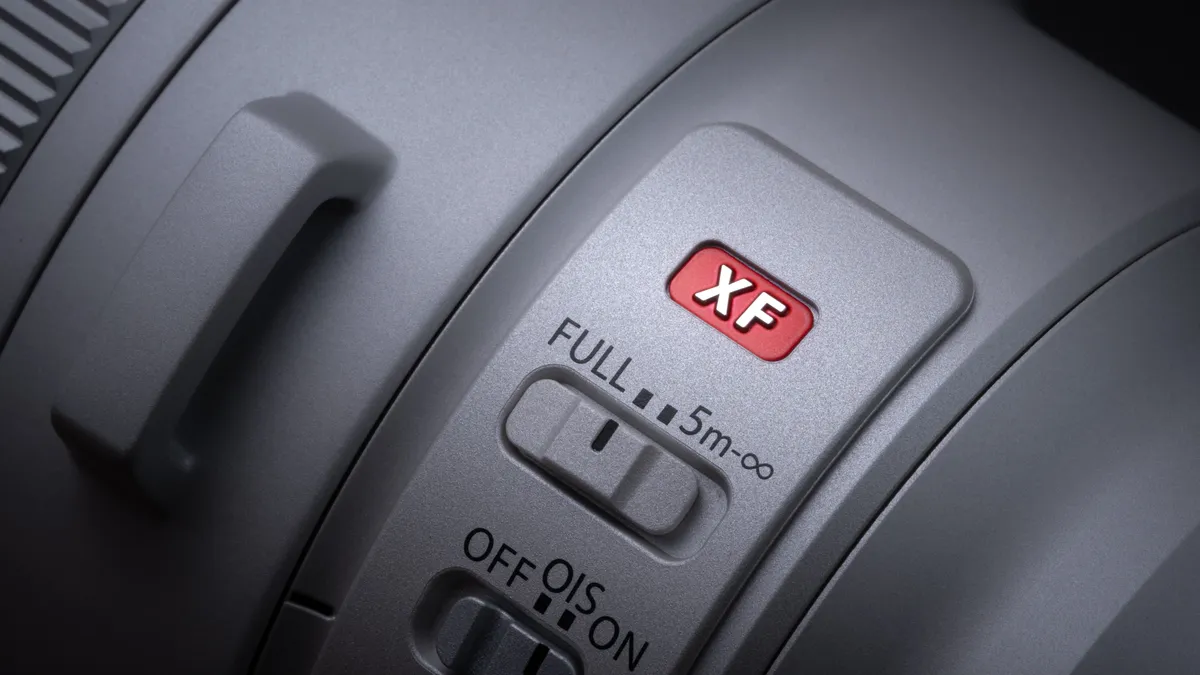
The XF 400mm F4.5 uses a linear motor for autofocus, which Fujifilm says results in silent operation. It can focus as close as 2.7m (9′) and offers a maximum magnification of 0.16. There is a focus limiter switch to prevent it from focusing closer than 5m away, resulting in faster autofocus when photographing distant subjects. Near the front of the barrel, a Focus Control button works in tandem with a Focus Select switch, allowing photographers to choose whether the button activates autofocus, locks AF, or recalls a preset focus distance. 

The XF 400mm F4.5 R LM OIS WR will be available sometime in mid-September for $3200. That’s a $200 premium over the XF 500 mm’s launch price, but that lens now retails for $3599 due to tariff-related price increases.

Sample gallery

Please do not reproduce any of these images on a website or any newsletter/magazine without prior permission (see our copyright page ). We make the originals available for private users to download to their own machines for personal examination or printing (in conjunction with this review); we do so in good faith, so please don’t abuse it.

Loading gallery…

About the Author: Abby Ferguson holds an MFA in photography and blends a fine-art background with extensive editorial and commercial experience. She built and led an in-house imaging program for a large vacation rental company and has served as an associate editor at Popular Photography. She also teaches at a local community college and serves on its Photographic Technology Program Advisory Board, sharing her knowledge and enthusiasm for the medium.

Want to stay up to date on the latest product news and releases? Add DPReview as a preferred source to ensure our independent journalism makes it to the top of your Google search results.

add as a preferred source on google

  •  
❌