Happy New Year to everyone who reads PhotoRumors – whether you’re just checking in for the latest scoops, or tipping us off with rumors! Huge thanks to all of you for being part of this little community.
Fix Grainy, Blurry, Low-Resolution Videos Effortlessly with Aiarty Video Enhancer (Lowest Price for Christmas)
Many photographers today shoot video alongside stills, but video quality doesn’t always meet expectations. Low-light footage often suffers from visible grain, while clips from older cameras and early DSLRs can look soft and outdated on modern displays.
Improving this kind of footage traditionally means complex workflows and inconsistent results. Aiarty Video Enhancer aims to simplify that process.
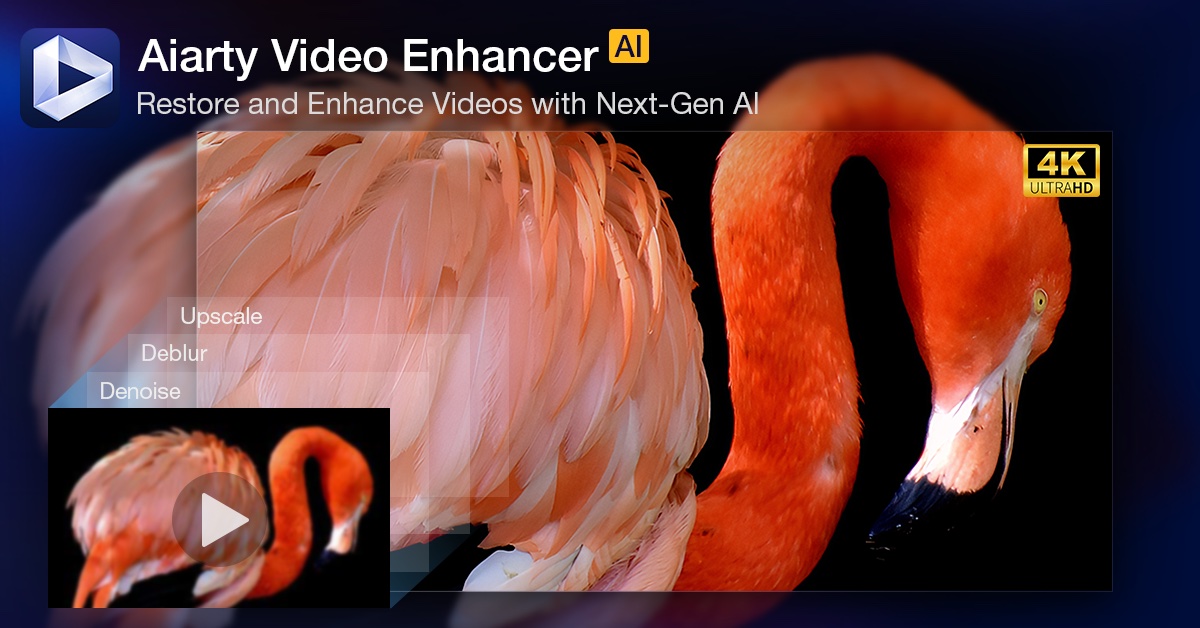
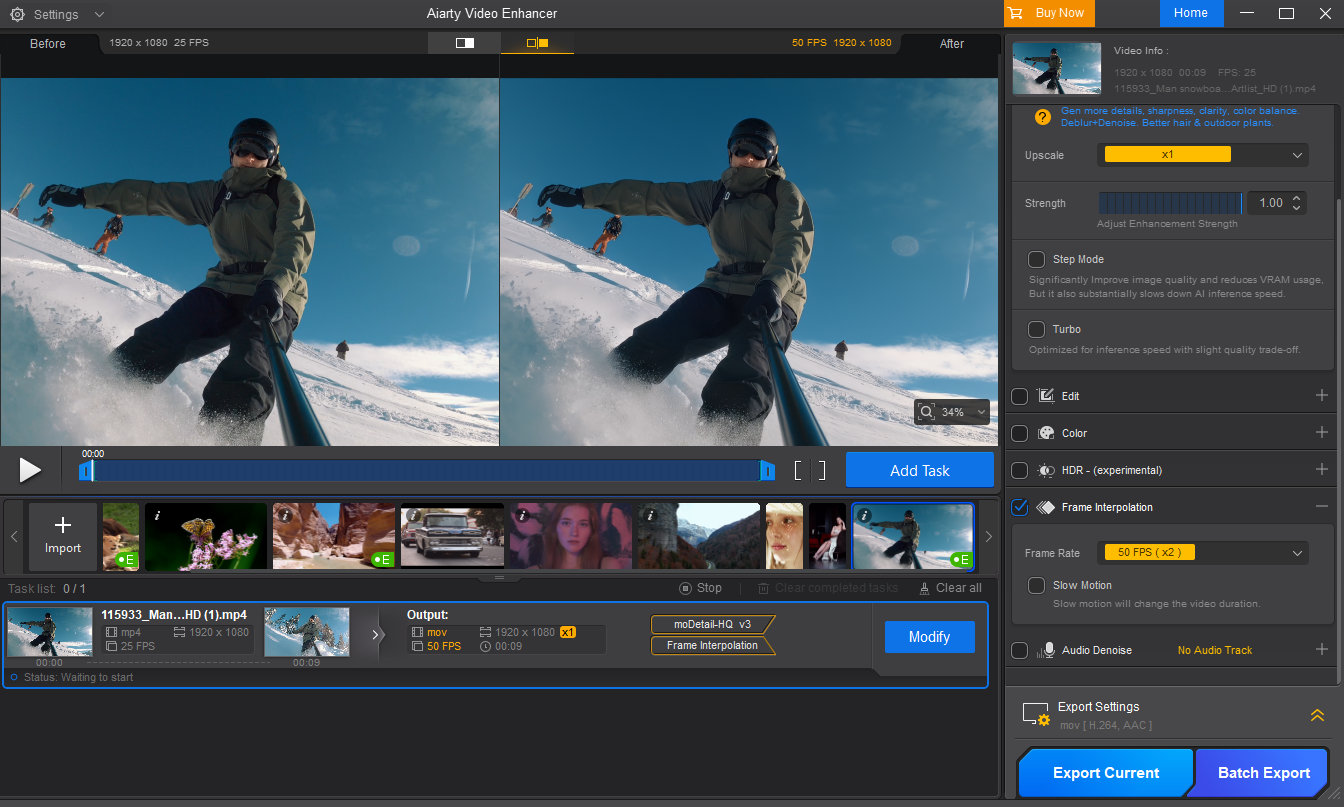
Designed for photographers and editors, Aiarty Video Enhancer is an all-in-one solution for cleaning up and improving video quality. It combines intelligent upscaling, noise reduction, deblurring, restoration, color correction, and frame interpolation into a streamlined workflow, while still giving users enough control to maintain a natural, photographic look.
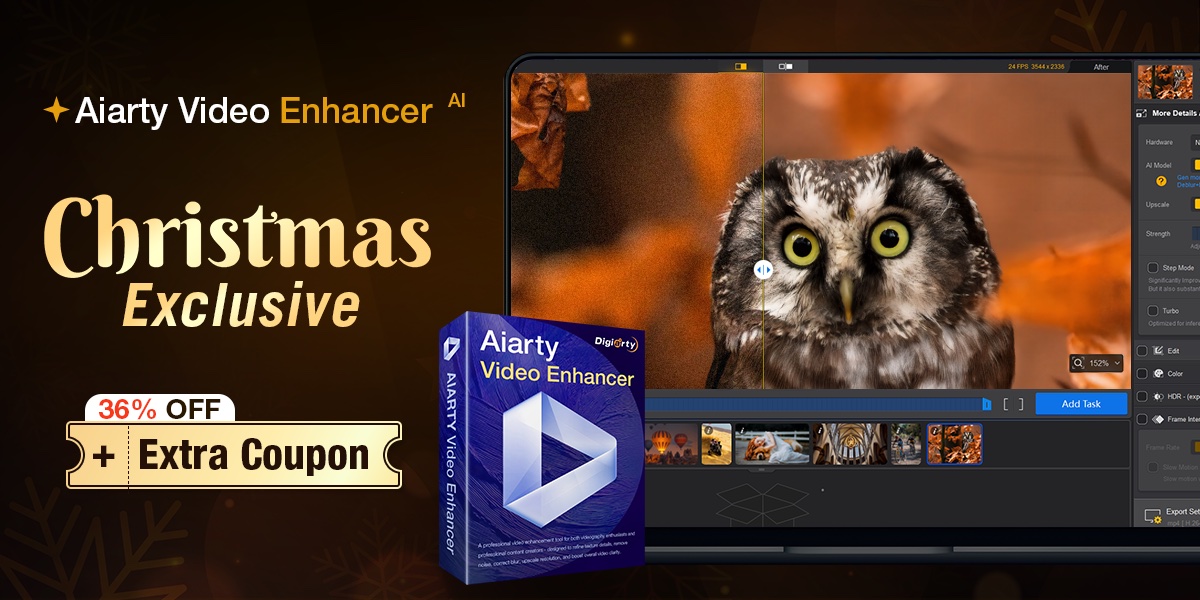
Christmas Deal: Aiarty Video Enhancer at the Lowest Price of the Year
To coincide with the holiday season, Aiarty is currently running a Christmas promotion that may be of interest to photographers who want to improve the quality of their videos without committing to a subscription-based tool.
What the Christmas offer includes:
36% off the regular price (lifetime license)
Extra $5 coupon: use code XMASSAVE at checkout
The full lifetime license provides full access to all features, includes lifetime free updates, and can be installed on up to 3 Windows or Mac computers.
For users who prefer a one-time purchase with no recurring fees, this seasonal offer makes Aiarty Video Enhancer a relatively low-risk option to try, especially with a 30-day money-back guarantee in place.
How Aiarty Video Enhancer Fits into Real-World Video Workflows
At its core, Aiarty Video Enhancer is built for photographers who want to improve video quality without turning their footage into something artificial or over-processed.
Instead of relying on a single “one-click” AI approach, it combines multiple optimized AI models with practical user controls, allowing creators to balance quality, speed, and visual realism based on real-world needs.
Optimized AI Models with Performance and Control in Mind
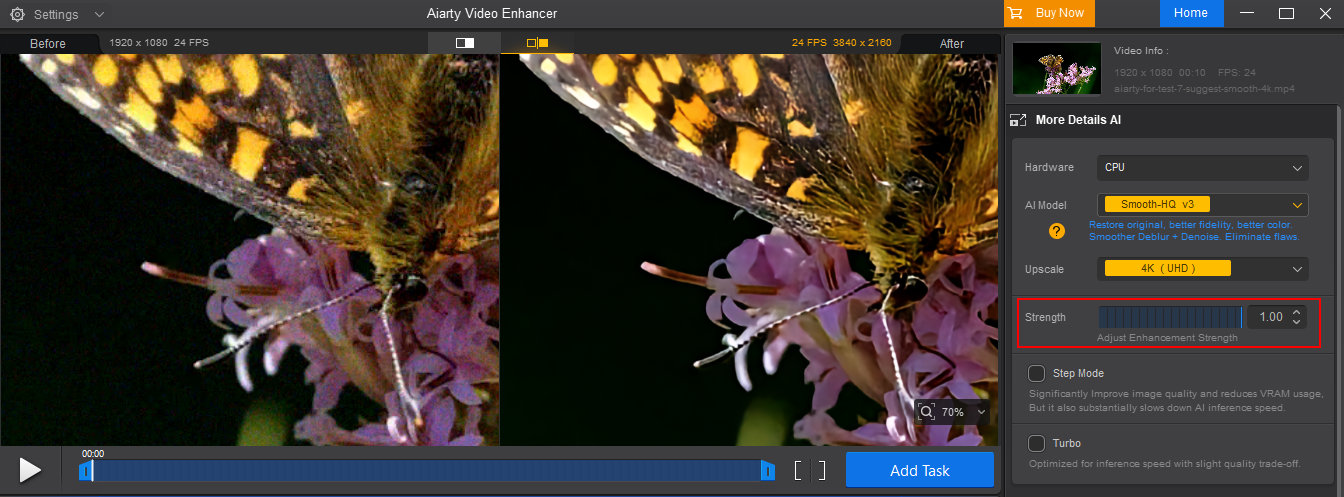
Aiarty uses three specialized AI models, each optimized for different scenarios such as fine-detail restoration and extreme low-light denoising. These models are deeply optimized for modern GPUs, pushing utilization as high as 95%, which translates into noticeably faster processing compared to many similar tools that leave much of the GPU idle.
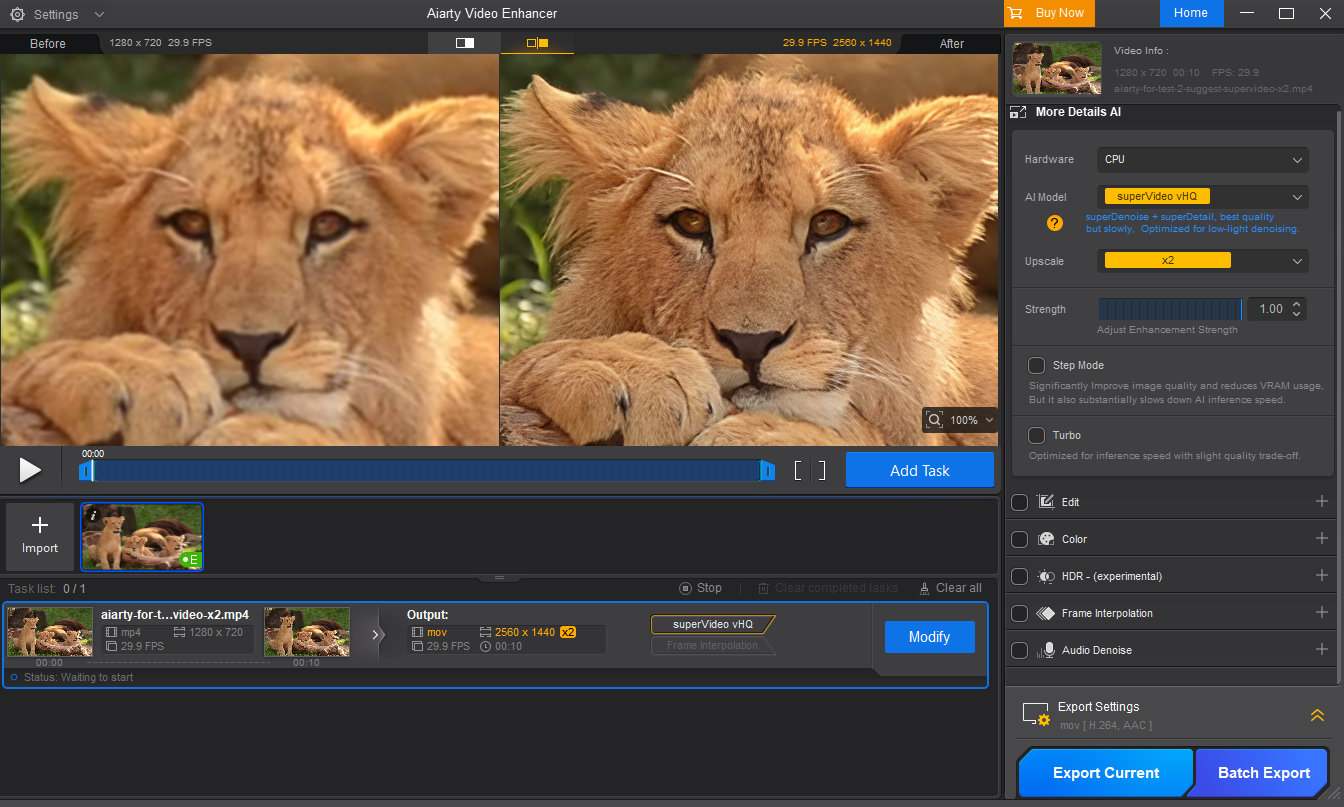
Equally important, Aiarty does not force users to fully surrender creative control to AI. Features like the Strength slider, Turbo Mode, and Step Mode give photographers the flexibility to decide whether they prioritize speed, maximum quality, or a natural, film-like result.
This balance—powerful automation with meaningful control—is what makes Aiarty particularly well-suited to photographers who occasionally work with video but still care deeply about image integrity.
All processing is done locally and offline, which means better privacy and no cloud uploads or data reuse.
Upscale: Making Camera Footage Fit Modern Workflows
Upscaling is not only about improving old videos. For photographers and editors, it often solves very practical problems in real-world workflows.
In mixed timelines, footage may come from different cameras—for example, a main 4K camera combined with 1080p clips from drones, action cameras, or older DSLRs. High-frame-rate slow-motion footage is also often limited to lower resolutions. Reframing or post-stabilization also inevitably reduces resolution.
Aiarty allows users to upscale videos using common targets such as 1080p, 2K, or 4K, as well as fixed scaling options like 2× or 4×. Instead of simply enlarging pixels, its AI models analyze edges, textures, and patterns to reconstruct missing detail, helping low-resolution clips appear cleaner and more consistent with today’s viewing standards.
Denoise: Reducing Grain in Video and Cleaning Up Audio
Noise is one of the most common problems in camera video, particularly when shooting in low light or at high ISO. Traditional noise reduction often requires adjusting multiple technical parameters and can come at the cost of lost detail.
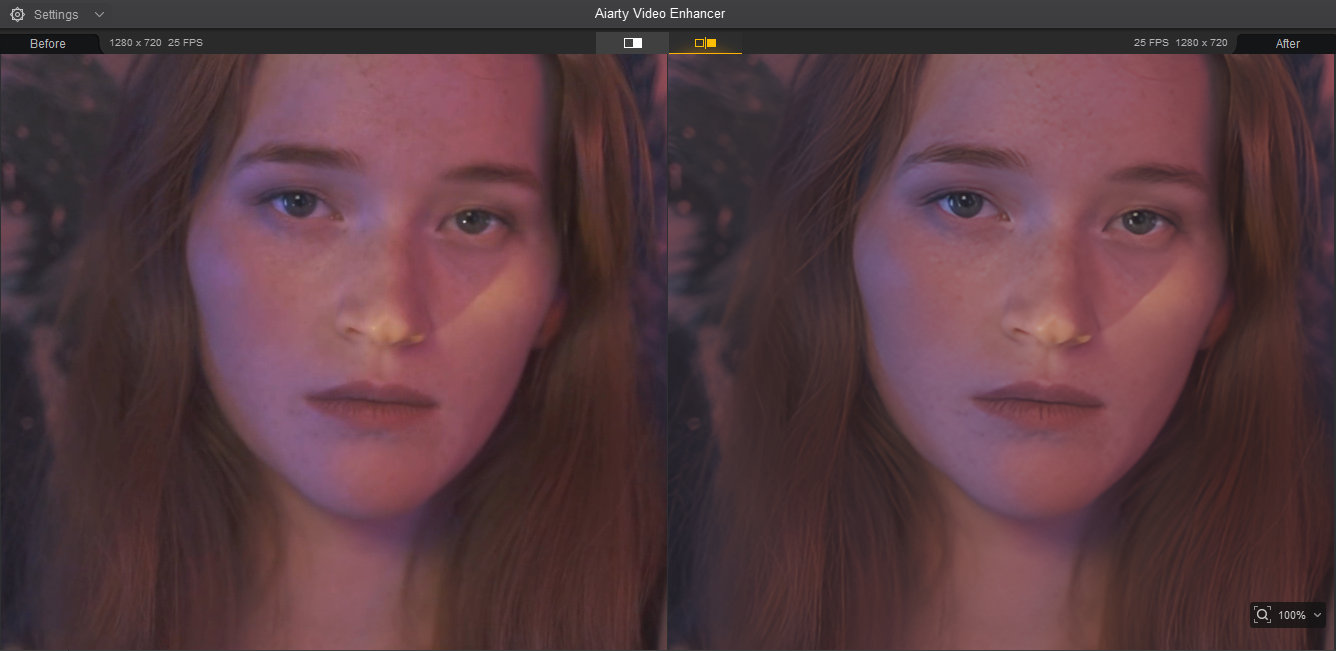
Aiarty integrates video denoising directly into its enhancement process, automatically reducing noise while preserving edge detail and texture. If the auto enhancement removes too much grain, users can adjust the strength slider to find the optimal balance between cleaner footage and a natural, film-like look.
This approach avoids the hassle of traditional noise reduction while also preventing the overly smooth, plastic appearance that some AI tools often introduce.
In addition to video denoising, Aiarty also includes basic audio noise reduction, helping reduce background hiss or ambient noise in casual recordings and older clips. While not intended to replace dedicated audio software, it provides a practical improvement that makes clips easier to use and more presentable overall.
Deblur and Restore: Improving Clarity When Reshooting Isn’t an Option
Slight blur and softness are common in real-world video, especially with early-generation sensors or less-than-ideal shutter speeds. When reshooting is impossible, restoration becomes the only option.
Aiarty’s deblurring and restoration capabilities focus on recovering perceived clarity rather than aggressively sharpening. By reconstructing edge definition and fine detail where possible, it improves overall sharpness while avoiding halos or harsh artifacts.
The results won’t turn heavily blurred footage into perfectly sharp video, but they can noticeably improve clarity in many real-world scenarios.
Strength Slider: Why Control Matters for Photographers
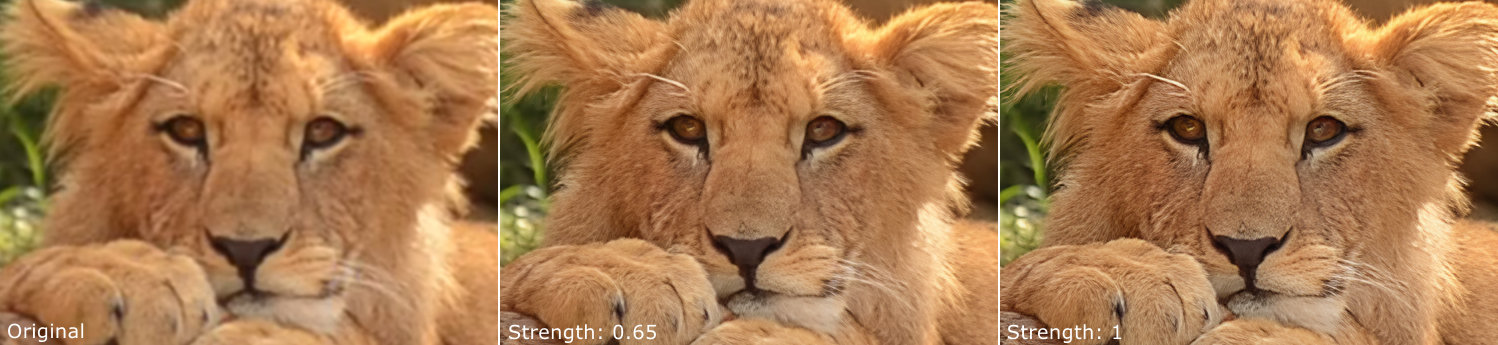
One of the more important design choices in Aiarty Video Enhancer is the inclusion of a strength slider that controls how strongly the AI enhancement is applied. This may seem like a minor feature, but it plays a significant role in achieving natural-looking results.
AI enhancement is not always a case of “more is better”. Applying too much sharpening or denoising can lead to an artificial look, something photographers are particularly sensitive to. The ability to dial back the effect allows users to find a balance between improved clarity and visual realism.
Color Correction: Fine-Tuning After Enhancement
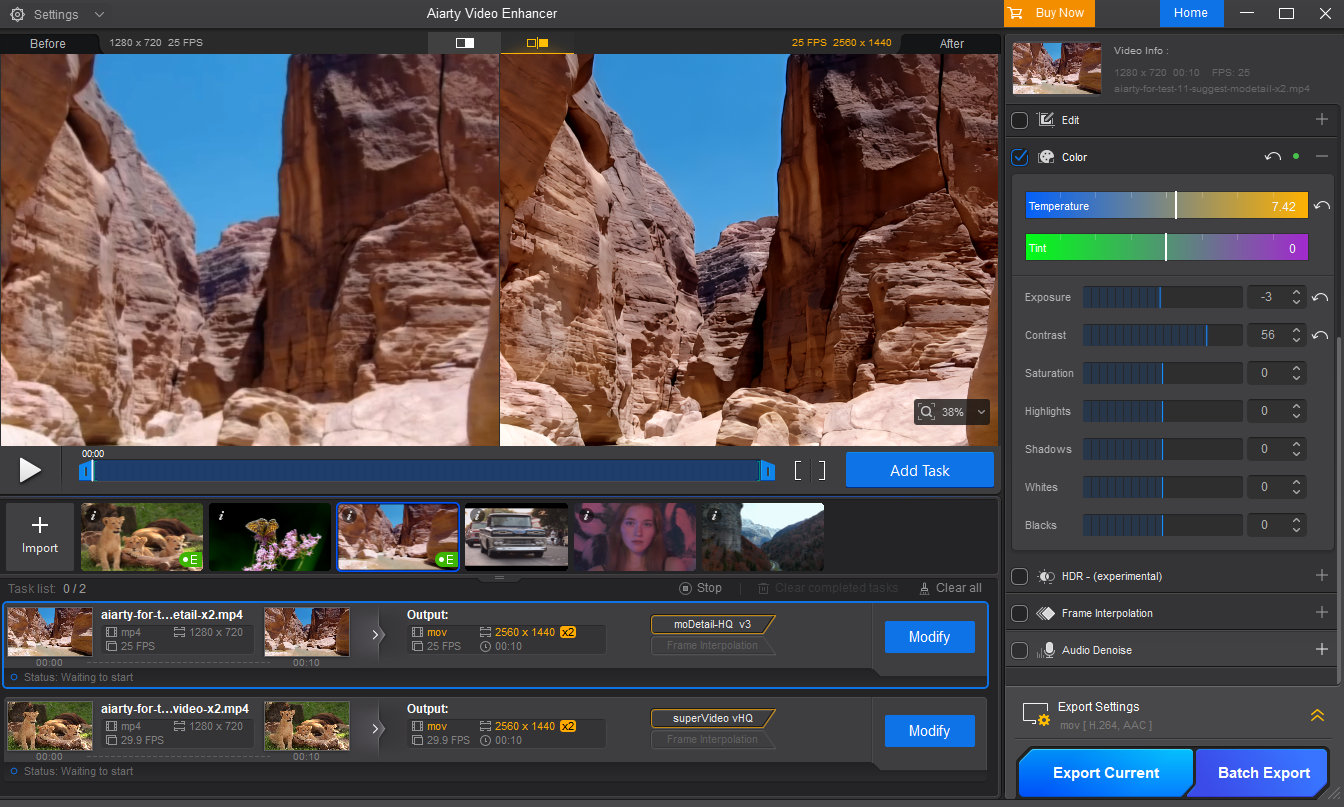
Basic color correction tools, such as controls for exposure, contrast, highlights, shadows, and color temperature, are included to help refine the final output after AI enhancement.
These tools are not meant to replace full-fledged color grading software. Instead, they allow photographers to make subtle adjustments to ensure that enhanced footage looks balanced and consistent, especially after noise reduction or restoration has altered the image slightly.
When used conservatively, these controls help maintain a natural photographic look while polishing the final result.
Frame Interpolation and Slow Motion: Smoother Motion for Creative Control
Aiarty includes frame interpolation, allowing users to increase frame rates up to 120 fps, and a slow-motion option with adjustable speeds such as 1/2 or 1/4. While not every photographer will need this daily, it can be extremely useful when working with action footage, fast-moving subjects, or older clips originally captured at low frame rates.
By smoothing motion and creating slow-motion effects, this feature gives photographers more creative flexibility, whether for short films, travel videos, or simply making casual clips look more polished and professional.
SDR to HDR: Giving Footage More Depth
For older 8-bit SDR footage, Aiarty offers an optional SDR-to-HDR conversion that outputs 10-bit HDR video. This process can improve color transitions and reduce banding, resulting in smoother gradients and a more refined visual appearance.
When combined with basic color adjustments, this feature can add depth and richness to older clips. It can noticeably enhance the viewing experience on modern HDR-capable displays.
Final Words: Get the Holiday Treat Before It Goes Away!
If you’ve been thinking about improving your video quality, it’s worth trying out Aiarty Video Enhancer to see the results for yourself.
And if you like what you see, take advantage of the Christmas offer and grab Aiarty Video Enhancer and more powerful tools at the lowest price. All licenses work on 3 computers permanently and include lifetime free updates. Act fast—this seasonal promotion is only available for a limited time.
We all encounter situations where the environment fights against us: the lighting is too dim, the subject moves too fast, or the focal length just isn’t long enough. You end up with a composition you love, but the photo itself—plagued by high-ISO noise, slight motion blur, or low pixel count from cropping—becomes a headache to process.
Manually correcting these fundamental image quality issues in traditional photo editors often requires tedious fine-tuning to perfectly balance sharpness and natural texture.
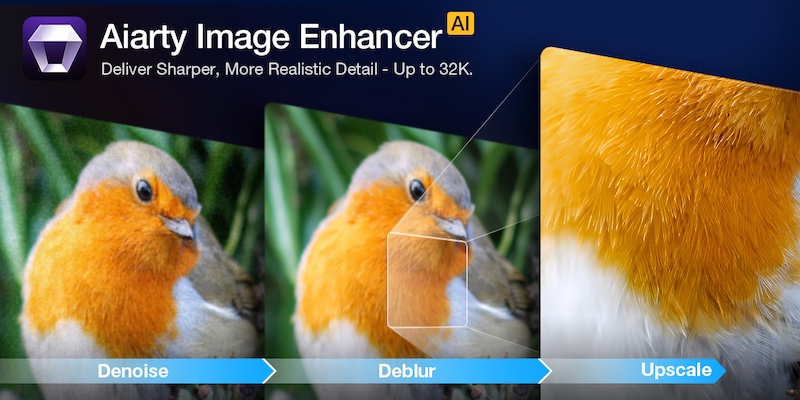
Aiarty Image Enhancer is designed to simplify this crucial post-processing step. It acts as an efficient specialist tool that quickly and automatically uses AI to denoise, deblur, sharpen, and upscale your photos. This approach hands you a clean, high-fidelity foundation, allowing you to spend less time fighting pixels and more time on the final artistic grade.
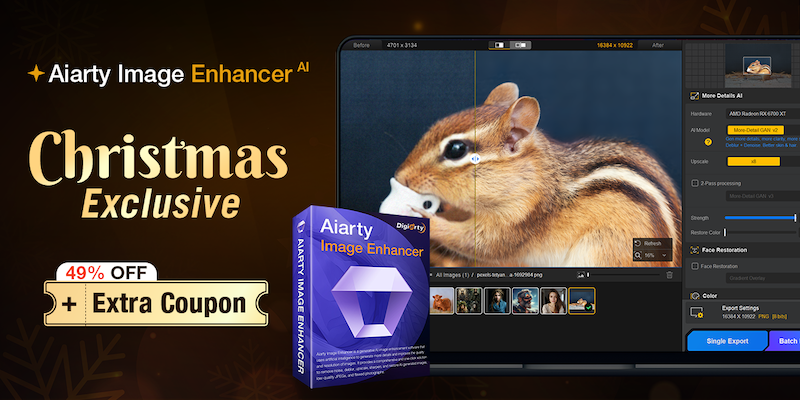
Christmas Special Offer: 49% off Lifetime License + extra $5 coupon
If you are tired of monthly subscriptions piling up, this offer is specifically for you. In celebration of Christmas, Aiarty is offering49% off Aiarty Image Enhancer Lifetime License. And that’s not all! You can also use the limited-time coupon “XMASSAVE” to save an extra $5. Originally priced at $155, now you can grab it for just $74 – the lowest-ever price!
With your purchase, you’ll enjoy:
Full access to all features and lifetime free updates
Installation on up to 3 Windows or Mac computers
30-day money back guarantee
One-time payment, no subscriptions or hidden fees
This is arguably one of the best value propositions in photo enhancement software this year. But is the software worth it? Let’s break down the performance.
Deep Dive: Why Aiarty Image Enhancer Belongs in Your Workflow
1. AI Denoise: The High-ISO Savior
Noise is the enemy of detail. Whether you are shooting indoor events, astrophotography, or wildlife at dawn, pushing your ISO is often necessary. Traditional noise reduction software works by blurring the image to hide the grain, which often results in the dreaded “waxy skin” effect or loss of fine textures like fabric or fur.
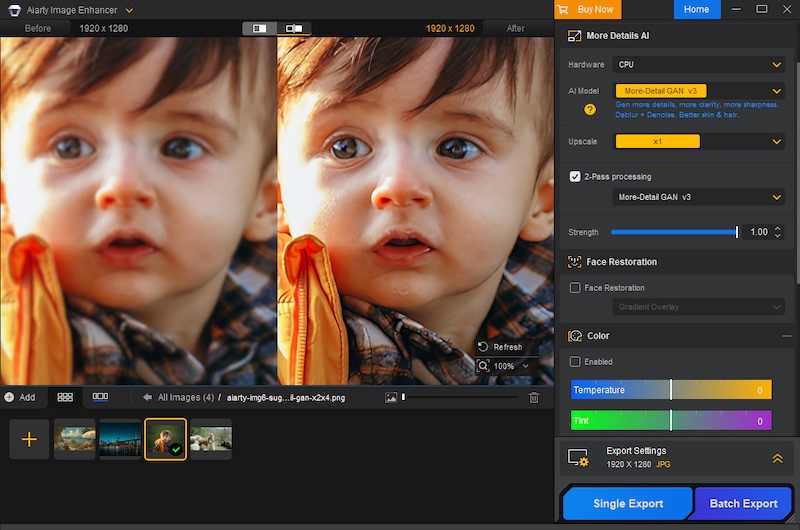
Aiarty uses advanced AI denoise technology to intelligently analyze the image. It distinguishes between luminance noise, chroma noise, and actual image detail. It allows you to remove noise from images without sacrificing the sharpness that your expensive lenses provide.
2. De-blur & Sharpening: Fixing the “Almost Perfect” Shot
Blur comes in many forms, and Aiarty tackles them all.
Camera Shake: Even with IBIS (In-Body Image Stabilization), handheld shots at slow shutter speeds can suffer from micro-jitters.
Motion Blur: Subjects don’t always stay still. A moving child, a running pet, or a swaying branch can ruin a shot.
Lens Softness: We all love vintage lenses or wide-open apertures, but they often lack sharpness at the edges.
Aiarty doesn’t just apply a “sharpening mask” which increases contrast at edges. Instead, it hallucinates (in a good way) the missing pixel data to reverse the blur. It restores edge definition and clarity without introducing the artificial white halos or “crunchy” look associated with over-sharpening.
3. The Upscaling Powerhouse: From Crop to Print
The freedom to crop is a luxury. Sometimes, your 200mm lens isn’t long enough, and you have to crop 50% or more of the frame to get the composition you want. In the past, such heavy cropping drastically reduced pixel density, rendering images unsuitable for large-format printing.
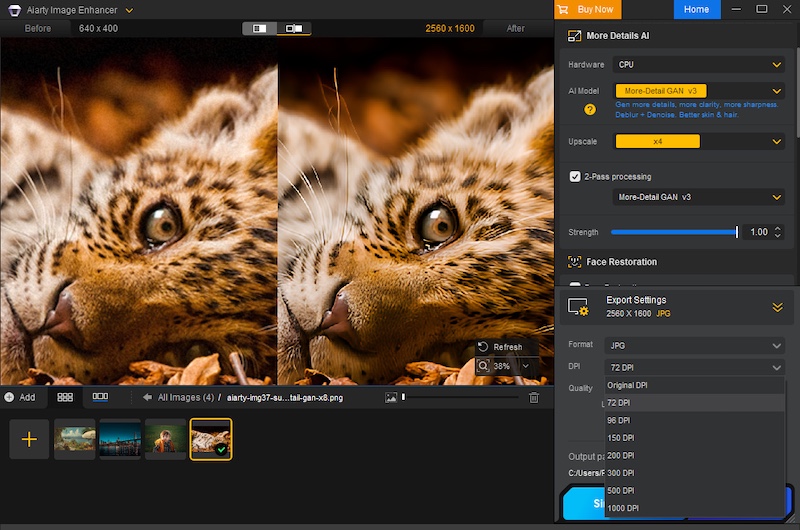
Aiarty excels in AI upscaling. Leveraging deep learning algorithms, it can enhance image resolution to 4K, 8K, 16K, and even up to 32K. Crucially, it generates new, realistic details and textures—like feathers, individual strands of hair, or intricate fabric patterns—rather than simply stretching pixels. This means you can crop without fear, transforming what would have been small, social media-only images into print-ready, large-format works with every pixel looking sharp and natural.
Furthermore, Aiarty allows for precise control over your output, enabling you to set custom DPI values directly within the software, a critical feature for professional printing workflows.
4. One-Stop Color & Tone Correction
While most professionals stick to Lightroom for grading, Aiarty includes a surprisingly robust set of adjustment tools. This is particularly useful for a “One-Stop” workflow. If you are rescuing an old, faded family photo or a poorly exposed JPEG where the RAW data isn’t available, you don’t need to open another app.
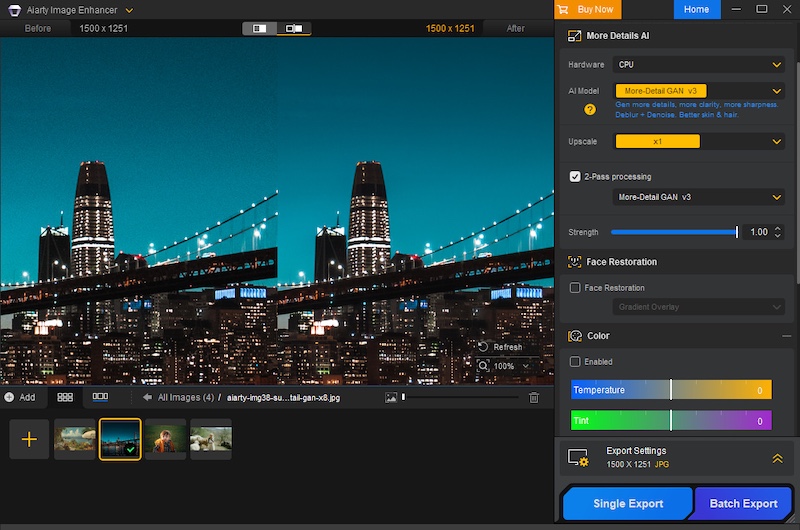
You can adjust temperature, tint, exposure, contrast, highlights, and shadows directly within the interface. It is perfect for quickly reviving the dynamic range and color vibrancy of an image immediately after denoising or upscaling.
Professional Workflow Features
Extensive Format Support (Including RAW)
It doesn’t just handle JPEGs. It supports a vast array of input formats including HEIC, TIFF, PNG, and crucially, RAW files. It works seamlessly with .CR3 (Canon), .ARW (Sony), .NEF (Nikon), .RAF (Fujifilm), .DNG, and virtually every other proprietary RAW format from Leica, Panasonic, Olympus, and Hasselblad. This means you can integrate it right at the start of your editing pipeline.
Hardware Acceleration
Processing AI models is demanding. Aiarty is optimized for GPU acceleration (NVIDIA, AMD, Intel), dramatically cutting down processing time and ensuring a much smoother workflow, particularly when dealing with large-format files or applying complex enhancements across batches.
Batch Processing
Have a folder of 500 shots from a wedding that were shot at ISO 3200? You don’t need to edit them one by one. You can batch process thousands of images.
Granular Control
Flexible Scaling: Many AI enhancement tools restrict control to fixed ratios (e.g., only 2x upscaling). Aiarty provides flexibility. It allows users to freely select the enlargement multiplier or directly set the final target resolution.
Strength Slider: The software offers an intensity slider to manually adjust the strength of the AI enhancement and sharpening. This ensures you can achieve the optimal balance between maximum quality improvement and preserving the image’s natural, artifact-free look.
Verdict: Don’t Miss This Deal
In the world of photography, “saving” a photo used to mean spending hours cloning and masking in Photoshop. Aiarty Image Enhancer turns that into a simple, automated process. It is the perfect companion to your existing RAW editor, stepping in when you need to go beyond the limits of your sensor.
With the Christmas Lifetime Deal, you aren’t just buying software; you are buying an insurance policy for your images. No monthly fees, just permanent access to better image quality.

 Connexion
 ” Smartphone Printer Announced