Backseat Software
Read more of this story at Slashdot.
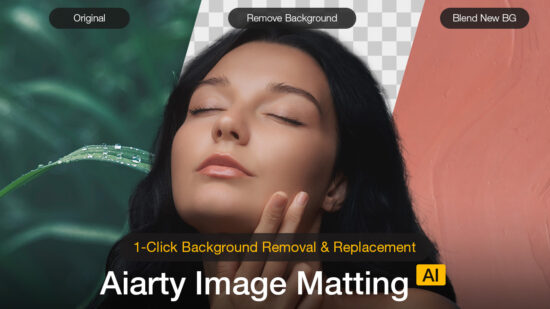
Fast, Precise, Automatic Background Removal with Aiarty Image Matting (Limited-time Exclusive Deal)
Extracting a subject from its background is often a tedious, mechanical chore, especially when dealing with fine edges like hair, cluttered backgrounds, or scenes where the foreground and background share similar colors.
Aiarty Image Matting aims to simplify this process using AI, turning what used to be time-consuming manual work into a much faster and more streamlined step in a photographer’s editing workflow.
What Is Aiarty Image Matting?
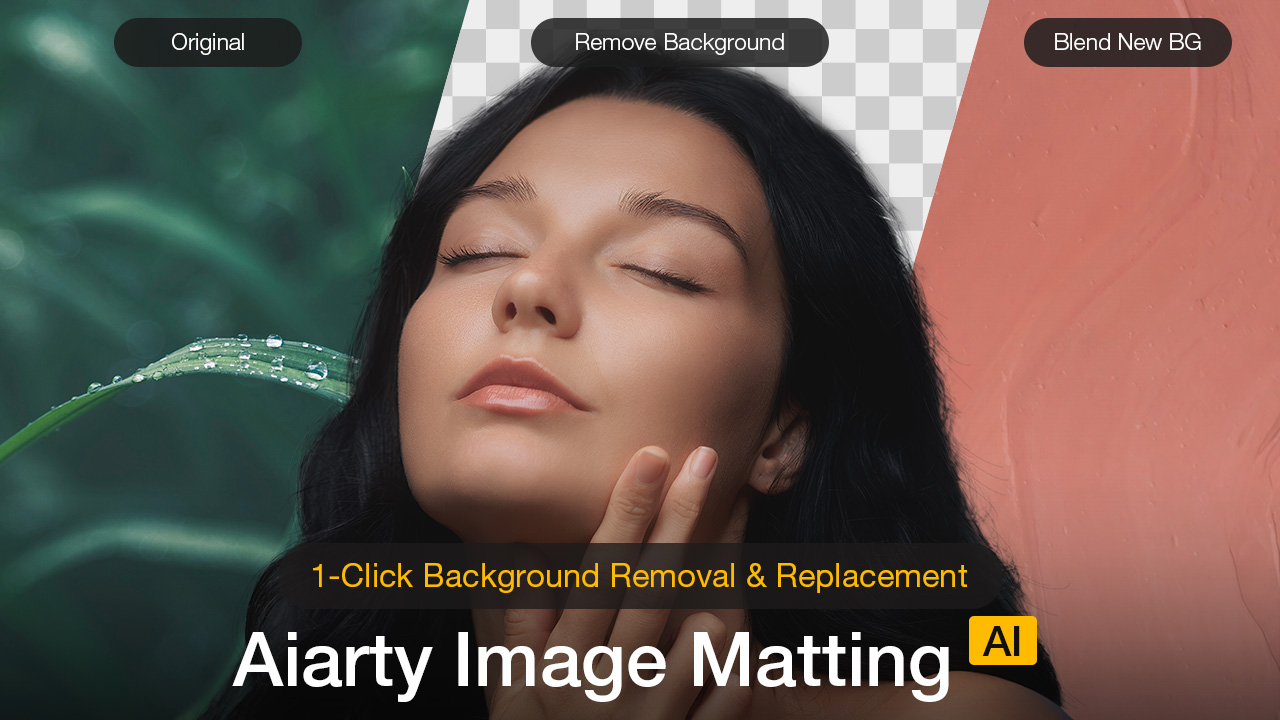
Aiarty Image Matting is an AI-powered image background remover that automatically separates subjects from their backgrounds with high accuracy, while also making it easy to replace the background with a solid color or a custom image when needed.
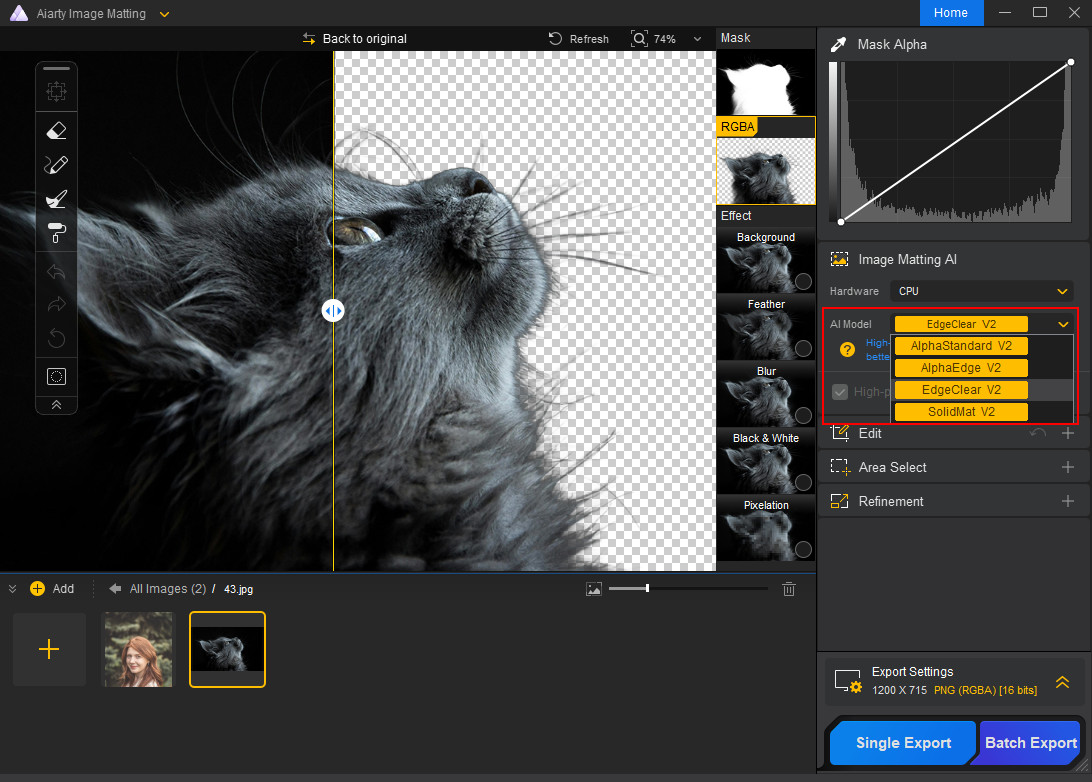
It features four dedicated AI models that adapt to different image types and subject characteristics, allowing it to handle a wide range of photographic scenarios. The software works fully offline, processes images quickly, and combines automatic background removal with simple manual tools for fine adjustments when needed.
New Year Exclusive Offer: Get Aiarty Image Matting with lowest-ever price
For photographers who regularly deal with background removal or subject isolation, Aiarty Image Matting is also currently more affordable than usual.
As part of its New Year promotion, Aiarty is offering 43% OFF the Aiarty Image Matting Lifetime License. This one-time purchase gives you full access to the software and all future updates with no subscription required.
Exclusive time-limited discount: At checkout, enter the coupon code NYSPECIAL to enjoy additional $5 off on top of the discounted price. That’s the lowest price you can ever find. The coupon will expire on January 31.
Key Features That Matter for Photographers
Multiple AI Models Tailored to Different Subjects
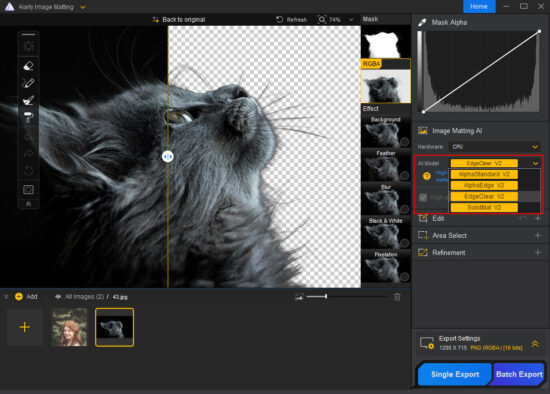
Unlike basic background removal tools that rely on a single algorithm, Aiarty Image Matting uses multiple AI models optimized for different types of subjects. This allows photographers to select a model that best matches the content of the image rather than forcing every scene through the same processing logic.
In practical terms, some models are better suited for subjects with clean, well-defined edges such as products or vehicles, while others perform more reliably with semi-transparent materials, fine hair, or soft transitions. This flexibility helps produce more consistent results across portrait, product, and commercial photography without constant trial and error.
The overall workflow remains simple: import an image, choose the appropriate AI model, start the matting process, and export the result.
High-Precision Edge Detection for Fine Details
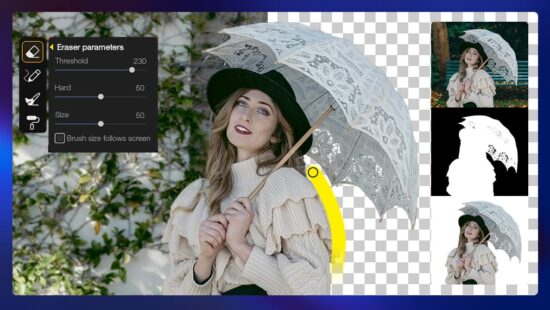
Edge quality is where most background removal tools struggle, and it is also where photographers notice problems immediately. Aiarty Image Matting places strong emphasis on preserving fine details around complex edges, including hair, fur, and overlapping elements.
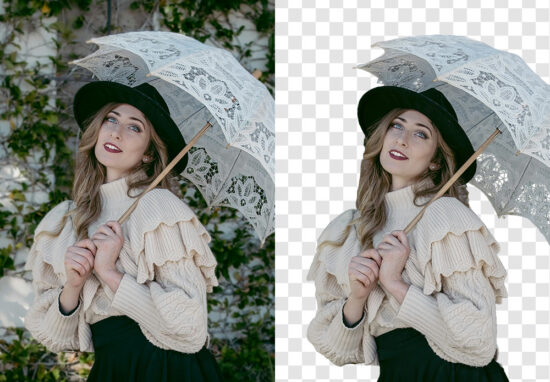
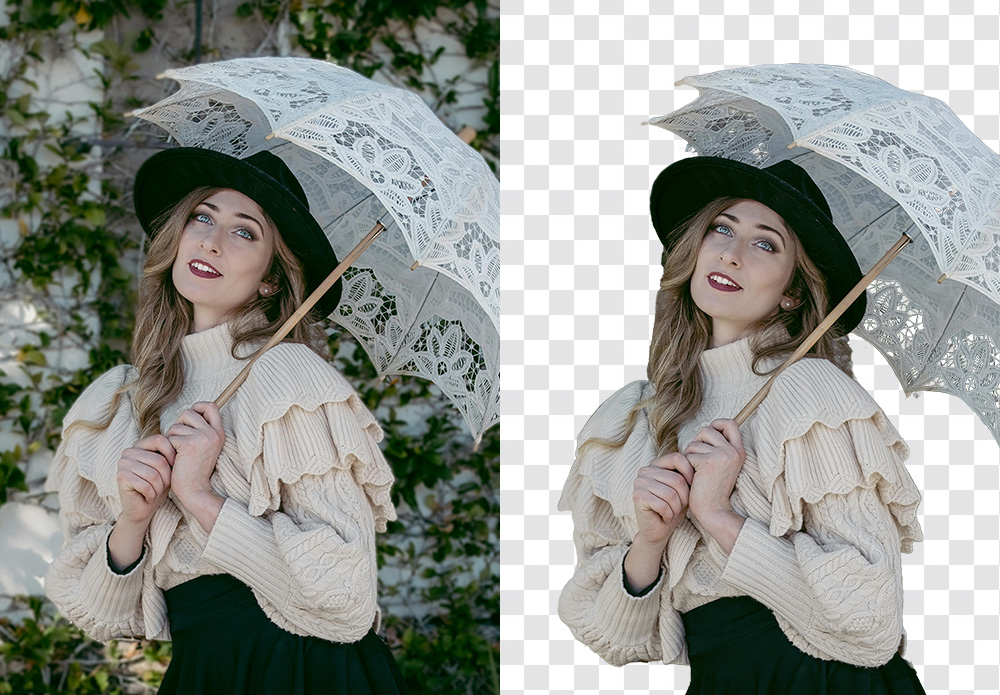
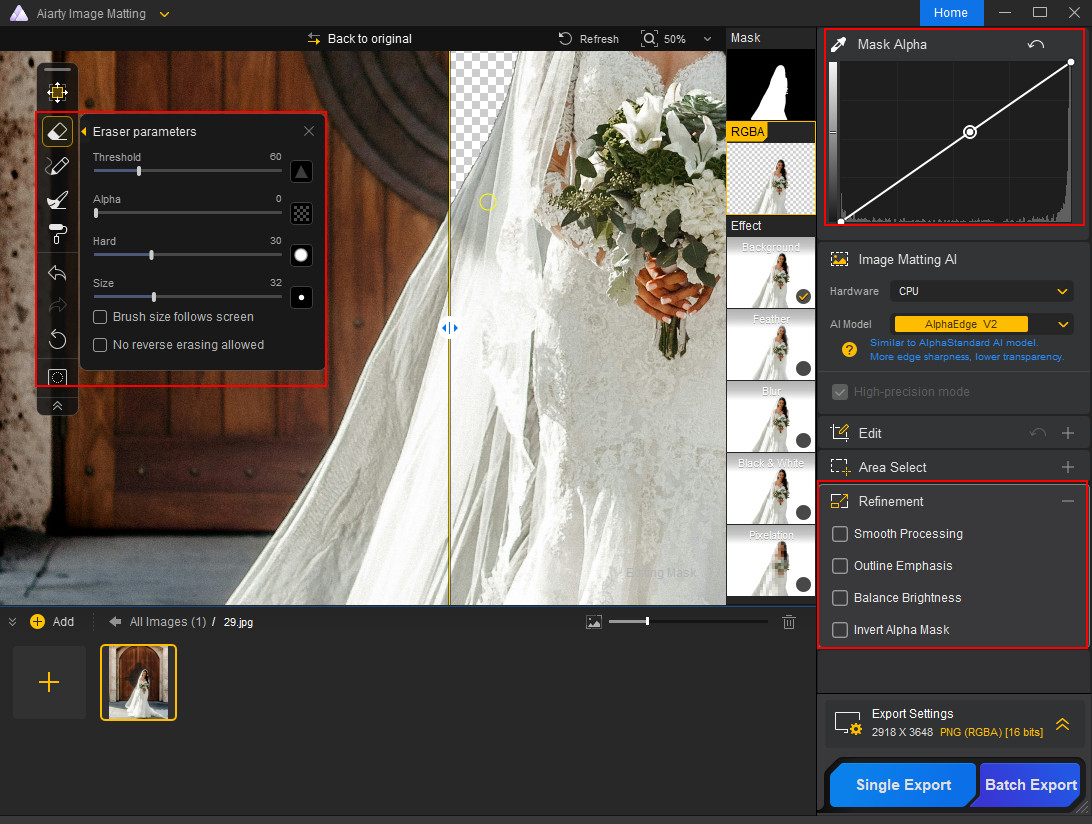
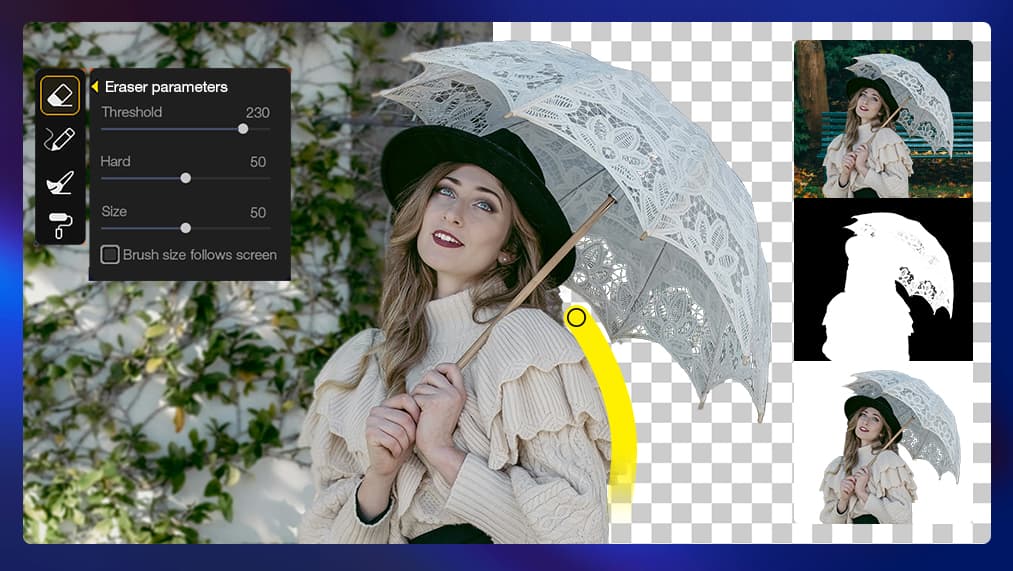
Example of automatic background removal processed by Aiarty Image Matting
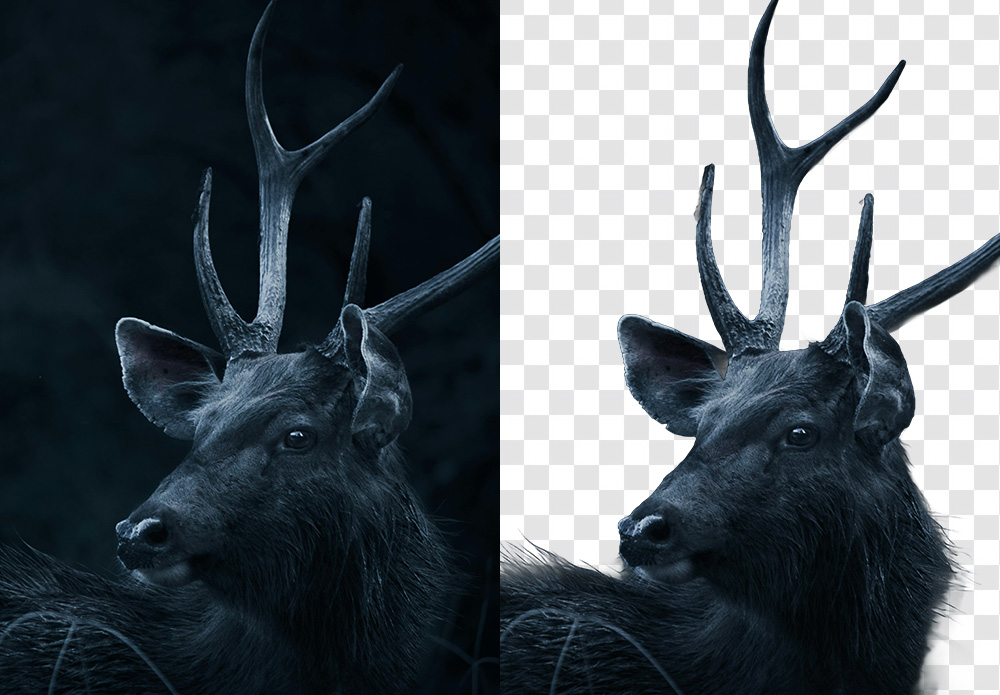
Even in situations where the subject blends into a busy background or shares similar colors, the extracted results tend to maintain natural transitions rather than overly hard or artificial outlines. This is particularly valuable for portrait, fashion, and pet photography, where realistic edges are essential for believable composites.
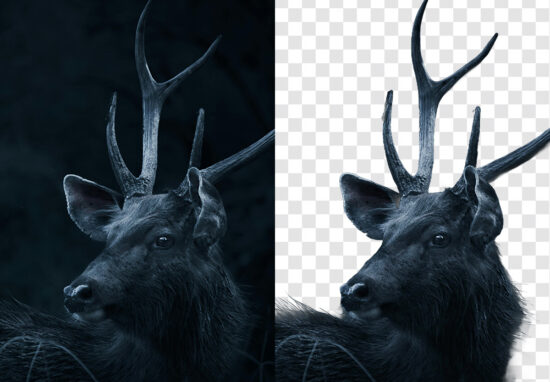
Example of automatic background removal processed by Aiarty Image Matting
The goal here is not just isolation, but extraction that remains visually convincing when placed into a new scene.
Automatic Extraction with Practical Manual Control
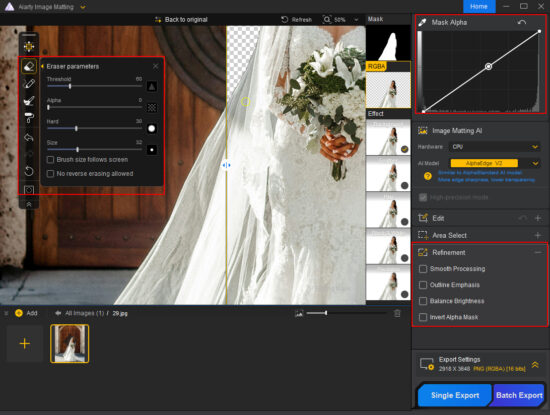
Aiarty Image Matting is designed to work automatically first, minimizing the need for manual masking. In many cases, a clean subject extraction can be achieved with a single click, making it suitable for repetitive or time-sensitive workflows.
When adjustments are needed, the software includes a small set of intuitive mask refinement tools that allow photographers to correct problem areas or fine-tune transparency. These tools are optional and focused, helping refine results without turning the process into a full manual selection job.
This balance keeps the workflow fast while still giving users enough control to handle challenging images.
Fully Offline Processing for Speed and Privacy
All processing in Aiarty Image Matting is performed locally, without uploading images to the cloud. For photographers working with client material, this offline approach offers both privacy and reliability.
Local processing also avoids delays caused by internet connections and makes it easier to work consistently with large images. This is especially useful in professional environments where stability and file control matter as much as speed.
Flexible Background Replacement for Practical Use Cases
Once a subject is extracted, Aiarty Image Matting allows it to be placed against a solid color or a custom background. This is particularly useful for product photography, catalogs, marketing visuals, and social media content where clean and consistent backgrounds are required.
Batch Processing for High-Volume Projects
For workflows involving large numbers of images, Aiarty Image Matting supports batch processing, allowing multiple photos to be handled in a single session. This can significantly reduce post-production time for e-commerce shoots, content libraries, or repeated background replacement tasks.

A Useful Extra: Built-In AI Enhancement
In addition to background removal, Aiarty Image Matting also includes a basic AI enhancement option that supports up to 2× image upscaling. While not a replacement for dedicated enhancement tools, it can be useful for preparing extracted subjects for different output sizes or platforms.
Final Thoughts: A Smarter, More Seamless Cutout Tool for Photographers
Background removal no longer has to be a slow, tedious process. Aiarty Image Matting combines AI-powered automatic extraction with optional manual refinement, making it a fast and reliable tool for photographers.
Right now, all PhotoRumors readers can save up to 43% on Aiarty Image Matting Lifetime License, which includes free updates forever and installation on up to three computers. Remember to enter the coupon code NYSPECIAL at checkout for an extra $5 off. Again, there are no subscriptions and no hidden fees. This limited-time deal ends January 31.
Get the Aiarty Image Matting Lifetime License Deal here.
The post Fast, Precise, Automatic Background Removal with Aiarty Image Matting (Limited-time Exclusive Deal) appeared first on Photo Rumors.

Related posts:
Read more of this story at Slashdot.


The Topaz Labs Holiday Sale is ending on January 7th and includes Topaz Studio, Studio Pro, and all single apps. Here are the details:
For new customers:
For existing customers:
Topaz Labs recently released a major Realism Update. Multiple apps are getting a realism boost, enhancing fine details and lighting, and giving photos, videos, and AI-generated content a more realistic look (Astra, Bloom, Topaz Video, Topaz Photo, and Topaz Gigapixel).
The post The Topaz Labs Holiday Sale is ending soon appeared first on Photo Rumors.
Read more of this story at Slashdot.


If you missed Black Friday, Topaz Labs just started a new Holiday Sale that includes Topaz Studio, Studio Pro, and all single apps (valid from December 16th to January 7th). Here are the details:
For new customers:
For existing customers:
Topaz Labs will also announce a major Realism Update tomorrow. Multiple apps are getting a realism boost, enhancing fine details and lighting, and giving photos, videos, and AI-generated content a more realistic look. Astra, Bloom, Topaz Video, Topaz Photo, and Topaz Gigapixel will all receive new models, features, and updates. Here’s what’s new in the Topaz Realism Update:
Via NikonRumors
The post If you missed Black Friday, Topaz Labs just started a new Holiday Sale appeared first on Photo Rumors.
We all encounter situations where the environment fights against us: the lighting is too dim, the subject moves too fast, or the focal length just isn’t long enough. You end up with a composition you love, but the photo itself—plagued by high-ISO noise, slight motion blur, or low pixel count from cropping—becomes a headache to process.
Manually correcting these fundamental image quality issues in traditional photo editors often requires tedious fine-tuning to perfectly balance sharpness and natural texture.
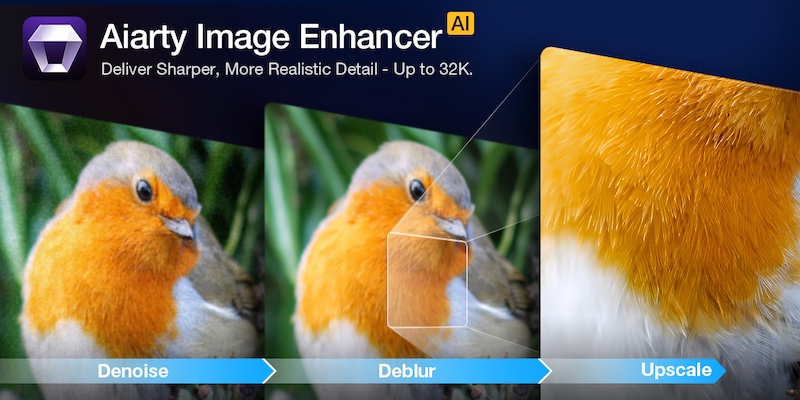
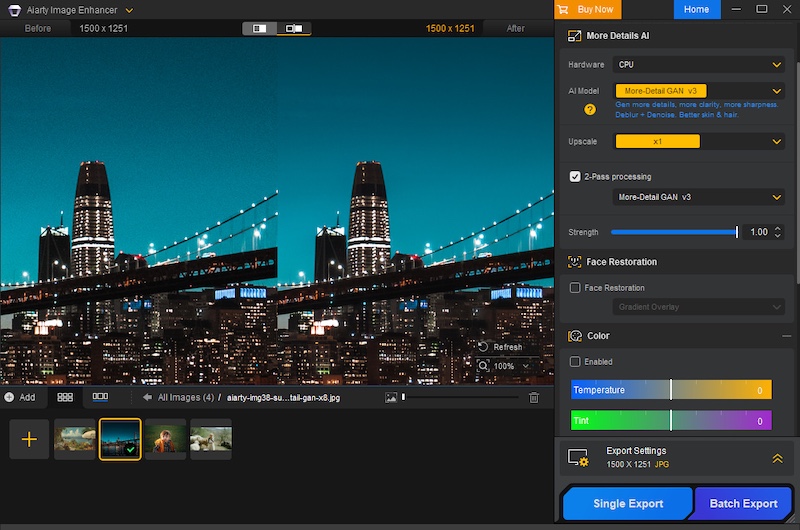
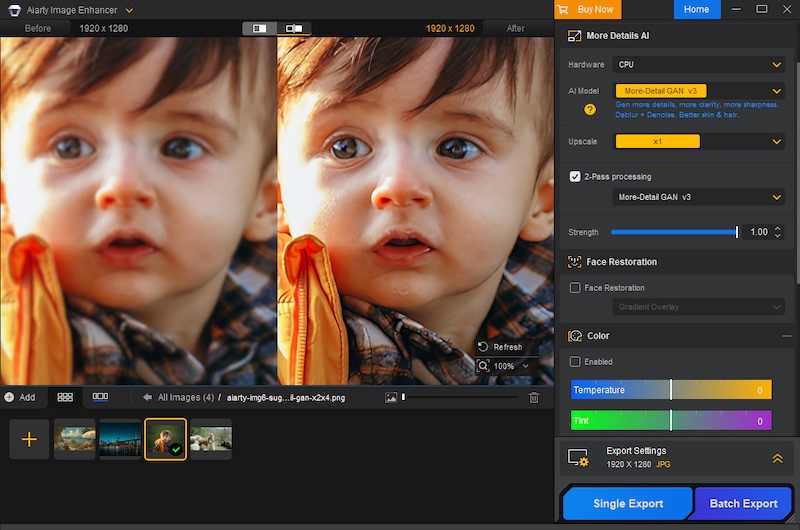
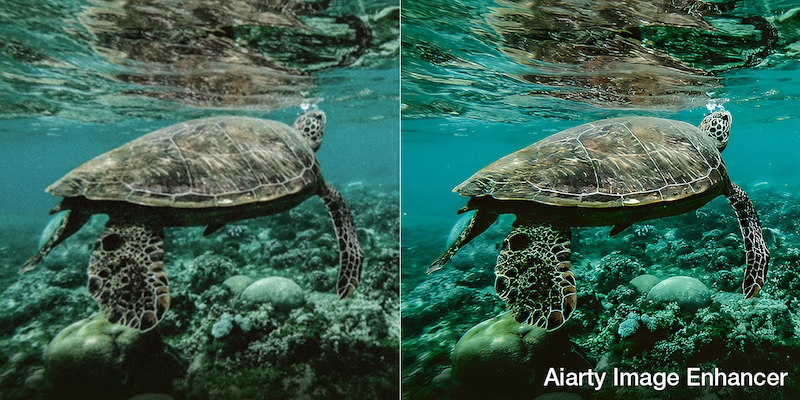
Aiarty Image Enhancer is designed to simplify this crucial post-processing step. It acts as an efficient specialist tool that quickly and automatically uses AI to denoise, deblur, sharpen, and upscale your photos. This approach hands you a clean, high-fidelity foundation, allowing you to spend less time fighting pixels and more time on the final artistic grade.
Christmas Special Offer: 49% off Lifetime License + extra $5 coupon
If you are tired of monthly subscriptions piling up, this offer is specifically for you. In celebration of Christmas, Aiarty is offering 49% off Aiarty Image Enhancer Lifetime License. And that’s not all! You can also use the limited-time coupon “XMASSAVE” to save an extra $5. Originally priced at $155, now you can grab it for just $74 – the lowest-ever price!
With your purchase, you’ll enjoy:
This is arguably one of the best value propositions in photo enhancement software this year. But is the software worth it? Let’s break down the performance.
Deep Dive: Why Aiarty Image Enhancer Belongs in Your Workflow
1. AI Denoise: The High-ISO Savior
Noise is the enemy of detail. Whether you are shooting indoor events, astrophotography, or wildlife at dawn, pushing your ISO is often necessary. Traditional noise reduction software works by blurring the image to hide the grain, which often results in the dreaded “waxy skin” effect or loss of fine textures like fabric or fur.
Aiarty uses advanced AI denoise technology to intelligently analyze the image. It distinguishes between luminance noise, chroma noise, and actual image detail. It allows you to remove noise from images without sacrificing the sharpness that your expensive lenses provide.
2. De-blur & Sharpening: Fixing the “Almost Perfect” Shot
Blur comes in many forms, and Aiarty tackles them all.
Aiarty doesn’t just apply a “sharpening mask” which increases contrast at edges. Instead, it hallucinates (in a good way) the missing pixel data to reverse the blur. It restores edge definition and clarity without introducing the artificial white halos or “crunchy” look associated with over-sharpening.
3. The Upscaling Powerhouse: From Crop to Print
The freedom to crop is a luxury. Sometimes, your 200mm lens isn’t long enough, and you have to crop 50% or more of the frame to get the composition you want. In the past, such heavy cropping drastically reduced pixel density, rendering images unsuitable for large-format printing.
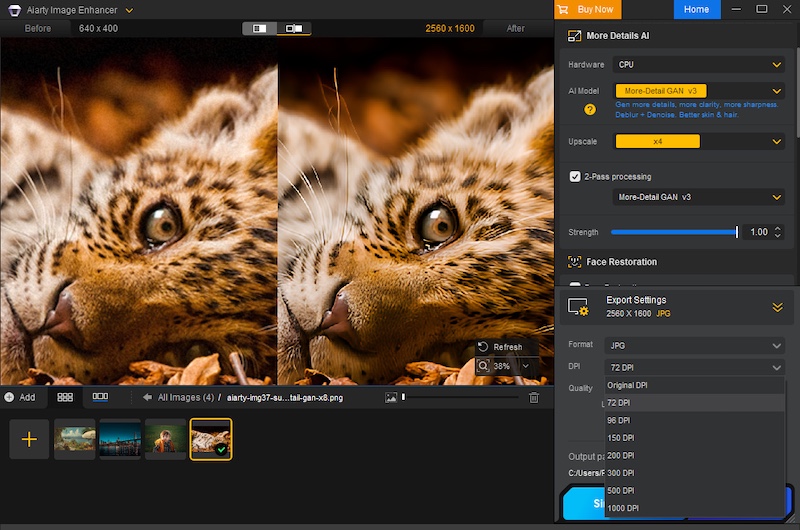
Aiarty excels in AI upscaling. Leveraging deep learning algorithms, it can enhance image resolution to 4K, 8K, 16K, and even up to 32K. Crucially, it generates new, realistic details and textures—like feathers, individual strands of hair, or intricate fabric patterns—rather than simply stretching pixels. This means you can crop without fear, transforming what would have been small, social media-only images into print-ready, large-format works with every pixel looking sharp and natural.
Furthermore, Aiarty allows for precise control over your output, enabling you to set custom DPI values directly within the software, a critical feature for professional printing workflows.
4. One-Stop Color & Tone Correction
While most professionals stick to Lightroom for grading, Aiarty includes a surprisingly robust set of adjustment tools. This is particularly useful for a “One-Stop” workflow. If you are rescuing an old, faded family photo or a poorly exposed JPEG where the RAW data isn’t available, you don’t need to open another app.
You can adjust temperature, tint, exposure, contrast, highlights, and shadows directly within the interface. It is perfect for quickly reviving the dynamic range and color vibrancy of an image immediately after denoising or upscaling.
Professional Workflow Features
It doesn’t just handle JPEGs. It supports a vast array of input formats including HEIC, TIFF, PNG, and crucially, RAW files. It works seamlessly with .CR3 (Canon), .ARW (Sony), .NEF (Nikon), .RAF (Fujifilm), .DNG, and virtually every other proprietary RAW format from Leica, Panasonic, Olympus, and Hasselblad. This means you can integrate it right at the start of your editing pipeline.
Processing AI models is demanding. Aiarty is optimized for GPU acceleration (NVIDIA, AMD, Intel), dramatically cutting down processing time and ensuring a much smoother workflow, particularly when dealing with large-format files or applying complex enhancements across batches.
Have a folder of 500 shots from a wedding that were shot at ISO 3200? You don’t need to edit them one by one. You can batch process thousands of images.
Verdict: Don’t Miss This Deal
In the world of photography, “saving” a photo used to mean spending hours cloning and masking in Photoshop. Aiarty Image Enhancer turns that into a simple, automated process. It is the perfect companion to your existing RAW editor, stepping in when you need to go beyond the limits of your sensor.
With the Christmas Lifetime Deal, you aren’t just buying software; you are buying an insurance policy for your images. No monthly fees, just permanent access to better image quality.
Get the Aiarty Image Enhancer Lifetime License for just $74! Grab it before this limited-time holiday deal ends!
Enhance your photos effortlessly this season and make your memories shine like never before!
The post Aiarty Image Enhancer instantly fixes blurry, grainy, and low-res photos (49% off lifetime license + extra Xmas coupon) appeared first on Photo Rumors.