Connexion
What else is new?

Here is what else is new:
Fujifilm’s instax mini Evo Cinema Named One of TIME’s Best Inventions of 2026
The post What else is new? appeared first on Photo Rumors.

Here is what else is new:
Fujifilm’s instax mini Evo Cinema Named One of TIME’s Best Inventions of 2026
The post What else is new? appeared first on Photo Rumors.

Here is what else is new:
Light Lens Lab is working on a new Light Lens Lab 50mm f/2 Apochromatic lens for Leica M-mount
Update: new Leica Hammertone M-A camera rumored to be announced soon
Rock n Roll launches the Milano Backpack Black: The Big Little Backpack
The post What else is new? appeared first on Photo Rumors.
Vendredi 25 septembre a eu lieu la cérémonie officielle de nomination des Big Brother Awards Allemagne 2026 à Bielefeld (Westphalie Est-Lippe).
Si 4 des 6 gagnants sont Allemands, tous concernent par leur (mauvais) exemple de près ou de loin l’ensemble des Européens.
Découvrons ensemble les heureux élus.
Pour rappel les Big Brother Awards ont été initiés au Royaume-Uni en 2008 puis se sont essaimés dans de nombreux pays avant de se réduire à 3 pays ces dernières années. En Allemagne, ils sont organisés depuis l’an 2000 par DigitalCourage, une association de sensibilisation de la protection des données personnelles et fournisseur de quelques services libres, qu’on pourrait donc situer à mi-chemin entre La Quadrature du Net et Framasoft.
Ils visent à alerter le grand-public de quelques cas emblématiques d’atteinte illégitime à nos données personnelles, dont un certain nombre de cas a pu se traduire en sanctions concrètes et finalement revenir à une situation acceptable.
La dernière dépêche sur LinuxFR rapportant des BBA datant de 2013 (dernière édition des BBA France), il semblait intéressant de rapporter l’évènement ici.
Ont été déclarés vainqueurs pour 2026 :
l’Église protestante du Nord de l’Allemagne dans la catégorie Société civile pour imposer l’usage de Microsoft pour l’ensemble de ses services informatiques à l’ensemble des paroisses de Hambourg, du Schleswig-Holstein (pourtant désormais célèbre pour sa politique publique de migration vers Linux et les logiciels libres en général, et du Mecklembourg Poméranie. Concerne donc près de 17 000 personnes. Dont des confessions dont les fidèles seront bien contents de savoir qu’elles peuvent se retrouver dans la nature.
les opticiens Apollo et Fielmann dans la catégorie Technologie pour faire la promotion des lunettes perverses de Meta. La fabrication et la vente de moyens d’enregistrer des personnes tierces à leur insu est considérée comme un délit dans la loi allemande. Et bien que la Commission de protection des données de Hambourg a confirmé l’insuffisance de la LED signalant certains enregistrements, l’Agence Fédérale des Télécommunications chargée de vérifier la conformité aux lois semble préférer fermer les yeux sur ce délit de lunette.
Deutsche Telekom dans la catégorie Préventif pour son plan de fusion avec sa propre filiale T-Mobile US. Cette fusion rendrait la Deutsche Telekom et donc l’infrastructure de télécommunications allemande soumise à la législation américaine (FISA Act 702, Cloud Act, Executive Order 12333, etc). Les communications allemandes seraient donc directement accessibles au FBI comme c’est déjà le cas pour T-Mobile US depuis leur accord en 2001.
la Commission européenne dans la catégorie Europe pour son Digital Omnibus, un groupement de lois visant à déréguler les services numériques européens, au profit de la « compétitivité » et aux dépens de la protection numérique des Européens.
En redéfinissant la notion de donnée personnelle, ces textes doivent permettre aux sociétés marketing et databrokers d’exploiter sans limites vos informations de navigation, de considérer l’entraînement des IA comme d’« intérêt légitime » (et donc sans nécessiter votre consentement !), etc.
le Ministre de l’Intérieur fédéral Alexander Dobrindt dans la catégorie Administration pour pousser l’implémentation d’un identifiant personnel unique (via le N° fiscal) dans l’ensemble des bases de données gouvernementales. Au nom de la modernisation de l’administration, cette mesure ouvre la voie a des recoupements entre services gouvernementaux au-delà des besoins fonctionnels. Il est rappelé que cette approche avait été prévue par le gouvernement nazi de l’époque. Et désormais implémenté en Russie donnant entre autres l’exemple des services des armées pouvant faire couper les services bancaires d’une personne qui voudrait pas combattre au front (tout parallèle avec un juge d’une cour pénale internationale serait fortuit).
Enfin la dernière catégorie Jeunes et surveillés est choisie par les « jeunes », qui ont choisi de critiquer leur exclusion des réseaux sociaux, comme mauvaise solution ne protégeant au final personne tout en nécessitant la divulgation de données personnelles supplémentaires.
Commentaires : voir le flux Atom ouvrir dans le navigateur

The Japanese Nikkei Shimbun has published interviews with executives from Nikon, Canon, Sony, and Fujifilm. Here is the summary (the article is behind a paywall):
The interviews point to a major strategic change in the camera industry: the next growth phase isn’t necessarily about making cameras technically superior – it is about giving people a reason to want a dedicated camera.
That explains several current trends simultaneously: Canon’s V-series push, Nikon’s RED/cinema strategy, Sony’s entertainment/imaging integration, Fujifilm’s film simulations and retro products, and the renewed interest in premium compact cameras. For Canon specifically, the article is particularly revealing: the company appears to be moving toward a more clearly differentiated photo-centric vs. video-centric product strategy, with V-series bodies and lenses playing a much larger role.
Via NikonRumors
The post Nikkei interviews with executives from Nikon, Canon, Sony, and Fujifilm appeared first on Photo Rumors.
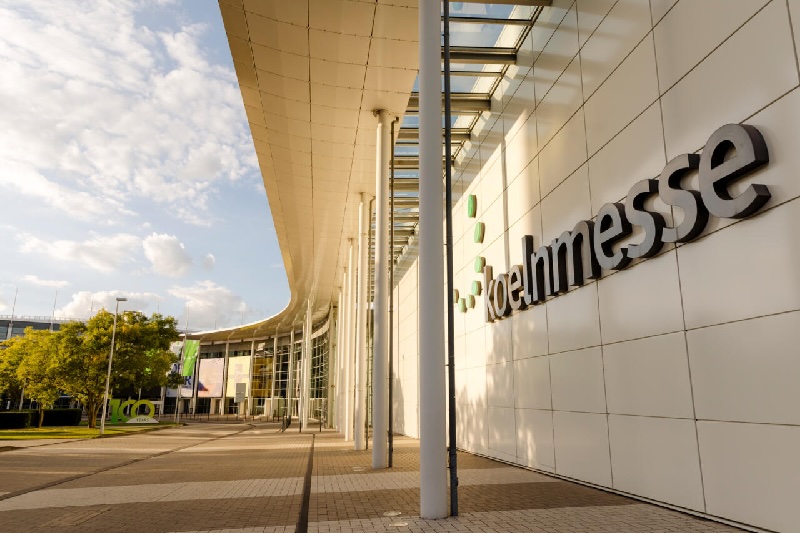
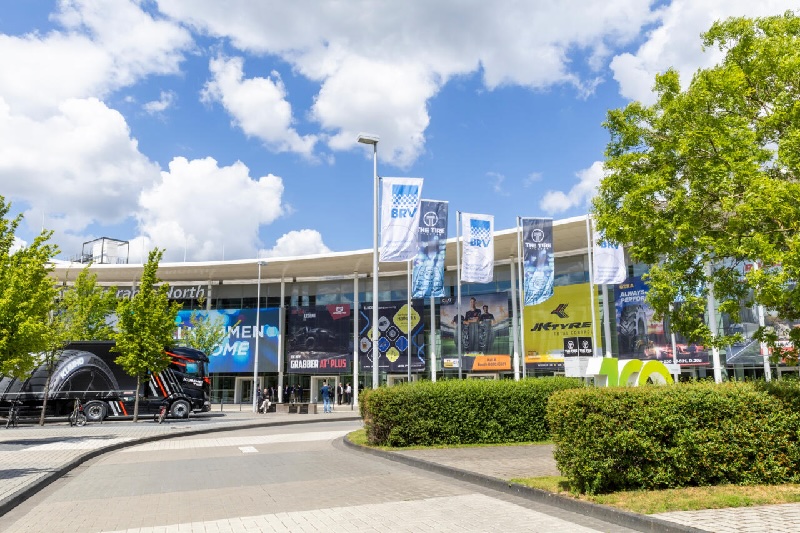
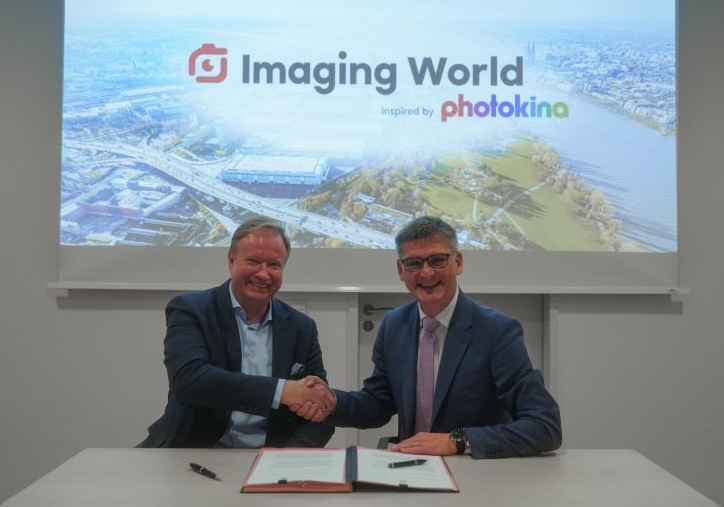
The Imaging World show will move to Cologne in 2027, and it will be “inspired by Photokina”:
Imaging World is moving to Cologne. Starting 2027, the festival for photography, video and content creation will take place at Koelnmesse under the name “Imaging World inspired by photokina”. RINGFOTO and Koelnmesse announced the change of venue today during the TIPA World Awards Ceremony at Imaging World 2026 in Nuremberg. The event brings together technology for hands-on testing, creative practice and personal exchange within the imaging industry.
Following this year’s edition in Nuremberg, the new event will make its debut at Koelnmesse from 24 to 26 September 2027. Having assumed responsibility for organising the event from 2027 onwards, Koelnmesse will leverage its international trade fair expertise and network to further develop “Imaging World inspired by photokina” as a key platform for photography, video and content creation. RINGFOTO will remain closely involved as a key partner, contributing its market knowledge, its network across the industry and specialist retail, as well as established elements of the event’s existing concept. Together, the partners aim to further develop the format in close alignment with the market and progressively increase its visibility.
“With Imaging World inspired by photokina, we are bringing a well-established event format with a clear profile and a highly engaged community to Cologne,” says Oliver Frese, Chief Operating Officer of Koelnmesse. “Together with RINGFOTO, we aim to preserve these strengths while developing them further in a targeted way. We will also draw on Koelnmesse’s extensive expertise in imaging and the international industry contacts it has built up over decades through photokina. Cologne offers excellent conditions for this, with its trade fair infrastructure, international accessibility and strong media and creative environment.”
“Over the past two years, Imaging World has shown just how great the interest is in a place where products are not only presented, but can be experienced and tried out directly,” adds Thilo Röhrig, Managing Director of RINGFOTO. “After two successful editions in Nuremberg, Imaging World is ready for the next step. We want to continue this combination of technology, practical experience, inspiration and personal exchange in Cologne. In particular, we intend to further develop our concept, which combines a traditional trade fair exhibition with modern, interactive play areas and an extensive programme of workshops and seminars. RINGFOTO will remain an active partner for industry, specialist retail and the community.”
A proven format with a new perspective
Imaging World inspired by photokina brings together product experience, creative practice, community and business. Visitors can discover new products, try out equipment directly, take part in workshops and live formats, and exchange ideas with manufacturers, retailers, professional users and creatives. Enthusiast photographers will also have the opportunity to test new technology in real-world conditions and develop their creative and technical skills.
Photography remains a core component of the event. At the same time, video, audio, lighting, software, printing, smartphone applications and technologies for content production already form part of its established range of topics. This broad offering will be further expanded in Cologne.
For manufacturers, distributors and brands, Imaging World inspired by photokina combines dialogue with the specialist retail trade and direct contact with professional users, ambitious consumers and content creators.
Imaging expertise with a global reach
With the addition “inspired by photokina”, Imaging World draws on the longstanding imaging expertise and international industry contacts associated with Cologne as a trade fair location. For decades, photokina helped establish Cologne as an important meeting place for the international photography and imaging industry. Imaging World is not a revival of photokina; it remains an independent format that builds on the location’s imaging tradition while bringing new, contemporary content.
This experience and network will feed into the further development of Imaging World inspired by photokina, which will continue its proven mix of trade fair, product experience, community and business together with RINGFOTO.
The post The Imaging World show will move to Cologne in 2027, and it will be “inspired by Photokina” appeared first on Photo Rumors.
Related posts:

Here is what else is new:
Photographer Kimio Tanaka shares his opinion on the upcoming Pentax DSLR K-mount camera
New Artizlab Classic-M 50mm f/1.4 lens for M-mount coming in November 2026
Canon Patent Shows Fingerprint Recognition Built Directly Into the Camera Grip

The post What else is new? appeared first on Photo Rumors.

Here is what else is new:
Leica released a silver LUX grip, app v2.0, and a new artist look by Steve McCurry
Now available for order: the new Mandler 50mm f/1.4 PRE-ASPH E46 lens for Leica M-mount
Also now available: Lailens 50mm f/1.5 Kino Plasmat lens for M-mount
The post What else is new? appeared first on Photo Rumors.

I will be traveling in the next 10 days and will have limited Internet connectivity. Blog posts on the latest news and rumors could be delayed or non-existent. Responding to emails will take a while. While I am offline, you can check the following Facebook groups for the latest photo gear news:
Nikon
Leica
Other
You can follow PhotoRumors on Facebook | Twitter | Instagram | Threads | YouTube.
Please make sure you use the correct/updated PhotoRumors RSS feed: https://photorumors.com/feed/.
You can subscribe to email notifications on FeedRabbit for free (you will need to enter the PhotoRumors RSS feed: https://photorumors.com/feed/).
And of course, thanks for being a reader!
The post Offline for a few days appeared first on Photo Rumors.

Here is what else is new:
Ricoh released additional information on the upcoming GR IV 30th anniversary edition camera kit
You can now buy the new Lailens 35mm f/3.5 lens for Leica M-mount
Nikkei Report: Sony Dominates Global CMOS Image Sensor Market with 53.6% Share
Notice of Applications Software Used with “macOS 27 Golden Gate”

The post What else is new? appeared first on Photo Rumors.
Here is what else is new:
OM System PEN camera shipment delayed until November (Amazon pre-orders opened again)
Rare Leica M discount: you can now save up to $1,250 when you buy M EV1 with a lens in the US
Leica released a new firmware update, version 1.2.1, for the Sofort 2 hybrid instant camera
Leica Camera Group 2025/26 financial report: revenue down to €573 million (-3.8%)

The post What else is new? appeared first on Photo Rumors.

Here are some of the new products announced at the 2026 IBC show (see the full list here):

New Sirui Saturn V2 1.6x anamorphic full-frame lenses with vertical support lenses (E/Z/L/X/RF) – previously reported here (additional information).

New DZOFilm Arles cine zoom lenses(additional information).
Several new lenses from Chinese brands will be announced next week
Fujifilm Launches ETERNA ProRemote, Remote Control App for FUJIFILM GFX ETERNA 55 Filmmaking Camera
The post New product announcements at the 2026 IBC show appeared first on Photo Rumors.

Here is what else is new:
“The Girl with the Leica” film screened at the 2026 Venice Film Festival
Reminder: the next Wetzlar Camera Auctions is on October 10th – here are the Leica highlights
New leatherette color options for Leica cameras added at PPP Cameras
Leica Summicron-M 66 f/2 limited edition lens officially announced
2025 DSLR camera shipment ranking (Pentax at #3 spot with 10,000 units)

The post What else is new? appeared first on Photo Rumors.
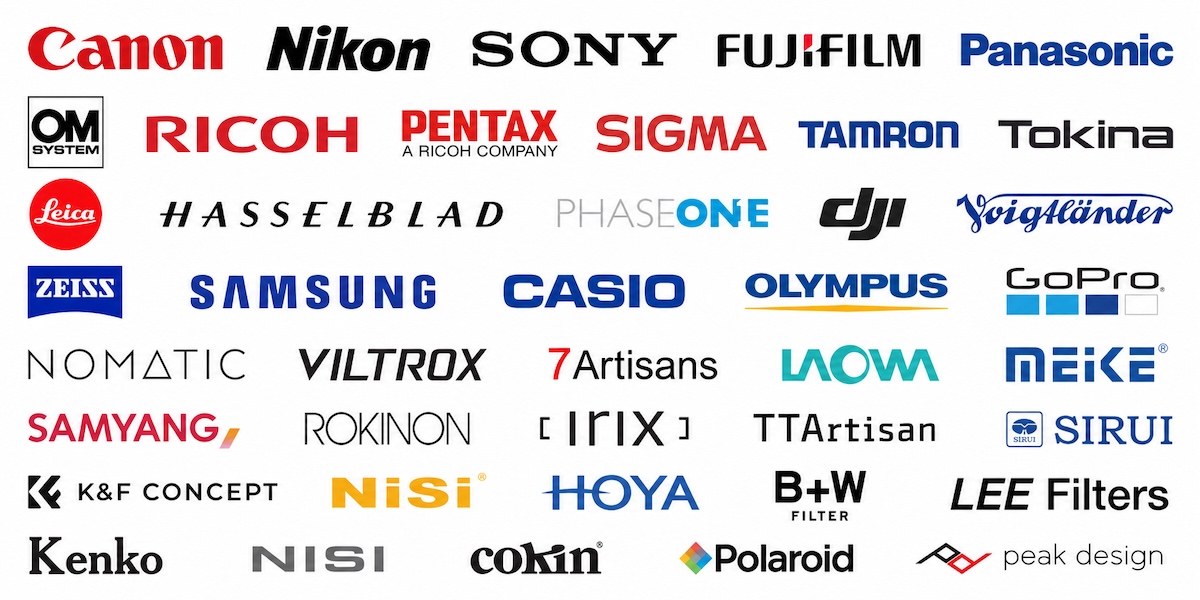
Several new product announcements are expected to be announced in September:

The post New product announcements from OM System, Sigma, Sony, Canon, Fuji, Leica, and possibly Nikon appeared first on Photo Rumors.


I already reported on the 2025 digital camera shipment market share from the latest Nikkei Industry Report– Fujifilm’s surge is widely attributed to strong compact demand (X100VI, X-half, and Instax models, which appear to be counted in this series):
We now have a better breakdown of the actual 2025 Mirrorless Camera Production Volume Ranking (without fixed-lens compact and instant cameras) from the latest edition of the Japan Company Handbook Industry Map 2027 Edition (the report excludes non-Japanese players such as Leica):

2025 Mirrorless Camera Production Volume Ranking
2025 DSLR Camera Shipment Ranking
CIPA’s official 2025 total (all participating Japanese makers) was 9.44 million units, up 11.2% from 8.49 million in 2024. Compact/fixed-lens cameras grew much faster than interchangeable-lens bodies and were a major driver of the volume rebound.
DJI currently holds a whopping 72.5% of the video camera market in Japan
Here are the top 10 best-selling compact digital cameras for the first half of 2026 in Japan


Source: dclife, via NikonRumors
The post 2025 mirrorless camera production volume ranking (without fixed-lens compact and instant cameras) appeared first on Photo Rumors.

The new Leica APO-Macro-Elmarit-SL 100mm f/2.8 lens is now available for pre-order
Sigma 16-300mm F3.5-6.7 DC OS | Contemporary Firmware Ver.1.0.1 Released
Canon Patent JP 2026-135909: Exploring RF 75mm F1.2, 85mm F1.4, and 100mm F1.8 Optical Designs

The post What else is new? appeared first on Photo Rumors.
B&H is now selling refurbished Pentax K1000, KM, and KX SLR film cameras with 50mm lenses
Ricoh removed AI slop from the official website (non-existent Ricoh GR camera with EVF)
The upcoming OM System PEN camera is already listed at B&H Photo
Metabones Announces Speed Booster ULTRA II+ and Smart Adapter II+ for Fujifilm
Canon Patent JP 2026-135787: Canon RF 12mm F1.4, RF 14mm F1.4, and RF 18mm F1.4 Optical Designs

The post What else is new? appeared first on Photo Rumors.
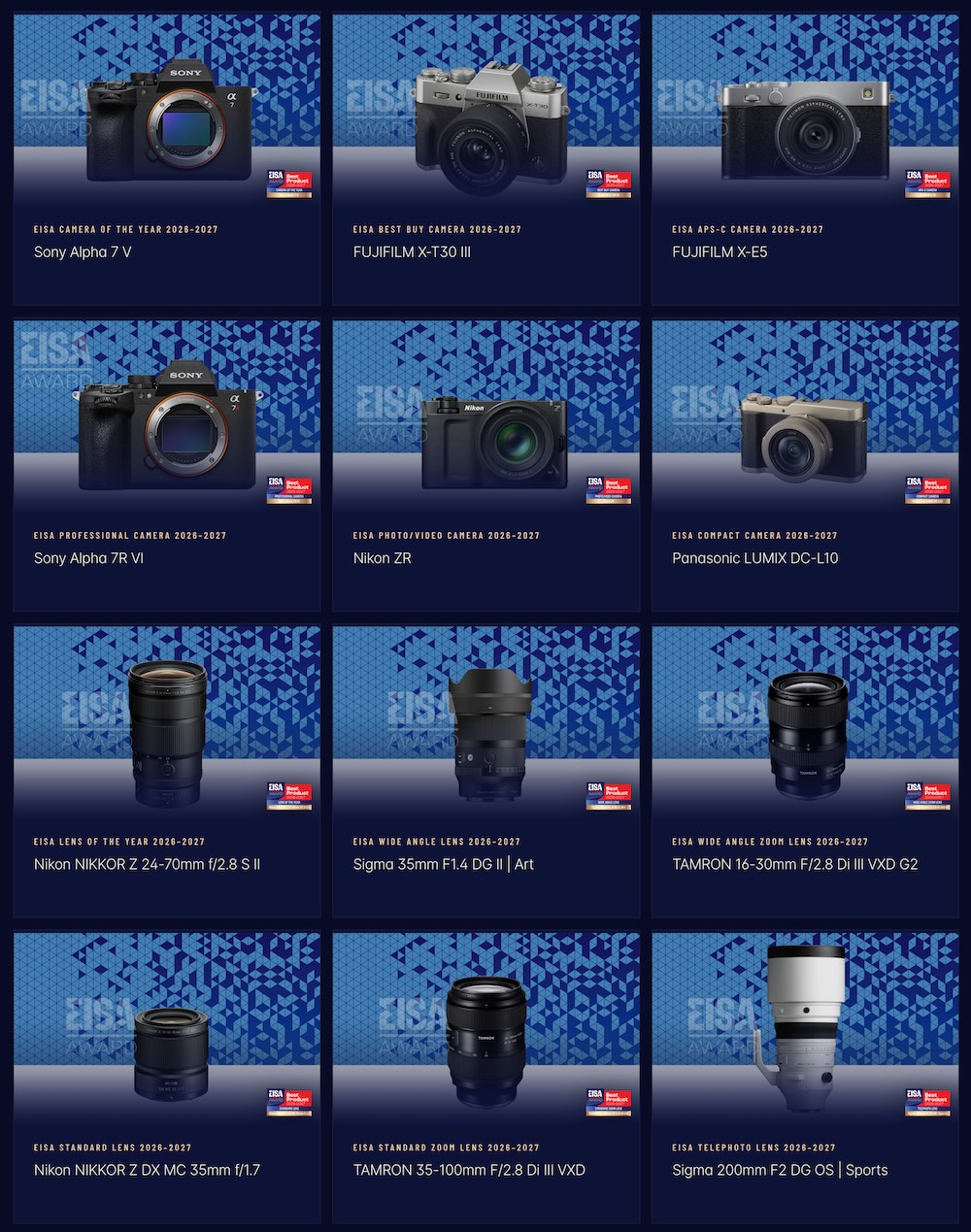
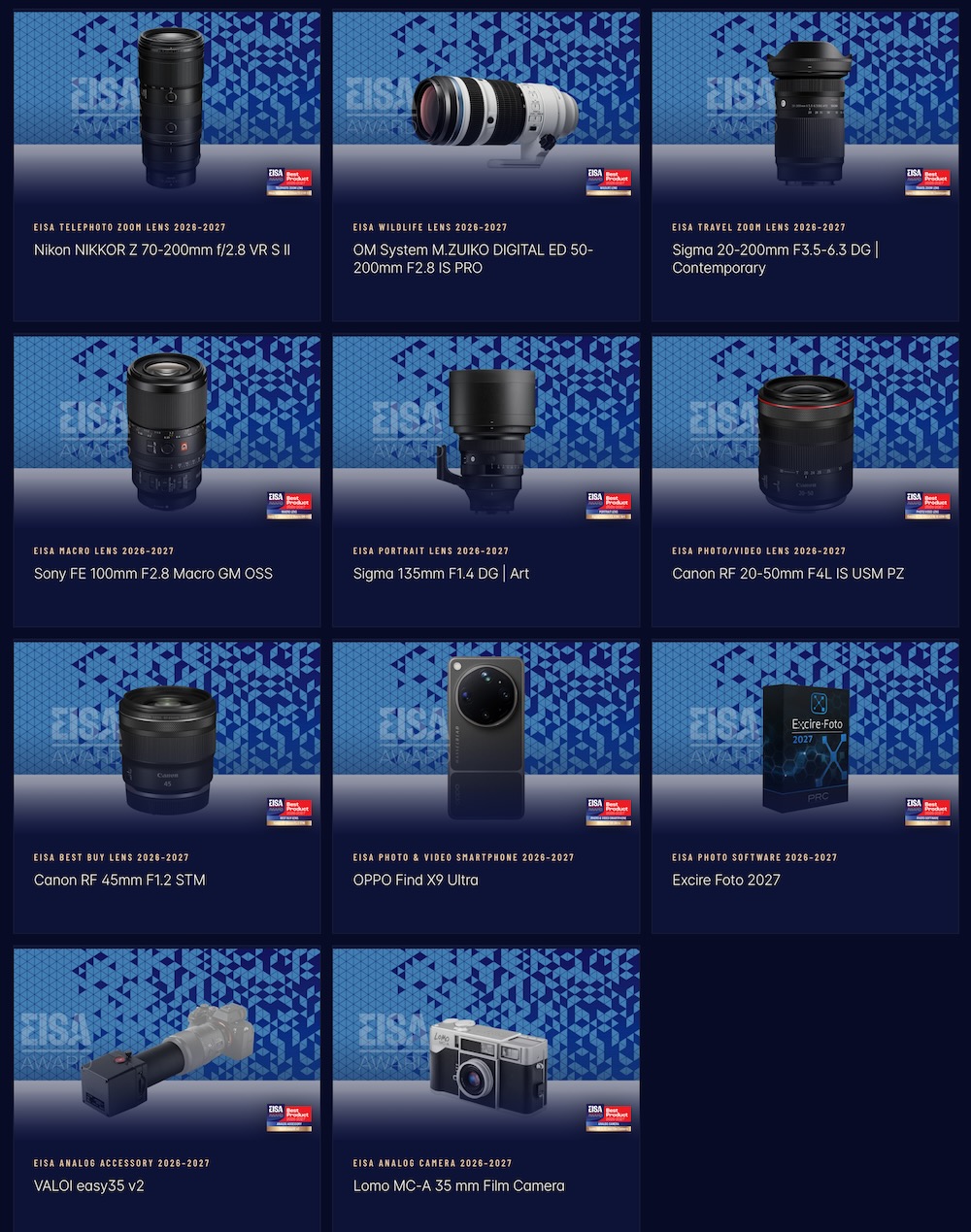
Here are the 2026-2027 EISA photography awards that were just announced today:

The post 2026-2027 EISA photography awards appeared first on Photo Rumors.


A new report from the Japanese Ministry of Economy, Trade, and Industry suggests that digital camera production is showing signs of recovery. Here is a recap of the original report:
While overall numbers are improving, the latest CIPA numbers show a slowdown. A good example here is Nikon – they have released only two lenses this year, and it seems that most of their upcoming products are even further delayed.
Also, what the report does not cover is the recent significant increase in prices as a result of the Trump tariffs, memory shortages, and geopolitical instability (Fujifilm is rumored to have another price increase on September 1st; see all recent price increases here):
Update: Sony Japan just increased the prices of several cinema cameras.
Report from Japan: the top 10 used cameras with the biggest price increases
Ricoh GR camera models are getting a 6-11% price increase in Japan on July 1st
The post Is the digital camera industry really recovering? appeared first on Photo Rumors.


The Japanese camera marketplace Minna Camera recently published a list of the top 10 used cameras with the biggest price increases for the first half of 2026:
The post Report from Japan: the top 10 used cameras with the biggest price increases appeared first on Photo Rumors.