❌

Vue lecture

[TEST] Rivage : un puzzle-game bourré de défauts, mais très attachant

Découvert grâce à une démo en avril dernier, Rivage, développé par une petite équipe de Canadiens, nous avait plutôt emballés. Il promettait un puzzle-game dans une base spatiale au design très réussi, avec une notion de boucle temporelle et une narration assez fournie. Cinq mois plus tard, les développeurs ont estimé qu’il était temps de sortir leur jeu, malgré quelques petits points de friction. Un peu plus de travail sur le scénario et la technique (un patch a corrigé les plus gros défauts après la publication du test) n’aurait pas fait de mal. Heureusement, le reste rattrape le coup : les énigmes sont satisfaisantes et l’ambiance est excellente.

Genre : Puzzle-game | Développeur : Exnilo Studio | Éditeur : Raw Fury | Plateforme : Steam | Prix : 24,99 € | Langues : Anglais, sous-titres en français | Configuration recommandée : i5-11400F / Ryzen 5 5600X, RTX 3060 / RX 6700 XT, 32 Go de RAM | Compatibilité Linux : Oui | Date de sortie : 22/09/2026 | Durée : de 10 à 15 heures

Test réalisé avec une clef fournie par l’éditeur.

Rivage 05 scaled
Rivage 08 scaled

Une belle direction artistique parfois gâchée par la technique

Edit du 30 septembre : les développeurs ont sorti un nouveau patch pour ajouter le DLSS et le FSR, ce qui règle tous les soucis visuels énoncés dans le paragraphe suivant. Sur le PC portable décrit ci-dessous, avec toutes les options en épique, le DLSS en DLAA et la framegen x2, le jeu est bloqué aux 60 FPS de l’écran et n’utilise que 80 % de la carte graphique.

Paragraphe d’origine : Alors que je voulais entamer mon test en pestant contre la piètre optimisation du titre, il s’avère que les développeurs ont sorti quelques patchs pour corriger les plus gros soucis. En effet, lors de mes premières sessions sur un PC portable sous CachyOS avec un i5 13500H et une RTX 4060, j’étais à la peine en 1080p et j’avais l’impression qu’on avait beurré mon écran avec de la vaseline. Depuis la mise à jour, je maintiens les 60 FPS fixes, et il ne subsiste qu’un petit flou acceptable. Peut-être que j’en demande trop pour un petit jeu « indé » – tout de même soutenu par Raw Fury (Blue Prince, ROUTINE…) –, mais j’aurais aimé avoir du DLSS ou du FSR pour réduire l’aliasing à moindre coût. À la place, on nous propose du TAA franchement pas fou et des paramètres qu’il ne faut absolument pas toucher sous peine de perdre cinq dixièmes à chaque œil. Comme l’expliquent les devs dans un patchnote, le jeu a été développé pour la 4K, et ils travaillent à résoudre l’effet de flou pour les résolutions inférieures. Sur ma grosse machine avec une RTX 4090, il n’y a évidemment aucun souci, mais notez bien que la 4K devra être calculée à la seule force des petits bras de votre carte graphique, les méthodes d’upscaling proposées étant absolument catastrophiques.

Rivage 02 scaled
Rivage 06 scaled

La station est en orbite, mais l’histoire ne vole pas très haut

Malgré cela, la direction artistique est vraiment réussie : vous profiterez d’une magnifique station spatiale dans une ambiance NASA-punk (un futur proche), avec un tas d’équipements plutôt crédibles. Ce qui l’est beaucoup moins, en revanche, ce sont les manifestes failles de sécurité, vous permettant d’ouvrir un coffre-fort en remettant le code à zéro grâce à la date de naissance de l’utilisateur, ou de copier un badge d’accès à partir d’une simple photo. Mis à part ces petits détails, je dois dire que la narration, bien qu’un peu con-con, m’a plutôt happé. J’étais autant intéressé par la résolution des différents puzzles que par l’intrigue qui avait mené à la situation particulière de notre protagoniste. Certes, on note de-ci, de-là, des incohérences ou des décisions parfaitement stupides, et certaines questions resteront sans réponse, mais on lui pardonne, comme on le ferait pour le petit dernier, un peu simplet sur les bords, mais attachant. Si certains comparent le scénario à une rédaction de niveau collège, il est aussi possible qu’une partie du jeu ait été rabotée pendant le développement, obligeant l’équipe à simplifier, voire à supprimer certains passages. De son côté, le doublage est globalement correct, même si certaines répliques ne sont pas toujours très bien jouées. Au moins, ce n’est pas de l’IA.

Rivage 07 scaled
Rivage 03 scaled

Des énigmes qui rattrapent le tout

Mais le cœur de Rivage, ce sont ses puzzles. Le studio a fait un effort pour les rendre les plus diégétiques possibles, même si c’est parfois un peu bancal.  Pour autant, ce n’est pas vraiment gênant, et une fois qu’on est lancé, ça ne brise plus trop l’immersion. Le point le plus gênant et parfaitement débile est que notre personnage ne peut tenir qu’un seul objet à la fois. La seule explication rationnelle est qu’elle doit être complètement à poil, pour ne même pas avoir une poche pour ranger une putain de carte d’accès ou un minidisque. Évidemment, on comprend que c’est une contrainte de game design, mais ça fait un peu rigoler au début. En revanche, l’une des particularités vraiment intéressantes du jeu est que l’histoire se passe dans une boucle temporelle, et qu’on ne peut ouvrir qu’un nombre limité de portes, déterminé par l’énergie disponible dans la station. Il faudra donc effectuer les actions dans le bon ordre, pour ne pas se retrouver dans le noir et ne plus pouvoir interagir avec les éléments les plus importants. La difficulté globale est d’un niveau plutôt élevé, mais tout de même accessible. Cependant, j’ai été bloqué à deux reprises : la première à cause d’un zéro que j’avais pris pour un « O » dans un mot de passe randomisé (bordel de merde, les devs, faites en sorte que l’un ou l’autre fonctionne !), et la seconde, à cause d’un manque cruel d’indices pour résoudre une énigme à plusieurs paramètres répartis sur des documents différents. Ce qui fait que, malgré un jeu donné pour 10 à 12 heures, je l’ai fait en une petite quinzaine d’heures. Évidemment, il est maintenant possible de trouver des walkthroughs complets pour éviter de rester frustré comme un gland quand son seuil de tolérance est dépassé. Pour en revenir aux énigmes que j’ai réussies de manière plus fluide, elles m’ont semblé parfois inventives, parfois un peu triviales, mais toujours bien intégrées dans l’univers, renforçant l’excellente ambiance de la station. Comme souvent dans ce type de jeux, l’observation et l’attention portée aux détails les plus insignifiants sont les clefs pour leur résolution.

Il n’est pas parfait, mais on l’aime bien quand même

Malgré plein de défauts, Rivage est un bon petit puzzle-game. Son ambiance NASA-punk est franchement réussie, notamment grâce à une direction artistique du plus bel effet. Dommage qu’il soit flou si on n’est pas en 4K et qu’aucune méthode d’upscaling digne de ce nom ne soit disponible Un patch est sorti le 30/09 et apporte enfin le DLSS et FSR, ce qui règle totalement le problème de flou, c’est très beau même avec une machine milieu de gamme. En revanche, il y a quelques petits problèmes : son histoire est parfois incohérente, ne va jamais expliquer certains points majeurs, et des mécaniques de gameplay brisent l’immersion par moments. Heureusement, les énigmes sont globalement réussies et on prend beaucoup de plaisir à les résoudre. Comme c’est ce qu’on cherche dans ce type de jeu, on peut dire que le titre est une réussite. En plus, on en a pour son argent, avec une durée de 10 et 12 heures selon les développeurs, ou 15 heures si vous êtes nuls comme moi.

Si Rivage vous intéresse, il est actuellement en promotion à –10 % chez notre partenaire Gamesplanet, soit moins de 23 €.

Vous vous perdez dans l’immensité du catalogue Steam ? Alors, suivez le groupe de curation NoFrag pour vous aider à séparer le bon grain de l’ivraie.

  •  

Nikon Z5IIC review: capability over compactness

The Nikon Z5IIC is short the Z5II’s viewfinder but not much else has been cut to reduce its size and price

A three-quarter view of the Nikon Z5IIC against a gray backgroundRichard Butler / Mitchell Clark

The Nikon Z5IIC is an entry-level full-frame camera with a 24.5MP BSI CMOS sensor. As its name implies, the sensor, along with many of the camera’s other specs and features, are borrowed from the company’s larger, more expensive Z5II; Nikon has simply crammed it all into a smaller body, leaving off a few extras like the EVF, high-resolution screen and second card slot.

Editor’s note: at Nikon’s request, all sample photos from a pre-production camera are out-of-camera JPEGs, cropped and re-saved.

Key specifications

  • 24.5MP BSI full-frame CMOS sensor
  • IBIS up to 7.5EV
  • Full mechanical shutter
  • 3.2″ 1.04M dot fully-articulated display
  • 11fps mech. bursts, 30fps JPEG-only elec.
  • 4K/30 full-width, 60p w/ 1.5x crop

The Z5IIC will cost $1400, coming in below even the Z5II’s launch price and representing a $450 discount compared to its current, increased MSRP. It will be available in black or silver, and can be kitted with a variety of lenses, including Nikon’s 24-50mm F4-6.3, 24-105mm F4-7.1 and 26mm F2.8 pancake.

What’s new

A straight-on view of a silver Nikon Z5IIC with a 24-50mm F4-6.3 lens attached.Richard Butler / Mitchell Clark

There isn’t much new about the Z5IIC, as it’s essentially an existing camera with some features removed, rather than added. This means that the main change is its design, which we’ll mostly cover in the Body and handling section. However, as a high-level overview, the camera has a squared-off body with a grip style similar to that of the Z5II (which ends up making it feel a bit chunky in the hand).

This design, and the EVF it omits, means it occupies a new position in Nikon’s full-frame mirrorless lineup. While the video-focused ZR may appear to fit that description, the Z5IIC’s ergonomics and user experience are much closer to that of a super-sized Z30, but even more focused on stills and hybrid use. This is the first EVF-less mirrorless camera that Nikon has made aimed as much at photographers as videographers.

Screengrab of the Nikon Z5IIC's autofocus area select menu, showing the aquarium subject recognition mode selected.
We typically try to use somewhat relevant images for our screengrabs, but didn’t have time to make it to an aquarium during our time with the pre-production Z5IIC.
Mitchell Clark

Beyond the design, Nikon has introduced one minor upgrade to the camera’s autofocus system: in addition to the 9 types of subject the Z5II was trained to recognize, the Z5IIC gains an “aquatic life” mode, mainly designed for taking pictures in aquariums. The camera also gains the highly-customizable grain effect the company introduced on the Zf, which is likely a bigger deal than it seems in the age of social media feeds dominated by simulations of film.


How it compares

With its price and feature set, the Z5IIC doesn’t really have any direct competitors. The Panasonic S9, with its stabilized full-frame sensor and very similar price point may seem like one, but its single top-plate command dial and focus on shooting video, rather than stills, makes it a fundamentally different camera to use once you actually have it in your hand. We’re also comparing the Sony a7C II, since it has a similar form-factor (though a much higher price-point). Finally, we’ve included the Z5II to illustrate what you’re giving up for the C’s smaller size.

Nikon Z5IICNikon Z5IISony a7C IIPanasonic Lumix DC-S9
MSRP$1400$1850$2500, $2800 w/ 28-60mm lens$1500
Sensor type24.5MP BSI-CMOS24.5MP BSI-CMOS33MP BSI-CMOS24.2MP BSI-CMOS
IBIS7.5EV7.5EV7.0EV6.5EV
ViewfinderN/A3.69M dot
0.8x
2.36M dot
0.7x
N/A
Rear display3.2″, 1.04M dot
Fully articulated
3.2″, 2.1M dot
Fully articulated
3″, 1.04M dot
Fully articulated
3″, 1.84M dot
Fully articulated
Burst shooting11fps / 30fps (JPEG-only)11fps / 30fps (JPEG-only)10fps / 10fps– / 30fps
Flash sync speed1/2001/2001/160–
Top plate command dials2221
Video optionsN-Raw
H.265
H.264
N-Raw
H.265
H.264
H.265 (XAVC-HS)
H.264 (XAVC)
H.265
H.264
MP4 Lite
Video modes4K/60 1.5x crop
4K/30 full-width
4K/60 1.5x crop
4K/30 full-width
4K/60 1.5x crop
4K/30 full-width
6K/30 open gate
4K/60 1.5x crop
4K/30 full-width
Rolling shutter (4K/24)22.2ms22.2ms26.6ms21.6ms
Headphone / microphone portYes / YesYes / YesYes / YesNo / Yes
Storage1x UHS-II SD2x UHS-II SD1x UHS-II SD1x UHS-II SD
Battery life (LCD / EVF)350 / –350 / 330560 / 530470 / –
Weight620g (22oz)700g (25oz)514g (18oz)486g (17oz)
Dimensions134 x 81 x 72mm
(5.3 x 3.2 x 2.8″)
134 x 101 x 72mm
(5.3 x 4.0 x 2.8″)
124 x 71 x 63mm
(4.9 x 2.8 x 2.5″)
126 x 74 x 47mm
(5.0 x 2.9 x 1.9″)

For video-first creators, the S9 is, in most ways, the better pick, thanks to its inclusion of open-gate modes, excellent IBIS performance and Panasonic’s unmatched toolbox of features that make shooting video easier (though all of this is slightly let down by its lack of a headphone jack, and somewhat limiting thermal performance). While stills shooters will likely appreciate the openness of the L-mount ecosystem compared to the relatively restricted Z-mount, none of our testers have really enjoyed using the S9 for photography and the lack of a mechanical shutter further cements this. It’s clearly not who the camera is aimed at.

Conversely, while the a7CII has a similarly open lens mount, it goes the opposite direction; it’s a better tool for stills than video, thanks to its quite slow readout speeds. We also appreciate the inclusion of a competent viewfinder, despite the small size and, while we miss having an AF joystick, that’s something the S9 and Z5IIC omit, too. The elephant in the room is price; the a7CII is a cut down version of an enthusiast camera, while the Z5IIC is based on an entry-level model, with the focus on more beginner-friendly scene and color modes that come with that positioning.


Body and handling

A top-down view of a hand holding a silver Nikon Z5IICRichard Butler / Mitchell Clark

On its own, the Z5IIC’s body looks small for a full-frame camera, but once you pick it up and attach a lens it ends up feeling relatively substantial. It’s clearly still lighter than other models, but it’s dense, and our testers found the grip filled out even their relatively large hands.

We found the (very approximately) rangefinder-style design to be quite pleasing, and it’s nice that Nikon is providing a version with a silver top plate, even if there’s only a single own-brand lens matched to the color.

Controls

The back of a Nikon Z5IIC.Richard Butler / Mitchell Clark

The Z5IIC comes equipped with plenty of controls. You get two configurable top-plate dials, a mode dial with two custom settings and most of the customizable buttons you’d find on the rest of the Z-series cameras, including two front-plate ones, next to the lens. Nikon has also included a button that lets you directly access its “Picture Controls” color modes (which you can add to by connecting the camera to Wi-Fi and the company’s Imaging Cloud service).

The one thing the camera doesn’t have is a joystick, so navigating through menus and controlling your autofocus point will have to be done using either the touchscreen or the multi-directional controller. While this isn’t our favorite way of controlling autofocus, it’s less of a concern on a camera where you’ll never be using an EVF.

The menus are, again, the standard Nikon fare that you’ll find across the rest of the company’s mirrorless lineup. We also appreciate another detail that Nikon kept the same: the dedicated stills/video switch, separate from the power-on switch.

Display

A silver Nikon Z5IIC on a gray background, with its articulating display flipped out.Richard Butler / Mitchell Clark

The Z5IIC’s display is large and fully articulated, but isn’t as high-resolution as the one found on the Z5II, nor is it the super-sized and super-bright model Nikon used for the similarly EVF-less ZR. We found that, in bright sunlight, it was a little too dim to see clearly, though it worked well in most other scenarios.

There will be those that complain that it articulates instead of tilts, and that there’s no EVF (despite Nikon already making essentially the same camera but with a viewfinder). While both are valid preferences to have, there are undeniable benefits to a fully-articulating screen; it’s much easier to preview shots or video of yourself using one, and it can work at odd angles that can be difficult to get with just a tilting one. Plus, if you’re putting the camera in a bag, you can flip the screen inward towards the camera body to protect it.

Nikon says that its market research shows a strong contingent of users who are happy to use a screen-only camera. While they didn’t say it explicitly, it seems likely it’s mainly comprised of younger photographers who grew up using phones where the screen was the only option.

Ports and connectivity

The ports of the Nikon Z5IIC: a mic and headphone jack, USB-C port and micro-HDMI jack.Richard Butler / Mitchell Clark

The Z5IIC has a relatively robust selection of ports: there’s USB-C for charging and data transfer at 5 Gbps speeds, headphone and microphone jacks for audio monitoring and input and a microHDMI socket for video out. The latter isn’t our favorite connector ever, but it’s a reasonable choice on a camera at this size and price. It also has reasonable wireless connectivity, with 2.4/5Ghz Wi-Fi (the latter of which can power faster file transfers to Nikon’s app), and Bluetooth 5.0.

The camera’s single UHS-II card slot is located on the side of the grip, where it’s easy to get at even if you have your camera mounted on a tripod.

Battery

The Nikon Z5IIC seen from above, with its battery laying beside it.Richard Butler / Mitchell Clark

Like the standard Z5II, the Z5IIC uses Nikon’s standard 16Wh EN-EL15c battery, and is rated to get 350 shots out of a charge, extendable to 390 shots if you enable the power saving mode. The CIPA ratings under-represent the number of shots you’re likely to get under shooting conditions outside the lab, but work as a useful point of comparison amongst cameras. We’d expect a camera with this rating to be good for a solid day of shooting, or a light weekend, but would recommend bringing a spare or USB-C power bank for the most intensive shooting sessions. So far, Nikon hasn’t made any mention of producing a battery grip for it, nor are any of its existing models listed as compatible.


Autofocus

The Z5IIC adopts the same autofocus system that Nikon uses across its mirrorless lineup, from the Z50II all the way up to the Z9 (though we’ve found it performs a touch better in cameras with faster sensors). This means you have a range of AF modes to choose from, including a single point mode that focuses exactly where you tell it, larger points that can also take the area surrounding them into account, and zones that let you specify an area to focus on objects within. There are three fixed-size zones, and three custom-size ones, though the camera lets you remove focus point types that you don’t use from the menu so you have a shorter list to scroll through.

Screenshot of the Nikon 'i' menu showing 3D tracking selected.
You can easily change your AF area mode through the ‘i ‘ menu, though we typically leave it in 3D Tracking for most scenarios.

In addition to these modes, there’s also a wide area mode, where the camera decides what to focus on, as well as an even more automatic AF-A mode where the camera tries to determine whether the subject is moving or static and switch between single and continuous focus acquisition (though we’ve found that, in modern cameras, the latter is reliable enough that this mode isn’t particularly useful). There’s also a 3D Tracking mode, which gives you a small box that will attempt to stick to whatever you place it over, even as it or the camera moves. This is slightly distinct from what you’ll find on Sony or Canon cameras, which offer tracking across their focus point types.

The 3D Tracking, zone and wide-area AF modes, can be used in conjunction with the camera’s machine-learning derived subject recognition system, which can track 10 different kinds of subject (though they’re categorized into six categories, making the list less overwhelming list to scroll through). There’s also an auto subject recognition mode, which will look for any of the kinds of subjects that the camera can recognize in the scene, though there’s no option to narrow that mode down to just the kinds of subjects you expect to be shooting, like you can with some other brands’ systems.

By default, the camera uses Touch Shutter, which means that if you tap on the screen to select a focus point, the camera will take a photo after acquiring focus. This can be turned off via an on-screen button (which is easy to inadvertently reset into Touch Shutter mode, but can thankfully be completely removed), but means that the camera may not work exactly as most users expect the first time they turn it on.


Video

We shot our first look video almost entirely with the Z5IIC.

Apologies if you’re tired of hearing this, but the Z5IIC’s video capabilities are again the same as you’d find on the Z5II. The top-level summary means that it ends up being very competent at videography, with 10-bit recording that uses the full width of the sensor up to 4K/30p, and a 1.5x crop to achieve 4K/60p that can be used for getting an unpleasantly soap-opera-like look or for slowing as slow-motion footage.

While those specs aren’t groundbreaking, Nikon has built a pretty extensive set of workflow tools around the camera’s core recording modes. It has a waveform monitor for more accurately judging exposure – especially handy if you’re recording in N-Log – HLG recording for HDR playback, a tally light to make it obvious when you’re recording and the ability to use its autofocus subject detection modes in video. It even supports recording in N-Raw, though it’s hard to imagine most of the Z5IIC’s target audience ever having a use for it or the SD card slot really enjoying the experience.


In use

A Nikon Z5IIC, in-hand, seen from the front.Richard Butler / Mitchell Clark

Given the Z5IIC’s name and appearance, I was surprised by its heft when I picked it up. At 620g it’s almost 100g heavier than the EOS R8 II that I’d been testing immediately before, and that camera has an EVF. The Canon’s minuscule battery is probably a large part of that difference, but Sony’s a7C II is similarly lighter, despite its full-size battery and viewfinder. This isn’t to say that the Z5IIC is heavy by any means, and it feels quite solidly built, but it’s worth noting if you’re interested in it as an ultra-portable everyday carry camera.

Of course, any full-frame’s claims of being light and small will be challenged when you put a lens on it. Nikon’s sub-$1000 S-series primes are quite nice to use, unlike those of some particular competitors, and it does have a fair number of relatively reasonably-sized zooms. However, the latter often have maximum aperture numbers that you’d struggle to be excited by. And if you want a lens that will let you easily fit the Z5IIC in a purse or small-to-medium sling bag, your options quickly dwindle.

A fruit stand with a pile of grapefruit. Atop it is a single
Nikon Z5IIC | Nikon 24-50mm F4-6.3 | 32mm | F4.8 | 1/125 sec | ISO 100 | Out of camera JPEG, cropped
Mitchell Clark

While there are benefits to Nikon’s menu system, which has a dedicated set of pages for core photo and video settings, then banks of Custom Settings covering different aspects of shooting, it can take a while to get used to or remember where particular options live. This is exacerbated by the fact that those menus range from settings 95% of users will never need to relatively vital functions; an issue that’s particularly acute in video.

Easy Exposure compensation
The Custom Settings menus won’t be exactly the same across camera models, but the letters, numbers and color-coding can help you find your way back to frequently-used options, and make it easier to find them in-camera after reading about them in the manual or a forum.
Mitchell Clark

It essentially feels like Nikon has used Custom Settings as a dumping ground for every new thing it comes up with, and I worry that newcomers that pick this camera up as an inexpensive option might be overwhelmed by just how extensive the menus and submenus are (though this is broadly true for most cameras on the market these days). The upside is that, if they take the time to learn them – something made easier by the color coding and initial letters for the sections – the Z5IIC offers a lot of room to grow, with features like pre-capture (unfortunately still JPEG-only), customizable burst rates and a highly customizable “i ” menu that you can use to quickly access your most-used settings while remaining on the shooting screen.


Initial impressions

A view of a black Z5IIC's top plate showing the mode dial, hotshoe and name badge.
We’re not quite sure about the exposed screws on the top plate marking where the Z5II’s viewfinder would be. But I think they at least look a bit better on the black version of the camera.
Richard Butler / Mitchell Clark

It’s easy to look at the Z5IIC and think that it asks you to give up quite a bit for what wind up being minor reductions in size and weight. This would, however, be missing half the point; removing things like an EVF and second card slot also help Nikon hit an aggressive price point that makes the Z5IIC one of the cheapest full-frame mirrorless cameras ever launched.

For that price, you get a lot of camera. Top-tier autofocus, very good image quality, IBIS, fast burst rates, a full mechanical shutter, competent video, I could go on. When the Z5II launched for $1700, I found it hard to believe how much it offered for the money. Now, you can get a whole lot of what made it so good for a lot less. And if you don’t like those trade-offs? Great news! Nikon still makes the Z5II.

A grainy black and white photo of two trains on a track.
The inclusion of things like customizable color modes and the grain effect help you get the kind of JPEGs you want straight-out-of-camera, which seems to be an increasingly important selling point.
Nikon Z5IIC | Nikon 24-50mm F4-6.3 @ 45mm | F8 | 1/125 sec | ISO 100
Out of camera JPEG w/ Grain effect, cropped.
Mitchell Clark

The one thing that dampens my excitement is lens selection. Yes, Nikon appears to have been unsuccessful in preventing unlicensed third parties from building lenses for Z-mount, and as a result there are a fair number of lenses on the market that are small and nice to use. That makes the Z5IIC more appealing than if you were stuck with the options Nikon itself has made, or that have its blessing. But because that clearly happened against the company’s will, there is always a risk that future software updates could reduce compatibility with those lenses in some way*.

Still, if you’re happy with the lineup of lenses Nikon and Tamron provide, or are willing to use unlicensed third-party options, the Z5IIC is an exciting option to have on the market. Full-frame cameras aren’t liable to ever be the best option if you’re looking for something truly small and portable, but Nikon has undoubtedly packed a lot into a camera that’s small for what it is. While I still personally believe that first-time camera buyers and anyone seriously focused on portability should give more credence to crop-sensor options, its undeniable that there are people who just want a full-frame camera that’s as cheap (and small) as possible. The Z5IIC manages to fill that role in Nikon’s lineup without giving up too much… unless you absolutely need an EVF.

*And Nikon has, lately, been quite good about providing meaningful software updates that you’ll want to be able to install. Though our advice remains that you should never buy a product on any assumption of what it might do in the future.

Sample gallery

Please do not reproduce any of these images on a website or any newsletter/magazine without prior permission (see our copyright page). We make the originals available for private users to download to their own machines for personal examination or printing; we do so in good faith, so please don’t abuse it. 

Note: unlike all other manufacturers, Nikon does not allow full-resolution samples from its pre-production cameras. The samples provided below are slightly cropped, though not resized, out-of-camera JPEGs to comply with this rule. Our final review will include full-size JPEGs and Raws.

Loading gallery…

Nikon Z5IIC specifications

Quick Specs

Body Type
Rangefinder-style mirrorless
Effective pixels
24.5 megapixels
Sensor type
BSI-CMOS
Lens Mount
Nikon Z
LCD
Fully articulated
LCD size
3.2″
LCD dots
1040000 dots
Shortest exposure time
1/4000 sec
USB – Port 1
USB 3.0 (5 Gbit/sec)
Weight
620 g
Max resolution width
6048 px
Max resolution height
4032 pixels
Aspect ratio
1:1, 16:9
File format – still (structured)
JPEG, HEIF, RAW
Sensor photo detectors
25.3 megapixels

  •  

[TEST] Hell Let Loose: Vietnam : le meilleur jeu en escouade de l’année, mais qui aurait dû sortir en accès anticipé

Annoncé il y a tout juste un an pendant la Gamescom 2025, Hell Let Loose: Vietnam nous avait immédiatement tapé dans l’œil. Il faut dire qu’à la rédac’, on était déjà fans du premier Hell Let Loose, le milsim en escouade pendant la Seconde Guerre mondiale, un peu plus accessible que son copain Squad et beaucoup plus joli que Post Scriptum.  En plus, après la débâcle Burning Lands, il ne restait plus que le DLC S.O.G. Prairie Fire pour ArmA 3 et son framerate catastrophique pour se balader dans la jungle vietnamienne. En mai dernier, on avait pu mettre les mains sur les playtests, et on avait déjà beaucoup aimé. Aussi, il ne faisait pas trop de doute qu’on apprécierait la version complète. Dommage qu’Expression Games et son éditeur Team17 aient choisi de sauter la phase d’accès anticipé pour arriver directement en « version finale » : ni la finition ni le contenu ne sont dignes de cette dénomination, et cela ternit un tableau tout de même plutôt chouette.

Genre : Milsim en escouade | Développeur : Expression Games | Éditeur : Team17 | Plateforme : Steam, Epic Games Store | Prix : 39,99 € | Langues : Anglais, sous-titres en français | Configuration recommandée : i5-12600K / Ryzen 5 7600X, RTX 3060 Ti / RX 6900 XT, 16 Go de RAM | Compatibilité Linux : Oui | Date de sortie : 13/08/2026 | Durée : Des dizaines d’heures

Test réalisé avec des clefs fournies par notre partenaire Gamesplanet.

Hell Let Loose Vietnam 07 scaled
Hell Let Loose Vietnam 12 scaled

Une recette éprouvée, avec quelques nouveaux ingrédients

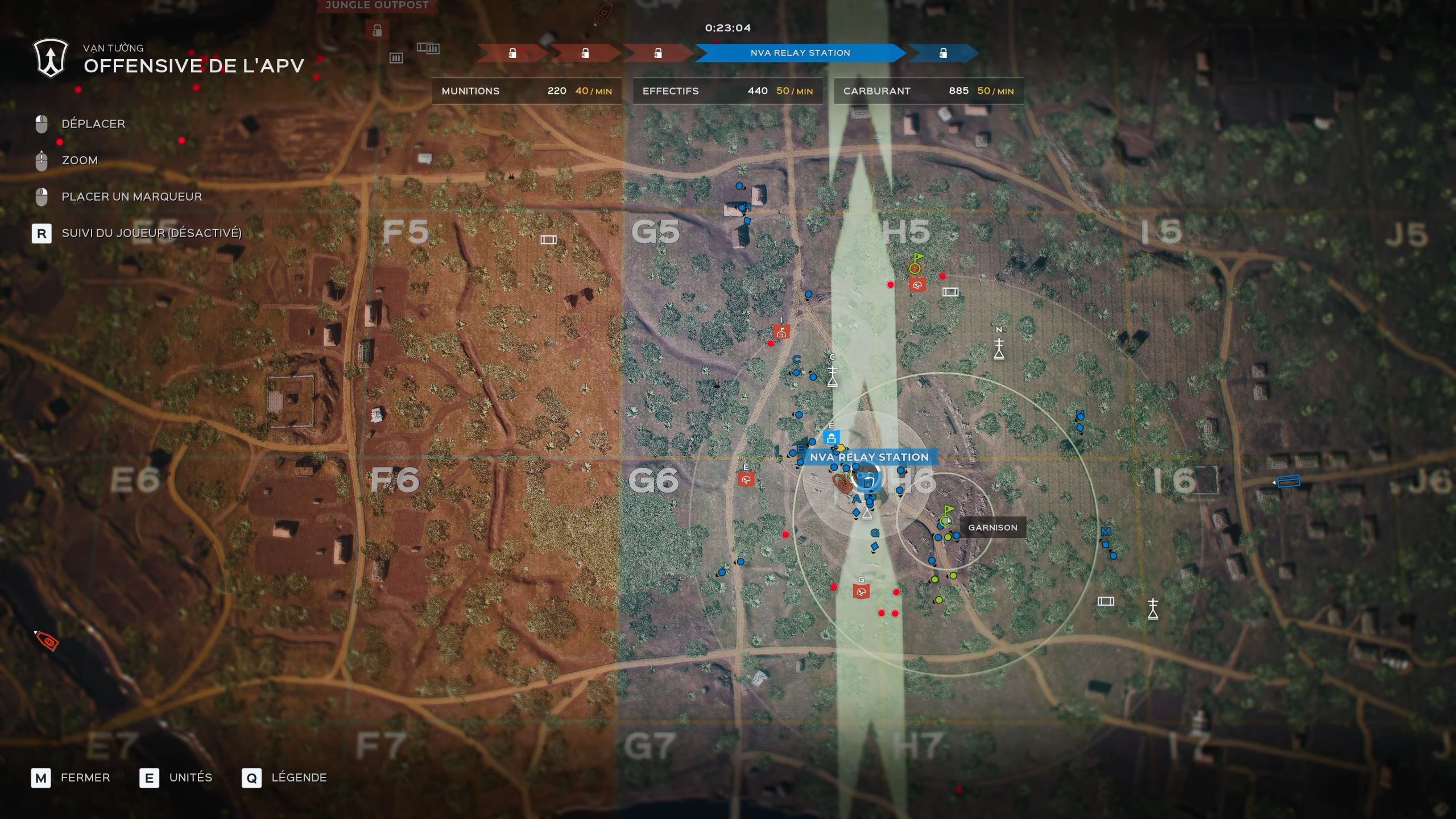
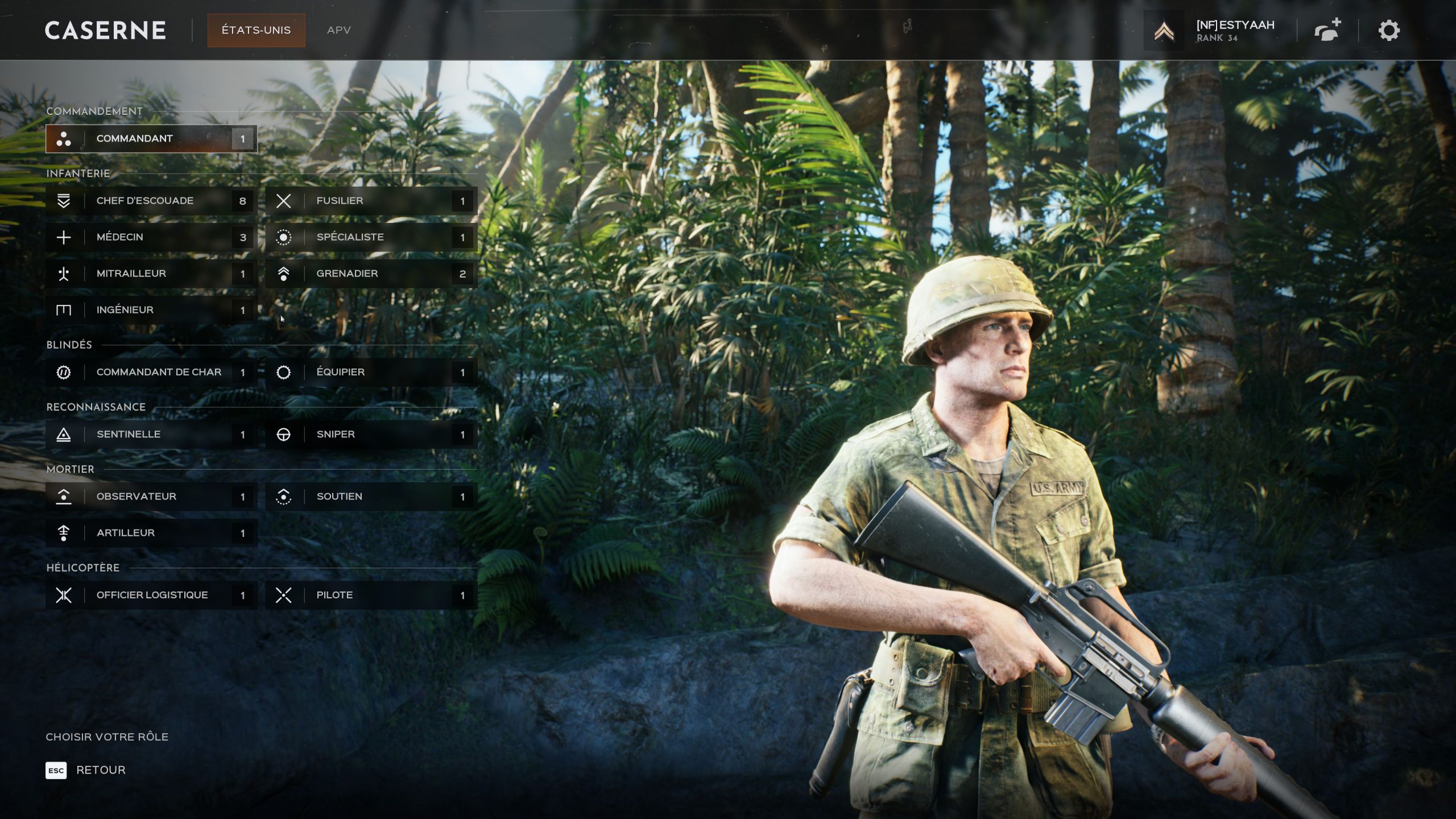
Même si la plupart d’entre vous connaissent la mécanique d’Hell Let Loose: Vietnam, un petit rappel ne fera pas de mal : deux équipes de 50 joueurs répartis en escouades s’affrontent pour le contrôle de diverses zones sur de grandes cartes. Chaque escouade est composée de six soldats de différentes classes (fusilier, médecin, soutien, grenadier…) et dirigée par un squad leader qui peut poser les points de réapparition : la garnison (accessible à n’importe qui dans l’équipe, mais nécessite des ressources) et l’avant-poste (accessible uniquement à l’escouade). Il dispose d’un canal de communication avec les autres squad leaders et le commandant, qui tente de coordonner toutes les équipes. Ce dernier a, lui aussi, besoin de ressources – fournies par les ingénieurs des différentes escouades – pour envoyer des reconnaissances, des têtes de pont ou des bombardements. Il permet aussi d’apporter des blindés et des mortiers sur le champ de bataille, chacun étant géré par des escouades spécifiques. C’est toute cette coopération à plus ou moins grande échelle qui fait tout le sel du jeu et qui le place parmi les meilleurs de sa catégorie.

Une autre nouveauté : les bateaux. Ils font office de garnisons mobiles le long des côtes ou des rivières. On peut également désormais nager, ce qui donne quelques options tactiques sympathiques.

Dans le mode le plus répandu (Warfare, ou Combat en français), il n’est pas possible de capturer un point derrière les lignes ennemies, on progresse en ligne de front. Cela n’empêche cependant pas les contournements, qui sont l’un des aspects tactiques les plus intéressants du titre. Bien qu’on soit dans un FPS, la stratégie est absolument indispensable pour défendre et capturer des points. Et quel plaisir quand on parvient à surprendre l’ennemi sur son flanc, ou que l’on tient une défense malgré un assaut massif. Contrairement à son aîné qui proposait des armées plus ou moins équilibrées, Expression Games nous offre ici un gameplay un peu plus asymétrique : si seuls les Américains disposent d’hélicoptères, permettant le déploiement rapide des troupes, les Vietnamiens peuvent poser des tunnels qui ne coûtent aucune ressource et les relier à des garnisons pour former des réseaux. Et on doit dire qu’à notre grand étonnement, cette mécanique s’avère particulièrement équilibrée et plutôt rafraîchissante. On a aussi remarqué que l’on arrivait plus rapidement dans l’action que dans l’opus précédent, ce qui dynamise un peu le rythme des parties, sans doute grâce à la topographie des lieux et aux très nombreux couverts dispensés par la flore locale.

Hell Let Loose Vietnam 11 scaled
Hell Let Loose Vietnam 05 scaled
Hell Let Loose Vietnam 03 scaled

Une excellence visuelle au prix d’une technique défaillante

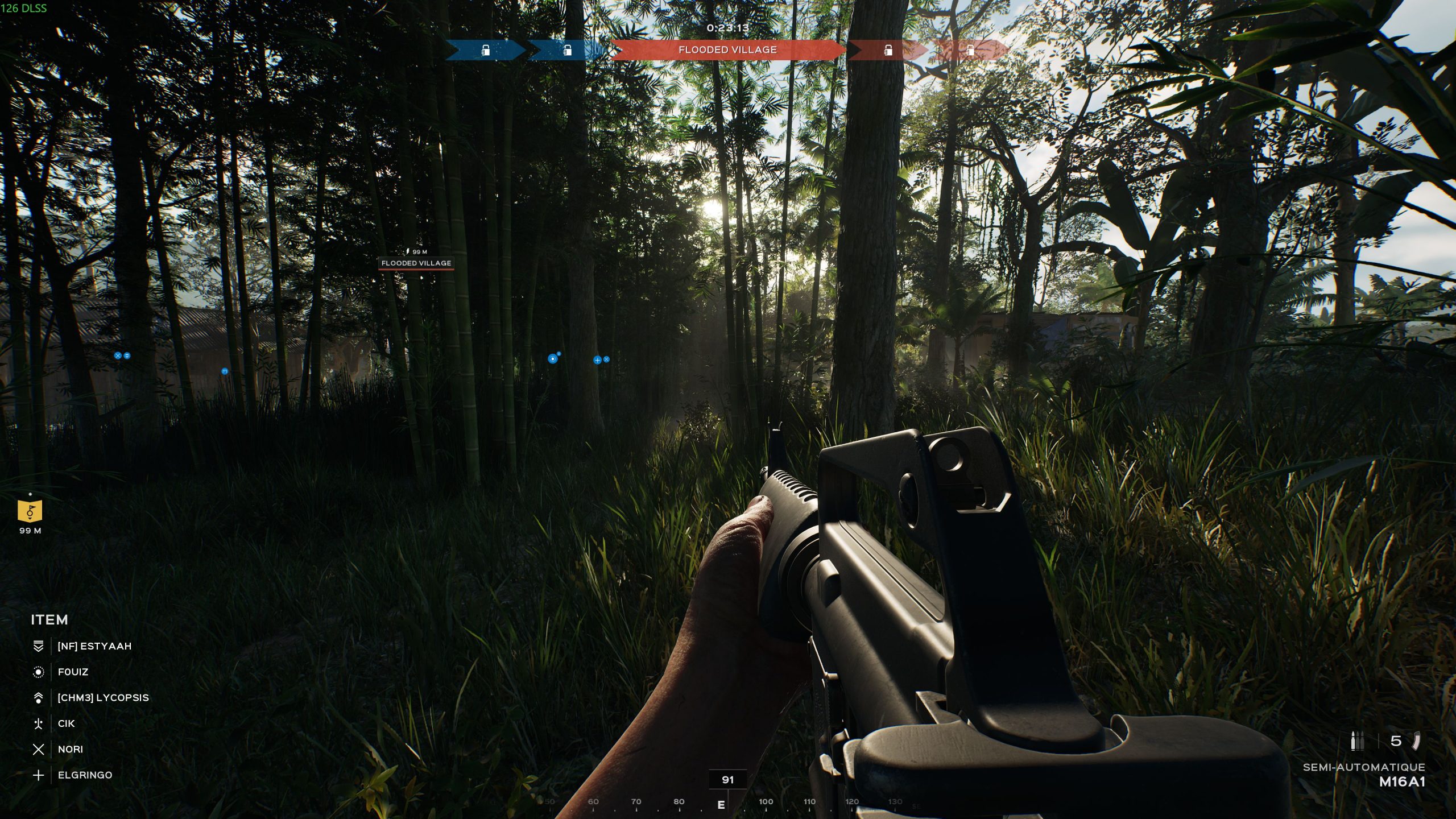
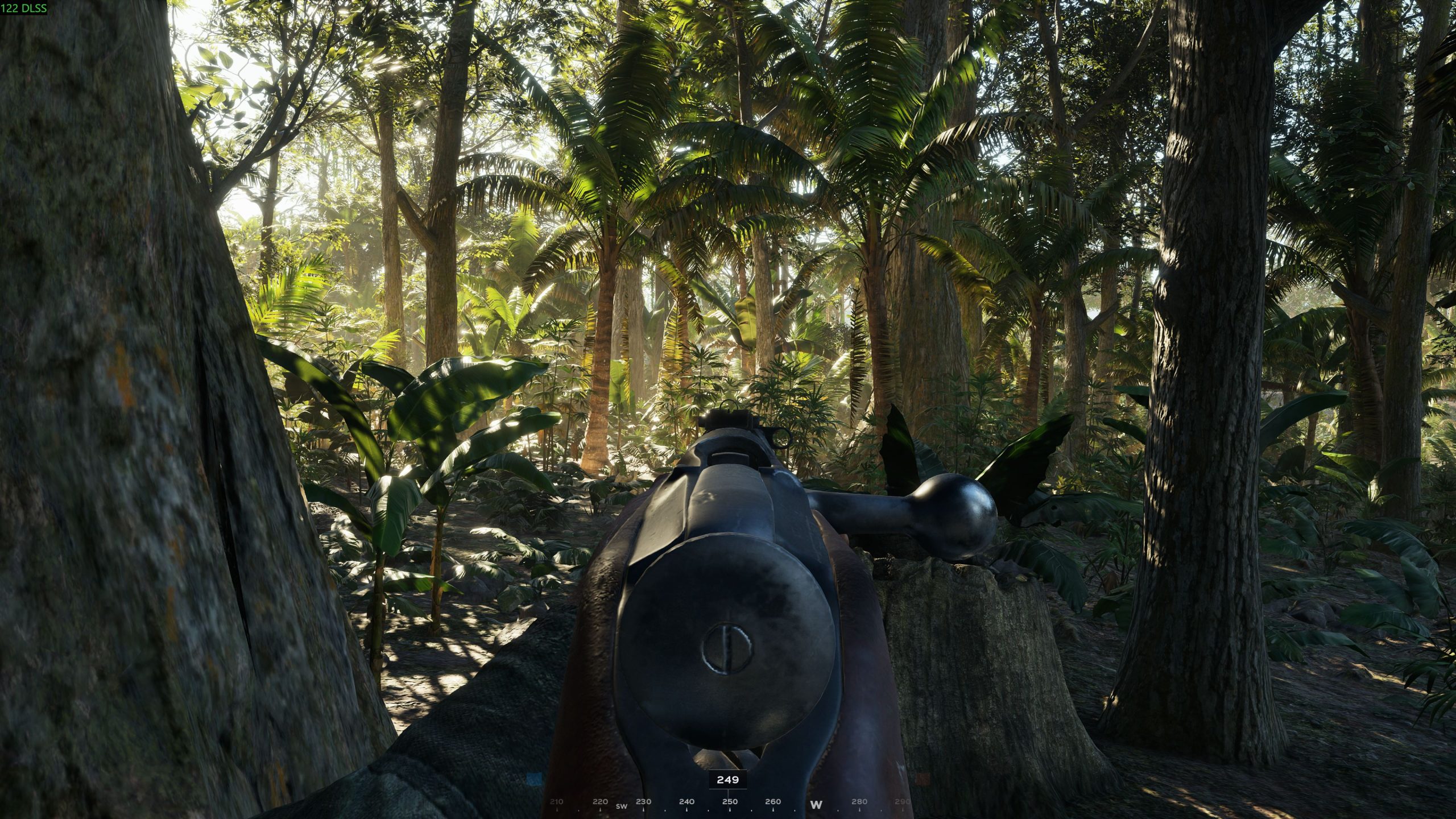
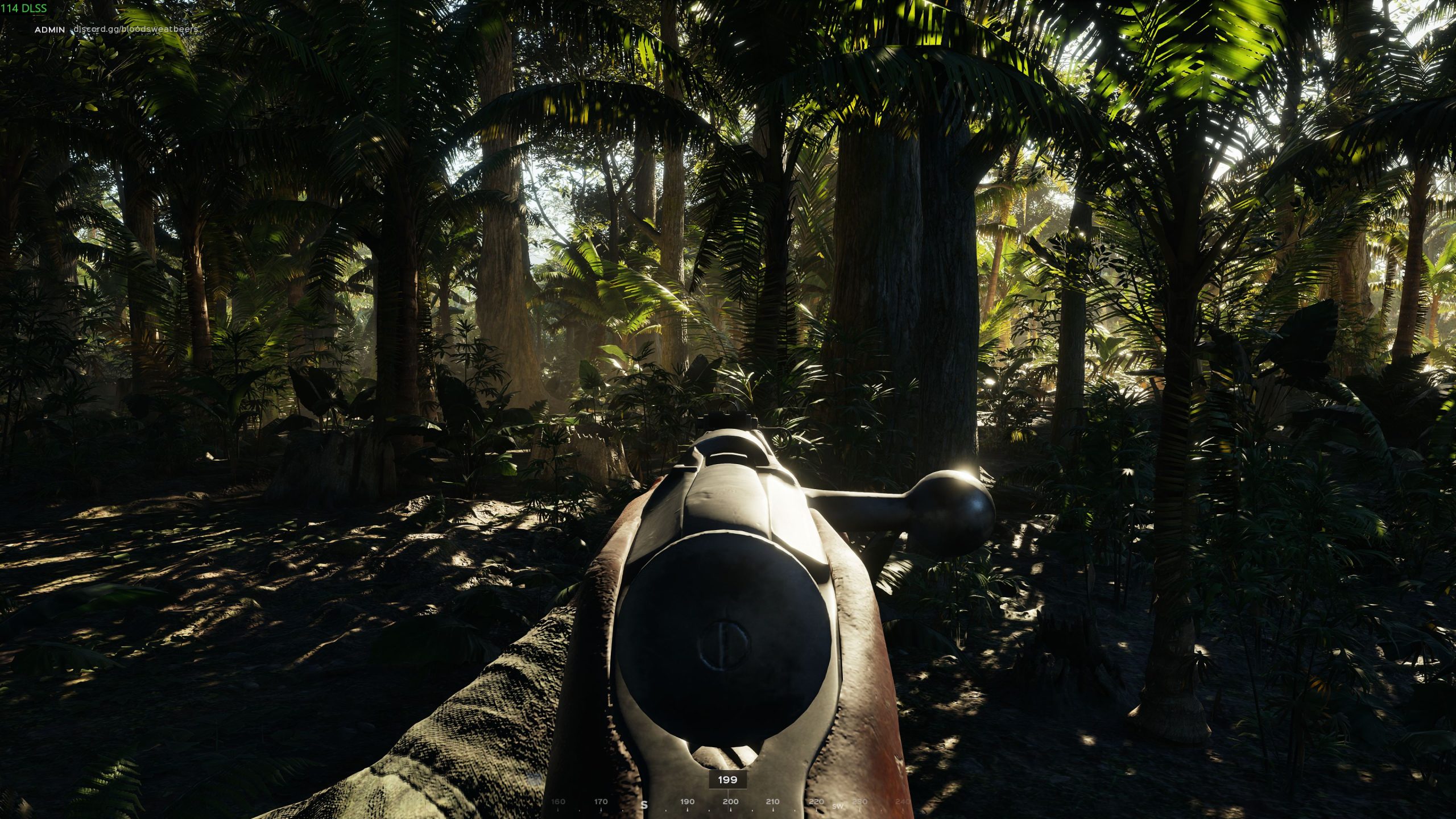
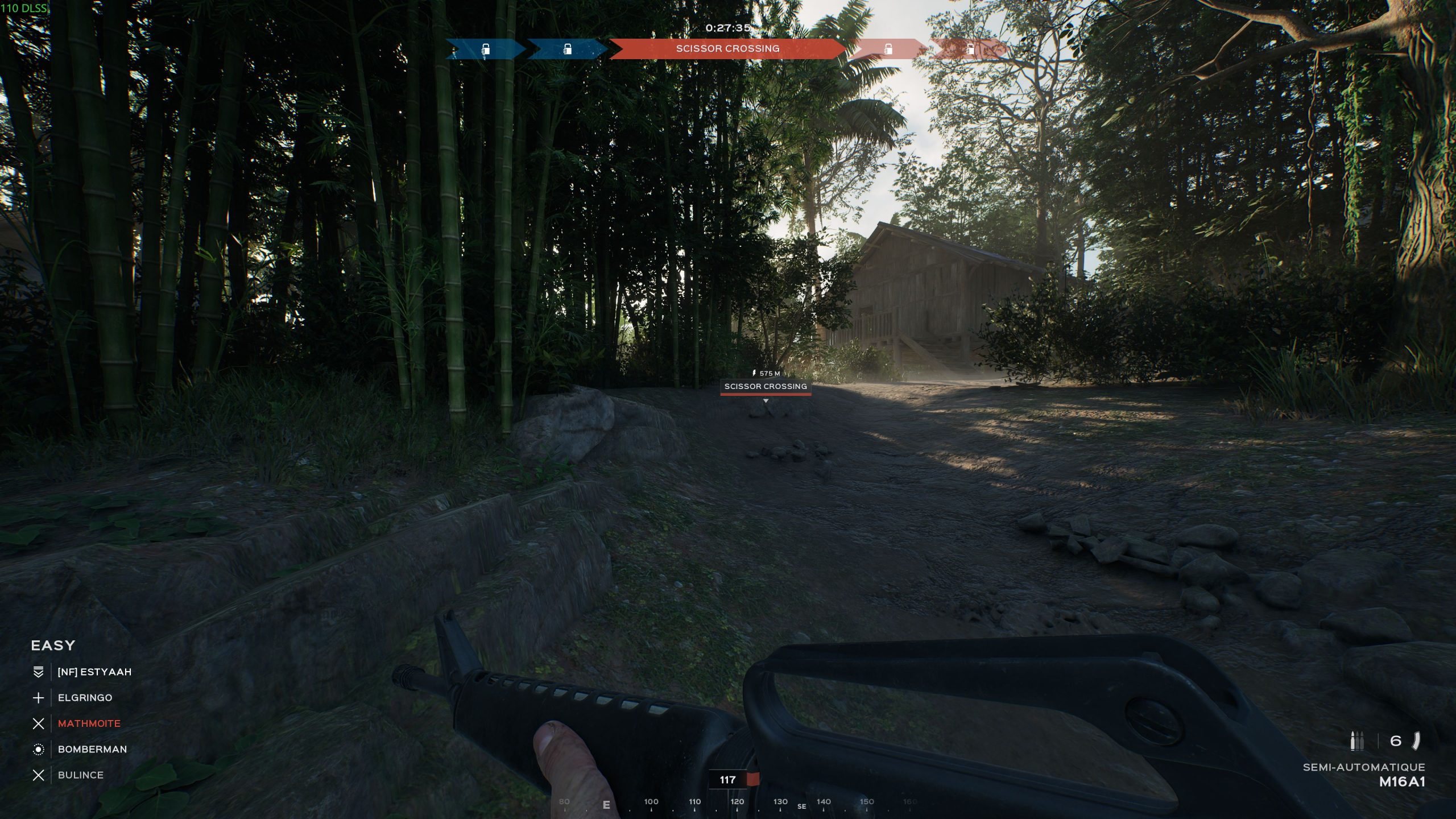
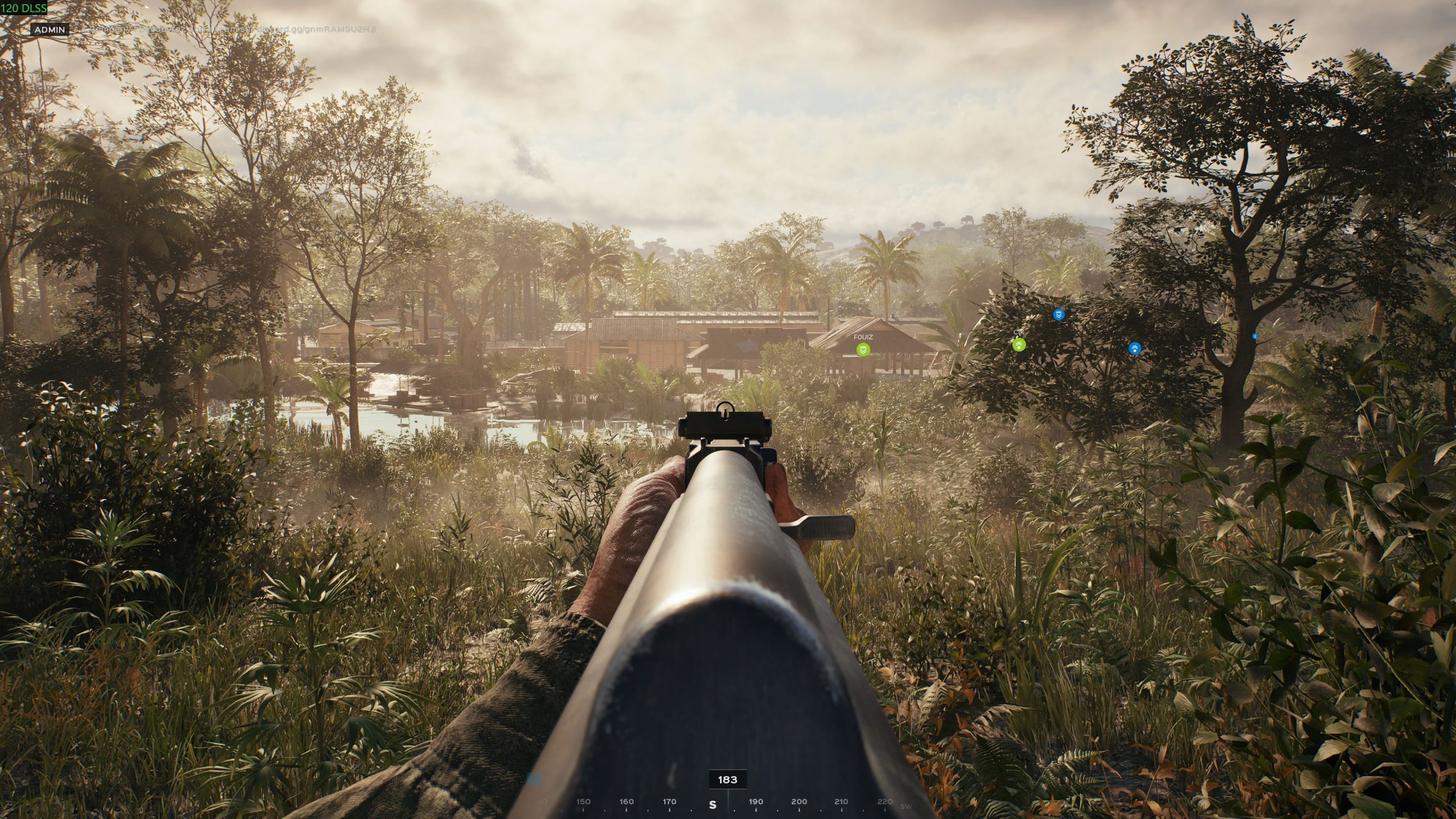
Outre ces différences majeures, il ne vous aura pas échappé que l’environnement s’est éloigné des bocages normands. Ici, c’est la jungle, et visuellement, c’est assez incroyable. La végétation est luxuriante, parfois sublimée par les rayons du soleil. On sent que les développeurs ont profité des fonctionnalités de l’Unreal Engine 5 pour nous réaliser des panoramas saisissants. Malheureusement, tout le monde ne peut pas en profiter pleinement, notamment les possesseurs de cartes graphiques AMD, puisque le FSR (équivalent de la méthode d’upscaling DLSS de Nvidia) n’est toujours pas disponible, un mois après la sortie du jeu. Ils promettent que le FSR 4.1 est en cours de test, mais il se fait attendre. En revanche, les crashs sur les Radeon semblent enfin plus ou moins maîtrisés depuis les dernières mises à jour 1.4, puis 1.5, même si les soucis de performance semblent parfois ressurgir. En effet, bien qu’on soit dans une version finale, impossible d’avoir une expérience parfaite : il y a au minimum de petits lags lorsque l’on effectue certaines actions (premier tir, premier headshot, première mort…), quand ce ne sont pas des chutes de framerate inexpliquées au milieu de nulle part. Si, personnellement, je ne rencontre pas de problème majeur, c’est sans doute grâce à la puissance brute de ma RTX 4090, épaulée par un Ryzen 7 7800X3D et 32 Go de RAM. Pour vous donner une idée, pour maintenir environ 130 FPS en 4K, tout à fond avec Lumen (et en streamant sur la chaîne Twitch de NoFrag), j’ai dû tout de même activer le DLSS performance et la FrameGen x2. Merci le DLSS 4.5 Ray Reconstruction. J’ai également testé Hell Let Loose: Vietnam sur un PC portable doté d’un core i5 13500H, d’une RTX 4060 et de 16 Go de RAM sous Linux (CatchyOS) avec GE-Proton 11.7, et j’ai pu observer entre 70 et 90 FPS en 1080p avec le DLAA et FrameGen x2, la majorité des options sur « Haut », mais sans Lumen.

Hell Let Loose Vietnam 08 scaled
Hell Let Loose Vietnam 09 scaled

Un accès anticipé qui ne dit pas son nom

On vous a dit qu’Hell Let Loose: Vietnam était sorti le 13 août directement en version finale ? Oui ? Eh bien, on n’a pas fini de le répéter : malgré un énorme engouement à la rédac’ (et dans la communauté NoFrag), on a tous été très frustrés de rencontrer tout un tas de petits bugs plus ou moins gênants, comme les marqueurs d’ennemis qui, après une seule reconnaissance, restaient affichés toute la partie sur la carte, des hélicoptères qui n’apparaissaient pas du tout, ou encore la VOIP au fonctionnement catastrophique. Heureusement, les problèmes semblent corrigés au fur et à mesure, mais ce qui aurait été parfaitement excusable pour un accès anticipé nous reste un peu en travers de la gorge. L’explication la plus logique se trouve probablement du côté de Sony, qui refuse catégoriquement les early access sur PlayStation (contrairement à Microsoft pour Xbox), et Team17 aurait donc forcé une sortie simultanée sur PC et consoles. Tant qu’on parle d’assistés, on pourra croiser quelques pleureuses dans les avis Steam, se plaignant de l’auto-aim abusé des manettes. En réalité, la visée est sans doute l’un des aspects les moins importants du jeu : c’est la tactique et la coordination qui comptent avant tout, et à aucun moment on n’a senti de déséquilibre – ni même remarqué qu’un adversaire était un joueur console à cause de sa visée. Ce qui fait qu’on n’a jamais touché à l’option permettant de désactiver le crossplay.

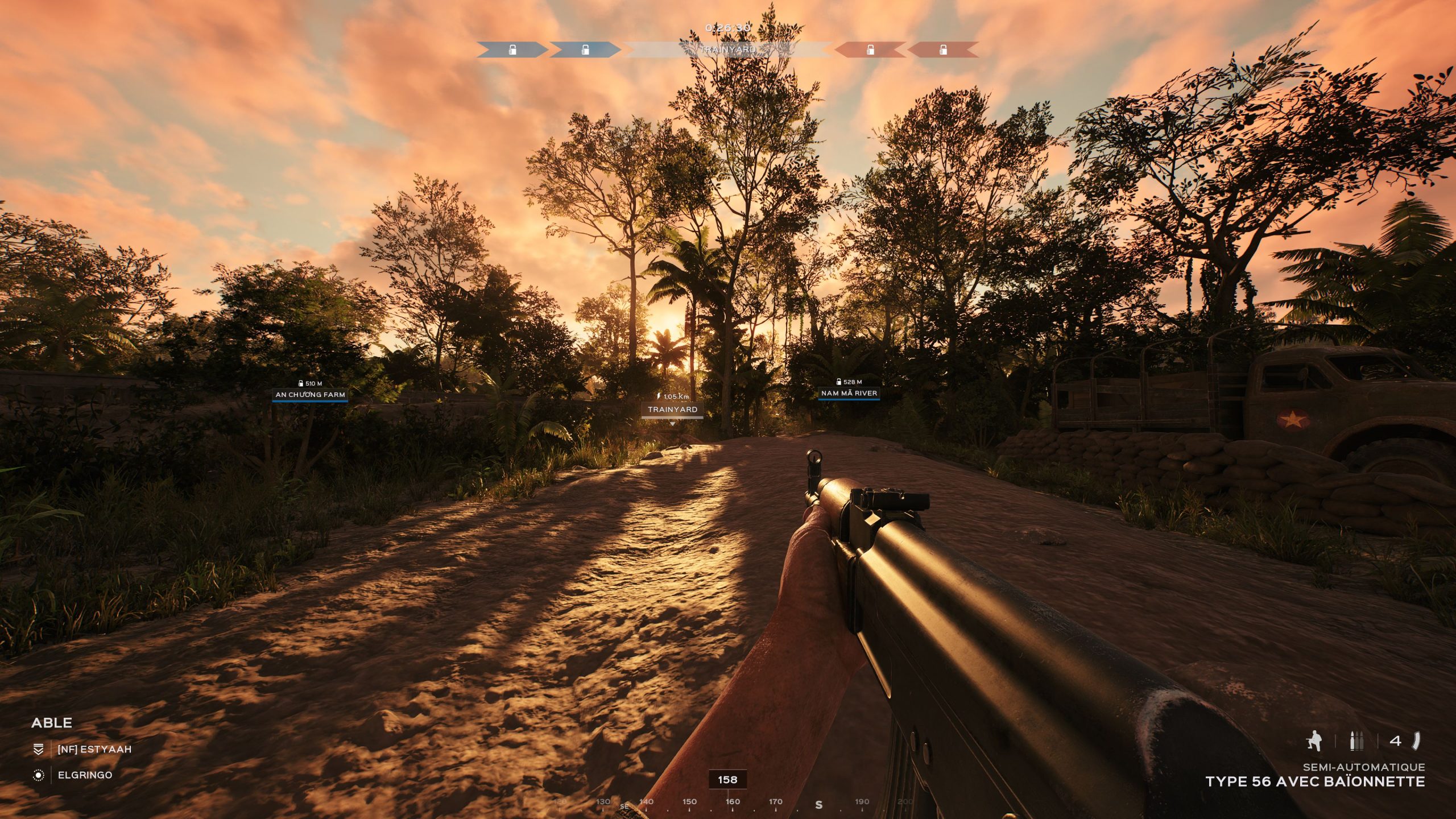
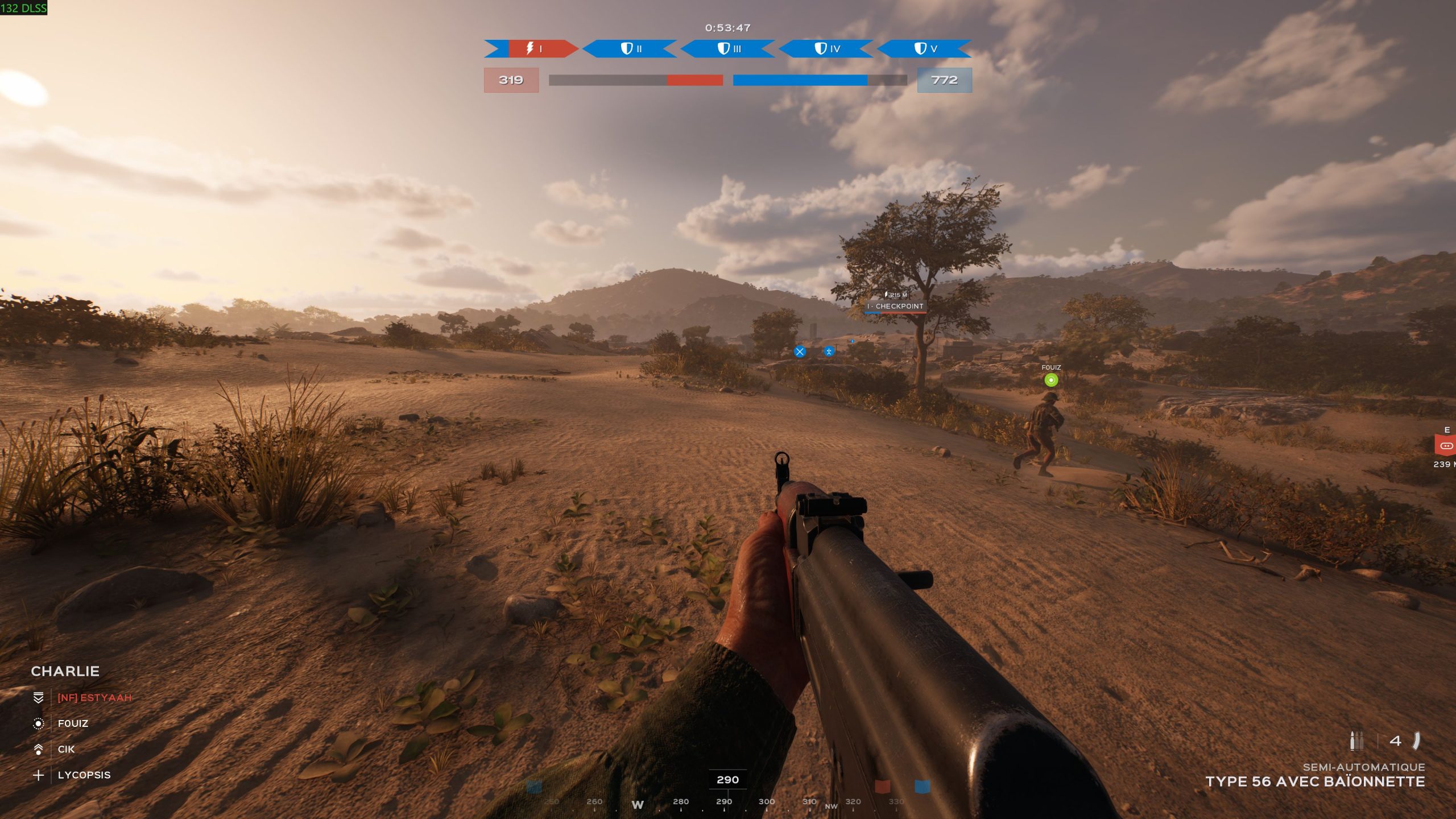
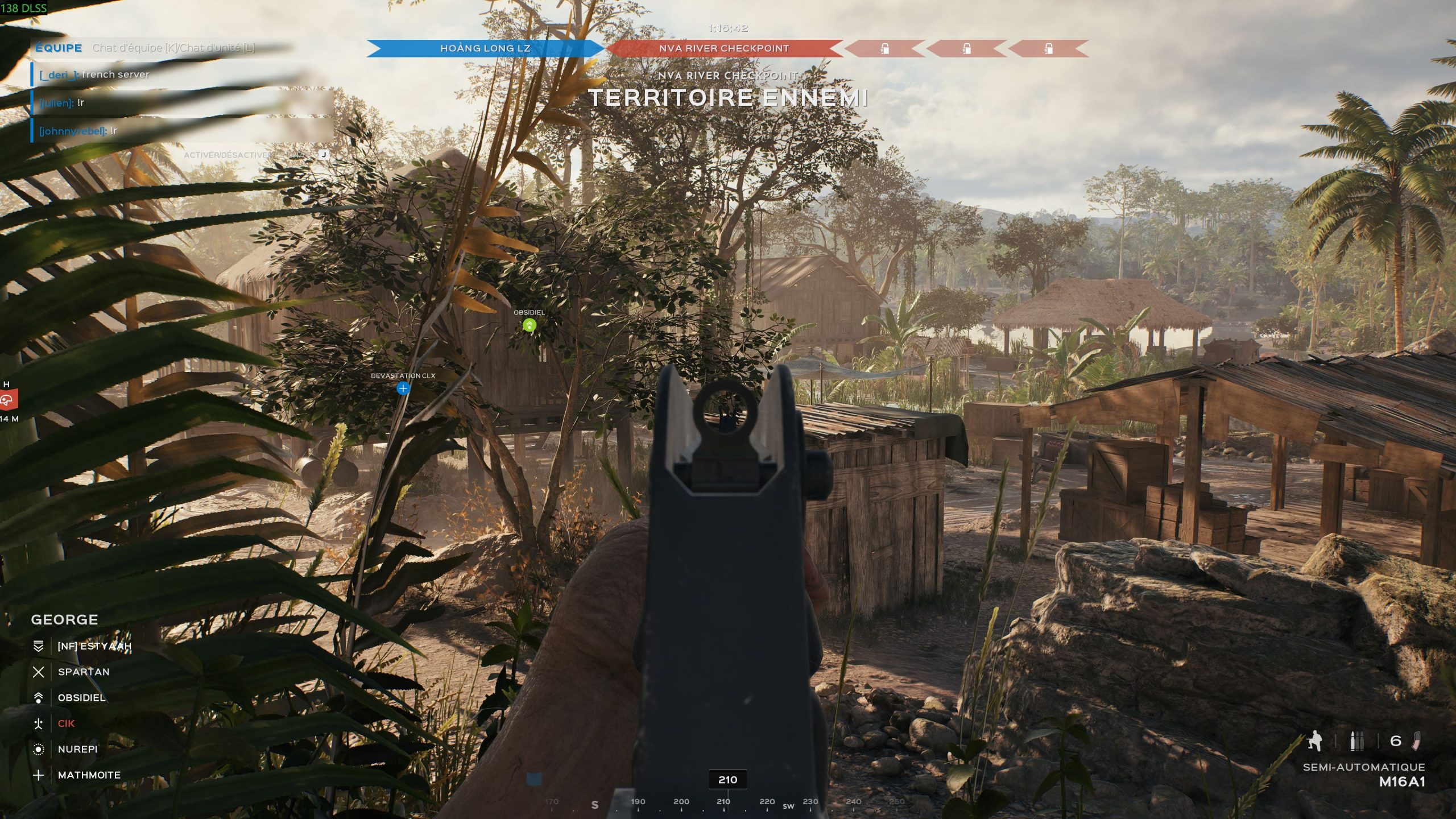
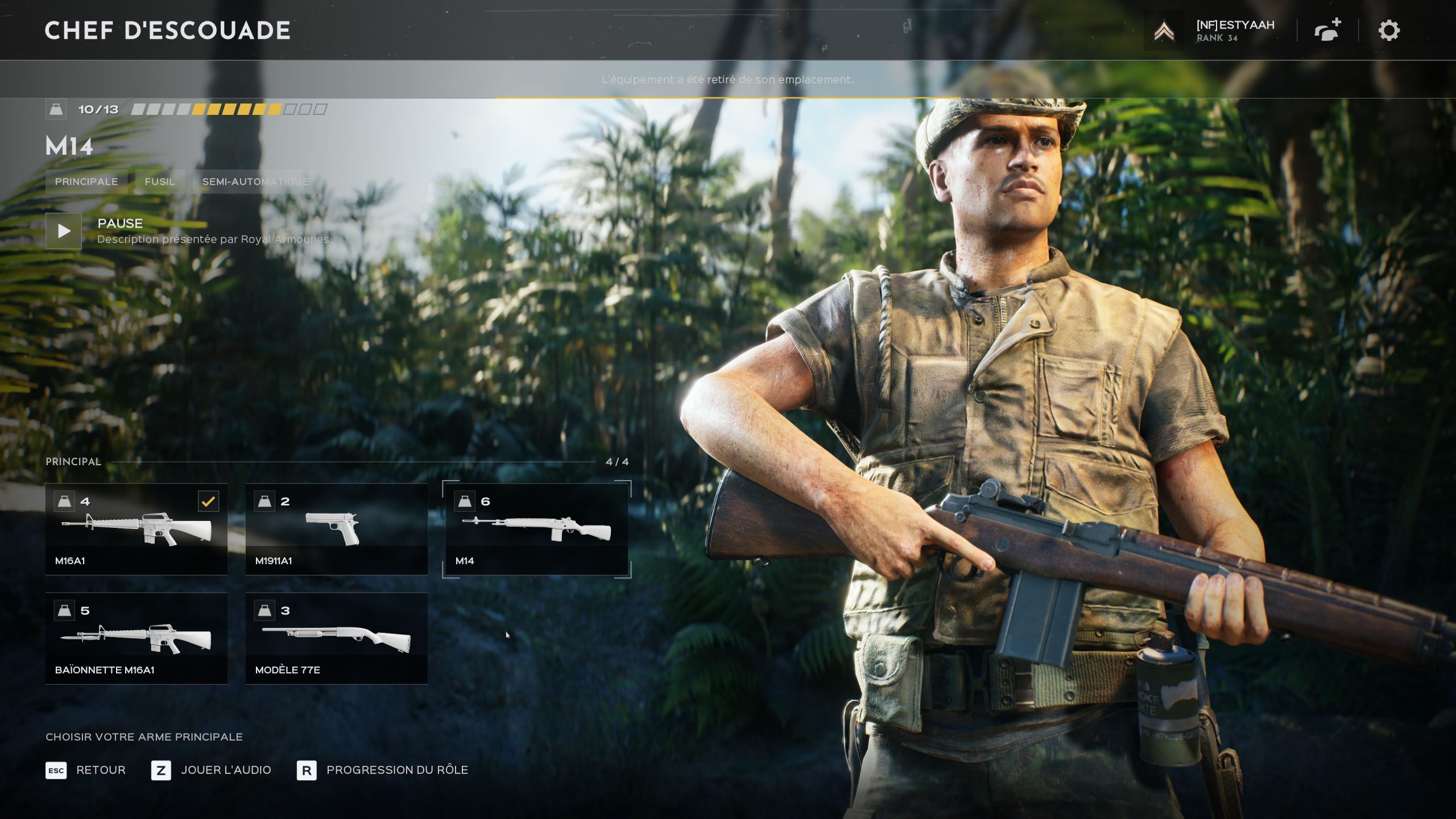
Un test normal d’Hell Let Loose: Vietnam vous décrirait chaque mode de jeu, chaque map et chaque classe, mais en réalité, vous n’êtes pas là pour ça. On sait que vous voulez du sang, des tripes et des larmes. Et c’est ce qu’on va vous donner, parce que c’est un mélange d’émotions contradictoires qui nous envahit lorsque l’on s’élance dans le jeu. Oui, certaines des six cartes sont excellentes, avec du relief, une jungle apportant des couverts et plein de possibilités d’attaque, mais d’autres sont plates, un peu moches, et affichent de vastes étendues vides sans aucun moyen de se protéger. Des cartes complètement nazes, qu’on ira décocher dans les filtres du server browser, et qui rejoindront les modes de jeu Conquête (comme Battlefield) et Domination à la poubelle. Le gunfeel est très bon, mais mieux vaut aimer la M16A1 pour les USA et la Type 56 (une sorte d’AK) pour le Vietnam. Pendant le premier mois, chaque classe était quasiment bloquée avec une seule arme. La mise à jour 1.5 a enfin apporté une arme supplémentaire de chaque côté : le M14 et le SKS. Même si avoir 36 armes à peine différentes comme dans CallOf’ n’est pas non plus une meilleure idée, cela montre encore une fois que la sortie du jeu a sans doute été un peu rushée. Certes, les développeurs ont partagé une roadmap pour présenter les prochains ajouts (cartes, armes, véhicules), mais on en attendait un peu plus dès la sortie.

Hell Let Loose Vietnam 10 scaled

Le cœur du jeu : la coopération

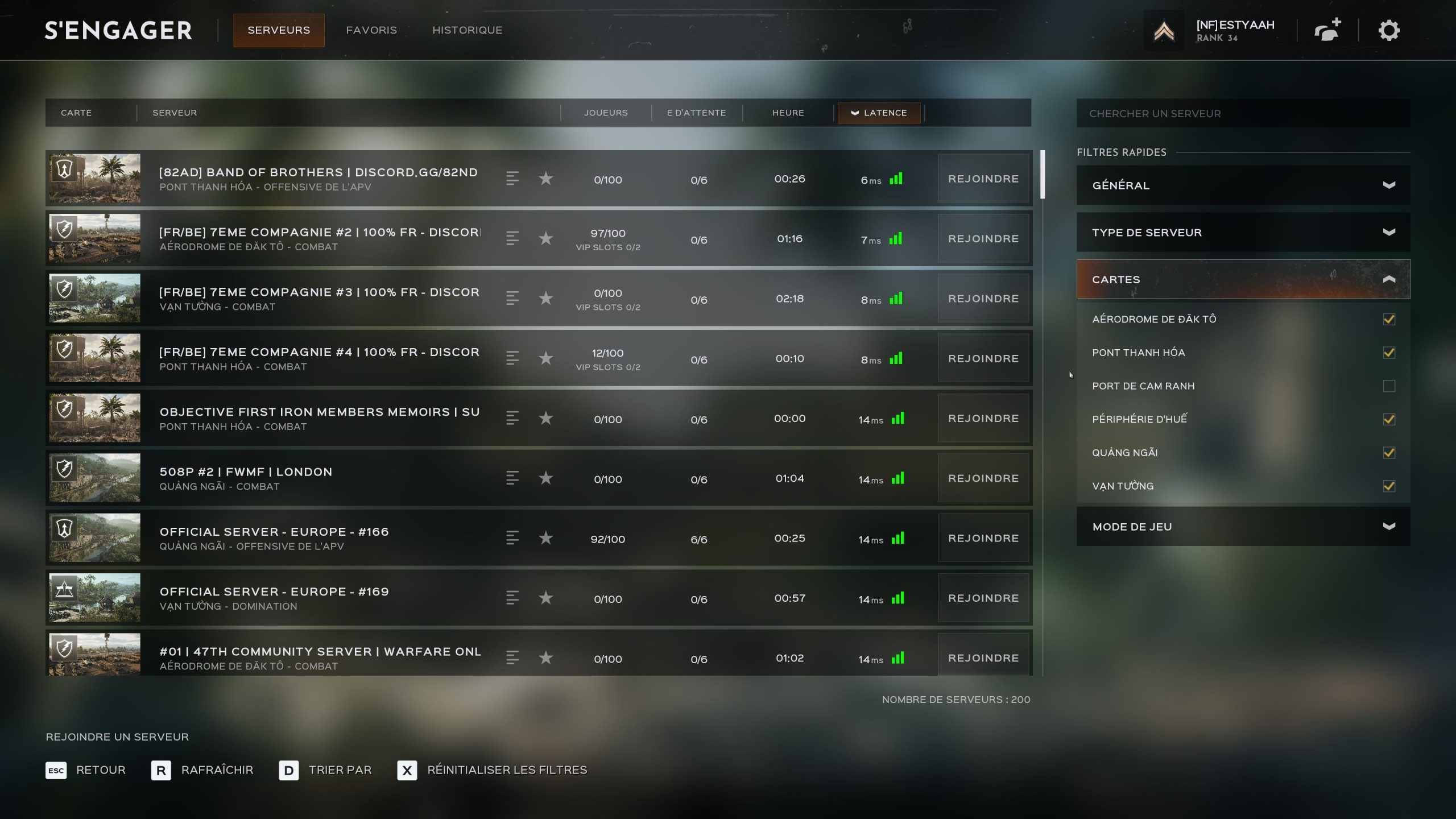
Au cas où je n’aurais pas assez insisté sur ce point dans le test, tout le plaisir (et il est immense) réside dans la coordination des membres de l’escouade et dans la coopération entre les escouades. Si les autres joueurs font n’importe quoi, la partie peut rapidement devenir très frustrante. Combien de fois a-t-on vu un point fraîchement capturé complètement délaissé par toutes les escouades, parties attaquer le suivant, offrant ainsi une revanche facile à l’adversaire ? Ou une absence de soutien logistique du commandant pour l’organisation des garnisons ? S’il est impossible de choisir les membres de son équipe, il semble indispensable d’avoir au moins une escouade solide et structurée. Pour cela, soit vous embarquez vos potes avec vous, soit vous rejoignez des communautés déjà un peu organisées. Celles-ci disposent souvent de serveurs communautaires, et ceux réservés aux joueurs francophones sont généralement plutôt corrects. Et si vous rejoignez un serveur au hasard, ne restez pas dans une escouade dont le chef est muet : vous allez vous faire chier comme un rat mort.

Si vous voulez voir ce que ça donne en action, voici un match complet en tant que squad leader en mode Offensive, où les points capturés ne peuvent pas être repris par la défense :

Un excellent jeu qui aurait dû passer par l’accès anticipé

Hell Let Loose: Vietnam est un jeu incroyablement satisfaisant, mais il faut des conditions : les membres de l’escouade doivent être bien coordonnés et le reste de l’équipe doit suivre les directives du commandant. Dans ce cas, c’est l’un des meilleurs jeux du genre depuis Hell Let Loose et certainement dans le top 3 de 2026 tous FPS confondus. Les environnements dans la jungle sont très bien réalisés et les couverts innombrables dynamisent franchement le gameplay. Le feeling est excellent et les différentes classes permettent de choisir son style de jeu. En revanche, le manque de diversité dans les armes, même après l’ajout du patch 1.5, ainsi que la finition très limite pour un jeu en version finale, nous font grincer des dents. Certes, les développeurs travaillent toujours d’arrache-pied pour tout corriger et apporter des nouveautés dans les prochains mois, mais on aurait pardonné les bugs, le manque de stabilité – notamment avec les cartes AMD – et les performances inégales s’il avait été en accès anticipé. Attention, on n’est pas du tout sur une catastrophe à la Killing Floor 3 ou à la PAYDAY 3, qui avaient suivi le même chemin : le jeu est déjà génial et on s’y amuse énormément. C’est juste qu’avec la sortie de WARDOGS en early access du même éditeur un mois plus tard, la comparaison fait un peu mal au cul.

Si Hell Let Loose: Vietnam vous intéresse, sachez qu’il est actuellement en promotion à –15 % chez notre partenaire Gamesplanet, soit 34 €.

Vous vous perdez dans l’immensité du catalogue Steam ? Alors, suivez le groupe de curation NoFrag pour vous aider à séparer le bon grain de l’ivraie.

  •  

Godox C100 review: A novelty camera that works better as a light meter

The C100 will not be everyone’s cup of tea as an actual camera, but its light meter mode is actually useful.

A Godox device held in a hand with its screen showing camera settings and a focus frame, set against a blue sky with scattered clouds.Abby Ferguson

When you use DPReview links to buy products, the site may earn a commission.

I’m a big fan of cameras that are focused on fun, and I’m always interested when companies take a distinct approach to that idea. After all, there are countless highly capable cameras on the market today that are more serious, and you’re sure to find one that fits your needs, no matter what type of photography you enjoy. There are even options for small travel cameras after a bit of a lull in that segment.

What is the Godox C100

White Godox device with a screen held in a hand, set against a blue sky and tree background.
The photo and video modes let you switch between 16:9, 4:3, 3:2 and 1:1 aspect ratios and display framing guides on the transparent screen.
Abby Ferguson

When I saw that Godox had released the C100, its first camera, I was intrigued. The palm-sized camera uses a vastly different design from most. It features a transparent viewfinder (though calling it that is a bit generous) that doubles as a minimalist display. You can’t review your photos there, as it’s more like a heads-up display, but it shows which mode you have selected and frame lines. When in light meter mode, it displays ISO, aperture and shutter speed settings.

The white body is a slim rectangle with a central button to trigger the shutter or light meter, arrows to cycle through aspect ratio or exposure settings, and a side switch to select photo, video, light meter, or turn the camera off. It’s remarkably easy to operate from a settings standpoint, as there really aren’t any. It takes just a few seconds of pushing buttons to figure out how to use it.

Using the Godox C100

Black cat stretched out on a wooden floor, looking upward toward the camera.
I thought I had my cat more in the frame, but I significantly missed.
Abby Ferguson

While the buttons are easy to navigate, using the camera as, well, a camera, is not so pleasant. The large, transparent viewfinder is certainly novel and a playful idea. But using it as a viewfinder is far from ideal. For starters, judging what’s in the frame depends entirely on how close you hold the viewfinder to your face and at what angle. It isn’t a consistent or reliable way to compose images, though I did better than I thought when I actually reviewed them, aside from a few major misses.

The bigger issue I had was that my eyes struggled to decide what to focus on when using it. My eyes would jump back and forth between focusing on whatever was beyond the viewfinder and on the camera itself, which was rather headache-inducing for me. So you see: not so pleasant.

Of course, I’d be remiss if I didn’t touch on image quality. Godox hasn’t published any details about the camera in terms of sensor size, aperture, shutter speed, and so on, and none of those details are captured in metadata. So I can only comment on what I’m seeing in the roughly 2MP images.

Curving paved road in a tree-lined neighborhood at sunset, with sunlight streaming through branches and green foliage on both sides.
High contrast scenes are a challenge for this camera.
Abby Ferguson

It should come as no surprise that the image quality is what you’d expect from a toy camera. It admittedly isn’t as bad as I expected (I had very low expectations), and this isn’t a camera meant for pristine image quality anyway. But there are some notable issues.

The dynamic range is very small, and it tends to massively overexpose highlights in favor of exposing for the shadows. In fact, it’s so intense that my colleague Mitchell described it as a “highlight brick wall” as opposed to a highlight roll-off. The fixed focus also isn’t very close, so subjects need to be relatively far away to be sharp (or at least as sharp as this setup can produce).

Green tree branches extend toward a bright, partly cloudy sky; fluffy white clouds and patches of blue sky are visible in the background.
I was surprised the exposure on this one turned out alright.
Abby Ferguson

In bright light, it handles moving subjects reasonably well; my dog wasn’t just a blur, suggesting a reasonable shutter speed. Low-light images are, naturally, quite rough-looking, though that isn’t a surprise given how small the sensor likely is.

Overall, the camera produces images that very much fit into the low-fi aesthetic that seems to be popular right now. The experience of using it isn’t all that pleasant for me, but I could see that being less of an issue for others.

Light meter use

A black Sekonic light meter with buttons and a display and a white Godox device with a screen and single button, both resting on a white surface and casting faint shadows.Abby Ferguson

Given the image quality and framing annoyances, I think the Godox C100 actually makes the most sense as a light meter, since it offers a specific mode for that. As a film photographer, I can see the advantage there, as it is significantly smaller than my Sekonic light meter, meaning I can easily keep it in my pocket when I’m out shooting.

There are plenty of excellent smartphone light meter apps (even free ones), but that means I need to have my phone on hand. It also requires I unlock my phone every time I want to take a meter reading, and potentially navigate to the app if I’ve done something else in the meantime, which I’ve found a bit annoying when on a photo walk or something similar.

In my testing, I found the meter mode to be very accurate. I compared it to the measurements from various mirrorless cameras, and it was exactly the same every single time. I would feel confident using it for film.

White Godox electronic device with a screen and buttons, held in a hand outdoors against a blurred grassy background.
You can select two parameters to control, with the meter measuring for the third.
Abby Ferguson

It’s also nice because you can select which two parameters you want control of versus which the camera should give you a reading for. With what I photograph, I’m most often interested in adjusting my own aperture, and I have a set ISO since I’m shooting film. So I set my ISO and aperture, push the center button, and it gives me a reading for what my shutter speed should be.

The one small issue with light meter mode is the range of each setting. Aperture ranges from F1.0 to F64, and shutter speed from 1 sec to 1/8000 sec, which are both plenty broad (much more than any of my film cameras can use, in fact). ISO, however, only covers from 100-800.

Most of the film I shoot falls in that range, but there are popular film stocks well above 800, or below 100. I’m currently working on a roll of CineStill 800T that I’m shooting at 1600. So that narrow ISO range is potentially a bit limiting. But, for those who know how to calculate equivalent exposures, it could at least help dial in an appropriate setting.

Final thoughts

When looking at a camera like this, it’s important to keep in mind what it actually is and who it’s meant for. This is supposed to be a novel, fun camera, and in most ways it is. For those who aren’t precious about framing or image quality, I could see it being a fun toy to take out and about.

The visually challenging process of trying to actually use the viewfinder will keep me from using it as a camera. But, I think it will make a home next to my film cameras that don’t have built-in meters on photo walks, as it is easier to carry around than my dedicated light meter and more convenient than using a smartphone app.

About the Author: Abby Ferguson holds an MFA in photography and blends a fine-art background with extensive editorial and commercial experience. She built and led an in-house imaging program for a large vacation rental company and has served as an associate editor at Popular Photography. She also teaches at a local community college and serves on its Photographic Technology Program Advisory Board, sharing her knowledge and enthusiasm for the medium.

Want to stay up to date on the latest product news and releases? Add DPReview as a preferred source to ensure our independent journalism makes it to the top of your Google search results.

  •  

Canon EOS R8 II review: new design, major fixes but frustrations remain

Canon updates and upgrades its entry-level full-framer

A three quarter shot of the EOS R8 II with the RF 45mm F1.2 STM lens.Mitchell Clark

The Canon EOS R8 II is an entry-level full-frame mirrorless camera with a 24.2MP CMOS sensor. However, it’s gained in-body image stabilization and a joystick, addressing two of the biggest shortcomings of the original EOS R8.

Key specifications

  • 24.2MP FSI CMOS sensor
  • IBIS up to 7.5EV center/7EV periphery w/ lens coordination
  • Up to 40fps bursts with e-shutter / 6fps mech.
  • 1/2 second pre-capture at 40fps
  • Full-width 4K video from 6K capture at up to 60p
  • 2.36M dot OLED viewfinder (0.7x magnification)
  • Optional accessories including grip extention and XLR-adapter

The EOS R8 II is launching at $1900, around $400 more than the original EOS R8 launched for, which Canon says is staying in its lineup. It’s worth noting that inflation since the original R8’s launch could be expected to push its price up by around $150 if it were launched today (and indeed the MSRP appears to have been adjusted up to that at time of writing), and that the EOS R8 II appears to be a slightly better specced, higher-positioned model, to the extent that we might even believe the claim that the two will be sold alongside one another.

Ultimately, it’s also the least expensive full-frame mirrorless camera Canon’s released with image stabilization by a wide margin, even before you take inflation into account. It’s also the company’s lightest camera in that category.

• September 16: Initial review published
• October 22: Rolling shutter, Image quality, Conclusion and Scoring added

Product photos: Mitchell Clark

What’s new

Image stabilization

The EOS R8 II has essentially the same sensor from its predecessor (itself adopted from the higher-end EOS R6 II), but it’s now stabilized with Canon promising up to 7.5EV of correction in the center with 7EV in the periphery. While those ratings are often optimistic, this should make it a bit easier to get sharper shots in low-light situations, assuming your subject isn’t moving. The EOS R8’s lack of IBIS was something we noted as a compromise in our review of it, so it’s nice to see it included here.

A new look

The EOS R8 II, seen from the front, with the RF 24-50mm F4.5-6.3 IS STM lens attached.Mitchell Clark

Canon briefed that the EOS R8 II takes design cues from the T80 SLR of the 1980s, though its press materials show it alongside the later EOS 650, with which there’s a more obvious family connection (either way it’ll be entertaining if this distinctly subtle homage turned out to be the source of the many rumors of a ‘retro’ Canon body). To our eyes it looks as much like the original Sony a7 as anything in Canon’s own back catalog. Only nicer.

We think it’s a pretty sharp and attractive camera, especially with its EOS R3 / R1 (/Fujifilm GFX 100 II) style grip material and its low-profile viewfinder hump. The black-on black design with small, well-spaced buttons is something of a departure for Canon, but we rather like the miniaturized minimalism of it all.

Updated autofocus and burst improvements

Canon says it’s updated the EOS R8 II’s underlying autofocus algorithms, making them stickier than the ones in the original. It still has person, vehicle and animal recognition, as well as an auto mode, but gains the company’s Register People Priority mode, which lets you train it to recognize specific people and focus on their face above other ones it recognizes in the scene.

Register People Priority Menu
The EOS R8 II has the same register people priority system as the higher-end EOS R6 III, seen here.

While the camera can’t shoot any faster than its predecessor, still capping out at 40fps in e-shutter mode, it can go for substantially longer with its buffer lasting 30% longer when shooting Raw and 58% longer in JPEG. In our tests, this equated to around 78 shots in Raw+JPEG, and 175 shots in JPEG-only, making the burst mode much more usable. The camera also dispenses with Canon’s Raw Burst mode, which produced a non-standard combined file from which you had to select your frames, and that was required for pre-release capture. Pre-capture is now just an item in the menu you can enable.

A host of new video features

While the EOS R8 II has the same top-line video capabilities as its predecessor – it can shoot oversampled 4K at up to 60p with no crop – Canon has added several improvements to make it easier to use. These are features aimed both at beginners, such as the slow-and-quick mode that lets you get slowed-down or sped-up footage at your preferred framerate straight-out-of camera, and video scene modes, as well as more advanced features from cameras like the EOS R6 V, such as fine-grained control over the camera’s auto white balance system, as well as white balance presets that can be assigned to buttons.

Canon EOS R8 II video defocus option screenMitchell Clark

The camera also introduces a new video feature, which lets you press a button to defocus the lens at a predetermined speed, racking to the lens’ closest focusing distance to produce an effect where your subject is slowly (or quickly) pulled out of focus, something that can be difficult to do by hand, especially with stills lenses. The lens will then stay focused to that distance unless you press the AF-On button, which will resume autofocusing. While it’s not quite as advanced as the focus pulling tools that companies like Panasonic build into their cameras, it’s a nice option to add a bit of production value to a video.

How it compares

The market for entry-level full frame cameras is a competitive one, with several capable options. The one most similar to the EOS R8 II is Nikon’s Z5II as it was also designed from the ground up to be a budget option. Both Sony and Panasonic address this part of the market with older models, rather than something directly tailored to it.

In fact Sony now has two older a7 models that sit above and below the price of the R8 Mark II: the 2018-vintage a7 III and the more modern, higher resolution a7 IV. We’re going to include the newer camera here, as its autofocus will be more competitive.

Canon EOS R8 Mark IINikon Z5IISony a7 IVCanon EOS R8
MSRP$1899 body only ($2099 with 24-50mm F4.5-6.3 IS)$1850$2499, €2,800, £2,400 (body only)$1499 body only ($1699 with 24-50mm F4.5-6.3 IS)
Resolution24.2MP24MP32.7MP24.2MP
Image stabilizationSensor-shiftSensor-shiftSensor-shiftNo
AF joystickYesYesYesNo
Image stabilization rating (CIPA)7.5 (with IS lens)7.55.5N/A
Continuous drive, FPS6 fps (Mech)
40 fps (E-shutter)
14 fps (Mech)
30 fps (E-shutter, JPEG only)
10 fps (Mech)
10 fps (E-shutter)
6 fps (Mech)
40 fps (E-shutter)
Pre-capture0.5sec JPEG/HEIF/RawUp to 1 sec JPEG onlyNone0.5 Raw Burst
Max shutter speed1/40001/80001/80001/4000
EVF resolution
(magnification)
2.36M dots
(0.7x mag)
3.68M dots
(0.8x mag)
3.68M dots
(0.78x mag)
2.36M dots
(0.7x mag)
Rear screen3″, 1.62M dot
Fully articulated
3.2″, 2.1M dot
Fully articulated
3″, 1.04M dot
Fully articulated
3″, 1.62M dot
Fully articulated
Video modesUp to 4K/60
full-width from 6K
C-Log3/HDR PQ/HLG
Up to 4K/30 full-width from 6K
Up to 4K/60 1.5x crop
N-Log/HLG/N-Raw
Up to 4K/30 full-width from 7K
Up to 4K/60 from 1.5x crop
S-Log3/HLG
Up to 4K/60
Full-width from 6K
C-Log3/HDR PQ
Card slots1x UHS-II SD2x UHS-II SD1x CFexpress Type A/UHS-II SD
1x UHS-II SD
1x UHS-II SD
Battery life
LCD/EVF (CIPA)
270/150 shots350/330 shots580/520 shots290/150 shots
Dimensions131 x 90 x 80mm
(5.2 x 3.5 x 3.1″)
134 x 101 x 72mm
(5.3 x 4.0 x 2.8″)
131 x 96 x 80mm
(5.2 x 3.8 x 3.1″)
133 x 86 x 70mm
(5.2 x 3.4 x 2.8″)
Weight546g (19.3oz)700g (24.7oz)659g (23.2oz)461g (16.3oz)

It’s heartening to see just how capable these cameras are, even if their price tags have crept up. The EOS R8 II’s specs are now much more closely matched to those of the Z5II, but its battery life in particular looks underwhelming, especially compared with the big block used by the Sony. The Canon’s video specs are pretty strong and this table can’t capture the likeability of the ergonomics and interface, but its higher price puts it up against some fierce competition.

Body and handling

Despite the significant visual changes, the EOS R8 II’s design is functionally quite similar to that of its predecessor. It winds up being a little heavier and larger, but still feels light and relatively small in the hand (depending, of course, on what lens you have attached). People with larger hands may find their pinkies dangling off the bottom of the camera – Mitchell certainly did – but, as with the RP and R8, Canon will sell a $90 extension grip to solve this issue.

While the design feels like a call-back to the Sony a7, we found the geometric pattern on the rubberized grip reminding us of the very special Bishamon-Tex material Fujifilm uses on some of its GFX cameras.

Controls

Rear view of the Canon EOS R8 II with the Advanced Assist selection screen being displayed.Mitchell Clark

The EOS R8 II has a recognizably plastic construction and feels relatively light, rather than hefty, in the hand. The rubberized grip and thumb rest means it sits quite comfortably in the hand and, while it doesn’t feel overtly rugged, it doesn’t give the sense of being flimsy, either. There’s no flex or rattle and it feels like it strikes a good balance between weight and solidity.

The headline feature of the EOS R8 II is that it now includes an autofocus joystick on the back, which its predecessor lacks. This means you’re no longer limited to using the touchscreen or four-way controller to place your autofocus point, which is, to us, a substantial upgrade to usability.

Beyond the joystick, the camera has Canon’s standard set of controls: there’s a mode dial, dual customizable top-plate control dials (the camera’s only dials, as there’s not one on the rear plate), several customizable buttons on the back, including one that defaults to AF On, a video record button (though you can set the camera to start recording with the shutter button in video mode), and an M-Fn button. By default, the latter lets you access a customizable menu that lets you adjust several parameters using the control dials, including ISO, drive mode, AF mode, white balance, flash exposure compensation, and more.

The EOS R8 II's top plate.Mitchell Clark

All these controls are largely clustered on the right side of the camera, with the left side only having the menu button. This makes it relatively easy to operate with one hand, though we did find the occasional feature that would require you to confirm something with the far-away menu button.

While you can typically operate the camera without diving into the menus, they’re also relatively easily accessible. The EOS R8 II has the customizable “Q” menu – by default, accessed using a button in the center of the four-way controller – which gives you quick access to your most-used settings. The camera’s color-coded full menus will be familiar to anyone who’s used a Canon before, and are fully navigable using touch, the control dials, the four-way controller, or any combination thereof.

The camera no longer has a dedicated switch for going between stills and video mode, separate from the power switch. Instead, they’ve been merged into a three-way switch that moves the camera from being off, to stills, to video. In our experience, it’s very easy to accidentally overshoot stills and wind up in video mode when attempting to turn the camera on, especially if you’re in a hurry.

EVF and display

The EOS R8 II's EVFMitchell Clark

The EOS R8 II has the same 2.36M dot viewfinder as the R8: the same OLED panel used an all cameras that are prioritizing compactness as part of their design. The optics in front of the panel deliver the same 0.7x magnification. Given Canon’s professional DSLR’s viewfinders tended to top-out at 0.76x magnification, this isn’t bad going, and the viewfinder is generally pretty nice to use.

The camera is sensible enough to disable the eye sensor when you flip the rear screen out, so you shouldn’t have problems with the rear screen blacking out if something gets too close to the viewfinder.

Ports

The EOS R8 II's ports.Mitchell Clark

The EOS R8 II has largely the same collection of ports as its predecessor, though there wasn’t much room for improvement. It has headphone and mic sockets for video, microHDMI and USB-C for charging and data transfer (at up to 10Gbps speed).

The camera’s single UHS-II SD card slot has also been relocated from inside the battery compartment to the side of the grip, making it easier to access if the camera is on a tripod.

Battery

The Canon EOS R8 II with its LP-E17 battery pack.Mitchell Clark

The EOS R8’s battery life was the one other area we, and many other reviewers, found lacking. Unfortunately, it’s the one thing Canon hasn’t touched, as the EOS R8 II uses the same 7.5Wh LP-E17 model, and is rated to get 270 shots per charge when using the rear screen and a pretty miserable 150 shots per charge with the viewfinder. These improve to 340 and 220 shots per charge, respectively, in power saving mode, but they’re still pretty low.

CIPA numbers always under-represent how many shots you’re likely to get in real-world usage, with getting double the number being pretty common. Still, those viewfinder figures are likely to mean carrying a second battery or some kind of power bank will be necessary. The use of a small battery was something we criticised on the original R8, and the addition of in-body stabilization only exacerbates the problem.

Image quality

Our test scene is designed to simulate a variety of textures, colors, and detail types you’ll encounter in the real world. It also has two illumination modes, full even light and low directional light, to see the effect of different lighting conditions.

The Canon EOS R8 II has the same sensor as its predecessor, so it’s no surprise that it performs the same, within the tolerances of our test scene. That means it overall has great excellent image quality with high levels of detail and low levels of noise. This remains true as you push into higher ISOs, though the II’s inclusion of IBIS means you’ll be able to improve image quality in some scenarios by using slower shutter speeds to gather more light.

It also performs very similarly to the Nikon Z5II, and both provide pleasing JPEG colors straight-out-of-camera. Whether you prefer the slightly more saturated and sharpened look of the Nikon or Canon’s slightly subtler processing will largely come down to personal preference.

Red autumn leaf on green grass with blurred fallen leaves in the background.
The EOS R8 II produces images with plenty of detail, and pleasing colors.
Canon EOS R8 II | Canon RF 35mm F1.8 Macro IS STM | F1.8 | 1/1250 sec | ISO 100
Richard Butler

Images from the Sony a7 IV, which can be had for similar money these days, have a bit more detail thanks to its higher-resolution sensor. At high ISOs, noise performance is similar, viewed at comparable sizes, and which one has the better JPEG colors will again be a matter of taste, rather than one being objectively superior to the other.

Autofocus

The EOS R8 II has the latest version of Canon’s standard AF system, shared across the majority of its cameras. This offers eight AF point sizes, ranging from the very small “Spot AF” up to “Whole area AF,” where the camera selects a subject based on how near to the center and how near to the camera it is. In between these extremes are three flexible AF zones, which are rectangles whose height and width can be adjusted.

Canon EOS R8 II's AF selection panel in the Q menu
The AF area section of the Q menu, showing the indication to press the “Info” button to turn tracking On or Off. In this screen it’s shown as being On.

Each of these AF areas can be made to track whatever is under them, by pressing the “Info” button when you’re selecting an AF area. It’s worth noting that the display tells you the current setting, not the setting you’ll access by pressing the Info button.

On top of this you have the subject recognition modes: Human, Animals or Vehicles, with an Auto mode that will try to identify any of the subject types it’s been trained to recognize. You can restrict which of these options appears in the menu but, presumably because there are only three subject types, there’s no option to narrow the ‘Auto’ mode down to just selecting the subjects you expect to encounter.

Beyond this, there’s a menu option for telling the camera how it should expect subjects to respond (ie: whether it should refocus on or ignore another subject appearing in front of its current target). This is a simplified version of the system from Canon’s pro sports cameras and lets you easily fine-tune the AF response if its default behavior doesn’t suit your subject.

A man examines a dahlia, lit by evening sunshine and offboard flash
We found the EOS R8 II’s eye detection would reliably work, even when the subject was wearing glasses.

Canon RF 85mm F1.4 L VCM | F4.0 | 1/320sec | ISO 100
Richard Butler

The net result is an easy-to-use and pretty effective AF system that can be adjusted if it’s not giving the results you want. Most of the time we found you could select an AF point size, engage tracking and leave subject recognition turned on. The camera will focus wherever your AF point is, track whatever was under that point and use subject recognition to be more specific, when appropriate, but without getting distracted by recognized subjects away from the AF point, or by false-positives.

Rolling shutter:

ModeRolling shutter rate
Still, single-shot, Raw14.8ms
4K/2416.4ms
4K/6014.8s

One of the few things we encountered that gave us any real concern was that the tracking system (not the subject recognition system) will try to decide what object it thinks you’re trying to capture, and will draw a large box around it, overriding your chosen AF point size and meaning you can’t be specific about the exact point you want it to focus on. It’s worth being aware of this in situations where you want to pinpoint something very specific (one part of a flower, for instance).

For most of our use, in both stills and video, we found the EOS R8 II to be a very effective performer that is quick and easy to use. However, it’s worth noting that some of the less expensive lenses with STM motors can be a little slower and more clunky to focus. 

Video

The EOS R8 II with its screen flipped out and a large shotgun microphone attached to the hotshoe.Mitchell Clark

The EOS R8 II’s base video capabilities remain largely unchanged from its predecessor. It can record full-width 4K video at up to 60p, derived from 6K capture, and includes 10-bit, Log and HDR recording options. It gains “slow-and-fast” modes that will give you slowed-down or sped-up footage straight of of camera, rather than requiring you to adjust a clip’s playback speed to match your playback framerate in post.

It also features headphone and microphone jacks – though their placement means they can occasionally interfere with the screen’s articulation – and a multi-interface hotshoe which you can use to connect Tascam’s 4-channel recorder.

Canon has equipped the camera with a wide array of features, both for those who have never shot video before and more experienced users. For the former, there’s the auto mode that lets you control how blurry the background is (basically letting you adjust aperture without having to know that’s what you’re doing) and scene modes that automatically configure your settings to apply skin smoothing or override the camera’s face detection when you’re holding something up to the lens. (Thankfully, experienced videographers can also enable those settings in the standard video modes while retaining control over exposure, audio levels and more).

The EOS R8 II thankfully also gets Canon’s latest white balance system. Alongside inheriting the fine-grained controls from the EOS R6 V, it lets you set a custom WB without having to take a picture and go into a separate menu.

In our limited use, the autofocus system was reliable, and supports the same subject recognition modes that the camera’s stills mode does. And, as is typical for Canon, you can separate your photo and video settings quite well, even if it is a bit too easy to switch between them now that they’re assigned to the same three-position switch.

Like its predecessor, the EOS R8 II’s rolling shutter is very well-controlled across its modes, meaning you won’t have to worry about skewed lines in all but the fastest camera moves.

In use

The EOS R8 II is a camera that, for the most part, won’t present you with a lot of unpleasant surprises or asterisks. As you’d hope for a camera aimed primarily at new photographers and advanced beginners, it does its job largely without a fuss, without too much friction between you can getting the photo you want. It’s a camera designed with its audience in mind, rather than a more advanced one old enough to be sold at a more accessible price point.

With that said, it’s not like Canon has built the entire UI or menu system from the ground up, so, as with pretty much any camera, there are a few behaviors that may be a bit confusing to both newcomers and more seasoned shooters. Thankfully, the auto mode allows you to shoot in Raw… that is, unless you switch into the “Advanced” mode, which can composite multiple shots together in situations where a subject is backlit, or there’s high contrast.

Canon EOS R8 II Creative Assist Raw-conversion interface
The ‘Creative Assist’ Raw-conversion interface re-names key parameters in outcome-focused terms, such as Brightness and Color Tone, rather than Exposure Compensation and White Balance.
Richard Butler

Outside of that mode, we appreciate Canon’s inclusion of in-camera Raw reprocessing (something that Sony omits in all of its models). However, the fact that there are actually two – a standard mode and one called “Creative Assist” – risks being a touch confusing, though you are able to choose a default.

Both are strangely disconnected from the color filter system. If you want to see what the photo you just took looks like in the camera’s new Positive Filmtone color mode, that’s too bad. Turn off Raw, go back to the part of color section of the menu, switch to the Color Filter mode, and take it again. (The camera doesn’t automatically disable Raw or offer to do it for you when you try to access one of the modes that doesn’t support it, you have to do it manually.)

Canon EOS R8 II Raw image processing interface
The Raw image processing interface uses more standard terminology. It can also be used to generate HEIF files, rather than just JPEGs.
Richard Butler

Canon has thankfully solved the incorrect “Enable” labeling for its AF tracking feature, but you can still find odd little things like that if you hunt for them. For example, it’s still a bit ambiguous as to whether you’re pressing the Info button to “Enable” part detection for car subject recognition, or if you’re turning it off. Still, the EOS R8 II’s menus are far from the most lost in translation that we’ve seen.

They can mostly be navigated using the dials, four-way controller, or touchscreen, though you’ll still occasionally find an area or two that only work with one or two of those options. The video selection menu is one such example, where you have to use the dials or screen to switch between the resolution, frame rate and codec sections. The latter also only has one option, making us wonder why it’s even there. Also, Canon occasionally insists on making you confirm an action by pressing the “Menu” button, turning what could’ve been a one-handed operation into a two-handed one.

We appreciate just how many options you have to customize the controls at your fingertips, using the M-Fn menu, Q menu and buttons. The layout is sensible for beginners – though it might take a second to get used to the fact that you can’t adjust exposure compensation until you’ve begun metering – but once you start figuring out what you want, you can really dive deep into finding the layout that works for you.

Initial impressions

By Richard Butler

The EOS R8 II in hand, seen from the front.
It’s not completely unfair to say there are hints of the original Sony a7 in the R8 II’s basic shape, but it’s also fair to highlight that the design is much more ergonomic.
Mitchell Clark

The EOS R8 II made rather a good first impression on me: the new design is pretty sharp, in an understated kind of way, but without undermining the ergonomics that Canon has carefully refined over multiple generations of camera. Just as with the recent PEN, I’m not a fan of the combined power/stills/video switch, but the rest of the camera feels nice.

You don’t, for a moment, think you’re getting an R6 III-level workhorse, but you’re not paying R6 III money for it. I have large enough hands that I’d definitely consider adding the optional add-on grip extension plate to stop my little finger wrapping under the bottom of the body, but it’s nice to be able to keep the camera small by omitting it, and I wouldn’t consider it an essential.

Inflation means the Mark II looks like a bigger step up than perhaps Canon intended, but the addition of in-body stabilization and an AF joystick mean you get recognizably more camera for your money and one that’s nicer to use, too.

The price essentially brings into line with the list price of Nikon’s Z5II, while also bringing the feature sets much closer to parity. Canon’s features for beginners, inherited from models such as the EOS R50 are arguably a little more powerful and hence welcoming, but they don’t necessarily provide much of a pathway across to taking full control of the camera.

Overall, then, there’s much to like, with the two biggest changes expressly addressing two of the most significant omissions of the Mark 1. However, the addition of IBIS just draws attention to the only major shortcoming that hasn’t been addressed: battery life.

A scene with a rock slab on the left and a blue sky reflected in the Spokane River.
RF24-50mm F4.5-6.3 IS STM @ 34mm | F5.6 | 1/800 sec | ISO 100
Mitchell Clark

Although the R8 II promises a similar battery rating to the R8 when using the rear screen, its EVF rating is a pretty dismal 150 shots per charge. And, even if you factor-in how excessively conservative the CIPA standard numbers can be, a rating well under 200 shots per charge is going to mean having to constantly stay on top of keeping the camera charged, if you try to use it for much beyond occasional snapshots. A second battery or PD-compliant power bank would be worthwhile additions to any R8 II-based kit.

The bigger concerns, though, would be lens options, beyond the kit zoom. Canon, even more effectively than Nikon, has limited the choice of third-party AF lenses for its RF mount, making it essential to check whether the lenses you want to use are available.

A man with curly hair looks askance at something off to the right of the camera. The scene is in low light with a brick wall and a string of lights in the background
With a nice lens, the EOS R8 II can deliver impressive results.

Canon RF 35mm F1.8 Macro IS STM | F1.8 | 1/60 sec | ISO 4000
Richard Butler

This was made very apparent to me when I was using the R8 II. I had access to the RF 35mm F1.8 Macro: a lens whose focus motor (and lack of AF limit switch) gives an unwelcome reminder of what 1990s-style screw-drive lenses were like, in its level of vibration and graunching, every time you half-press the shutter button. Conversely, the 85mm F1.4 VCM’s focus is swift, silent and smooth. Unfortunately, so is the movement of its aperture ring, which to me detracted from the photographic experience enough for it to constantly gnaw at me that it costs as much as this camera does. In both cases the results are excellent, and yet neither are lenses I’d choose to buy, distinctly narrowing my options in two of my favoured focal lengths.

If the lenses you want are available for the R8 II (and that may include adapting old DSLR lenses), then the R8 II is an excellent body for newcomers and first-time full-frame adopters. But, to me, being limited to the lenses Canon will let you have feels especially restrictive at the price-sensitive end of the market. Which is a shame, because the camera’s really rather good.

Conclusion

What we likedThings to consider
• Excellent image quality
• Decently compact body
• Well-placed controls
• Strong feature set, including stabilization, interval shooting…
• AF joystick improves ergonomics
• Simple HDR stills and video shooting
• Solid video feature set
• Relatively small viewfinder
• Modest battery life
• Odd handling of, and restrictions around color modes
• Tightly controlled lens system

Anyone who’s used a Canon ILC won’t be surprised to find the EOS R8 II is a more-than-competent camera. Canon has been the world’s biggest camera maker for decades and that hasn’t happened by chance. Making mainstream cameras is something the company is extremely good at.

The EOS R8 II has a strong all-round feature set, pleasant ergonomics and delivers excellent stills and video. It addresses two of the biggest criticisms we had of the original R8: the absence of in-body stabilization and an AF joystick. Both additions are appreciable improvements to the new camera. Overall, it’s hard to call out major omissions that would limit a photographer’s growth.

The camera’s controls and menus are as easy to learn as those of any other companies, though that means they’ll still be a bit daunting to learn if this is your first camera. Trying to think as a beginner, it’s hard to see how the camera’s simplified, outcome-orientated Creative Assist modes and Raw processing interface would actually help you learn the camera. Likewise it feels like an odd choice to make the more exuberant color modes JPEG-only and unavailable for experimentation through the Raw conversion process: finding yourself stuck with a good photo with a poorly-chosen color response and having no way to undo it can be a really off-putting experience.

Man in aviator sunglasses and a striped orange shirt leaning toward orange dahlias in a garden.
Canon RF85mm F1.4L VCM | F8.0 | 1/125 sec | ISO 400
Richard Butler

At its heart, though, the EOS R8 II is an awful lot of camera, for a (by contemporary standards) pretty sensible price. The somewhat small viewfinder and need to add a grip extension if you have larger hands feel like minor gripes, all things considered.

For us, though, Canon’s aggressive control over its lens system is most acutely felt at the lower cost end of its lineup. Many EOS R8 II buyers are unlikely to be comfortable with the idea of buying lenses that cost significantly more than the body, which risks leaving them with relatively few choices. Or with the kinds of kit zooms and low-cost teles that are rarely the stuff of photographic inspiration.

Pink and yellow rose in bloom with green leaves and buds in a garden.
Canon RF45mm F1.2 STM | F1.6 | 1/4000 sec | ISO 100
Mitchell Clark

This is a personal choice, of course: if the RF-mount lenses you want are available, then the EOS R8 II is a very pleasant and capable camera, for the money. But it’s enough of a limitation that this and the rather limited battery life make it difficult for us to give a Gold award, especially given how good the competition is.

Scoring

Build quality
8.8 out of 10
Ergonomics & handling
9.0 out of 10
Features
9.0 out of 10
Metering & focus accuracy
8.9 out of 10
Image quality (raw)
9.3 out of 10
Image quality (jpeg)
8.8 out of 10
silver badge

Overall score

89%
Scores reflect competition at the time of release; cross-year comparisons may be misleading

Expert summary

The EOS R8 Mark II is a remarkably capable camera for the price: adding most of the key features missing from its predecessor. It's pleasant to use and leaves plenty of room to grow into.

Good for:

A wide range of photography Beginners looking for great IQ Casual action shooters and videographers

Not so good for:

Long shoots Specific, more challenging tasks Users looking to explore color modes

Reviewed on 1 hour ago

Sample gallery

Please do not reproduce any of these images on a website or any newsletter/magazine without prior permission (see our copyright page ). We make the originals available for private users to download to their own machines for personal examination or printing (in conjunction with this review); we do so in good faith, so please don’t abuse it.

Loading gallery…


Canon EOS R8 II specifications

Quick Specs

Body Type
SLR-style mirrorless
Effective pixels
24.2 megapixels
Sensor type
CMOS
Lens Mount
Canon RF
LCD
Fully articulated
LCD size
3″
LCD dots
1620000 dots
Shortest exposure time
1/4000 sec
USB – Port 1
USB 3.2 Gen 2 (10 Gbit/sec)
Weight
546 g
Max resolution width
6000 px
Max resolution height
4000 pixels
Aspect ratio
1:1, 4:3, 16:9
File format – still (structured)
JPEG, HEIF, RAW
Sensor photo detectors
25.6 megapixels
About the Author: Richard graduated as a scientist but had a lot more fun writing and shooting for his university magazine. A number of years spent variously as a reporter, writer and editor on science and engineering titles combined his knowledge of science with his interest in images and words. But it was spotting the connections between emission spectra, white balance and all the nonsense he’d taught himself playing around in Photoshop that helped kindle an interest in digital photography. Searching for a camera led to him discovering DPReview and Richard was recruited by Phil Askey in 2007. He’s been combining his love of photography, communication and attention to detail (pedantry?) ever since. He has unusually strong opinions about lenses for the APS-C format.

Want to stay up to date on the latest product news and releases? Add DPReview as a preferred source to ensure our independent journalism makes it to the top of your Google search results.

  •  

OM System PEN full review: somewhat throwback, for better and worse

OM System adds a hint of PEN-F to the E-P7 formula, to charming effect

Front view of OM System PEN

Product photos: Richard Butler

The OM System PEN is a compact, Micro Four Thirds camera built around a 20MP sensor and aimed at travel and everyday use. It riffs on the concept of the much-loved PEN series but delivers something a little distinct from its predecessors.

It’s not a like-for-like replacement for 2016’s PEN F, but it brings some of the ideas from that model to the more affordable end of the market.

Key specifications

  • 20.4MP Four Thirds (226mm2) CMOS sensor
  • In-body image stabilization rated to 5.5EV
  • On-sensor phase detection focus with human and dog/cat recognition
  • 2.36M dot EVF
  • Up to 30fps shooting (with AF and AE locked), 8fps mech
  • Multi-shot modes, including high resolution, Live ND, Live Bulb, Live Time, Live Composite
  • 410 shot/charge battery life rating

The PEN is available now for around $1000, body-only. This is significantly lower than the $1200 launch price of the PEN-F back in 2016, especially once you consider that inflation makes that equivalent to around $1700 today.


• September 9th: Initial review published

• October 6th: Image quality section completed. Conclusion and Scoring added

What’s new

The PEN is the first top-tier entry into the line in five years, and the first time in a decade that the series will be sold in North America. It’s essentially a blend of the two models that preceded it: primarily the mid-priced E-P7 but also the enthusiast PEN-F.

From the E-P7 it gets the lighter, lower-cost plastic construction, rather than the metal body that had marked out the ‘big’ PENs before it. It also inherits the two-position color mode switch on the front plate, and the simpler dial layout. But, crucially, from the PEN-F it gets an electronic viewfinder, built into the top corner of the body: making it only the second PEN model to feature one.

It also foregoes the stacked sensor features in the OM-1 and OM-3 models, presumably also in the name of cost reduction, meaning it has more in common with the OM-5 II.

The PEN’s color mode switch gives you access to eight color and mono modes that can be modified in interesting ways

These changes start to make sense when OM System talks about its target audience for the camera: a mixture of enthusiasts who want a small mirrorless camera and users looking to buy their first camera for travel and everyday photography.

The lower-cost construction and significant overlap with the OM-5 II’s componentry are reflected in its significantly lower launch price (there’s enough of a difference that it’s less expensive in money terms, despite a decade of inflation).

The ninth-generation TruePic processor means it gains more up-to-date autofocus than the PEN-F or E-P7 (now with Dogs & Cats recognition mode, rather than just human detection) but the camera is still limited to 8-bit video at up to 4K/30 and its multi-shot modes are less extensive and significantly slower than on more expensive stacked-sensor models such as the OM-3.

How it compares

There’s no direct competitor to the OM System PEN, if you’re looking for a small, rangefinder-style mirrorless camera. You can either opt for a similarly-priced APS-C model, such as the Fujifilm X-T30 III or Nikon Z50 II, but those are both SLR-styled models with no image stabilization. The alternative is the more expensive, metal-bodied X-E5, which is much more in keeping with the PEN’s styling but closer to the PEN-F market positioning, in terms of price.

Finally, if you just want a small, stylish camera and can live without the ability to change lenses, the Panasonic L10 comes into play.

OM System PENFujifilm X-E5Panasonic Lumix DC-L10Olympus PEN-F
MSRP at launch$999, £899 (body only)$1699, £1299, €1550 (body-only)$1500, £1300, €1500$1199 (body only)
∼$1690 in 2026 prices
Sensor sizeFour Thirds
(224mm²)
APS-C
(366mm²)
Cropped Four Thirds
(183mm²)
Four Thirds
(224mm²)
Resolution20.4MP40MP20.3MP20.4MP
Body materialEngineering plasticsAluminumMetalMagnesium alloy + aluminum
Default lens
FL & aperture values, equiv. terms
28-84mm
F7.0-11.2
35mm
F4.2
24-75mm
F3.8-6.2
(Not changeable)
35mm
F3.6
Image stabilization5.5EV7.0EVNot specified (optical)5.0EV
Multi-shot modes• High res (Hand-held/tripod)
• Live ND
• Focus stacking
• HDR (pseudo)
• Multiple-Exp
• Multiple-ExpNo• High res (Tripod)
EVF res / equiv mag2.36M dots
0.62x
2.36M dots
0.62x
2.36M dots
0.74x
2.36M dots
0.62x
Rear screen3″, 1.04M dot
Fully Articulated
3″, 1.04M dot
Tilting
3″, 1.84M dot
Fully Articulated
3″, 1.04M dot
Fully Articulated
Storage1x UHS-I SD1x UHS-II SD1x UHS-II SD1x UHS-I SD
Video max res4K/30
8-bit
6.2K/30
4K/60
10-bit
5.2K/30 Open Gate
4K/120
10-bit
Up to 1080/60
8-bit
Headphone portNoVia inc. adapterNoNo
USB2.0 (480Mbps)3.2g2 (10Gbps)3.2g2 (10Gbps)2.0 (480Mbps)
Battery life410 shots305 shots420 shots330 shots
Dimensions126 x 75 x 43mm
(5.0 x 3.0 x 1.7″)
125 x 73 x 39mm
(4.9 x 2.9 x 1.5″)
127 x 74 x 67mm
(5.0 x 2.9 x 2.6″)
125 x 72 x 37mm
(4.9 x 2.8 x 1.5″)
Weight393g (13.9oz)445g (15.7oz)508g (17.9oz)427g (15.1oz)

Despite its more modest pricing, the PEN stacks up pretty reasonably against its peers, on paper. It’s interesting to note that you get the same viewfinder panel, regardless of how much you spend, because it’s the only one made in this smaller size. The PEN is the only camera in this cohort to offer a standardized rating of environmental protection, even if it is the relatively modest IPX1 level.

However, while the PEN’s multi-shot modes are more sophisticated than its (quasi) peers, its video is distinctly outdated. And, though it doesn’t necessarily show through in the specs, so are some aspects of its autofocus performance.

Body and handling

Top-down view of OM System PENRichard Butler

The PEN feels pretty solid, despite its construction primarily being engineering plastics, rather than metal casing used from the E-P1 up to the PEN-F. The body gives the sense of being made of quite thick material, meaning it feels suitably weighty in the hand, without being overly heavy.

The small front grip and thumb rest make the camera easy to keep hold of, and we found the two (customizable) command dials to be well-placed, whether you’re holding the camera to your eye or not.

The back of the camera is somewhat cluttered, though, with a CP button (accessing your choice of Computational Photography modes) next to the thumb rest being just one of six buttons crammed into the right-hand control array, in addition to a small four-way controller that is also used to access key features. In the absence of an AF joystick, this four-way controller, along with the camera’s touchscreen, becomes the main method for positioning the AF point.

Side view of OM System PEN with ports exposed
The PEN has a USB-C socket for charging and data transfer
Richard Butler

The PEN still has a single SD card slot, somehow still only supporting UHS-I cards. Its USB connector has been modernized to a Type C socket, but the underlying interface is still a distinctly dated 480Mbps USB-2.0 type. There’s also a micro HDMI port and a mic input, but there’s no headphone socket for audio monitoring, which should give a pretty clear signal about the PEN’s focus.

As with the OM-5 II, the PEN does not support the excellent little FL-LM3 rotatable, bouncable flash, which is no longer made. However, there are alternatives such as Godox’s iT30 and iT32/X5 combinations that provide small, flexible options.

Viewfinder

Close-up of OM System PEN's viewfinderRichard Butler

The PEN becomes only the second model in the series to feature a built-in viewfinder. It’s the same 2.36M dot (1024 x 768px) finder as in the PEN-F, ten years ago. It’s worth noting, though, that this is the highest resolution finder made in the smaller 0.39″ format, which is why we continue to see it appear in cameras where size is the key focus of the design.

Screen

The rear screen is the same, fully-articulated 1.04M dot touchscreen that featured on the PEN-F. This is likely to divide audiences, with some people interpreting flip-out screens as being a sop to video shooters. However, we’ve been told by multiple manufacturers that, in surveys, about 50% of photographers prefer this screen arrangement. So, while street and candid shooters are likely to miss the tilting screen that allows more discreet camera operation, the wider target audience, looking to use the PEN for travel, are likely to appreciate the ability to fold the screen inwards, to keep it protected.

Battery

OM System PEN's base with battery placed alongsideRichard Butler

The PEN uses a new battery pack, the rather compact BLS-7, it’s a 7.74V, 1285mAh unit, which means it has a capacity of 10Wh, rather than the 8.7Wh of the older, physically larger BLS-50 or the 9.0Wh of the PEN F’s BLN-1.

OM System says this delivers a battery rating of 400 shots per charge, when tested using the standard CIPA method, presumably based on the use of the more power-efficient rear screen. As usual, these ratings tend to significantly underestimate the real-world endurance of a battery, and getting twice the rated number is pretty common, depending on how you shoot.

In use

The PEN’s operation will be immediately familiar to OM System (and Olympus) users, though potentially somewhat overwhelming to most newcomers. For instance, the barrage of icons and settings displayed when you turn the camera on includes L8 in large letters at the top right of the screen, indicating that if you press the REC button on the top of the camera, you’ll get 8-bit video in a Long Group-of-Frames codec. Which doesn’t feel like essential information in stills mode, on a fairly stills-focused camera that can only capture 8-bit video.

OM System PEN Super Control Panel interface
The PEN’s Super Control Panel screen puts most key settings close to hand

Still, once you’ve learned your way around the screen, you’ll probably come to appreciate the Super Control Panel: a settings display showing most of the camera’s key settings in an interactive array. Tap on the setting you want to change, spin one of the command dials and you’ll find you have semi-quick access to just about all the settings you might want to change. Which makes me wonder if the camera needs quite as many buttons as it has. But still…

Six of the camera’s buttons are customizable, plus the button on any lens that has one. Alternatively, you can give up two of your custom buttons (and the ISO button) and dedicate the four-way controller to give direct AF point control, rather than having to press ‘left’ first. Buttons can be customized to have a different function in video or Slow & Quick modes, too.

This degree of customization extends to the dials, whose function can be dictated per exposure mode, and again, separately for stills and video. Likewise, once you’ve worked out which of the camera’s computational photography modes you actually use, you can narrow the function of the CP button to only invoke those.

Rear view of OM System PENRichard Butler

The menus are relatively easy to navigate, with a decent degree of signposting, meaning you’ll quickly get a feel for where different types of setting are likely to live. However the number of options and the level of customization is extensive, bordering on the excessive, so things can seem a little intimidating, initially.

Like the more recent OM cameras, the PEN’s ‘film’ color modes, selected with the switch on the front of the body, can have the saturation levels of different hues adjusted, to tailor their response. You can also tweak the highlights, shadows and mid-tone response, giving you a lot of flexibility. This comes especially handy in conjunction with the in-camera Raw conversion feature, as it means you can make very specific adjustments to your images while still using the camera’s choice of attractive JPEG modes.

OM System PEN hue adjustment wheel

In keeping with the camera’s attempt to attract first-time camera users, the PEN has a series of Scene modes on its dial. These cover a decent range of common shooting scenarios and are able to invoke the multi-shot modes, if needs be. But we’re still not sure how many people will buy a dedicated camera, only to use restrictive preset modes that are less clever and flexible than the ones on their phones.

In-camera Raw conversion

Most brands offer in-camera Raw conversion at this point, but OM Systems’ remains one of the most comprehensive and powerful. This is especially useful on a camera designed with travel in mind, where you may want to be able to share the things you’ve seen without wanting to boot up your laptop.

OM System’s JPEG color, particularly its Neutral and Film modes can deliver really attractive results, so it’s nice to be able to tweak and exploit these, rather than trying to match them in a 3rd-party Raw converter.

Raw Data Edit options on the OM System PEN

The camera gives you a choice of simply applying your current settings to an Raw file, or defining two presets, so that your preferences are saved or can be applied to multiple images from a batch. There are a few awkward inconsistencies, though: the camera’s standard color modes let you adjust hightlights, shadows and midtones from within the conversion interface, the Film modes don’t, and instead take their highlights, shadows and midtones settings, along with any hue-specific saturation adjustments you’ve made to them, from the camera’s current settings, even if you’re trying to use a preset.

This means that you can, for instance, make WB fine-tune modifications or adjustments of the film modes that aren’t in the Raw conversion interface by changing the camera’s current settings, but it means applying the result, backing out of the converter, adjusting the camera’s settings, then trying again: meaning making iterative adjustments can be quite frustrating.

This doesn’t give the near infinite level of flexibility that, say, Panasonic’s LUT-based image processing does, but means you don’t have to mess around with exploring and downloading profiles: you can just tweak the already pleasant in-camera options.

Autofocus

The PEN uses the standard OM System AF interface, which gives you a choice of 6 AF point sizes, from small to covering the entire area over which the camera can focus. The smallest size isn’t especially small and can be moved to one of 121 positions, which puts a limit on the maximum level of precision you can achieve.

Human or Pet recognition can be engaged on top of this system. However, unlike most cameras, recognized subjects are prioritized over your AF point. So if the camera thinks it recognizes a subject, it’ll focus on that, irrespective of where you’ve asked it to focus. If there’s more than one subject in the frame, your chosen focus point will dictate which subject it should focus on. There’s a menu setting to specify whether the camera prioritizes recognized subjects or your AF point (and you can assign the AF-On and shutter button behaviors differently), but if you choose to prioritize your chosen AF point, subject recognition is completely ignored: it won’t focus on an eye or face where you’re asking it to focus.

A white schnauzer stands in front of a black schnauzer, turning towards the camera
The PEN gains Dogs and Cats as a subject recognition mode

OM System 14-42mm F3.5-5.6 III @ 20mm | F4.0 | 1/320 sec | ISO 200
Richard Butler

In practice, we found both recognition modes quite prone to false positives and that they’d try to focus on irrelevant subjects. Which is a particular problem, given that recognized subjects override your chosen focus point. Between these two factors, it becomes essential to position your AF point precisely (made a little more frustrating on a camera without an AF joystick), and to have a means of disengaging or over-riding the subject recognition system. It’s eminently usable, once you’ve got a feel for how it works, but it’s nothing like as effortless as the best modern cameras that simply focus where you ask them and then utilize subject recognition when appropriate.

The PEN’s general AF tracking system (for subjects the camera hasn’t been trained to recognize) feels pretty dated and significantly less sticky or dependable than its peers. We’ve become used to leaving cameras in tracking mode, selecting a target and recomposing at will, which isn’t something we’d recommend doing with the PEN. Other than a few shots where flare and bright highlights seemed to have confused the AF system, we were able to get a solid hit rate with the PEN, but don’t expect it to be action-ready and do be prepared to have to make more interventions to get the result you want.

Image quality

As you might expect, and as already seemed to be the case from the day-to-day shooting we conduct as part of every review, the PEN’s performance is a match for that of the OM-5 Mark II, with which it shares a sensor and processor. Our studio scene confirms this to a very fine degree.

Our test scene is designed to simulate a variety of textures, colors, and detail types you’ll encounter in the real world. It also has two illumination modes, full even light and low directional light, to see the effect of different lighting conditions.

Its 20MP sensor captures a good level of detail (our test scene gives a slight benefit to 4:3 aspect ratio cameras, reducing the already minor difference between the PEN and the 24MP of the Canon EOS R10). In terms of noise the PEN’s performance is a little behind the larger sensor of the Nikon Z50II, but it’s not significantly noisier than the Canon, whose 1.6x crop sensor seems to slightly underperform expectations.

The PEN’s performance is entirely in keeping with what we’d expect to see from a modern sensor, backing up the results we got when shooting its sample gallery. We’ve already seen that the JPEG engine can produce a range of attractive results and these confirm that the technical underpinnings are sound.

As with all formats, there’s a fairly direct size / image quality trade-off being struck, meaning you lose something in terms of peak image quality in order for the camera to be able to maintain its travel-friendliness, even when you take lenses into account.

For many people, that’ll be a trade-off worth making: the use of a Four Thirds sensor defines both the upper limit of its image quality, but also how small the camera/lens combinations can be. So while some manufacturers are focused on trying to make smaller cameras built around larger sensors, there’s a physical limit to how small the appropriate lenses can be, meaning you’re likely to carefully pick and choose to keep the package small, and you’ll need to revert to larger setups to attain their full IQ potential.

Wide-angle photo of Gloucester Cathedral
The PEN’s multi shot, hand-held hi-res mode lets you boost the image quality in circumstances that allow it. Even better results are possible if you can use the tripod-based high-res mode.

Hand-held high-res mode. Olympus 12mm F2.0 | F4.0 | 1/1600 sec | ISO 200
Richard Butler

The hand-held high resolution mode, that shots a series of shots in e-shutter mode, then combines them, in-camera, means it’s possible to boost the PEN’s image quality a little for select shots of relatively static subjects, and the tripod-based high-res mode, which is able to precisely position the sensor for optimal alignment, does an even better job. Both take a long time to process, but are nice to have in your back pocket, when the situation suits.

Video

Video is perhaps the most glaringly outdated aspect of the PEN, with the camera limited to 8-bit capture and topping out at 4K/30. There’s also no headphone socket, so no way of monitoring audio, when you’re recording, which risks you getting back to your computer and finding that distracting noises or incorrect recording levels have rendered your footage unusable.

The PEN can capture video using the OM Log400 curve, which offers some additional flexibility, in terms of tonal adjustment and color grading, but it’s limited, to say the least, in an era where 10-bit Log is pretty much standard. On the plus side, you can apply almost all of the camera’s color modes and even Art filters to your video, if you want distinctive-looking footage, straight out of camera.

There’s an S&Q (Slow and Quick) position on the power/mode switch but the available options are limited by the camera’s relatively modest video speeds. You can capture 1080 footage at up to 120 frames per second, for 1/5th-speed slow-mo.

Between the modest spec and less-than-dependable autofocus performance in video, the PEN wouldn’t be on our list if we were recommending a camera for someone looking to shoot a lot of video. Its strengths lie much more on the photography side of the spec sheet, so we would have preferred that the video mode wasn’t given such a prominent position on the power switch.

Conclusion

ProsCons
• Good image quality
• Selection of useful color modes
• Clever (though often slow) multi-shot modes
• Allows small lens/body combinations
• Effective in-body image stabilization
• Reasonable battery life
• Keenly priced
• Extent of sealing has formal rating
• Somewhat unpredictable AF
• Viewfinder relatively low resolution
• Rear buttons somewhat small and cluttered
• Potentially overwhelming menu options
• 8-bit video with only one high bitrate option
• Two-position color mode switch doesn’t do much
• Inconsistent settings control for Raw conversions
• Level of weather sealing relatively modest

The OM System PEN is a delightful combination of size, capability and price. It’s not especially cutting-edge nor quite as easy to use as it wants to be, but it still succeeds in being engaging to operate, easy to carry with you and able to deliver attractive results at a price that seems eminently reasonable. It’s a combination that the rest of the industry seems to have forgotten how to deliver.

Top-down view of the OM System PEN and Olympus PEN-F
The OM System PEN has more in common, in terms of design, construction and componentry with the E-P7 than that camera’s predecessor, the PEN-F. But it does, at least, regain the PEN-F’s viewfinder.
Richard Butler

Its autofocus isn’t as sophisticated as that of its peers. It can’t track subjects moving around the scene as well as its contemporaries, nor can it react to fast movement as reliably, and between the way it operates and how dependable it is, its subject recognition modes require more user input than on other cameras. And yet, for the kinds of everyday and travel photography we expect the PEN to be used for, this isn’t a fundamental concern.

Hillside village of stone houses in the Stroud valley with dense trees under a bright blue sky with clouds.
The PEN’s size, even when paired with a standard zoom, makes it easier to carry with you, for capturing scenes from everyday life, such as this shot of the Stroud valley, a nostalgic signifier of ‘home’ to me, grabbed from the window of a train and WB-corrected for the window’s tint before we arrived at my station.

OM System PEN w/ 14-42mm F3.5-5.6 III @ 42mm equiv | F4.5 | 1/640 sec | ISO 200
Richard Butler

No, the PEN isn’t as seemingly effortlessly capable as some other mirrorless cameras can feel, and its comfort zone is somewhat narrower than theirs. But set the four-way controller to position the AF point and have a button to toggle subject recognition on and off and it’ll do most of what you ask of it, because no one is expecting the PEN to ‘turn its hand to a bit of sports and action shooting.’

The OM System PEN, Olympus PEN-F digital and original film PEN-F in a line
With the large silver block to the right of the lens, you can see how the OM System PEN (front) takes some styling cues from the original film PEN-F (rear). It’s less intricate than the digital PEN-F (middle) though.
Richard Butler

The PEN’s sensor size means it’s at its best during the daytime, but balanced on the other side of the fulcrum is the ability to offer small lens/body combinations for a range of activities. With the 12mm F2, 17mm F1.8, Panasonic 20mm F1.7 or 45mm F1.8, you can maintain a compact form factor with a high degree of portability that arguably only Fujfilm’s rather more expensive X-E5 comes near to. And the multi-shot modes will let you boost the camera’s image quality for relatively static scenes.

Man in a black sweater laughing with arms crossed in a dimly lit pub.
A spontaneous portrait of a close friend, taken on an evening on which I wouldn’t have carried a larger camera setup with me. And now a more enduring memory of that time than I’d otherwise have.

OM System PEN w/ OM 17mm F1.7 II | F1.8 | 1/60 sec | ISO 800

Experienced OM System users will welcome the ability to customize much of the camera’s operation, while newcomers may feel intimidated at first. Most of it can be safely ignored at first, and learned when you want to optimize the camera’s behavior (though we’d recommend engaging 0 sec Anti-Shock, straight out of the box).

The PEN can be the kind of travel companion that you will, on occasion, find somewhat irritating. The kind that sometimes won’t always do exactly what you want to do. But also the kind that you’re so glad you took with you. And with whom you’ll create memories you wouldn’t otherwise get to keep.

Scoring

Scoring is relative only to the other cameras in the same category. Click here to learn about what these numbers mean.

Build quality
8.5 out of 10
Ergonomics & handling
8.6 out of 10
Features
9.2 out of 10
Metering & focus accuracy
7.8 out of 10
Image quality (raw)
8.5 out of 10
Image quality (jpeg)
8.2 out of 10
silver badge

Overall score

84%
Scores reflect competition at the time of release; cross-year comparisons may be misleading

Expert summary

The OM System PEN is both charming and quirky. Some of its technology and performance is a little dated but this is reflected in its price. Overall it offers a level of image quality, usability and portability that no one else seems to have thought to offer.

Good for:

Travel, Everyday photography

Not so good for:

Sports, Action, Video

Reviewed on October 6, 2026

Sample gallery

Please do not reproduce any of these images on a website or any newsletter/magazine without prior permission (see our copyright page ). We make the originals available for private users to download to their own machines for personal examination or printing (in conjunction with this review); we do so in good faith, so please don’t abuse it.

Loading gallery…

OM System PEN specifications

Quick Specs

Body Type
Rangefinder-style mirrorless
Effective pixels
20.4 megapixels
Sensor type
CMOS
Lens Mount
Micro Four Thirds
LCD
Fully articulated
LCD size
3.0″
LCD dots
1040000 dots
Shortest exposure time
1/4000 sec
USB – Port 1
USB 2.0 hi-speed (480 Mbit/sec)
Weight
414 g
Aperture priority
Yes
Aspect ratio
1:1, 4:3, 3:2, 16:9
AutoFocus
Contrast Detect (sensor), Phase Detect, Multi-area, Center, Selective single-point, Tracking, Single, Continuous, Touch, Face Detection, Live View
Battery life CIPA (LCD)
410
Battery
Battery Pack
About the Author: Richard graduated as a scientist but had a lot more fun writing and shooting for his university magazine. A number of years spent variously as a reporter, writer and editor on science and engineering titles combined his knowledge of science with his interest in images and words. But it was spotting the connections between emission spectra, white balance and all the nonsense he’d taught himself playing around in Photoshop that helped kindle an interest in digital photography. Searching for a camera led to him discovering DPReview and Richard was recruited by Phil Askey in 2007. He’s been combining his love of photography, communication and attention to detail (pedantry?) ever since. He has unusually strong opinions about lenses for the APS-C format.

Want to stay up to date on the latest product news and releases? Add DPReview as a preferred source to ensure our independent journalism makes it to the top of your Google search results.

  •  

SPRAWL Zero : un bon rétro-FPS d’action qui manque de polish

En 2023, le studio indé MAETH nous avait proposé SPRAWL, un rétro-FPS avec une difficulté relevée se déroulant dans un monde dystopique. À la rédac, on avait plutôt apprécié le gunplay agressif couplé à du wall-run et des ralentis déclenchés via une jauge d’adrénaline. Trois ans plus tard, les devs, soutenus par l’éditeur Kwalee, nous dévoilent une suite (et un prequel) nommé SPRAWL Zero où l’accent est davantage mis sur le bourrinage que sur la liberté de mouvements. Convaincus par la démo du Steam Neo Fest de juin dernier, nous avions hâte de mettre la main dessus pour en voir davantage. Maintenant que c’est chose faite, on peut d’ores et déjà vous dire que cet épisode est plutôt bon dans son ensemble, mais manque d’un coup de polish.

Genre :  Rétro-FPS action | Développeur : MAETH | Éditeur : Kwalee | Plateforme : Steam | Prix : 25,00 € | Langues : Anglais, sous-titres en français | Configuration recommandée :  i5-10400 ou Ryzen 5 3600, GTX 1660 Ti ou RX 6500 XT, 16 Go de RAM | Date de sortie : 08/09/2026 | Durée : Environ 7 heures en difficulté normale

Test réalisé avec une clé fournie par l’éditeur.

SPRAWL ZERO 12

Un supersoldat en quête de liberté

SPRAWL Zero prend place bien avant les événements du premier épisode et vous y incarnerez un supersoldat cybernétique privé de libre arbitre, nommé FIVE, dont la mission sera de stopper un groupe technoreligieux dirigé par SILAS. Même si la majorité des scénarios de FPS ne volent pas très haut, on ne peut pas dire que celui-ci relève le niveau. Les retournements sont plus que prévisibles, dans ce monde dystopique dirigé par des corpos militarisées et où la vérité n’est jamais celle que l’on croit. On apprendra tout cela via des codex disséminés dans les niveaux, des dialogues in-game et quelques rares cinématiques. Mais pas d’inquiétude, tout cela n’occupe pas une place très importante, et vous serez bien vite envoyé sur le terrain pour défourailler tout ce qui passe en travers de votre chemin après un court briefing.

SPRAWL ZERO 1
SPRAWL ZERO 2
SPRAWL ZERO 8

Et vous voilà directement dans des arènes, entrecoupées de successions de couloirs et de points de sauvegarde étonnamment représentés par des portails verts. Bien loin des néons flashy et des holo stripteaseuses, les environnements visités seront essentiellement des complexes industriels, des quartiers d’une ville délabrée et des souterrains obscurs. Seule la fin proposera des architectures un peu plus originales et parfois même franchement abstraites. On reprochera une palette de couleurs globalement ternes, avec quelques recoins très sombres qui feront office de cache misère. Malgré l’aspect labyrinthique et parfois un peu redondant des objectifs, menant à pas mal de backtracking, j’ai plutôt apprécié les différents niveaux. Certes, certaines arènes sont trop grandes, et on joue parfois à cache-cache avec les ennemis, mais les capacités – notamment le radar, révélant la route à suivre – permettent finalement de bien s’amuser à déchaîner notre puissance dans des niveaux proposant parfois un peu de verticalité et de possibilités tactiques. D’autre part, les développeurs ont pensé à la rejouabilité, puisqu’on peut relancer une mission avec des modificateurs achetés grâce à des reliques trouvées en jeu.

Des pouvoirs puissants, des armes variées et des factions agressives

Contrairement à son homologue féminin SEVEN, ce surpersoldat est loin d’être un félin agile : il préfére garder ses pieds au sol et cela se ressent face à des ennemis bien plus véloces que lui. Par ailleurs, n’allez pas croire que c’est un tank non plus, car ce dernier encaisse mal les dégâts et un trépas peut très vite arriver. Pour démarrer les hostilités et toujours à l’aide d’un jauge d’adrénaline qui se régénère progressivement, FIVE peut compter sur trois capacités qui s’amélioreront progressivement et d’un arsenal à récupérer sur les ennemis ou dans des caisses d’armement. Le ralenti vous permet d’améliorer la précision du tir et d’aimanter les balles de votre arme vers l’ennemi visé. Par exemple, pour abattre les snipers à plusieurs dizaines de mètres, j’ai pu utiliser un simple revolver qui faisait mouche sans problème. La seconde capacité est un bouclier, qui permet de bloquer les projectiles pour les renvoyer. Enfin, la ruée sert avant tout à réduire en charpie les mobs les plus faibles et défaire les boucliers des ennemis lourds tout en infligeant des dégâts. J’ai trouvé que les pouvoirs étaient intéressants et procuraient un bon sentiment de puissance une fois bien maîtrisés, même si je n’ai principalement utilisé que les deux premiers.

SPRAWL ZERO 3
SPRAWL ZERO 5
SPRAWL ZERO 6

Du côté de l’arsenal, là où SEVEN obtenait progressivement ses armes, FIVE n’a pour lui que ses puissants gants antigravité. On peut évidemment les utiliser pour écrabouiller la tronche de nos adversaires au corps-à-corps, mais ils permettent aussi d’attraper des objets spécifiques du décor (bidons, bouteilles de gaz, palettes, caisses, morceaux de mur…) pour les envoyer valser, ou de récupérer à la volée les armes tombées à terre. Dans l’ensemble, le gunfeel est bon. Cependant, il est inégal car gâché par un système de niveau et de caisses d’armes. À l’instar d’un Boltgun, les pétoires disposent d’un niveau qui détermine sa puissance, mais cette mécanique m’a à la fois surpris et déçu. En effet, je me retrouvais à ramasser souvent le même type d’arme vu que je rencontrais les mêmes ennemis de base. Il m’a fallu attendre des ennemis plus retors pour obtenir une puissance de feu plus conséquente ou devoir ouvrir les fameuses caisses. D’autre part, certaines séquences scriptées, bien que jouissives, m’ont permis de bénéficier de certaines armes que je n’ai pas pu retrouver ailleurs dans l’aventure. Au final, c’est frustrant et mal équilibré, car on se retrouvera à ramasser la même arme pourrie avec un niveau à chier, donnant l’impression de tirer des billes, même avec un fusil à pompe.

SPRAWL ZERO 11 1
SPRAWL ZERO 10 1
SPRAWL ZERO 4 1
SPRAWL ZERO 7 1

En revanche, le bestiaire est plutôt sympathique. Il se compose compose d’ennemis légers et lourds propres aux différentes factions du jeu. Ils sont plutôt agressifs et occasionnent pas mal de dégâts. Dans les premières missions, vous aurez le sentiment de leurs rouler dessus, mais très vite, la difficulté monte crescento. Les ennemis supérieurs (blindés ou améliorés) font leur apparition et les combats prennent une autre dimension. À mon goût, ils encaissaient trop de dégâts et étaient bien trop nombreux par moment, m’obligeant à me retrancher, ce qui n’est pas forcément le type de gameplay véhiculé par les capacités (toutes offensives) dont on a parlé plus tôt. Quand un drone aérien vous avoine de missiles téléguidés, tandis que des soldats vous tirent dessus de tous les côtés, ça peut devenir chaud à gérer. Pour terminer, vous n’aurez qu’un unique boss coriace, que vous prendrez plaisir à occire, après avoir assimilé les patterns. Globalement, j’ai apprécié le challenge, en dépit d’un certain pic de difficulté mal dosé. Et si vous aimez souffrir, n’hésitez pas à choisir la difficulté la plus élevée pour vous prendre dans les dents 200 % de dégâts.

Un univers dystopique réussi avec une verticalité à peaufiner

SPRAWL Zero propose une direction artistique et surtout une bande-son très réussies. Dès les premières secondes, vous vous sentirez transporté dans l’univers de Ghost In Shell avec des couleurs bien plus sombres. La musique colle parfaitement à chaque niveau et contribue à l’ambiance malsaine ou mystique de certains passages. Néanmoins, même si le jeu est parfaitement fluide, j’ai eu quelques bugs et un crash à mon compteur. En effet, à maintes reprises, des ennemis coincés dans des murs pouvaient continuer de me canarder sans problème et il m’était impossible de répliquer. À d’autres endroits, alors que notre lourdeau FIVE devait s’accrocher à un simple rebord, l’animation ne se déclenchait pas. En effet, l’aspect verticale tant vendu n’est pas au point, avec un saut ridiculement trop court et qui manque de hauteur. Enjamber un simple muret ou glisser après s’être réceptionné sur une plate-forme donnant sur le vide devient un exercice périlleux. C’est ici que je n’aurais pas dit non à un petit dash !

Une suite réussie constellée de petites erreurs

SPRAWL Zero est une expérience agréable et tout son potentiel réside dans la maîtrise des capacités de notre protagoniste FIVE, qui permettront aux plus zélés d’entre nous d’effectuer de belles actions. L’immersion est franchement top : les devs ont fait un bon boulot sur la direction artistique et l’ambiance musicale. En revanche, en dépit d’un arsenal varié avec un feeling plutôt bon, il est bien dommage que tout cela soit régi par un système de niveaux et de caisses d’armes, forçant le joueur à utiliser plein de pétoires pourries et trop peu souvent les plus jouissives. De même, outre les bugs qui seront probablement corrigés dans les prochains jours, l’aspect vertical du titre mérite un coup de polish pour permettre un peu plus de mobilité à notre supersoldat. Au final, SPRAWL Zero est un bonne suite et un bon rétro-FPS, malheureusement entaché de pas mal de problèmes. Mais rien ne semble impossible à corriger, alors on peut espérer qu’il se bonifie au fil des patches.

Vous vous perdez dans l’immensité du catalogue Steam ? Alors, suivez le groupe de curation NoFrag pour vous aider à séparer le bon grain de l’ivraie.

Si vous êtes intéressés par SPRAWL Zero, sachez qu’il est actuellement en promotion à –20 % sur Steam jusqu’au 22 septembre, soit 19 €.

  •  

[TEST] Iron Blight : un bon petit survival-horror rétro à la sauce soviétique

Parmi les nombreuses productions indépendantes surfant sur la nostalgie des années 90, on a découvert Iron Blight. Conçu par un seul développeur – qui travaille également sur Aquametsis –, celui-ci tente un pari intéressant. S’inspirer des grands classiques de l’horreur comme la franchise Resident Evil, tout en combinant l’esthétique du rétro-FPS à des mécaniques de survie et de tir modernes et dynamiques. Étant un amateur de jeux de survie, il ne m’en fallait pas plus pour plonger la tête la première dans cette ambiance austère et froide, tout droit sortie du bloc soviétique.

Genre :  Survival-Horror | Développeur : Ronesans Interactive | Éditeur : Rock Paper Publisher | Plateforme : Steam | Prix : 13,50 € | Langues : Anglais, français | Configuration recommandée :  i5-7600, GTX 1060, 8 Go de RAM | Date de sortie : 24/08/2026 | Durée : Environ 5 heures

Test réalisé sur une version Steam.

5
6
7

Une nuit pas comme les autres

L’histoire prend place dans les années 90, en plein bloc de l’Est. On y incarne un personnage ordinaire sans passé défini, parti sur son lieu de travail vérifier la situation après de mauvais échos venus des quartiers voisins. Alors qu’il avait quitté son domicile avec la promesse de revenir au plus vite auprès de sa compagne, les événements dérapent rapidement. Piégé dans un dortoir, un message d’alerte à la radio ordonne le confinement général face à une violente épidémie qui frappe la ville. Refusant de rester les bras croisés à attendre les secours, notre héros s’échappe pour traverser l’enfer urbain et sauver sa femme. Le scénario ne réinvente pas la roue et reste en somme assez classique, mais il suffit largement à poser une intrigue et à donner une bonne raison de s’aventurer dans cet enfer.

Un gameplay sous tension plutôt efficace

Sous ses faux airs de simple shooter, Iron Blight brille surtout par sa boucle de gameplay très bien maîtrisée. Elle reste variée tout au long des deux gros chapitres que propose l’aventure, et on ne s’ennuie jamais. Le premier niveau se déroule dans un gigantesque dortoir labyrinthique, suivi d’un second volet bien plus ouvert, au cœur d’une ville aux multiples bâtiments à fouiller. On y retrouve toute la sève du survival-horror, où chaque endroit pourra être exploré pour y dénicher des outils indispensable à la progression. Retirer une barricade, résoudre une énigme ou faire sauter un verrou sera le quotidien du héros. Cette progression sera souvent récompensée par la découverte de nouvelles armes et d’améliorations pour celles-ci. Si fouiller chaque pièce n’est pas forcément obligatoire, on appréciera tout de même de glaner soins et munitions après un rude combat. Pendant notre périple, la gestion de l’équipement sera responsable de nombreuse tensions. Muni d’un petit sac à dos au début de l’aventure, on pourra l’échanger pour des modèles de plus grande capacité par la suite. Ces extensions soulagent, sans jamais supprimer le problème du manque de place, obligeant à trancher sans cesse entre embarquer un arsenal varié, stocker des munitions ou conserver de précieux emplacements pour les soins.

13
12
10
9
8

Escape from Prasnova

Côté affrontements, Iron Blight met à disposition de nombreuses armes. Pistolet, revolver, fusil à pompe, fusil à verrou ou encore fusil mitrailleur. Des armes de corps-à-corps sont aussi disponibles. Celles-ci manquent d’équilibrage et on préfèrera plutôt utiliser la poudre qu’un tuyau ou un gourdin, surtout lors des vagues d’ennemis. L’arsenal bénéficie d’une belle variété d’accessoires comme des silencieux, des lasers ou encore des lunettes. Le gunfeel est franchement bon, avec des combats assez soignés. Ce qui match parfaitement, c’est l’idée d’imposer un réarmement manuel via la barre d’espace. Qu’il s’agisse de manœuvrer le verrou d’une carabine ou de chambrer une cartouche de fusil à pompe en pleine panique, il faudra parfois bien anticiper si vous ne voulez pas finir dévoré. Pour couronner le tout, les armes à feu s’enrayent régulièrement après plusieurs tirs nourris. Se retrouver face à une marée de zombies avec une douille coincée dans la culasse crée des montées de stress, transformant certains affrontements en un exercice de survie assez gratifiant. Dans ces moments critiques, vous aurez la possibilité d’utiliser le coup de pied dans le but d’étourdir et de repousser les assaillants et ainsi gagner de précieux mètres le temps de recharger votre arme.

1
2
3
4

Du pixel soigné.

Avec ses graphisme façon PS1, Iron Blight s’appuie sur une esthétique assez froide. Les ruelles de la ville fictive de Prasnova sont particulièrement sombres, avec juste assez d’éclairage pour donner une ambiance de film d’horreur. Le niveau des dortoirs, avec ses lumières jaunâtres et son papier peint kitch, rappelle clairement les années 90. L’atmosphère gagne encore en profondeur avec les cris de terreur qui résonnent, les bruits sourds derrière les cloisons et le son des armes. Ces bruitages viennent briser le silence qui règne en maître dans la ville. Côté perf, rien à dire : le jeu ne consomme quasiment rien. Les petites configs pourront pleinement profiter de l’expérience.

Un survival-horror sans prétention, mais vraiment chouette

Sans prétendre révolutionner le genre, Iron Blight coche toutes les cases d’un vrai survival-horror à l’ancienne. Entre sa gestion de l’inventaire, ses sensations de tir et son ambiance horrifique bien présente, le titre livre une copie particulièrement propre et prenante. Il y a du choix dans les armes, le bestiaire est plutôt varié : c’est franchement chouette. L’aventure est encore plus remarquable quand on sait qu’il s’agit de l’œuvre d’un seul développeur. Même si certaines animations manquent parfois de finition, on passe malgré tout un bon moment. Si vous êtes nostalgiques des classiques des années 90 et amateurs d’ambiance de fin du monde, vous pouvez foncer les yeux fermés. 

Vous vous perdez dans l’immensité du catalogue Steam ? Alors, suivez le groupe de curation NoFrag pour vous aider à séparer le bon grain de l’ivraie.

  •  

[TEST] S.T.A.L.K.E.R. 2 – Cost of Hope : un DLC convaincant, mais un patch 2.0 en demi-teinte

✇NoFrag
Par : Balna

Dans un pari relativement ambitieux, les Ukrainiens de GSC Game World ont décidé de faire coïncider la sortie du premier contenu additionnel majeur de S.T.A.L.K.E.R. 2 avec celle de la mise à jour 2.0, censée corriger une bonne partie des écueils relevés depuis la sortie. Cette double sortie cristallise les attentes d’une communauté qui ne réclame qu’une chose : l’arrivée de mécaniques annoncées de longue date, ou tout simplement présentes dans les précédents épisodes de la licence, mais toujours absentes de S.T.A.L.K.E.R. 2 malgré les nombreuses mises à jour apportées par GSC Game World. Alors, péché d’orgueil ou tournant majeur ?

Genre : FPS en monde ouvert | Développeur : GSC Game World | Éditeur : GSC Game World | Plateforme : Steam, Epic et GoG | Prix : 29,99€ | Langues : Anglais, Ukrainien (sous-titrage français) | Configuration recommandée : CPU Ryzen 7 5800X / Core i7-11700, GPU Radeon RX 6800 XT / RTX 3070 Ti, 32 GB de RAM | Date de sortie : 20/08/2026

Test effectué sur la version Steam fournie par GSC Game World.

Configuration de test : CPU Ryzen 7 9800X3D, GPU RTX 4070 Ti, 32Go de RAM.

3
2
17

Une intrigue maîtrisée

Bonne nouvelle si vous n’avez plus votre ancienne sauvegarde sous la main : une option vous permettra de vous lancer directement dans le contenu de Cost of Hope, tout en faisant sauter l’insupportable prologue du jeu de base. Une bonne nouvelle si, comme moi, vous aurez passé les six derniers mois à corrompre minutieusement chacune de vos sauvegardes à grand renfort de mods.

Ce premier DLC apporte deux grandes nouvelles régions – la Forêt de Fer et la Centrale de Tchernobyl. La première sera très rapidement accessible, tandis que la seconde n’arrivera que dans le dernier tiers de votre progression. On va pas y aller par quatre chemins : qu’il s’agisse de l’ambiance, des visuels ou de leur originalité, ces deux nouvelles régions s’inscrivent parmi les meilleurs contenus créés par GSC Game World. La Forêt de Fer a une thématique très marquée visuellement, et qui change beaucoup de ce qu’on a l’habitude de voir dans la Zone. Mais forcément, la star du DLC, c’est la centrale, qui a été intégralement modélisée. Tout en verticalité, c’est une des zones les plus dangereuses, pour des raisons évidentes – le compteur Geiger hurle constamment et des anomalies uniques bloqueront votre progression. Pour autant, l’exploration des nouvelles régions est toujours un plaisir. Les points d’intérêt sont nombreux sur la carte, la plupart des bâtiments sont totalement explorables, et on sent que les développeurs sont sincèrement attachés à l’univers qu’ils ont construit. Les zones fourmillent de détails, de petits recoins qui n’existent pas forcément pour donner une récompense autre que le plaisir des yeux du joueur. Le seul bémol, c’est qu’on passera finalement assez peu de temps dans ces nouvelles régions pendant la progression de la trame narrative du DLC, puisqu’on sera pas mal baladés à travers les régions du jeu de base – certainement pour mettre en valeur le travail effectué avec la mise à jour 2.0, et c’est bien compréhensible. Heureusement, il sera toujours possible de retourner explorer les lieux du DLC une fois l’histoire terminée.

13
10
5

Du point de vue de la narration, Cost of Hope semble bien plus maîtrisé que le jeu de base, dont l’intrigue avait trop tendance à s’embourber dans des délires philosophiques et métaphysiques. Le récit remet les pieds sur terre avec ce DLC, en se recentrant sur deux factions emblématiques de S.T.A.L.K.E.R., la Liberté et le Devoir. Les personnages, s’ils sont certes assez archétypaux, sont tout de même suffisamment bien écrits pour qu’on puisse comprendre leurs motivations, et on arrivera au moins à s’impliquer suffisamment pour choisir une des deux fins proposées à l’issue de la trame narrative. On regrettera juste le rythme du DLC : il m’a fallu une vingtaine d’heure pour le boucler, et j’ai quand même parfois eu le sentiment qu’il était rallongé artificiellement. On passe énormément de temps dans certaines zones intégralement scriptées, qui, même si elles  sont correctes, nous coupent parfois du monde ouvert pendant plus de deux heures. Le passage à Limansk, s’il est particulièrement réussi avec son ambiance qui rappelle Ravenholm dans Half-Life 2, se tire vraiment en longueur, et il n’aurait pas été moins bon s’il avait été deux fois moins long. Cela donne le sentiment que GSC Game World peine à faire confiance à son gigantesque monde ouvert, et se sent constamment obligé de remettre le joueur sur des rails pour l’occuper.

Une relecture du monde ouvert

Et c’est bien dommage, parce que tout le contenu additionnel de S.T.A.L.K.E.R. 2 ne bénéficie au final que très peu de toutes les nouveautés apportées par sa très attendue mise à jour 2.0. Déjà, visuellement, le monde ouvert est plus beau que jamais, en grande partie grâce à la migration vers Unreal Engine 5.5.4, mais surtout grâce à la refonte de plusieurs éléments visuels. La végétation a été largement remplacée par de nouveaux assets qui mettent plus que jamais en avant la beauté de la Zone. On a beaucoup moins le sentiment de voir un énième jeu en open world générique sous Unreal Engine 5. Cette évolution s’accompagne au passage d’un petit changement de direction artistique, puisque la Zone paraît désormais beaucoup plus colorée et moins morte qu’auparavant. Les nouveaux effets de brouillard, quant à eux, accompagnent à merveille l’ambiance ultra pesante de la Forêt de Fer. En revanche, la luminosité et l’éclairage des zones, même s’ils sont mieux gérés que par le passé – notamment sur les transitions extérieur / intérieur –, renvoient toujours des résultats très inégaux. Le ghosting – cette petite traînée floue qui transformait la scène en bouille visuelle dès lors qu’on marchait en forêt – est toujours un peu présent, même si on notera tout de même que le jeu est bien plus lisible visuellement qu’auparavant. Difficile de juger de l’optimisation en l’état, la configuration de test étant plutôt musclée, mais j’ai eu le sentiment que le jeu galérait toujours dans les scènes chargées de PNJ et les principaux hubs, ce qui se caractérise par une insupportable augmentation de l’input lag. Les développeurs avaient promis que la migration serait accompagnée d’un gros travail d’optimisation, mais je doute qu’il faille s’attendre à des miracles.

1
15
4

Au menu des ajouts bien intégrés, on notera également la possibilité de moduler soi-même la difficulté du jeu, selon plusieurs paramètres plutôt bien pensés (combats, exploration, dégâts environnementaux, etc). Par contre, pourquoi ne pas avoir profité de ce menu pour permettre au joueur de diminuer la quantité de butin obtenu absolument partout ? Il y a bien un paramètre lié à l’économie, mais il ne concerne que les prix d’achats et de vente des objets. On passera donc encore le plus clair de son temps à être surchargé par les dizaines de bouteilles de vodka et de soins que le jeu nous balance à la tronche. Les jumelles, même si elles figurent parmi les fonctionnalités les plus attendues par les joueurs, passent un peu à côté de leur intérêt… Puisque le A-life – le moteur de simulation de vie dans la Zone – n’est toujours pas capable d’afficher des PNJ à plus de 100m.

Still A-life

GSC a également profité de ce patch 2.0 pour publier son SDK complet, le Zone Kit, qui devrait permettre à la communauté d’ajouter des mécaniques complexes (systèmes de jeu, contenu scénarisé, éléments audio). Si vous êtes un peu patients, la plupart des mods emblématiques devraient devenir compatible avec la 2.0 dans les semaines qui suivent la sortie du DLC.

Est-ce que cela veut dire que rien n’a changé du côté du A-life ? Pas vraiment. En 30 heures de jeu, j’ai quand même eu le sentiment de croiser davantage de cadavres déjà fouillés, preuve que le système semble fonctionner. On a également moins le sentiment que la Zone est un champ de bataille permanent, sentiment qui était dû jusque-là à la présence constante de bandits ou de mutants dans notre environnement proche. Les groupes de S.T.A.L.K.E.R.S sont placés avec beaucoup plus de parcimonie – principalement autour des feux de camp, abribus et autres petits points d’intérêt –, et il arrive même qu’on ne croise personne pendant plusieurs minutes de marche, incroyable ! Malgré tout, on pourra déplorer que ces nouveautés n’aillent pas plus loin, et se contentent de suivre la voie ouverte par les modders et la communauté depuis plusieurs mois déjà.

Faut-il pour autant conclure que cette mise à jour n’est pas à la hauteur des attentes ? Difficile d’être enthousiaste alors que les changements sont si difficilement perceptibles. Je n’ai pas noté de grandes différences du côté de l’IA en combat, qui, si elle se met bien à couvert et semble essayer de contourner le joueur, répond toujours avec les mêmes comportements prévisibles identiques : se mettre à couvert derrière une caisse, tirer une rafale, éventuellement jeter une grenade, puis crever bêtement.

Vous pouvez retrouver mon test au format vidéo :

Ou si vous voulez juste voir du gameplay non commenté, vous pouvez jeter un oeil ici :

Une extension convaincante, mais teintée d’amertume

Que vous soyez un joueur de longue date ou si vous attendiez la mise à jour 2.0 pour vous lancer dans l’aventure S.T.A.L.K.E.R. 2, Cost of Hope est un DLC convaincant. Le contenu ajouté est rafraîchissant et compte parmi les meilleurs ajouts faits à ce jour par GSC Game World, dont l’exploration restera le plus grand point fort. Si en revanche, vous attendiez de cette extension une véritable révolution, je ne saurais que trop vous recommander d’attendre le travail des modders. S.T.AL.K.E.R. 2 reste fondamentalement le même : une expérience relativement linéaire plantée au milieu d’un monde ouvert qui ne demande qu’à être exploité à son plein potentiel. Vivement les mods.

Vous vous perdez dans l’immensité du catalogue Steam ? Alors, suivez le groupe de curation NoFrag pour vous aider à séparer le bon grain de l’ivraie.

  •  

Caira review: the clever connected AI camera still has a lot to learn

Camera Intelligence has a lot of good ideas and tech, but it doesn’t quite all add up to a camera that’s enjoyable to use.

The Camera Intelligence Caira with no lens on, showing the sensor.Mitchell Clark

The Camera Intelligence Caira is something between a dedicated camera and a phone accessory. It has its own Micro Four Thirds mount, an 11.4MP sensor and a Snapdragon processor to handle computational tasks like multi-exposure image stacking, and autofocus and white balance calculations. However, it only has a single control – a shutter button – and no display. To actually use it, you need an iPhone (specifically, as it won’t work with an Android phone), which physically connects to the back of the Caira using MagSafe and digitally connects to it via Wi-Fi for liveview and control.

It’s also a camera that’s all-in on AI for both shooting and editing. It uses the tech to control autofocus, white balance and exposure while you’re taking a picture, and, after you’ve captured the scene, you can change it using an editor powered by Google’s “Nano Banana” generative AI model. The app gives you preset changes, like removing clutter from a scene, changing eye-lines and applying a VHS-style filter, as well as a chatbot to make more arbitrary changes, or to get feedback on the image you’ve taken. However, that bits that deal with generative AI are optional (and, indeed, require a monthly subscription), so we’ll mainly be focusing on how the Caira behaves as a camera.

The Caira is available for pre-order for $1000, though there’s more to the availability story.

Key Specifications

  • Micro Four Thirds mount
  • 11.4MP ~Four Thirds (244mm2) BSI CMOS sensor w/ Quad Bayer
  • Brightness-map HDR JPEG output
  • Qualcomm Snapdragon processor
  • MagSafe mount for iPhone
  • AI exposure, white balance and autofocus
  • Built-in generative AI-powered editor
  • 64GB internal storage

Note: this review was written after using the camera with several beta firmware versions provided by Camera Intelligence, and extensive use with the latest version.


Body, handling and controls

A rear view of the Camera Intelligence Caira with an iPhone attached.
There’s something striking about the Caira’s design. Pretty much any time I’ve used it in front of other people (including non-photographers), I’ve gotten comments on or questions about it.
Mitchell Clark

The Caira’s body is made out of aluminum, and it’s a nice-feeling physical object. There are only a few features on it: a (disappointingly vague) shutter button, the lens mount, a power button, a USB C port for charging and 3.5mm microphone jack. It also has a cold shoe for mounting accessories.

While I found it relatively comfortable to hold in one hand, using my thumb to control it and index finger to press the shutter, I couldn’t help but worry about the connection between the camera body and my phone. Apple’s MagSafe is relatively robust, but it still just relies on magnets, which are only strong in certain directions. When I’m using the Caira, it’s hard not to imagine bumping my phone wrong and sending it crashing to the ground.

Screenshot showing the Caira's shooting interface with the control for Aperture selected, but set to auto.
To switch between auto and manual control, you can start dragging the slider, or tap on the icon for the parameter. Tapping on the focus icon (the one at the top) lets you switch between manual, single, and continuous focus modes.
Mitchell Clark

Speaking of my phone, most of the camera’s interface is actually in its companion app. It connects to the camera via Wi-Fi, and provides controls for various parameters: aperture, shutter speed, ISO, exposure compensation and focus. You can also set the controls to “Advanced” to change lens distortion correction and white balance temperature / tint.

By default, the controls are collapsed, and the camera handles exposure and white balance automatically. If you tap a button to gain access to the controls, though, you can then tap the icon for each parameter to turn it into manual mode, and control it using a slider. I’ve found this to be okay for controlling focus – the camera has some decent assist tools – but not so great for exposure; the sliders make it easy to make big adjustments, but fine-grained ones like picking F4 instead of F3.5 or 4.5 require a fair amount of concentration. This is a camera best used in auto mode, with manual intervention only when necessary.

Screenshot from the Caira app, showing an explanation for what a setting does.
The Caira does a genuinely great job at communicating at what its different settings do, with each having a detailed explanation. Though they can get slightly annoying if you’re changing something for the dozenth time.
Mitchell Clark

I found that the Caira works best with smaller, lighter lenses (the kind that are thankfully abundant in the Micro Four Thirds ecosystem). I used it a bit with the OM System 12-40mm F2.8 II Pro, and found it a difficult to keep steady with how front-heavy it was; it’s difficult to compose when the preview is jittery and bouncy. It was still workable, but I don’t think I’d want to shoot with anything much bigger, and preferred using small primes.


Image Quality

Before we dive into image quality, a note on the sensor. Very much like the Panasonic’s GH5S, the Caira uses a slightly oversized Four Thirds sensor, that allows you to use different region of the sensor to produce different aspect ratios. But while the Panasonic went up to 10.2MP in its 4:3 mode, the Caira allows you to go up to 11.4MP in its 3:2 mode. This essentially uses the standard Micro Four Thirds sensor height but extends around 10% further than usual, horizontally.

This is because, rather than limiting itself to using the sensor area covered by the Micro Four Thirds imaging circle, it instead uses that extended region, warning you that your lenses may or may not be able to project light onto the whole thing. So far, all the lenses I’ve tested with it have performed well, with no notable vignetting in the corners, but it’s worth keeping in mind that there’s a potential trade-off between maximum compatibility and resolution.

And you may want to think twice before giving up any resolution, as the Caira captures less detail than most other cameras you can buy today. That’s not to say that it’s insufficient – the photos it takes will look great on social media and most computer monitors and small prints – but you don’t have to zoom or crop in far before things start to look a little soft. It also has a base ISO of 400, so the cleanest images you can get out of it will still be 1EV noisier than most other Four Thirds sensor cameras, at least in its single-shot mode. However, there’s a good reason why.

One of the Caira’s tricks is that, as we’ve seen with the Sigma BF and Hasselblad X2D II, its JPEGs contain embedded gain maps to produce an HDR effect. When shooting a high-contrast scene, the camera is reducing exposure to retain as much highlight information as possible (a task it didn’t always do successfully; I have a lot of pictures with clipped highlights). Then, it’s raising the shadows in the JPEG to produce an image that looks correct, but that includes dazzling highlights.

This is actually a method of shooting we often advocate for, given the strong dynamic range performance of modern sensors, so it’s interesting to see a camera that actually does it with relative success, even if it doesn’t seem like this sensor is the absolute best fit for that style of shooting. It would also explain why the camera’s base ISO is 400, as it’s trying to capture one additional stop of highlights, compared with the ISO 200 modes on most Micro Four Thirds cameras designed to shoot in SDR.

While the camera’s low-light mode can stack up to 16 images together, the results are usually still relatively noisy, without a ton of detail. The process also won’t work with a moving subject. Still, in some circumstances it can result in decent images, but it’s definitely worth taking the name of the feature seriously: it’s a low light mode, not a no-light mode. It also reduces the amount of manual control you have, understandably locking shutter speed and ISO into auto, as those parameters start to mean less as you stack exposures.

Both cameras were set to auto and told to set focus and aperture on the same flower. Note that the iPhone is set to shoot using its 24MP mode.

It’s hard to directly compare a more traditional camera with a phone, as the latter is always doing a lot of heavy lifting with computation, where the Caira currently only uses a single exposure outside of its low-light mode. However, I found that my iPhone 15 Pro was typically better at focus and making the lightness and white balance more true-to-life. What the Caira could do that it can’t, though, is use Micro Four Thirds lenses that provide more flexibility in focal lengths and deliver pleasing bokeh that comes from optics, rather than computation. Even when I didn’t prefer how the Caira interpreted the scene (or was annoyed that it missed focus), the photos had an undeniable look to them that phones still can’t replicate.


Autofocus and performance

Screenshot of the Caira app showing the focus point.
The Caira has a simple tap-to-focus interface with a single point.
Mitchell Clark

The Caira has three autofocus modes: single, continuous and manual. It has a single size autofocus point, and you tap on the screen to choose its location. It can recognize faces, which it can use to track a person as they move through the frame, though you can also tell it to focus on a non-human subject even when there’s a face in the frame. Outside of tracking faces, though, the autofocus point doesn’t attempt to stick to the object you put it over if it or the camera moves; it stays in the same position in the frame.

I’d be tempted to complain about the lack of generic subject tracking, but I won’t. The camera seemingly used to have it prior to the continuous autofocus update (that, or it was just extremely overeager when it came to identifying things as faces), and it was incredibly frustrating, wandering off the subject and resetting to its original point just before I was going to take a picture, with no way to turn it off. It’s a pity to not have it as a function, but better to have a system that predictably works for the things you ask it to do than one that gives you false hope.

Camera Intelligence gives you several options for how you want the focus to behave when you half-press the shutter, as well as manual focusing assistance tools, like a tiny, low-contrast “rangefinder” patch that you can line up with your subject to ensure focus, and a much more reasonably-sized magnified window that appears when you half-press the shutter in manual focus mode (though it’s rendered in black-and-white, rather than color).

Autofocus performance

Photo of a marmot about to enter a large black pipe.
Camera Intelligence Caira | OM System 12-40mm F2.8 Pro II | 40mm | F2.8 | 1/161 sec | ISO 400

The Caira doesn’t use a traditional contrast-based or phase-detection system for AF. Instead, it uses “custom-trained neural networks running on the camera to estimate from the preview feed exactly how far and in which direction to move the lens to bring the image into focus,” according to Liam Donovan, the company’s CTO. The camera also uses different algorithms for single-shot and continuous AF.

I found the single-shot mode to be, broadly, quite frustrating. It’s sometimes capable of nailing focus, but never feels confident. I have sequences of images where it would get the first exposure sharp, then drift out of focus in subsequent shots, and it typically ends up hunting quite a lot.

This behavior will still happen occasionally in the continuous mode, but it’s overall less indecisive and my hit rate with it was much higher. That’s not to say that its autofocus is as good as most of the other cameras I test – there were plenty of relatively easy situations where it still completely missed focus – but it was at least usable, which isn’t how I’d describe the single-shot algorithm.

The live view preview is compressed to the point where it’s difficult to tell if the image is soft because of focus

There’s another issue with the focus though, which makes it even harder to trust. The live view preview, transmitted over Wi-Fi, is compressed to the point where it’s very difficult to tell if the image is soft because it’s completely out of focus, or if it’s just the low-quality video stream. This would be one thing if I could trust the AF system to get it right all or most of the time, but since I can’t, it makes getting sharp images out of the camera that much more difficult.

Speed

The Caira app is responsive on my iPhone 15 Pro, though that isn’t surprising given it’s a relatively modern flagship phone. What isn’t as snappy is the camera’s readout speed. The camera doesn’t have a mechanical shutter, so you’re stuck using the E-shutter, which takes 50.7ms to read out in stills mode. This means that any fast-moving subjects will have substantial rolling shutter distortion, and there’s a risk of banding when shooting under artificial lighting.

Using Wi-Fi, the pictures can also take a beat to transfer from the camera to the phone, and the app can occasionally get confused during this process if you try to review a photo too early, showing you your previous photo rather than the low-res preview of the incoming one.


A camera tied to a phone

The Camera Intelligence Caira with an iPhone 15 Pro attached to the back and a lens on.
As you can see, it’s hard to get the phone aligned perfectly straight with the camera, as that’s not one of MagSafe’s strengths. That, combined with the lack of a level display in the app, have made it extraordinarily difficult for me to get straight horizons in the pictures I’ve taken with the Caira.
Mitchell Clark

That aforementioned blocky, soft autofocus preview is just one symptom of the Caira’s total reliance on the iPhone it’s attached to. Shooting with it made me realize that I take the integration of a traditional camera for granted. If I see a shot I want to take, I can pull the camera out and, typically with a flick of my finger, turn it on and take the picture.

This was not the case with the Caira. Even in the best-case scenario, capturing a moment with it requires unlocking my phone (a process that, occasionally, means putting in a passcode), and waiting a beat for the Caira app to get back up to speed.

But just as often, it meant doing that, then having to switch back to the app from whatever I had previously been doing on my phone – looking at a map, texting my wife, sharing photos, or whatever else I needed my phone for – and having to reconnect to the Caira’s Wi-Fi, since it only stays connected to your phone for a (thankfully customizable) set period of time. And that’s assuming I even had my phone attached to it, which I wouldn’t always, since having a camera and lens stuck on the back makes it hard to use as, you know, a phone.

Screenshot of an error message in the Caira app saying that the phone is having trouble connecting to the camera.
I saw this error a lot. Not because the Caira’s Wi-Fi was flakey – I only had genuine problems a few times throughout my testing – but because I’d try to connect my phone to it just a second or two before it was ready, kicking of several seconds of waiting before I could try again.

As a reviewer, I typically try to set aside my personal preferences when evaluating a product. Even if I, say, prefer 35mm to 28mm, I won’t hold the choice of the latter against a compact camera. However, the multi-step process required to take a picture with this camera was genuinely a massive barrier to me wanting to use it. I frequently saw something that I wanted to take a photo of, but ended up not bothering because of the hassle of having to wait for the camera to turn on (which takes around 15 seconds), then wait for my phone to connect to its Wi-Fi; a process that I mustn’t start even a second before the camera is ready, otherwise I’ll have to wait for the phone to fail to connect before telling it to retry.

It’s also worth saying explicitly: the only reason I’m even able to have these complaints is because I’m an iPhone user. If I had an Android phone, I couldn’t use the camera at all. It’s completely unusable without its iOS-only app.

It’s completely unusable without its app

This approach isn’t without its benefits, though. The wireless connection between camera and phone means you have near-unlimited flexibility when it comes to how you frame your shots, since you can pull your phone off the body while maintaining the preview, as long as you don’t stray too far away from the Caira. You can also remotely adjust its settings and trigger the shutter.

Despite how good many camera apps have become, the Caira is by far the easiest camera to share photos from, as they’re downloaded as soon as I take them. While some camera apps have a similar function, it requires manually starting the app and connecting it to the camera; of course, the Caira requires this too, but you’ll never forget to do it, as it’s a prerequisite for even being able to use the camera.

It has its own storage, but the photos – Raws and JPEGs – are also dumped straight into my Apple Photos library, where they’ll automatically sync with all my devices via iCloud. It’s really nice coming back from a shoot, opening my laptop, and immediately having access to all the pictures I just took.

It’s also rare that I’ve used a dedicated camera with a screen as good as my iPhone 15 Pro’s. Not only is it larger and higher-resolution than the typical camera screen and bright enough to be visible in most conditions, it can also easily display the HDR images the Caira takes in their full glory.


The future of cameras?

A potted plant grows in front of a window covered in a rainbow geometric sticker.
An example of the brightness-mapped JPEGs that the Caira uses to produce HDR images.
Camera Intelligence Caira | Olympus 8-25mm F4 | 11mm | F4.1 | 1/790 sec | ISO 400 | Firmware v1.5.6 Beta | GPS data removed with Exiftool
Mitchell Clark

Unsurprisingly, given the Caira’s ties to phone photography, it joins the relatively small ranks of cameras that shoot for HDR output by default. We’ve seen some other camera manufacturers start to adopt similar techniques, especially now that it’s possible to create backwards-compatible files that will display as standard JPEGs if your hardware or software doesn’t understand or can’t display the gain map. However, it goes further than any other camera I’ve tested, though, providing several “levels” of HDR effect, ranging from “Subtle” to “Extreme.”

When enabling the latter, the app even warns you that images taken with the setting will be displayed using your screen’s full capabilities, and that it could even compromise quality on older devices. Despite this, and somewhat ironically given the name, I found the differences in the images taken at the various settings to be quite subtle, and the camera doesn’t appear to adjust its metering (and hence highlight capture) based on how much HDR effect you’re asking it to apply. The differences are small enough to make me wonder if the feature is even working as intended, as is the fact that setting HDR to “Disabled” still results in images with an embedded brightness map that light up my MacBook and iPhone’s screen.

Whichever setting it’s at, the Caira’s HDR implementation has become appreciably more subtle and pleasing after a few software updates. Donovan says the company redid it to make sure it got things right, and represented colors accurately.

Stacks of white sake barrels with ornate paintings on them.
A shot taken using an early version of the Caira’s firmware.
Camera Intelligence Caira | OM System 20mm F1.4 | F4 | 1/1231 sec | ISO 400
Mitchell Clark

Because so much about the Caira is defined by software, it’s comparatively easy for the Camera Intelligence team to update it, often in substantial and fundamental ways. During my time testing the camera, the company has improved the image processing in a way that genuinely leads to much nicer-looking pictures, and has added features I consider to be vital, like an exposure compensation control.

There are still improvements to be found – I found the camera still occasionally gets white balance and colors quite wrong, and some of my night mode shots ended up with corrupted rows of pixels – but, unlike other camera companies, I strongly suspect Camera Intelligence will keep working on it.

I wouldn’t mind seeing other manufacturers focus more on addressing user feedback and making improvements after a camera’s release

While the Caira was arguably released in a much less finished state than most cameras, with its barely-working AF and lack of critical features, I wouldn’t mind seeing other manufacturers focus more on addressing user feedback and making improvements after a camera’s release. While there are some that do – Panasonic and Nikon deserve a shout out for their most recent models – it’s rarely with the same speed as Camera Intelligence (which, in fairness, only has to support a single model).

Photo of a silky white flower, illuminated by a street light.
Camera Intelligence Caira | Olympus 8-25mm F4 Pro | 11mm | F4 | 1/24 sec | ISO 8588 | Low Light mode, 16 stacked frames

I also appreciate the phone-like use of stacking to improve image quality in low-light, with no requirement to assemble the image in post, as we’ve seen with other cameras. While there are definitely benefits to the single-shot exposures, having the option to do multi-shot stacking would be a nice addition to smaller-sensor cameras (and, indeed, is a welcome inclusion on cameras from companies like OM System and Panasonic). Camera Intelligence also says that it’s working on a multi-shot high-resolution mode which, again, I would expect to be very easy to use, not requiring a desktop app to put it all together.

Finally, there’s the camera’s voice control mode, which theoretically lets you issue commands to your phone to control the camera in everyday language. I say theoretically because half the time it either missed what I said, or just decided to ignore it. When it worked, though, I could see the bones of a useful feature. I could do basic commands like “take a picture” or “shoot in black and white,” but I could also ask it to do things like “make the background less blurry,” and watch it adjust the aperture.

Screenshot of the Caira's UI showing it incorrectly setting the aperture to F4 while also showing that it heard the command to set it to F5.6 correctly.
I asked the camera to set the aperture to F5.6. It understood the words… and then set it to F4.
Mitchell Clark

That could be really powerful for people who don’t know photography terms, but was unfortunately a very mixed bag. Basic asks like “make this picture brighter” yielded no results, and requests that it did understand were sometimes clunky. If the aperture was in auto mode, asking it to change anything about it would only switch the aperture setting to manual. It didn’t fully implement my request until I repeated it, making it a two-step process. And sometimes when I asked it to make my background less blurry, it’d pick something sensible, like F7.1. Other times, it’d stop the lens all the way down to F22. It did this in the same shooting conditions, so it’s not the result of it being clever about how much light was in the scene.

Oh, and if I did try to do things manually and tell it to “set my aperture to F4” or F8, it consistently set it to something other than what I asked. It would show on the screen that it heard me say F4, then I’d watch as the aperture slider moved to… F5. F8 was F7.1, and a request for F16 got me F14.

Beyond a reliance on an external device, there are other aspects of the Caira that I wouldn’t like to see carried over to traditional cameras. While the company says it’s added additional guardrails to the Google Nano Banana generative AI editing, beyond what the model itself enforces, I’m still not a fan of changing the reality of what was captured. I believe the imperfections in images, and the challenge of working around less-than-ideal shooting conditions, are vital parts of the craft. I don’t like the idea of a future where photographers get used to just fixing it in post the way filmmakers creating a fictional narrative do, or where its the norm to assume that every photo you see has been altered with AI (though it may be too late for the latter).


The Kickstarter of it all

I suspect most people won’t come away from this review planning on buying the Caira, but if you have, a word of caution. Before working on the Caira, the same team made a similar product called the Alice camera, which was initially sold via crowdfunding site IndieGoGo. Despite the camera being available in retail stores, there are backers who have complained as recently as March of this year that they haven’t received the cameras they paid for in 2021. When we asked the team about the unfulfilled orders late last year, they said clearing their backlog was their “highest priority,” and detailed the logistical and legal hurdles that had led to the shipments being delayed.

While the Caira’s Kickstarter is far less overdue, its comments section is still full of people asking where their camera is, and bemoaning the lack of communication from the company. Camera Intelligence is still putting out updates to backers, but they’re not terribly frequent. It’s also selling preorders on the dedicated Caira website, which a bit of an uncomfortable look when the team is still working on fulfilling its Kickstarter backlog for two separate projects.


Conclusion

Reviewing a camera like the Caira is hard, because it’s such a moving target. If I had written this a few months ago when I first received the camera, it would’ve been a very different conversation. It’s been impressive seeing the camera go from something that, frankly, barely worked, to something that’s genuinely okay to use.

However, over that time I’ve also discovered firsthand why previous attempts at this kind of camera/phone accessory hybrid from companies like Sony and DxO haven’t really taken off, despite being released in an era where smartphone’s cameras were far less capable on their own. The vast collection of AI features and tech built into the Caira hasn’t fixed the inherent clunkiness to the experience of an app-reliant camera. True, it improves on the smartphone by giving you access to a larger sensor and interchangeable lens mount, but so would buying a traditional ILC, which will give you a far more enjoyable shooting experience.

Photo of a building at night, with two vertical windows. The top one glows orange, the bottom, purple.
Camera Intelligence Caira | OM System 8-25mm F4 Pro | 25mm | F4.1 | Low Light mode, 16 stacked frames
Mitchell Clark

And that’s a shame, since there are some really good ideas in the Caira, even if many of them are still at the “has promise” stage of implementation. And the team behind it clearly has talent; the fact that they built a working AI-powered autofocus and exposure system and multishot-stacking algorithm from the ground up is impressive, despite still feeling like they need a lot of work.

Camera Intelligence bills the Caira as a camera for creators, for those who want good photos and video without having to understand how to make those. Unfortunately, it’s not there yet. Even as an experienced photographer, I often struggled to get it to do what I wanted, largely thanks to the autofocus system and controls. The results it produced weren’t enough of a step up from my (much easier to use) phone to justify the extra bulk of carrying it around, and the multi-step process to take a picture. Plus, the lack of stabilization combined with its somewhat awkward ergonomics can make previewing your image a bit of a pain unless you have rock-steady hands.

Still, my time with the camera was enough to make me hope that Camera Intelligence is able to stick around to keep working on the Caira so it can reach its full potential, and to continue talks with other camera makers who may be interested in using their technology. However, it’s hard to avoid the feeling that the former may be more of a proof of concept or beta test for the latter, rather than an actual consumer product, despite the creator-focused marketing. Even if those talks go nowhere, though, I’d still like to see the company stick around, at the very least so everyone who ordered one gets it.


Sample Gallery

Please do not reproduce any of these images on a website or any newsletter/magazine without prior permission (see our copyright page). We make the originals available for private users to download to their own machines for personal examination or printing (in conjunction with this review); we do so in good faith, so please don’t abuse it.

A note on captions: I’ve shot with three major firmware versions while testing this camera, all of which have come with relatively fundamental changes to the image processing and/or shooting experience. Images taken with the original firmware have it noted in the caption, while images marked “Shot with Continuous Autofocus Update” were taken using the latest firmware available at time of writing, and include the updates to the image pipeline that came with the second version of firmware.

Loading gallery…

About the Author: Mitchell started taking pictures at 10 and hasn’t stopped since. It’s been a wide-ranging adventure, spanning a wide variety of genres and locales, and occasionally dipping into fascinations with video and filmmaking. They honed their technical knowledge doing documentation, programing and QA, writing for The Verge, and just generally messing around on the computer to see what breaks.

Want to stay up to date on the latest product news and releases? Add DPReview as a preferred source to ensure our independent journalism makes it to the top of your Google search results.

add as a preferred source on google

  •  

Leica SL3-P review: excellent design but you have to really want a Leica

The SL3-P is Leica’s fastest ever camera is also perhaps its most capable. It’s lovely to use but you need to really buy into the brand for the cost to make sense.

leica sl3 p beauty three quarters level recrop

The Leica SL3-P is a high-speed, high-resolution L-mount full-frame camera built around a 44MP BSI CMOS sensor. It’s the latest in the company’s SL range and perhaps the most polished and all-round capable camera in the series so far.

Key specifications

  • 44MP BSI CMOS full-frame sensor with phase detection
  • up to 40fps shooting with AF in 12-bit mode. Up to 15fps in 14-bit.
  • Subject recognition AF
  • 8K open-gate video up to 24p (7.2K open-gate up to 30p)
  • Full-width 8K (UHD or ∼DCI) up to 30p
  • Full-width 4K up to 30p, 4K/60 and 4K/120 with increasing crops
  • Content Credentials image certification
  • Battery rated to 383 shots per charge
  • IP54-rated all-metal construction

The Leica SL3-P will be available immediately at a recommended price of $6695 excluding tax in the USA, or €5990, including sales tax.

  • June 25th: Review initially published
  • August 13th: Autofocus & Video sections completed, Conclusion, Scoring and Comparisons added

Index:

Loading gallery…

Product photos: Mitchell Clark

What is it?

leica sl3 p sensor
That 44MP BSI CMOS sensor will be familiar to anyone that’s been following Panasonic’s recent launches.

Thus far, Leica has produced high-resolution SL models and high-speed SL-S versions. The SL-P appears to be something of an attempt to merge the two lines, offering both high speed and high resolution.

The result is something akin to Sony’s recent a7R VI or, perhaps more pertinently, the Panasonic S1RII: not an out-and-out sports camera but more a studio and landscape camera that’s happy to venture further afield. That Panasonic comparison is unavoidable as the 44MP, 40fps headline spec is shared between both cameras, as are their processors, even if the branding of them differs.

However, our experience of the SL3-P and the S1RII reminded us of how different you can make two cameras, even if you start with many of the same components and have similar destinations in mind.

Leica talks a good game about building cameras that last, and that’s immediately apparent in the feel and heft of the SL3-P. But what’s really striking is how few control points the Leica seems to have. That minimalism, honing the camera down to its core functions and little more extends to the menus and interface, meaning it gives a very different experience to the Panasonic. Or, indeed, any other mainstream camera.


How it compares

Although it offers both high speed and high resolution, the SL3-P doesn’t match the do-everything levels of capability of the Nikon Z8 and Canon EOS R5 II, with their stacked CMOS sensors. Instead it’s closer in ethos to the Sony a7R VI or, perhaps unsurprisingly, the Panasonic S1RII, essentially delivering a studio and landscape camera that isn’t scared of a little action, rather than a camera you might pick for sports work.

We’ve also compared it here to the SL3, which offers higher resolution but less speed, if absolute image quality is more important to you than the added speed.

Leica SL3-P Panasonic S1RII Sony a7R VI Leica SL3
MSRP at launch $6690 $3300 $4500 $6995
Resolution 44.2MP 44.2MP 66.5MP 60.3MP
Sensor type BSI CMOS BSI CMOS Stacked CMOS BSI CMOS
Max frame rate 7fps mech., 14-bit
25fps elec., 14-bit
40fps elec., 12-bit
9fps mech, 14-bit
40fps elec.
10fps mech., 14-bit
30fps elec., 14-bit*
5fps mech., 14-bit (AF-C)
15fps e-shutter, 14-bit. (AF fixed after first frame)
Rolling shutter rate (14-bit still) 37.5ms 37.5ms 19.6ms 100.5ms
Viewfinder res/mag/eye point 5.76M dot
0.76x
21mm
5.76M dot
0.78x
21mm
9.43M dot
0.9x
25mm
5.76M dot
0.76x
21mm
Rear screen 3.2″, 2.33M dot
Tilting
3.0″, 1.84M dot
Tilt / Fully articulating
3.2″, 2.1M dot
Tilt / Fully articulating
3.2″, 2.33M dot
Tilting
AF subject recognition Human
Animal
Car
Human
Animal
Car
Motorcycle/Bike
Train
Airplane
Auto
Human
Animal
Bird
Car/Train
Airplane
Insect
Human
Animal
Video resolutions

8K/24 open gate
UHD/DCI 4K/120 (up to 1.17x crop)
4K/60 (up to 1.1x crop)
4K/30 full-width

8K/24 open gate
UHD/DCI 4K/120 (up to 1.17x crop)
4K/60 (up to 1.1x crop)
4K/30 full-width

UHD 8K/30
UHD 4K/120 (1.1x crop)
UHD 4K/60 full-width
UHD/DCI 8K/30 (up to 1.24x crop)
UHD/DCI 4K/60 (up to 1.24x crop)
Video options ProRes 422
H.265
H.264 (All-I / L-GOP)
ProRes Raw
ProRes 422
H.265
H.264
H.265
H.264 (All-I / L-GOP)
ProRes
H.265
H.264
Connectivity Wi-Fi 5
1x 10Gbps USB-C
HDMI
Mic / Headphone jacks
Flash sync

Wi-Fi 5
1x 10Gbps USB-C
HDMI
Mic / Headphone jacks
2.5mm remote

Wi-Fi 6E
1x 10Gbps USB-C
1x USB-C PD
HDMI
Mic / Headphone jacks
Flash sync

Wi-Fi 5
1x 5Gbps USB-C
HDMI
Mic / Headphone jacks
Flash sync

Media Type

1x CFexpress Type B
1x UHS-II SD
External SSD

1x CFexpress Type B
1x UHS-II SD
External SSD
2x CFexpress Type A / UHS-II SD 1x CFexpress Type B
1x UHS-II SD
Battery life (LCD / EVF) 383 shots 340 / 280 shots 710 / 600 shots 260 shots
Weight 852g (30oz) 795g (28oz) 713g (25.1oz) 853g (30oz)
Dimensions 141 x 108 x 85mm
(5.6 x 4.3 x 3.3″)
134 x 102 x 92mm
(5.3 x 4.0 x 3.6″)
133 x 97 x 83mm
(5.2 x 3.8 x 3.3″)
141 x 108 x 85mm
(5.6 x 4.3 x 3.3″)

*Autofocus performance reduced when shooting at 30fps in 14-bit

It probably shouldn’t come as a surprise to find that the SL3-P’s specs are a very close match for those of the S1RII. The differences between the two cameras aren’t something readily captured in a specs table.

The original SL3 offers a slight boost in resolution capture but at the cost of a lot of the new camera’s flexibility. Sony’s a7R VI offers both though: higher resolution and competitively fast shooting with excellent autofocus and slightly wider dynamic range. It’s hard to imagine how two user interfaces and user experiences could be more different, for two cameras ultimately trying to do the same thing, though.


Body and handing

leica sl3 p three quarter beauty with leica lens
The SL3-P’s design is as simple and solid as the huge sans serif branding across its viewfinder hump. And with a vague sense that this is how it’s always been.

The SL3-P uses the same body as the existing SL3 models: a solid, angular block of a thing with a few large control points and a substantial grip to wrap your hand around. The Leica branding across the viewfinder hump is so beautifully proportioned that it’s easy to assume that this series (and, perhaps, a series of film cameras before it), have always looked this way. So it was a shock to see the original SL in the company’s archives and see how far the design has evolved.

leica sl3 p top plate screen on composite

There are two buttons on the front of the camera, two on the top and one on the back, none of which have marked functions. Instead they can be re-programmed with a long press. In addition there are three marked buttons on the back of the camera: Play, Fn and Menu.

Then there are the three large command dials: one towards the front of the top plate, one protruding from the rear of the right shoulder and a third on the top left of the camera (which I kept forgetting about, as it’s such an unorthodox place to find one).

Beyond this there’s a small rubber joystick on the back of the camera, and that’s about it. Relatively few control points and still fewer dedicated ones. No switches for focus mode or AF area, not even the seemingly obligatory stills/movie switch: that’s controlled by swiping left or right on the rear screen.

sl3-p video mode selection menu
Rather than making you dig through an incredibly long list of formats, the SL3-P makes it easy to filter down to the video modes that fit your shooting scenario.

We’ll touch more on the user interface in the ‘In use’ section of the review, but Leica is continuing to refine the rather elegant and focused interface it introduced in the SL3. For instance, in this latest camera, the company has re-worked the way you select a video mode: letting you select the parameters that are most important to you: frame rate, resolution, codec, etc, then filtering down the available list from a seemingly unmanageable 193 down to the handful that fit your requirements. It sounds obvious once you’ve seen it done, but it’s cleaner and simpler than most cameras we use.

Viewfinder and screen

leica sl3 p rear display folded out

The SL3-P has the same viewfinder as the other SL3 models: a 5.76M dot OLED panel (1600 x 1200px) with 0.76x magnification and a 21mm eyepoint. A large circular rubber cushion makes the camera comfortable to use if you wear glasses and there’s a -4 to +2 diopter adjuster set behind that cushion.

The rear screen is a 2.33M dot (1080 x 720px) panel mounted on a tilt up/down mechanism.

Ports

leica sl3 p ports

The SL3-P has the same port arrangement as its sister models, with 3.5mm headphone and mic sockets and a full-sized HDMI socket under a large, rubber flap on the left flank of the camera. Below these is a USB-C socket that can be used for data transfer (10Gbps), tethering (including to an iPhone) or charging.

Battery

Leica sl3 p battery
As has become standard for Leica, the base of the battery includes the outer surface of the camera. There’s a sprung silver lever on the base to release the battery and a stepped latch to prevent it just dropping onto the floor when you do.

The camera uses the same BP-SCL6 battery as its siblings: a 15.8Wh unit that powers the camera to a rating of 383 shots per charge, when tested to the CIPA protocol. As always, this tends to significantly under-represent the actual number of shots you can expect to get, but a rating of nearly 400 shots per charge is the sort of number that should means an enthusiast photographer rarely has to worry about topping-up on a day’s shooting. It’s only intensive shooting such a weddings, or anything involving a mixture of video and stills that are likely to call for you to have a spare to hand.


In use

One of the Leica’s most compelling aspects isn’t something you can see from product photos or interpret from the spec sheets: the user interface.

The SL3-P uses the latest iteration of the back-to-basics interface Leica has been refining over the past few years.

SL3-P function menu photo
Pressing the menu button brings up this status panel, which can be customized with a long press of any of the virtual buttons. You can even customize the list of available options, to make selection faster. Pressing the menu button again takes you into the main menu, which is impressively concise for a modern camera.

At its heart, it’s designed around putting the key photographic parameters at your fingertips and minimizing the extent of, and need for, menu options. For instance, holding down a customizable button or long-pressing any of the on-screen icons brings up a list of other functions you can assign to it. In fact one of the few options present in the main menu is one to filter-down which options are presented to you, when you long-press a control point to customize its function.

The result is an interface very focused on the fundamental settings of photography. It affords you the luxury of just ignoring what’s going on in the interface, much of the time, and just letting you concentrate on the settings assigned to the two big dials, and what you’re seeing in your viewfinder.

leica sl3 p back
The Play, Fn and Menu buttons on the back of the camera are the only ones with marked functions: the rest are designed to be configured (and reconfigured) to suit your shooting style and preferences.
the rest are designed to be configured (and reconfigured) to suit your shooting style and preferences.

This minimalist approach extends to the body and its control points, too, with a smattering of custom buttons, a joystick and three large, solid-feeling command dials being your points of contact. It’s remarkable how few dedicated control points there are and while, for my shooting, I found myself sometimes wishing for an AF mode selector, with a little work it’s very likely that you can set the camera up in a way you find very quick and easy to work with.

Because it’s such a different way of working, the interface takes a little bit of getting used to, though. It rewards you for taking the time to adjust to its design philosophy. One aspect of which is learning to save your setup as a user profile, or risk discovering that selecting the default profile erases any customization you’ve started applying.

leica sl3 p in hand front

It’s also worth recognizing what is and isn’t included in these profiles. Exposure mode is, but specific exposure settings aren’t, so my attempt to build a profile for freezing the action and another one, with a slower shutter speed, for panning ended up being unsuccessful. Likewise, it’s worth carefully planning your profiles before saving them: I thought it would be handy to define a custom button to switch between profiles. Which was great until I pressed the button and switched to a profile with different custom buttons settings, so couldn’t get back.

Overall it works very well, though, giving a very photo-focused shooting experience where, for all the cleverness that modern cameras have brought, you end up remembering that the only things that really matter are shutter speed, aperture value, composition and where you’re going to focus.


Video

Despite us saying that the SL3-P has a very photo-focused interface, it’s probably better to say that it’s a very exposure-focused. Swipe left on the camera’s settings panel and you get a similar but now video-centric display, with yellow, rather than red accents.

sl3-p-function menu video

The SL3 offers an incredible range of video modes: 157 in total. These range from 8K open-gate capture, that uses the full extent of the sensor, via 8K in either 1.89:1 or 16:9 aspect ratios and on to 4K capture, again with a choice of aspect ratios. But the camera also offers a selection of other resolutions for each of these capture regions, letting you strike a balance between resolution capture and speed.

Like Panasonic’s S1RII, the SL3-P doesn’t quite have enough pixels to capture DCI 8K (8192 x 4320px) footage so instead outputs 8132 x 4288px footage. UHD 8K is no problem, though, so you can also select the more conventional 7680 x 4320 resolution, if you prefer.

As you’d expect of a modern camera, you get the choice of 10-bit Log or HLG, or 8-bit if you don’t plan to color grade, and you’re targeting SDR displays.

Video options:

Output dimensionsFrame ratesCropMOVProResDR Exp
1.89:1 modes
C8K8128 x 428830, 25, 241.04:2:0–Yes
C6K5760 x 403030, 25, 241.0HQ
60, 50, 481.04––
C4K4096 x 216030, 25, 241.04:2:2HQYes
60, 501.04–
30, 25, 241.52Yes
60, 50,–
120, 1001.094:2:2––
16:9 Modes
8K7680 x 432030, 25, 241.04:2:0–Yes
6K5888 x 331230, 25, 241.0–Yes
60, 50, 481.11––
4K3840 x 216030, 25, 241.04:2:2–Yes
60, 501.11––
30, 25, 241.52–Yes
60, 50––
120, 1001.174:2:2––
3:2 Modes
8K OG8064 x 5376241.04:2:0–Yes
7.2K OG7200 x 4800301.04:2:0––
25–Yes
6.4K OG6432 x 4288301.04:2:0––
25, 24–Yes
4:3 Modes
4.7K4736 x 355230, 25, 241.714:2:0HQYes
60, 50, 48––

– MOV boxes marked green offer All-I compression options

– Red boxes have a ProRes option

As with the Panasonic S1RII, the SL3-P has a Dynamic Range Expansion mode in video, which reads each exposure in both low conversion gain mode for maximum highlight capture and in high conversion gain mode, for cleaner shadows, and combines the two, to boost DR.

This is available in any resolution mode but only at frame rates up to 30p. In each case it increases the readout rate by around 33%. So, for instance, the UHD 8K/24 mode increases from 23.9ms to 31.9ms.

The SL3-P’s video options are, as you might expect, very similar to those of the Panasonic S1RII. It lacks the ProRes RAW option of that camera (though the 1.3x crop on the Panasonic’s Raw mode means it’s not the camera’s best feature). It also misses out on the waveform display option that the S1RII offers. Realistically, given its lower cost and the inclusion of a fan and more flexible rear screen, the S1RII is a better stills/video camera than the Leica. But, looked at the other way: as a primarily stills-focused camera, the SL3-P has a very broad set of very competent video features.


Autofocus

The Leica’s autofocus behavior is as innovative and unconventional as the rest of the UI.

The camera has three AF area modes, but offers more than three AF areas. The first is called “Spot / Field,” the second is called “Multi-Field / Zone” and the last is called Tracking.

sl3-p-af-mode-select-zone
There are three AF area options available, but two of them represent a series of different AF area modes.

The clue is in the forward slashes. Spot / Field lets you select a single AF point of various sizes, while Multi-Field / Zone lets you choose between an adjustable AF zone and all-area AF, where the camera selects a subject from anywhere within the frame. Once you’ve chosen an AF zone mode, you can adjust it by pressing the AF area on your rear screen or long-pressing anywhere on the live preview. This then lets you use the rear dial to adjust the focus area size.

sl3-p-tracking-af-box
You can’t adjust the size of the tracking AF target but you can, in the menus, reconfigure it so it doesn’t keep jumping back to the center of the screen.

Like Panasonic’s recent cameras, the camera will track recognized subjects when you have subject recognition turned on, but won’t track non-recognized subjects at all. So you’ll need to turn subject recognition on and off depending on what you’re trying to photograph. We’d definitely recommend configuring a button to do this.

By default, the camera’s Tracking AF mode gives you a small rectangle that resets to the center of the frame at the end of each burst. However, while you can’t change the size of the initial target, you can configure the tracking target to revert to wherever you last triggered it. So, for instance, if you want to track a car down through a series of curves, across your frame, then have the camera jump back to where the next car is likely to arrive, you can.

Autofocus performance

We were pretty impressed with the SL3-P’s autofocus performance. It doesn’t quite match the best of its peers in terms of apparent infallibility, but its subject detection is good and highly tenacious. Close examination showed that, while the camera is very quick to focus on fast-moving subjects and usually very effective at following them within the frame, it’s not always perfect at driving the focus to exactly the correct distance. We used a selection of primes and zooms with the SL3-P and got an excellent hit rate but motorsports felt like they were at the very limits of what the SL3-P can do.

Like the Panasonics, subject recognition is a separate mode from general tracking AF, so you’ll need to toggle in and out of a subject recognition mode if you want the camera to give its best performance for recognized subject types but still be willing to focus track the rest of the time. Interestingly, we didn’t encounter the failure to find focus that we saw very occasionally with the S1RII (though not the S1II, post firmware update).

It’s all a significant step forward for the SL series and helps contribute towards the sense that the SL3-P can handle pretty much anything. It’s only when compared with the very best (often pro-sports tested) systems that it falls a fraction short.


Initial impressions

leica sl3 p in hand top plate

The Leica SL3-P is the fastest-shooting camera Leica has ever made and should, in principle, be the only SL model they need to persist with. It offers an awful lot of what the SL3 offers, in terms of resolution, and it outperforms the more speed-focused SL3-S.

The subject recognition AF performs impressively well: finding subjects very quickly and following them well (especially when it’s a subject the camera has been trained to recognize). Just as the user interface as a whole takes some getting used to, it’s worth digging around in the menus and familiarizing yourself with the SL3-P’s AF logic before you go out shooting. Without an instruction manual it wasn’t obvious that Leica had grouped its AF area modes, or how to switch between them, nor that you can override the camera’s default behaviour when it comes to AF tracking.

Some issues you can’t overcome, though. The sensor is fast, but it’s not as quick as the best stacked CMOS sensors. So the camera will start showing a slideshow of the images you’ve just shot, when you’re shooting at its fastest rates, making it very difficult to keep pace with the action. Similarly, we were advised to shoot Raw-only and to disengage Content Credentials, to get the best performance.

L1020175.acr
Rolling shutter can become visible if the camera or subject moves too quickly. The camera makes clear whether it’s shooting in 12 or 14-bit readout mode, which significantly affects the rolling shutter rate.

Leica Vario Elmarit 24-90mm F2.8-4.0 @ 75mm | 1/320 sec | F6.3 | ISO 100
Richard Butler

And, even with that done, the camera’s approximately 20ms (1/50 sec) readout rates in 12-bit mode mean that rolling shutter will be apparent if you’re trying to follow really fast action.

In this respect it’s a lot like the Sony a7R VI we recently reviewed: very fast for a high-res studio/landscape camera, meaning it’ll handle itself very confidently in a much broader range of circumstances than that. It’s not quite the high-res, high-speed all-rounder that Canon’s EOS R5 II and Nikon Z8 are, but it’ll still be more than enough camera for a very broad range of photographers, taking a very broad range of photos.

As always, part of the calculus comes down to: how important are those five letters to you?

The challenge, as ever with Leica, is the price. It’s a beautifully built object, constructed in Portugal and Germany, that wears the Leica name and is likely to sell in relatively small numbers, when compared to the volumes of the large Japanese manufacturers. As such, the price is high.

For that money you get the fruits of some very clever design work, in a body that feels like it’s designed to last decades. However, parts availability and the continued march of technology (we can already see that sensors and AF will continue to get faster), will make it difficult to match the sense of longevity that a Leica film camera gave you. So, as always, part of the calculus comes down to: how important are those five letters to you?


Image quality

Studio test scene

Our test scene is designed to simulate a variety of textures, colors, and detail types you’ll encounter in the real world. It also has two illumination modes, full even light and low directional light, to see the effect of different lighting conditions.

As you might expect, there’s no meaningful difference between the Leica and the Panasonic in terms of detail capture (the very slight difference shows how good the comparison tool is at highlighting the smallest of differences in focus), or for that matter, the Nikon Z8. However, the 66MP Sony a7R VI clearly captures finer detail than its rivals.

A quick check in JPEG mode shows that the default color rendering of the SL3-P is distinct from that of the Panasonic, though, with differences appearing in the blues and caucasian skintone patch, in particular.

Beyond this, there aren’t any real surprises: noise performance is solid in Raw, very closely matching the performance of its peers. JPEG noise reduction looks similar to that of the Panasonic, with what appears to be more sharpening added, by default, to pull out detail. The Auto white balance also looks to be working harder to neutralize the tungsten light used for our low-light mode.


Conclusion

What we likedThings to consider
• Excellent image quality
• Good dynamic range
• Simple, effective control interface
• Large, solid hand grip with prominent dials
• IP rated ingress protection
• Large, responsive viewfinder
• Competitive burst rates
• In-camera multi-shot provides resolution boost for static subjects
• Extensive suite of video features, codecs, and resolutions
• Solid L-mount lens ecosystem
• Autofocus isn’t always as dependable as its peers
• Subject tracking and generic tracking are separate modes (won’t track if no subject is recognized)
• Prone to rolling shutter in e-shutter mode
• User modes need careful planning
• Tilting screen not the most flexible
• Middling battery life
• Hefty premium for the clever design and Leica name

The SL3-P is an inherently difficult camera to review. Leica’s luxury pricing always makes its cameras hard to assess, because the concept of value has a personal component. This is made more pertinent when there are direct, like-for-like rivals at lower prices, and still more stark when some of these less-expensive rivals share significant amounts of their hardware and capabilities.

The SL3-P’s works rather differently from any other camera in its class, despite that commonality with other cameras. Its large, prominent finger and thumb command dials and comparatively small number of other control points, along with the large, relatively uncluttered viewfinder make clear that this is a camera centered on the most fundamental aspects of photography: exposure and composition. Everything beyond that is secondary.

A woman sitting in the driving seat of a classic Porsche racing car and turns to face the camera.
Face/Eye detection and a 44MP sensor make an effective combination for studio work

Leica Summilux-SL 50mm F1.4 | F5.6 | 1/500 sec | ISO 64

It takes a while to get used to the SL3-P’s way of working, but once you have, and have set up user profiles for your different types of shooting, it’s really quite elegant. It means the SL3-P doesn’t have every possible bell or whistle that its rivals do, but it is refreshingly good at letting you just get on with your photography. And it’s a very capable camera: it delivers a good amount of resolution and dynamic range while also delivering Leica’s best-yet autofocus.

Unexpectedly, for a camera so focused on photography, the SL3-P has a strong video feature set. Swipe on the screen and you find a camera with 10-bit and ProRes 422 capabilities, a false color display for setting exposure and the ability to upload LUTs, either to give a corrected preview or to bake into your footage. It’s hard to tell how many SL3-P buyers will make use of the video capabilities, but those who do are unlikely to be disappointed, except, perhaps, by the battery life.

The camera pans with a classic Porsche 911 at the Nürburgring motor racing circuit
But it’s not scared of a little action. The focus isn’t always perfect on fast-moving subjects and there’s appreciable rolling shutter hinted at by the diagonal flash of advertising hoarding at the top right of the image. But the SL3-P is much more than a studio and landscape camera.

Leica Vario Elmarit 24-90mm F2.8-4.0 @ 90mm | 1/320 sec | F7.1 | ISO 125
Richard Butler

Ultimately, though, there’s no getting away from the SL3-P’s price. Those five large, bold letters along the front of its viewfinder hump mean it’s priced unlike anything else on the market. Leica is an exclusive, luxury-priced brand: you either buy into its history, its mythos and its pricing model or you don’t. As the line of cameras with the most direct mainstream competitors, comparison is unavoidable, and it’s implausible, almost to the point of impossibility, that the SL3-P could be objectively so much better than its peers as to justify the price difference on rational grounds. No SL camera could ever be good enough to win over those people that don’t buy into the Leica brand.

Which is a shame as, aside from price, it’s one of my favorite cameras in its class. It’s supremely solid feeling, does a wide range of things very well and feels like a camera designed and developed by people who’ve prioritized photography over technology. But most of us aren’t in the position to ignore the price. And, because our rewards include a consideration of value, we can’t sensibly give it an award. Some people are going to love this camera: probably the best SL camera yet, but we can’t ignore the fact that you can buy a more technically capable camera for half the price.

Scoring

Scoring is relative only to the other cameras in the same category. Click here to learn about what these numbers mean.

Build quality
9.4 out of 10
Ergonomics & handling
9.6 out of 10
Features
9.3 out of 10
Metering & focus accuracy
8.6 out of 10
Image quality (raw)
9.5 out of 10
Image quality (jpeg)
8.8 out of 10

Overall Score

90%
Scores reflect competition at the time of release; cross-year comparisons may be misleading

Expert Summary

The Leica SL3-P is the fastest-shooting, most all-round capable mirrorless camera the company has ever made, and offers a refreshingly focused user experience that a lot of other manufacturers could learn from. However, the cost means its appeal will depend on your relationship with the brand.

Good For:

Portait, landscape and event work, within and beyond the studio

Not So Good For:

Sports, serious video production

Reviewed on August 13, 2026

Compared to its peers

The Sony a7R VI is the rationalist’s choice, compared with the Leica. It has a similar stress on resolution while still offering very decent speed and video capabilities, but it does so while offering more resolution and slightly better dynamic range. It also has a higher resolution viewfinder and significantly longer battery life, it also uses the best-supported modern lens mount. However, we find it hard to imagine anyone who’s used both concluding that the Sony is better designed or nicer to use.

On paper, particularly in light of the L2 technology sharing agreement, the Panasonic Lumix S1RII and SL3-P seem to be extremely similar cameras. In practice, it’s remarkable how different they are to use. The S1R II is covered in buttons and switches and its menus are full of options, whereas the SL3-P is much more pared-back. The Leica is also a fair bit larger and more substantial in the hand. Other than lens mount, using the Panasonic is much more like using a Sony or Canon than like using the Leica. And that user interface philosophy is one of the main distinctive things the SL3-P offers, compared to its rivals. The S1R II isn’t a half-price Leica and the SL3-P isn’t a modified S1R II.

If you’re really into sports photography or video production, the Nikon Z8 or Canon EOS R5 II are probably better choices. Both have stacked CMOS sensors that read out much faster than the Leica’s, meaning less rolling shutter impact in both stills and video shooting. Both also offer Raw video capability and, at the professional end of the market, an extensive pro support network. Both cameras offer a good degree of backward compatibility with their extensive SLR-era lens mounts but also exist in manufacturer-restricted but increasingly extensive lens ranges.

In many respects, the Leica SL3 is the SL3-P’s only direct peer, because it’s the only one that also buys you a Leica. The SL3 has the higher image quality, with a fraction more resolution and dynamic range, but without the video or autofocus performance of the faster SL3-P. The SL3 is perhaps the better choice if you’re primarily a landscape, studio or portrait photographer, but the SL3-P gives you greater flexibility if your shooting is more ad hoc and less prescribed.


Sample gallery

Please do not reproduce any of these images on a website or any newsletter/magazine without prior permission (see our copyright page ). We make the originals available for private users to download to their own machines for personal examination or printing (in conjunction with this review); we do so in good faith, so please don’t abuse it.

Loading gallery…

Leica SL3-P specifications

leica sl3 p three quarter beauty with sigma lens

Quick Specs

Body Type
SLR-style mirrorless
Effective pixels
45.8 megapixels
Sensor type
BSI-CMOS
Lens Mount
Leica L
LCD
Tilting
LCD size
3.2″
LCD dots
2332800 px
Shortest exposure time
1/8000 sec
USB – Port 1
USB 3.2 Gen 2 (10 Gbit/sec)
Weight
852 g
Aperture priority
Yes
Aspect ratio
3:2
AutoFocus
Contrast Detect (sensor), Phase Detect
Battery life CIPA (LCD)
383
Battery
Battery Pack

Back to index

About the Author: Richard graduated as a scientist but had a lot more fun writing and shooting for his university magazine. A number of years spent variously as a reporter, writer and editor on science and engineering titles combined his knowledge of science with his interest in images and words. But it was spotting the connections between emission spectra, white balance and all the nonsense he’d taught himself playing around in Photoshop that helped kindle an interest in digital photography. Searching for a camera led to him discovering DPReview and Richard was recruited by Phil Askey in 2007. He’s been combining his love of photography, communication and attention to detail (pedantry?) ever since. He has unusually strong opinions about lenses for the APS-C format.

Want to stay up to date on the latest product news and releases? Add DPReview as a preferred source to ensure our independent journalism makes it to the top of your Google search results.

add as a preferred source on google

  •  

[TEST] Torn Banner revient d’entre les morts avec la version 1.0 de No More Room in Hell 2

Le 11 août dernier, Torn Banner Studios a publié la version 1.0 de No More Room in Hell 2. Rappelez-vous, le jeu était sorti en accès anticipé dans un état absolument catastrophique en 2024, provoquant la colère des joueurs et des avis assez peu reluisants. Cependant, au fil des mois, les développeurs se sont attachés à réparer leurs conneries et à corriger les bugs. Du contenu est également arrivé peu à peu, et nous avons régulièrement jeté un œil aux mises à jour. Contrairement à beaucoup de causes perdues d’avance et malgré de gros soucis encore présents – notamment de performances –, on s’y amusait déjà pas mal. Après un échange avec le studio, qui nous a permis de récupérer quelques clefs à distribuer à la communauté, nous sommes partis à l’aventure en coopération à huit pour tester cette version 1.0.

Genre : Zombies/coop | Développeur : Torn Banner Studios | Éditeur : Torn Banner Studios | Plateforme : Steam | Prix : 28,99 € | Langues : Anglais, sous-titres en français | Configuration recommandée : i7-10700K / Ryzen 5 5500GT, RTX 2070 / Radeon RX 5700 XT, 16 Go de RAM | Date de sortie : 11/08/2026 | Durée : quarante à cinquante heures pour titiller la plus haute difficulté

Test effectué sur des versions Steam commerciales et fournies par le développeur.

No More Room in Hell 2 16 scaled
No More Room in Hell 2 14 scaled
No More Room in Hell 2 02 scaled
No More Room in Hell 2 03 scaled
No More Room in Hell 2 04 scaled

Des bases classiques, mais des bases solides

Dans No More Room in Hell 2, le but est de remplir des objectifs disséminés sur une vaste carte peuplée de zombies, puis de s’extraire. Notre personnage gagne des niveaux et des compétences à chaque expédition, s’il en revient vivant. Dans le cas contraire, on en choisit un autre parmi plusieurs, disposant de quelques skills vaguement décrites, mais en repartant au niveau 1. On peut rapprocher cette mécanique de celle de Hunt: Showdown 1896 avec ses chasseurs. Comme dans le jeu de Crytek, on peut aussi acheter du matériel avec des ressources lootées en raid, puis l’assigner à notre survivant. Mais tout sera également perdu en cas de mort. Si ce n’est pas franchement nécessaire en débutant, voire en normal, cela devient indispensable dans les deux autres niveaux de difficulté. Il est même recommandé de monter ses personnages avant de choisir difficile ou cauchemar. Mais on ne peut pas uniquement se reposer sur ses capacités : la coopération est primordiale.

No More Room in Hell 2 18
No More Room in Hell 2 01 scaled

Le vrai sens de la coopération

Il est possible de jouer jusqu’à huit – ce que nous avons fait le soir de la sortie –, mais de base, le jeu propose un matchmaking pour rejoindre des inconnus. C’est forcément un peu plus aléatoire, puisqu’on peut tomber sur Jean-Kevin qui pensait jouer au mode Zombies de Call Of’ sur sa Xbox, mais on peut parfois rejoindre de bons lobbies. Il faudra se protéger mutuellement pour réaliser certaines actions ou fuir les hordes ponctuelles, et l’expérience est toujours bonne quand tout le monde y met du sien. En cas de blessure, on peut évidemment utiliser des bandages ou des kits de soin, mais il arrive qu’on se fasse infecter. Dans ce cas, des pilules pourront repousser l’échéance, mais pas nous guérir complètement. Heureusement, les développeurs ont pensé à la fonction suicide pour éviter de devenir un plus gros fardeau pour le reste de l’équipe, si on le fait à temps… La coordination est aussi un point important : n’imaginez pas prendre n’importe quel fusil à pompe qui traîne, sinon vous risquez de vous battre avec vos coéquipiers pour la moindre cartouche. En effet, le jeu propose au moins sept calibres différents, qu’il est préférable de répartir au maximum entre les membres du groupe dès la difficulté normale.

Un feeling viscéral

S’il est toujours préférable d’éclater un zombie à l’arme de mêlée pour éviter de rameuter tout le quartier, certains passages nécessitent d’employer les grands moyens. De ce côté-là, Torn Banner a plutôt réussi son coup : les armes à feu ont un excellent feeling, notamment les fusils et carabines qui explosent les têtes de nos ennemis dans un délicieux bruit dégoulinant, ce qui est assez jouissif. Mais si le concept fait vaguement penser à Left 4 Dead, les mouvements sont beaucoup plus lents et rigides, le gameplay se voulant plus hardcore et « réaliste ». La gestion de la stamina est primordiale pour ne pas se faire défoncer, d’autant plus que l’on est beaucoup plus vulnérable à l’infection lorsque l’on est épuisé. Il faudra donc bien saisir les timings des attaques au corps-à-corps pour ne pas être trop frustré. D’ailleurs, le feeling des tuyaux, des marteaux, des tiges de fer ou des pelles est tout aussi excellent, surtout lorsque des morceaux de chair se détachent de nos pauvres adversaires après un coup bien placé.

No More Room in Hell 2 14 scaled
No More Room in Hell 2 06 scaled
No More Room in Hell 2 10 scaled

Un vaste terrain de jeu

Côté contenu, la version 1.0 de No More Room in Hell 2 est plutôt généreuse. Une nouvelle carte à objectifs a été ajoutée, portant leur nombre à six. Un mode de jeu Survie avec des vagues de zombies sur trois cartes spécifiques fait également son apparition. Le premier mode est vraiment chouette, notamment grâce à la taille assez impressionnante de chacune des cartes et à l’aspect aléatoire des objectifs à remplir. Elles racontent toutes une histoire, avec de-ci, de-là, un peu de narration environnementale. Cela permet une très bonne rejouabilité et évite de se lasser trop vite. En revanche, on a été un peu moins convaincus par le mode Survie, dont l’objectif est fatalement un peu plus basique. Il faut juste protéger certaines zones pendant quelques vagues avant de tenter de s’extraire. Il est probable que ce soit plus intéressant avec des personnages de haut niveau, capables de se débarrasser plus rapidement des hordes d’ennemis que les survivants sortis du berceau. Dans tous les cas, il y en a pour quelques dizaines d’heures, d’autant que certains équipements à acheter sont verrouillés derrière un niveau de compte, dissocié de celui des personnages.

No More Room in Hell 2 13 scaled
No More Room in Hell 2 09 scaled

Comme quoi, on peut avoir de bonnes perfs avec l’UE5 !

Si l’accès anticipé ne brillait pas spécialement par son optimisation, il semble que les développeurs aient réussi à résoudre la majorité des soucis. Dans notre groupe de huit joueurs, certains possédaient des machines de milieu de gamme (RTX 3070, Ryzen 7 5800X), mais tout le monde a trouvé le jeu parfaitement fluide (plus de 100 FPS). Je n’ai eu aucun souci à streamer à plus de 130 FPS alors que j’avais tout mis à fond en 4K, avec le DLSS en qualité et le framegen activés, sur mon 7800X3D et ma RTX 4090. Visuellement, les menus sont un peu cracra, mais tout le reste est franchement réussi. Les environnements sont beaux et détaillés, les lumières sont chouettes, les zombies sont crédibles. Lors de notre session, un seul d’entre nous a crashé avant le démarrage du second run, ce qui n’a donc pas trop été gênant.

Si vous voulez voir ce que ça donne sur une soirée, voici la rediffusion de notre épopée :

Que de progrès depuis l’accès anticipé !

La version 1.0 de No More Room in Hell 2 n’a plus rien à voir avec ses débuts en accès anticipé en 2024. Les serveurs sont parfaitement stables, les performances sont étonnamment bonnes et l’équilibrage est aux petits oignons. L’expérience en coopération à huit joueurs est excellente, mais même à trois ou quatre, en rejoignant des inconnus, il y a largement moyen de s’amuser. Le feeling des armes à feu est plus que correct, et les armes de corps-à-corps sont franchement jouissives. Certes, le gameplay hardcore et un peu rigide ne plaira pas à tout le monde, mais il est réussi. Ne vous fiez pas aux avis encore très mauvais sur Steam : ils sont soit obsolètes, soit complètement hors sujet.

Si vous êtes intéressés par No More Room in Hell 2, sachez qu’il est actuellement en promotion à –35 % sur Steam jusqu’au 25 août, soit 19 €.

Vous avez du mal à vous y retrouver dans le catalogue Steam ? Alors suivez le groupe de curation NoFrag pour vous aider à trier le bon grain de l’ivraie.

  •  

The best cameras for travel in late 2026

What’s the best camera for travel? Good travel cameras should be small, versatile, and offer good image quality. In this buying guide we’ve rounded-up several great cameras for travel and recommended the best.

three different cameras arranged in a collage

Updated October 12, 2026

Travel can expose you to once-in-a-lifetime sights and experiences, and a good camera can be the perfect way to preserve those memories. We’ve looked at a range of models that offer great image quality, good autofocus and excellent video, so you’ll be prepared to capture whatever you run into.

One important consideration is what kind of travel photography you’re doing. If you’re traveling to a place, and wish to document your trip, you may be best served by a system with a Four Thirds or APS-C sensor, which allows for smaller and lighter lenses. However, if you’re specifically traveling to a place to photograph it, it may be worth considering a full-frame camera, since it offers the potential for even better image quality, and the size of the lenses will be less of a concern if photography is the main purpose of your trip.

Our recommendations


Portable full-frame: Sony a7CR

61MP BSI CMOS sensor 4K/60p video with 10-bit color Dedicated ‘AI’ processor for AF system
sony a7crRichard Butler

Pros

  • Big camera features in a small body
  • Outstanding AF performance
  • Auto Framing video mode

Cons

  • Small, low-res viewfinder
  • No joystick control
  • No fully mechanical shutter

The Sony a7CR is a relatively compact full-frame camera with an image-stabilized 61MP CMOS sensor. You sacrifice the convenience of an AF joystick and get a pretty small and basic viewfinder to keep the camera’s size down, but there’s little else that delivers this much image quality in such a compact package.

You’ll need to pick your lenses carefully to keep the camera portable but the a7CR’s autofocus means it can respond rapidly to just about anything you encounter on your travels. If you’re going to a place to take pictures of it, you’d be hard-pressed to find a better option.

The a7CR is impressively small for a full-frame camera. The addition of a front control dial improves handling significantly. Notably, there’s no joystick for positioning the AF point, and the viewfinder is small and very low resolution for a camera costing this much.
Autofocus performance on the a7CR is very good and is helped by a dedicated processor for crunching complex machine learning-trained algorithms. Subject recognition is quick, and the AF system tracks subjects tenaciously around the frame in either stills or video. 8 fps burst shooting with continuous AF results in a dependably high hit rate.
“If you’re looking for maximum resolution in a travel-sized body, the a7RC is tough to beat.”
The a7CR captures 4K video at up to 60 fps. The most detailed, oversampled footage results from a 1.2x crop of the sensor, which makes it challenging to maintain wider focal lengths. Auto Framing mode uses AI algorithms to mimic the way a camera operator might punch in on subjects, keeping them framed and in focus.
The a7CR’s 61MP sensor can capture a lot of detail, putting it ahead of most full-frame rivals; though it is a little noisier in low light. JPEG colors are pleasing, and excellent sharpening makes the most out of the 61MP sensor. Raw files provide plenty of latitude to pull up shadows at base ISO.
The a7CR delivers impressive results for its size. It essentially provides the same level of image quality, and most of the same features, as Sony’s a7R V, but in a smaller package. In exchange for the small size, you make a few compromises, like no AF joystick, but if you’re looking for maximum resolution in a travel-sized body, the a7CR is tough to beat.

Loading gallery…


A more affordable option

Nikon’s Z5IIC also aims to be a relatively small full-frame option, though it’s bigger and heavier than the Sony, despite lacking an EVF and having a substantially lower-res (though still solid) 24.5MP sensor. However, if you’re willing to deal with the extra bulk, there’s a big upside: it’s less than half the price of the a7CR, and still substantially cheaper than the a7C II, while still being easier to slip in and out of a bag compared to a traditional SLR-shaped body.


All-round packable capability: Sony a6700

26MP BSI CMOS sensor 4K/60p video capture Fully articulating screen
sony a6700Richard Butler

Pros

  • Front and rear command dials
  • Excellent AF in stills and video
  • 4K/120p capture (with crop)

Cons

  • No AF joystick
  • JPEG sharpening can be aggressive

The Sony a6700 is built around a 26MP APS-C-sized sensor. Its excellent autofocus performance means it excels at both stills and video capture. There’s a good choice of relatively compact lenses available, too. We’d suggest avoiding the really small 16-50mm F3.5-5.6 though: it’s not the lens to get the most out of this camera.

The a6700 has a thumb-and-forefinger dial interface missing from Sony’s less expensive models. It’s just slightly larger than previous models in the line, but in exchange, you also get a fully articulating display. However, it lacks the AF joystick found on many cameras in its class.

Fast, dependable autofocus with a selection of subject recognition modes means the a6700 will help maximize your chances of capturing the unexpected moments on a trip.

“Excellent photo and video quality with best-in-class AF in stills and video make it an excellent choice for enthusiasts.”
The camera produces very detailed 4K video up to 60p with 10-bit color, with good rolling shutter performance. There’s also a 4K/120p mode, albeit with a 1.58x crop. Autofocus performance is top-notch, with a well-designed touch interface. It’s a strong option both for videographers and vloggers.
Excellent photo and video quality, best-in-class AF in stills and video, and a deep set of features to support both make it an excellent choice for enthusiasts. Sony’s E-mount also includes a good range of available lenses.

Loading gallery…


An alternative with a lovely kit lens

If you’re looking for an APS-C camera that’s just a bit more engaging to use, and that has a very nice kit lens option, it’s also worth considering the Fujifilm X-T50 with the company’s 16-50mm F2.8-4.8. It offers a great balance of weight, range and image quality, and while the X-T50’s autofocus isn’t as good as the a6700’s, some people will find it nicer to use with its dedicated controls for shutter speed and “Film Simulation” color mode.

The fun-to-use compact with a zoom: Panasonic L10

>20.3MP images from 26.5MP Four Thirds sensor 24-75mm equiv. F1.7-2.8 OIS lens 2.36M dot OLED EVF
A three quarter shot of the Panasonic L10 with its lens extended on a gray background.Mitchell Clark

Pros

  • Very good image quality and DR
  • Autofocus mostly accurate and easy to use
  • Ambitious zoom lens is versatile
  • Extensive battery life

Cons

  • Controls won’t match everyone’s tastes
  • Not particularly pocketable
  • Lens can be sluggish to zoom
The Panasonic L10 is an enthusiast compact with a 24-75mm equiv., F1.7-2.8 lens, and produces up to 20.3MP images from a 26.5MP BSI CMOS Four Thirds sensor.

The L10 takes a lot of what the Ricoh GR IV and Fujifilm X100 VI get right – it’s relatively small, engaging to use, and has great image quality – and pairs it with a zoom lens instead of a prime one. While primes definitely have their place, it can be hard to tell what you’ll run into while traveling. If you want the experience of a compact but the flexibility of a 24-75mm equiv., the L10 is the camera to pack.

It’s well-built and offers plenty of tactile, customizable controls, though the number of options (and some peculiar defaults) make it feel like a setup that came from a more complicated camera. Its EVF very usable, and a welcome addition.
The L10 is the first truly new enthusiast zoom compact in nearly a decade, and mostly delivers on the promise of its new sensor and processor.
The L10 is responsive and delivers mostly dependable autofocus with several subject tracking modes. It also offers modern connectivity, and is compatible with the rather good Lumix Lab app. The larger battery that makes the L10 less pocketable than its predecessors is a worthy inclusion, for us.
It offers solid image quality given its size and zoom lens, though APS-C compacts with prime lenses can provide better IQ at the cost of flexibility.
The L10 is a solid compact for enthusiast photographers. The experience of using it isn’t perfect, but it’s mostly successful in bringing a time-tested formula into the modern age.

Loading gallery…


A smaller, cheaper option (theoretically)

If you want a compact camera that’s meaningfully smaller than the L10, and which comes with a lower price tag, Canon’s G7 X III fits that bill nicely. However, likely in part due to its wild popularity on social media, it’s been very difficult to get at MSRP for a long time now. It’s rare to see it in stock at most retailers, but if you get lucky and find one, it’s worth considering as a travel companion.

The genuinely small ILC: OM System PEN

20MP BSI Four Thirds sensor In body stabilization Built-in 2.36M dot EVF
3qtr view of OM System PENRichard Butler

Pros

  • Good balance of size and controls
  • Interesting color modes
  • Decent battery life

Cons

  • Slightly quirky autofocus
  • UI gets complex/inconsistent in places
  • Video modes
The OM System PEN is a compact, retro-rangerfinder-styled ILC based around a stabilized 20MP Four Thirds sensor.

The PEN is quite good for travel and everyday carry, as it’s relatively small, offers an engaging shooting experience and has a variety of lovely color modes that you can play with while shooting, or after the fact with its Raw converter. This makes it easier to get the look you want straight out of camera, rather than having to break out a computer or tablet for editing. There are also a number of lenses available for it that don’t add much to its bulk.

The PEN strikes a good balance between size and control level. It’s not too small to fit in the hand and has two well-positioned command dials. Some of the buttons on the back are a little small but they’re generally separated well enough to prevent inadvertent operation.
The PEN is less suited to fast scenes, with modest burst rates and AF that struggles with unpredictable movement. Its subject recognition modes overrule your chosen AF point and are prone to false-positives, so you’ll need to engage and disengage those modes as needed. Focus is generally very accurate when it focuses on the right thing: you just may need to put in a bit more work.
The kind of travel companion that won’t always do exactly what you want to do. But also the kind that you’re glad you took with you.
Video is perhaps the PEN’s biggest weak spot. It can shoot attractive clips and can apply its various color modes and effects to its footage. However, all the footage is 8-bit, which limits the option for post-shoot grading and only its 24fps DCI 4K mode is particularly sharp.
The PEN offers a couple of interesting color modes, some of which can be accessed via a switch on the front of the camera. These film-like modes offer a lot of control over color response, making them interesting creative tools. The relatively small sensor struggles as light levels fall but image stabilization and a hand-held multi-shot mode help you get the most out of the camera.
The PEN is an attractive camera at an attractive price. It has a few quirks and foibles but, paired with some of the compact Micro Four Thirds lenses, can deliver on its promise of an everyday and travel camera that’s fun and pleasant company.

Loading gallery…


The more premium Micro Four Thirds Pick

If cost is no option and you don’t mind a camera that’s a little larger and heavier than the PEN, OM System’s OM-3 is worth considering. It has a stacked sensor, which is costly, but gives it blistering burst rates that will allow you to capture pretty much anything you encounter. It also comes with a more robust IP53 rating, is more capable when it comes to video and has overall better performance, with much faster processing for its multi-shot modes and, in our experience, more reliable autofocus.


Best pocketable travel camera: Ricoh GR IV

26MP APS-C sensor 28mm equiv F2.8 lens 5-axis image stabilization
ricoh gr iv three quarters view
The Ricoh is a pocketable compact with a large APS-C sensor.
Richard Butler

Pros

  • Great image quality
  • Well-considered controls
  • 53GB of built-in storage is extremely convenient

Cons

  • Dated autofocus performance
  • Pricey (even more with flash)
  • Battery life is just okay

The Ricoh GR IV is the latest entry in the company’s series of classic compact cameras with large APS-C sensors and a 28mm equivalent lens. It’s not the most flexible camera, but it has engaging controls and is one of the most pocketable models with a large sensor, which is probably why the GR series has built up a dedicated following of photographers who find it a joy to shoot with.

The GR IV has well-considered controls, letting you easily change the most important settings with one hand. It’s also very customizable.
It’s at its best in its single-focus modes, which are generally responsive in most situations, and its Snap Focus modes for zone focusing. Continuous and tracking autofocus aren’t up to par with most modern cameras, which isn’t helped by the relatively slow unit focus.
The user interface, both hardware and software, is pitch-perfect for the type of shooting you’re likely to do with the GR IV.
The GR IV packs a lot into a camera that you can fit in a pocket and carry around with you. It’s not perfect, but it nails the basics and is the only camera left that offers this level of image quality and portability.

Our one concern with using the GR IV for travel is that some users of the previous generation model reported dust getting into the lens. Ricoh has said it’s made a few changes that should help prevent that, but still doesn’t make any claims of weather sealing, so it may be worth keeping it in protective bag and putting it away in particularly unpleasant weather.

If you like a tighter field of view (and don’t mind the occasions where it might be too tight), it could be worth waiting for the upcoming GR IVx, which will have a longer, 40mm equivalent lens. Ricoh also sells a GR IV Monochrome, though a camera that only shoots black and white probably wouldn’t be our first pick for travel photograph.


Loading gallery…


The crowd favorite with extras

While the GR IV’s size is what makes it so great, you may find yourself wishing it were just a bit bigger to accommodate features like a built-in flash and EVF. Thankfully, that camera exists in the extremely popular Fujifilm X100VI. If you can get your hands on one (which is no small task), its hybrid optical/electronic viewfinder is a joy to use, and its 35mm equiv. focal length is more to some people’s tastes than the wider one found on the GR series.

The portable option with a ton of reach: Sony RX10 V

20MP Type-1 (116mm²) stacked CMOS sensor 24-600mm equiv. F2.4-4.0 lens Up to 30fps shooting
Three-quarter view of the Sony RX10 V
Richard Butler
Richard Butler

The Sony RX10 V is built around a Type 1 (116mm2) 20MP Stacked CMOS sensor, and features a far-reaching 24-600mm equiv. F2.4-4 lens.

For many of us, traveling somewhere and looking at faraway things is a big part of vacationing. And with its 24-600mm equiv. zoom, blistering fast burst rates and best-in-the-business autofocus, the Sony RX10 V is the perfect tool for photographing things in the distance (while still being engaging for capturing nearer subjects). It’s not the smallest compact ever, but almost anything else with this kind of reach would be much bigger, heavier and more expensive.

While we haven’t completed our full review of the camera yet, we’ve used it enough to know that it belongs on this list. It provides good image quality, is engaging to use, and features Sony’s latest autofocus tech, which is still among the best in the business.


Loading gallery…


The best video camera for travel: DJI Osmo Pocket

Osmo-Pocket-3-screen-rotatedRichard Butler

DJI’s Osmo Pocket series of cameras feature a stabilized handheld vlogging camera, designed for on-the-move vlogging. The main cameras on them are built around a type 1 (13.2 x 8.8mm) sensor mounted on a tiny gimbal, meaning it can deliver stabilized footage with smoother motion than any conventional camera or phone.

When you’re traveling in an unfamiliar place, there are a million things to focus on; the Pockets let you capture it all, without requiring much effort on your part. It can also natively film in horizontal or vertical, which can be useful if you’re looking to share footage from your travels on social media.

The reason we’re referring to multiple cameras is that the Pocket’s availability will vary depending on what region you’re in. If you’re in the US, the latest version you have access to is the Pocket 3. In the rest of the world, though, the Pocket 4 is now available, adding integrated storage, high framerates and better controls, along with a few other improvements. There’s also the Pocket 4P, which adds a second 60mm equiv. camera with a Type 1/1.28 (75mm²) sensor and features better dynamic range on its main camera, and Insta360’s Luna series of cameras are very similar to the Pockets, with the single-lens “Pro” and dual-lens “Ultra.”

The Pockets’ small sensors mean they works better in well-lit situations, though a reasonably bright F2.0 lens on the main camera mean they’re usable indoors, too.

It can shoot 4K 16:9 video or, by rotating the screen into the upright position, 3K vertical 9:16 footage. A small joystick lets you control the camera’s movement, and tapping the joystick button flips between the camera pointing toward you or away from you.

The older Pocket 3’s reliance on contrast-detection autofocus means its focus can be prone to hunting, though the cameras’ face-detection mode works well enough that this is rarely a problem when talking to the camera.

The video quality isn’t always the highest, and the autofocus can occasionally lead to frustration, but overall the quality and convenience of the Pocket as a package is really hard to beat.


Why you should trust us

This buying guide is based on cameras used and tested by DPReview’s editorial team. We don’t select a camera until we’ve used it enough to be confident in recommending it, usually after our extensive review process. The selections are purely a reflection of which cameras we believe to be best: there are no financial incentives for us to select one model or brand over another.

About the Author: Mitchell started taking pictures at 10 and hasn’t stopped since. It’s been a wide-ranging adventure, spanning a wide variety of genres and locales, and occasionally dipping into fascinations with video and filmmaking. They honed their technical knowledge doing documentation, programing and QA, writing for The Verge, and just generally messing around on the computer to see what breaks.

Want to stay up to date on the latest product news and releases? Add DPReview as a preferred source to ensure our independent journalism makes it to the top of your Google search results.

  •  

Sony RX10 V review: what do they say about a jack of all trades?

The Sony DSC-RX10 V brings 2026 autofocus, video and pricing to the company’s long-zoom compact.

3-quarter view of the Sony Cyber-Shot DSC-RX10 V

Product photos: Richard Butler

The Sony RX10 V is an update to the company’s long-zoom large-sensor compact. It’s built around a 20MP stacked Type 1 (116mm2) sensor and a 24-600mm equiv, F2.4-4.0 stabilized zoom.

It’s a long-zoom ‘compact’ whose newfound processing power means it can shoot a range of subjects from landscapes to wildlife and maybe even a little sport. We’d be tempted to make the comparison to a Swiss Army knife, only the RX10 is far from pocketable.

Key specifications

  • 20MP Type-1 (116mm2) stacked CMOS sensor
  • 24-600mm equiv. F2.4-4.0 lens
  • Up to 30fps shooting
  • 4K up to 120p with crop (60p full width) in 10-bit
  • 3.68M dot EVF
  • 1.62M dot tilting rear LCD
  • UHS-II SD card slot
  • 630 shot/charge battery life rating

The RX10 V will be available in early August with a recommended price of $2,300. This is exactly in line with the US consumer price index inflation rate applied to the $1700 launch price of the RX10 IV, nine years ago. To use a different benchmark, it’s cheaper, relative to the a7 V and that camera’s peers, than the Mark IV was, relative to its contemporary a7 model.


• July 9th: Initial review published

• August 24th: Video, Autofocus & Image quality sections completed. Conclusion and Scoring added, Sample gallery expanded

What’s new

It’s been eight years since the RX10 IV and Sony has made big steps forward in both technology and ergonomics in the meantime: the RX10 V benefits from both.

On the technology side, the RX10 V gains the Bionz XR processor and “AI processing unit” from the previous generation of Alpha cameras. This brings the full range of subject recognition modes, including birds, animals, cars, planes and the “human pose estimation” system that is designed to recognise people-shaped things in the scene, even when the face or eyes aren’t visible, to help the camera continue to track the same subject.

The added processing power allows the RX10 V to shoot at up to 30 frames per second with a blackout free viewfinder. You also gain the Speed boost function that lets you temporarily engage a faster (or slower) shooting mode, when you hold a customized button down, but you don’t gain the pre-capture function.

Autofocus has come a long way in the nine years since the previous RX10 was released, and the new model feels like a thoroughly modern camera. The other area of significant improvement over the same period is video, and the RX10 V is a bit step forward in that regard, too, with a host of Sony’s latest options including, significantly, the ability to capture 10-bit and H.265 footage, both of which make it more pleasant to work with.

Sony says it’s the same lens as on the RX10 IV, despite different reported focal lengths

Sony says it’s the same lens as on the RX10 IV but CIPA standards for reporting focal length have apparently changed in the meantime, meaning it’s quoted as a 9.1-210mm zoom, rather than the 8.8-220mm figures printed on the side of the previous two models. We suspect the figures now quoted are the literal focal lengths, rather than the effective focal lengths after corrections has been applied. The end result is the same, though: a 24-600mm equiv range with an F2.4-4.0 maximum aperture and in-lens stabilization.

It’s hard to get your head round just how much flexibility a 24-600mm lens gives you until you use it. There are cameras that offer even more range, but all of them are based on much smaller sensors, so you pay a price in terms of image quality, if any survives the heat haze.

The lens has a built-in shutter which can go as fast as 1/1000th of a second at wide apertures, and 1/2000 sec at F8 and slower. This is great for flash, as you can sync up to those maximum speeds but quickly becomes limiting in bright light. You can switch the camera to e-shutter mode which, with a rolling shutter rate of 15.7ms (1/64sec) is still pretty fast, but this requires you to switch to the lossy compressed Raw format. There’s no auto mode to let you use mechanical shutter up to its limit, then e-shutter beyond that.

Body and handling

Top-down view of the Sony RX10 V held in someone's handRichard Butler

The RX10 V is a substantial camera but that’s to be expected for something trying to deliver a 24-600mm equivalent zoom range. It’s been a long time since we handled an RX10 IV but the grip shape seems improved, offering a sturdy grip on the dense, polycarbonate body.

There’s no front dial, the logic presumably being that you’ll use your index finger for operating the zoom rocker. This means the two command dials on the rear shoulder are both operated with your thumb. There’s also a rather fiddly dial on the rear plate of the camera but thankfully, with the provision of two customizable command dials and an aperture ring, there’s rarely need to use it (it’s not used in photo mode, by default).

Side view of the Sony RX10 V with the port door open.
The RX10 V gains a USB-C socket in addition to its mic, headphone, micro-HDMI and USB Micro-B/Multi port, which is now essentially just an accessory terminal.
Richard Butler

Unlike recent Sony cameras, the RX10 V has a 10Gbps USB-C socket for fast data transfer but then retains the USB Micro B ‘Multi’ socket for attaching external accessories. This can no longer be used for charging the camera, reducing its usefulness to being an accessory port.

The RX10 V still uses a single SD card but the interface now uses the slightly newer UHS-II standard, rather than the UHS-I slot on the previous model. This is quick enough to accommodate the 600Mbps (75MB/s) data rate required for 4K/60 video capture with All-I compression.

Viewfinder

Close-up of Sony RX10 V viewfinder and rear controlsRichard Butler

The viewfinder gets an upgrade to 3.68M dots (1280 x 960px), which is a decent step up from its predecessor. The resolution drops a little if you engage the high refresh rate mode, and battery life drops, too, but whichever mode you choose, the resolution is maintained, even when using C-AF, so you don’t get the potentially distracting drop in detail when you half-press the shutter.

Screen

The screen is also refreshed, with the Mark V using a 1.62M dot (900 x 600px) screen that matches the sensor’s aspect ratio, rather than the 4:3, 800 x 600px panel on the previous model. The screen is still mounted on a tilt up/down cradle, which gives a decent level of flexibility but isn’t well suited to portrait orientation shooting.

Battery

A view of the lower corner of the Sony RX10 V, with the battery door open and its NP-FZ100 battery sitting alongsideRichard Butler

Other than the improved autofocus, perhaps the biggest change on the Mark V is the move to the much larger NP-FZ100 battery. This is the 16.4Wh battery that has powered the various a7 models for the past nine years. It has a capacity more than twice that of the FW50 battery used in previous RX10 cameras, giving much better battery life in a way that seems appropriate for a camera so likely to be used for travel and long shoots outdoors.

In use

When you first start up the camera, you’re confronted with a very simple, compact-camera display, with five large touchscreen buttons arrayed down both sides of the screen. This ends up feeling somewhat nostalgic, having not encountered a mainstream point-and-shoot for some time, and rather at odds with the more Alpha-styled controls and main menu.

Screenshot of the RX10 V's touchscreen menu
The touch-panel interface that’s on by default feels strangely dated and out-of-place on such a capable camera with such obvious influence from Sony’s ILCs.

Anyone not wanting to use touchscreen buttons, or wanting a less cluttered display can remove them (the option to do so is under Touch Operation / Touch Panel Settings, rather than with the display options in Operation Customize).

With this done, the RX10 V feels a lot like an Alpha-series camera, with the new menus representing a big improvement over the ones in the previous models. It’s not without its foibles but for the most part it’s well grouped and organized, and with a little customization of the Fn menu and custom buttons, you can minimize your need to visit it.

Screengrab of the RX10 V's main menu
The RX10 V gains Sony’s latest menu system, which is a big step forward from those in the RX10 IV.

The RX10 V has the same issue as other Sony cameras in terms of a couple of incompatible settings: you’ll need to disengage Raw and switch to HEIF format before you can engage the camera’s HLG Stills mode to shoot true HDR images, and you’ll have to switch your Raw format if you want to engage the electronic shutter mode. All of which leaves the risk that you forget to switch back.

Photo of the back of the Sony RX10 V, held in someone's hand.Richard Butler

Also, somewhat disappointingly for such a travel-friendly camera, Sony remains the only major brand not to offer some kind of in-camera Raw conversion. So if you take a nice shot but want to tweak the white balance, color mode or DRO level before sharing it, tough luck, you’ll just have to messily hack the JPEG around on your phone.

There’s a lot to like, though. The dials and joystick give a good sense of direct control, letting you feel you have direct command over the camera’s really rather impressive capabilities. It has its limits, though: it will try to keep focusing if you zoom with the ring around the lens (you can’t use the zoom rocker), but it definitely struggles, which can limit some sports or action shooting. But the ability to quicky zoom with the rocker under your index finger and fine-tune the framing with the lens ring helps keep the power zoom feeling pretty engaging.

While the RX10 V’s interface is borrowed directly from the Alpha series, its wide range of features and capabilities means it somehow manages to be even more cluttered than on those cameras. So, in addition to the settings and icons that surround all four edges of the screen, there’s a Stabilization indicator that shows up in the main preview, along with warnings about the AF illuminator and a huge “FULL” icon, towards the middle of the display. This has nothing to do with you running out of card space, though; it’s just reporting the essential information that the focus range limiter isn’t engaged.

Initial impressions

A San Francisco cable car ascends a red-painted road, while another appears over the crest of the hill, coming the other way.
The long lens on the RX10 V wouldn’t be my usual choice but I enjoyed the way it made me look for photos I couldn’t usually take.

Sony RX10 V | 435mm equiv. | F4.0 | 1/1000 sec | ISO 100
Richard Butler

It’s been nine years since the last RX10 model was released and, although things have been pretty quiet on the compact front, the rest of camera technology and performance have continued to make advances. Much like watching a young relative you rarely get to see grow up through a series of infrequent visits, the prolonged gap really makes you notice how much has changed in the meantime.

The RX10 V is a dramatically more advanced camera than its predecessor: faster to focus and much more dependable at subject tracking. The menus and ergonomics have come a long way, too, and its video capabilities are leagues ahead of where the RX10 IV had brought us to.

I’m not generally a fan of long-zoom cameras, as I’d usually prioritize compactness over that additional reach that I rarely find myself wanting to use. But the enhanced AF performance and speed capture add a lot to what was already a camera with a strong following. They vastly expand what the RX10 V can do, and the changes to the controls and battery are significant benefits, too.

Unlike the recent L10, that doubling of battery capacity hasn’t led to much of a change in body size, and it wouldn’t have made much difference anyway, on a body so dominated by that vast lens.

It’s striking to get to see what nearly a decade’s worth of improvements, delivered all in one go, look like.

There can be a few delays, here and there, waiting for the lens to initialize, and it was disappointing to have to swap shutter modes (and Raw filetype) or stop down when hitting the 1/1000 sec limit of the mechanical shutter. But overall I’ve found the RX10 V to be a pleasant travel companion whose lens constantly challenged me to think of photos that I couldn’t otherwise take.

Whether that makes it worth $2300 is for each individual to decide, but it’s striking to get to see what nearly a decade’s worth of improvements, delivered all in one go, look like.

Autofocus

The RX10’s autofocus interface resembles that of Sony’s Alpha series ILCs, meaning you get a choice of 11 different AF area modes, which are supplemented with tracking version of each area mode, when you switch to AF-C mode. There’s no longer a switch to select AF-C on the front of the camera (just an AF/MF switch on the lens), but for the vast majority of subjects, you can comfortably leave the camera in AF-C all the time.

In addition to the area modes the camera has its subject recognition system, trained to recognize six different subject types. There’s also an Auto subject mode that will hunt through all its subject recognition modes to see if it can identify your subject. On top of this, there’s the option to select which subject types are included in this Auto mode, to boost both speed and accuracy.

The RX10 V’s autofocus is a big step forward from its predecessor. Faster processing and subject recognition algorithms mean the RX10 V can recognize and track subjects very reliably, and these capabilities extend across to video, in a way they didn’t, before.

For this burst of images, the camera focused on the Space Needle, rather than the aircraft, despite being in airplane detection mode. This could be because they were too small in the frame or because the planes were behind the Space Needle when I initiated focus and there wasn’t time, during the burst, for the camera to select a different subject.

Sony RX10 V | 600mm equiv | F5.0 | 1/1600 sec | ISO 100
Processed with Adobe Camera Raw, WB and contrast adjusted, color of planes and mountains selectively adjusted.

However the system isn’t completely flawless: when asked to react quickly with a distant subject, aircraft detection mode didn’t find the planes in the following picture, instead focusing on the Space Needle. Overall, it’s beyond what we’ve previously seen from a compact camera, though.

The fact that it’s awkward to zoom while you’re shooting bursts (the lens ring continues to work but the zoom rocker doesn’t) and the camera isn’t able to maintain focus while zooming puts an upper limit on what you can expect the RX10 V to achieve, in fast-moving situations, but it’s still one of the most sports-capable fixed-lens cameras we’ve ever used.

Image quality

Studio test scene

Our test scene is designed to simulate a variety of textures, colors, and detail types you’ll encounter in the real world. It also has two illumination modes, full even light and low directional light, to see the effect of different lighting conditions.

Unsurprisingly, the RX10 V performs very similarly to the RX10 IV when looking at its Raw images at base ISO, which is a good thing. It captures a good amount of detail, and at 88mm equiv., its lens actually holds up quite well compared to other cameras with Type 1 sensors and lenses with much less ambitious focal lengths. It also provides more detail with less noise than the Nikon P1000, which offers much more reach but uses a lower-res and much smaller 16MP 1/2.3″ (28mm2) sensor.

The RX10 V’s JPEGs are where the decade of progress becomes apparent. The colors are much more pleasing than those of the IV, with more natural skin tones, and the vibrancy of colors turned up where they were lacking, and turned down where they were overbearing. We also found this to be the case in the sample photos we shot with the V. Sony’s progress on this front has been slow and steady, but with so much time between the two models, it’s much more noticeable.

This class of cameras has never been the best pick for low light photography, the RX10 V’s Raws again look as we’d expect. Switch over to JPEG and it’s clear that Sony has upgraded the camera’s noise reduction to some extent, but in higher-contrast, more detailed areas, we’d be hard-pressed to tell its performance apart from its predecessor’s. However, it does outperform Panasonic’s similarly-specced (and now discontinued) FZ-1000 II from 2020 in this regard, and is significantly better at low light than the P1000.

The camera’s reasonably fast F2.4-4.0 maximum aperture means it can maintain good image quality when there’s plenty of light, but it doesn’t take much for the light levels to start chipping into the image quality, as you can see here, where the

Video

The previous RX10 V’s video topped-out at 4K/30, despite the use of a fast, stacked CMOS sensor. The Mark V pushes way beyond this, with the option to shoot 4K/120 with a significant 1.38x crop or oversampled 4K/60 from the full width of the sensor. As you’d expect from a modern camera, this can all be done in 10-bit, making Log, and in particular, the more ambitious S-Log3 curve, much more usable.

Front-on view of the Sony RX10 V
A 72mm filter thread means it’s easy to add ND filters to the RX10 V
Richard Butler

But video improvements over the past nearly decade go further than speed. The RX10 V lets you shoot in the attractive, S-Cinetone color mode and it lets you upload LUTs for previewing your preferred color grade, or to burn directly into the footage. It has Sony’s Auto Framing mode that identifies a subject, punches in and follows them around, upscaling the footage and giving a camera operator dynamism to what are actually locked-off shots. There’s also the Active Mode IS that corrects a wider range of movement, available at up to 4K/60.

Then, on the audio side of things, the RX10 V can capture up to four-channel audio, if you attach an accessory to its multi-interface connectors in the hotshoe. A 72mm filter thread allows you to attach ND filters as needed.

Above all of this, though, the RX10 V’s video also benefits from its improved autofocus system, which is much more tenacious and dependable in terms of subject tracking, especially if your subject is of a type the camera has been trained to recognize.

Conclusion

ProsCons
• Solid image quality
• Impressive lens range
• Excellent consistency across lens range
• Fast, dependable autofocus
• Extensive video features
• Good battery life
• Addition of joystick makes a huge difference
• Vast range of capabilities in self-contained package
• Sensor size and moderate aperture limit image quality in lower light
• Lens somewhat slow to zoom
• Can’t maintain focus while zooming
• Relatively low mechanical shutter limit
• E-shutter limited to lossy Raw, no auto shutter type function
• All the command dials controlled with thumb
• Materials and feel don’t necessarily live up to the price tag

The RX10 V is an extremely capable all-in-one camera whose extreme flexibility, paradoxically, risks limiting its appeal to a relatively small audience.

It’s a huge step forward from its predecessor, with its updated autofocus in both stills and video, and the addition of an Alpha-style joystick makes it more engaging and usable.

Top-down view of the Sony RX10 V held in someone's hand
Even with its lens retracted, the RX10 V isn’t a small camera, but it’s smaller than anything else that offers such a long lens range with its level of image quality.
Richard Butler

The AF improvements widen the range of circumstances in which the camera will confidently deliver, expanding its wildlife capabilities and also making sports shooting much more plausible than its predecessor. And this is a case of broadening the horizons of a camera that, with its huge lens range, could already do a lot.

There are some odd quirks, though: it feels strange that Sony didn’t bring its pre-capture mode that would boost its action-capturing abilities. And the lack of a mode that auto-switches shutter mode when the camera hits the upper limit of its mechanical shutter is frustrating (even if it’d mean being stuck in or switching to the lossy Raw mode used for E-shutter).

Some existing RX10 users are likely to miss the top-plate settings display, whereas our bigger concern was that all its command dials are positioned to be controlled with your thumb, rather than thumb and forefinger. But the addition of the joystick and larger battery make for a net improvement, we felt.

The RX10’s image quality will start to fall apart as the light fails, but its combination of a long lens, moderately-sized sensor and effective AF makes it possible to take photos that would require quite exotic lenses to match.

Sony RX10 V | 600m equiv. | F4.0 | 1/200 sec| ISO 160

The RX10 V’s self-contained nature is very much part of its appeal. You never have to think about which lens to buy or bring with you: you already have a combination that extends from wide-angle to super telephoto. However, to achieve this range means the camera has a moderately sized sensor which, combined with its modest aperture range, puts an upper limit on image quality.

If you need the full breadth of the RX10 V’s features in a single package, it’s genuinely excellent, and it’s hard to think of a more responsive, engaging ‘compact.’ However, if you only need a subset of what the RX10 can do, you may well be able to find a different combination that offers better image quality or an even greater aptitude for sports at a comparable price.

What you won’t find is a camera that offers the RX10 V’s combination of range, capability and size, for the same price. If your shooting needs everything that the RX10 V offers, it’s the only game in town, so for those users, it’s a Gold.

Scoring

Scoring is relative only to the other cameras in the same category. Click here to learn about what these numbers mean.

Build quality
8.0 out of 10
Ergonomics & handling
8.5 out of 10
Features
8.8 out of 10
Metering & focus accuracy
8.8 out of 10
Image quality (raw)
8.5 out of 10
Image quality (jpeg)
8.1 out of 10
gold badge

Overall Score

85%
Scores reflect competition at the time of release; cross-year comparisons may be misleading

Expert Summary

The RX10 V is a hugely capable self-contained package that can lend itself to a remarkable range of photography. You probably have to need everything it offers to make its price make sense, but it's perhaps the most flexible 'compact' camera we've ever seen.

Good For:

A bit of (almost) everything

Not So Good For:

Sports, Maximal image quality

Reviewed on August 24, 2026

Sample gallery

Please do not reproduce any of these images on a website or any newsletter/magazine without prior permission (see our copyright page ). We make the originals available for private users to download to their own machines for personal examination or printing (in conjunction with this review); we do so in good faith, so please don’t abuse it.

Loading gallery…

Sony DSC-RX10 V specifications

Quick Specs

Body Type
SLR-like (bridge)
Effective pixels
20.0 megapixels
Sensor type
Stacked CMOS
Lens Mount
None
LCD
Tilting
LCD size
3.0″
LCD dots
1620000 px
Shortest exposure time
1/2000 sec
USB – Port 1
USB 3.2 Gen 2 (10 Gbit/sec)
Weight
1111 g
Max resolution width
5472 px
Max resolution height
3648 pixels
Aspect ratio
1:1, 4:3, 3:2, 16:9
File format – still (structured)
JPEG, HEIF, RAW
SensorSizeHeight
8.8
About the Author: Richard graduated as a scientist but had a lot more fun writing and shooting for his university magazine. A number of years spent variously as a reporter, writer and editor on science and engineering titles combined his knowledge of science with his interest in images and words. But it was spotting the connections between emission spectra, white balance and all the nonsense he’d taught himself playing around in Photoshop that helped kindle an interest in digital photography. Searching for a camera led to him discovering DPReview and Richard was recruited by Phil Askey in 2007. He’s been combining his love of photography, communication and attention to detail (pedantry?) ever since. He has unusually strong opinions about lenses for the APS-C format.

Want to stay up to date on the latest product news and releases? Add DPReview as a preferred source to ensure our independent journalism makes it to the top of your Google search results.

add as a preferred source on google

  •  
❌