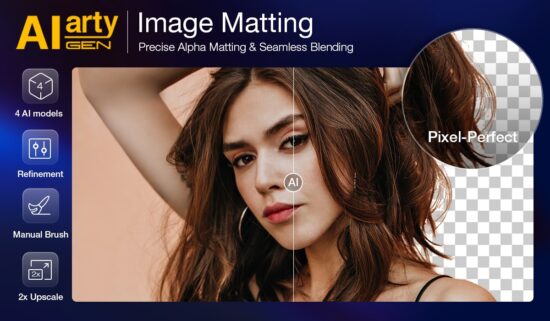
Removing backgrounds from images has always been one of the more time-consuming parts of photo editing. Fine hair, fur, feathers, and semi-transparent objects like glass or veils often require precise manual masking, which slows down the entire workflow.
Fortunately, recent advances in AI-powered image processing are making this task easier. One solution gaining attention among designers and photographers is Aiarty Image Matting, an AI-driven background removal tool designed to deliver precise cutouts while preserving intricate details.
Aiarty Image Matting: Precise Background Removal with AI
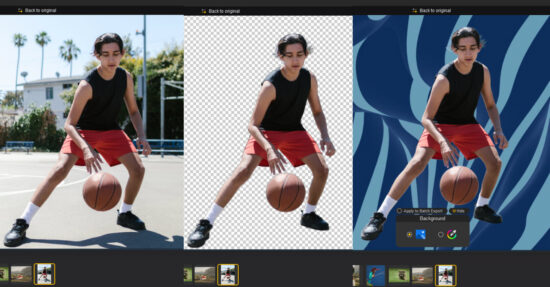
Aiarty Image Matting uses advanced AI algorithms to automatically detect subjects and separate them from backgrounds with minimal user input. You can batch export transparent cutouts, replace background color, or refine the matte to blend the subject with any new backgrounds.
Key advantages include:
- 1-click detection with AI for one or multiple subjects.
- Precise masking for transparent, fuzzy edges, or solid subjects.
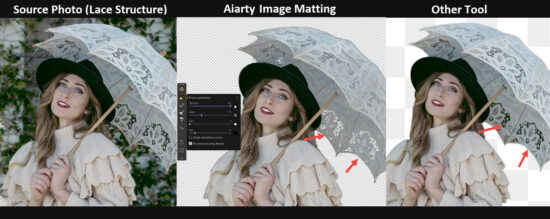
- Preserve transparency variations in tricky edges, hair, lace, glass, etc.
- Quick auto masking and optional brush editing for refinements.
- atch export transparent cutouts, mattes, or custom backgrounds.
For product listings, portraits, custom stickers, and creative composites, Aiarty Image Matting makes background removal faster and more precise. It is particularly useful for portrait, wildlife, and commercial photographers dealing with challenging subjects that contain fine edge details.
Anniversary Offer: 43% OFF Lifetime License + Extra Saving
Aiarty is currently celebrating its anniversary with 43% OFF Aiarty Image Matting Lifetime License. For photographers and designers looking to streamline their workflow, it’s a nice chance to enjoy these benefits:
- Unlock full features and use on up to 3PCs/Macs.
- Free updates to all versions for a lifetime.
- 30-day money-back guarantee.
Besides, by entering the limited-time code “ANNIVERSARY” at checkout, you can also enjoy extra $5 OFF Aiarty Image Matting, or extra $10 OFF Bundle product purchase. The special offer ends June 21.

Below are some hands-on tests of this background remover and background replacement tool, from professional projects to family and hobbyist use cases.
Remove Backgrounds and Preserve Fine Hair, Fur, and Feathers
Traditional masking tools often require hours of manual tracing around complex edges, and they fail to preserve the natural edges in flowing hair or fuzzy fur.
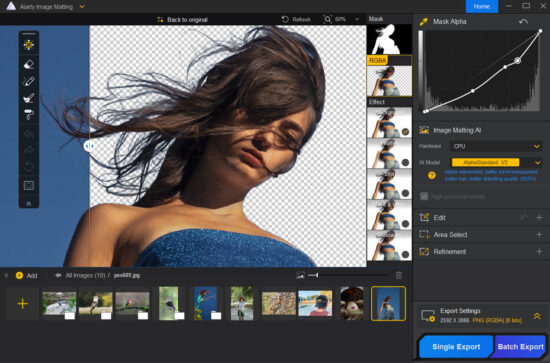
AI models in Aiarty Image Matting are trained to recognize and preserve individual strands of hair, animal fur, and bird feathers, producing a clean result for both transparent output and blend in with new backgrounds.
Handle Transparent and Semi-Transparent Subjects
Glass, lace, veils, and transparent materials are notoriously difficult to mask accurately. Aiarty maintains gradual transparency values while separating the subject from the background, delivering realistic transitions.

This image background remover helps photographers maintain a professional look when working with product photography, event banners, and creative composites.
Separate Subjects from Complex Backgrounds
A complex environment often confuses traditional background remover tools, with background remnants sticking around a subject in cutouts.
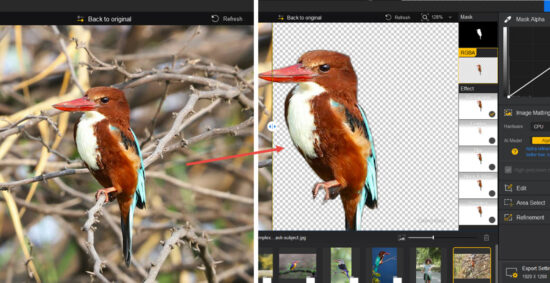
To solve that, AI inference in Aiarty Image Matting helps distinguish subjects even when backgrounds contain complicated textures, branches, foliage, or overlapping elements.
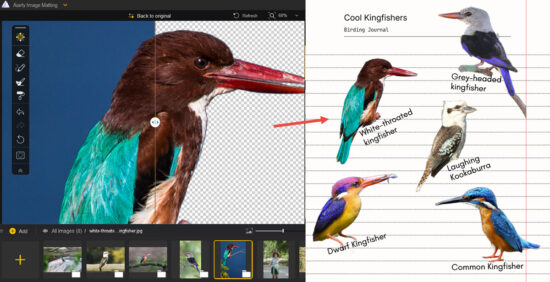
Create Stickers for Journals and Creative Projects
For wildlife photographers, nature journal hobbyists, and school projects, Aiarty Image Matting makes it handy to create stickers in batches, which can be used in field journals, presentations, banners, infographics, posters, and other creative projects.
Flexible Auto Masking and Manual Refinement
Some background removal tools fall into one of two extremes: fully automatic tools that offer little control over the result, or manual masking features that require time-consuming tracing.
Aiarty Image Matting combines the strengths and flexibility of both approaches. With a single click, its AI models can auto-detect and isolate subjects, creating a high-quality mask as a strong starting point for most images.
For further refinement, it also provides editing tools to adjust masks, erase unwanted areas, or brush over to bring back details. The combination of the Mask alpha curve tool and erasing threshold is handy to handle challenging areas such as hair, fur, lace, and transparent objects.
Batch Processing for Large Projects
Editing and masking hundreds of images individually is inefficient. Aiarty supports batch processing, allowing designers and photographers to process large numbers of images automatically.
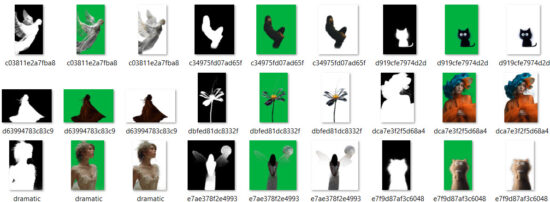
Whether handling event photography, wildlife shoots, or e-commerce catalogs, photographers can save editing time with precise masking and background removal.
Optionally, you can use the built-in 2X upscaling feature to enhance image quality, making the cutouts clear even at 4K and 8K displays.
Specialized AI Models for Different Scenarios and Subject Types
For clean cutouts and transparent PNGs, users might prefer a clear edge around the subjects. For background replacement, such as placing the person on a new canvas, a natural blend-in requires transparency transitions near the edges.
Instead of providing a one-size-fits-all tool, Aiarty Image Matting has 4 AI models optimized for different image types and masking scenarios.
Masking Model: AlphaStandard V2
It is designed for semi-transparent and translucent subjects such as wedding veils, glassware, water splashes, fine hair, and animal fur.
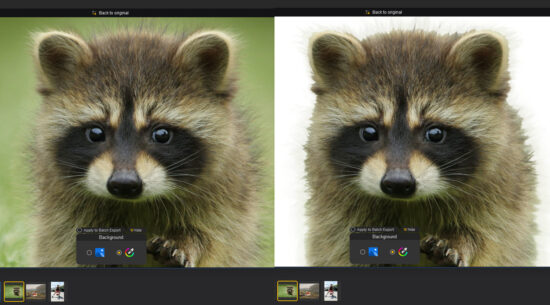
When you prefer to preserve natural transparency and smooth transitions, apply this model.
Masking Model: AlphaEdge V2
For those semi-transparent and translucent objects mentioned above, when you want to prioritize edge sharpness over soft transparency variations, then instead of using AlphaStandard, apply AlphaEdge.
Masking Model: EdgeClear V2
It is built for detailed solid objects such as vehicles, jewelry, sports equipment, and furniture. When you want to emphasize edge clarity while maintaining realistic detail, use this model for background removal and replacement.
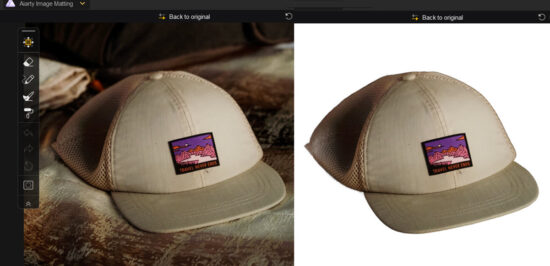
Masking Model: SolidMat V2
It is trained for products and structured subjects with defined boundaries, including: buildings, consumer products, electronics, and commercial catalogs.
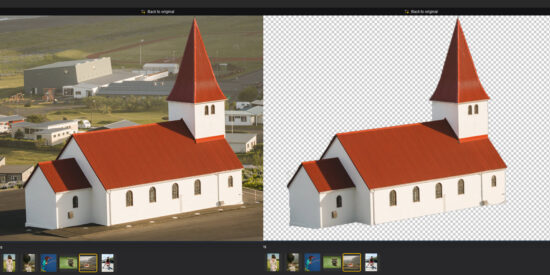
Besides the 4 AI models, Aiarty has an Alpha mask curve, brushes, and erasers, and more options to refine selection. With both auto masking and optional manual adjustment, it is versatile enough to tackle various subjects and scenarios, be it for semi-transparency variations, fuzzy edges, or solid subjects.
Final Thoughts
Background removal doesn’t have to be slow or tedious. With AI-powered subject isolation and optional manual refinement, Aiarty Image Matting offers photographers and designers a faster way to create clean cutouts while keeping full control over tricky edges.
For PhotoRumors readers, Aiarty Image Matting is currently available for $65 (43% off the regular price). The Lifetime License works on up to 3 Windows or Mac computers and includes free lifetime upgrades. Apply the code ANNIVERSARY at checkout to get an extra $5 off. The special offer ends June 21.
For those looking for a more creative toolkit, Aiarty also offers Anniversary bundles with image enhancement, upscaling, and video software – currently discounted up to 52%.
Learn more and grab the Anniversary offer here >
The post Quick AI Background Removal with Aiarty Image Matting (43% off Lifetime License + Extra Coupon) appeared first on Photo Rumors.

 Connexion


