Vue normale

How I've used photography as an outlet when words aren't enough

Woman in a coral tank top with a large silver necklace has multiple blurred faces while standing against a blurred outdoor background
I created this image while I was working full-time, applying to far too many graduate schools and navigating a long-distance relationship.
Photo: Abby Ferguson

It's well established that photography is a superb tool for documentation purposes. It's also fairly well accepted as an art form. It's less recognized, or at least talked about, as a therapeutic tool, but it can be a powerful resource for just that. If you'll allow me to get a bit personal, photography has helped me get through some very challenging times. I won't go so far as to say that it's saved my life, but I know many people can say that is the case for them.

To be clear, I'm not a therapist, and I don't see photography as a replacement for therapy with a licensed professional. Instead, I view it as a therapeutic tool. I have seen the impact the medium has had on my own life and the lives of others. For those who haven't used photography intentionally as a tool for healing or growth, perhaps this can be a helpful guide on how to do so, or a gentle push to lean on the medium as such when you need it.

Distraction and mindfulness

an orange and red post have arrows-in opposing directions with a blurred forest behind
Sometimes using the camera as a distraction tool can be just what you need.
Photo: Abby Ferguson

Sometimes, photography can simply be a good distraction. There are times when it's best to focus on something other than current events or difficulties in your personal life, and photography can be an excellent method for that. Taking photographs requires focus (no pun intended) and attention. Instead of dwelling on heavy or hard things, you can, at least momentarily, put your energy towards something else.

When taking photographs, you pay more attention to light, shadow, shapes and details. You look carefully at the things directly in front of you at that particular moment. It forces you to stay in the here and now, which is similar to general mindfulness practices that aim to help you manage stress. It's a simple thing, but it can make a significant difference.

a dog rolls in a pile of debris in a forest
Having my dog with me on hikes often has the added bonus of some comedic relief.
Photo: Abby Ferguson

For some, photography is a solitary endeavor, which can be an excuse to give yourself time and space to just breathe. When I need stress relief, I often find myself going on a hike by myself (and my dog) with my camera. I typically come back feeling more refreshed and in a much better headspace than when I set out.

Simply being in the outdoors is a big part of that for me, but the camera also helps me tune out everything else more effectively while I'm hiking. Even if I only feel inspired to take a few photographs, it at least makes me pay more attention to what's around me instead of putting my head down and trudging through. Plus, if I do manage to get a photograph that I think is cool, it gives me a sense of accomplishment, which is always a nice mental boost.

Photography as an outlet

a blurred figure appears to move across a couch with a photo on the wall
I took this self-portrait just last weekend, since I was in desperate need of a creative outlet, and this concept kept coming to mind.
Photo: Abby Ferguson

What's been even more important for me at various points in my life is using photography as an outlet and a means of self-reflection. Creating photographs can be excellent for self-expression, and also a tool for working through difficulties and managing emotions.

Photography is a fantastic resource when I don't want to talk about what I'm going through but still want to express it in some way. Alternatively, sometimes I haven't even fully processed what I'm dealing with and don't have words for it. Photography helps me get out some of the emotion instead of simply bottling it up. There are even times when creating a photograph has helped me better understand my current mental state, even if I hadn't been willing to acknowledge it prior to that.

"Photography helps me get out some of the emotion instead of simply bottling it up"

For a long time, self-portraits were my preferred method of photography as therapy. I've produced some deeply emotional and personal self-portraits over the years for that reason. Some of them were the result of my knowing exactly what I was dealing with and what I wanted to convey. Others were simply a result of struggling with something and not quite knowing how to articulate it, so I poured my emotion into a self-portrait. At times, these were somewhat elaborate and thoroughly planned; others were more spontaneous. Both formats helped in their own way.

a glass filled with broken shards of glass sits amidst dramatic shadows and light
Still life has become a relatively new therapeutic tool for me.
Photo: Abby Ferguson

These days, I've been using still life as my primary outlet. Instead of putting myself in front of the camera, I'm photographing objects that I feel can convey what I'm working through in my head. They may not look as personal at first glance, but they were incredibly valuable as I processed and dealt with things going on in my life.

My method of using photography as an outlet involves conceptual work, but that doesn't have to be the case. Any type of imagery that helps you express yourself or process your emotions is beneficial, even if it isn't intentionally done.

Photography can just be for you

green smoke swirls around a figure slumped down against a wall in a corner of a room
Photo: Abby Ferguson

The bigger picture here is that photography doesn’t always have to be for an audience or a client; it can simply be for you, and that’s often where its most therapeutic power lives. I've recently written about tackling photo projects to find your creative spark again and about embracing bad photos. In all of these cases, the key is that photography can be a personal endeavor that can have a significant impact on your life. When you give yourself permission to create without pressure, photography becomes a method to clear your head, listen to yourself, notice what you’re feeling and be present with it.

Whether you’re a working photographer or a hobbyist, making space for personal projects can be therapeutic. It can reconnect you with why you picked up a camera in the first place, help you process what you’re going through and simply remind you that the act of paying attention is worthwhile in itself.

So, whether you're going through a particularly hard season or not, let me encourage you to pick up your camera with no goal other than to see what comes out. Or plan a shoot with the specific intention of showcasing your emotion or mental state. The photos don’t have to be "good." They just have to be honest, and they only ever need to mean something to you.

Photoshop's latest update adds new adjustment layers and trials text tools

FY26Q1-Photoshop-Ps-L2-Jan Release-PR-StaticImageFeature-3NewAdjustments-1170x876-1x-EN
Image: Adobe

Adobe has announced an update to Photoshop that brings new types of adjustment layers and improves generative AI-powered fill tools. It's also adding a feature in beta that makes it easier to manipulate text into certain shapes.

Late last year, Adobe announced it was adding two new adjustment layers to Photoshop: one that controlled dehaze and clarity, and another for adding a grain effect. Now, those are coming out of beta and should be available to everyone using the app. While you've been able to use similar effects in Photoshop before, you had to bake them into a specific layer in your image, and once they were added, you couldn't adjust them. Having them as an adjustment layer, though, lets you easily adjust the effects after adding them, and easily have them apply to multiple parts of your image.

The update also brings some of Photoshop's AI-powered features out of beta, with the company promising better, higher-resolution results when using the Generative Fill, Generative Expand and Remove tools in the web version of Photoshop. The company also says it's improved the reference image feature in the Generative Fill tool, which lets you use an existing image to give the model a better idea of what you want it to generate.

Finally, there's a feature that Adobe's calling Dynamic Text, which the company says will make it "easy to transform any text layer into circular, arched, or bowed shape." While you could obviously already achieve something similar with paths and the text tool, Adobe says the Dynamic Text tool will automatically fit your text to the shape, something you'd have to manually manage using other techniques.

The new adjustment layers are available in the latest version of Photoshop, which Creative Cloud subscribers can download starting today. Dynamic Text will be available in the Photoshop Beta app.

The Nikon ZR gets its first firmware update

When you use DPReview links to buy products, the site may earn a commission.
nikon zr on gimbal
Image: Nikon

Nikon has announced firmware V1.10 for the ZR camera, heralding the first update for the video-focused camera. Given that it comes only a few months after it launched, it's no surprise that the changes it brings are mostly small quality-of-life tweaks, rather than massive overhauls to how the camera works.

Perhaps the biggest change is that Nikon says it has "significantly extended" the amount of time the camera can record for in many of its modes. While it used to top out at 125 minutes, it can now continuously capture for up to six hours in its sub-100fps compressed modes, though doing so will require the use of an external power supply or battery.

The company has also added the option to display a red line in your histogram or waveform to make it obvious where the clipping point is, which can be especially useful as you switch between modes with different base ISOs.

When it launched, the ZR supported timecode synchronization via Bluetooth, making it easier to keep track of footage and audio captured with multiple devices in the edit. The update adds support for timecode sync over a wired connection through the microphone jack. Other quality of life features include a setting to keep the green light around the power button illuminated while the camera is on (by default, it turns off quite quickly) and the LUT import screen can now display up to 50 CUBE files, rather than 10 (though the camera can still only store 10).

The firmware update is available today as a free download from Nikon's website.

Press release:

NIKON RELEASES FIRST FIRMWARE (V1.10) FOR THE NIKON ZR CINEMA CAMERA

MELVILLE, NY (January 26, 2026) - Nikon Inc. is pleased to announce the first firmware update for the recently released Nikon ZR full-frame cinema camera. Version 1.10 is available now and adds an assortment of functional enhancements and features to benefit a wide range of videographers.

Firmware version 1.10 supports timecode input over a wired connection, making it easier to synchronize with audio recording devices and other cameras. The update also significantly extends the maximum recording time, making continuous shooting possible even for long recording sessions. In addition, a file-naming convention similar to that of RED cameras has been adopted, enabling more efficient data management, especially when shooting with multiple cameras. A number of features that enhance usability have also been added, including a function that displays a warning line indicating the maximum brightness level in the brightness information display (histogram and waveform monitor) when recording R3D NE videos in Log3G10, as well as a setting to prevent unintentional battery drain.

Nikon will continue to enhance its products through firmware updates that address user needs, while also contributing to the development of imaging culture in the field of cinema.

Enhanced Multi-Camera Production and Workflow Features

In addition to conventional timecode synchronization over a Bluetooth connection, the camera now supports a simpler and more reliable wired connection that enables timecode synchronization with external devices connected to the camera via the external microphone/line input connector. Timecode synchronization is simplified, as Bluetooth pairing is not required. Once initially synchronized, the timecode remains running even after disconnecting the generator (jam sync), eliminating the need to re-synchronize.

In addition, a file-naming function similar to that of RED cameras has been implemented to enhance production workflows. This feature prevents duplicate video file names, and makes managing large numbers of files from multiple cameras much more efficient with video-specific file names and the display of file names on the live view screen.

Significantly Extended Recording Time

The maximum recording times for continuous recording have been significantly extended from 125 minutes to up to 360 minutes (6 hours)1. This enables long takes and shooting at events that require extended recording, such as interviews, concerts, documentaries and special events. This extended recording time applies to ProRes 422 HQ, H.265 and H.264 formats at various frame rates.

Improved Exposure Monitoring

Firmware version 1.10 offers users a function that displays a warning line indicating the maximum brightness level in the histogram or waveform monitor to avoid unintentional clipping. This indicator line varies according to ISO sensitivity when recording R3D NE videos in Log3G10, making exposure easier to control.

Additional Enhancements

A [Power-on lamp energy saver] option has been added to the setup menu, allowing users to choose an option that keeps the power-on lamp lit at all times when the camera is powered on. This allows users to check whether the camera is on or off at a glance, even when the monitor is closed, helping to prevent unintentional drain on the battery while carrying or transporting the camera. In addition, [Video file type] can now be set to [R3D NE 12-bit (R3D)] in the video recording menu even if the shooting mode is set to AUTO.

Furthermore, the number of LUTs that can be viewed while importing from a memory card using Custom Setting [3D LUT] > [Import CUBE file] has been increased from 10 to a maximum of 50. This allows users to have greater variety when choosing the LUT that will best match the intended final look from a broader range of options while on location.

Availability

Starting today, ZR owners can visit the Nikon download center to get the new firmware for free.

For more information about the latest Nikon products, including the vast collection of NIKKOR Z lenses and the entire line of Z series cameras, please visit nikonusa.com.

Specifications, equipment, and release dates are subject to change without any notice or obligation on the part of the manufacturer.

*SRP (Suggested Retail Price) listed only as a suggestion. Actual prices are set by dealers and are subject to change at any time.

1.When [ProRes 422 HQ 10-bit (MOV)] (except 119.88p or 100p), [H.265 10-bit (MOV)] (except 239.76p–100p), [H.265 8-bit (MOV)] (except 239.76p–100p), or [H.264 8-bit (MP4)] (except when recording slow-motion videos), at 25°C/77°F with [High] selected for [Auto temperature cutout]. Use of an external power source such as a portable battery is required.

The latest DJI Osmo Pocket 4 camera leaks (rumored announcement on January 29th)

Par : PR admin
27 janvier 2026 à 02:30


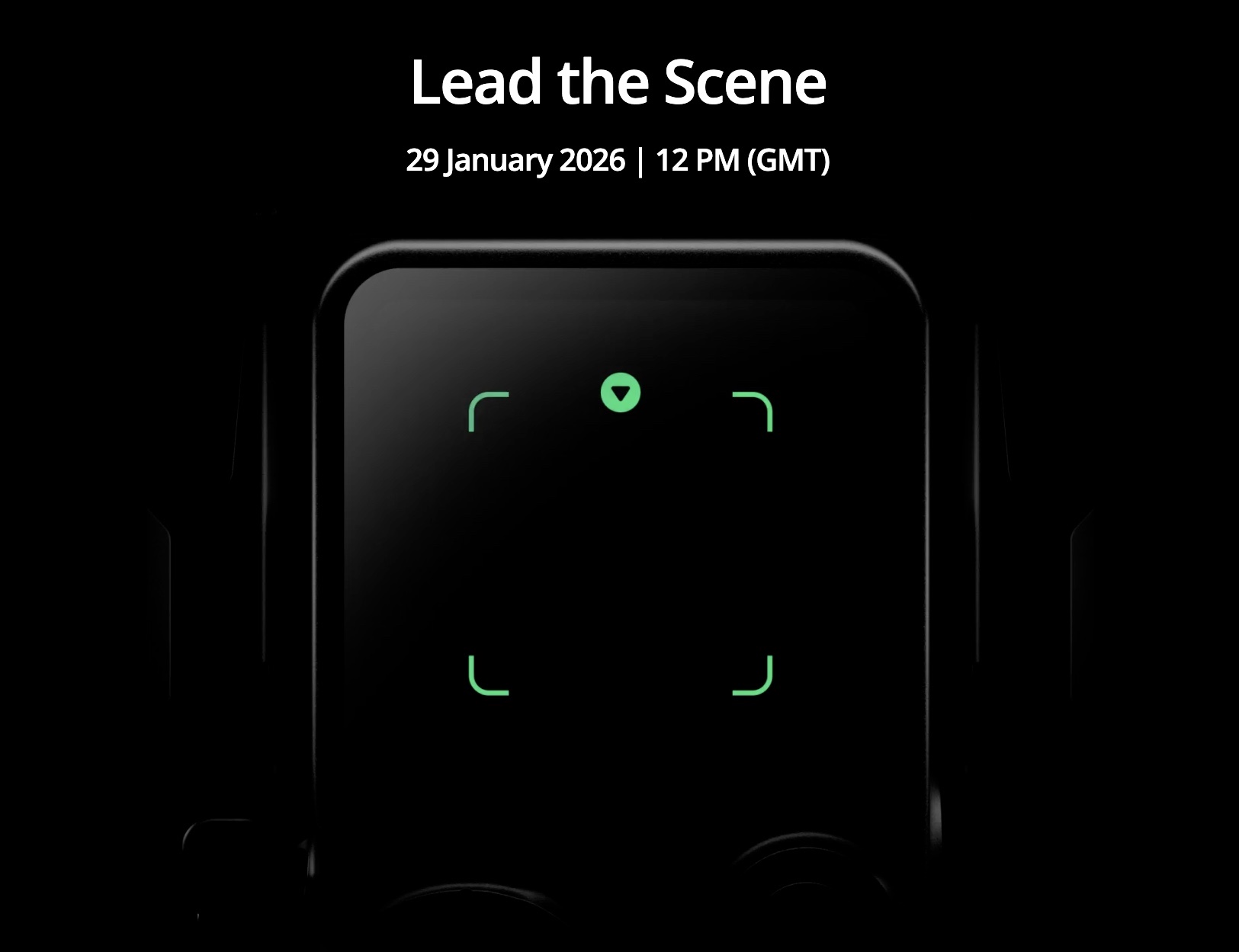
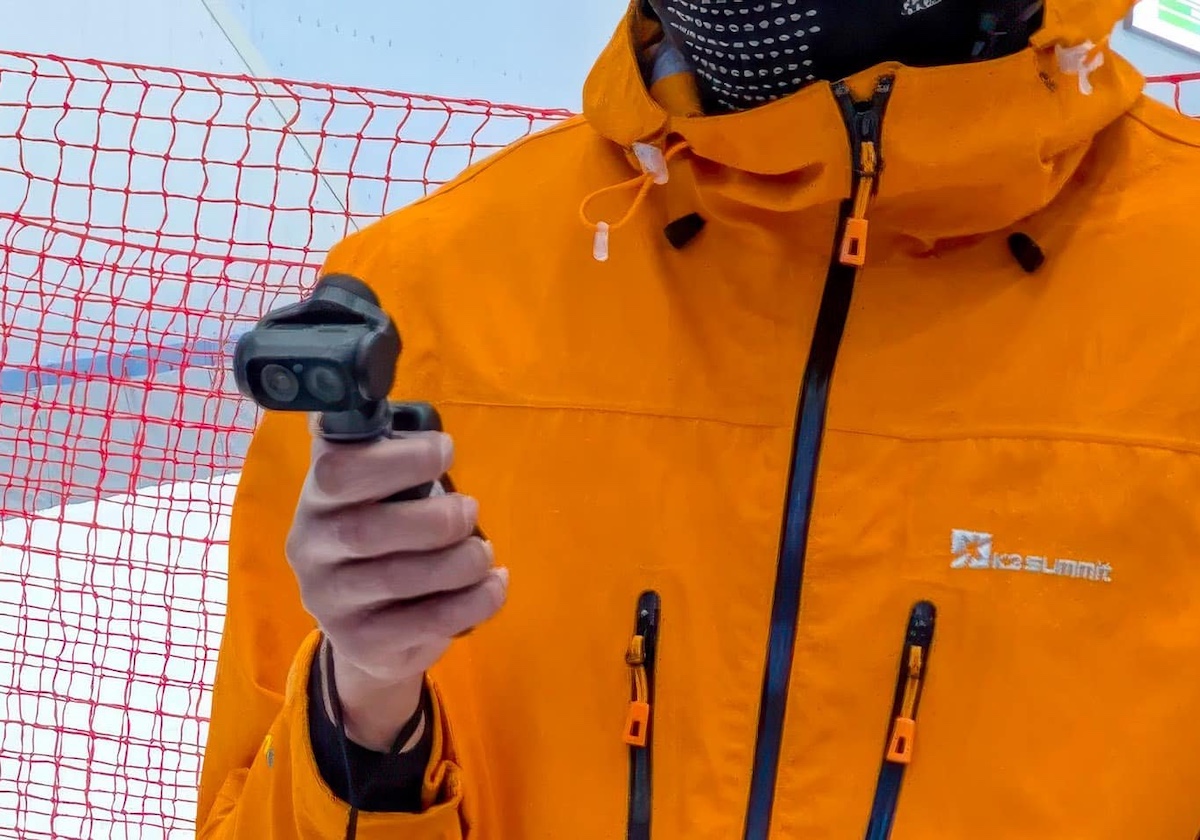
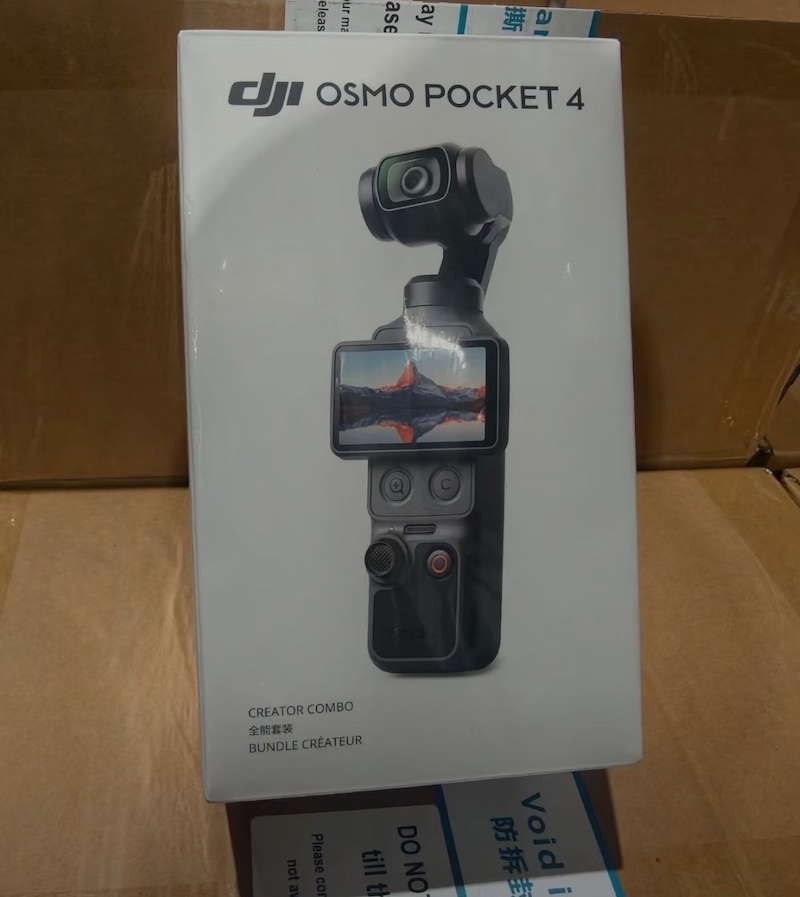
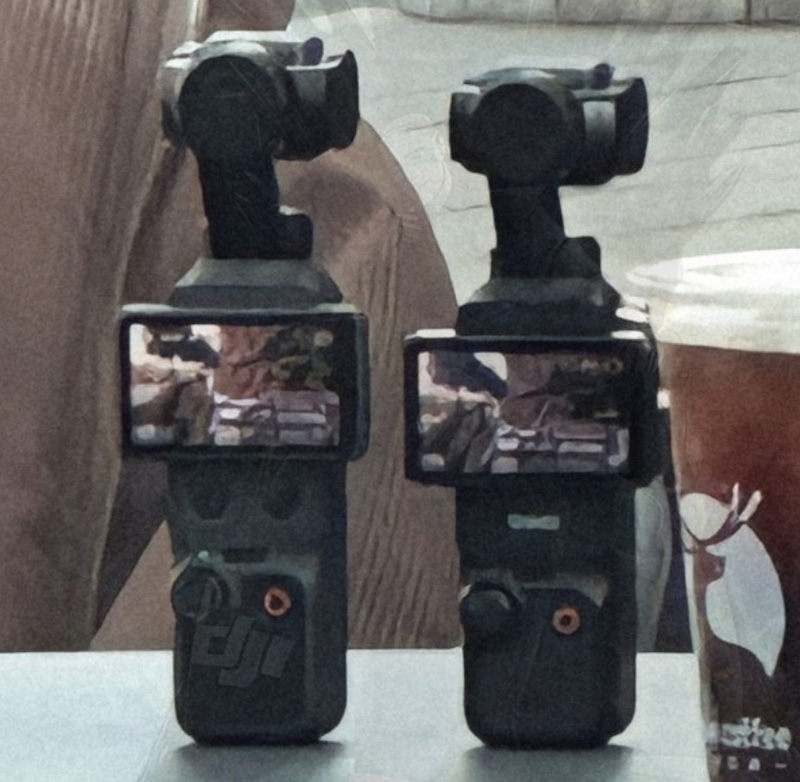
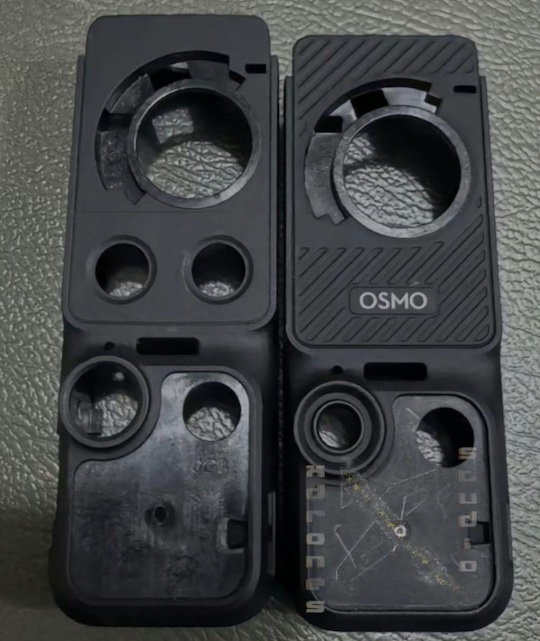
Here are the latest leaks on the upcoming DJI Osmo Pocket 4 camera – the official announcement is rumored to be on January 29th:

Standard Model

  • Sensor: 1-inch CMOS sensor for improved low-light performance and dynamic range.
  • Video Capabilities: Up to 4K at 120fps for high-frame-rate slow-motion footage; potential support for higher resolutions or frame rates in certain modes.
  • Stabilization: 3-axis mechanical gimbal for smooth handheld shooting, with refined tracking for faces and objects.
  • Display: 2-inch rotating OLED touchscreen for easy vlogging and composition.
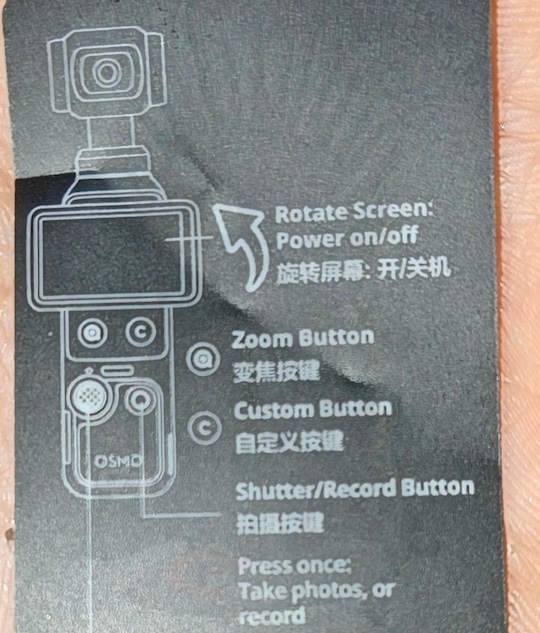
  • Controls: New dedicated zoom button and customizable “C” button for quick access to functions like mode switching.
  • Battery: 1545mAh capacity, offering around 20% more runtime than the Osmo Pocket 3 (potentially over 200 minutes of use).
  • Connectivity: Wi-Fi 6 support for faster file transfers and app integration; seamless DJI Mimo app compatibility for editing and sharing.
  • Design: Compact pocket-sized form factor similar to the Pocket 3, with single-lens setup and improved build for one-handed operation.
  • Accessories (Creator Combo): Includes wide-angle lens attachment, battery handle, mini tripod, protective case, and possibly new add-ons like a “FrameTap” module.

Pro Model (Rumored Variant)

  • Camera Setup: Dual-camera system with wide-angle and 2-4x telephoto lenses for optical zoom, variable aperture (f/1.7-f/2.8), and Hasselblad color science.
  • Sensors: Larger dual 1/1.1-inch CMOS sensors for enhanced low-light and portrait capabilities.
  • Other Features: Builds on the standard model with instant lens switching, potentially higher frame rates (e.g., 6K support), and pro-level controls; larger camera block integrated with rotating display.

Pricing for the standard Creator Combo will be around $699-$749. The Pro version might follow in Q2 of 026.

The post The latest DJI Osmo Pocket 4 camera leaks (rumored announcement on January 29th) appeared first on Photo Rumors.

❌