Studio images and Raw analysis back up the performance we saw when out shooting.
Richard Butler
With the release of Adobe Camera Raw 18.7, we now have Raw support for the OM System PEN, bringing us one step closer to being able to complete our review.
As you might expect, the PEN’s performance is a match for that of the OM-5 Mark II, with which it shares a sensor and processor. This may seem obvious but we have to check, to be certain that our assumptions about shared components are correct and that there are no unreported changes to the processing. It also ensures that you can select the OM System PEN in our test scene, if you want to make any comparisons in future.
Its 20MP sensor captures a good level of detail (our test scene gives a slight benefit to 4:3 aspect ratio cameras, reducing the already minor difference between the PEN and the 24MP of the Canon EOS R10). In terms of noise the PEN’s performance is a little behind the larger sensor of the Nikon Z50II, but it’s not significantly noisier than the Canon, whose 1.6x crop sensor seems to slightly underperform expectations.
The PEN’s performance is entirely in keeping with what we’d expect to see from a modern sensor, backing up the results we got when shooting its sample gallery. We’ve already seen that the JPEG engine can produce a range of attractive results and these confirm that the technical underpinnings are sound.
About the Author: Richard graduated as a scientist but had a lot more fun writing and shooting for his university magazine. A number of years spent variously as a reporter, writer and editor on science and engineering titles combined his knowledge of science with his interest in images and words. But it was spotting the connections between emission spectra, white balance and all the nonsense he’d taught himself playing around in Photoshop that helped kindle an interest in digital photography. Searching for a camera led to him discovering DPReview and Richard was recruited by Phil Askey in 2007. He’s been combining his love of photography, communication and attention to detail (pedantry?) ever since.
He has unusually strong opinions about lenses for the APS-C format.
Want to stay up to date on the latest product news and releases? Add DPReview as a preferred source to ensure our independent journalism makes it to the top of your Google search results.
7Artisans says the $169 pancake lens is the lightest autofocus F2 prime lens available for APS-C cameras.
When you use DPReview links to buy products, the site may earn a commission.
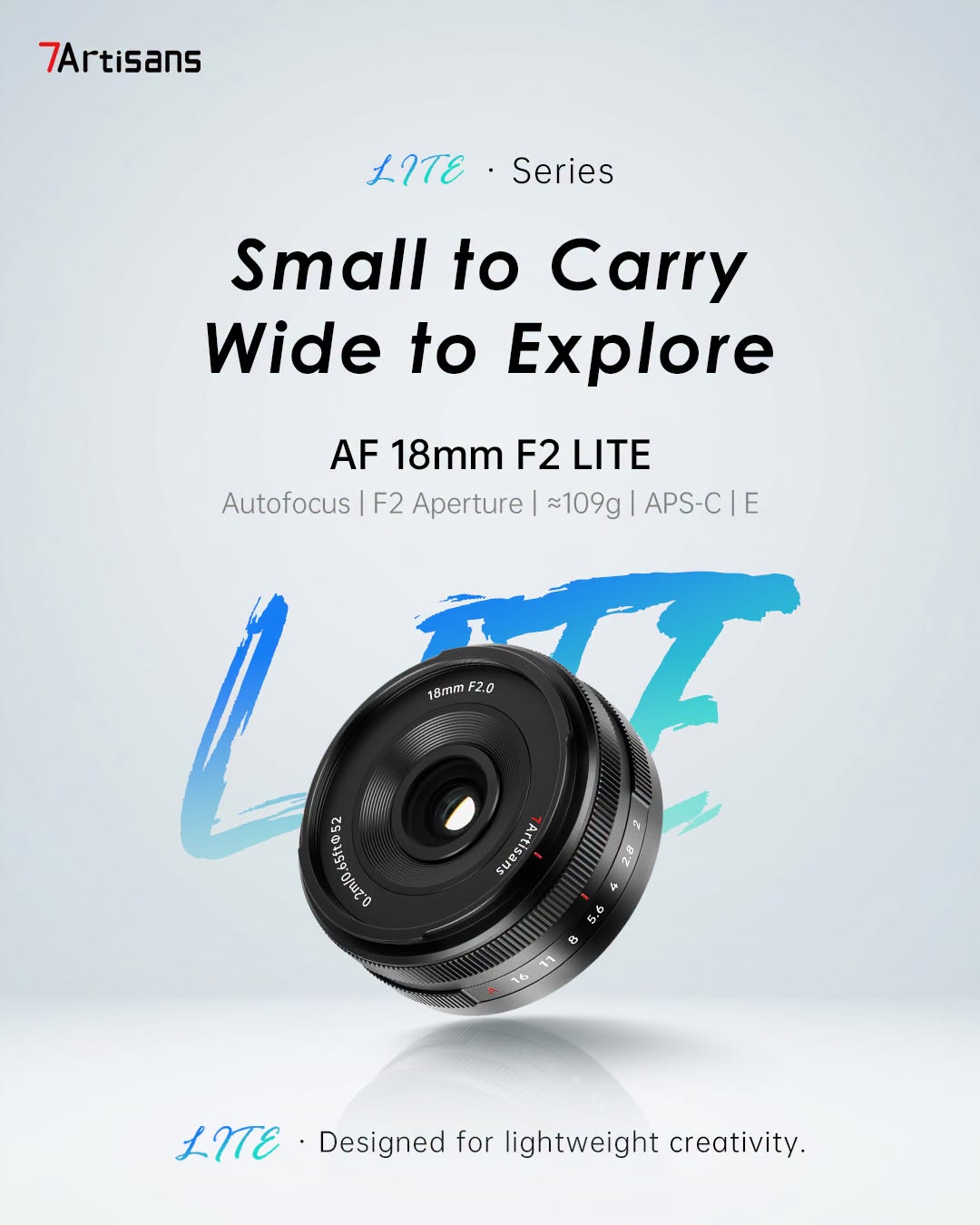
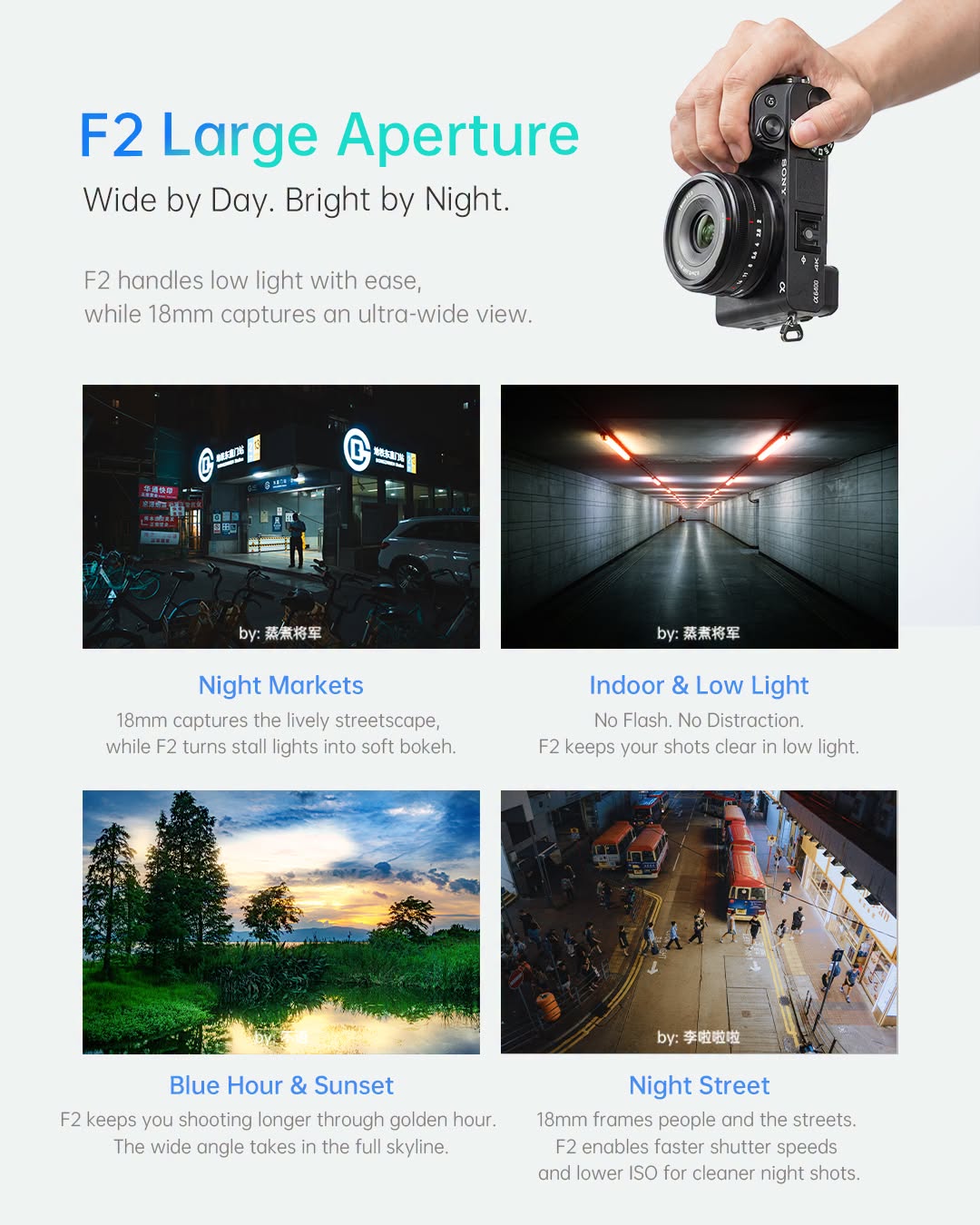
7Artisans has announced the AF 18mm F2.0 Lite lens. The new pancake lens for Sony E-mount APS-C cameras offers a wide field of view in a tiny package.
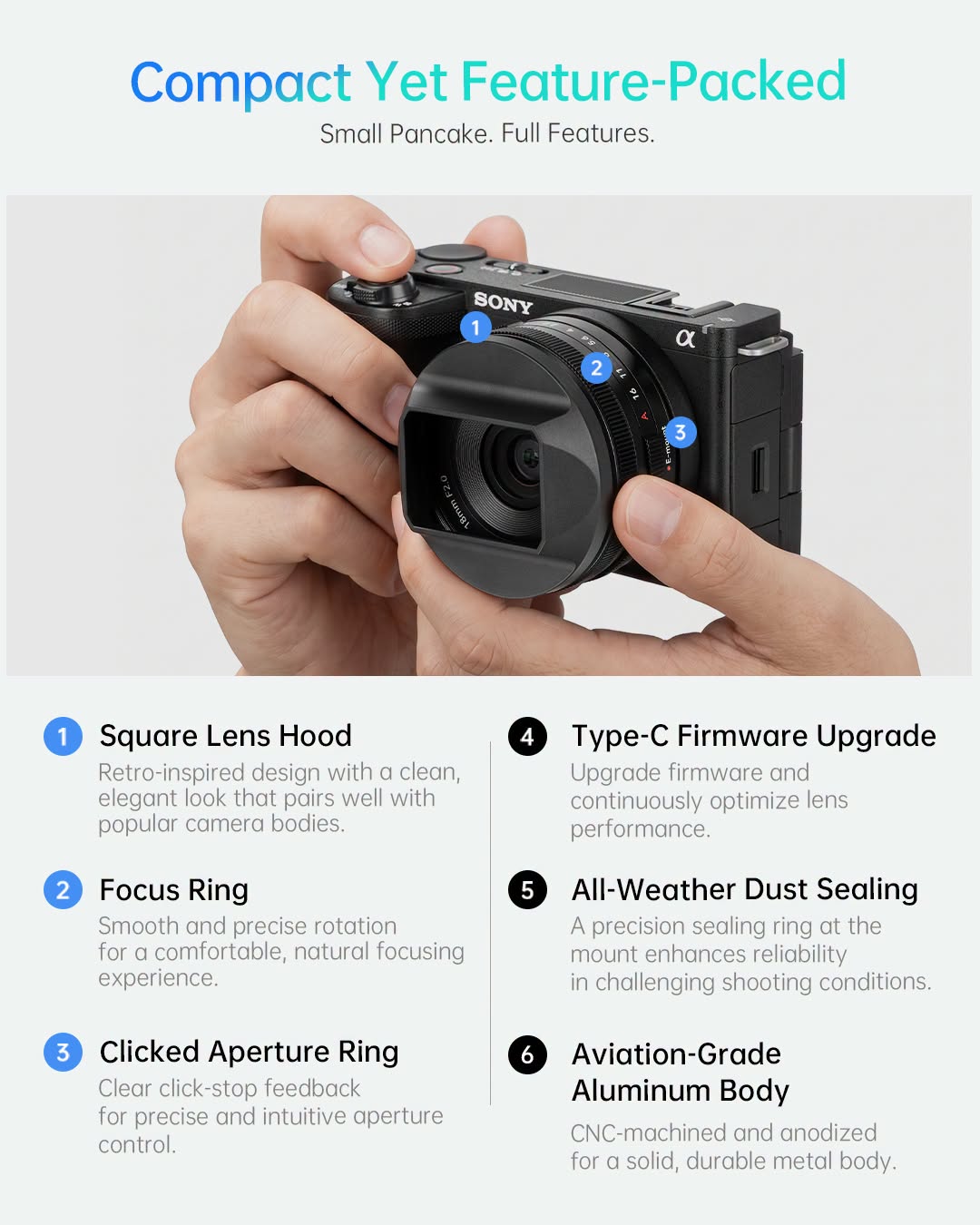
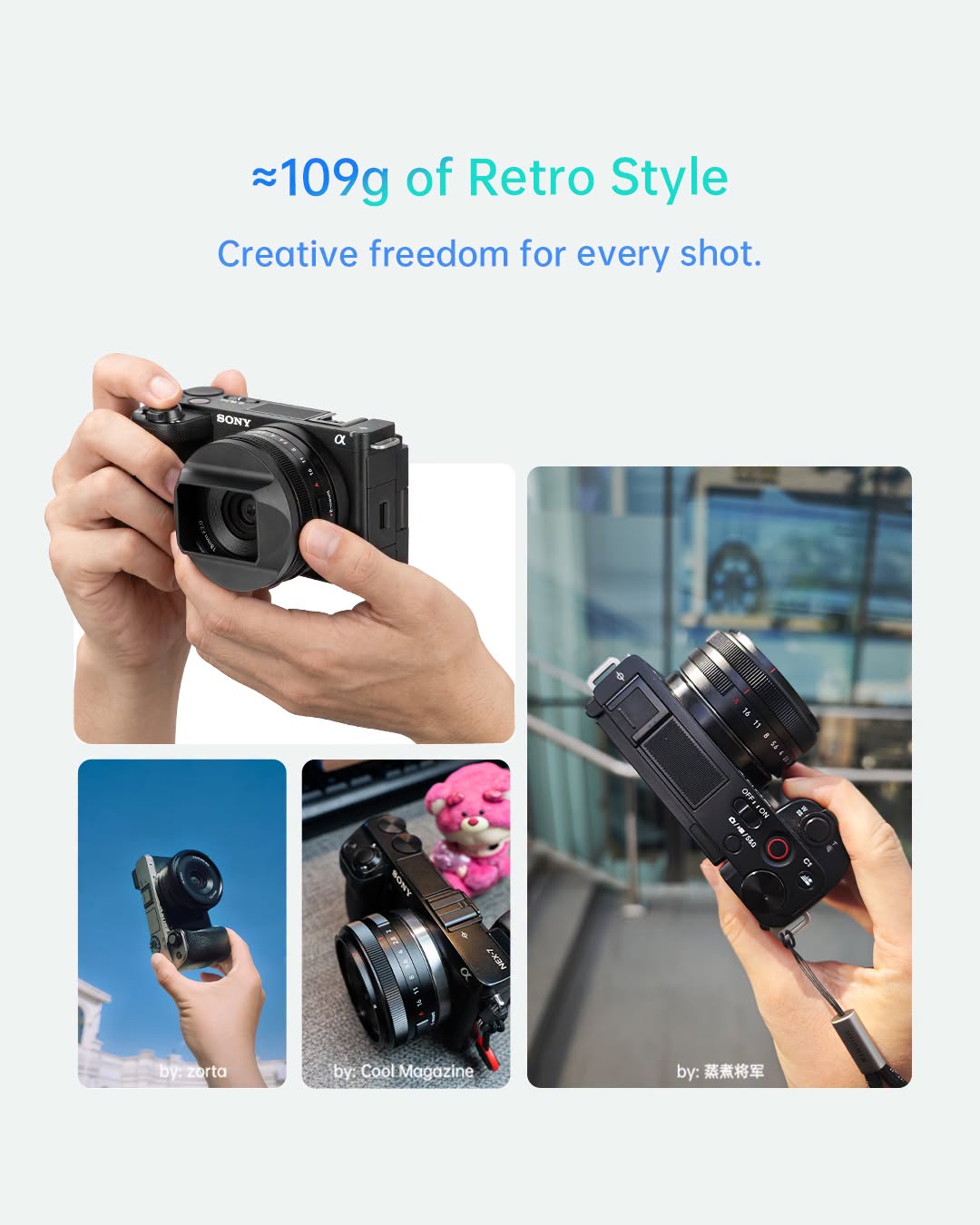
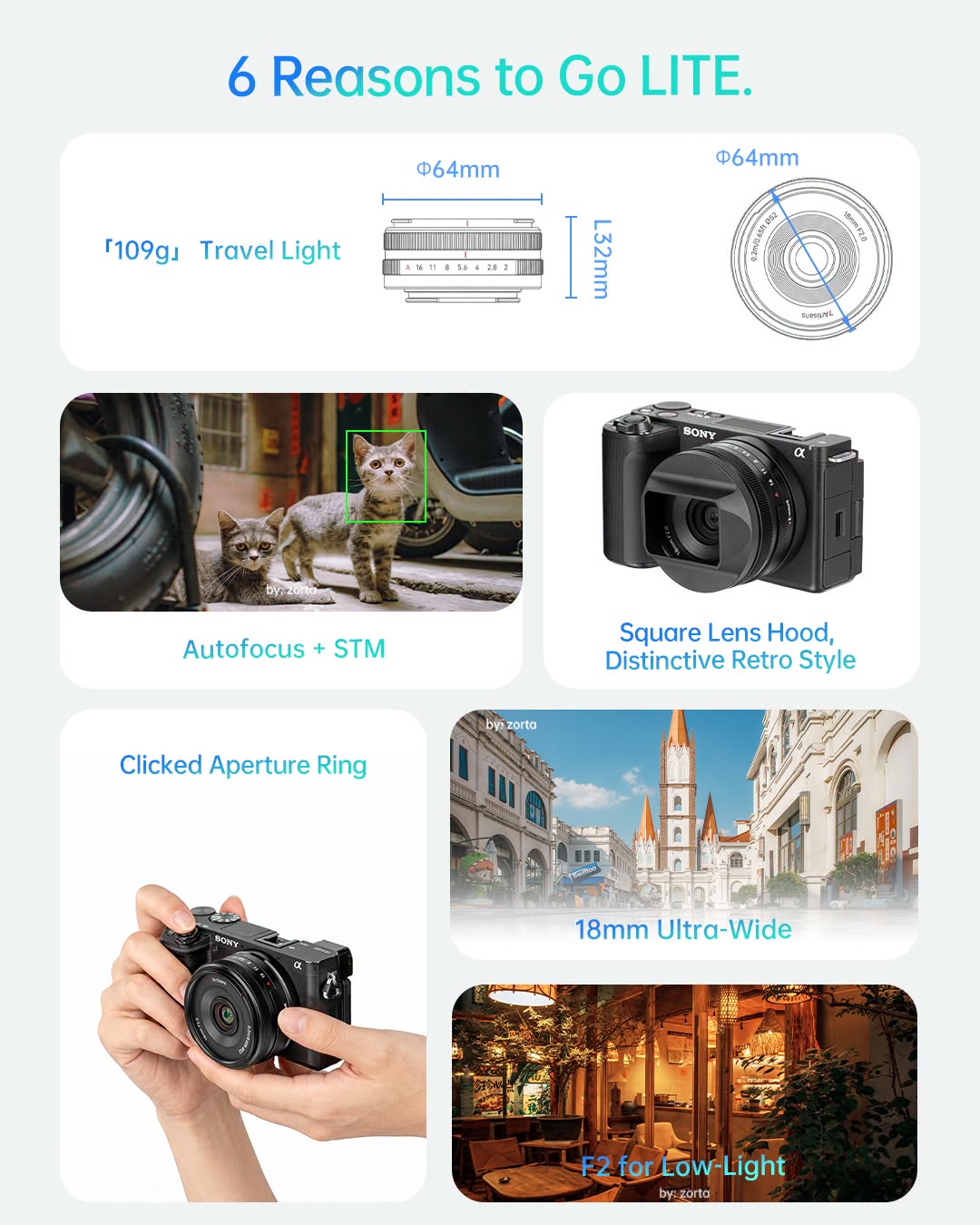
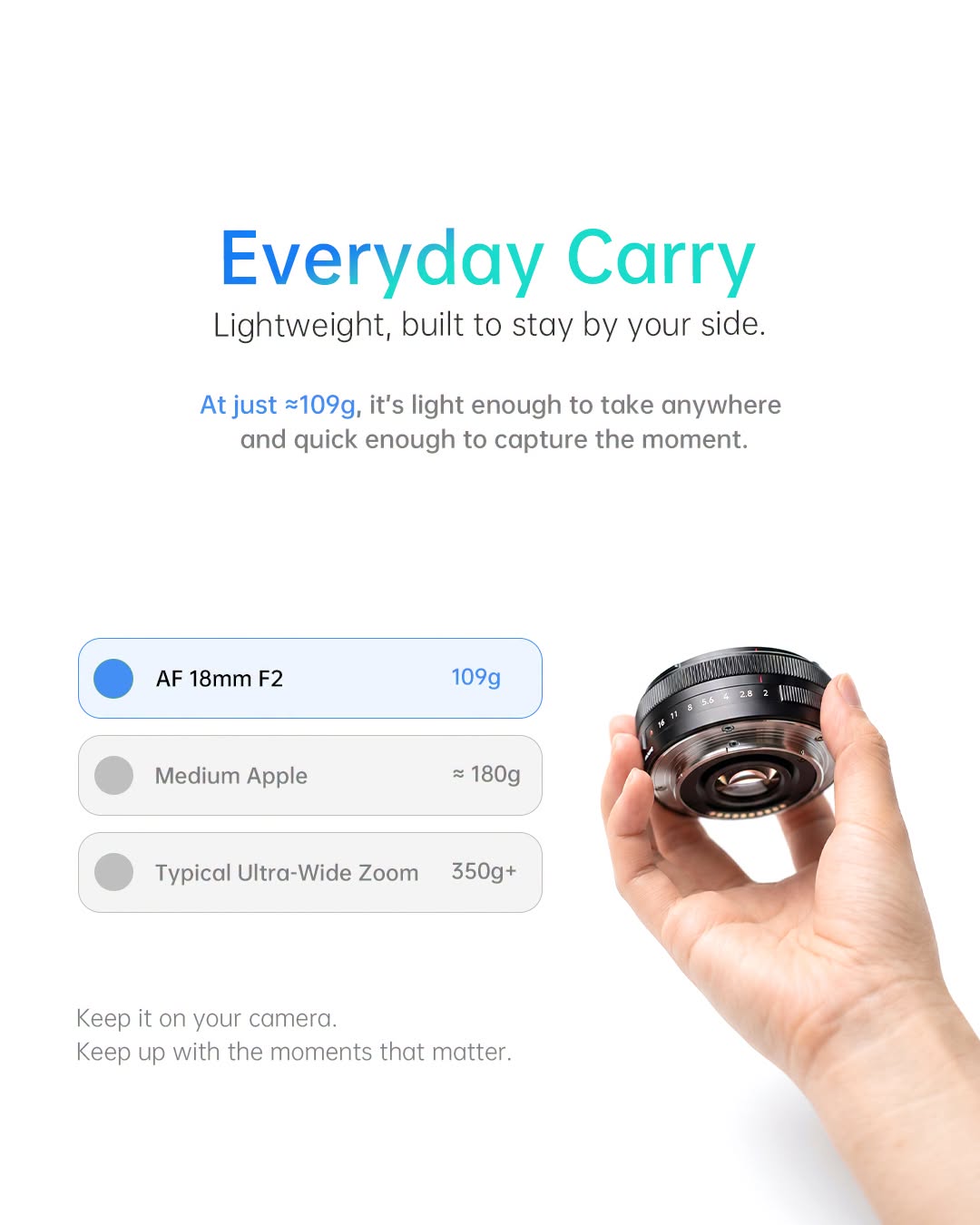
The AF 18mm F2.0 Lite provides a 27mm full-frame equivalent view on APS-C cameras, a focal length ideal for street and travel photography. 7Artisans says it is the lightest autofocus F2.0 prime lens for APS-C cameras, and it weighs just 109 g (3.8 oz). The lens measures just 32mm (1.3″) long, with a diameter of 64mm (2.5″).
Despite its compact size, the lens features a clicked aperture ring, providing on-lens aperture control. The lens also uses an all-metal build, which 7Artisans says is dust-sealed for added protection. It also has a USB-C port for firmware updates.
7Artisans
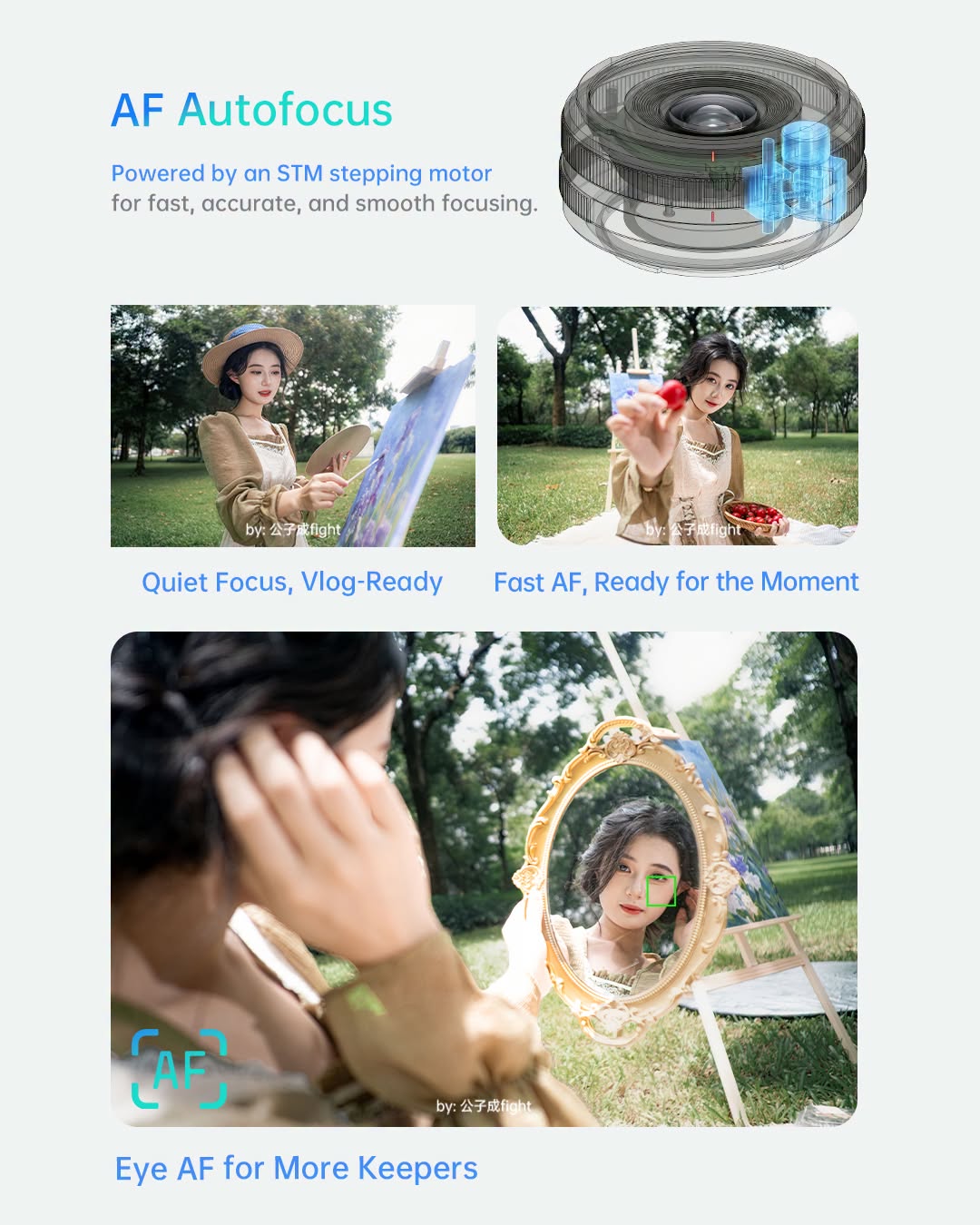
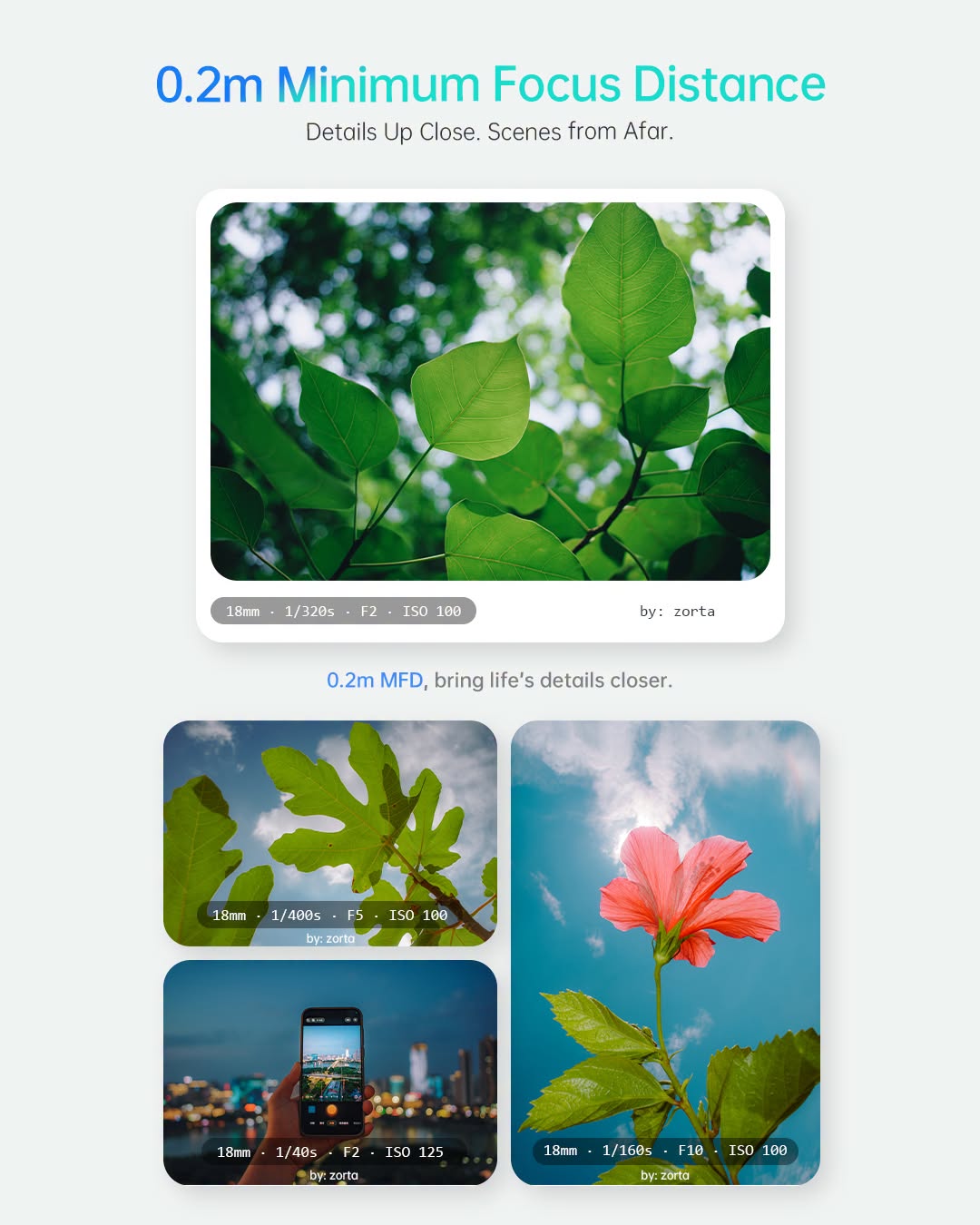
7Artisans says the lens’s stepping motor delivers fast, quiet autofocus suited to both photo and video. It can focus as close as 0.2m (7.9″). The lens features a fast F2.0 aperture and a nine-blade diaphragm.
The optical design comprises nine elements in seven groups, including one extra-low dispersion element and one high-refractive index lens. It’s compatible with 52mm filters.
About the Author: Abby Ferguson holds an MFA in photography and blends a fine-art background with extensive editorial and commercial experience. She built and led an in-house imaging program for a large vacation rental company and has served as an associate editor at Popular Photography. She also teaches at a local community college and serves on its Photographic Technology Program Advisory Board, sharing her knowledge and enthusiasm for the medium.
Want to stay up to date on the latest product news and releases? Add DPReview as a preferred source to ensure our independent journalism makes it to the top of your Google search results.
A new physical mode dial gives photographers four analog creative effects without requiring a phone or app.
When you use DPReview links to buy products, the site may earn a commission.
Polaroid has announced its latest take on instant photography with the Polaroid Mod. The camera offers four in-camera creative modes, with the company’s press release describing it as “designed for creative people who want to do more than point and shoot, without needing to be an expert behind the camera.”
The creative modes – Split Shot, Double Exposure, Motion Freeze and Light Painting – are the standout features of the Polaroid Mod. Double exposure and light painting were previously available through Polaroid’s app, but the Mod provides access directly from the camera’s mode dial, making them easier to use.
Split Shot uses an included half-lens cap accessory to combine two non-overlapping photos in a single frame.Polaroid
“With Mod, we wanted the creative experience to be built into the physical design of the camera,” says Stine Bauer Dahlberg, Chief Product Officer at Polaroid, in the press release. “We wanted the camera itself to encourage you to try something different every time you pick it up.”
Double Exposure allows users to expose the same frame twice, creating overlapping images. Split Shot also involves two photographs in one frame, but it requires an included accessory that blocks half the lens. It allows users to combine two photos without overlap, provided the half-lens cap is rotated appropriately.
Motion Freeze uses a longer exposure with a flash fired at the end (a rear-curtain sync technique) to combine motion blur with a sharp subject. Lastly, Light Painting is simply a long exposure to capture trails of light.
The mode dial also offers an auto mode for more straightforward instant images. Like Polaroid’s other cameras, the camera features a brightness dial to adjust exposure.
The Mod features a brightness dial for adjusting exposure.Polaroid
In terms of general camera specifics, the Mod shares a lot in common with the Polaroid Now+ Gen 2 camera. It uses a two-lens system with a 94.96mm (roughly 35mm equiv.) close-up lens and a 102.35mm (roughly 40mm) distance lens. The camera automatically switches between the two: the close-up lens focuses from 0.40m to 1.3m (1.3 to 4.3 feet), while the distance lens covers 1.0m to infinity (3.3 feet to infinity).
Polaroid lists six usable apertures ranging from F11 to F64 and a custom shutter driven by a precision step motor, though it has not published the shutter-speed range. It also has a built-in flash powered by a vacuum discharge tube strobe system.
Polaroid
The Mod is compatible with i-Type and 600 film. It uses a rechargeable lithium-ion battery with USB-C charging. The camera measures 161.7 x 110.2 x 98mm (6.37 x 4.34 x 3.86″) and weighs 520g (18.34 oz), making it slightly larger and heavier than the Now+ Gen 2.
The Polaroid Mod is available through the Polaroid website as of September 29 for $170. It will be available through other retailers in the US starting on October 6, with global availability early 2027.
About the Author: Abby Ferguson holds an MFA in photography and blends a fine-art background with extensive editorial and commercial experience. She built and led an in-house imaging program for a large vacation rental company and has served as an associate editor at Popular Photography. She also teaches at a local community college and serves on its Photographic Technology Program Advisory Board, sharing her knowledge and enthusiasm for the medium.
Want to stay up to date on the latest product news and releases? Add DPReview as a preferred source to ensure our independent journalism makes it to the top of your Google search results.
The update collapses three separate workflows into a single non-linear environment — a shift that’s about to change how busy photographers structure their post-production day.
Imagen
A wedding photographer coming off a busy season can have over 20,000 photos waiting to be worked through, and until now, no matter how far along a shoot was, everything ran through the same fixed order before anything could ship. Imagen’s Intelligent Studio removes that constraint, letting photographers work however the project calls for it, eliminating the round-trip to Lightroom that has defined AI-assisted workflows until now. The update rolls out inside the existing Imagen product in stages starting September 29, 2026. Here’s what to know about Imagen’s newest experience.
A full editor, built in
Imagen
The biggest day-to-day addition is a full manual editor, giving photographers the same depth of control they’d get from a dedicated editing program without ever leaving Imagen. It supports RAW and JPEG files and includes a comprehensive set of adjustment panels: Basic, Curves (freehand RGB and parametric), HSL across eight color ranges, Point color for up to eight colors per photo, Color grading, Detail (sharpening and noise reduction), Lens corrections, Geometry, Effects (vignette and film grain), and Calibration. It also includes masks and presets. Photographers who have relied on Lightroom solely because Imagen lacked a manual editing layer now have the option to stay inside a single application.
One workflow consideration worth noting: photos edited inside Imagen’s built-in editor are not synced back as Lightroom-compatible files. Imagen is clear that Intelligent Studio is not positioned as a Lightroom replacement, and photographers can continue using both tools in tandem.
The Assistant and what it does
Imagen
A plain-language Assistant lets photographers issue a single prompt to search, select, and adjust images at the same time. This is where Intelligent Studio changes the math on a photographer’s day: work that used to mean finding the right photos, selecting them, applying an edit, and checking the result, now happens with a single request. At launch, it covers five prompt categories: culling and selection, look and feel, conditional edits, workflow and studio and diagnostic tasks.
The intent is to compress what would otherwise be several discrete steps into one instruction. For example, rather than identifying and then editing images based on a specific set of criteria, you can prompt the Assistant to do things like “Denoise all images with ISO above 2000,” or “Apply Portra400 to outdoor photos, Fuji800 to indoor photos for groups with more than 10 people,” and it will process them automatically. The value here isn’t speed, it’s translation. A photographer already knows exactly which photos need what, the Assistant just lets them say it instead of clicking through it.
How pricing changes
Imagen
Intelligent Studio shifts Imagen to export-based pricing: photographers pay for images they export rather than at the moment an AI tool is applied. Two plans are available — Pay-As-You-Go, which carries a $7 monthly minimum plus usage-based charges, and Limitless, a flat monthly rate. The change makes the non-linear workflow practical in the first place: a photographer can cull and experiment with AI edits without accruing charges on images that never leave the application.
What’s on the roadmap
Imagen has a busy pipeline of improvements planned beyond the launch release, and sees this as a starting point rather than a finished product. The company is working toward AI that doesn’t just execute instructions but knows a photographer’s eye well enough to anticipate them, flagging what needs attention before being asked and applying an edit the way that specific photographer would want it.
Real-time AI profile application is a stated future goal, replacing the short processing time currently required when applying an additional AI profile mid-edit. A proprietary Editor model that learns directly from how a photographer works inside Intelligent Studio is also in development. AI filters such as key people detection and indoor/outdoor recognition are also coming, along with proactive insights and expanded AI filters.
The company says existing standards like Content Credentials aren’t good enough, so it made its own.
Apple
Alongside the addition of a variable aperture and manual controls, Apple introduced an interesting feature to the iPhone 18 Pro: it’s called Reference Image, and is designed to prove that a photo wasn’t altered at any point after the photons hit the sensor.
This system, which currently only works on the iPhone 18 Pro and Pro Max’s main camera, is a distinct mode in the camera app and is aimed primarily at journalists. It tries to overcome several technical hurdles to ensure that both the data as captured by the sensor and the processed result of that data, can be tied back to a specific device within a narrow period of time. In other words, it tries to authenticate both the Raw and the processing that turns it into a viewable image.
Reference mode isn’t enabled by default; you first have to set it up before it’s shown as an option in the camera app.Dale Baskin
Apple isn’t the first company to try to solve this problem. A coalition of companies, including Adobe and several major camera manufacturers, has thrown its weight behind Content Credentials, another system designed to be able to prove that an image is what it claims to be in the age of wholesale AI image generation and assisted editing.
While we’ve written extensively about Content Credentials, Apple has characteristically taken a completely new approach with its own system. So why has it invented its own tech, rather than using the existing standard that some of its competitors have adopted, and how does it work?
What problems is Apple trying to solve?
Apple says it designed the Reference Image system to meet three requirements:
The resulting image “must faithfully show what the sensor captured,” and you can verify both the Raw capture and the process that turned the raw data captured into a viewable photo
A false image created via tampering with the sensor, cryptographic software or phone’s OS will fail the verification process. If it’s later discovered that the system verified an image it shouldn’t have, the certificate marking it as authentic must be able to be revoked.
The images can’t reveal who took them, or whether the same device took any two images. Apple shouldn’t be able to tell what’s in the image when it’s signing it.
The company argues that existing systems like Content Credentials don’t meet these standards. Part of that is because they have different goals; one of the explicit appeals of Content Credentials is that it lets you bake image attribution into the file in a way that’s hard to remove. But Apple also argues that adding a credential after the image is created, as Content Credentials does, leaves space for bad actors to create false images and then sign them as authentic (something that one of our forum members was able to demonstrate with the implementation in the Nikon Z6III).
The system looks to be incredibly robust, which is unsurprising given the level of attacks Apple’s devices have to defend against. (It basically has to assume its systems will be tested by the full capabilities of a hostile government.) It’s built to protect against verifying images made by feeding fake data to the sensor itself through its electrical contacts or by removing it from the phone, and from quantum computers being used to break its encryption, something Apple says no other image provenance systems do. The company says this is to make sure the images are verifiable far into the future; traditional encryption algorithms can withstand most kind of attacks, but because quantum computers work fundamentally differently from the computers they were designed for, they can easily crack them.
What does taking a reference image look like?
The high-level overview is that the phone isn’t always taking Reference Images. You have to purposefully switch to taking them in the camera app, which will reboot the sensor into a special mode. So far, this is only available on the iPhone 18 Pro or Pro Max’s main camera – either in 1x or 2x mode, though not night mode since it appears to only use a single exposure – as it’s a hardware-based feature. Even then, it isn’t available in the EU or China (likely due to its reliance on Apple’s Private Cloud Compute service, which we’ll cover shortly).
Before you can see the Reference Image you have to “develop” it (shown on the left), a process that takes a few seconds and which involves sending the photo to Apple’s servers. After you’ve done so, you can see the image along with data that Apple verifies to be accurate.Dale Baskin
After you take a reference image, you then have to choose to “develop” it before you’re able to view or share it. You can share the developed HEIC file as a normal photo, viewable by anyone, or as a special reference image that, currently, can only be viewed using an Apple device running its latest software. The person receiving it will be able to see a version with any edits you’ve made, as well as what the camera originally captured, and the interface can even highlight the differences. It will also show verified metadata, such as when the photo was captured. This does, however, rely on them using Apple software on Apple hardware: otherwise, it’ll just render like a normal HEIC.
How does a Reference Image work?
Apple’s document on the technical details of the Reference Image system is, unsurprisingly, pretty complex, so I’ll try to explain it in a way that will make sense to most people.
The process for creating a reference image starts at the factory, when the phone’s sensor and security chip are tied together in a way that Apple can check later, to confirm that the two actually worked together to create and secure the data that it’s interpreting as a photo.
Selecting the ‘Reference’ mode in the iPhone’s camera app boots the sensor into a different mode.Dale Baskin
When you switch to the camera’s Reference Image mode, it reboots the sensor into a secure mode that basically ignores what the operating system is doing, except for receiving a “digest” that contains a securely computed timestamp range and some identifying information for the device and its security chip. The sensor then collects light and digitizes it into data (as cameras tend to do). It then cryptographically signs it before sending it off the chip. This basically means that the raw data the camera captured can’t be changed by the sensor firmware, phone’s processor, operating system or anything else. Otherwise, the signature created by the sensor won’t match the signature produced by the data, and the system could tell something was wrong. The secure metadata, including what time the photo was taken, is also included in that package, before it’s handed back to the OS for storage
This leaves you with what Apple calls a “secure digital negative,” stored as a DNG Raw file, which you can edit and share like normal if need be. However, to make it a Reference Image, you need to then be able to trust the process that turns that “negative” into a viewable file, as the raw data from the image sensor isn’t actually an image. Even when opening a Raw file on your computer, what you’re actually seeing is that data processed in several ways, like demosaicing to interpret color, lens corrections and the application of a tone curve. You are seeing your program’s interpretation of the Raw, not the data itself (which is why it may look different from program to program).
After you’ve taken the picture, you can choose to “develop” it
This is where the second part of the system comes in. After you’ve taken the picture, you can choose to “develop” it into a Reference Image (something that doesn’t happen automatically, and which requires an internet connection). When you do, that “digital negative” is sent to Apple’s Private Cloud Compute servers, which will then recompute the “digest” containing the timestamp and data from the phone and its security chip, ensure the certificate matches the raw data and that it was actually issued by the sensor. It checks a few other things too, making sure that the sensor and the security chip haven’t been altered since they left the factory.
Apple says it takes great pains to ensure that the timestamp attached to the image is accurate. Rather than using on the device’s clock, your phone routinely gets cryptographically-signed timestamps from Apple’s servers, which it uses to create a window of time that the image must’ve been taken in, based on the timestamp it received before it was taken, and the next one it received, after. (Apple says this happens on average every 15 minutes, though it’ll depend on network connectivity; it can also account for phones that are offline for long periods of time).
After the Private Cloud Compute service has checked over all the certificates, it creates what’s called a confidence score for the image, which decides how likely it is that it is a real photograph based on how well the data matches “physical characteristics expected of raw output from our sensors.” It then turns the Raw into a JPEG before “hashing” it, creating a signature that ensures that the rest of the development process won’t change it, and to identify any subsequent changes that occur after the image is returned to the user.
Apple keeps a running tally of the confidence scores attached to the images submitted by each sensor
The JPEG’s unique identifier, the hash for its Raw, the confidence score and the sensor’s ID, though not the JPEG itself, are sent to a separate service, which checks a few things. Most importantly, it makes sure the image wasn’t created by a sensor that’s been added to a revocation list for having uploaded fake or suspect data. Apple keeps a running tally of the confidence scores attached to the images submitted by each sensor; if that number gets low enough, indicating that something suspicious is happening with that device’s reference images, the Private Cloud Compute service will never sign pictures from it again.
If everything checks out, though, the service signs the JPEG with Apple’s signature, letting everyone know that it passes the company’s technical checks. Importantly, this replaces the photographer in the chain of trust: the company says the system intentionally doesn’t provide a way to identify who took a reference image, to the point where you can’t even use it to tell if two photos were taken by the same phone. It only tells you that Apple can attest to it being unaltered from the point of capture. The Private Cloud Compute server then sends the JPEG, packaged as a HEIC, back to the phone, and moves the “digital negative” to the trash, for deletion after 30 days (though you can tell it not to delete it within that timespan if you want).
Whenever you go to view that image on a supported device, using supported software, it’ll check to make sure it still has the signature, and that Apple’s system hasn’t retroactively revoked it. From there, you’re able to make edits to it, though the end user will be able to see the original, provided you share the Reference Image HEIC, rather than an exported JPEG.
In Apple we trust?
With the Reference Image system, Apple seems to have decided that the development part of the process has to be done on its servers, rather than on-device, to be secure.Apple
As with most security standards, whether or not you believe an Apple Reference Image is a source of truth*will require putting some amount of faith in the company. The company has a relatively solid track record when it comes to security and cryptography, so it’s not implausible that it could implement a system like this, and Apple says the Private Cloud Compute software that turns those into viewable photos is publicly auditable. Of course, if you’re not a security and cryptography expert, you will have to trust researchers to actually do that work and communicate that it is, in fact, safe.
To me, the real act of faith won’t be in deciding whether the pictures Apple certifies are genuine. It’s trusting the company to never revoke a certificate of a legitimately-captured image for any reason, something that it appears to have the power to do. I also have to assume the system will occasionally get it wrong, either signing an image that shouldn’t have been signed, or not signing one that should, and the test will be how Apple reacts in such situations. Or, indeed, whether it bothers to continue operating the service indefinitely, irrespective of profitability and take-up.
Notably, the Reference Image feature isn’t available in China. It’s also not immediately launching in the EU – Apple is currently in a spat with the bloc over how much privilege it gives its own services on iOS – but the company has at least promised that it’ll bring the feature to the EU at some point in the future.
The chicken and the apple
Most of us likely won’t need to capture images that have a provable chain of trust that links all the way back to the sensor using our phones. But even if you do, and you have the technology to do so, will that make people believe it?Mitchell Clark
I’d like to leave you with a few parting thoughts. While there is undoubtedly use for pictures that are in some ways verifiable – especially as journalistic institutions change, and as news is increasingly captured on phones, both by professionals and everyday people – it’s also worth considering how much that can actually move the needle.
We live in a relatively low-trust environment, where large groups of people can’t agree on even relatively basic facts. (Calling topics “debated” would be giving too much credit; debate implies people are willing to change their minds based on evidence presented.) While people not being able to trust images is certainly a problem, especially at scale, there are a lot of examples of hard evidence being ignored because it’s inconvenient.
This is, frankly, not really a problem that Apple can even solve, no matter what technical expertise it brings to bear. I also shudder to think of us handing over that responsibility to a private company, more than we already have. But I also think that it’ll be hard to get back to a place where images are trustworthy again, because it’s a chicken and egg problem: you can’t rely on things like Reference Image or Content Credentials as an indicator of whether an image is fake or not until most or all of the real images you see have them attached. Sure, they can “prove” an image is authentic, but with their limited market penetration, they’re currently not very useful in spotting fakes.
Even if you could flip a switch today and have every picture taken on an iPhone be easily verifiable on any platform where they’re displayed (something that’s currently absolutely not true of the much more widely-adopted Content Credentials), it would probably still require sweeping social changes for that to actually matter. Again, though, that’s not really within Apple’s control. But as things stand, there’s at least one more tool that journalists and citizens can use to try to prove that their images are authentic… assuming the viewing public trusts the system, and that those trying to verify the image own enough new Apple products to do so.
* As much as any photograph can be. Pictures can depict what happened in a moment, but you still have to trust that the photographer or person or organization sharing the image are being honest about the context surrounding it.
About the Author: Mitchell started taking pictures at 10 and hasn’t stopped since. It’s been a wide-ranging adventure, spanning a wide variety of genres and locales, and occasionally dipping into fascinations with video and filmmaking. They honed their technical knowledge doing documentation, programing and QA, writing for The Verge, and just generally messing around on the computer to see what breaks.
Want to stay up to date on the latest product news and releases? Add DPReview as a preferred source to ensure our independent journalism makes it to the top of your Google search results.

 Connexion
 Richard Butler