The previously reported Canon EOS R7 Mark II camera is already registered with the FCC. The confidentiality status is currently scheduled to expire on June 16, 2026, indicating that the new Canon EOS R7 Mark II will be released before that date, unless there is a delay and they extend the lock period. Stay tuned for updates.
It's become increasingly common for cameras to be able to capture Raw video without the need for an external recorder, making it that bit more accessible.
Photo: Mitchell Clark
Raw video looks set to become increasingly common on cameras, with cameras from Panasonic, Canon and Nikon all offering internal Raw capture options. We thought it was a good time to take another look at the pros and cons of Raw video, whether it's worth the effort and whether you should consider it an essential feature, next time you buy a camera.
It's not as significant as for stills
The first point worth reiterating is that the benefits of Raw shooting aren't anywhere near as significant as they are for stills shooting. The main reason for this is that the alternative to shooting Raw stills is typically an 8-bit JPEG with a high-contrast S-curve applied to it, ready for viewing which leaves relatively little scope for significant brightness and tonal edits. Whereas the alternative to Raw in video tends to be 10-bit footage encoded with a Log response curve which is specifically designed to maintain tonal flexibility.
"A 10-bit log file can comfortably retain all the meaningful content of a 12-bit linear one"
It also tends to be the case that most video is derived from 12-bit sensor readout, rather than the 14-bit modes used on most large pixel cameras. Reducing the readout bit-depth boosts the readout speed but puts a limit on the amount of DR that can be retained. That said, many modern cameras increasingly oversample for their core video modes, an act that helps reduce noise and boost DR.
Little information is given about most 'Raw' video formats, but if they are encoded in a linear manner, as delivered by cameras' ADCs, it's worth pointing out that a 10-bit logarithmic file can comfortably retain all the meaningful content of a 12-bit linear one.
It's more that there's a well-established alternative to Raw capture, rather than any weakness of the Raw footage, that leads us to stress that the benefits are more modest than you might expect, if you're coming from a stills-shooting background.
So what benefits do you gain?
Control over white balance and ISO
The easiest benefit to spot is that, as in Raw photos, Raw video typically doesn't apply multipliers to its color channels and 'bake' a white balance into the file. This retains maximum flexibility in the edit, as it eliminates the risk that a badly judged white balance has prematurely clipped a channel that you then want to recover.
In practice, there isn't going to be a big difference between this and a 10-bit Log workflow, if you get the white balance quite close at the point of capture.
Raw footage should let you adjust the white balance and brightness rendering of the footage, after the fact. In this instance the interface gives you "ISO", "Exposure Offset" and "Color Temperature" tools. There's no setting for adjusting the Magenta/Green 'tint' axis.
Screengrab: DPReview from Final Cut Pro 11.1
Another benefit of the better Raw implementations is the ability to change ISO after the fact. Strictly speaking, you can't edit ISO after the fact any more than you can adjust "exposure" in a stills Raw converter, but you can see why they might choose to label the control that way.
Typically what's actually happening is that your camera is shooting at its base amplification setting (or its second gain step) to prevent unnecessary clipping, then brightening the footage in post, based on the "ISO" value to assign in your editor. As with white balance, this lets you second-guess your decisions at the point of shooting, but the end results are unlikely to be radically different to having shot Log in the 'correct' ISO, at the time.
Control over sharpening and noise reduction
What you definitely gain is much greater control over the sharpening and noise reduction being applied to your footage. Even at their minimal settings (and different brands have a very different idea of what minimal processing looks like), most hybrid cameras will apply quite a lot of noise reduction and sharpening to their processed output.
Shooting Raw gives you much more choice about the level and complexity of noise reduction and sharpening being applied. Of course, this also means you need to come up with a sharpening and noise reduction strategy in your workflow.
Support
Support for Raw video has been improving in recent months, with Adobe adding beta support for Nikon's NRaw and related R3D formats. Between plugins from the manufacturers and third-party options such as Color Finale Transcoder 2, you can use most Raw formats in the most popular editing software.
Canon Raw / Raw Light
Nikon NRaw/R3D
Apple ProRes Raw
Blackmagic BRaw
Adobe Premiere
Yes
Yes
Yes
Via free Blackmagic plugin
Apple Final Cut Pro
Via free Canon plugin
Via third-party plugins
Yes
Via third-party plugins
Davinci Resolve
Yes
Yes
Yes
Yes
This is particularly useful as, for instance, Nikon cameras derive their native Raw and their ProRes Raw output on different sensor modes, so the quality and available framerates can differ between them.
Lens corrections
Another consideration is that a great many modern lens designs only deliver the combination of angle-of-view, size and price they offer, because they use software corrections as part of their design. Not all Raw video workflows maintain the necessary correction parameters, meaning you'll need to find correction plugins to mimic them, if you want to use many modern hybrid lenses.
The Nikon ZR lets you choose between capturing Nikon's N-Raw or the related R3D NE format. Alternatively you can capture the more widely supported ProRes Raw format, though not at the higher frame rates offered in its native formats.
Screengrab: Mitchell Clark
This isn't an issue if you're adapting manual focus lenses, but it's worth testing whether the Raw format you hope to use will maintain the lens correction information if you're planning to use most systems' native AF lenses. For instance, Nikon writes its lens corrections parameters to its NRaw and R3D Raw formats, but doesn't embed them in ProRes Raw mode.
Canon's lens corrections are provided as part of its Raw files. Premiere honors the lens settings, whereas DaVinci Resolve lets you hack around them, if you prefer. And, although correction support has been added to ProRes Raw, Panasonic's cameras don't yet add the metadata to present its lenses correctly.
File sizes
Raw video tends to be larger than processed footage, not just because of increased bit-depth but also because chroma sub-sampling and sophisticated compression tends to be used on processed files. However, another factor is that truely Raw files are typically created from the sensor's native resolution. Sub-sampling the sensor by line-skipping would reduce the quality of the footage and rendering it then downscaling wouldn't be very raw. Some cameras let you crop in to a 4K region of the sensor but this effectively reduces the sensor size of your camera, lowering the quality of the footage.
This means you typically end up with roughly 6K or 7K footage with modern hybrid cameras. Differences in file size then add up very quickly. Here we've put together some typical bitrates and then extrapolated from that to work out roughly how much footage you can fit on a 256Gb memory card.
Bitrate
Approx footage on a 256GB card
Nikon R3D 6K/24 (ZR)
1520 Mbps
∼22 min
Canon Raw 7K/24 (EOS R6 III)
2150 Mbps
∼16 min
Canon Raw Light 7K/24 (EOS R6 III)
970 Mbps
∼35 min
ProRes RAW HQ 5.8K/24 (DC-S1II)
3400 Mbps
∼10 min
ProRes RAW 5.8K/24 (DC-S1II)
2200 Mbps
∼15 min
H.265 4:2:2 All-I 4K/24 (DC-S1II)
400 Mbps
∼1hr 25min
If you want the additional resolution, many recent cameras can also record processed, compressed 10-bit footage at their native capture resolutions (around 6 to 7K), which is typically captured at similar bit-rates to the 4K footage, though often with 4:2:0 chroma sub-sampling.
But, as the table above should make clear, you can expect to get less than a third as much Raw footage on your memory card. Or, to put it the other way 'round: you'll need to buy at least three times as much media and storage in order to capture a project in Raw.
Is it worth it?
Overall then, is it worth it? Ultimately that's up to you, what you shoot and whether you want to maintain some flexibilty / pass extra work to the editing stage of your workflow.
Increasingly the tools are becoming available to let you work with Raw footage, but it's definitely worth considering whether the additional workflow steps and added storage requirements are worth it for the marginal gains in post-processing flexibility.
As things stand, we don't believe Raw video should be a deciding factor when choosing a camera unless you're absolutely certain that it's essential for the work you plan to do.
CIPA's latest data, expertly visualized by one of our forum members, doesn't shine any light onto how any particular camera model is doing, but it does show that cameras with built-in lenses are on the rise.
Image: Richard Butler
The Camera and Imaging Products Association (CIPA) has released its annual figures on camera and lens shipments for 2025, and the statistics paint an interesting picture about the state of the camera industry. As a whole, it's back to growth, but one category of cameras is making far larger strides than the others. DPReview forum user Funtaril has put together a collection of visualizations based the data, which help illustrate those changes.
Before we take a look, there are some important things to note about where the CIPA data comes from. It's an industry group that gets statistics from member companies, including all of the major camera companies currently producing cameras for the market, and most of the major lens manufacturers. However, according to the most recent data available on CIPA's site, companies such as JK Imaging (which sells the Kodak-branded Easyshare cameras that frequently top Amazon's sales charts), Viltrox, 7artisans, Laowa and a host of other popular Chinese lens producers don't participate. That means the statistics offer a useful, but not comprehensive view of the market as a whole.
Image: funtaril
With that said, perhaps the most interesting datapoint is that 2025 saw a 11% growth in digital camera shipment volumes compared to 2024, which itself was the first year to see the market expand, rather than contract, since 2020. While sales of mirrorless cameras showed moderate growth, shipments of cameras with built-in lenses grew by 30%, making them 25.8% of the total volume of shipments for 2025. Clearly, manufacturers have taken notice of compacts' increased popularity.
It's also worth reiterating that these percentages represent how many units were shipped, rather than their value. That means that, if there was a rush to buy expensive fixed-lens cameras like the Sony RX1RIII or the Fujifilm GFX100RF, that's not skewing this particular data. And as noted before, that figure likely undersells how popular compacts have been, since it doesn't account for many of the models being sold at Costco, Amazon, or via TikTok Shop.
This is made all the more interesting by the scarce availability of the few compacts still on available on the market. It's hard not to wonder if the growth could have been even greater if cameras such as the Canon G7X Mark III were being produced in sufficient numbers to satisfy demand.
The Canon EOS Rebel T7, the last of the entry-level DSLRs, is almost unbelievably cheap at American retail giant Costco, going for $639 in a kit with two lenses, a backpack, and an SD card.
Photo: Jeff Keller
While it's exciting to see growth in the camera market, it's also clear that DSLRs are playing a smaller and smaller role in it. Funtaril's chart shows that shipments of them dropped 31% year over year in 2025, making it their sixth year in decline. As it stands, they only made up 7.3% of overall camera shipments last year.
According to CIPA's data, the 690,911 DSLRs shipped in 2025 were worth around ¥30.4 billion (∼$195 million). That means that each one was valued around $282, compared to the average value of a mirrorless camera at approximately $711. To be clear, these numbers represent the revenue manufacturers earn when selling the cameras to wholesalers, not the retail price the consumer ends up paying, but the difference is stark, suggesting that a lot of the remaining sales are the $639 Rebels being sold at Costco, rather than the latest $2000+ mirrorless cameras.
Image: funtaril
It's interesting to drill down to where exactly those DSLRs were going to. The CIPA numbers show that the vast majority are going to the Americas and Europe, where they accounted for 14.9% and 11.7% of the cameras shipped to those regions, respectively. By contrast, they made up only 1.2% and 1.5% of shipments for China and Japan, respectively (though the later is hardly representative of the market as a whole; 52.7% of its shipments were cameras with built-in lenses).
Shipments of full-frame and medium format cameras only increased by about 2%
Despite 2025 seeing the release of the excellent Nikon Z5 II (and its existing low-cost rivals hitting ever lower prices on sale), shipments of full-frame and medium format cameras only increased by less than 2%, and made up a slightly smaller percentage of overall cameras shipped in 2025 than the year before. While 36.3% of the market is nothing to sneeze at, cameras with smaller sensors still made up the bulk of shipments at 63.7%.
Image: funtaril
The story is a little different when it comes to lenses. In 2025, Funtaril shows lenses for crop sensors making up 54.9% of shipments, with full-frame and larger lenses making up 45.1%. While crop lenses still make up the majority, the delta is much smaller. Again, this number is based on the absolute number of units, not the value, so the full-frame lenses' higher per-unit value doesn't affect this data.
One last interesting, but somewhat thorny, trend revealed by the data is regarding overall lens shipments from manufacturers that are part of CIPA. Funtaril calculated the attachment rate (how many lenses were being shipped for each interchangeable lens camera being shipped), and the number of full-frame and larger lenses shipped per camera has been dropping precipitously since the early 2020s (when CIPA started breaking out that data by sensor size).
Image: funtaril
It's hard to pin down exactly what that tells us for a variety of reasons; the lack of historical data means that it's always possible the numbers from 2020 and 2021 were artificially high due to people buying new lenses as they switched to mirrorless. It's also worth noting that owners of crop sensor cameras also purchase full-frame lenses, though the data doesn't tell us anything about the quantities in which they do so. These factors make it hard to tell how much of the drop in shipments is due to lack of interest, or the growing might of Chinese lens makers.
It's worth taking a look at Funtaril's full post on our forum, as there are over 30 charts and graphs to dig into, showing things like how regions' buying habits have been changing over time, and breakdowns of prime lens sales versus zoom lens sales. Funtaril also posted another thread late last year that looked at cameras' lifecycles, in an attempt to predict which cameras might get an update this year.
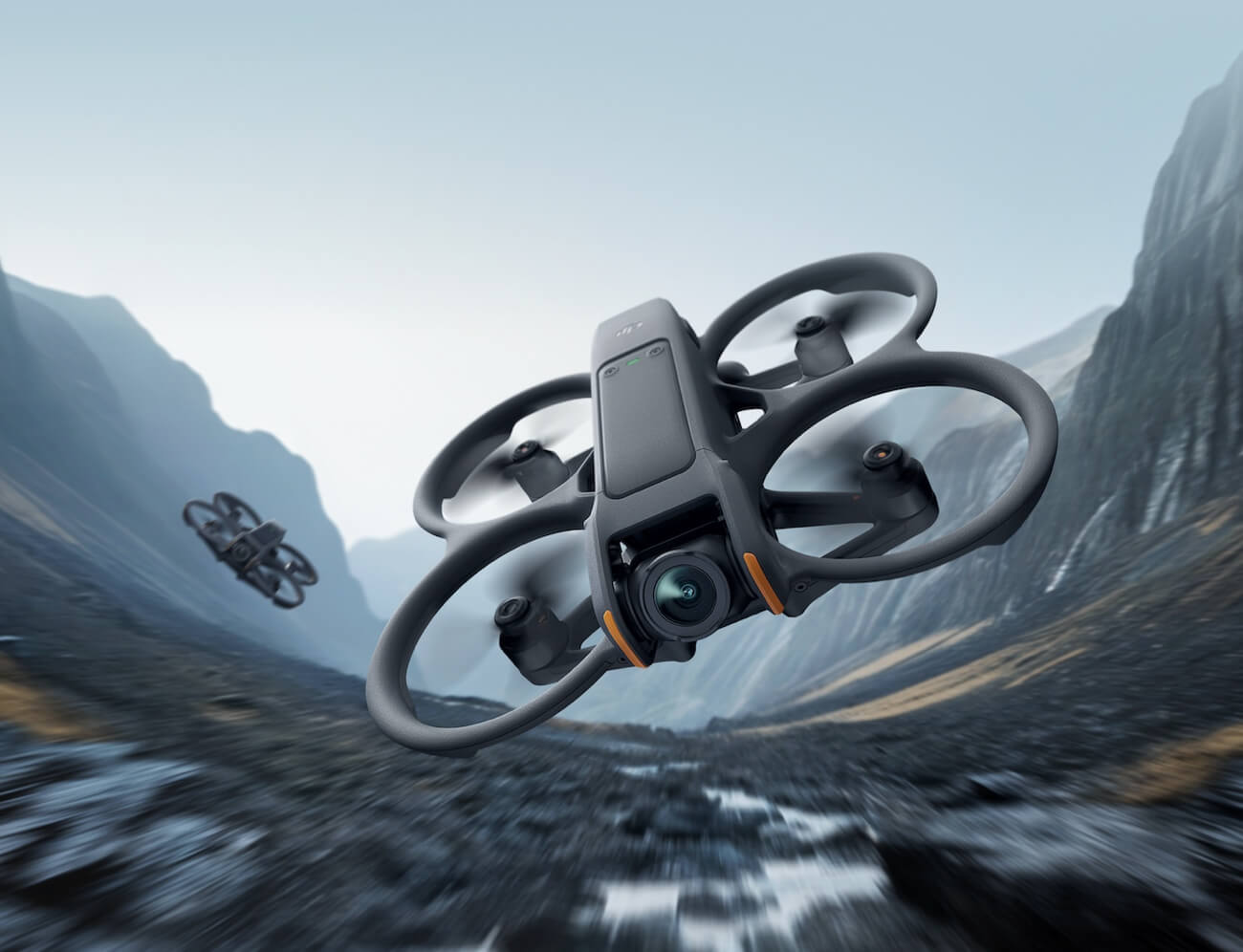
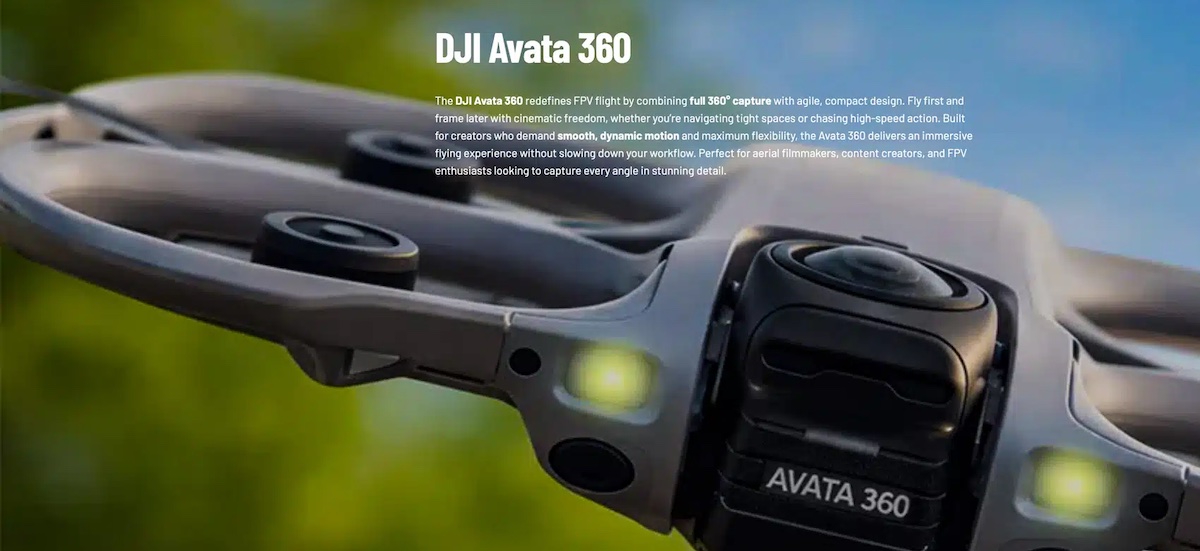
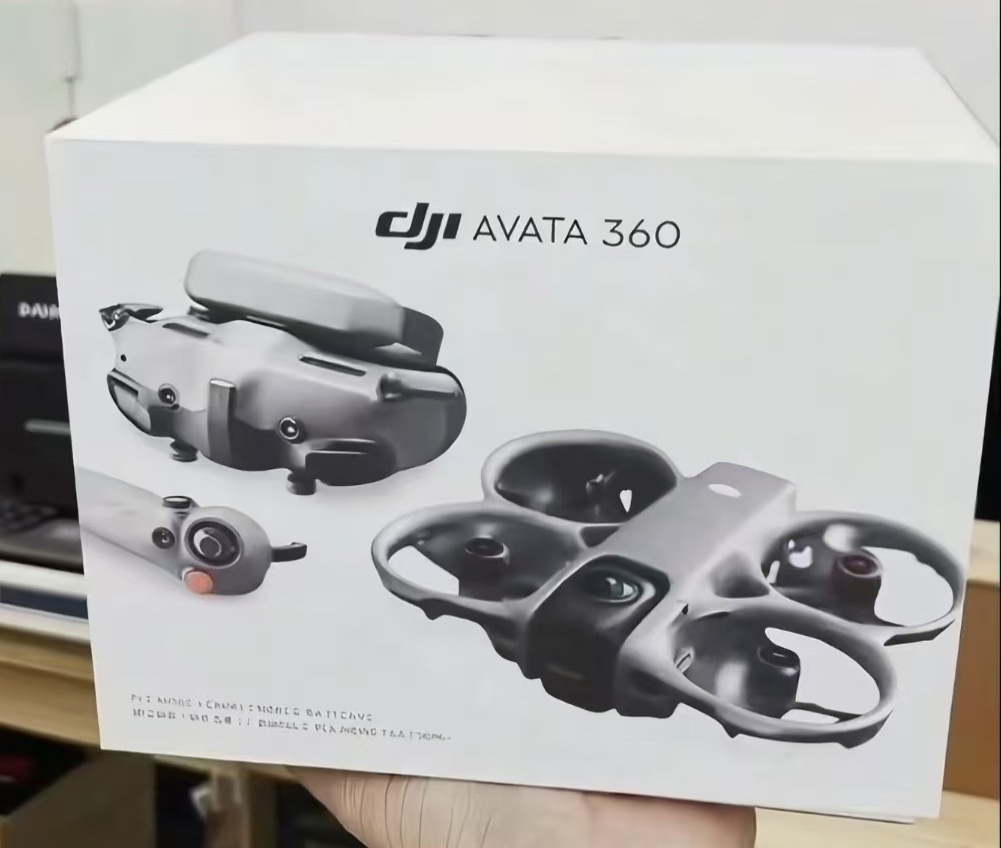
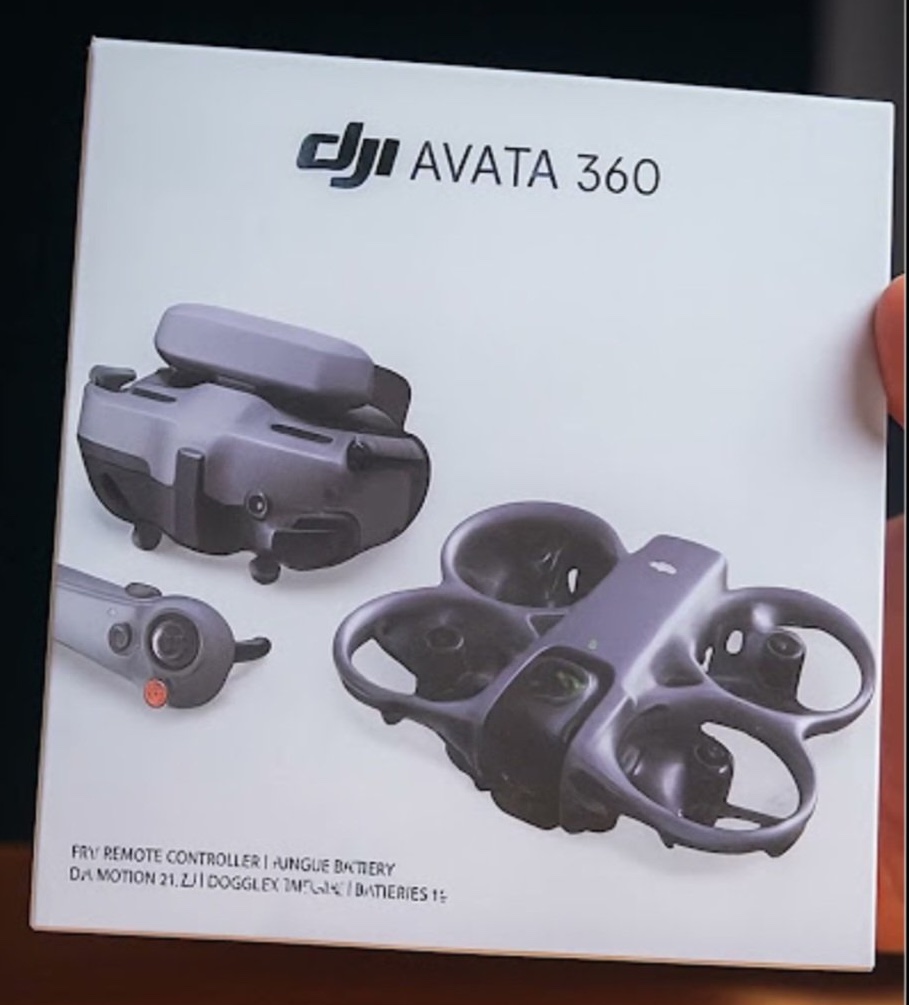
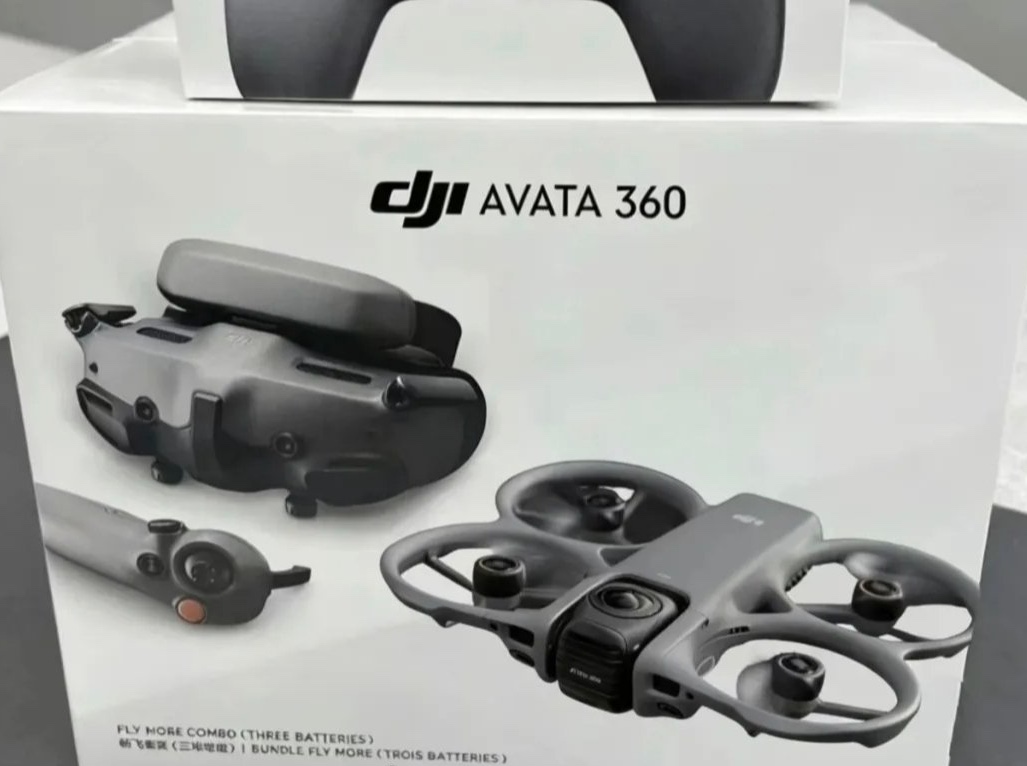
DJI Avata 360 drone: expected to feature dual 1-inch sensors for 360° capture, supporting up to 8K 60fps HDR video in 360 mode, with options for 4K 60fps in single-lens mode.
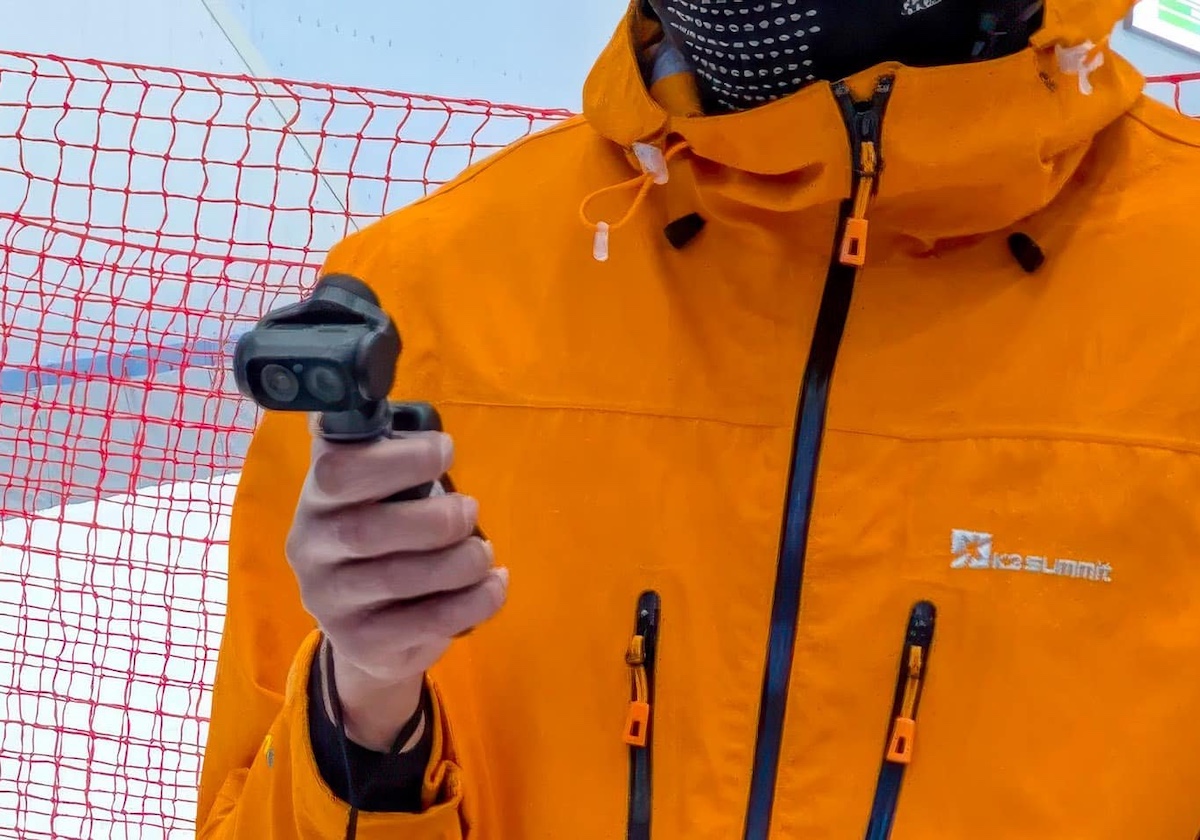
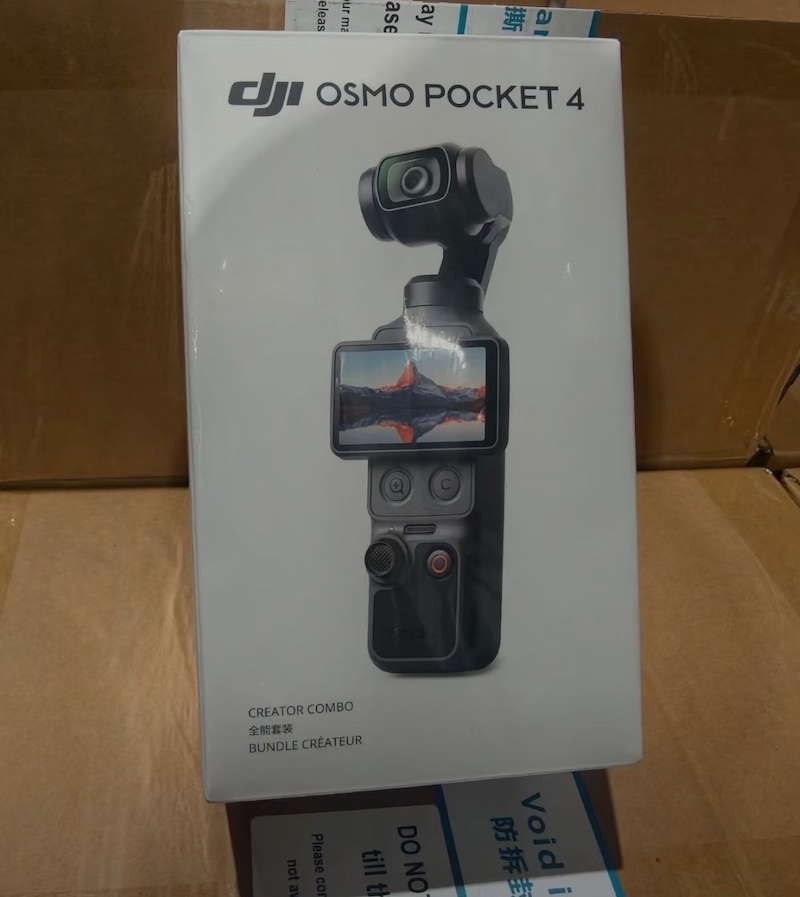
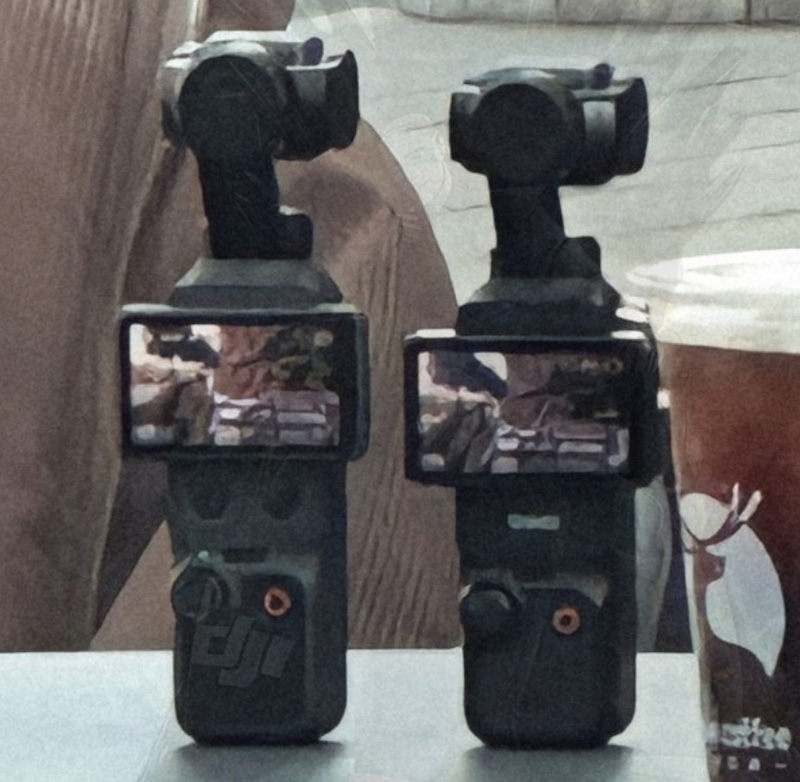
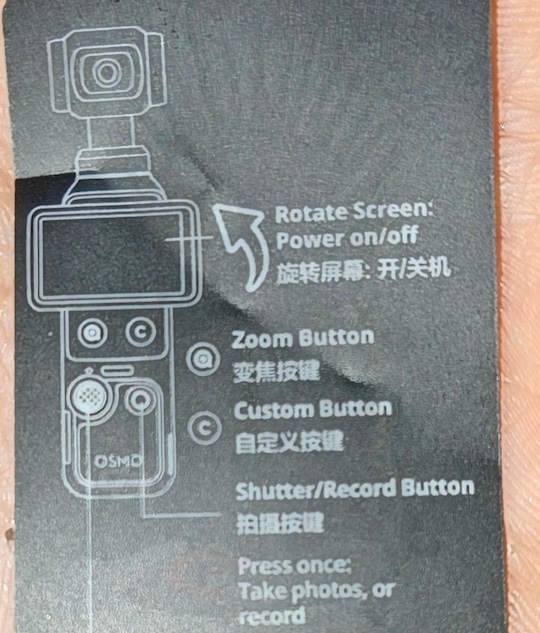
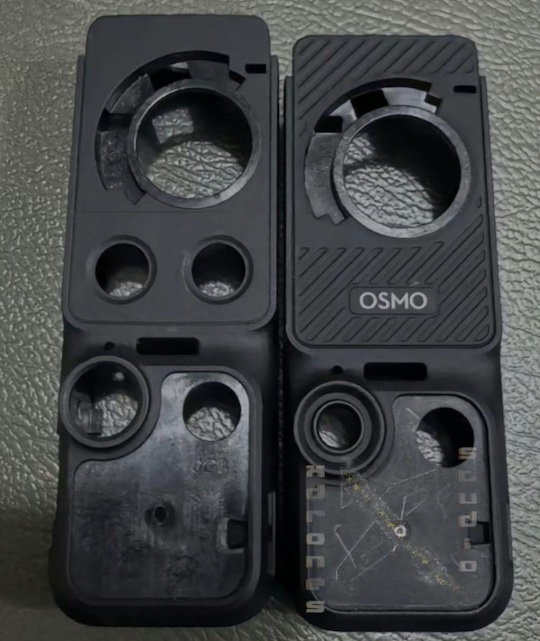
DJI Osmo Pocket 4: 1-inch CMOS sensor, 4K/120fps video recording in 10-bit D-Log M, a 3-axis gimbal, full-pixel fast focus, a 2-inch rotatable OLED touchscreen, enhanced battery life up to around 200 minutes, and new dedicated zoom and customizable buttons. A Pro variant is expected later in May or June 2026, potentially featuring dual 1/1.1-inch sensors (wide-angle and 2-4x telephoto), Hasselblad color science, optical zoom, variable aperture (f/1.7-f/2.8), improved low-light performance, and possibly 8K shooting capabilities
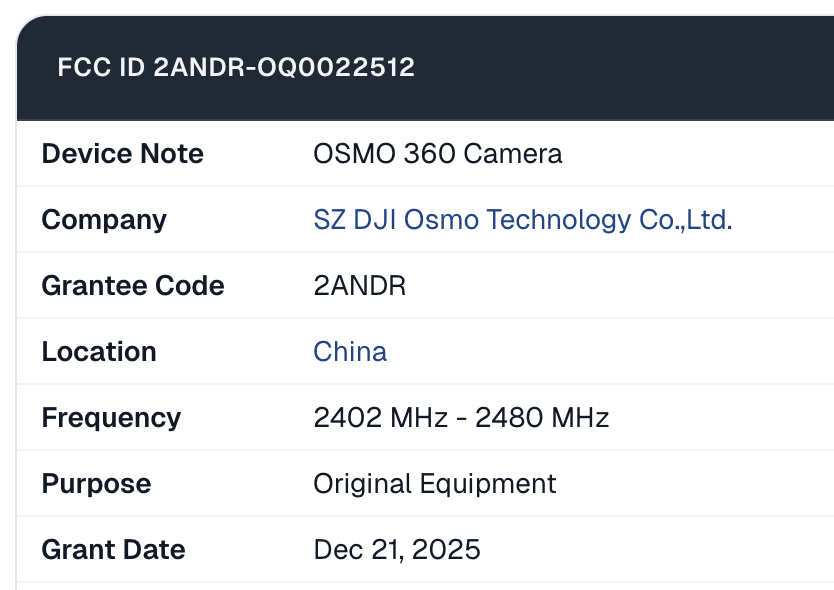
DJI Osmo 360 II: FCC registration for the DJI Osmo 360 II was completed on December 9, 2025, with ID 2ANDR-OQ0022512, confirming it’s not on the prohibited equipment list and eligible for sale in the US. The new model features a 2,150 mAh battery at 3.86V (8.3 Wh), representing about a 10% capacity increase over the original Osmo 360’s 1,950 mAh (7.5 Wh) for longer runtime. Wireless capabilities include Wi-Fi 6 (802.11ax) with dual-band dual-antenna MIMO (2.4 GHz and 5 GHz bands) and Bluetooth supporting multiple modulations (GFSK, π/4-DQPSK, 8DPSK).
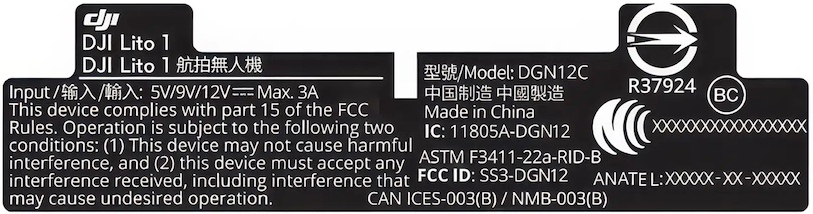
DJI Lito X1 and Liro 1 drones: The DJI Lito X1 and Lito 1 have received FCC approval in the US in late 2025, allowing them to be sold despite the DJI ban that started on December 23, 2025. The Lito 1 is rumored to replace or target the same entry-level market as the DJI Mini 4K, aimed at beginners, while the Lito X1 may succeed the Mini 5 Pro or serve as a more advanced, creator-focused option in the sub-250g category (both models are expected to be foldable, lightweight drones weighing under 250 grams). Some of the rumored specs are: Wi-Fi 6 support, multi-band connectivity, SDR radios, and an RF exposure class of 200 mm. The Lito X1 may feature internal storage of around 22GB or 42GB with microSD expansion, plus advanced sensing like O5 and 5G for potentially unlimited range.
DJI Osmo Action 7: Expected in late 2026, with rumored pricing for the standard combo starting around $349–$429, with higher-end bundles or a potential Pro model reaching up to $579. Potential upgrade to 8K video recording, possibly at 60fps. A larger senor is a possibility.
Godox has announced the V1mid, a round-head on-camera flash unit. The company's latest flash sits in the V1 lineup and aims to provide a relatively affordable option for photographers who need more than a strictly budget-level flash but in a compact package.
Godox hasn't published any information on the V1mid's guide number or power, so those specs are unclear at this point. The company does specify a 1.7-second recycle time, which is just slightly lower than the V1's 1.5-second recycle time. It also promises up to 650 full-power flashes on a single charge, which is more than both of the other V1 flash units.
The V1mid mostly relies on a touchscreen for control. Image: Godox
The Godox V1mid is smaller than the V1 and V1Pro, making it a more compact and lighter option for photographers on the go. It weighs 413g (14.6oz), compared to the V1's 530g (18.7oz) weight. To accommodate the smaller size, Godox did away with most of the buttons and dials found on the V1 and V1Pro, with the V1mid instead relying on a two-inch touchscreen and dial.
The V1mid supports TTL, manual and multi-modes. It is also compatible with high-speed sync up to 1/8000 sec, or 1/80000 sec with Sony cameras with global shutters. The flash also supports first- and rear-curtain sync. Flash power is adjustable from 1/256 to full power. It can function as both a sender and receiver using Godox's 2.4 GHz 'X' wireless radio system, making it possible to use in multi-flash setups. It also supports wired sync via a 2.5mm sync port.
Image: Godox
Like the existing V1 models, some features of the V1mid are camera-dependent. For example, only certain versions offer a 2W LED modeling lamp. Additionally, the Canon version supports camera menu control. All versions are compatible with the Godox AK-R1 round-head magnetic accessory system, making it easier to modify the light.
The Godox V1mid is available for purchase today for $179 in versions for Canon, Fujifilm, Nikon, Olympus/Panasonic and Sony.
Shooting open gate video uses the entire sensor, not just a 16:9 or 17:9 window of it. Photo: Richard Butler
Nowadays, the internet is often abuzz with discussions about open gate video recording, especially when a new camera adds (or fails to add) it as a feature. But for the uninitiated, it can be hard to tell why people care enough about it to leave endless "no open gate, no buy" comments, and there's even a risk of overemphasising its usefulness in all the excitement.
What is open gate?
A still from footage shot using the Canon EOS R6 III's ~7K open gate mode.
In case you've missed it, open gate is a recording mode that captures the entire area of a sensor. In hybrid stills/video cameras, that typically means producing a 3:2 or 4:3 image, rather than a 16:9 or 17:9 one, like most people will be used to. This often, but not always, also results in a much higher-resolution file; some cameras that don't offer >4K modes for the more standard aspect ratios will give you access to the sensor's full resolution in open gate mode.
The feature has been gaining popularity in consumer-focused cameras since Panasonic added it to the GH5 via a firmware update. Its inclusion has seemingly corresponded with sensors getting faster readout speeds: since the camera has to read out more of its sensor's height than when it's recording 16:9, the sensor has to be fast enough to read out its entire area in 1/24, 1/30 or 1/60th of a second to deliver video.
Why would you use it?
The feature came to hybrid mirrorless cameras as a way to give videographers a better experience when shooting with anamorphic lenses that have a high squeeze factor. By capturing a taller image, then squishing it down, you can get a stronger "look" (ovular bokeh and interesting compression when focus racking) without having a toothpick-thin aspect ratio like you'd get if you'd originally shot it in 16:9.
If that all sounds like Greek to you, don't worry too much; it can be complicated to shoot anamorphic lenses 'properly,' which is why doing so isn't particularly common. If that was all open gate shooting let you do, it would have likely remained an extremely niche feature. However, users – and manufacturers' marketing departments – quickly discovered that there are other reasons to capture the entire sensor.
Chief among them is that it gives you room to manipulate your footage without having to crop in beyond your native resolution. If you're shooting at 3:2 or 4:3 and delivering to 16:9, you have quite a bit of freedom to choose which part of the frame you want to take your crop from. You also have more leeway to reposition your subject in the frame, rotate the footage, or stabilize it in post, without losing too much resolution or substantially changing your original horizontal framing. The additional vertical space and, often, resolution, let you crop in further to simulate an additional, tighter focal length. You can also move the crop around, simulating a pan or tilt to add a sense of dynamism without the need for an actual camera operator.
This illustration from the S5II's product page shows one of the main selling points manufacturers push when talking about open gate. Image: Panasonic
What may be driving increased interest in open gate shooting is the ability to take that reframing to the extreme, pulling two entirely different formats from a single shot. That extra vertical headroom makes it easier to take a vertical crop out of your video, letting you shoot one clip and then cut it for horizontal platforms like YouTube and vertical ones like TikTok or Instagram. As these platforms have gained popularity, so too has the desire to take video shot for other, more landscape-focused platforms, without having to do two separate takes.
A 9:16 vertical crop taken from a 3:2 open gate image. Plenty of room for captions and overlaid UI.
A 9:16 vertical crop taken from a 16:9 image. Which could come across as a bit tight.
While this is technically possible with 16:9 footage, it can be quite difficult to find a framing that works for both horizontal and vertical with such a narrow aspect ratio.
What are the downsides?
This open gate shot, taken on a Panasonic S1II, can technically be split into vertical and landscape shots, but as often happens, one won't be as nice a composition as the other.
Of course, open gate footage isn't necessarily immune from this problem, either. When producing videos for our YouTube channel, we sometimes shoot in open gate when we plan on also uploading a cut to social, and we've found that it can be tricky to find a framing that will work for both. In the example above, the vertical crop shows off the interesting glass sculpture hung in the treetops, but any horizontal crop that includes the presenter will look either off-balance or just make it look like he's standing in a featureless forest.
Open gate footage also usually takes up more storage space, owing to its higher resolution, which is something to keep in mind. It may also be a bit harder to edit on lower-end hardware, depending on what you're trying to do with it.
Finally, there's the issue of framing. Unless you're delivering video in your sensor's aspect ratio, shooting in open gate means you'll have to crop in on your footage when editing, which is an extra step in the process, requiring you to decide what the best framing is on a shot-by-shot basis. If your camera has the ability to display framelines, you can try to make sure your framing is relatively consistent while shooting, but there may still be the temptation to endlessly fiddle in post, trying to get the perfect crop.
So should I actually care?
The Sony a7 V doesn't have open gate. Some people view this as a dealbreaker, which it may very well be for them. But that doesn't mean it will be for everyone. Photo: Mitchell Clark
If you've reached this point in the article and have found yourself thinking something along the lines of "I can't ever imagine needing/wanting to do any of this," you're probably not alone. People have gotten along very well with cameras that only shoot 16:9 for years, and while there's definitely an element of "I can't go back now that I've tried it" to open gate, many of its benefits are decidedly niche.
Of course, if you fit into that niche, open gate can be a valuable tool. Personally, I find it most valuable as a way to give myself more leeway when I'm trying to record myself, or when I feel artistically called to deliver video in a more square aspect ratio.
The point is not to prescribe where on that spectrum you should fall, but to highlight the fact that open gate isn't a universally useful feature. There will be those for whom it's a nice-to-have, but not necessarily a reason to pick one camera over another, and others whose needs make it a must-have feature (and still others who won't ever use it, plus those who are mad their camera even shoots video at all).
Yongnuo recently unveiled a mysterious new lens, reportedly equipped with its newly developed VCM motor (pictured above). The new lens will be an ultra-wide-angle (I’m guessing 18mm). An E-mount version will be available first, with the Z-mount version following later. In the images shown, the new lens appears roughly the same size as their 50mm lens and is said to have a 58mm filter thread.
Here is a demo of the AF capabilities of the new VCM motor:
Most of the time, our Editors' photo challenges focus on technical excellence or powerful storytelling. However, sometimes photography is just about having a bit of fun and a good laugh. That's what we tried to do this month with our "Silly signs" photo challenge. We asked you to share the weird, wacky and downright silly signage you've stumbled across while out and about with your camera.
As always, we received many more great photos than we can feature here. Our favorites, showcasing a diverse range of vision and talent, are presented in random order.
Photographer's statement: I found the idea of warning people not to walk on cacti with huge spines quite ridiculous. I almost titled this "No sh#t Sherlock!" Taken in a botanical garden in Sydney, Australia
Photographer's statement: That bull was definitely cheating. If he'd been at the other end of the field, I reckon I could have beaten him *wink*. I photographed this a few years ago. It took a few visits before I got the bull in the same shot as the sign.
Photographer's statement: Travelling north from the Danish island of Falster to the main island of Zealand in early May 2024, I quickly stopped at a parking lot right after the famous Faro South bridge. And there it was, that sign telling people not to leave their valuables in the car.
In the original Danish language, "Tom bilen for tyven" means something like "Empty your car before a thief does," which matches well with the silly scene pictured in the sign. The English phrase "Don't leave valuables behind," however, is really not such a good match for that. But the main reason I took this picture at the time was an entirely different one, namely that the car in the sign looks almost the same as the one I drive, including the red color.
So, it would be sort of fun for me to show this picture to my friends back home who know my car. Little did I know at the time that, less than two years later, I would be submitting this picture for the "Silly Signs" photo challenge.
Photographer's statement: I discovered this sign at the head of a trail leading down to the Clear Fork Mohican River in Ohio. The sign warns visitors of unsafe hiking. The sign's safety, however, is compromised as it learns that tree bark can bite.
Photographer's statement: There was a certain irony in discovering that the ‘No Shooting’ sign had been shot. On the brighter side, the timing was perfect to line up the sun through the bullet hole and capture a rather photogenic sunstar.
Equipment: Canon EOS R5 + Canon RF 24-105mm F4L IS USM
Photographer's statement: While walking with my wife along the Royal Mile in Edinburgh, Scotland, I thought it might be fun to break out a bit of Hamlet or perhaps King Lear. Unfortunately, the good people of Edinburgh do not take kindly to such unsolicited performances.
Photographer's statement: At the cruise ship terminal on the island of Corfu, Greece, a sign has been posted to alert drivers to the peril of driving off the end of the pier.
Photographer's statement: I saw this sign while walking the High Line in Manhattan. A great way to encourage people to give up all hope of finding free street parking!
Photographer's statement: Came across this sign near a small creek. The intention to warn about sudden surges is somewhat compromised by the pictogram's lack of seriousness and its obvious neglect. Nevertheless, seeing it should keep you from acting silly.
Photographer's statement: Always exploring with my camera. Makes me feel safe, confident and creative. Never know what you will come across. Here, inside a dilapidated building slated for demolition, was this sign. I wonder what happened to the person who opened the door?
Photographer's statement: Taken in the car park of our local Aldi, which was flooded due to heavy rain. Not sure if this is just an understatement or irony. You decide.
Photographer's statement: Many years ago, while visiting Vanuatu, we visited some sort of aquarium at a resort. It wasn't very good, but the sign made me laugh. Just being prepared for tourists who may not know sharks are dangerous. Having said that, I have since swum with reef sharks in Tahiti, and those at least are harmless.
Photographer's statement: While walking in my neighborhood came across this sign. My CONUNDRUM - to obey the sign's command, you must first disobey the sign's command. What do I do?
Photographer's statement: I was walking past a building one evening when I noticed a bright green door lit up below street level, with steps leading down to it. Just read the top sign, thought "Okay," then noticed the second one immediately below. Wonder what would happen if I decided one day to go there and knock on the door?
Photographer's statement: This picture of the sign was taken at the annual racing events for professional and amateur runners. The events promoted physical activity by offering different race distances, including a marathon, a half-marathon, etc. The events raised funds for local charities. Residents lined up the route to support the runners with cheers, bells and signs.
Equipment: Sony a7 IV + Sigma 24-70mm F2..8 DG DN II
Photographer's statement: The words in Chinese actually meant "Be careful not to fall off the cliff." Hope this has already been corrected, and there were no casualties due to anyone following the instructions in English.
Photographer's statement: Unfortunately, we initially missed this sign, but we managed to swim back to shore, and my kid got this picture with his (waterproof) iPhone 15 Pro. We then set out on foot for the local car rental business on Block Island, RI.
Photographer's statement: While strolling around Florence, Italy, I encountered numerous "No Entry" signs, like this one. I felt this one was transformed by imaginative artists into humorous works of attractive creativity.
Equipment: Nikon D750 + Nikon AF-S Nikkor 18-35mm f/3.5-4.5G ED
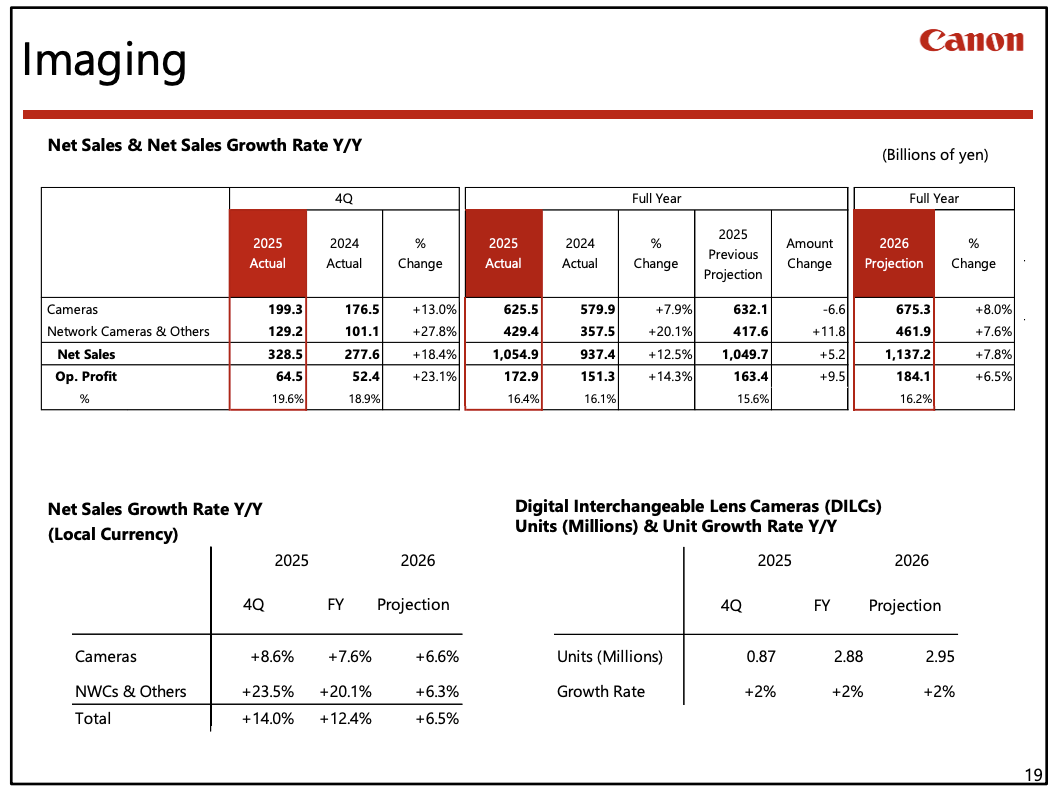
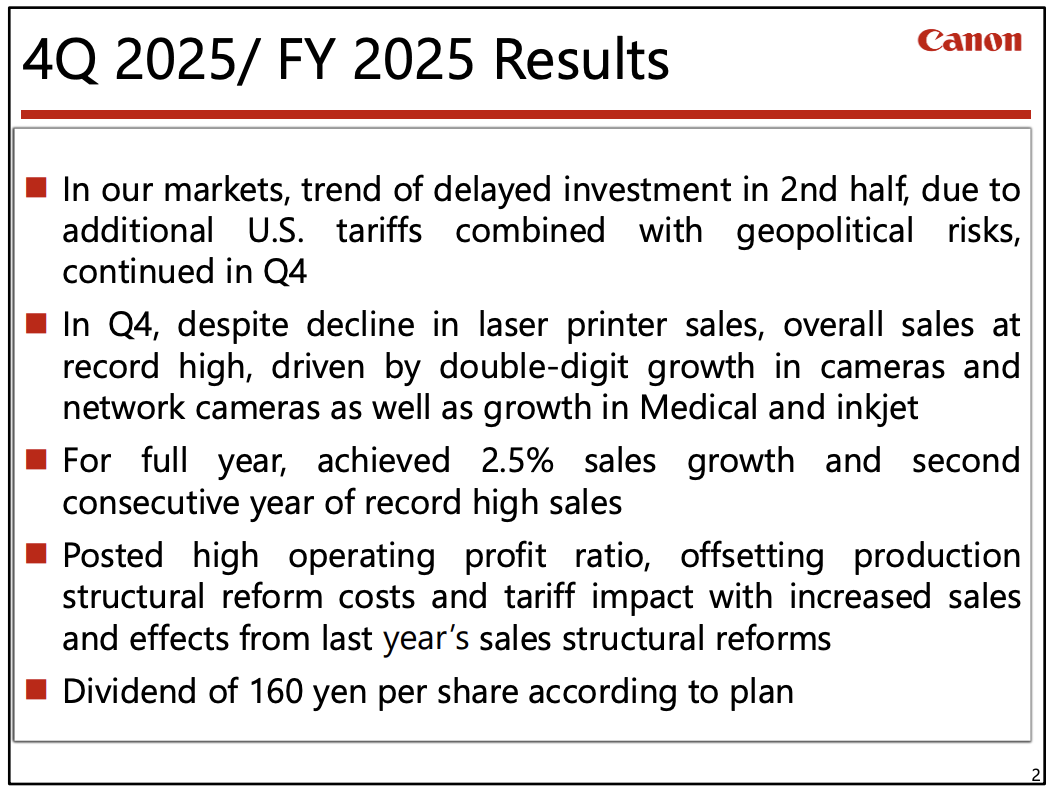
Canon released its FY2025 financial results – here is the section for the Imaging Business:
As for the size of the interchangeable-lens camera market, driven by an increase in new users, especially young people, and by new product launches from various manufacturers, the market reached 6.7 million units in 2025, 300,000 more than the previous year. And in 2026, we expect a further increase of 100,000 units for a total of 6.8 million units.
In the fourth quarter, we posted strong sales of the EOS R6 Mark III, a new full-frame mirrorless camera that we launched in November. We also increased sales of entry-level models during the year-end selling season. Driven by strong demand, sales of compact cameras doubled from the previous year due to increased supply through the further expansion of production. As a result, the overall camera business posted double digit sales growth in the fourth quarter to record an 8% increase for the full year.
In 2026 as well, the number of new camera users, especially younger people, is expected to continue increasing. To capture this demand, we will maintain the growth of our entry level models, such as the EOS R50 and EOS R100, as well as the EOS R50V, which is designed with a strong focus on shooting video. For full frame models, we will increase unit sales, with a focus on the new EOS R6 Mark III. As for lenses, supported by strong camera sales, we will promote sales expansion based on our expanded lineup. For compact cameras, we plan to further increase production in response to the strong demand that continues to generate backorders. This will allow us to significantly increase sales, and for the overall camera business, achieve our target to increase full-year net sales by 8%, which is similar to what we achieved in 2025.
When you use DPReview links to buy products, the site may earn a commission.
Sample gallery
This widget is not optimized for RSS feed readers. Click here to open it in a new browser window / tab.
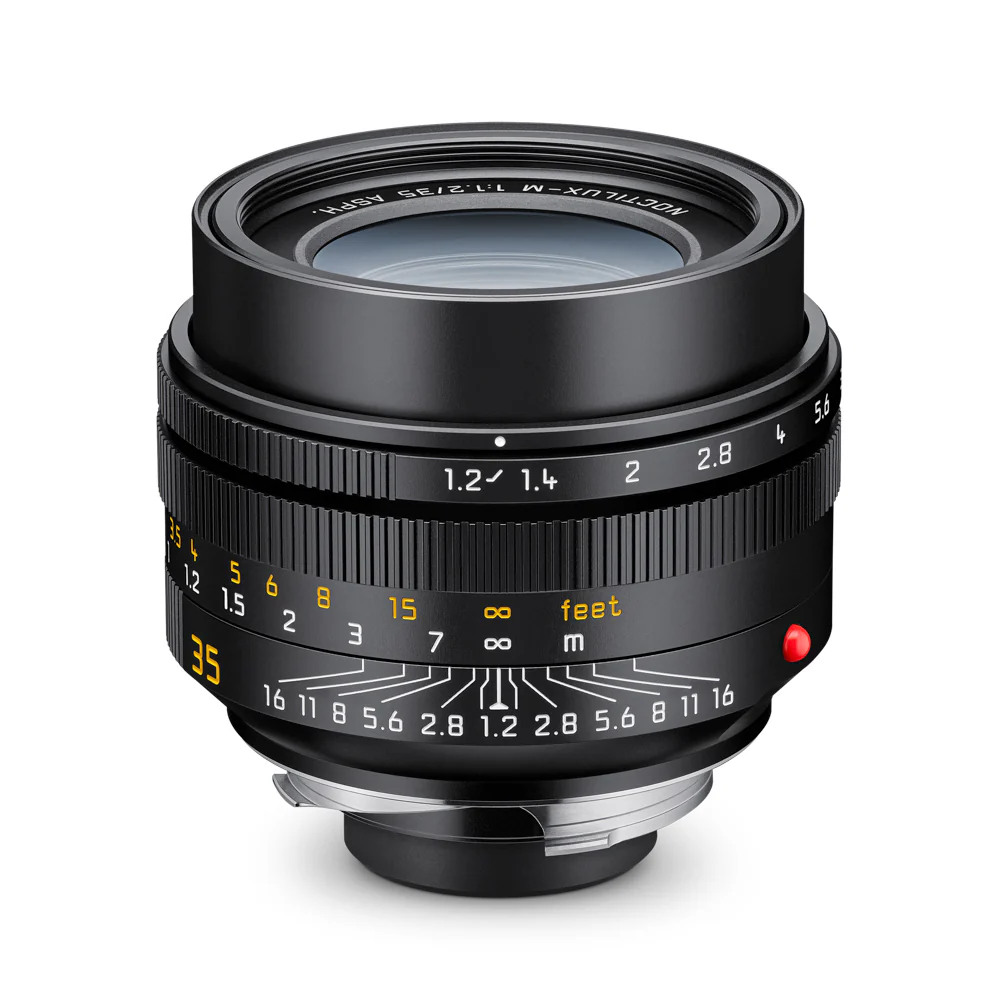
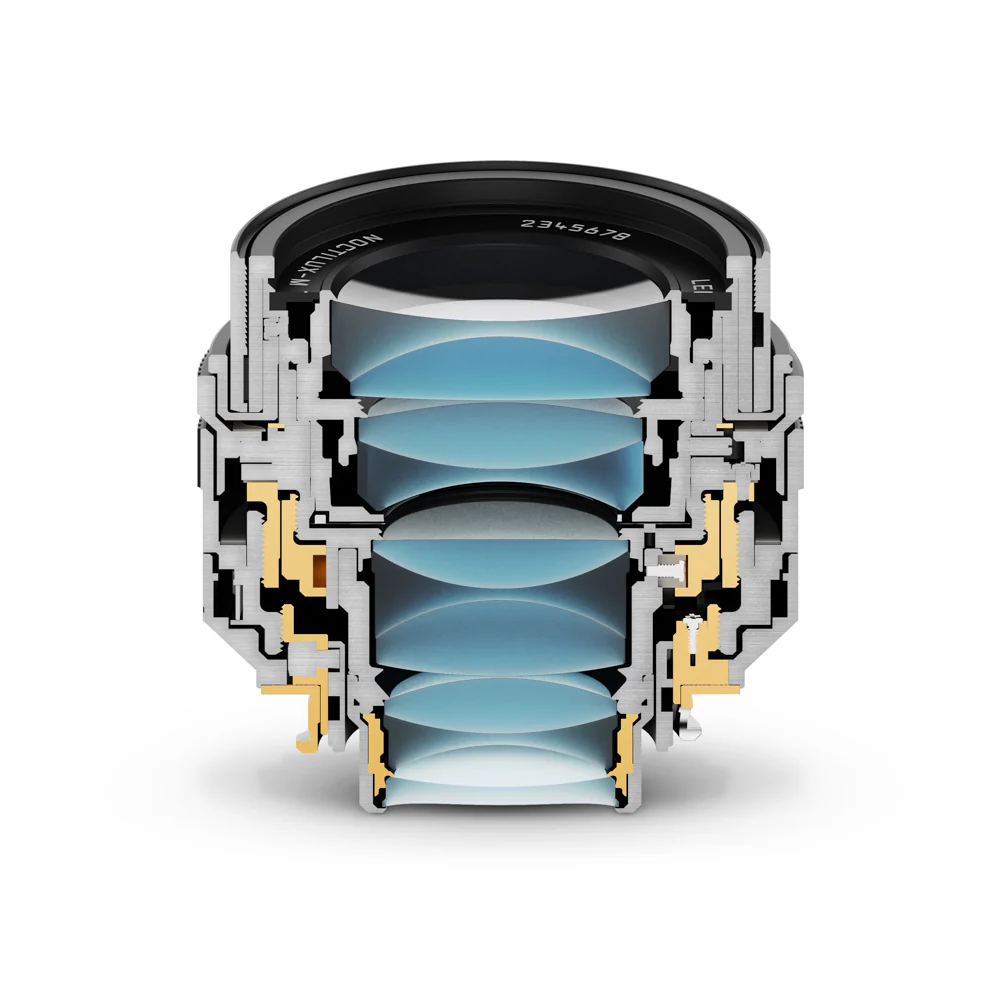
Earlier this week, Leica announced the Noctilux M 35mm F1.2 Asph., a new wide-angle entry in its famous line of fast lenses that has previously been limited to normal and telephoto options. Luckily, we got the chance to shoot with it. While the Pacific Northwest winter weather was naturally uncooperative, we were at least able to test the lens out in conditions that reflected its name; "Noctu" is Latin for "night," and "lux" translates to light.
The Panasonic Lumix DC-S1RII is the company's latest high-resolution full-frame mirrorless camera, now beefed-up with 8K video capabilities and improved autofocus.
Key features
Full-frame 44MP dual gain CMOS sensor
Up to 40fps continuous shooting with pre-burst capture (e-shutter only)
8.1K/8K video at up to 30p
5.76M dot viewfinder
Flip-out and tilt rear screen
ProRes 422 and ProRes RAW capture
Capture to CFExpress Type B, UHS II SD or external SSD
Multi-shot high res mode up to 177MP
32-bit float audio via optional XLR 2 adapter
The S1RII is available now with a recommended retail price of $3300.
Update, Jan 2026: In light of the significant improvement in autofocus performance we experienced with the latest firmware on the S1II, we've re-tested the S1RII with its Ver. 1.3 update. The improvements to the S1RII appear to be much more subtle, so we've made slight adjustments to phrasing but don't feel it warrants a revision to the score or award.
Mar 31: Image quality and Autofocus results published
Apr 23: Autofocus section updated and conclusion added
Aug 7: Video section added, conclusion updated
2026
Jan 30: Updated with note about AF performance after V1.3 update
What's new
New sensor
Rather than the 47MP used in the original S1R, or the 61MP chip used in Leica's SL3, Panasonic has opted for a slightly lower resolution but faster sensor for the S1RII.
It features dual conversion gain on which, as usual on Panasonic cameras, you can manually select which of its two readout modes it uses, at intermediate ISO settings. Panasonic doesn't always disclose when it's using BSI technology, but in this instance it has confirmed it.
Its design means it's appreciably slower than the more expensive Stacked CMOS sensors, with an electronic shutter mode that takes 37.5ms (~1/27 sec) to read out in 14-bit mode and 20.2ms (~1/50 sec) in the 12-bit mode used for bursts and other quick-fire shooting modes.
Autofocus
The S1RII represents the second generation of Panasonic cameras to feature phase detection autofocus, with the inherent depth awareness that this brings. The company says it's significantly improved both its subject recognition and its tracking algorithms in the new camera, to bring its performance closer into line with the best of its peers.
The S1RII has algorithms trained to recognize the following subjects:
Human
Animal (Dog, Cat, Bird)
Car
Motorcycle / Bike
Train
Airplane
We're told it should be quicker at finding a subject and better at continuing to track it, even if, for instance, the subject turns away from the camera or is partially obscured. As before, you can choose whether the camera homes-in on specific details, such as the helmet of a motorbike rider, the nose of a plane or the eyes of an animal. Selecting the more precise focus position can lower the system's responsiveness to smaller, faster-moving subjects.
Cinelike A2 color mode
The S1RII gains a new 'Cinelike A2' color mode, in both stills and video modes. It offers a very gentle response, somewhere between the flat, DR-prioritizing Cinelike D2 and the punchy, ready-to-go Cinelike V2 profile.
Panasonic says the A2 mode's color response stems from work they've been doing in recent months. And it's perhaps worth considering which partners Panasonic has been working with, recently, to guess at the significance of the letter 'A' in the name. Unlike the camera's Leica Monochrome mode, any connection isn't made explicit.
Real time LUT
The S1RII gains the Real Time LUT function we've seen on recent Panasonic cameras, letting you create and upload color and tone-modifying profiles in format with a workflow that's already widely supported across the industry. The S1RII allows you to load up to 39 LUTs onto the camera, with the option to combine two LUTs with varying intensity, if you wish.
Additional LUTs can be created or downloaded via Panasonic's Lumix Lab app.
False color
The S1RII becomes one of the first stills/video cameras to include a false color display option. This is a feature common in the video world, giving a mono preview with certain brightness levels highlighted in different colors, to help you recognize which bits of the image are clipped or near clipping and which areas are exposed as mid tones or at a level appropriate for light skin tones. This display can be used in boths stills and video modes.
Capture One tethering
The S1RII becomes the first Panasonic camera that can be shot, tethered, from Capture One, the popular studio software. We're told any decisions about whether to expand support to other models will depend on customer demand.
What's new for video
The 44MP sensor means the S1RII has slightly more horizontal pixels than necessary to deliver UHD 8K (7680 x 4320) footage and a fraction short of what's needed to capture the DCI 8K's 8192 x 4320 resolution. Instead it offers what Panasonic called 8.1K (8128 x 4288), which conforms to the same 1.89:1 aspect ratio as DCI footage.
The degree to which the sensor resolution is suited to 8K capture is unlikely to be coincidental, and the S1RII offers the kind of extensive video feature set that you might expect from the company that brought us the GH series, rather than the pared-back list of options the original S1R brought.
It also includes everything you'd expect from Panasonic: the option to set exposure in terms of shutter angle, waveforms, vectorscopes, filtering or custom lists of video modes, four-channel audio and 32-bit Float audio via the optional XLR2 accessory, support for anamorphic lenses and a tally lamp to let you know you're rolling. The attention to detail goes beyond the addition of a big red button on the front.
Video options:
Output dimensions
Frame Rates
Crop
MOV
ProRes
1.89:1 modes
8.1K
8128 x 4288
30, 25, 24
1.0
4:2:0
–
5.8K
5760 x 4030
30, 25, 24
1.0
422/HQ
30, 25, 24
1.31
–
RAW/HQ
60, 50, 48
1.04
4:2:0
–
DCI 4K
4096 x 2160
30, 25, 24
1.0
4:2:2
422/HQ
60, 50
1.04
60, 50, 30, 25, 24
1.52
120, 100
1.10
4:2:2
–
16:9 Modes
8.0K
7680 x 4320
30, 25, 24
1.0
4:2:0
–
5.9K
5888 x 3312
30, 25, 24
1.0
–
60, 50, 48
1.11
–
UHD 4K
3840 x 2160
30, 25, 24
1.0
4:2:2
422/HQ
60, 50
1.11
60, 50, 30, 25, 24
1.52
120, 100
1.17
4:2:2
–
3:2 Modes
8K open gate
8064 x 5376
24
1.0
4:2:0
–
7.2K open gate
7200 x 4800
30, 25, 24
1.0
4:2:0
–
6.2K open gate
6432 x 4228
30, 25, 24
1.0
4:2:0
–
4:3 Modes
4.7K
4736 x 3552
60, 50, 48, 30, 25, 24
1.65
4:2:0
422/HQ*
- Boxes marked green offer All-I compression options. - Red boxes have a ProRes option. * ProRes 422/HQ only available up to 30p
The S1RII can also shoot Full HD (1920 x 1080) footage at any of the frame-rates and crops offered in UHD 4K mode, with the additional ability to capture 120 and 100p footage from the APS-C region.
Dynamic Range Expansion
The S1RII gains a DR Expansion mode, letting you capture an additional stop of highlight information in high-contrast situations. This can be activated in any of the movie modes at frame rates up to 30p, and can only be applied when shooting V-Log footage (where the response curve can easily accommodate different levels of DR capture).
Base ISO
2nd gain step
Standard color mode
ISO 80
ISO 400
Cinelike D2, V2, A2
ISO 160
ISO 800
HLG
ISO 320
ISO 1600
V-Log
ISO 200
ISO 1000
V-Log + DR Expansion
ISO 400
ISO 2000
This is not the same system as the dual readout DR Boost function in the company's 25MP Micro Four Thirds camera. Instead it moves to a higher bit-depth readout, meaning there's a rolling shutter cost to engaging it. It also boosts the minimum available ISO, to prompt the use of a lower exposure, to capture that additional stop of highlights.
Open gate shooting
A still grab from the S1RII's 8K open gate mode.
The S1RII can capture 8K footage from the entire 3:2 region of its sensor, which can be recorded as-is, or downsampled to 6.4K.
Open gate shooting lets you choose and adjust your crop during post production. It also makes it possible to frame wide and then take both landscape and portrait video crops if you're trying to deliver to multiple different output platforms.
5.XK at up to 60p, 4K at up to 120p
Like the S5II models, the S1RII gives you the choice of 1.89:1 DCI 4K capture or 16:9 UHD 4K, or 5.9K or 5.8K versions taken from the same capture regions. All four are available as 10-bit footage, with 4K encoded with 4:2:2 chroma precision and the 5.XK modes in 4:2:0.
Footage up to 30p is taken from the full width of the sensor using the full capture resolution, with a slight crop in to give 60p. 4K (in both flavors) is available at up to 120p with the addition of a further slight crop. Line skipping is used to deliver these 100p and 120p modes.
DCI and UHD 4K can also be captured at up to 60p from an APS-C region of the sensor.
UHD
DCI
Crop
Rolling shutter
Crop
Rolling shutter
8K, 5.xK*, 4K 30/25/24
1.00
24.9ms
1.00
22.4ms
5.xK*, 4K 50/60
1.11
15.4ms
1.04
15.3ms
4K 100/120
1.17
7.3ms
1.10
7.3ms
4K/30 DRExp*
1.00
31.7ms
1.00
29.8ms
*8.1K and 5.9K modes give the same results as DCI 4K, 8.0K and 5.8K matches UHD
Tellingly the rolling shutter rate in DR Expansion mode is consistent with the rate of 14-bit stills, which suggests it's based on 14-bit capture, explaining Panasonic's claims of greater dynamic range.
In turn, the 60p output's rolling shutter is consistent with the 12-bit stills readout rate. This stongly implies that the standard 24, 25 and 30p modes, which are slower than this but quicker than 14-bit mode are taken from 13-bit capture.
In addition to the conventional MOV compressed footage, the S1RII also lets you capture various resolutions in either ProRes 422 or ProRes RAW formats, both of which can either be recorded to the camera's internal CFExpress type B card or to an external SSD. ProRes RAW (with a choice of HQ or standard compression levels) is taken from a 1.31x crop of the sensor, whereas the ProRes 422 (again HQ or Std) is derived from the full-width 8.1K capture. It can also output 8.1K and 7.2K Raw over HDMI to a compatible recorder.
How it compares
The new, more compact S1RII arrives in a market where you can choose between the high resolution Sony a7RV or pay more for the likes of Nikon's Z8 and Canon's EOS R5 II that are both high resolution and fast. The Panasonic occupies something of a middle ground: offering some of the speed of the faster cameras (a higher peak frame rate but with more rolling shutter), but at a lower cost than Canon and Nikon's Stacked CMOS cameras.
We've opted to include the Canon EOS R5 II in this table, but the Nikon Z8 ends up looking very similar in terms of areas of strength, if you were to substitute that in. We've also chosen the DSLR-shaped a7R V from Sony, rather than the smaller, less expensive a7C R, because the larger model more closely resembles the Panasonic in terms of form factor, viewfinder quality, shutter options and screen articulation. But if size and price are your biggest concerns, the a7C R is in the running.
Despite being comfortably less expensive than its immediate peers, the S1RII's specs are competitive across the board. And while its video exhibits a fair bit more rolling shutter than the Stacked-sensor Nikon and Canon models, it significantly out-performs the Sony.
The a7R V's rolling shutter rate of 38ms means it can't deliver 8K/30, whereas the Panasonic can shoot 8K 30 and do so as fast as 24ms. This is respectable but not as impressive as the ∼13 and 14ms that the EOS R5 II and Z8 provide, respectively, from their much more expensive sensors.
Much of whether it's actually competitive, for both stills and video, will come down to whether the autofocus improvements are as significant as Panasonic promises.
* - Sony's implementation of HLG HEIF disables Raw recording, so you only get the output file.
Body and handling
The S1RII uses a body based on the smaller S5II series, rather than the more substantial design of the first-gen S1 series cameras. This leaves it both smaller and lighter than its predecessor.
It has the internal fan from the S5II, with two small exhaust ports on either side of its viewfinder hump. This doesn't give quite 'GH series' recording reliability, but still allows the S1RII to record for extended periods.
However, while the body itself is similar in size to the S5II, it has a deeper hand grip, making it more comfortable to use with larger lenses. It maintains a row of three buttons along its top plate, immediately behind the shutter button, but omits the top plate display that the Mark 1 had.
Other losses in the move to the smaller body see the S1RII offer only a single function button between the mount and the hand grip, and the replacement of the two-position switch at the lower corner of the front panel by a large red [REC] button (whose function can be customized).
The S1RII also goes without a flash sync socket, but gains a dedicated Stills/Movie/Slow&Quick switch. Moving the exposure modes to the right of the camera allows the drive mode to be promoted to the top of the left-side dial, making room for shooting mode to occupy the switch underneath. Both mode dials have toggle lock buttons.
The removal of movie mode from the exposure mode dial in turn provides room for five custom positions on the exposure dial, each of which can be customized separately for stills and video custom settings. Position 5 on the dial can be used to access custom banks 5-10, if you wish, giving you a total of up to ten photo and ten video custom setting sets. Thankfully the camera's settings can be saved to a memory card and duplicated across cameras.
Rear screen
On the back of the camera, Panasonic has adopted a similar screen layout to the one Panasonic used on its explicitly video-focused S1H: a fully articulated rear screen mounted on a cradle that tilts up and down. This means that stills shooters can use the tilt mechanism if they want to keep the screen on-axis (and can flip the screen to face inwards for protection, when stowing the camera), but video shooters can extend the screen out and tilt it away from the mic, headphone and HDMI sockets while shooting.
Battery
The S1RII uses the same 15.8Wh DMW-BLK22 battery as the S5II, a significant reduction compared with the original S1R. Despite this, it achieves a CIPA battery rating of 350 shots per charge if you use the rear screen and 300 via the viewfinder. The usual caveats apply to this number: most people get many, many more shots out of a camera than the CIPA rating (between two and three times the rated figure isn't unusual). To put it in context, 350 is a respectable figure and shouldn't leave you caught out during a busy day's shooting, but it doesn't have the confidence-inspiring duration that Sony's a7R V offers.
A new DMW-BG2 battery grip is also available to fit the S1RII. It adds a second battery in the grip, and is designed to allow hot-swapping of batteries: the external battery is used until the battery door is opened, at which point the camera switches to using the internal battery until a new battery is inserted in the grip. The grip also allows the camera to use both batteries simultaneously, for high power-consumption combinations such as capturing high bit-rate video to an external SSD.
Image Quality
Our test scene is designed to simulate a variety of textures, colors and detail types you'll encounter in the real world. It also has two illumination modes to see the effect of different lighting conditions.
Image Comparison
This widget is not optimized for RSS feed readers. Click here to open it in a new browser window / tab.
The results are pretty positive. In terms of detail capture, the S1RII performs as we'd expect, capturing less detail than the 61MP Sony a7R V but with no meaningful difference vs the likes of the Canon EOS R5 II, Nikon Z8 or its own predecessor.
There's a fair bit of moiré visible in various places suggesting there's no anti-aliasing filter. But it's not significantly more pronounced than in most of its rivals, suggesting we were just unlucky that we got to see some artefacts in one of our real-world shooting. If anything, looking around various high-frequency targets in the scene, Panasonic's JPEG engine seems to be doing a pretty good job of suppressing the effects of moiré.
In terms of color rendition the Panasonic looks a lot like its immediate peers, with no significant differences in most colors, compared with its peers. The light skin tone patch is perhaps a fraction more pink than Canon's rendering, but there aren't any nasty surprises: something backed up by our experiences of shooting with the camera.
Noise levels seem competitive at low to moderately-high ISO settings but it looks like noise reduction is being applied to the Raws at the higher ISO settings, with distinct blurring of the noise patterns. JPEG noise reduction strikes a pretty good balance between noise suppression and detail retention, but gets a bit overwhelmed at the highest settings.
Dynamic range
The S1RII's sensor is a modern design with dual conversion gain; it has Panasonic's 'Dual Native ISO' function that lets you decide exactly where the switch in modes happens, but at default settings, it's at ISO 400 that the switch happens. Sure enough, if you brighten an ISO 320 image, you'll see it has slightly more noise than images shot at ISOs above that point, with the same exposure.
The further you venture into the ISOs from that low gain mode, the more noisy you'll find the very deep shadows (this is exactly the read noise that using the higher gain step minimizes). So the widest possible dynamic range is encountered at ISO 80, but if you're tempted to underexpose in low light, to protect highlights, you shouldn't venture below ISO 400.
The S1RII has a lower base ISO than its predecessor, so you can't make a direct comparison (the new camera receives 1/3EV more light), but even with that slight discrepancy, it's results seem comparable. It's a competitive result, even compared with the best of its peers.
High res multi-shot
Shot using hand-held multi-shot mode.
Lumix S 20-60mm F3.5-5.6 | 26mm | F8 | 1/250 sec | ISO 80 Photo: Richard Butler
While we generally haven't found high-resolution multi-shot modes to be particularly useful, they can help you capture a bit more detail in the right circumstances. The S1RII has one of the best implementations of the feature, too, with both tripod and handheld modes and the option to compensate if your subject moves a bit at the cost of resolution in that area. Perhaps most importantly, the processing happens in-camera; you don't have to manually combine the shots later on in desktop software.
It's pretty apparent that the Panasonic Lumix DC-S1RII is built around the IMX366 sensor from Sony Semiconductor. So we see a sensor with dual conversion gain giving lots of dynamic range at base ISO and well-controlled noise once you move to the second gain mode. Its BSI design means its high image quality should be maintained right to the corners of the image, as it means the pixels can reliably receive light from more acute angles than on older FSI sensors.
Autofocus
Autofocus operation
The Panasonic S1RII features a revised version of the phase-detection AF system introduced with the S5II cameras. It can detect and track more subjects than the S5II supported at launch, and Panasonic promises it's both quicker to find focus and more tenacious in terms of tracking.
The S1RII's button layout puts all your autofocus controls close at hand.
The interface will be familiar to anyone who's used a Panasonic in the past ten-or-so years: pressing the AF Area button on the back of the camera brings up a row of seven icons representing the different AF areas the camera offers. Pressing upwards on the four-way controller or joystick then lets you choose whether the camera should look for a recognized subject near your chosen AF area. Pressing the 'DISP' button lets you select which subjects the camera looks for.
The S1RII's autofocus menu gives you a lot of options from a single screen.
There's a twist, though: the S1RII can either be set to use its focus tracking system, or it can be set to track a recognized subject but, unlike most modern cameras, these are separate functions. The upshot is that if you want to focus on a non-recognized subject for one shot, or the camera fails to find the subject it's supposed to recognize, you'll need to disengage the subject tracking: the S1RII will not fall back to its generic tracking system.
This is disappointing as the S5II has now gained the ability to detect all the same subjects as the S1RII, but its subject recognition is built on top of the generic tracking system, so the camera will fall back to tracking AF, making it more flexible.
AF interface
The interface generally does a good job of managing multiple subjects without overwhelming you with information. In most AF area modes, it'll only draw a box over the recognized subject nearest your selected area. If you move the point over another subject in the scene, it'll instantly snap the box to that subject instead. It's responsive enough that it doesn't feel like you're missing out by not having all the recognized subjects highlighted.
When the S1RII finds faces, it can do a good job of sticking with them. In this scenario, it was able to track someone who started out walking straight-on towards the camera but who ended up at an angle to it without losing track of them or jumping to the person next to them.
Lumix S Pro 24-70 F2.8 | 35mm | F4 | 1/200 | ISO 80 Photo: Mitchell Clark
If you prefer, you can use the 'full area' tracking mode. In this mode, the camera highlights all the recognized subjects, letting you select which one you want to focus on using the joystick or touchscreen. The boxes do jiggle quite a bit, though, and can sometimes flicker on and off, which isn't the most confidence-inspiring user experience and means a tap of the joystick doesn't always select the subject you wanted.
Autofocus performance
Our experiences with the S1RII were distinctly mixed: when the AF system works, it can be very good, but overall, we found it to be appreciably less reliable than we've come to expect from the likes of Canon, Nikon and Sony cameras.
We found the camera's AF Custom Setting Set 3 mode was better at tracking the subject than the defaults, which frequently lost track of it if it changed speed as it approached the camera. The custom setting, which is designed to handle unpredictably moving subjects, increased success in following the subject around, but the camera usually still struggled to keep it in focus as it changed speeds.
1
2
3
4
5
6
7
8
9
10
11
12
13
14
15
16
Standard tracking, AF Custom Setting Set 3
The subject recognition mode is more successful at tracking the subject and keeping it in focus; using AF Custom Setting Set 3 upped this dependability further. While the camera couldn't respond quickly enough to the subject's approach-rate changing to get every shot in focus, unlike the generic tracking it recovered quickly enough to give a good hit rate.
1
2
3
4
5
6
7
8
9
10
11
12
13
14
15
16
Subject recognition mode, AF Custom Setting Set 3
Testing the camera in a variety of settings suggests the S1RII's AF performance varies much more with adjustment of the AF Custom Settings than we've become used to with other brands. Generally, we consider Set 3 to be a good starting point.
Overall, the S1RII's autofocus is generally reliable, and slightly more so after firmware updates, but still lags behind the best of its peers (and, given how much the firmware improved the S1II, even some of its siblings).
Video
Image Comparison
This widget is not optimized for RSS feed readers. Click here to open it in a new browser window / tab.
Following the v1.2 update, the S1RII now supports an open-gate 8K mode, which records a 3:2, 8064 x 5376 image using (almost) the entire sensor. Unsurprisingly, it offers a noticeable increase in detail captured compared to the downsampled ∼6K open-gate mode initially offered in the camera, and the 6K open-gate modes found in its other models like the S5II/X and S9. Most people shooting in this mode will be doing so because they want flexibility to reframe their shots in post, and the higher resolution offers even more of that; you can crop in even further while still retaining a native 4K resolution.
The camera's UHD 8K and 1.89:1 "8.1K"* capture are derived from this full-width region of the sensor, and have the same level of detail, though are less flexible in post as they're already in delivery-ready aspect ratios. Still, if you plan on outputting in 4K, they'll offer at least some room to move the frame around.
Standard 4K 24p output is on par with the oversampled modes from Canon's EOS R5 II, though the Nikon Z8's output shows noticeably more detail than either, suggesting Panasonic and Canon may be filtering out aliasing before downsizing. The S1RII's rolling shutter rate is considerably higher than the Canon or Nikon; see the chart below for its readout speeds. Compared to the EOS R5 II's subsampled 4K mode, which is mainly useful for avoiding overheating or accessing higher framerates, the S1RII's footage provides finer detail.
UHD
DCI
Crop
Rolling shutter
Crop
Rolling shutter
8K, 5.xK*, 4K 30/25/24
1.00
24.9ms
1.00
22.4ms
5.xK*, 4K 50/60
1.11
15.4ms
1.04
15.3ms
4K 100/120
1.17
7.3ms
1.10
7.3ms
4K/30 DRExp*
1.00
31.7ms
1.00
29.8ms
*8.1K and 5.9K modes give the same results as DCI 4K, 8.0K and 5.8K matches UHD
The story is much the same at 60p, where the S1RII's 4K footage retains a similar level of detail found in the 24p mode, which is good news for anyone hoping to slow their footage down a mild amount, or who prefer the hyper-real look. It does, however, come with a slight crop, and the lower rolling shutter rates strongly imply that it's derived from a 12-bit readout rather than a 13-bit one.
While 60p isn't available in the open-gate modes, you can shoot it at greater-than-4K resolutions; it's available in the 16:9 5.9K mode and the 1.89:1 5.8K mode, which offer slightly more detail than their 4K counterparts, and more flexibility in post.
120p is only available in 4K resolutions, and the capture has a noticeable loss in detail compared to lower framerates; the S1RII is obviously skipping lines to achieve these readout speeds. (Panasonic makes a camera with a faster sensor that's much better-suited to shooting at 120p if that's vital to you.)
Raw video
Panasonic's implementation of ProRes Raw currently doesn't support lens corrections, which will likely require some more work when shooting with modern mirrorless lenses.
LUMIX S 50mm F1.4 | F5.6 | ISO 200 | 1/100 sec | 5.8K ProRes RAW (Internal) | No sharpening
The S1RII has several options for Raw video output, including the ability to send a 8.1K open-gate raw stream to a supported BlackMagic or Atomos recorder via HDMI as of the latest firmware update. It can also record ProRes and ProRes RAW to a CFexpress card using an up-to 5760 x 4030 native-pixel, 1.31x crop (though there are currently no 16:9 options).
Raw video doesn't offer the dramatic benefits that stills shooters may be used to
We'd only recommend a Raw workflow to those working on professional productions that have a compelling reason to use it. While Raw recording can offer more flexibility to adjust parameters like white balance and lightness ("ISO") in post, as we've detailed before, it doesn't offer the dramatic benefits that stills shooters may be used to from comparing Raw and JPEG files.
Shooting Raw also requires substantial post-processing to add back in noise reduction and sharpening. And, while ProRes RAW gained support for lens correction data in 2023, Panasonic's implementation currently doesn't support it, unlike Canon or Nikon's cameras. This adds further work if you're shooting with modern lenses designed with geometric distortion correction as part of their optical formulas instead of older or cinema glass (which, realistically, is what we'd expect most people shooting Raw to be using).
Autofocus and Stabilization
Panasonic continues to have best-in-class sensor stabilization performance and provides several options for tuning it, including a 'Boost' mode that increases steadiness by correcting all movement (rather than assessing whether some movement may be intentional). Outside of that mode, it responds well to pans and tilts, simply smoothing out shakes without any noticeable jumps or other odd behavior.
The electronic stabilization is similarly good, further reducing noticeable shakes without introducing the grab-and-release effect during pans that some other systems suffer from. New to the S1RII is a "cropless" e-stabilization mode, which is intended to reduce perspective distortion when using a wide-angle lens, without reducing the field-of-view. While the resulting footage obviously isn't as smooth as what you'll get from the traditional electronic stabilization, we've found that it can make a noticeable difference.
Video autofocus is capable, but not class-leading
The camera's autofocus performance in video is similar to its performance in stills mode, which is to say that it's capable, but not class-leading. The generic tracking is relatively tenacious, but can occasionally get confused, drifting off target or getting stuck onto something else. However, the camera's subject detection modes are also available in most video modes, and can provide better results depending on what you're shooting.
Conclusion
By Mitchell Clark
What we like
What we don't
Excellent image quality
Solid and highly customizable controls
Comfortable ergonomics
Large, responsive viewfinder
Versatile display with tilting and articulation
Competitive burst rates and pre-burst options
In-camera multi-shot provides resolution boost for static subjects
Solid L-mount lens ecosystem
Extensive suite of video features, codecs, and resolutions
Fan allows dependable video recording for extended periods
Relatively short battery life
Autofocus tracking still isn't as reliable as its rivals
Subject detection doesn't fall back to standard tracking autofocus
Higher rolling shutter rates than Stacked-sensor cameras
Relatively small buffer given fast burst rates
The S1RII was always going to be a difficult camera to build. Its predecessor was Panasonic's flagship stills camera, but since its release, the company has become famous for its devotion to providing every video feature and workflow tool you could possibly want. To its credit, Panasonic doesn't seem to have compromised much on the stills side in its quest to make the S1RII a very capable hybrid shooter.
Image quality is, as you should expect from a modern camera, very good. The out-of-camera JPEGs are attractive, and the Raws seem to be both detailed and flexible when you process them. The S1RII gains Panasonic's LUT options, giving you essentially endless customization options if you want to develop your own 'look.' And, while we tend to find multi-shot high res modes quite limited in their value, the S1RII has probably the most usable implementation.
A 177MP image, produced using the hand-held multi-shot mode.
Lumix S 20-60mm F3.5-5.6 | 21mm | F8 | 1/500 sec | ISO 80 Photo: Richard Butler
We were also impressed by the S1RII's body and handling. It has a more comfortable grip and retains a good level of direct control and customization without these control points getting too cramped, despite a move away from the large 'professional' style body of its predecessor. It's only really button backlighting that goes missing in the transition, but the updated tilting/articulating screen more than makes up for that, in our opinion.
Our biggest concern with the camera is its autofocus system. While AF tracking is an improvement from previous Panasonic cameras, its performance is still well behind that of its competitors. That's combined with Panasonic's unusual decision to separate general tracking from subject recognition, which makes the camera slower and less dependable to use. The battery life also isn't great, considering its pro-level aspirations, though that can be mitigated with Panasonic's battery grip, which supports hot-swapping.
The S1RII offers the most complete video shooting package
On the video side, there's a lot to recommend the S1RII. Its sheer number of resolutions and recording modes, not to mention support for internal and external Raw, anamorphic desqueeze preview and best-in-class stabilization, make it a formidable video tool. While its rolling shutter rates may appear outdated by the standards set by Stacked sensor cameras, they're still very usable for many types of videography and filmmaking.
But while it offers video features that competitors like the Z8 and EOS R5 II don't, it's hard to argue that you should choose it over those cameras unless you need the unique things it offers. The S1RII may offer the most complete video shooting package at a lower price, but it's not like those other cameras are slouches when it comes to their filmmaking credentials.
That's ultimately the story with the camera as a whole. It is certainly a capable option, and for some people it may be the best option. But while it's a very able camera, especially for video, the autofocus system and performance make a compelling argument to spend the bit more for one of its high-resolution competitors if your shooting includes action and movement. While it's still possible some of those issues will be fixed with still further firmware updates, we don't feel the S1RII currently stands out enough to get one of our awards.
Scoring
Scoring is relative only to the other cameras in the same category. Click here to learn about what these numbers mean.
Panasonic Lumix DC-S1RII
Category: Semi-professional Full Frame Camera
Build quality
Ergonomics & handling
Features
Metering & focus accuracy
Image quality (raw)
Image quality (jpeg)
Low light / high ISO performance
Viewfinder / screen rating
Optics
Performance
Movie / video mode
Connectivity
Value
PoorExcellent
Conclusion
The S1RII is a hybrid camera that offers solid detail capture, pleasing JPEGs and plenty of video capabilities, but its autofocus system isn't the best for capturing action and movement.
Good for
High quality movie and stills shooting without stacked sensor price
Not so good for
Shooting action when absolute dependability is required
91%
Overall score
Compared to its peers
The Canon EOS R5 II and the Nikon Z8 are the S1RII's main competitors. They offer similar image quality and hybrid capabilities, though they don't have the excellent tilting/articulating rear display and can't deliver multi-shot high-res images out-of-camera. Both, however, have better battery life, deeper buffers and lower rolling shutter rates for shooting video or stills using the electronic shutter. We also find their autofocus tracking performance to be more capable and user-friendly, as they both fall back to their still quite reliable generic tracking systems when there's no subject to detect. You'll certainly pay for the extra speed and reliability, but it's probably worth it.
Sony's a7R V also has a very capable autofocus system, though it trades speed for even higher resolution. If you're looking to do video or shoot faster-moving subjects, the S1RII is a much better pick, as the a7R V reads out quite slowly. However, it produces even more detailed photos, which may be useful depending on what you're shooting.
Please do not reproduce any of these images on a website or any newsletter/magazine without prior permission (see our copyright page). We make the originals available for private users to download to their own machines for personal examination or printing (in conjunction with this review); we do so in good faith, so please don't abuse it.
Sample gallery
This widget is not optimized for RSS feed readers. Click here to open it in a new browser window / tab.
Me in the mountains in Argentinian Patagonia, 2017. Photo from my lovely wife Camila, my girlfriend back then.
Sony DSC-RX10 IV | F6.3 | 1/250 sec | ISO 1250 Photo: Rodrigo Pasiani
DPReview community member Rodrigo Pasiani is a lifelong photography enthusiast whose journey began as a teenager in Brazil with a 4 MP Sony Cyber-shot DSC-S40, a compact that he used to document friends, family and his favorite cats. From rural Brazil to Argentine Patagonia and, more recently, the forests and trails of southern Germany, his portfolio was shaped by persistence, curiosity, and a commitment to traveling light rather than chasing ever-larger camera bags.
Rodrigo currently lives in Southern Germany, loves shooting in the Argentine Patagonia, and has a general passion for exploring the outdoors in extreme environments.
"My first digital camera was a gift from my parents during my teenage years. It was 2005, and the compact digital camera market was booming. In the pre-smartphone era, if you didn’t carry a Sony Cyber-shot in your pocket, you simply weren’t a cool guy. Costing the equivalent of four months of minimum wage in Brazil, my 4 MP Cyber-shot DSC-S40 was indeed a luxury item. I used it mainly to document gatherings with friends and family, and for cat shots, of course."
How long have you been a photographer?
"Photography has been my hobby since 2012. In 2012, I began my professional career (unrelated to photography) at a German multinational company in São Paulo. I had the opportunity to travel for work to different parts of the world, such as Germany, India, and China - something I was definitely not accustomed to. My world expanded significantly, and photography became a tool to document my travels, which I viewed as great adventures back then."
Patagonian landscape, Argentina. The trip that changed my life (and lifestyle). I got very low on the ground to make the narrow stream look like a proper river.
Sony DSC-RX10 | F6.3 | 1/320 sec | ISO 125 Photo: Rodrigo Pasiani
"As my camera began to show signs of failure, it was time to buy a more modern compact camera: a Cyber-shot WX50, featuring a BSI-CMOS image sensor and an impressive 16 MP resolution. It accompanied me on several more international trips. Around that time, I also discovered DPReview.com. It has been my primary source of information on gear and techniques ever since. The staff and forum members possess extraordinary knowledge, and many are willing to answer questions in an incredibly deep and professional manner. My progress would certainly have been much slower without the help of all of you."
What got you started in photography?
"My main motivation for going out and starting to photograph was the 'Travels to the Edge' series by American photographer Art Wolfe.
From my bedroom window in São Paulo, I could photograph birds feeding on the fruit of a nearby tree. On television, I watched the series Travels to the Edge by American photographer Art Wolfe, of whom I became a great admirer. I was fascinated by the beautiful images and by Art’s enthusiasm for his work. That inspired me to go out and explore."
"The trails around the small town of El Chaltén led me to landscapes I had never dreamed of visiting—places that seemed inaccessible, exclusive to television documentaries."
Red deer grazing in an overgrown grassy field. My first encounter with red deer. What a pleasant surprise!
Sony DSC-RX10M4 | F4 | 1/250 sec | ISO 1250 Photo: Rodrigo Pasiani
"Equipped with a Sony RX10 (purchased in late 2016, after being impressed by the image quality of the RX100 II I had acquired a year earlier), I scheduled a vacation trip to Argentine Patagonia. The trails around the small town of El Chaltén led me to landscapes I had never dreamed of visiting - places that seemed inaccessible, exclusive to television documentaries. Enormous granite monoliths with snow-covered summits, turquoise glacial lakes, and trees twisted by winds that frequently batter the region with great force."
What's in your bag, Rodrigo?
"My current gear consists of a Sony RX10 IV, an RX100 II that I rarely use nowadays, a Zeiss T* polarizing filter, a set of three Cokin P graduated neutral density filters and a Benro magnesium travel tripod, along with memory cards and spare batteries. A lens pen and a microfiber cleaning cloth are always with me as well. I usually use a 30-liter hiking backpack, but occasionally a 40-liter one. I have embraced the philosophy of traveling light. The gain in mobility is liberating; it’s hard to go back to using a rolling suitcase."
Rodrigo's 30-liter Quechua hiking backpack with camera, lens, and other accessories.
Photo: Rodrigo Pasiani
What other photography accessories typically go in your bag, and why?
"I always carry a headlamp, a whistle, and other essentials in my hiking backpack. In winter, a Thermos of coffee accompanies my water bottle. On my last hike, at the beginning of this year (2026), the water froze after 4 hours of hiking in the snow. I'm still getting used to the European winter."
Are there any special moments you've had in taking that perfect shot?
"One photographic event was particularly memorable. In November 2019, during the hot and rainy season in southwestern Brazil, I had the opportunity to attend a weekend nature photography workshop with master photographer Araquém Alcântara, one of the most respected photographers in Brazil, whose more than fifty years of work documenting the country’s untouched nature is nothing short of extraordinary."
"To photograph him at eye level, I had to hold the camera above my head while staying crouched in the pasture. I wasn’t camouflaged—he could certainly see me there. It must have been quite a comical scene. "
"One day, by chance, I came across a pair of burrowing owls (Athene cunicularia). They nest in burrows abandoned by other animals, commonly in embankments along gravel roads. Owls of this species are frequently found in the region, but these were particularly bold. Normally, they do not allow an approach closer than ten or twelve meters (~39 feet), but during a late-afternoon mountain bike ride, I happened to encounter a courageous pair that allowed me to get a bit closer."
Burrowing owl perched on a fence post. He was probably thinking “Here comes that weirdo again.…”
Sony DSC-RX10 | F4 | 1/800 sec | ISO 125 Photo: Rodrigo Pasiani
"I visited this owl pair for nearly a year and, amid many mediocre images, managed to capture a few good ones from very close range. I discovered that they would allow me to approach much closer if I crawled. On two or three occasions, I got to within about two meters of the male, which was perched on a fence post. To photograph him at eye level, I had to hold the camera above my head while staying crouched in the pasture. I wasn’t camouflaged - he could certainly see me there. It must have been quite a comical scene."
Rodrigo's advice for other photographers
"Whether documenting family events, vacation trips, weekend hikes in nature, or simply a walk through the city, photography remains more than a hobby for me - it is also a way to connect with nature and with history, a true form of meditation."
You can also visit Rodrigo's social media channels on Flickr and Instagram.
Editor's note: This article continues a new series, 'What's in your bag?', highlighting DPReview community members, their photography and the gear they depend on. Would you like to be featured in a future installment? Tell us a bit about yourself and your photography by filling out this form. If you're selected for a feature, we'll be in touch with next steps.

 Connexion