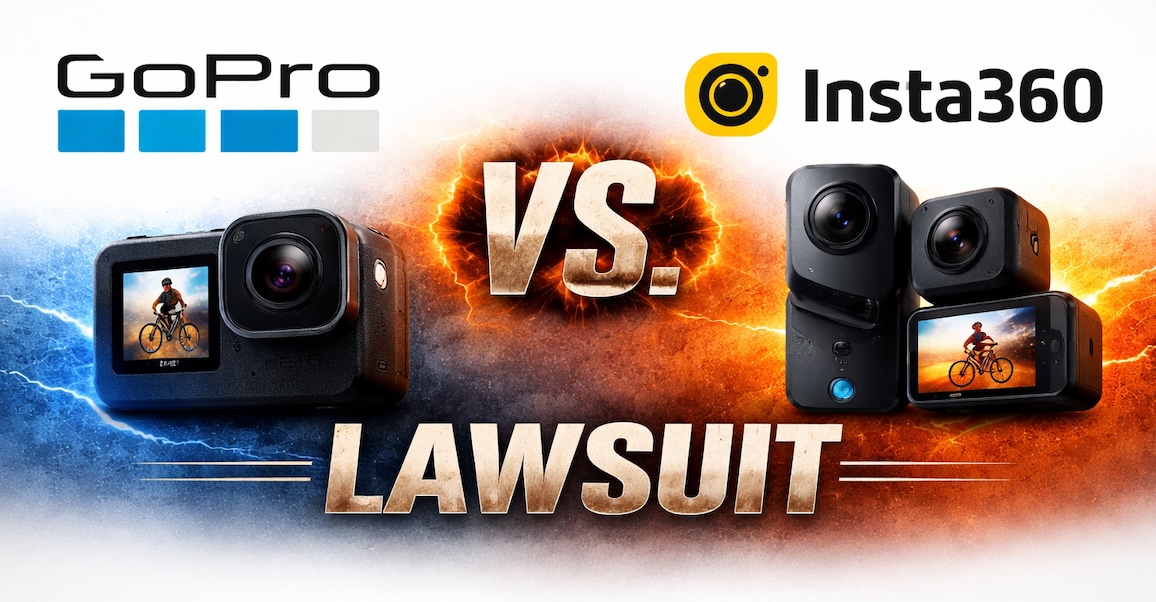
Here is a short recap of the GoPro vs. Insta360 lawsuit results:
Insta360 won decisively on the tech patents: The ITC ruled no violation on all five utility patents (covering stabilization, horizon leveling, distortion correction, etc.).
GoPro won narrowly on design: The ITC found infringement of GoPro’s HERO camera body design patent — but only on certain older/legacy Insta360 Ace models. Newer/current Insta360 cameras (including 2025+ versions) do not infringe.
Practical outcome: Limited Exclusion Order + Cease & Desist Order issued against the specific legacy models only. No impact on Insta360’s current product lineup or U.S. sales/import of new cameras.
Next steps: Orders subject to 60-day Presidential Review (still ongoing). GoPro could appeal the utility-patent losses, but none have been filed yet.
Recap: Both sides claimed victory in their press releases, but the ruling is widely seen as a big win for Insta360 on the core innovation issues. The case is effectively over for current products.
Tamron's booth at CP+ 2026 was decked out with a headline-grabbing Back to the Future display (complete with an actor dressed as Doc Brown). The theme extended to a wall showing some of the company's most significant lenses from the past. Photo from video: Dale Baskin
"The most significant shift across the entire imaging landscape has undoubtedly been the mainstream adoption of AI-generated imagery," says Kei Nagai, the section manager of Tamron's Overseas Sales Department, when asked about the most important trend in imaging of the past year.
Out of all the companies we interviewed at the CP+ trade show this year, Tamron is one of the few to bring up that particular elephant in the room. But the company thinks the newfound popularity of computer-generated images could make real-world photography more relevant, not less.
"While it has become much easier to create an image that matches one’s specific intent, we believe this will change what people demand from photography," Nagai says. "While the importance of expressiveness and authenticity remains fundamental, we anticipate that the intrinsic value of the experience of taking a photograph – the act of capturing a moment yourself – will become even more significant than before."
It wasn't the only time AI came up in the interview, which covered a range of topics from the health of the overall market to how Tamron comes up with which focal ranges its zooms should cover.
An opportunity to grow
Asked to describe the overall health of the camera industry, Nagai says that the mirrorless camera and lens ecosystem has matured significantly, making it easier for people to find gear that matches their goals. Despite that maturation, Tamron still thinks it has room to grow.
"While CIPA forecasts suggest the overall market remains relatively flat, we see this as an opportunity to grow our share by continuing to introduce truly compelling and innovative products," says Nagai. He cites lenses like the 35-150mm F2-2.8 as options that give Tamron the opportunity to win in a certain niche.
Nagai says that taking on the risk of developing those kinds of lenses with non-traditional focal length ranges is at the heart of what the company does. "We believe that these challenges are our 'Significance of existence' – our very reason for being," he says.
Tamron's latest lens, the 35-100mm F2.8, is relatively small and lightweight for a fast zoom with its zoom range. Photo: Mitchell Clark
"By listening closely to user feedback and challenging ourselves with unique focal ranges, perhaps by slightly shifting a standard range or offering a faster aperture, we aim to provide lenses that strike a perfect balance between performance, size, and price in ways that traditional zoom ranges cannot."
While Tamron has seen a lot of success with its strategy of making "unique focal ranges," it'll be interesting to see if it'll face more competition in that field in the mid-term. As companies flesh out their mirrorless lineups and start branching out into more obscure or ambitious focal ranges (see: Sony's 50-150mm F2, which is a similar concept to Tamron's 35-150mm F2-2.8, though much more expensive), their lenses may seem less out there and more mainstream.
As for deciding whether to come out with new lenses that fill the gaps left by camera manufacturers' first-party lineups or bring existing designs to new mounts, Nagai says Tamron tries to do both.
"We are moving toward simultaneous multi-mount launches"
"In the past, we often expanded to other systems after launching the Sony E-mount. However, with recent releases like the 16-30mm F/2.8 Di III VXD G2 and the upcoming 35-100mm F/2.8 Di III VXD, we are moving toward simultaneous multi-mount launches." He says the company believes "it is essential to take a holistic view of the entire market and existing lineups to carefully determine which spec and mounts to prioritize."
One potential area of growth that we didn't hear about was the possibility of adding new mounts to its repertoire. We asked if the success the company had seen with its APS-C lenses for Canon's RF system meant there was any possibility that we might see some of its full-frame options make it to the system, but Nagai says he can't offer any comment on that matter.
Balancing innovation and value
Tamron's 70-180mm F2.8 Di III VC VXD G2 may miss out on 20mm compared to a traditional 70-200mm F2.8, but it's less than half the price of Sony, Nikon and Canon's flagship offerings. Photo: Mitchell Clark
As we've seen manufacturers start to release second-generation iterations of their mirrorless lenses, it hasn't been uncommon to see them come with higher price tags than their predecessors. While some of Tamron's G2 lenses have been slightly more expensive than the originals, they're still usually substantially cheaper than many of their peers. Nagai says the company "sets a target cost based on a comprehensive analysis of market conditions" for each lens.
"To achieve these targets, our optical design, mechanical design, and electronic R&D teams collaborate closely with our procurement department from the earliest stages," he says, which lets the company hit the price points it does.
Our improved AF performance is a direct result of our ability to control our VXD linear motors
Despite the focus on an "accessible" price tag, Nagai says the company has been able to find ways to improve autofocus and stabilization performance, including utilizing new types of autofocus motors. "Our improved AF performance is a direct result of our ability to control our VXD linear motors at a much higher level," he says, citing improved speed when running calculations and the ability to stop the motors faster.
He also says the company has continued to use AI, along with a variety of other methods and devices, to improve its stabilization systems. He says the 28-300mm F/4-7.1 Di III VC VXD has the latest iteration of the tech, adding: "We hope our users look forward to what we have in the pipeline." He also says the company will "continue to develop 'smart' features that allow users to customize their gear," as it did with the Tamron Lens Utility app and Link connector, which let you do things like execute focus pulls and adjust the response curves of your focus rings.
This article is based on an interview with Tamron at CP+ 2026, which was expanded via email to include more comprehensive detail. It has been edited for clarity and flow.
Welcome back to our Question of the Week series! This reader-focused series aims to get our photographic community to share thoughts on all sorts of photography-related topics in our forums. We pose questions about gear, favorite camera stores, advice, problem-solving and more, and you share your thoughts and opinions.
This week, we’re leaning into the holiday spirit! The season of giving (and occasionally re-gifting) is upon us, and that means it’s time to unwrap some memories – both heartwarming and hilarious.
What are the best (and worst) photography-related gifts you've received?
What’s the best photography-related gift you’ve ever received? Maybe it was a dream lens that caused you to take on an adventure deep in the mountains, or a handmade camera strap that’s now an essential part of your kit. And what about the worst? Perhaps someone thought you needed yet another "World’s Best Photographer" mug, or that odd lens filter set that turned every photo a shade of green.
In this edition of our Question of the Week series, we want to hear your gift stories: the memorable, the useful and the truly baffling. Share your favorites (and flops) in the forum link below. Photos of the gifts (or what you created with them) are also more than welcome! We'll highlight some of your most entertaining and heartfelt responses in next week's roundup.
The DPReview forums received an updated user interface in October. Since then, we've been working on tweaks and improvements based on your feedback.
Since the launch of a major forum upgrade late last year, we've been making tweaks and changes here and there as you've reported issues and suggested features.
Today, we've rolled out a major package of improvements specific to the forums, including visual enhancements, new direct message features, an improved search algorithm and more. Check out the notes below and let us know if you have any questions.
Style and Visibility
Added an option in your profile to remove avatars showing up on the left sidebar on certain pages, especially when viewing the forums on a mobile device.
On mobile devices, several UI elements were removed to prevent overcrowding. This includes limiting which EXIF data appears for an image. (This adjustment was made to prevent EXIF data from covering up too much of the image.)
Increased contrast between Unread vs Read alerts and direct message notifications, both in the dropdown and within the landing pages (additional work on this soon).
Direct Messages (aka Private Conversations)
Sticky (aka 'pin') a message at the top of your direct message list.
Hosts ('OP' of a conversation) can now remove participants from a direct message.
Improved view of who's in a direct message.
View who has left a direct message.
Delete a direct message with the ability to rejoin later if there are still users within it.
Auto-respond to new messages, such as sending a notice while on vacation.
Added a Labels function for admins and moderators to establish universal categories for your direct messages.
Select multiple direct messages to sticky or take other actions as offered.
Set an "on vacation" type auto-response to new messages received.
Alerts/Notifications
Unread alerts are sorted to the top of the drop-down menu.
Per-alert 'mark read' links on each alert.
Multi-select ability to mark alerts as read or unread.
Option to prevent marking messages as read when accessing the alerts pop-up.
Option to prevent summarization when accessing /accounts/alerts page.
Option to adjust summarization threshold
Only mark alerts that are viewed on alert page/alert pop-up, not all alerts
Per-alert 'alert bell reads' configuration
Direct message alerts now have a hover preview of the message contents
Forum Search
Added option to search by user for threads they start (not posts within a thread)
Thread pagination now shows under the original thread start as well as at the end for most thread types (except the general, which we're working on implementing).
Keeps the original thread starter post at the top
Allow users to select the default search order independent of the forum-wide setting
Re-adds the global option for the default search type
Display search terms on the search results page
Add "Search only X" search criteria, where X is thread/direct message/ticket/etc. instead of searching thread/post etc.
Option to extend search syntax to permit;
+ signifies AND operation
| signifies OR operation
- negates a single token
" wraps a number of tokens to signify a phrase for searching
* at the end of a term signifies a prefix query
( and ) signify precedence
~N after a word signifies edit distance (fuzziness)
~N after a phrase signifies slop amount
In order to search for any of these special characters, they will need to be escaped with \.
Other Improvements
A new 'Reply' button was added to the post interface to make responding to posts more efficient.
Added a 'Reply' button to each post in a thread (next to the 'Quote Reply' button) to offer another way to quickly access the reply editor.
Removed 'Public Profile Posts' profile menu option (It was not being used, and could be confused for private message use. Possible new use for it someday.)
Let us know if you experience any issues with these changes, or have any questions.
Related, we are still working on removing the dropdown Read references, so you only see Unread notifications come up in this space. Similar contrast and other readability improvements are still on the list to adjust as well. And we are hoping to make adjustments to main website areas that link to or use the forums in various ways. This includes resolving page errors associated with user review creation and similar product page links.
Visit the forum announcement to discuss these changes with our community.
The DPReview forums received an updated user interface in October. Since then, we've been working on tweaks and improvements based on your feedback.
Since the launch of a major forum upgrade late last year, we've been making tweaks and changes here and there as you've reported issues and suggested features.
Today, we've rolled out a major package of improvements specific to the forums, including visual enhancements, new direct message features, an improved search algorithm and more. Check out the notes below and let us know if you have any questions.
Style and Visibility
Added an option in your profile to remove avatars showing up on the left sidebar on certain pages, especially when viewing the forums on a mobile device.
On mobile devices, several UI elements were removed to prevent overcrowding. This includes limiting which EXIF data appears for an image. (This adjustment was made to prevent EXIF data from covering up too much of the image.)
Increased contrast between Unread vs Read alerts and direct message notifications, both in the dropdown and within the landing pages (additional work on this soon).
Direct Messages (aka Conversations)
Sticky (aka 'pin') a conversation at the top of your conversation list.
Hosts ('OP' of a conversation) can now remove participants from a conversation.
Improved view of who's in a conversation.
View who has left a conversation.
Delete a conversation with the ability to rejoin later if there are still users within it.
Auto-respond to new messages, such as sending a notice while on vacation.
Added a Labels function for admins and moderators to establish universal categories for your conversations.
Select multiple conversations to sticky or take other actions as offered.
Set an "on vacation" type auto-response to new messages received.
Alerts/Notifications
Unread alerts are sorted to the top of the drop-down menu.
Per-alert 'mark read' links on each alert.
Multi-select ability to mark alerts as read or unread.
Option to prevent marking messages as read when accessing the alerts pop-up.
Option to prevent summarization when accessing /accounts/alerts page.
Option to adjust summarization threshold
Only mark alerts that are viewed on alert page/alert pop-up, not all alerts
Per-alert 'alert bell reads' configuration
Direct message alerts now have a hover preview of the message contents
Forum Search
Added option to search by user for threads they start (not posts within a thread)
Thread pagination now shows under the original thread start as well as at the end for most thread types (except the general, which we're working on implementing).
Keeps the original thread starter post at the top
Allow users to select the default search order independent of the forum-wide setting
Re-adds the global option for the default search type
Display search terms on the search results page
Add "Search only X" search criteria, where X is thread/conversation/ticket/etc. instead of searching thread/post etc.
Option to extend search syntax to permit;
+ signifies AND operation
| signifies OR operation
- negates a single token
" wraps a number of tokens to signify a phrase for searching
* at the end of a term signifies a prefix query
( and ) signify precedence
~N after a word signifies edit distance (fuzziness)
~N after a phrase signifies slop amount
In order to search for any of these special characters, they will need to be escaped with \.
Other Improvements
A new 'Reply' button was added to the post interface to make responding to posts more efficient.
Added a 'Reply' button to each post in a thread (next to the 'Quote Reply' button) to offer another way to quickly access the reply editor.
Removed 'Public Profile Posts' profile menu option (It was not being used, and could be confused for private message use. Possible new use for it someday.)
Let us know if you experience any issues with these changes, or have any questions.
Related, we are still working on removing the dropdown Read references, so you only see Unread notifications come up in this space. Similar contrast and other readability improvements are still on the list to adjust as well. And we are hoping to make adjustments to main website areas that link to or use the forums in various ways. This includes resolving page errors associated with user review creation and similar product page links.
Visit the forum announcement to discuss these changes with our community.
When you use DPReview links to buy products, the site may earn a commission.
Our sample galleries serve two main purposes: to let you see how a camera or lens performs, but also to show that we've actually put in the hours with the product.
The recent Sigma 35mm F1.4 DG II Art was released during a particularly gray Seattle February, but Richard had a UK trip lined up, and apparently doesn't know the difference between work and vacation.
A friend was kind enough to shoot a short video as he fleshed out the gallery with some portraits from London, so join us for a quick stroll around London's Soho, to see one of the ways we collect sample images.
The Sigma 35mm F1.4 DG II Art made a pleasantly compact travel companion.
Photo: Richard Butler
You can see our full gallery below and, as always, download the original Raws, to form your own conclusions.
Sigma 35mm F1.4 DG II Art sample gallery
Please do not reproduce any of these images on a website or any newsletter/magazine without prior permission (see our copyright page). We make the originals available for private users to download to their own machines for personal examination or printing; we do so in good faith, so please don't abuse it.
Sample gallery
This widget is not optimized for RSS feed readers. Click here to open it in a new browser window / tab.
Thank you to Panasonic for the loan of a Lumix DC-S1RII to capture this gallery. All images were processed using our standard lens workflow in Capture One, with the manufacturer's distortion correction applied but no correction of vignetting. There is extremely minor pincushion distortion before the correction is applied: we do not consider it to be an essential part of the lens design, if you prefer not to use it or your preferred software does not support lens corrections.
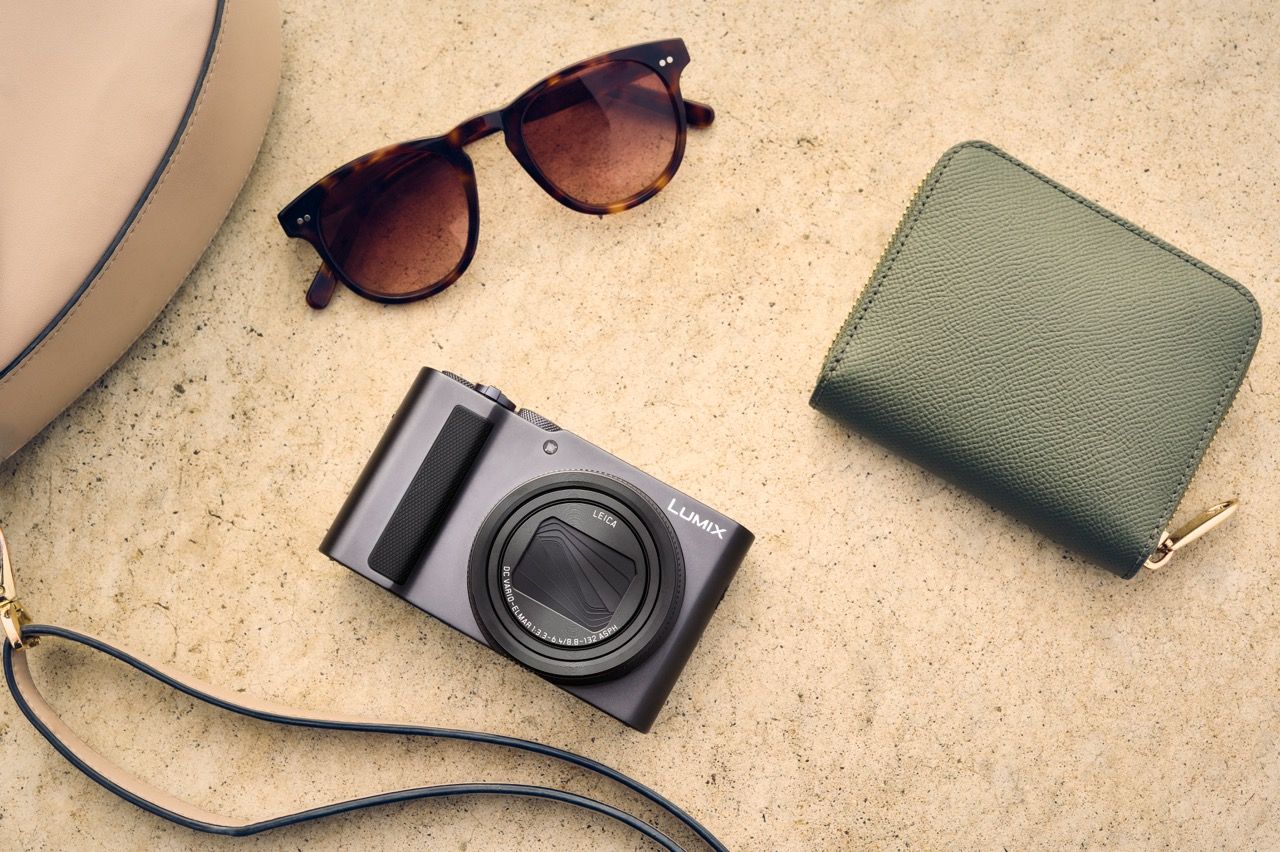
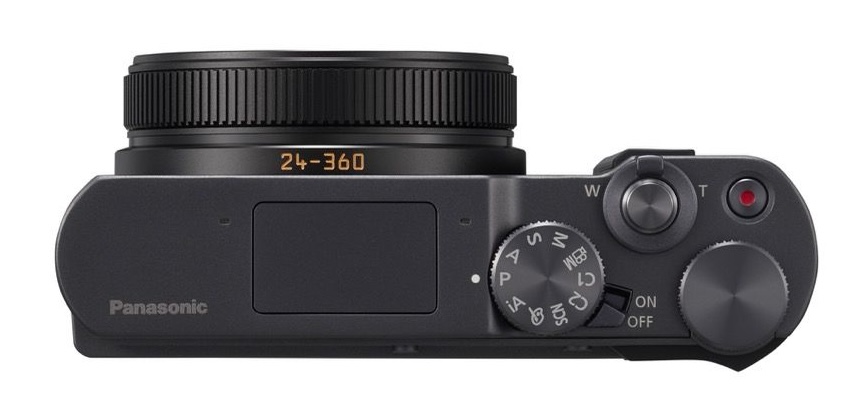
Newark, N.J. (Mar. 24, 2026) – Panasonic is pleased to introduce the new LUMIX ZS300, a pocket-sized *1 digital compact camera designed for travelers and everyday creators who want exceptional image quality in a portable form. Whether you’re photographing distant landmarks on a vacation, capturing vibrant night views in a busy city, or recording spontaneous moments with friends, this versatile camera adapts to any situation.
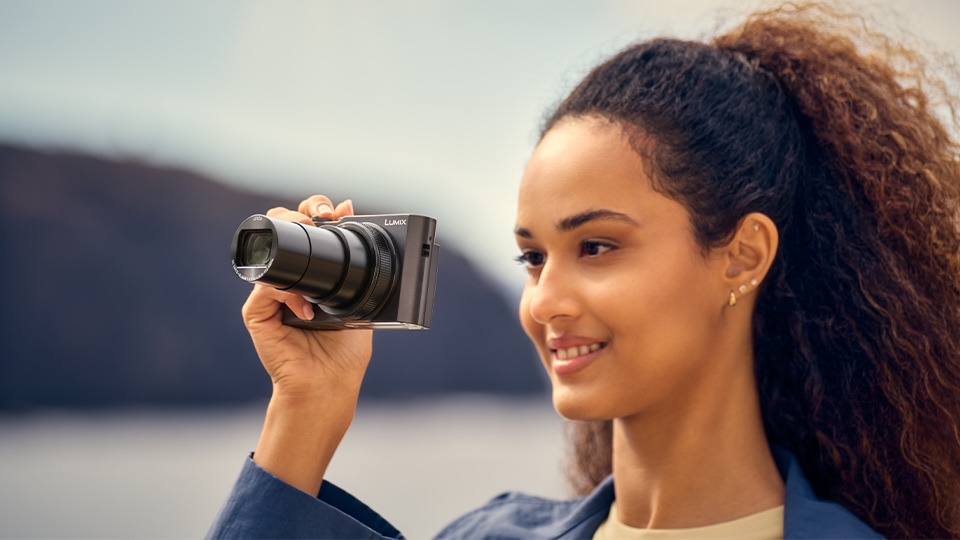
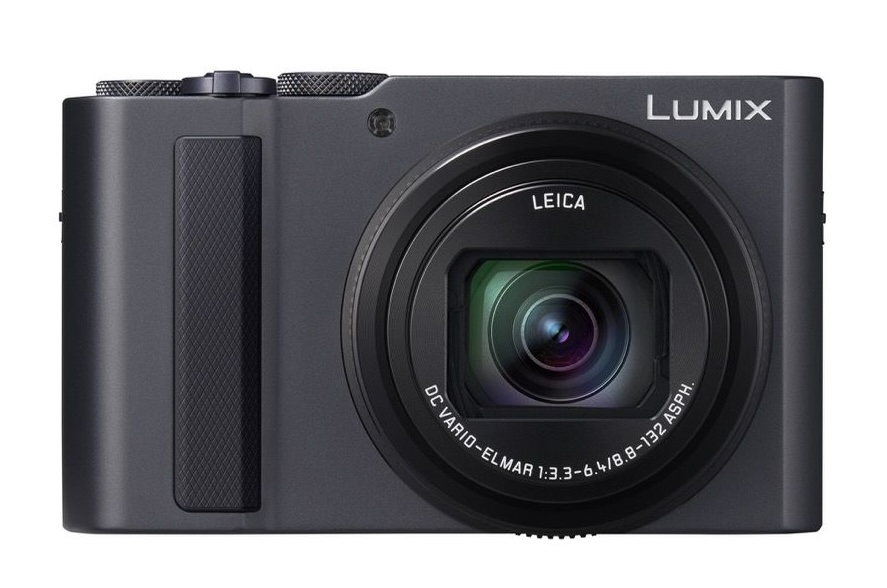
The LUMIX ZS300 combines a powerful 15x optical zoom with a 1.0type BSI CMOS sensor to deliver clear, detailed images even in challenging lighting. Its LEICA certified lens covers a 24–360mm *2 focal range, enabling everything from sweeping landscapes to faraway subjects to be captured with crisp precision. The high sensitivity sensor minimizes noise in nighttime scenes, preserving natural brightness and fine detail at approximately 20.1 megapixels.
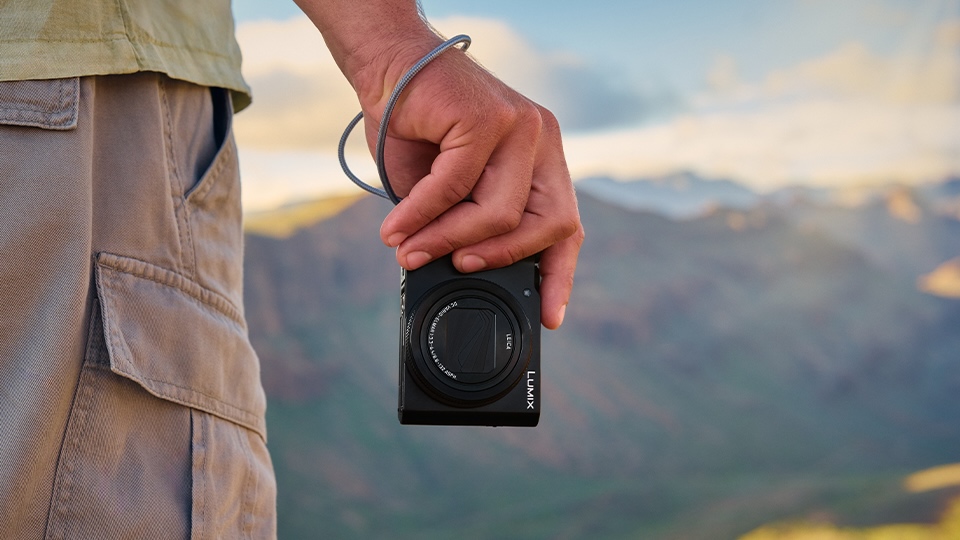
For creative close-up shooting, the ZS300 features AF Macro, allowing users to focus as close as 3cm. Small objects—from delicate flowers to everyday accessories—can be captured with sharp clarity. Despite its advanced capabilities, the compact camera body fits easily into a pocket or bag, making it ideal for daily carry and travel.
For video shooting, the ZS300 offers 4K recording at 3840 × 2160, providing lifelike detail for travel scenes and fast-moving action. Highspeed FHD 120fps recording offers smooth slow-motion expression, while 4K PHOTO captures moments at 30 frames per second, letting you extract the perfect shot.
To ensure stable and blurfree shooting, POWER O.I.S. effectively compensates for handshake at telephoto or in low-light environments. When filming while walking, 5axis HYBRID O.I.S.+ provides smooth, stable video.
A variety of 22 creative filter effects allow users to tailor the look of their photos to match their personal style. A builtin flash ensures bright, clear results even in dark settings such as indoor parties or nighttime portraits.
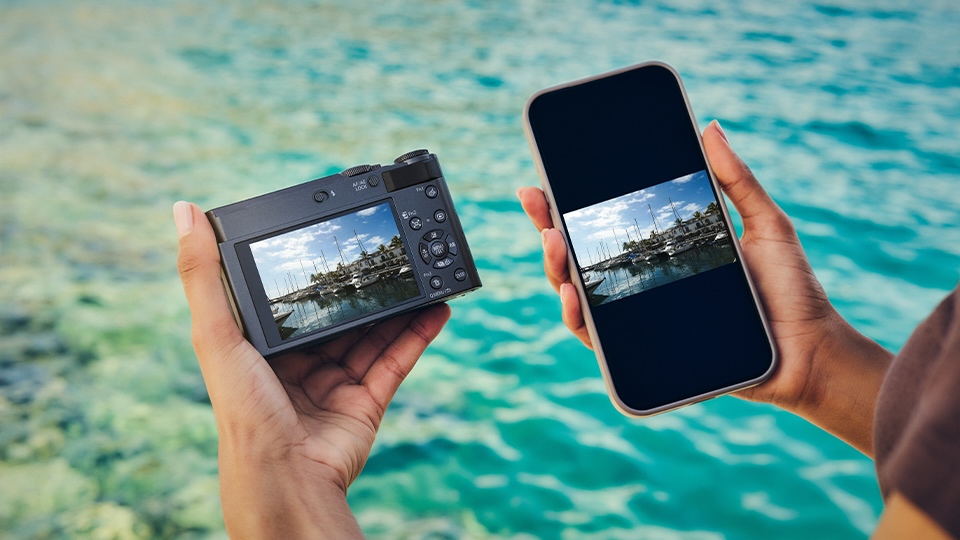
With Bluetooth® connectivity and WiFi® image transfer via the Panasonic Image App, sharing photos and videos from the ZS300 is fast and convenient. USB TypeC® charging *3 provides added flexibility, allowing users to power the camera on the go using AC adapters, PCs, or portable power banks.
Main Features
1. High Image Quality
1.0-type 20.1MP BSI CMOS sensor captures bright, detailed images with minimal noise, even in low-light scenes
LEICA certified 24–360mm *2 15x optical zoom lens delivers clear results from wide landscapes to distant subjects
AF Macro enables close-up shooting from 3cm, ideal for small objects and everyday use discoveries
2. Powerful Photo & Video Performance
4K video (3840×2160) records travel scenes with lifelike detail
High-speed FHD 120fps for smooth slow-motion footage
4K PHOTO captures 30 fps burst images, allowing you to select and save the perfect moment
22 creative filters offer a wide range of in-camera effects to match your preferred shooting style
3. Reliable Image Stabilization
POWER O.I.S. minimizes blur when shooting handheld, especially at telephoto or in low light
5-axis HYBRID O.I.S.+ ensures smooth and stable video while walking
4. Smart Connectivity & Convenience
Connect to a smartphone via Bluetooth®, and transfer images through WiFi® using the Panasonic Image App
USB TypeC® charging *3 from AC adapters, PCs, or power banks for easy power on the go
Compact, pocket-sized *1 design makes it ideal for travel and daily carry
*1 Approx. 111.2 (W) x 66.4 (H) x 45.2 (D) mm. Dimensions exclude protrusions. *2 35mm camera equivalent: 24-360mm *3 Power supply is not available.
When you use DPReview links to buy products, the site may earn a commission.
Image: Panasonic
Panasonic has announced the Lumix DC-ZS300, which will be known as the TZ300 outside North America. It's a pocketable compact with a 15x, 24-360mm equiv zoom lens in front of a Type 1 (13.2 x 8.8mm) BSI CMOS sensor. But, unlike its predecessor, there's no viewfinder if your travel takes you to sunnier climes.
For those who have memorized Panasonic's compact lineup, the specs set out in the company's press release will be very reminiscent of its ZS200 / TZ200, announced in February 2018. Other than the absent viewfinder, the other significant change is the adoption of the newer USB-C socket. The actual interface is likely to be the same as before as, like the previous model, the ZS300 can be charged, but not powered, over USB.
The ZS300 has a zoom covering an impressive 24-360mm equivalent range. Its maximum aperture drops from F3.3 at the wide end to F6.4 by its full reach. The Type 1 sensor means there's a 2.72x crop factor at play.
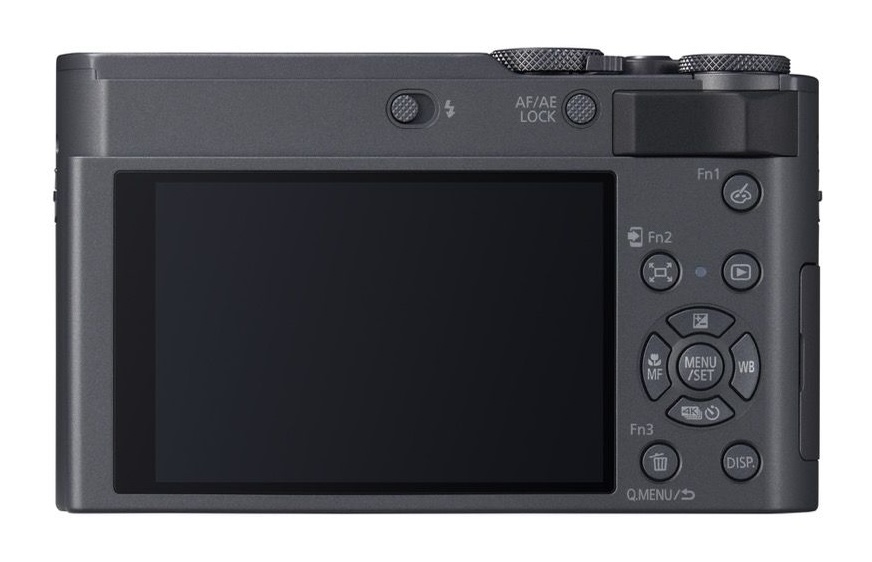
The ZS300's Macro mode can focus down as close as 3cm (1.2") at its widest focal length, but this increases to 100cm (39.4") at the long end of the lens. Based on what we've been shown and told, it's likely to retain the fixed 1840K dot (960 x 640 px) fixed rear screen from the mid-life ZS200D update, along with a small pop-up flash.
We wonder whether Panasonic has found it difficult to source the field-sequential viewfinder panels used in older models, but still think a travel zoom will be limited by the absence of any sort of viewfinder.
Image: Panasonic
Focusing on the positives, though: the announcement of the ZS300 as a new model suggests you might actually be able to buy one. The deletion of the viewfinder means that, unlike the more EU-compliance updated G97 model, its price has only gone up by a relatively modest $100 in the eight years since the Micro-B USB version was launched.
We're still awaiting full specs and availability information, but we're told the ZS300 will be available in silver or black variants for $899, ex tax. It will be £869.00 in the UK.
Newark, N.J. (Mar. 24, 2026) – Panasonic is pleased to introduce the new LUMIX ZS300, a pocket-sized *1 digital compact camera designed for travelers and everyday creators who want exceptional image quality in a portable form. Whether you’re photographing distant landmarks on a vacation, capturing vibrant night views in a busy city, or recording spontaneous moments with friends, this versatile camera adapts to any situation.
The LUMIX ZS300 combines a powerful 15x optical zoom with a 1.0type BSI CMOS sensor to deliver clear, detailed images even in challenging lighting. Its LEICA certified lens covers a 24–360mm *2 focal range, enabling everything from sweeping landscapes to faraway subjects to be captured with crisp precision. The high sensitivity sensor minimizes noise in nighttime scenes, preserving natural brightness and fine detail at approximately 20.1 megapixels.
For creative close-up shooting, the ZS300 features AF Macro, allowing users to focus as close as 3cm. Small objects—from delicate flowers to everyday accessories—can be captured with sharp clarity. Despite its advanced capabilities, the compact camera body fits easily into a pocket or bag, making it ideal for daily carry and travel.
For video shooting, the ZS300 offers 4K recording at 3840 × 2160, providing lifelike detail for travel scenes and fast-moving action. Highspeed FHD 120fps recording offers smooth slow-motion expression, while 4K PHOTO captures moments at 30 frames per second, letting you extract the perfect shot.
To ensure stable and blurfree shooting, POWER O.I.S. effectively compensates for handshake at telephoto or in low-light environments. When filming while walking, 5axis HYBRID O.I.S.+ provides smooth, stable video.
A variety of 22 creative filter effects allow users to tailor the look of their photos to match their personal style. A builtin flash ensures bright, clear results even in dark settings such as indoor parties or nighttime portraits.
With Bluetooth® connectivity and WiFi® image transfer via the Panasonic Image App, sharing photos and videos from the ZS300 is fast and convenient. USB TypeC® charging *3 provides added flexibility, allowing users to power the camera on the go using AC adapters, PCs, or portable power banks.
Main Features
1. High Image Quality
1.0-type 20.1MP BSI CMOS sensor captures bright, detailed images with minimal noise, even in low-light scenes
LEICA certified 24–360mm *2 15x optical zoom lens delivers clear results from wide landscapes to distant subjects
AF Macro enables close-up shooting from 3cm, ideal for small objects and everyday discoveries
2. Powerful Photo & Video Performance
4K video (3840×2160) records travel scenes with lifelike detail
High-speed FHD 120fps for smooth slow-motion footage
4K PHOTO captures 30 fps burst images, allowing you to select and save the perfect moment
22 creative filters offer a wide range of in-camera effects to match your preferred shooting style
3. Reliable Image Stabilization
POWER O.I.S. minimizes blur when shooting handheld, especially at telephoto or in low light
5-axis HYBRID O.I.S.+ ensures smooth and stable video while walking
4. Smart Connectivity & Convenience
Connect to a smartphone via Bluetooth®, and transfer images through WiFi® using the Panasonic Image App
USB TypeC® charging *3 from AC adapters, PCs, or power banks for easy power on the go
Compact, pocket-sized *1 design makes it ideal for travel and daily carry
*1 Approx. 111.2 (W) x 66.4 (H) x 45.2 (D) mm. Dimensions exclude protrusions. *2 35mm camera equivalent: 24-360mm *3 Power supply is not available.
Panasonic Lumix DC-ZS300 specifications
Price
MSRP
$899
Body type
Body type
Large sensor compact
Body material
Metal
Sensor
Max resolution
5472 x 3648
Image ratio w:h
1:1, 4:3, 3:2, 16:9
Effective pixels
20 megapixels
Sensor photo detectors
21 megapixels
Sensor size
1″ (13.2 x 8.8 mm)
Sensor type
CMOS
Processor
Venus Engine
Color space
sRGB
Color filter array
Primary color filter
Image
ISO
Auto, 125-12800 (expands to 80-25600)
Boosted ISO (minimum)
80
Boosted ISO (maximum)
25600
White balance presets
5
Custom white balance
Yes (4 slots)
Image stabilization
Optical
Image stabilization notes
Hybrid 5-axis available in movie mode
Uncompressed format
RAW
JPEG quality levels
Fine, standard
File format
JPEG (Exif v2.31)
Raw (Panasonic RW2 format)
Optics & Focus
Focal length (equiv.)
24–360 mm
Optical zoom
15×
Maximum aperture
F3.3–6.4
Autofocus
Contrast Detect (sensor)
Multi-area
Center
Selective single-point
Tracking
Single
Continuous
Touch
Face Detection
Live View
Autofocus assist lamp
Yes
Digital zoom
Yes (2X)
Manual focus
Yes
Normal focus range
50 cm (19.69″)
Macro focus range
3 cm (1.18″)
Number of focus points
49
Screen / viewfinder
Articulated LCD
Fixed
Screen size
3″
Screen dots
1,840,000
Touch screen
Yes
Screen type
TFT LCD
Live view
Yes
Viewfinder type
None
Photography features
Minimum shutter speed
60 sec
Maximum shutter speed
1/2000 sec
Maximum shutter speed (electronic)
1/16000 sec
Exposure modes
Program
Aperture Priority
Shutter Priority
Manual
Scene modes
Clear Portrait
Silky Skin
Backlit Softness
Clear in Backlight
Relaxing Tone
Sweet Child's Face
Distinct Scenery
Bright Blue Sky
Romantic Sunset Glow
Vivid Sunset Glow
Glistening Water*
Clear Nightscape
Cool Night Sky
Warm Glowing Nightscape
Artistic Nightscape
Glittering Illuminations
Handheld Night Shot
Clear Night Portrait
Soft Image of a Flower
Appetizing Food
Cute Dessert
Freeze Animal Motion
Clear Sports Shot
Monochrome
Built-in flash
Yes
Flash range
6.80 m (at Auto ISO)
External flash
No
Flash modes
Auto, Auto/Red-eye Reduction, Forced On, Forced On/Red-eye Reduction, Slow Sync., Slow Sync./Red-eye Reduction, Forced Off
Lens: Leica DC Vario-Elmar, 24–360 mm equivalent focal length
Optical Zoom: 15x
Video Recording: 4K video at 30p + 4K PHOTO mode
Image Stabilisation: 5-axis Hybrid O.I.S.+
Display: Touchscreen LCD
Viewfinder: Built-in electronic viewfinder
Storage: SD / SDHC / SDXC memory card
Connectivity: Wi-Fi and Bluetooth
Ports: USB-C (charging + data transfer)
Power: Rechargeable battery (included)
Build: Compact travel-zoom design, available in dark silver finish
The Panasonic Lumix DC-TZ300 in dark silver combines powerful technology with an elegant, modern design, making it the ideal companion for demanding travel and everyday life. Thanks to its compact design and high-quality construction, it can be easily taken anywhere without compromising image quality or functionality. The Panasonic Lumix DC-TZ300 impresses with its versatility – from spontaneous snapshots to detailed landscape and telephoto shots.
High-quality sensor and flexible LEICA zoom lens
Equipped with a 20.1-megapixel 1-inch BSI CMOS sensor, the Panasonic Lumix DC-TZ300 delivers clear and detailed results even in challenging lighting conditions. The integrated LEICA DC VARIO-ELMAR lens with a focal length range of 24–360 mm enables both impressive wide-angle shots and powerful telephoto photography. The 15x optical zoom ensures that distant subjects can be captured precisely without any loss of quality.
4K video, stabilization and modern equipment
The Panasonic Lumix DC-TZ300 offers extensive video capabilities, including 4K recording with high detail. Features like 4K PHOTO and slow-motion recording significantly expand creative possibilities. The integrated 5-axis HYBRID OIS+ image stabilization ensures smooth footage even at longer focal lengths. Additionally, the camera boasts Wi-Fi and Bluetooth connectivity, an integrated viewfinder, a touchscreen display, and convenient USB-C charging for maximum flexibility on the go.
Left: Mitsuhiro Suzaki, Deputy General Manager of the Lens Technology and System business unit. Right: Yasufumi Machitani, General Manager of Sony's Camera Business Department
Photo: Dale Baskin
"In terms of imaging quality, needless to say, the image sensor is one of the most important factors," says Yasufumi Machitani, General Manager of Sony's Camera Business Department, addressing where he thinks the next noticeable improvements to stills will come from.
"Sony Group has the Sony Semiconductor Solutions Group, which develops and produces image sensors," he says. "So the image sensor development group and the camera and lens group closely communicate. That means we can discuss future products: What kind of image sensor there should be, or what kind of signal processing we can do on the camera side. We can align the image sensor technology and the camera development together, which we think is a great advantage for us."
Advancements in image quality were just one of the topics we discussed with Sony executives during our interview with them at CP+ 2026, but it, and the company's desire for innovation, is something that came up a lot during our discussion.
"There is still solid demand"
Sony says vlogging cameras like the ZV-E10 II have been received well by the younger generations. Photo: Richard Butler
Discussing the state of the camera market, Machitani says he thinks the market will continue to grow. "If you look at the CIPA numbers, there was growth this year. I think there's still solid demand from customers, in terms of our core business of camera bodies and lenses." According to him, the growth comes from several places, citing conventional uses and also newer use cases, such as live streaming and 3D photogrammetry. "We think that creators are diverse and their demands are varied. But in general, [stills/video] hybrid usage is popular," he says.
While there have been concerns that the growth may be temporary, spurred by people switching from DSLR systems to mirrorless, Sony also talked a lot about the next generation of photographers: younger people who may be buying their first camera.
"In general, hybrid usage is popular"
"We see generational differences in how people shoot," he says. "Especially younger customers stepping up from smartphones, they often shoot both photos and video. They are a different type of customer from traditional enthusiasts. They start recording their life with smartphones, but they want more creative control, which is hard to get. So they switch to compact cameras or to the Alpha system for photography. And then they try to shoot video too."
Another interesting generational divide Sony sees has to do with colors and editing. Atsushi Ueda, General Manager of the Imaging Marketing Division's Marketing Communication Department, says more experienced photographers will value specs like a claimed 16 stops of dynamic range. "Advanced photographers tend to shoot Raw, while many younger photographers enjoy the real-time creativity using Creative Look for different color and tones. So, with our Alpha lineup, we can cover different types of customers," he says, referring to the customizable color modes that apply to your JPEGs and HEIFs.
The compact question
The last entry in Sony's RX100 series, the VII, came out in 2019. Photo: Dan Bracaglia
Machitani says that Sony has seen the compact camera market growing, and specifically cites the ZV series of vlogging cameras (which are a mix of interchangeable and fixed lens designs) as being particularly well-received by younger generations. "I think there are two aspects," he says. "Everyone is now getting used to taking photos with their smartphone. They start to become eager for better devices or tools to capture great image quality or express their feelings. So that's why a dedicated camera is necessary. And the second point is, at the same time, interchangeable mirrorless cameras are also getting bigger. Photo enthusiasts, or even professionals, need a more compact one to carry around every day, or for holidays and family time."
"Users of our competitors' mirrorless cameras also love this RX1 series"
In the case of Sony's latest compact, the RX1R III, he says the audience for it isn't just people who already own another Sony camera. "The people who buy an RX1R Mark III also tend to have a mirrorless camera. Not only a Sony camera, but users of our competitors' mirrorless cameras also love this RX1 series."
An RX1R III, cut in half at Sony's CP+ booth. Photo: Dale Baskin
While the RX1R III and the ZV-series cameras fill their own niches, Machitani says Sony hears customers who are asking for a new entry in the more all-rounder' RX100 series. "We understand the necessity and requests for the RX100 series," he says. When asked if Sony views its vlogging compacts as a good solution for photographers looking for a fixed lens camera, he adds: "I think ZV-series and RX series are different concepts, so they meet different needs." In other words, it seems the vlogging cameras aren't intended to be a replacement.
"This is a basic model, but we try to raise the standard"
Machitani cites the a7 V's "4-axis multi-angle monitor" as a feature requested by creators and hybrid shooters that also benefits purely stills photographers. Photo: Mitchell Clark
Despite the references to hybrid shooters and younger generations interested in video and color profiles, Sony made it clear that the innovations that benefit those users aren't wasted on people purely interested in photography.
"If you look at the a7 Mark V, which we recently just launched, this camera is also very good for traditional photographers," Machitani says. "We think creators and their demands are very diverse, and sometimes there are conflicts. But we try to understand their needs, and try to meet them in our future products or services, and deliver several solutions to meet their diverse demands."
When we asked if there were any specific features from the a7 V that were good for hybrid users and photographers, he gave us a few examples. "We renewed the image sensor and BIONZ XR2 processing unit. Although we say this is a 'basic model,' we try to raise the standard for the camera industry so that everyone can easily capture the decisive moment or the important scenes in their lives. So the BIONZ XR2 processor is now combined with AI processing unit functions from the latest Alpha-series cameras. So this is a basic camera, but the basic is great." He also cites blackout-free shooting and the combination tilting/swivel screen as features, and says the latter was requested by lots of creators.
Finding the balance
The idea of balancing the needs of different audiences came up again in our discussion of lenses with Mitsuhiro Suzaki, Deputy General Manager of the Lens Technology and System business unit. "We continue to expand the E-mount lens lineup in order to meet our diverse creators' needs," he says, citing the Sony FE 50-150mm F2 GM as an example of a new offering that's popular with both photographers and videographers.
"If we tried to make a 50-200mm F2, the size and weight would increase significantly"
As for how they decide what kind of lenses to make, Suzaki says they start by thinking about how they can create something that gives people new options. For the 50-150mm, they started with the concept of a fast zoom lens that was still compact, and experimented with a few different focal lengths, trying to find the right balance of weight, optical performance and balance. "Some people said 'we wish Sony made the 50-150 compatible with teleconvertors' or that they'd prefer a 50-200 F2. But if we tried to make a 50-200mm F2, the size and weight would increase significantly, and it would become a much more specialized lens," he says. "We believe this specification is the most reasonable and versatile choice for many creators."
When it comes to actually bringing a lens like that to market, Suzaki says it requires a lot of different disciplines. "We combine optical design, lens element technology, actuator technology, and mechanical engineering. Together, these technologies enable lenses with this level of performance." He also says it's not just a matter of selecting the right material to create lens elements, but also turning it into a precision surface that can be mass-produced. "This kind of development requires a long period of time and a great deal of trial and error."
On affordability, value and innovation
The a7 V has more all-around capability than its predecessor, but is also launching at $400 more than the a7 IV (which itself was $500 more than the a7 III). Photo: Mitchell Clark
As prices for enthusiast-tier cameras creep higher, especially in the US, we thought it would be interesting to ask how affordability factors into their product planning. Machitani mostly demurs, saying that the company will "determine product specifications by comprehensively considering overall product value and balance," but Ueda points out the company's strategy of keeping older generations of its products on sale at different prices, such as in the case of the a7 V ($2899), IV ($2199), and III ($1699).
"We need to do something unique, something different for our customers."
Ueda adds that people look to Sony for something else: "Basically, from the customer's point of view, their request to Sony is innovation. So we need to do something unique, something different for our customers. That's our purpose." It's an interesting response, as "innovative" and "affordable" are labels rarely shared by the same products.
This article is based on an interview by Dale Baskin and Mitchell Clark at CP+ 2026. It has been edited for clarity and flow.
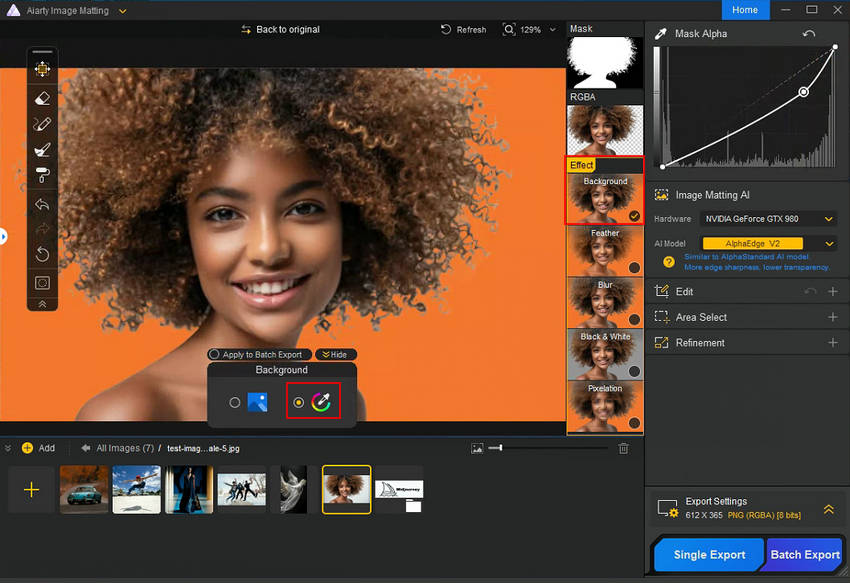
Beyond the Pen Tool: A Faster Way to Handle Complex Masking with Aiarty Image Matting (guest post)
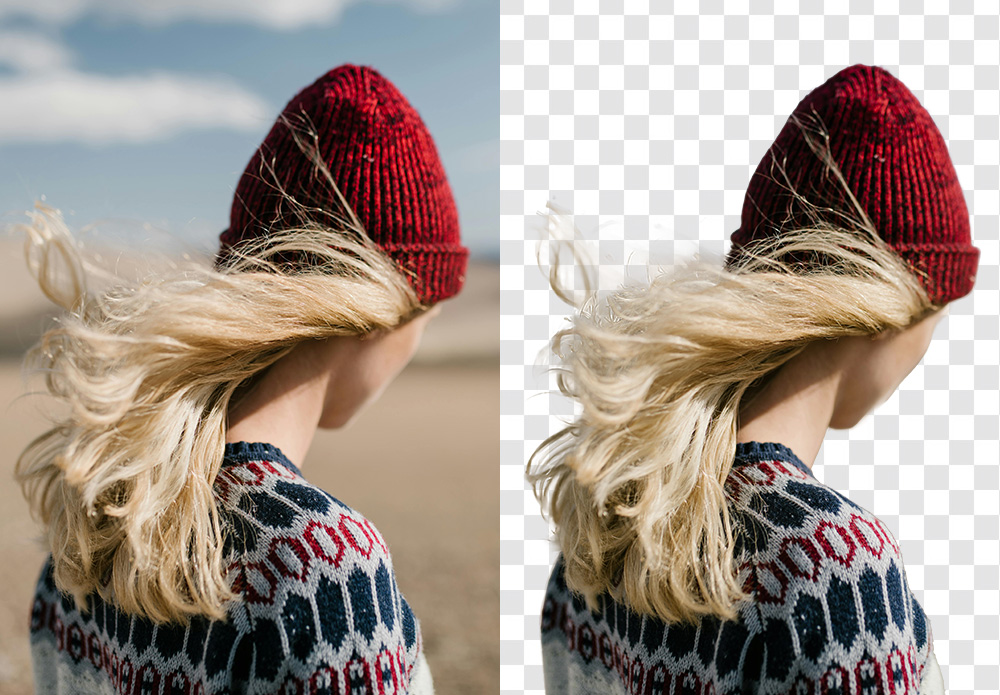
We’ve all been there: the shoot was perfect, but now you’re zoomed in at 400%, wrestling with a stray strand of hair that just won’t stay in the selection. It’s the least creative part of photography, yet it’s often where the professional polish happens.
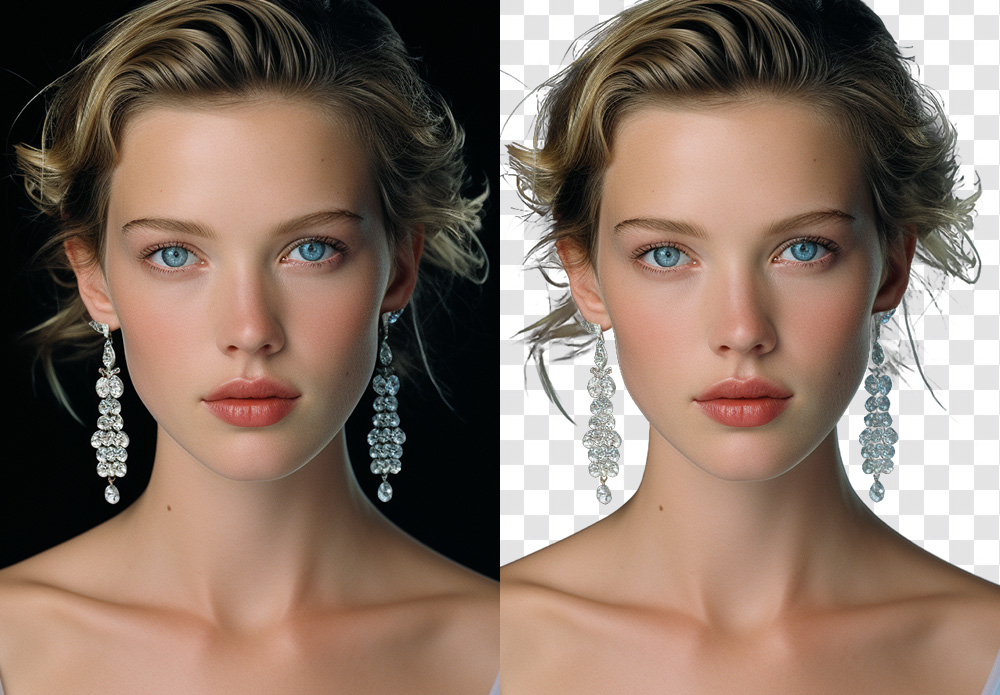
The irony of the current AI boom is that while it’s easier than ever to remove background from photo files with a single click, the results rarely hold up on a high-res monitor. Even when you remove background in Photoshop using the latest Select Subject features, the AI tends to treat edges as a binary choice. It works for a clean product shot, but it falls apart on a bride’s translucent veil or a portrait against a leafy backdrop, leaving that jagged, “cut-out” look.
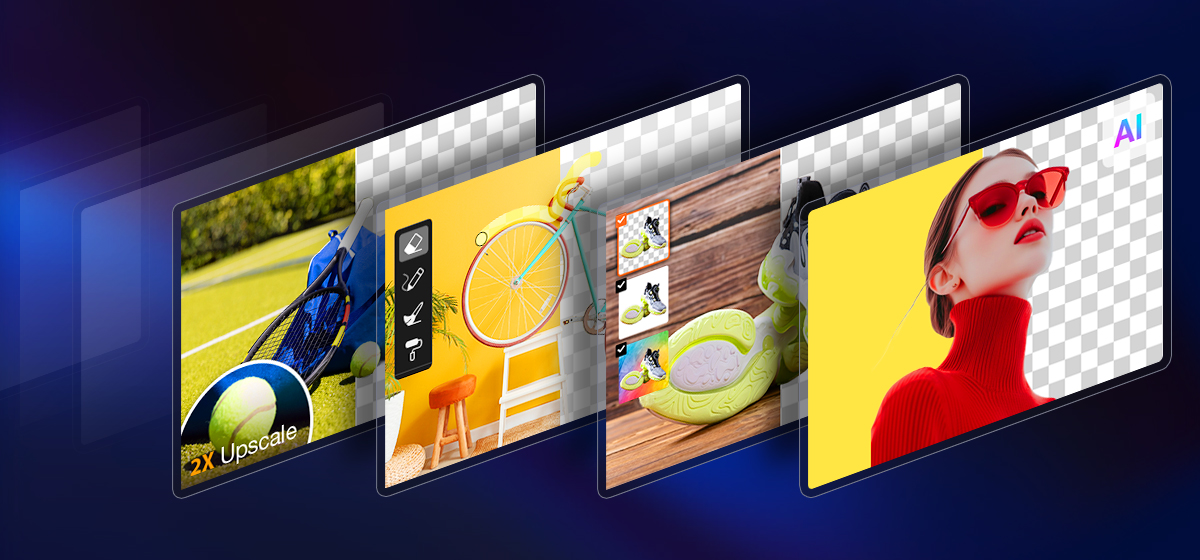
This is when the distinction between a simple “remover” and true Image Matting becomes critical. What I was really looking for was something that understands the physics of light and transparency – the sub-pixel details that make a subject feel natural in its environment. In testing different tools, I came across Aiarty Image Matting, which stood out in how it handles these “impossible” edges with a level of nuance I haven’t seen in most standard plugins.
It’s worth a look for photographers who frequently deal with complex selections and high-resolution workflow. Now PhotoRumors readers can access an exclusive offer to get Aiarty Image Matting Lifetime License at up to 43% OFF, with benefits including:
Use on 1 Windows + 1 Mac, 3 Windows or Mac computers
Unlimited access to all features
Permanent free upgrades and technical support
No subscription, no recurring cost
Why Aiarty Image Matting is the Secret to Professional Composites
The term “background removal” is a bit of a misnomer in professional circles. Most tools – from the built-in best background removal app on your phone to standard web filters – simply use a mask to hide pixels. This often results in a “cookie-cutter” effect where the edges look harsh and artificial.
Aiarty Image Matting operates on a different level. It uses dedicated AI models to calculate an “alpha matte,” which essentially determines the exact transparency of every single pixel on the boundary. Instead of a binary “in or out” choice, it understands that a stray hair or a glass edge is partially transparent. If you’ve ever wondered which ai tool is best for background removal for high-end work, the answer lies in how it handles these “soft” edges. Aiarty doesn’t just cut the subject out; it extracts it.
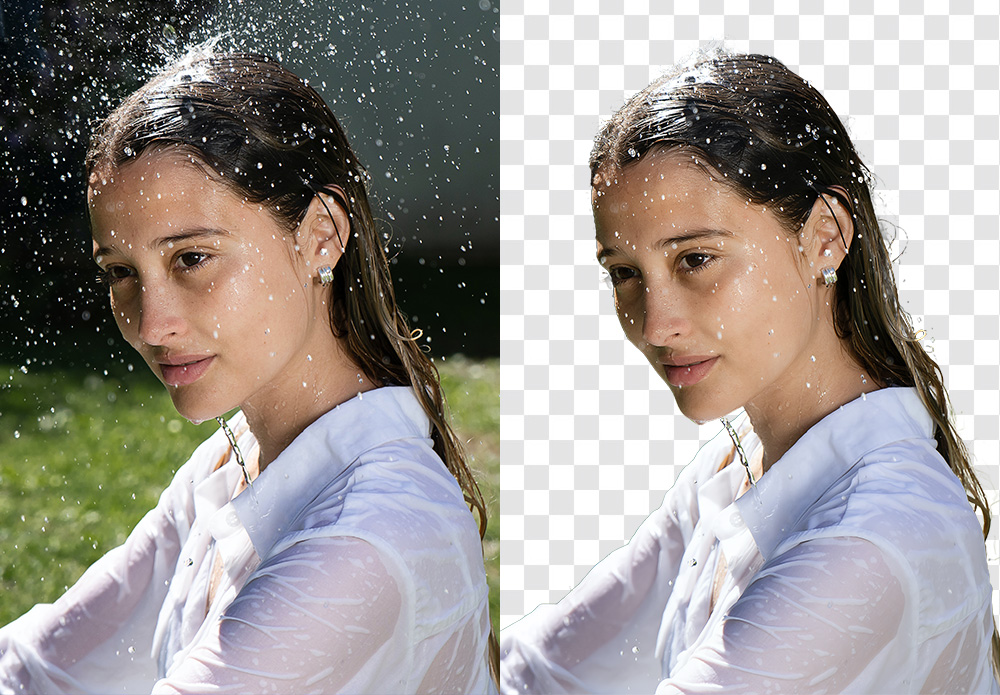
This extraction process achieves a level of sub-pixel precision that identifies details thinner than a single pixel – think individual eyelashes or the fuzz on a woolen sweater. It also solves one of the biggest headaches when you remove background from photo: color decontamination. We’ve all dealt with that annoying color spill, like a green tint on a model’s skin from a forest backdrop. Aiarty’s AI is trained to “clean” these edges, ensuring the subject looks natural when placed in a completely different lighting environment.
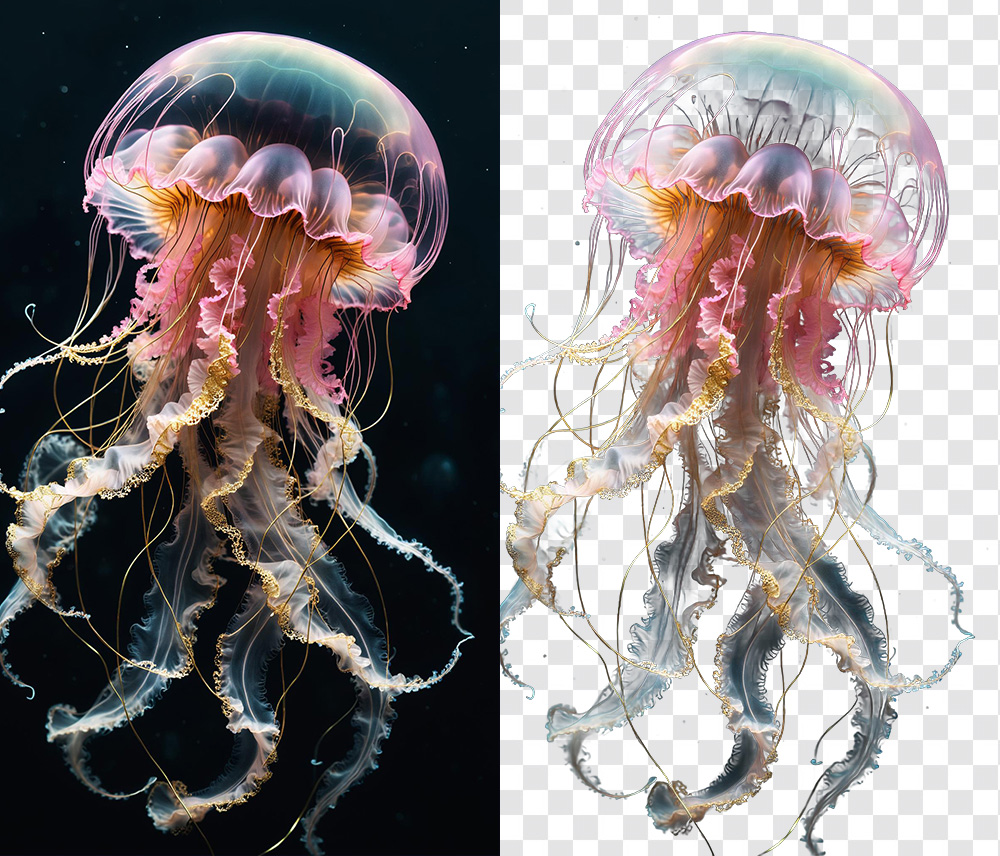
For things like steam, smoke, or a translucent bridal veil, the software preserves the true, semi-transparent nature of the material. This is a game-changer for anyone trying to make background transparent without losing the ethereal, airy quality of the original shot. By moving away from simple “erasing” and toward “intelligent extraction,” it finally bridges the gap between a quick social media edit and a gallery-ready composite.
Key Features: How Aiarty Streamlines Complex Masking
When you’re looking for the best background removal software, you’re really looking for consistency. You want a tool that doesn’t require you to go back in with a layer mask to fix 20% of the edges. Most standard matting tools rely on simple edge detection that often fails the moment things get slightly out of focus or highly detailed. Aiarty Image Matting differs by using deep-learning models that actually understand the “semantic” structure of a photo – it knows the difference between a strand of hair and a stray digital artifact. Instead of just tracing a line, it reconstructs the edge data based on real-world light and texture.
In my time testing the software, four specific capabilities stood out as legitimate game-changers for a professional workflow:
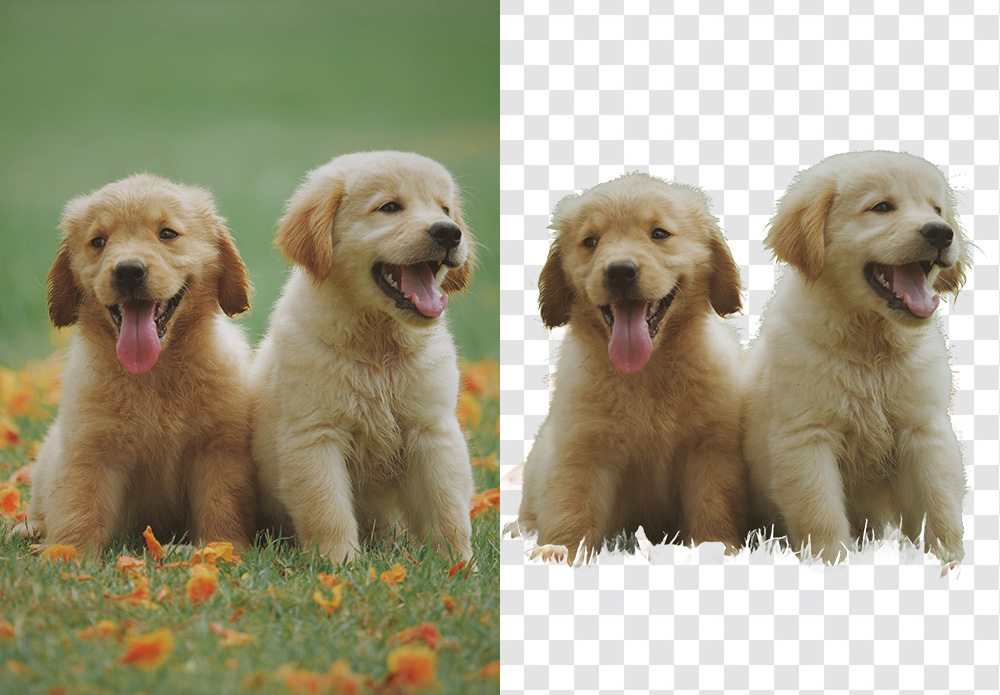
Hair-Level Fidelity: This is the ultimate stress test. Whether it’s a high-fashion portrait with flyaway hair or a wildlife shot of a wolf’s fur, Aiarty’s AI models are trained on millions of real-world edge scenarios. It identifies individual strands that traditional “Select Subject” algorithms usually blur or chop off. If you’ve ever wondered how to remove white background from image files with fine texture, this level of detail is a massive relief.
Complex Transparency Awareness: Most “one-click” apps treat glass, smoke, or veils as solid objects or just erase them. Aiarty actually understands the transparency levels. This means if you have a shot of a bride in a lace veil, the software preserves the semi-transparent layers, allowing the new background to show through naturally. It’s easily the best ai tool to remove background from delicate, translucent subjects.
Seamless Background Replacement: Beyond just cutting things out, the tool makes it remarkably easy to change background of photo assets for creative composites. It handles the edge blending so well that you don’t get that “pasted-on” look. You can drop in a solid color for a clean e-commerce shot or a complex landscape for a fine-art piece, and the lighting and transparency on the edges remain believable.
Privacy and Speed via Local Processing: This is a big one for me. Many “best free ai background remover” tools are browser-based, meaning you have to upload your high-res (often sensitive) client work to a cloud server. Aiarty runs entirely on your local GPU. It’s faster, more secure, and allows you to automatically remove background elements from an entire folder of RAW files in a single batch, without hogging your bandwidth.
Instead of just being another best background removal app for casual use, it feels like a specialized instrument designed to handle the 10% of “impossible” masking jobs that usually take up 90% of our editing time.
Aiarty Image Matting Real-World Scenarios
In practice, a tool like this isn’t just about saving a few minutes; it’s about enabling shots that would otherwise be a nightmare to edit. I’ve been testing Aiarty across a few common scenarios where most “best background removal app” contenders usually fail:
Portrait & Fashion Photography: We’ve all struggled with how to remove background from a subject with flyaway hair or fur. Standard AI usually “muds” the edges. Aiarty preserves individual strands, making the transition to a new background look organic. It’s a lifesaver for high-end beauty retouches where the halo effect is a deal-breaker.
Commercial & Still Life: If you’ve ever tried to make background transparent for a glass bottle, a liquid splash, or a watch face, you know the refraction usually gets ruined. This tool actually maintains the transparency of the material, allowing the new environment to show through naturally. It’s much faster than manually painting alpha channels for product composites.
High-Volume E-commerce: For those of us who need to remove background elements across a hundred RAW files locally, the batch processing feature is a massive win. You aren’t tethered to a slow cloud upload, and the consistency across the set – keeping the same edge softness – is much higher than manual masking.
By handling the heavy lifting of the selection process, it lets you get back to the creative part: the color grading, the composition, and the storytelling.
Final Thoughts
In an industry that’s increasingly shifting toward subscription-based tools, having a reliable one-time purchase option still feels refreshing—especially for something as time-consuming as precise masking.
For photographers who regularly deal with fine details like hair, transparency, or complex backgrounds, tools like Aiarty Image Matting can make a noticeable difference in both speed and final image quality.
It’s not just about saving time—it’s about getting results that hold up under close inspection.
At the time of writing, PhotoRumors readers can access an exclusive 43% discount on the lifetime license, making it a relatively accessible addition to a professional editing workflow.
DJI has filed a lawsuit against Insta360 over patent violations. Here is what we know so far:
DJI initiated the lawsuit: DJI filed a patent ownership dispute lawsuit against Insta360 at the Shenzhen Intermediate People’s Court in Guangdong Province, China.
Date and timing: The case became public today (March 23, 2026), just days before DJI’s planned launch of its first Avata 360-degree drone, which enters a market segment pioneered by Insta360.
Patents involved: The dispute centers on six patents related to key drone technologies, including flight control, structural design, and image processing/imaging.
DJI’s main allegations: DJI claims these patents cover inventions created by DJI employees within one year of their departure from the company. The inventions are allegedly tied to the employees’ prior duties at DJI, qualifying as “service inventions” under Chinese law (meaning DJI asserts ownership rights).
Former employees link: Reports indicate several former core DJI R&D staff are involved, with some patents showing questionable inventor details (e.g., names hidden in Chinese filings but revealed internationally as ex-DJI engineers).
Court status: The Shenzhen court has officially accepted the case, marking DJI’s first domestic lawsuit of this type focused on patent ownership disputes.
Insta360’s response: Insta360’s securities department stated it is conducting an internal review and verification with its legal team. If the patents are deemed significant, the company will issue a formal announcement.
Ricoh has released a monochrome version of its GR IV enthusiast compact camera. The GR IV Monochrome features the same 26MP BSI CMOS sensor and 28mm equiv F2.8 lens as the color version, but is black-and-white only.
Key specifications
26MP BSI CMOS sensor with no color filter array
On-sensor phase detection
ISO 160-409,600
In-lens shutter allows flash sync to 1/4000th sec
E-shutter allows use of F2.8 at up to 1/16,000 sec
Built-in red filter, giving punchier blues.
53GB of internal memory
250 shot-per-charge battery rating
UHS-I Micro SD memory card slot
The GR IV Monochrome sells for a recommended price of $2199. This is a 46% premium over the list price of the standard GR IV, suggesting Ricoh feels that the mono version will have a smaller audience to foot the development costs. The MSRP in the UK is £1599, which is only a 33% mark-up over the standard version's original list price.
As the name implies, the Ricoh GR IV Monochrome is a black-and-white only variant of the GR IV.
You get all the usual benefits and costs of a mono-only sensor: a higher base ISO, because less light is being lost to a color filter array (a 2/3 of a stop increase, in this instance), and much sharper detail, as there's no demosaicing taking place.
You also get better noise performance at any given ISO: again because there's no color filter sapping any light, but with that advantage disappearing if the color version can use its lower base ISO.
However, with only a single color channel, there's a lot less flexibility to the Raw files: once the image appears to be clipped, there's no way to approximate highlight data from unclipped channels.
The electronic shutter can deliver exposures down as low as 1/16,000 sec, letting you use the maximum aperture even in good light
To prevent overexposure when shooting at F2.8, the GR IV Monochrome lets you switch from its in-lens shutter to an e-shutter. The electronic shutter can deliver exposures down as low as 1/16,000 sec, letting you use the maximum aperture, even in good light, despite the camera not having an built-in ND filter. As with the regular GR IV, the mechanical shutter has an upper limit of 1/2500 sec at F2.8: you need to stop down to F5.6 to achieve the 1/4000 sec maximum.
Interestingly, Ricoh says the GR IV Monochrome's autofocus is the same as that on the GR IV, which means it has on-sensor phase detection. This would imply that, unlike the Leica Q3 Monochrom, it has to do some degree of interpolation during processing, to hide any disparity from the output of those phase-detection pixels. We've not seen any negative impact from this in our tests, even when trying to induce flare to highlight any issues.
The company also says that the sensor is not the same one used in the K-3 III Monochrome, though it wasn't specific about how the two differ.
Red Filter
Other than the lack of color filter array, the other difference is that the GR IV Monochrome has a slot-in red filter, rather than the neutral density filter in the color version. This selectively lowers the impact of blue and green light on the sensor, which gives more dramatic skies and higher contrast, generally.
The filter in the GR IV Monochrome reduces the overall light to the camera by around 3 stops, for a neutral subject (it's around a 4 stop cut for blues, 3.5 for greens and closer to a single stop for reds).
Body and handling
As you might expect, the GR IV Monochrome looks and handles exactly like the regular GR IV: it's a tiny camera for having such a big sensor and yet it manages to put a lot of control at your fingertips without seeming too cramped. The control logic is well worked through, as you'd expect for the eighth generation of a design (prior to 2013's GR, with its APS-C sensor, there were four iterations of GR Digital, which used a much smaller Type 1/1.7 sensor in a very similar body).
By default, the front and rear top-panel dials allow you to control exposure parameters, with the -/+ rocker acting as exposure compensation if you have any automatically-controlled settings (including Auto ISO in manual mode). In practice, this layout makes it easy to make changes one-handed, without having to adjust your grip too much. The multi-directional controller is also easy to reach, giving you either access to four customizable functions or direct AF point control.
The Adj. menu gives you one-handed control over your most important settings, without taking you out of the moment by forcing you to dive into a full-screen menu. You can choose up to five parameters and arrange them in the order of your preference.
This ethos goes beyond adjusting exposure, though. Click in on the rear dial, marked Adj., and it opens up a function menu which can be navigated using touch, the multi-directional controller, or the two command dials. You can use it to adjust settings such as autofocus mode, aspect ratio, flash settings, drive and self timer modes, etc. It has five banks that you can fill with the parameters that are most important to you, in the order you want them, giving you near-instant access to them without having to dive into the main menu.
The finish of the camera is also a little different, with a less textured matte black finish. The shutter button is also black and the GR logo on the front is a very dark grey, rather than white. The green LED ring around the power button is also white, to keep with the monochrome theme. Sadly, Ricoh has not borrowed the beautiful 'Monochrome' typography from its Pentax K-3 III Monochrome DSLR.
Despite its size, the GR IV's magnesium alloy body makes it feel very solid, without being overly weighty. And, unlike almost all other modern cameras, it will sensibly fit in a pocket.
Ricoh says the GR IV's lens was specifically designed to reduce the risk of dust ingress, but that they had to make the choice between the small form factor that a retractable lens makes possible and complete weather sealing, so there are no promises around the level of sealing.
Image Quality
Our test scene is designed to simulate a variety of textures, colors, and detail types you'll encounter in the real world. It also has two illumination modes, full even light and low directional light, to see the effect of different lighting conditions.
Image Comparison
This widget is not optimized for RSS feed readers. Click here to open it in a new browser window / tab.
Like its color sibling, the GR IV Monochrome's 26MP BSI CMOS captures a very good level of detail in its Raws. However, thanks to the lack of demosaicing, the black and white images look noticably sharper, even compared to the files from the higher-resolution Fujifilm X100VI.
The Monochrome doesn't have a noise advantage if you compare its base ISO performance to that of the color version, but its base ISO is 2/3EV higher, so it's delivering a comparable result despite being exposed to less light. Once you bump up to ISO 200, and give the two versions the same exposure though, the difference starts to become apparent: the GR IV Monochrome has less noise than its APS-C counterparts, and comes much closer to full-frame cameras.
This continues to be the case through mid to high ISOs, and the GR IV Monochrome continues to produce passable images well into ranges that we wouldn't bother with on a color camera; in addition to not losing light to any color filters, it probably helps that luma noise won't be as distracting as chroma noise to most viewers. Ricoh lets you go all the way up to a ludicrous ISO 409,600, though by that point the image has, unsurprisingly, truly fallen apart.
As we saw with the GR IV, Ricoh's JPEG engine doesn't quite manage to include all the detail that the camera's Raws do, though the results are still very nice to look at. At higher ISOs, though, the effects of noise reduction on the Monochrome's images are less noticeable; the JPEGs show more detail than their color counterparts, even if you compare images that received a stop less light".
This is typically where we'd discuss the JPEG colors but, of course, the GR IV Monochrome doesn't capture any. There is a cost for the extra detail and improved noise, after all.
Like the standard GR IV, the Monochrome offers excellent dynamic range performance with relatively low read noise, giving you room to boost shadows, or to shoot at ISO 160 for maximum dynamic range and brighten to your preferred lightness in post without introducing too much additional noise.
With that said, it's worth remembering that once your highlights are clipped on a monochrome camera, they're gone. With a color camera, you have the chance of pulling back at least some detail from one of the three color channels, but that's not an option with the Monochrome.
If you want to go into more detail on the 28mm equiv. F2.8 lens that this camera shares with the original GR IV, you can check out our review of that camera. The short version, though, is that it's impressively sharp edge-to-edge given its size, even wide open, though it has a fair amount of vignetting throughout its aperture range.
Autofocus
You have several autofocus area settings, and can easily access them from the Adj. menu.
The GR IV Monochrome has essentially the same autofocus system as the color version. There are four single-focus modes: whole area, where the camera decides what to focus on, zone select, with a single, non-resizable zone, and then two single-point modes, one more precise than the other. It has two continuous modes, too: one with a mid-size selection point, and a tracking mode where the point attempts to stick to whatever you placed it over.
You can control where the focus point is by tapping on the screen or by using the multi-directional control; whether you first have to press a button to use the latter or not is up to you.
Face/eye detection works in the single-focus modes, and if you have it on and the camera recognizes a face in your frame, it will override your chosen focus point to select the face. (If there are multiple faces, it highlights them, and you can pick between them to choose which one to focus on.) You can then choose to move the focus point elsewhere in the scene if you want, but it can be jarring to have the focus point suddenly move without you asking it to, and it means you'll want to think about whether you want to leave it on all the time. There is, however, an option to only use face/eye detection in the auto-area AF mode. Regardless of your settings, face/eye detection isn't available in the tracking or continuous AF modes.
The tracking autofocus mode only gives you a single selection option, which turns green when it's locked onto a subject, or red if it fails to start tracking (something that wasn't rare in our tests).
The GR IV Monochrome's autofocus system isn't particularly flexible, as there's no customization for how large your zones are, and you can't use continuous tracking with a variety of selection point sizes. However, the camera has particularly powerful manual focusing tools; the magnification assist is quite clear, and it's one of the few compacts that will retain the same focus distance even if you turn it off.
There's also the Snap Focus feature, which is highly touted by some of the GR faithful. When using it, the camera will focus to a pre-chosen distance as soon as you press the shutter. While some people may use the camera exclusively in this mode, gaining a sense for how far away things are and keeping their camera at a preset shooting distance, it can also be used with autofocus: you can configure the camera to autofocus if you half-press the shutter, but to snap to a certain distance if you immediately fully press the shutter. This can be a lightning-quick way to shoot, once you're used to it.
Autofocus performance
In single focus modes, the GR IV Monochrome is generally quick and accurate, though it occasionally misses the mark by a touch or has to hunt for a second or two, especially (but not exclusively) in dark or low-contrast conditions.
Its continuous autofocus mode is less confidence-inspiring, hunting relatively frequently and sometimes failing to figure out the correct focus. The tracking autofocus is also off-the-pace compared to its contemporaries. In good conditions, it can do a good job of sticking to your selected subject, but it will frequently wander away from the subject or fail to keep up with it if it's moving. Generally, it's not particularly easy to trust, which makes us hesitant to use it.
Compared to the standard GR IV, the GR IV Monochrome's autofocus appears to perform quite similarly. While it's nice that it's able to reach the same bar – you aren't giving anything up by going black and white – it certainly isn't the highest performer. Some of that may be down to the fact that it has a unit focus lens, which trades responsiveness for edge-to-edge sharpness in a compact form. It's also, arguably, less essential for a camera designed for street photography with a fixed wide-angle lens to have cutting-edge autofocus tracking, but fans of the track-and-recompose method will likely find themselves having to get used to this camera's limitations if they're coming from another system.
In use
By Mitchell Clark
I'll try to avoid reiterating everything I said in the standard GR IV's "In use" section (though it all still applies), but one thing bears repeating: the control scheme is really enjoyable to use. Having direct control of all your exposure parameters via the two top-plate command dials and the + / - rocker switch, and the ability to quickly access and change the settings that are most important to you with the Adj. menu makes the GR IV Monochrome one of the easiest cameras to use one-handed that I've ever encountered.
Given that this is a camera that's designed to focus on the absolute essentials of photography, I also think it makes sense to praise the little touches that Ricoh adds to the GR series. Things like it telling you how many photos you've taken today and overall, when you turn it off, and the absolutely obscene level of customization you can do. Want to use the shutter button as a "confirm and close this menu" button? There's a setting for that. Picky about which dial does what? You can set them to almost any configuration. Don't like the default level UI (despite it being very good)? There are literally two other options that look completely different.
You can gain access to up to five settings in the Adj menu, or strip it down to the few parameters you care about the most.
None of this is specific to the Monochrome in particular, but when you're considering paying a premium for a photography-first experience with a focused device, these are the kind of small things that make a difference. It's not just a do-it-all mirrorless crammed into a small, fixed-lens body.
In lieu of the standard GR IV's built-in ND filter, the Monochrome's new electronic shutter mode allows for shooting in bright sunlight. However, its moderate rolling shutter rate means you might get some distortion on fast-moving subjects, or banding under artificial lighting (not that there are too many shooting scenarios where you'll need to shoot over 1/4000 sec without the aid of the sun).
The Monochrome's new electronic shutter mode allows for shooting in bright sunlight
The good news is that using it isn't a matter of selecting mechanical shutter or e-shutter mode; with it enabled, the camera will use the mechanical shutter up to its max speed, and the e-shutter if it still needs to tamp down on exposure. The red filter can also be used to cut down on some light hitting the sensor, but it can dramatically change the look of your image depending on the color of the subject you're shooting.
When I reviewed the GR IV, I thought its rear display was fine, but nothing to write home about. However, when trying to compose a black and white image, I found it that bit more difficult to work with at off-axis angles. It doesn't lose much brightness when you're not viewing it straight-on, but the lack of color means there are fewer hints about where the edges of your frame are, and distractions are harder to catch in the moment if they're shades of dark gray near the black bezels of the display.
Conclusion
By Mitchell Clark
Pros
Cons
Excellent image quality
Great built-in lens (for fans of 28mm)
Unbeatable size
Well-judged control layout
Highly customizable
Ample built-in storage
IBIS works well in low-light
Integrated red filter is fun to play with
Very niche, and therefore very pricey
Face/eye detection overrides selected AF point
Autofocus performance isn't the strongest, especially in tracking
Screen isn't great for off-axis shooting
Battery life is just okay
I often find myself saying "not everything is for everyone," but it's rarely as applicable as it is in the case of the GR IV Monochrome. It's an extremely niche proposition because of how focused it is: when you're shooting with it, you have to see the world at 28mm, and in black and white: the camera doesn't allow you to capture it any other way.
Many (most?) won't see the appeal in a camera so inflexible, but the GR IV Monochrome makes a strong argument for why you should want to. Its image quality is the best you'll find in a camera this small (though there's the obvious caveat that its color performance is very poor), and the controls, customizability and UI all do a great job of getting out of your way and letting you get into the groove. And it's worth saying outright: if this is a style of shooting you enjoy, there's essentially nothing else out there that provides the exact same experience.
However, there are still parts of that experience that could use some improvement. We wish the JPEGs got the absolute most out of the detail available in the Raws (though it still captures more than most color cameras of a similar resolution), and that the autofocus was at least closer to comparable with what we expect from modern systems. And while the black and white being a hardware decision rather than a software one forces a discipline you can't get from a standard GR IV set to a monochrome profile, the premium Ricoh is charging means you'll have to really consider how much you personally value that.
If the answer is "a lot," the GR IV Monochrome is easy to recommend, because it mostly does what it does really well. However, the autofocus performance and inaccessibility to the achromatic-curious make it hard to give it our highest award. But if you're truly devoted to the style of photography this camera provides, consider it a gold, captured in monochrome.
Scoring is relative only to the other cameras in the same category. Click here to learn about what these numbers mean.
Ricoh GR IV Monochrome
Category: Enthusiast Large Sensor Compact Camera
Build quality
Ergonomics & handling
Features
Metering & focus accuracy
Image quality (raw)
Image quality (jpeg)
Low light / high ISO performance
Viewfinder / screen rating
Optics
Performance
Movie / video mode
Connectivity
Value
PoorExcellent
Conclusion
The GR IV Monochrome fills a very specific niche, but does so very well with excellent image quality and controls.
Good for
Monochrome street photography enthusiasts
People looking for a unique second camera
Not so good for
Photographers only looking to dabble in black and white
83%
Overall score
Compared to its peers
There are very few cameras that truly compare to the GR IV Monochrome. There is, of course, the standard GR IV, which is essentially identical except for the fact that it shoots color. It's a fundamental difference, and has some impact on IQ – the color filter array eats up around 2/3EV – but depending on your disposition using that camera in a black and white color mode may get you close to having the same experience (while giving you a bit of room to fall back if you shoot something that needs color, or if you overexpose a touch).
The Leica Q3 Monochrom comes the closest to being a like-for-like comparison with its truly monochrome sensor and 28mm lens. However, while its full-frame sensor, tilting screen, and EVF might thrill some people who wish the GR series included such features, they also make the Q3 a much bigger and heavier option; it's almost three times as heavy as the GR IV, and you couldn't fit it into most pockets. And if you thought the GR IV Monochrome was hard to bear, bad news: the Monochrom's price tag has over three times the heft, too.
Sample Gallery
Please do not reproduce any of these images on a website or any newsletter/magazine without prior permission (see our copyright page). We make the originals available for private users to download to their own machines for personal examination or printing (in conjunction with this review); we do so in good faith, so please don't abuse it.
Sample gallery
This widget is not optimized for RSS feed readers. Click here to open it in a new browser window / tab.
Sensor readout/performance: Very fast readout speed, close to (or potentially faster than) the EOS R5 Mark II, enabling minimal rolling shutter and high-speed capabilities.
Processor: Likely includes DIGIC Accelerator (possibly required for full performance, similar to higher-end models like the EOS R1).
Burst shooting: Up to 40 fps with electronic shutter (with pre-capture support rumored in some reports).
Autofocus: Significantly improved system, described as potentially “the best autofocus of any APS-C camera” (likely enhanced Dual Pixel CMOS AF with advanced subject detection/tracking).
Card slots: Dual card slots – CFexpress Type B + SD.
Battery: LP-E6P (newer battery type for better performance/endurance).
Body/ergonomics: Larger/more robust body, ergonomics closer to the EOS R6 Mark III (or R6 series), addressing some criticisms of the original R7’s layout.
Other features: Higher-resolution EVF expected (original R7 is 2.36M-dot); improved IBIS (possibly higher stops, e.g., 8+); no specific video details confirmed in the latest round-ups (earlier rumors speculated 8K capabilities or major video upgrades, but current focus is on stills/sensor).
Pricing: Expected to be “much higher” than the original R7 (which launched at $1,499 body-only).
Announcement timing: Expected late May or early June 2026 (with real units reportedly already in circulation for testing).
The first shop you encounter at the entrance of the camera shop mall. From the street entrance, you might assume this was it, until you turned around and saw the escalator up to another floor.
iPhone 17 Pro Max | F1.8 | 1/129 sec | ISO 64 Photo: Mathew Anderson
Cameras and our photography give us a way to share a timeless window into someone else's world.
This is why I take every opportunity I can get to travel around the world, bring my camera(s) with me, and find someone or something that deserves that timeless capture. In that spirit, this week I visited family in China and brought my new iPhone 17 Pro Max and a very capable OM-1 Mark II with a versatile 12-100mm lens. I have been to China several times over the years, and I would like to share with you some of those experiences through my photography.
As DPReview is all about digital photography, it made sense to hunt down some actual camera stores. I arrived in Hong Kong, the perfect place to find one, and began my search in a dense and bustling central shopping district called Mong Kok.
Just outside the camera store mall, as you look toward the first visible intersection.
iPhone 17 Pro Max | F1.8 | 1/1812 sec | ISO 100 Photo: Mathew Anderson
Another general view of the area outside the camera store mall. The mall entrance is kitty corner across the street.
iPhone 17 Pro Max | F1.8 | 1/1812 sec | ISO 100 Photo: Mathew Anderson
The closest analogy we have in the United States is in select parts of downtown New York and, to a lesser extent, in Chicago, complete with labyrinthine subway networks (though they're much cleaner and more modern in most Asian cities, from my experience). Take a stroll around SoHo in New York, increase the density further by 2-3x or so in storefronts, rearrange it a bit haphazardly with crowded alleyways of street vendors and random staircases leading to unknown places, and you have what I am about to show you today.
"Hidden among the storefronts shown above is one of the largest camera 'malls' in all of China."
This arrangement is at its peak in Hong Kong's central business districts. Hidden among the storefronts shown above is one of the largest camera 'malls' in all of China. I was actually fooled by the first store I came across on the main level. I walked up, and admit, I was a bit disappointed, saying to myself, "This is it? My community is not going to be very impressed." I then heard a baby cry behind me. I turned my head, and there was a non-assuming escalator up to what felt like some sort of attic storage space.
It was no attic storage space.
An escalator leading up to the second floor of the camera store mall. You can see some of the shops to the right.
iPhone 17 Pro Max | F1.8 | 1/100 sec | ISO 250 Photo: Mathew Anderson
What's interesting about China (and many eastern Asian cities) is that stores aren't spread out and megalithic like your typical United States suburban Walmart or Target. Parking spaces are at a premium, if they exist at all, and storefronts are often obscured by other storefronts. You may even need to go through someone else's store to get to an entirely separate small shop in the back. It's not at all clear where you entered from, and more often than not, it's an obscure exit somewhere else that you leave from.
Since space is at a premium, shops must compete for attention and ease of access on every single level. What you see in the photos below was replicated across multiple interconnected coordinators on five different levels (possibly more, as I didn't have time to explore it all, and of course, the path up to the next level is somewhere else entirely).
The camera store mall had a labyrinthine, hall-like nature. Here is one such hallway with a shop sign indicating an entrance to the left.
iPhone 17 Pro Max | F1.8 | 1/555 sec | ISO 100 Photo: Mathew Anderson
One of the more interesting hallway displays to promote the associated camera store.
iPhone 17 Pro Max | F1.8 | 1/100 sec | ISO 64 Photo: Mathew Anderson
Nearly every modern camera brand, and then some, were present, with the notable exception of OM System in the shops I had time to visit. I walked into the next shop and asked the clerk if they had any OM-1's around. He looked up, his eyes widening for a brief moment as he realized I wasn't his typical customer, and asked me in quite fluent English, "Would you care for a Leica or Kodak?", as he had no OMs. I got him to eventually point me down a corridor that led to more shops (and more corridors), but still no OM cameras in sight. Even so, I unfortunately didn’t have time to explore everything, as the mall was vaste.
"Especially in places like this camera mall, they will bargain down to the bottom of the barrel if it means your business."
Business competition is fierce in China. There are many boba tea shops, hair stylists, and taxi drivers (I paid just $0.53 USD for a 10-minute trip across town in a mainland city a few days after this trip to Hong Kong). They don't want to send you to the next shop that sells nearly the same equipment as their own. Especially in places like this camera mall, they will bargain down to the bottom of the barrel if it means your business.
A camera store in the mall.
iPhone 17 Pro Max | F1.8 | 1/235 sec | ISO 80 Photo: Mathew Anderson
A camera store in the mall.
iPhone 17 Pro Max | F1.8 | 1/100 sec | ISO 125 Photo: Mathew Anderson
A camera store in the mall.
iPhone 17 Pro Max | F1.8 | 1/121 sec | ISO 64 Photo: Mathew Anderson
I nearly ended up buying a Fujifilm X100VI, which was surprisingly at several shops. Not only is it a compact camera, perfect for my immediate needs, but it's simply gorgeous. (The OM-1 Mark II and 12-100mm lens is an amazing camera, but it's somewhat bulky for my fast-and-furious travels). I love how Fujifilm has built a sleek, metallic retro design and would love to own one just for the sake of it. I'm in the area for the next few days, so I suppose there's still time to change my mind...
I hope you enjoyed this brief glimpse into the Chinese camera store scene, and would love to know what you think of the experience in the comments below.
Sample gallery
This widget is not optimized for RSS feed readers. Click here to open it in a new browser window / tab.
The previously reported first Chinese full-frame autofocus constant-aperture zoom lens will be the Thypoch 24-50mm f/2.8. Here are the first leaked pictures of the upcoming lens from Chinese social media:

 Connexion