Some random websites are reporting that a new Fujifilm X-Pro4 camera is coming soon. The Fujifilm X-Pro3 camera has been discontinued for a while without any replacement in sight:
Digging deeper with AI, the Fujifilm X-Pro4 camera rumors appear to be just clickbait:
The Fujifilm X-Pro4 remains in the realm of rumors and speculation, with no concrete evidence of an imminent launch (e.g., within the next few months). Most credible sources point to a potential release sometime in the second half of 2026 or even later, possibly tied to Fujifilm’s next-generation X-Trans VI sensor and processor updates, but this is unconfirmed. Here is a break down all references found online:
Official Fujifilm Websites
Searches across Fujifilm’s global and regional sites (e.g., fujifilm-x.com, fujifilm.com, fujifilm.com.cn) yield no official references to the X-Pro4. These sites focus on existing models like the X-Pro3 (released in 2019), X-T5, X-H2S, and others.
Fujifilm’s product pages and news sections discuss updates to current lines but make no mention of an X-Pro4.
In interviews (e.g., with Fujifilm executives like Yuji Igarashi), the company has acknowledged demand for an X-Pro successor but emphasized it won’t be a “boring refresh” and is still in conceptual stages, with no timeline given.
No product listings, teasers, or firmware mentions appear on Fujifilm China (fujifilm.com.cn) or other regional variants. If it were officially coming soon, we’d expect teasers or placeholders on these sites, but there’s nothing.
Retailer References
Major retailers show no active listings or pre-orders for the X-Pro4, indicating it’s not available for sale or even teased commercially. Searches often redirect to the X-Pro3 or unrelated accessories.
Social Media References (X/Twitter)
On X (formerly Twitter), the X-Pro4 is a hot topic among photography enthusiasts. No official Fujifilm accounts mention it. Key themes:
Rumors and Predictions: Many posts cite 2026 as the likely year, often linking to articles speculating on specs like a 40MP APS-C sensor, IBIS (in-body stabilization), improved hybrid viewfinder, and new film simulations.
User Wishes and Debates: Posts express frustration over the delay (X-Pro3 is 7 years old) and debate features, such as keeping the optical viewfinder (OVF) vs. going all-digital with an EVF. Some suggest it might be renamed (e.g., X-Pro5 or X-Pro6) to align with current numbering.
Broader Predictions: Some accounts bundle it with other 2026 cameras (e.g., X-T6).
No leaks from insiders or Fujifilm reps.
Chinese Websites
Chinese e-commerce sites like JD.com and Taobao have indirect references to the X-Pro4, but not as a sellable camera – only in accessory listings (e.g., flashes like EF-X8 or EF-60) that claim compatibility with future models, including “X-Pro4”. This seems precautionary (listing potential compatibilities) rather than evidence of a release. No actual camera pages or pre-orders exist on these platforms.
Summary and Rumored Timeline/Specs
Is it coming soon? Unlikely in the immediate future. Rumors suggest a 2026 release or later if Fujifilm focuses on mass-market models like the X-T6 first.
Rumored Specs: 40MP non-stacked APS-C sensor, faster processor, IBIS, articulating screen, new film simulations (e.g., Reala Ace), and possibly a refreshed hybrid viewfinder. Price estimates: $2,400–$2,600.
Why the Delay? Sources suggest Fujifilm is prioritizing broader-appeal cameras and wants a significant upgrade to justify the X-Pro line’s niche.
I took this photo while touring Astoria, Oregon, solely to explore the sites featured in the 1985 movie The Goonies. The photo depicts the driveway sign leading up to the house where some of the Goonies kids lived.
This month, we're celebrating the silly and strange world of signage that tells an interesting story. Whether you're traveling across the country or just around the corner, capture a photo of a sign with a unique story to tell. It could be a massive billboard along a highway or a quirky notice in your local pub. We can't wait to see what you discover!
Photos can be submitted between Sunday, January 18, and Saturday, January 24 (GMT). The challenge is open to photos captured at any time.
Important: Images MUST include a title and a description of at least 25 words to be eligible. We need to be able to share the story behind your photo. We will consider both photos and captions when selecting our winners, so make sure to tell us that story!
Visit the challenge page to read the full rules and to submit your photos for consideration as soon as the challenge opens.
Getting a new camera is always exciting, even if it's only new to you. So much so that it can be tempting to jump right into using it without much, if any, setup. However, despite the urge to get started right away, it's important to take a few minutes to review some important settings. Doing so can make a significant difference in what your first impressions of the camera are and how the first photos you take turn out.
It's important to note that different genres of photography and video will require their own specific tweaks. However, there are some foundational settings that stay the same no matter what you like to capture, especially when setting up a new camera. This guide focuses on core settings to help beginners navigate a new camera.
Additionally, each specific camera brand will have its own intricacies. We'll touch on some of the more prominent ones in a later article. For now, our focus is on more general settings that apply to most people, no matter their camera brand.
Settings everyone should change
There are a few settings that everyone should check and potentially change when dealing with a new camera. These are relevant to every photographer, no matter your preferred genre or camera brand.
Time and date
When you turn on a new camera for the first time, you'll be prompted to make a few changes right off the bat, including time and date. Some cameras let you skip this step, but it’s best not to. Also, if you bought a used camera, we'd advise looking up how to do a complete reset and then entering the correct information. After all, having the correct date and time will make it easier to organize your photos and videos later on, so it's useful to start here.
Firmware updates
Canon's firmware menu screen will tell you at a glance which version of firmware you have. Screenshot: Mitchell Clark
Your camera may be brand new, but it was likely sitting on a shelf for some time before you brought it home. As a result, there could be new firmware available, which is usually worth installing right away. Some new firmware updates are minor, simply enhancing stability or improving security, but they can also unlock new features and improve performance, so it's important to make sure your camera is up to date. New cameras from many brands will now check for you when you connect them to your phone for the first time, so it's also worth downloading the relevant app, too.
If you bought a used camera, you don't necessarily know if the previous owner kept it updated. As a result, we'd recommend checking whether new firmware is available. To check if there's new firmware, head to the manufacturer's website and see if there's an updated version for your camera's model.
Set the diopter
The dial just to the right of the viewfinder is the diopter dial. Photo: Abby Ferguson
The diopter is an often overlooked and even unknown feature on cameras. The diopter is a tiny optical lens in front of the viewfinder with a small wheel off to the side. It allows you to make small adjustments to the viewfinder so that it matches your eyesight, ensuring that text and details look sharp. It doesn't change the sharpness of your photos, only what you see in the viewfinder. However, with a mirrorless camera, having it set wrong could make you think your shots aren't sharp, so it's critical to dial this in. You can think of it like changing the prescription of your viewfinder. If you have a camera without a viewfinder, this won't be relevant; however, if your camera does have one, be sure to set it up correctly right out of the box.
Image quality and file format
A screenshot of Canon's interface for choosing image type and size. Screenshot: Mitchell Clark
Your new camera will arrive with the file format set to JPEG only. While that works well for photographers who don't need the greater control that Raw files unlock, it's not the preferred option for some. If you're the type of photographer who expects to use Raw files, make sure to change your file format settings right off the bat. Or, you can select to shoot both Raw and JPEG at once, giving you the best of both worlds. If you're unsure or on the fence, we'd suggest shooting in Raw. You can always discard the file if you don't need it, but if you get a shot you really want to edit, you can't acquire the Raw data later.
It's also worth checking the image quality settings while you're at it. Even if you shoot in JPEG only, there are multiple options to choose from that determine how large your files are. We'd recommend shooting in the largest, highest quality your camera offers. Even the largest JPEGs are pretty small, and you can always downsize or recompress a large file, but you can't regain the quality or detail you didn't originally save.
Settings to consider changing
There are settings everyone should definitely check, like the ones above, and others that many people prefer to adjust right away, while others may not. The default settings all have reasons for being there, so they make sense in certain situations and for some people, but many photographers prefer to turn them off or change them immediately.
Beeps, sounds and audio signals
We'd suggest turning the beeps off right away. This is what the menu looks like on a Nikon camera. Screenshot: Mitchell Clark
Most camera manufacturers have lots of beeps turned on by default. These could be beeps for focus confirmation, for starting a recording, menu beeps and so on. For most of us, those constant noises can drive us (as well as the people around us) mad, so we'd suggest you turn them off right away. That's especially true if you're photographing in any situation where quiet is important. The only reason to leave the beeps on is if that added notification is helpful to you when using your camera, but there are also other tools you can employ in most situations that you'd use beeps.
AF-assist light
Another feature that's typically turned on by default is the AF-assist light (it can go by different names depending on the brand). It's a small light on the front of the camera that is intended to lightly illuminate a subject, helping your camera focus in dark conditions.
However, autofocus systems in cameras these days are impressive even in very low light, and that light can be annoying or even disruptive. It's not fun for a subject to have a beam of light in their eyes when you press the shutter. Plus, it's only effective for subjects that are close to the camera. Unless you know you'll need it, we'd recommend turning that off right away.
Autofocus settings
Autofocus options on a Panasonic camera. Screenshot: Mitchell Clark
Modern cameras have a long list of autofocus settings you can tweak, such as focus mode, focus area, subject detection and more. Most of these settings will depend on your specific type of photography or subject. Additionally, some may not be "set it and forget it" settings if you shoot a wide range of subjects. In those situations, we'd suggest getting a feel for the settings and modes you find yourself using, then checking if there's a way to configure your camera to quickly switch between your favorites.
Whether you shoot a variety of genres or stick to one, it's still worth going into the autofocus menu on your new camera. For many, you'll likely end up changing the focus mode and subject detection option to ensure that the settings align with how you most often photograph. If you don't photograph a lot of people, for example, you don't want the subject detection mode to be set to Human.
Don't forget your personal preferences
The above items are likely just a starting point for many photographers. It's also important to remember that you are the one using your camera, and choosing the settings that work best for your workflow and preferences is always the way to go. It may take time to dial in your new camera, but spending the time to figure out the best setup for your needs will help you enjoy using the camera a lot more.
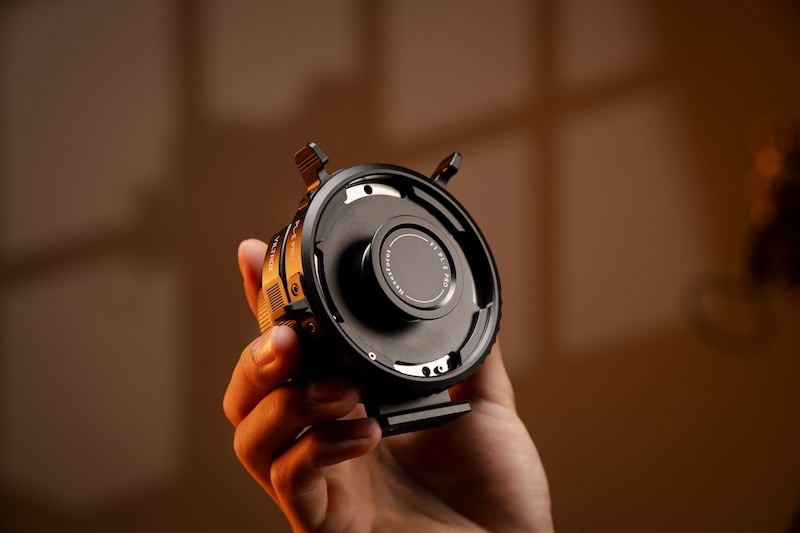
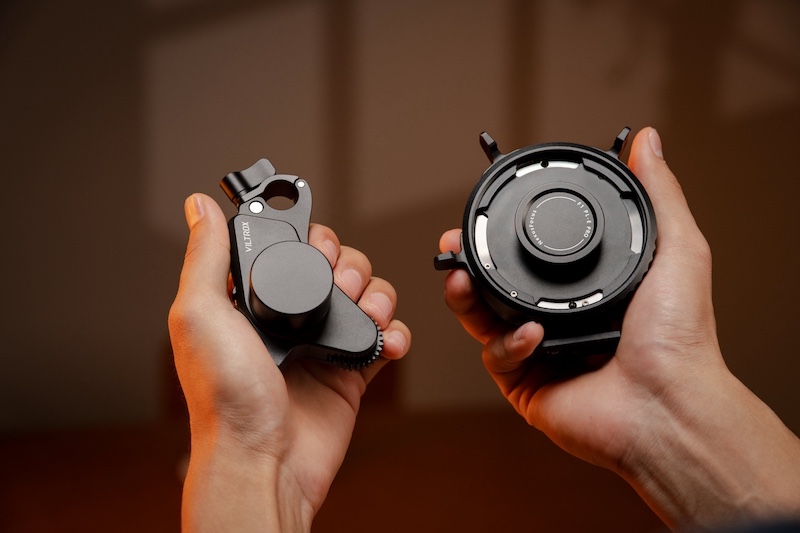
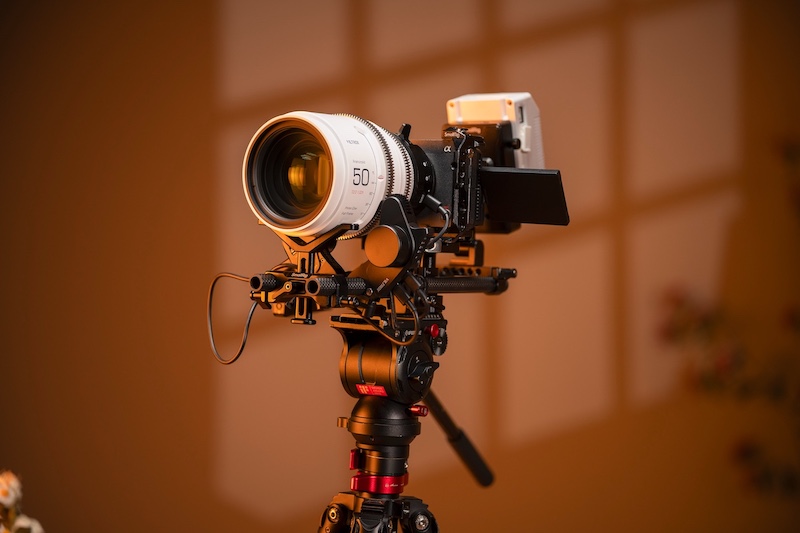
The previously reported Viltrox Nexus F1 Pro cinema with AI-assisted phase-detection autofocus adapter (PL to E) with full AF capabilities and photo/video EXIF support is now available on Kickstarter and already rasised $42k.
The Viltrox NexusFocus PL-E Adapter (also referred to as the Nexus PL to E Pro) is an innovative cinema lens adapter designed to bring full autofocus capabilities to manual PL-mount cine lenses when used on Sony E-mount cameras. Announced as a prototype at IBC 2025 in September, it essentially transforms vintage, anamorphic, or modern manual cinema primes into AI-driven autofocus lenses by leveraging the camera’s native phase-detection AF system.
Key Features
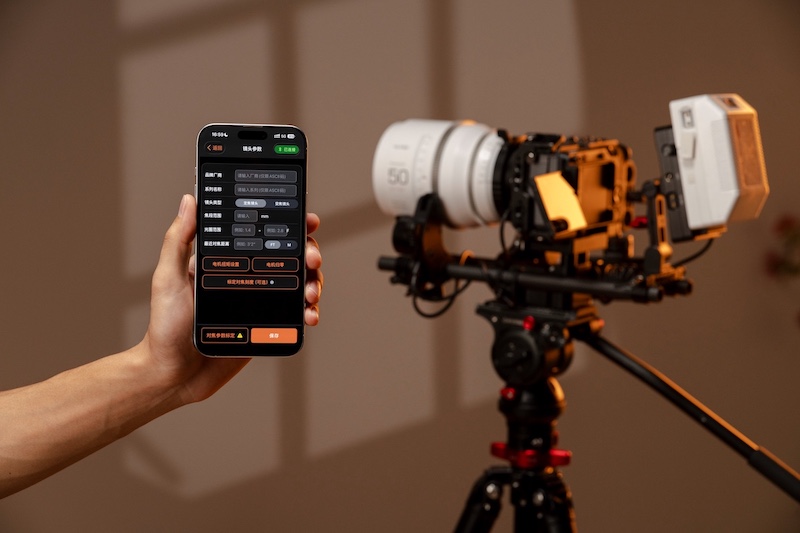
Autofocus Integration: It taps directly into Sony’s autofocus protocols, enabling features like eye AF, face recognition, subject tracking, and tap-to-focus on the camera’s LCD. No additional sensors (like LiDAR) or wireless follow-focus systems are needed—the adapter uses external motors to drive focus based on real-time data from the camera sensor.
Iris and Zoom Control: Beyond focus, it supports camera-controlled aperture (iris) adjustments, and with additional motors, it could handle zoom on compatible lenses.
Lens Profiles: Comes with pre-installed profiles for various PL lenses, allowing quick calibration, saving configurations, and easy swapping without recalibration.
Power and Design: Powered by a small battery that lasts for days of use. The prototype includes refinements planned for housing, cable management, and motor strength.
Compatibility
Primarily for Sony E-mount cameras with built-in AF, such as the FX3, FX6, A7 series, and NEX series.
Limited testing has shown partial functionality on other mounts like L-mount, Nikon Z, and Fuji GFX, with potential for expanded support in future versions.
How It Works
The adapter mounts between the PL lens and E-mount body, then connects to external motors on the lens. It receives AF commands from the camera (e.g., when you tap the screen or use subject detection) and translates them into precise motor movements for focus and iris – making manual lenses behave like native Sony AF glass.

 Connexion