We all encounter situations where the environment fights against us: the lighting is too dim, the subject moves too fast, or the focal length just isn’t long enough. You end up with a composition you love, but the photo itself—plagued by high-ISO noise, slight motion blur, or low pixel count from cropping—becomes a headache to process.
Manually correcting these fundamental image quality issues in traditional photo editors often requires tedious fine-tuning to perfectly balance sharpness and natural texture.
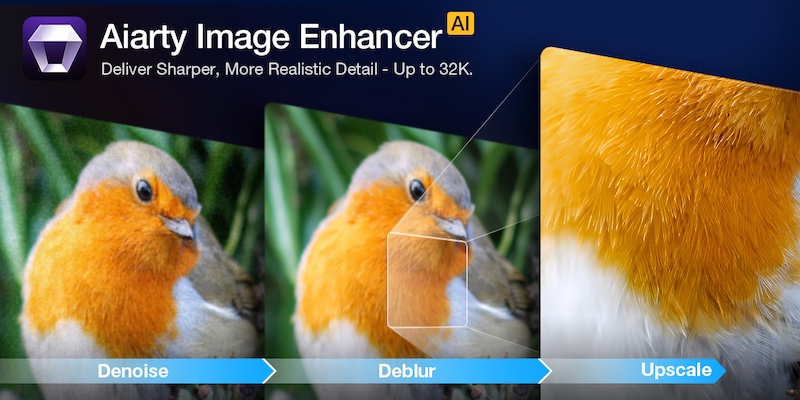
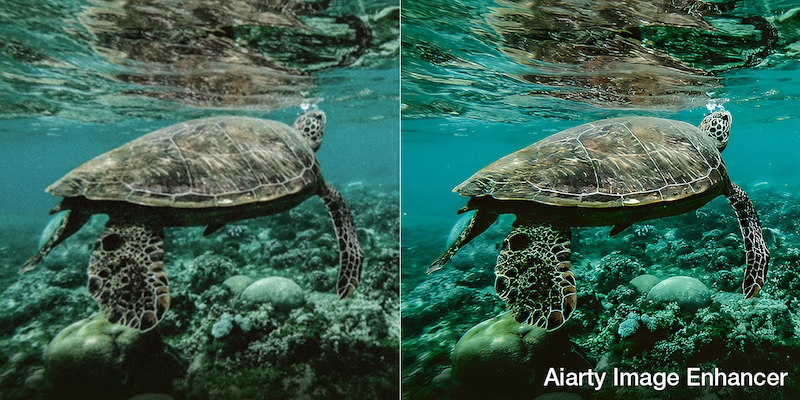
Aiarty Image Enhancer is designed to simplify this crucial post-processing step. It acts as an efficient specialist tool that quickly and automatically uses AI to denoise, deblur, sharpen, and upscale your photos. This approach hands you a clean, high-fidelity foundation, allowing you to spend less time fighting pixels and more time on the final artistic grade.
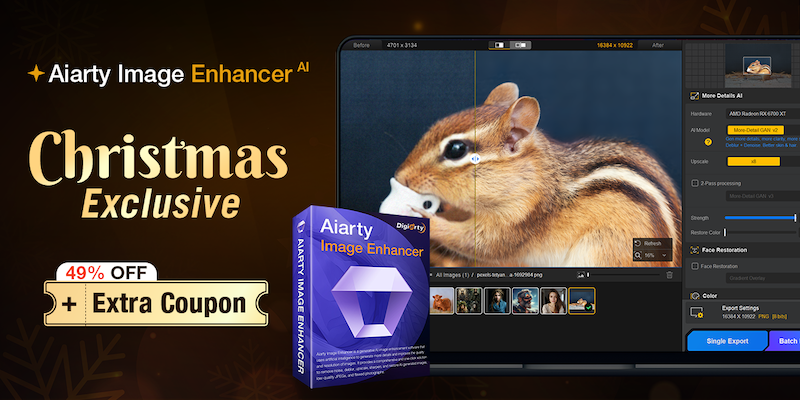
Christmas Special Offer: 49% off Lifetime License + extra $5 coupon
If you are tired of monthly subscriptions piling up, this offer is specifically for you. In celebration of Christmas, Aiarty is offering 49% off Aiarty Image Enhancer Lifetime License. And that’s not all! You can also use the limited-time coupon “XMASSAVE” to save an extra $5. Originally priced at $155, now you can grab it for just $74 – the lowest-ever price!
With your purchase, you’ll enjoy:
- Full access to all features and lifetime free updates
- Installation on up to 3 Windows or Mac computers
- 30-day money back guarantee
- One-time payment, no subscriptions or hidden fees
This is arguably one of the best value propositions in photo enhancement software this year. But is the software worth it? Let’s break down the performance.
Deep Dive: Why Aiarty Image Enhancer Belongs in Your Workflow
1. AI Denoise: The High-ISO Savior
Noise is the enemy of detail. Whether you are shooting indoor events, astrophotography, or wildlife at dawn, pushing your ISO is often necessary. Traditional noise reduction software works by blurring the image to hide the grain, which often results in the dreaded “waxy skin” effect or loss of fine textures like fabric or fur.
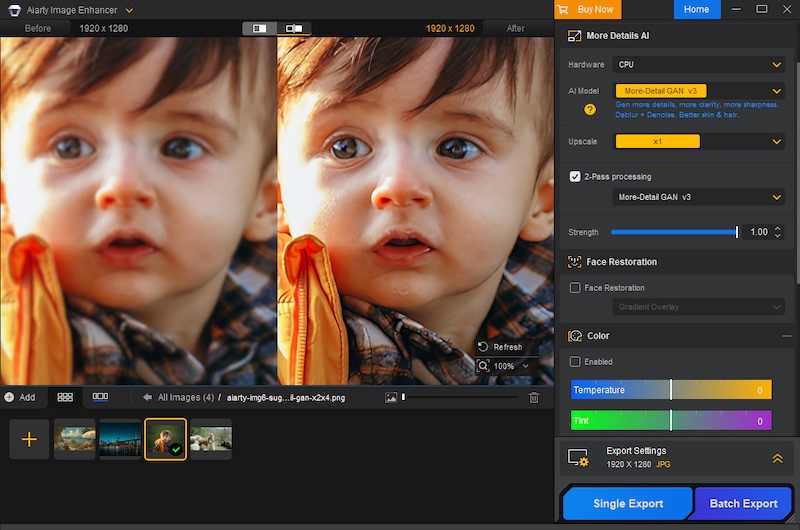
Aiarty uses advanced AI denoise technology to intelligently analyze the image. It distinguishes between luminance noise, chroma noise, and actual image detail. It allows you to remove noise from images without sacrificing the sharpness that your expensive lenses provide.
2. De-blur & Sharpening: Fixing the “Almost Perfect” Shot
Blur comes in many forms, and Aiarty tackles them all.
- Camera Shake: Even with IBIS (In-Body Image Stabilization), handheld shots at slow shutter speeds can suffer from micro-jitters.
- Motion Blur: Subjects don’t always stay still. A moving child, a running pet, or a swaying branch can ruin a shot.
- Lens Softness: We all love vintage lenses or wide-open apertures, but they often lack sharpness at the edges.
Aiarty doesn’t just apply a “sharpening mask” which increases contrast at edges. Instead, it hallucinates (in a good way) the missing pixel data to reverse the blur. It restores edge definition and clarity without introducing the artificial white halos or “crunchy” look associated with over-sharpening.
3. The Upscaling Powerhouse: From Crop to Print
The freedom to crop is a luxury. Sometimes, your 200mm lens isn’t long enough, and you have to crop 50% or more of the frame to get the composition you want. In the past, such heavy cropping drastically reduced pixel density, rendering images unsuitable for large-format printing.
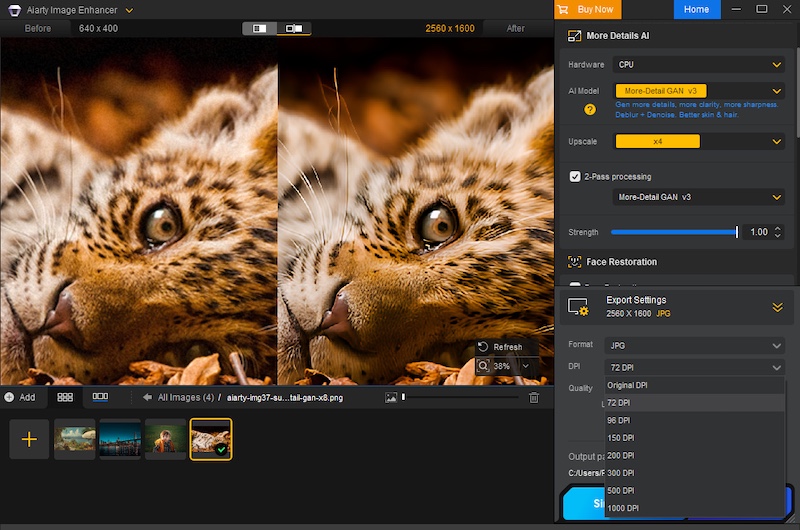
Aiarty excels in AI upscaling. Leveraging deep learning algorithms, it can enhance image resolution to 4K, 8K, 16K, and even up to 32K. Crucially, it generates new, realistic details and textures—like feathers, individual strands of hair, or intricate fabric patterns—rather than simply stretching pixels. This means you can crop without fear, transforming what would have been small, social media-only images into print-ready, large-format works with every pixel looking sharp and natural.
Furthermore, Aiarty allows for precise control over your output, enabling you to set custom DPI values directly within the software, a critical feature for professional printing workflows.
4. One-Stop Color & Tone Correction
While most professionals stick to Lightroom for grading, Aiarty includes a surprisingly robust set of adjustment tools. This is particularly useful for a “One-Stop” workflow. If you are rescuing an old, faded family photo or a poorly exposed JPEG where the RAW data isn’t available, you don’t need to open another app.
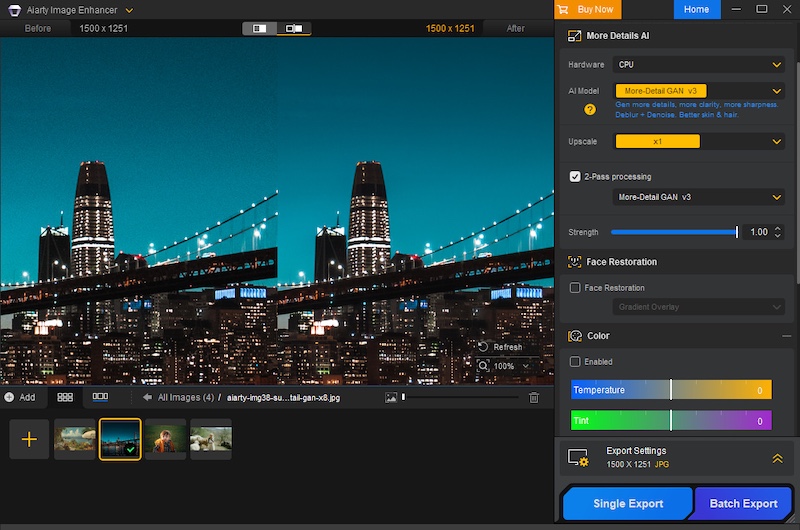
You can adjust temperature, tint, exposure, contrast, highlights, and shadows directly within the interface. It is perfect for quickly reviving the dynamic range and color vibrancy of an image immediately after denoising or upscaling.
Professional Workflow Features
- Extensive Format Support (Including RAW)
It doesn’t just handle JPEGs. It supports a vast array of input formats including HEIC, TIFF, PNG, and crucially, RAW files. It works seamlessly with .CR3 (Canon), .ARW (Sony), .NEF (Nikon), .RAF (Fujifilm), .DNG, and virtually every other proprietary RAW format from Leica, Panasonic, Olympus, and Hasselblad. This means you can integrate it right at the start of your editing pipeline.
- Hardware Acceleration
Processing AI models is demanding. Aiarty is optimized for GPU acceleration (NVIDIA, AMD, Intel), dramatically cutting down processing time and ensuring a much smoother workflow, particularly when dealing with large-format files or applying complex enhancements across batches.
- Batch Processing
Have a folder of 500 shots from a wedding that were shot at ISO 3200? You don’t need to edit them one by one. You can batch process thousands of images.
- Granular Control
- Flexible Scaling: Many AI enhancement tools restrict control to fixed ratios (e.g., only 2x upscaling). Aiarty provides flexibility. It allows users to freely select the enlargement multiplier or directly set the final target resolution.
- Strength Slider: The software offers an intensity slider to manually adjust the strength of the AI enhancement and sharpening. This ensures you can achieve the optimal balance between maximum quality improvement and preserving the image’s natural, artifact-free look.
Verdict: Don’t Miss This Deal
In the world of photography, “saving” a photo used to mean spending hours cloning and masking in Photoshop. Aiarty Image Enhancer turns that into a simple, automated process. It is the perfect companion to your existing RAW editor, stepping in when you need to go beyond the limits of your sensor.
With the Christmas Lifetime Deal, you aren’t just buying software; you are buying an insurance policy for your images. No monthly fees, just permanent access to better image quality.
Get the Aiarty Image Enhancer Lifetime License for just $74! Grab it before this limited-time holiday deal ends!
Enhance your photos effortlessly this season and make your memories shine like never before!
The post Aiarty Image Enhancer instantly fixes blurry, grainy, and low-res photos (49% off lifetime license + extra Xmas coupon) appeared first on Photo Rumors.

 Connexion