
 Connexion
Remove Complex Backgrounds with Precision: Aiarty Image Matting for Photographers (Exclusive Deal Inside)
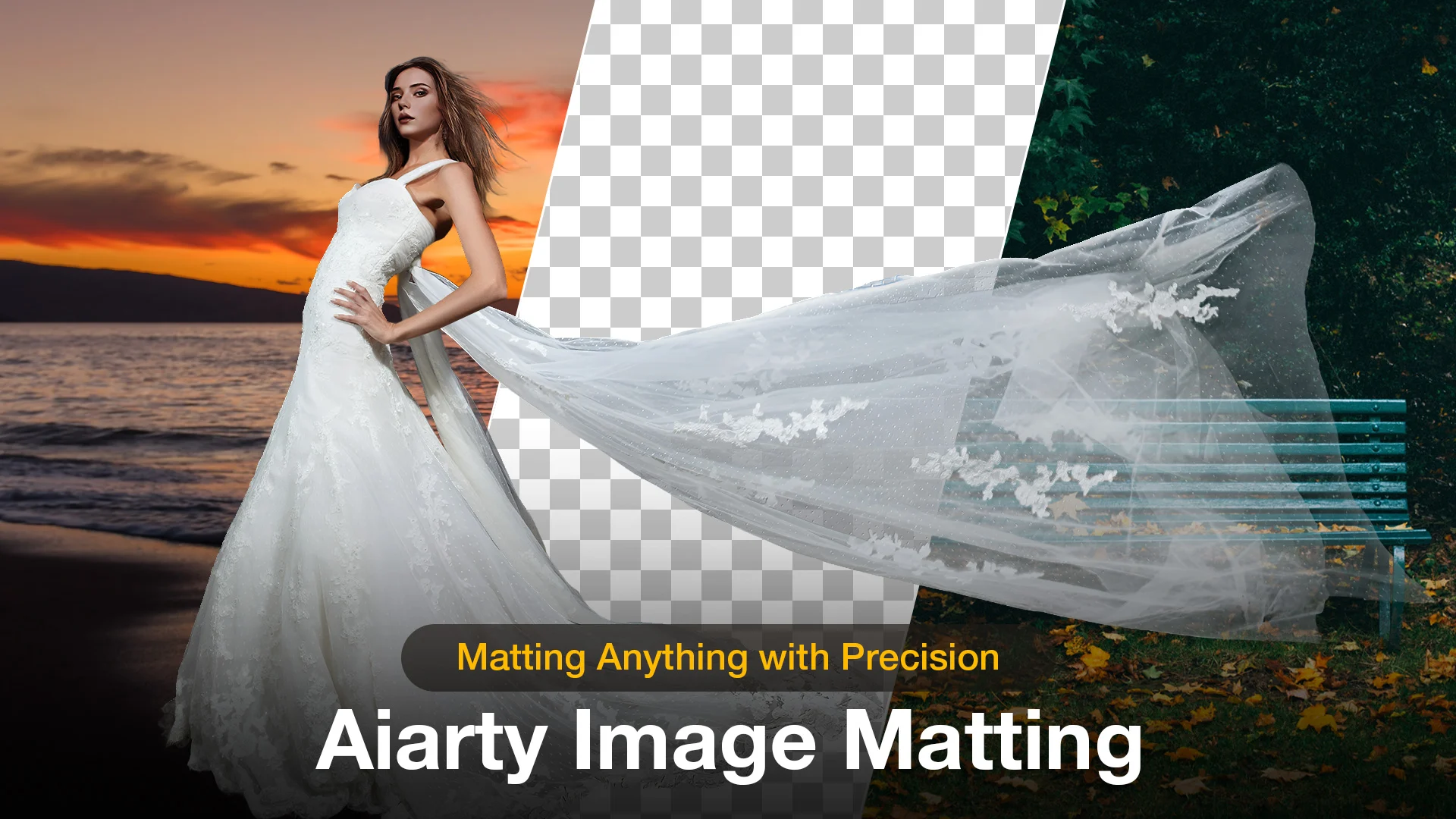
Beyond the Pen Tool: A Faster Way to Handle Complex Masking with Aiarty Image Matting (guest post)
We’ve all been there: the shoot was perfect, but now you’re zoomed in at 400%, wrestling with a stray strand of hair that just won’t stay in the selection. It’s the least creative part of photography, yet it’s often where the professional polish happens.
The irony of the current AI boom is that while it’s easier than ever to remove background from photo files with a single click, the results rarely hold up on a high-res monitor. Even when you remove background in Photoshop using the latest Select Subject features, the AI tends to treat edges as a binary choice. It works for a clean product shot, but it falls apart on a bride’s translucent veil or a portrait against a leafy backdrop, leaving that jagged, “cut-out” look.
This is when the distinction between a simple “remover” and true Image Matting becomes critical. What I was really looking for was something that understands the physics of light and transparency – the sub-pixel details that make a subject feel natural in its environment. In testing different tools, I came across Aiarty Image Matting, which stood out in how it handles these “impossible” edges with a level of nuance I haven’t seen in most standard plugins.
It’s worth a look for photographers who frequently deal with complex selections and high-resolution workflow. Now PhotoRumors readers can access an exclusive offer to get Aiarty Image Matting Lifetime License at up to 43% OFF, with benefits including:
- Use on 1 Windows + 1 Mac, 3 Windows or Mac computers
- Unlimited access to all features
- Permanent free upgrades and technical support
- No subscription, no recurring cost
Why Aiarty Image Matting is the Secret to Professional Composites
The term “background removal” is a bit of a misnomer in professional circles. Most tools – from the built-in best background removal app on your phone to standard web filters – simply use a mask to hide pixels. This often results in a “cookie-cutter” effect where the edges look harsh and artificial.
Aiarty Image Matting operates on a different level. It uses dedicated AI models to calculate an “alpha matte,” which essentially determines the exact transparency of every single pixel on the boundary. Instead of a binary “in or out” choice, it understands that a stray hair or a glass edge is partially transparent. If you’ve ever wondered which ai tool is best for background removal for high-end work, the answer lies in how it handles these “soft” edges. Aiarty doesn’t just cut the subject out; it extracts it.
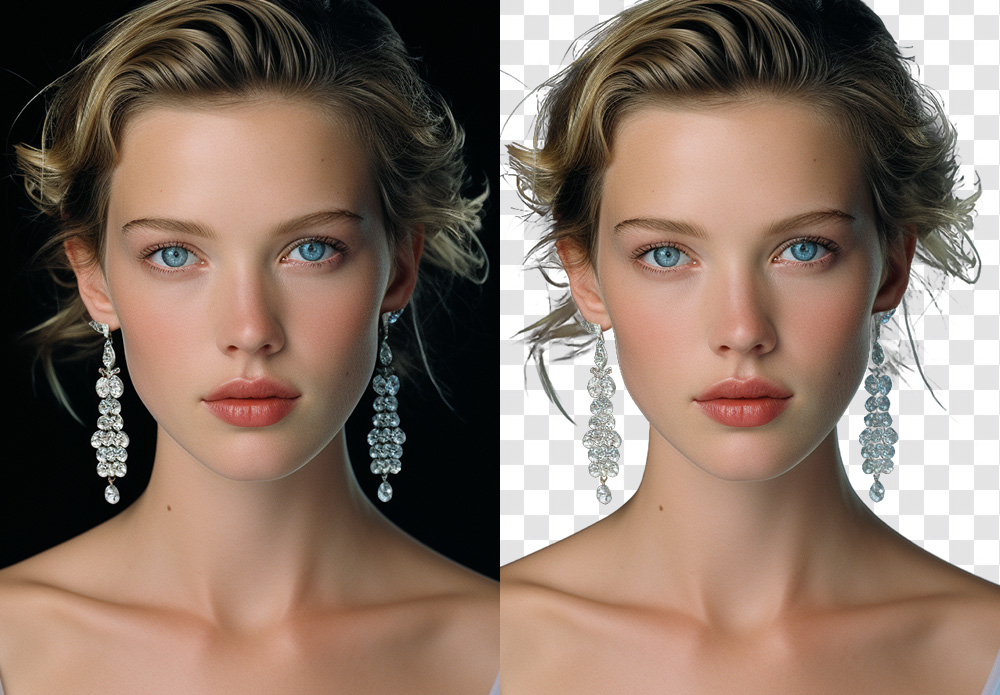
This extraction process achieves a level of sub-pixel precision that identifies details thinner than a single pixel – think individual eyelashes or the fuzz on a woolen sweater. It also solves one of the biggest headaches when you remove background from photo: color decontamination. We’ve all dealt with that annoying color spill, like a green tint on a model’s skin from a forest backdrop. Aiarty’s AI is trained to “clean” these edges, ensuring the subject looks natural when placed in a completely different lighting environment.
For things like steam, smoke, or a translucent bridal veil, the software preserves the true, semi-transparent nature of the material. This is a game-changer for anyone trying to make background transparent without losing the ethereal, airy quality of the original shot. By moving away from simple “erasing” and toward “intelligent extraction,” it finally bridges the gap between a quick social media edit and a gallery-ready composite.
Key Features: How Aiarty Streamlines Complex Masking
When you’re looking for the best background removal software, you’re really looking for consistency. You want a tool that doesn’t require you to go back in with a layer mask to fix 20% of the edges. Most standard matting tools rely on simple edge detection that often fails the moment things get slightly out of focus or highly detailed. Aiarty Image Matting differs by using deep-learning models that actually understand the “semantic” structure of a photo – it knows the difference between a strand of hair and a stray digital artifact. Instead of just tracing a line, it reconstructs the edge data based on real-world light and texture.
In my time testing the software, four specific capabilities stood out as legitimate game-changers for a professional workflow:
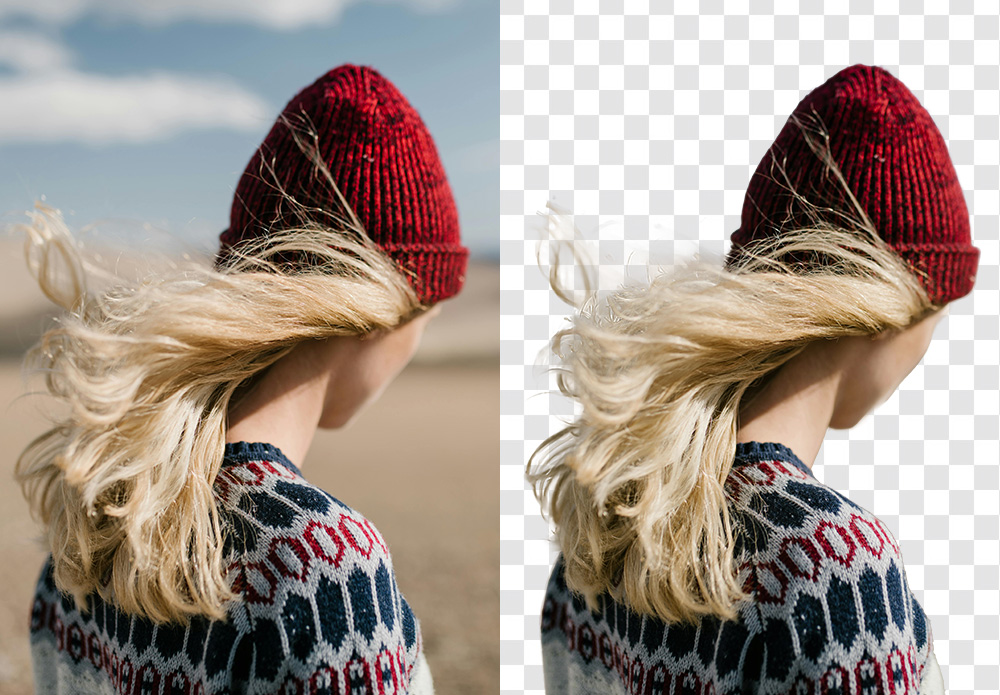
- Hair-Level Fidelity: This is the ultimate stress test. Whether it’s a high-fashion portrait with flyaway hair or a wildlife shot of a wolf’s fur, Aiarty’s AI models are trained on millions of real-world edge scenarios. It identifies individual strands that traditional “Select Subject” algorithms usually blur or chop off. If you’ve ever wondered how to remove white background from image files with fine texture, this level of detail is a massive relief.
- Complex Transparency Awareness: Most “one-click” apps treat glass, smoke, or veils as solid objects or just erase them. Aiarty actually understands the transparency levels. This means if you have a shot of a bride in a lace veil, the software preserves the semi-transparent layers, allowing the new background to show through naturally. It’s easily the best ai tool to remove background from delicate, translucent subjects.
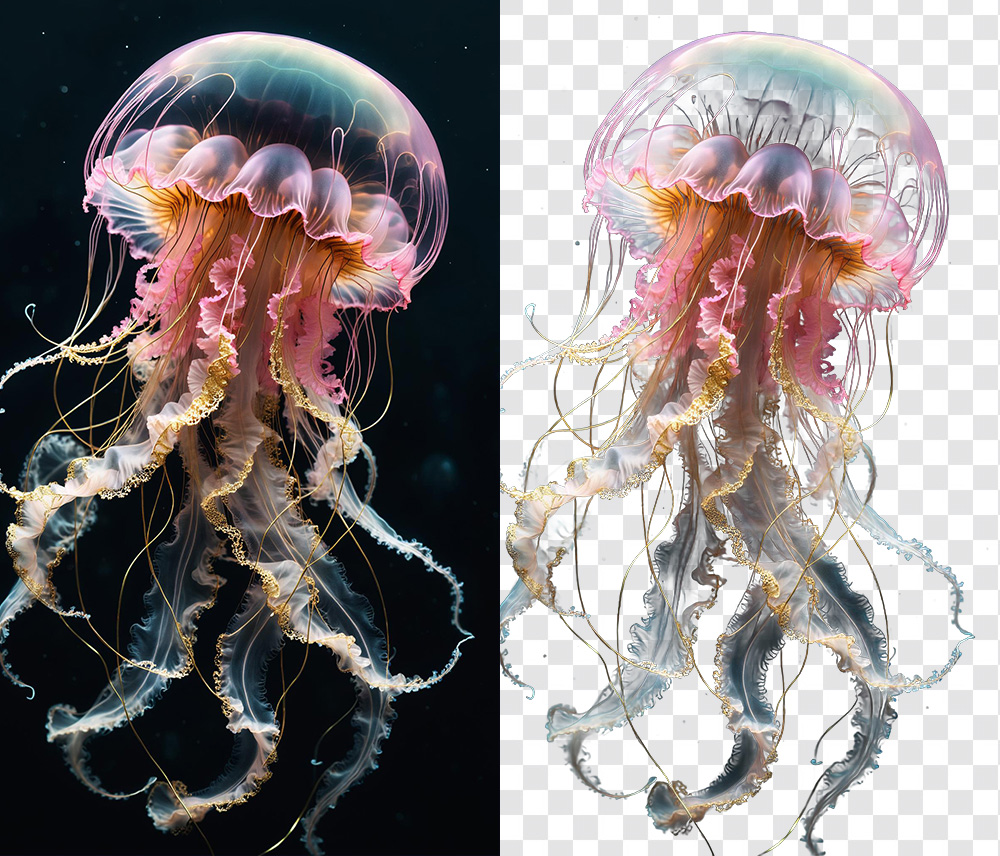
- Seamless Background Replacement: Beyond just cutting things out, the tool makes it remarkably easy to change background of photo assets for creative composites. It handles the edge blending so well that you don’t get that “pasted-on” look. You can drop in a solid color for a clean e-commerce shot or a complex landscape for a fine-art piece, and the lighting and transparency on the edges remain believable.
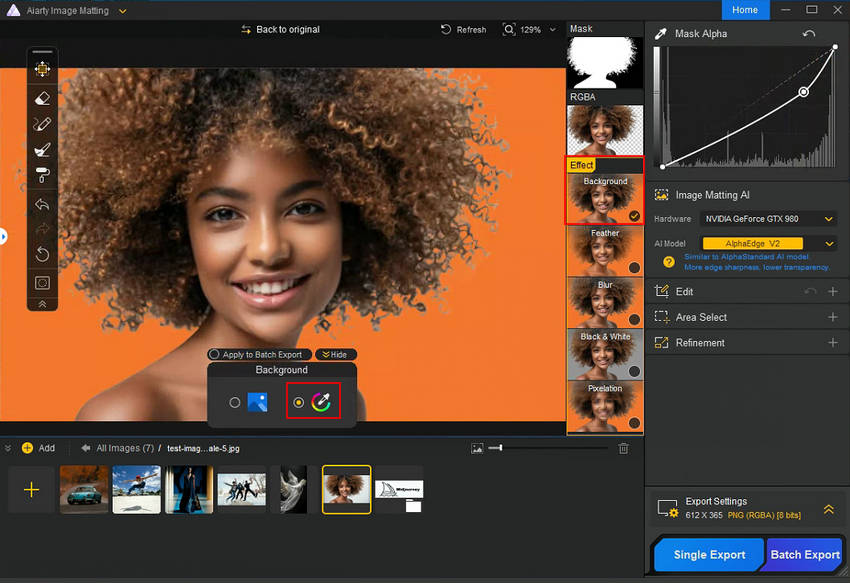
- Privacy and Speed via Local Processing: This is a big one for me. Many “best free ai background remover” tools are browser-based, meaning you have to upload your high-res (often sensitive) client work to a cloud server. Aiarty runs entirely on your local GPU. It’s faster, more secure, and allows you to automatically remove background elements from an entire folder of RAW files in a single batch, without hogging your bandwidth.
Instead of just being another best background removal app for casual use, it feels like a specialized instrument designed to handle the 10% of “impossible” masking jobs that usually take up 90% of our editing time.
Aiarty Image Matting Real-World Scenarios
In practice, a tool like this isn’t just about saving a few minutes; it’s about enabling shots that would otherwise be a nightmare to edit. I’ve been testing Aiarty across a few common scenarios where most “best background removal app” contenders usually fail:
- Portrait & Fashion Photography: We’ve all struggled with how to remove background from a subject with flyaway hair or fur. Standard AI usually “muds” the edges. Aiarty preserves individual strands, making the transition to a new background look organic. It’s a lifesaver for high-end beauty retouches where the halo effect is a deal-breaker.
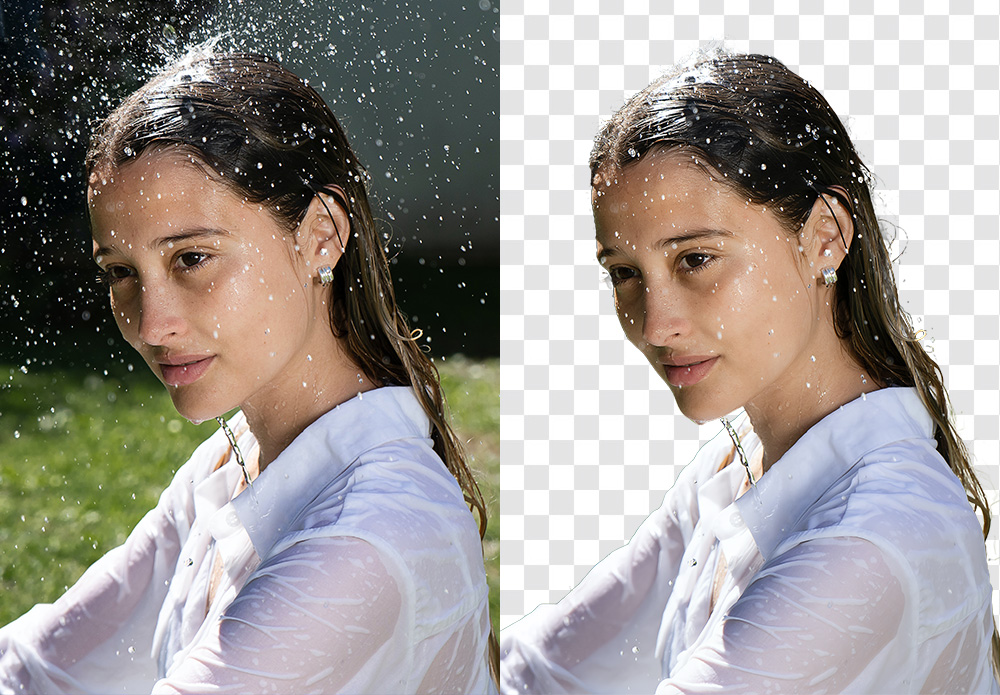
- Commercial & Still Life: If you’ve ever tried to make background transparent for a glass bottle, a liquid splash, or a watch face, you know the refraction usually gets ruined. This tool actually maintains the transparency of the material, allowing the new environment to show through naturally. It’s much faster than manually painting alpha channels for product composites.
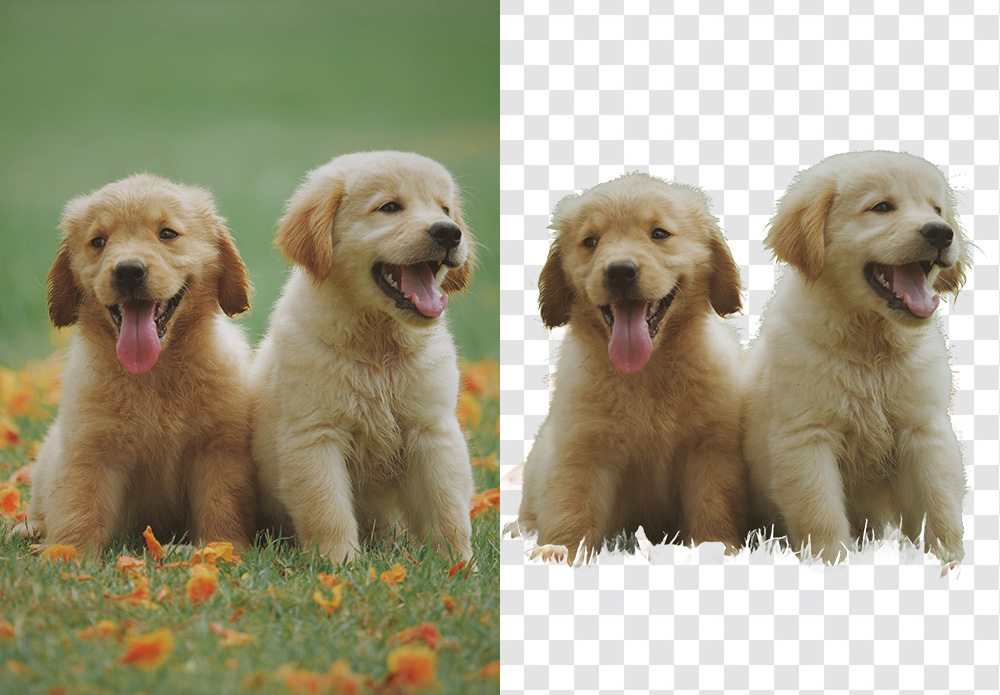
- High-Volume E-commerce: For those of us who need to remove background elements across a hundred RAW files locally, the batch processing feature is a massive win. You aren’t tethered to a slow cloud upload, and the consistency across the set – keeping the same edge softness – is much higher than manual masking.

By handling the heavy lifting of the selection process, it lets you get back to the creative part: the color grading, the composition, and the storytelling.
Final Thoughts
In an industry that’s increasingly shifting toward subscription-based tools, having a reliable one-time purchase option still feels refreshing—especially for something as time-consuming as precise masking.
For photographers who regularly deal with fine details like hair, transparency, or complex backgrounds, tools like Aiarty Image Matting can make a noticeable difference in both speed and final image quality.
It’s not just about saving time—it’s about getting results that hold up under close inspection.
At the time of writing, PhotoRumors readers can access an exclusive 43% discount on the lifetime license, making it a relatively accessible addition to a professional editing workflow.
The post Remove Complex Backgrounds with Precision: Aiarty Image Matting for Photographers (Exclusive Deal Inside) appeared first on Photo Rumors.
Related posts:
- Fast, Precise, Automatic Background Removal with Aiarty Image Matting (Limited-time Exclusive Deal)
- Fix Grainy, Blurry, Low-Resolution Videos Effortlessly with Aiarty Video Enhancer (Lowest Price for Christmas)
- Aiarty Image Enhancer instantly fixes blurry, grainy, and low-res photos (49% off lifetime license + extra Xmas coupon)
