AI has been a hot topic on the forums for a while now. Recently, members have asked us to develop clear guidelines for the fair, well-defined use of AI tools in the forums, especially when they involve the community's photography.
We're at the early draft stage of this process. Our goal is to craft a simple policy that defines best practices and clear boundaries. As with many major community policy updates around new technologies and tools, rather than just announcing a set of guidelines out of the blue, we want to create them with our community's input and ensure your voices are heard.
If you are part of our forum community or would like an excuse to join one of the many discussions there, please visit our AI thread and tell us what you think.
Freefly, a Seattle-based company known for its high-end cameras, joined the L-Mount Alliance today as its 11th member. This also means they will announce new L-mount products at the 2026 NAB show, which starts next week. Here are the details:
Wetzlar, 17th April 2026. Freefly is the newest member of the L-Mount Alliant, making it the 11th company to join since the public announcement of the L-Mount standard in 2018. The alliance consists of founding members Leica Camera AG, SIGMA, and Panasonic, as well as Ernst Leitz Wetzlar GmbH, DJI, ASTRODESIGN, SAMYANG Optics, Blackmagic Design, SIRUI and VILTROX. This collaboration enables Freefly to develop products with the L-Mount which will present great benefits for a wide range of photo and video applications.
The L-Mount was developed by Leica Camera AG with the aim of providing customers with a future-proof, flexible, robust and precise bayonet mount that would fulfil even the most demanding photographic needs. Since its initial appearance, development of the L-Mount was continued by Leica as well as by its strategic partners. This led to significant improvements and an effectively new and more sophisticated L-Mount technology, resulting in a constantly growing portfolio of cameras and lenses from all existing and new alliance partners, currently comprising over 20 cameras and more than 134 lenses. All lenses made for the different systems within the L-Mount Alliance can be used on all cameras without adapters and without any functional limitations – illustrating one of the numerous benefits of the common bayonet.
Valentino Di Leonardo, Managing Expert Technology & Licensing at Leica Camera AG: “The L-Mount Alliance has been a central element of Leica Camera AG’s strategy from the very beginning, standing for openness, innovation, and the highest standards in imaging. With Freefly joining the alliance, we are welcoming a partner with a strong reputation in camera movement systems and aerial cinematography. Their expertise opens up new creative possibilities within the L-Mount ecosystem, particularly for professional film and high-end production workflows. Together, we continue to develop a versatile and future-proof system that meets the evolving demands of photographers and filmmakers alike.”
Tabb Firchau, CEO at Freefly Systems Inc.: “Freefly is obsessed with building the world’s fastest cameras and toughest drones, and joining the L-Mount Alliance enable us to go faster than ever. TheL-Mount allows us to interface with a wide range of beautiful lenses that are small, light, and feature advanced electronics that enable exciting electronic control options from the camera. We look forward to contributing to the Alliance and hope to put L-Mount lenses in places the world has not seen them before – from rocket launches to fighting forest fires.”
About the L-Mount Alliance
The members of the L-Mount Alliance all utilise the L-Mount Standard developed by Leica Camera AG for mirrorless camera systems. Currently, the members of the Alliance are Leica Camera AG, SIGMA, Panasonic, Ernst Leitz Wetzlar GmbH, DJI, ASTRODESIGN, SAMYANG Optics, Blackmagic Design, SIRUI, VILTROX and Freefly. The partners in the alliance utilise the L-Mount Standard for cameras and lenses that are offered under their own brand names. They market their respective products as competitors, and each with their own product and marketing strategies. The alliance works together on advancing the technology of the L-Mount Standard.
A camera companion app can unlock convenience and useful creative controls, provided it actually works well. Every major brand now offers at least one such app, promising remote camera control, wireless image transfer, GPS sharing and more, but the reality is often a mix of useful features and flaky connections.
In this piece, we're taking a closer look at Sony's latest effort – the Creators' App – to see how far things have come from the early, frustrating days of camera apps. The Creators' App supports models going back to the a7S III and is the default for newer bodies. The previous‑generation Imaging Edge Mobile app also works with many of the same cameras, but its newest supported body is the a1 II, so we will be focusing on the Creators' App here.
I used the Google Pixel 10a for all of my testing, but my colleague reports a similar experience on an iPhone 15 Pro, except where otherwise noted. Your experience and options may differ depending on your device.
Connectivity and reliability
To do most things in the app, you'll need to use a Wi-Fi connection.
Connecting a camera to the Creators' App for the first time is straightforward and very quick, so it's feasible to do even if you're in a rush. The process uses a Bluetooth connection for initial pairing, along with basic functions like camera status and firmware updates when you open the app each subsequent time.
Most features, though, require either a Wi-Fi connection or a physical USB-C tether between your phone and camera. Using a USB-C cable provides a faster, more stable connection for file importing or camera control than a wireless one, but it also defeats the app's purpose in some use cases, so I've focused on Wi-Fi for my testing. Tapping the "Remote Shooting" or "Import" options will trigger a pop-up that asks which connection type you want to use. This will pop up each time unless you tap the box to "Use Wi-Fi connection from next time."
Left: The pop-up on the left will show up every time you connect to your camera via Wi-Fi unless you disable it. Right: The connection process isn't very speedy.
When you connect via Wi-Fi for the first time on Android phones, you'll see a message from your phone's system informing you that the Creators' App wants to use a temporary Wi-Fi network. Selecting "Connect" will disconnect your phone from any other Wi-Fi networks and pair it with the camera's network.
Unfortunately, the Wi-Fi connection process takes much longer than Bluetooth pairing. Over the course of my testing, it took roughly 16 seconds to connect each time (occasionally faster or slower), which is just long enough to be annoying. The Wi-Fi connection will remain active as long as you remain in the app, or you can end the connection by tapping "Connected via Wi-Fi" just below the camera name.
You can opt to keep the camera connected to your phone even if you leave the app, saving you connection time if you are going back and forth.
If you are going to be in and out of the app during a session and don't want to wait for it to reconnect each time, you can choose to stay connected even when you close the app via the gear icon in the top right corner. Staying connected lets you access the remote control or image transfer options nearly instantly, but it also means that, as long as your camera is on, your phone won't be connected to any other Wi-Fi networks.
The connection was mostly reliable, though there were a few occasions when it dropped unexpectedly, or the camera failed to connect to my Android phone. There was one instance that happened multiple times in a row. These were rare, though, so it didn't drastically impede my use of the app.
Transfer, editing and sharing tools
If you want to transfer Raw files, you'll need to change the "Image Size for Importing" option to "Original," even if you turned Raw on for the import target option.
Many look to companion apps to make sharing photos and videos faster and easier. The Creators' App supports those tools, with options for image and video transfer, cloud syncing and sharing.
On the image transfer side of things, you can choose whether to import 'JPEG and HEIF,' Raw or Raw + JPEG / Raw + HEIF. There are a few important things to note here. First, the camera can't output HEIF and JPEG at the same time, so despite the "and," you'll only be importing one of those.
It's also important to be aware that the app has a setting called 'Image Size for Importing,' which defaults to resizing synced files to less than 2MP. At that setting, the app converts the Raw file to a resized JPEG, and downsizes JPEGs, no matter what you have your file types set to. If you don't change this to 'Original,' you're not actually getting full‑resolution or Raw files.
From left to right: the camera's main folder, images taken on one particular date and the view with one image selected.
When importing photos, the app helpfully organizes your images into folders for each date, so that you aren't looking at a massive wall of images. Once in a date, you can select individual files or select all with the checkbox at the top of the display. You can also tap on an image to see it larger and import from there, but, annoyingly, you'll still need to treat it like you are selecting it by tapping the box in the top left and 'Import' at the bottom.
Differential import will upload any images taken since your last upload without requiring you to select any files.
If you want to simplify the transfer process, the app also offers a "differential import" option, which is essentially a smart sync. With this enabled, when you tap to import files, it transfers all new files that aren't already on your phone. This will prevent you from uploading duplicates of files, and it also serves as a step towards an automatic upload, so you don't have to select individual files. Of course, if you don't want everything on your phone, I wouldn't recommend turning this on.
Photos transferred relatively quickly, even when moving a batch of 30 or so Raw files at once. It's not as fast as using a quality card reader, but it didn't keep me waiting long. I didn't transfer any long videos, but short clips transferred quickly, too. I also didn't have any issues with the connection dropping when transferring batches of images. However, if I wanted to transfer a full shoot of hundreds of images (even just JPEGs), I would likely use a USB-C connection or a card reader to avoid potential issues and speed up the process. For a handful of images here and there, though, it worked very well.
There aren't many options for video transfer settings.
There are only a few options for video imports. If you shoot with proxy recording turned on, you can choose whether to import only the proxy, only the original or both. The only other video import setting is related to Sony's Shot Mark feature, which allows you to drop in-camera markers on video clips to flag important moments. If you've used Shot Mark, you can choose to have the imported clip cut around it (with options for 15-, 30-, or 60-second clips) or not cut at all.
Within the image transfer page, you'll find limited features. You see star ratings applied in-camera and view basic EXIF information. Those same tools are all that's available in the gallery page of the Creators' App, too, but you can add star ratings here instead of only being able to see them. The only other additions are a sharing option that lets you share to apps on your phone, an upload button where you can choose to upload images to a designated folder and a delete button.
There are no editing features, so you'll need to bring your images or videos into a different app for editing if that's part of your workflow. However, there is a menu for managing Look Up Tables, or LUTs, letting you upload the color profiles to your camera from your phone. Unlike some other camera apps, however, Sony doesn't offer a marketplace of LUTs within the app, so you'll need to find those elsewhere and download them to your phone before transferring to the camera.
Remote control and live view
The remote control function gives you control over a lot of settings.
Another reason many people want a camera app is for remote camera controls, and the Sony Creators' app does indeed offer those. Its list of controls is robust, including all the basics you'd expect, like camera mode, shutter speed, aperture, ISO and exposure compensation. You can also toggle between photo and video modes and change many other settings, including focus mode, drive mode, D-Range Optimizer, metering, pre-capture flash, image size, file format, movie file format, touch functions and many more.
While there are plenty of controls for the promise of easy remote shooting, the functionality and reliability are hit-or-miss. At times, it all runs smoothly with very responsive changes. The live view image accurately reflects what the camera is pointed at, it looks natural when I adjust what's in the frame, and the focus changes rapidly when I tap on my phone's display. In short, it works just how I would hope a remote control app would work.
However, that's not always the situation. On a few occasions, live view was incredibly laggy. When that's the case, unless you're photographing still life scenes, it wouldn't be usable, and even then, it would be quite frustrating. The exposure controls can also be slow to actually adjust to your changes at times, resulting in a fair amount of waiting around.
While most of the touch functions work, the "Touch Focus" option has only worked once for me.
Oddly, I haven't been able to get the tap-to-focus feature to work again after my first attempt. It simply never changes the focus point, so that feature is completely unusable for me. Despite that, the other touch functions do seem to work as expected, including the ability to tap on the live view window to set auto exposure.
We didn't experience the same lag and slowness with the iOS version of the app, and tap-to-focus worked as intended.
GPS sharing
You can share your phone's location with your camera to attach GPS information to your images.
The Creators' App enables GPS sharing, which means you can share your phone's GPS information with the camera. That way, you can have locations attached to your images and videos, since cameras lack integrated GPS.
While the GPS sharing feature works seamlessly, it is a bit hidden. To find it, scroll down on the 'Cameras' page of the app and tap on the 'Others' menu option. From there, select 'Setup' and 'Location Information Linkage.' You will have to change some phone permissions to allow the camera to pull location info, but it's very straightforward and quick.
Firmware and maintenance features
Firmware updates are easy with the Creators' App
There are also some maintenance features available in the Creators' App. If there are firmware updates available, the app will let you download and install them via your phone. It was very fast and easy to update firmware via the app, which means I would be much more likely to keep it updated than if I had to download it to my computer and jump through the required hoops for that process.
The Creators' App also lets you save your camera's settings either to your phone or the Creators' Cloud, and then apply those settings to a camera. That way, if you need to reset your camera, you have all of your settings available and won't need to remember what you usually use for each menu item. It could be a big time- and headache-saver. Saving settings only took a matter of seconds, too, so it's very convenient. Unfortunately, you can only apply settings to the same camera model, so, for example, you wouldn't be able to transfer settings from the a7 V to the a7 IV.
Lastly, Sony sometimes offers updates and new features via licenses rather than traditional firmware updates. The app doesn't provide the ability to create those licenses, however, so you'll need to obtain or purchase them through your Sony Creators' Cloud account on the website, and then use the app's License Management menu to install and activate the license on the camera.
The L-Mount Alliance is gaining another member, with cinematography equipment maker Freefly joining the growing lineup. This addition brings the alliance to 11 members, further expanding the range of products offered to L-mount users.
Freefly built its name on the Mōvi lineup, a series of professional cinema-level gimbals. It has since expanded its offerings to high-end drones and high-speed interchangeable-lens cameras made for extreme slow motion. The company doesn't make any consumer-level products; instead, it focuses on professional cinematographers, industrial operators and scientific users.
Given that Freefly is currently focused on cameras, it seems logical that the company will be adding to the list of L-mount cameras available. We'll have to wait and see whether its first L-mount device is a brand-new product or simply a new version of its existing camera lineup with an updated mount.
Freefly's CEO, Tabb Firchau, says the company wants to put the mount in places it hasn't been before, "from rocket launches to fighting forest fires." Indeed, its current camera lineup is quite different from those of existing alliance members, so it will be interesting to see what comes next for Freefly and the L-mount.
FREEFLY SYSTEMS INC. joins the L-Mount Alliance and to utilize the L-Mount standard developed by Leica Camera AG in future product development
Wetzlar, Germany, April 16th 2026. As a new member, Freefly is the 11th company to join the L-Mount Alliance since the public announcement of the L-Mount standard in 2018. The alliance consists of founding members Leica Camera AG, SIGMA, and Panasonic, as well as Ernst Leitz Wetzlar GmbH, DJI, ASTRODESIGN, SAMYANG Optics, Blackmagic Design, SIRUI and VILTROX. This collaboration enables Freefly to develop products with the L-Mount which will present great benefits for a wide range of photo and video applications.
The L-Mount was developed by Leica Camera AG with the aim of providing customers with a future proof, flexible, robust and precise bayonet mount that would fulfil even the most demanding photographic needs. Since its initial appearance, development of the L-Mount was continued by Leica as well as by its strategic partners. This led to significant improvements and an effectively new and more sophisticated L-Mount technology, resulting in a constantly growing portfolio of cameras and lenses from all existing and new alliance partners, currently comprising over 20 cameras and more than 134 lenses. All lenses made for the different systems within the L-Mount Alliance can be used on all cameras without adapters and without any functional limitations – this illustrates one of the numerous benefits of the common bayonet.
Valentino Di Leonardo, Managing Expert Technology & Licensing at Leica Camera AG: "The L-Mount Alliance has been a central element of Leica Camera AG’s strategy from the very beginning, standing for openness, innovation, and the highest standards in imaging. With Freefly joining the alliance, we are welcoming a partner with a strong reputation in camera movement systems and aerial cinematography. Their expertise opens up new creative possibilities within the L-Mount ecosystem, particularly for professional film and high-end production workflows. Together, we continue to develop a versatile and future-proof system that meets the evolving demands of photographers and filmmakers alike."
Tabb Firchau, CEO at Freefly Systems Inc.: "Freefly is obsessed with building the world’s fastest cameras and toughest drones, and joining the L-Mount Alliance enable us to go faster than ever. The L-Mount allows us to interface with a wide range of beautiful lenses that are small, light, and feature advanced electronics that enable exciting electronic control options from the camera. We look forward to contributing to the Alliance and hope to put L-Mount lenses in places the world has not seen them before – from rocket launches to fighting forest fires."
About the L-Mount Alliance
The members of the L-Mount Alliance all utilize the L-Mount Standard developed by Leica Camera AG for mirrorless camera systems. Currently, the members of the Alliance are Leica Camera AG, SIGMA, Panasonic, Ernst Leitz Wetzlar GmbH, DJI, ASTRODESIGN, SAMYANG Optics, Blackmagic Design, SIRUI, VILTROX and Freefly. The partners in the alliance utilize the L-Mount Standard for cameras and lenses that are offered under their own brand names. They market their respective products as competitors, and each with their own product and marketing strategies. The alliance works together on advancing the technology of the L-Mount Standard.
About the L-Mount Standard
To ensure maximum product diversity, the diameter of 51.6 millimeters was chosen to make the L Mount suitable for use not only with full-frame cameras, but also on cameras with APSC sensors. The short register of only 20 millimeters enables a short distance between the lens and the sensor, which in turn allows for a considerably more compact construction – which is particularly helpful for developments in the wide-angle lens segment. To ensure resistance to even the most extreme conditions and guarantee maximum reliability for many years of intensive use, the camera bayonets are manufactured from wear-resistant stainless steel, with four flange segments that prevent canting and ensure a secure and precisely positioned lens attachment. The standardized L-Mount contact strip facilitates trouble-free communication between the electronic components of the lens and the camera – including the possibility of installing future firmware updates for lenses to react to technological advances and exploit their full performance potentials of the lenses.
Further information can be found under: www.l-mount.com.
Here is what we know so far about the upcoming DJI Osmo Pocket 4P:
Dual-lens Pro design leaked: The Pocket 4P features a dual-camera setup with a main wide-angle lens paired with a telephoto (and possibly ultrawide) lens for optical zoom. Leaked images clearly show two distinct camera modules on the front, unlike the single-lens standard Pocket 4.
Optical zoom upgrade: Rumored 3x–4x optical zoom via the secondary telephoto lens (surpassing the standard model’s 2x lossless/in-sensor zoom). This is positioned as a key Pro differentiator for vlogging and creative work.
Staggered launch timeline: Expected announcement and release in June 2026 (or possibly late May/early summer). This follows the standard Osmo Pocket 4’s global reveal on April 16, 2026, reportedly to avoid sales overlap. Early review units have already been distributed.
Rumored pricing: Base model expected to start around $700 (premium positioning over the standard ~$499 Pocket 4).
Shared core features with standard model (with Pro enhancements): Likely retains the 1-inch CMOS sensor, 3-axis gimbal stabilization, rotatable touchscreen, ActiveTrack 7.0, 10-bit D-Log, and high dynamic range, but with superior zoom and possibly 6K/ higher-end video options in some speculative reports.
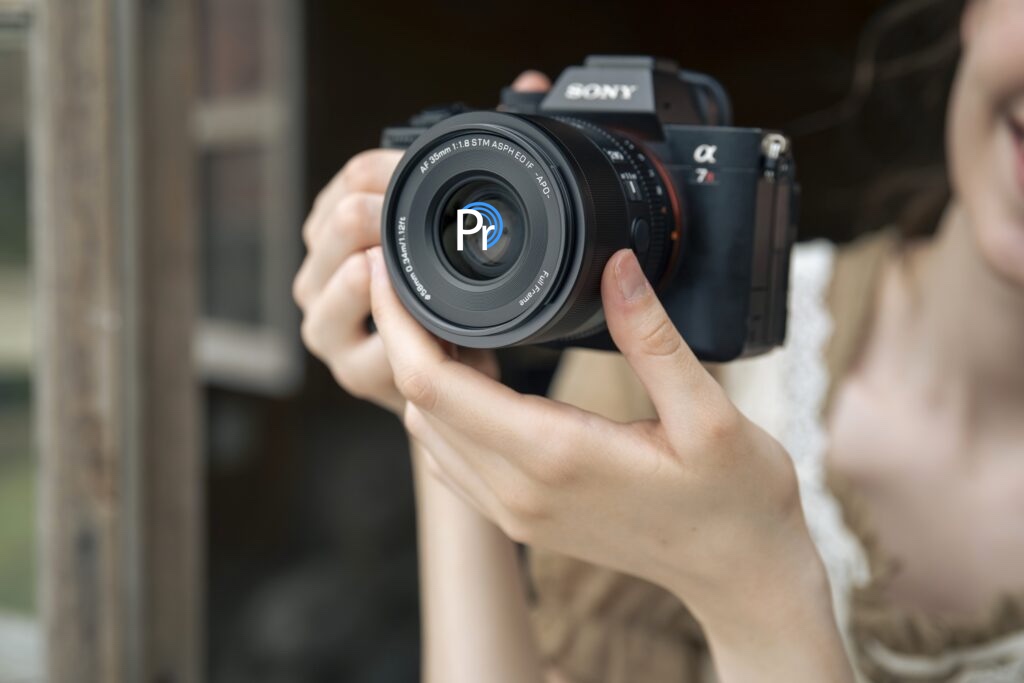
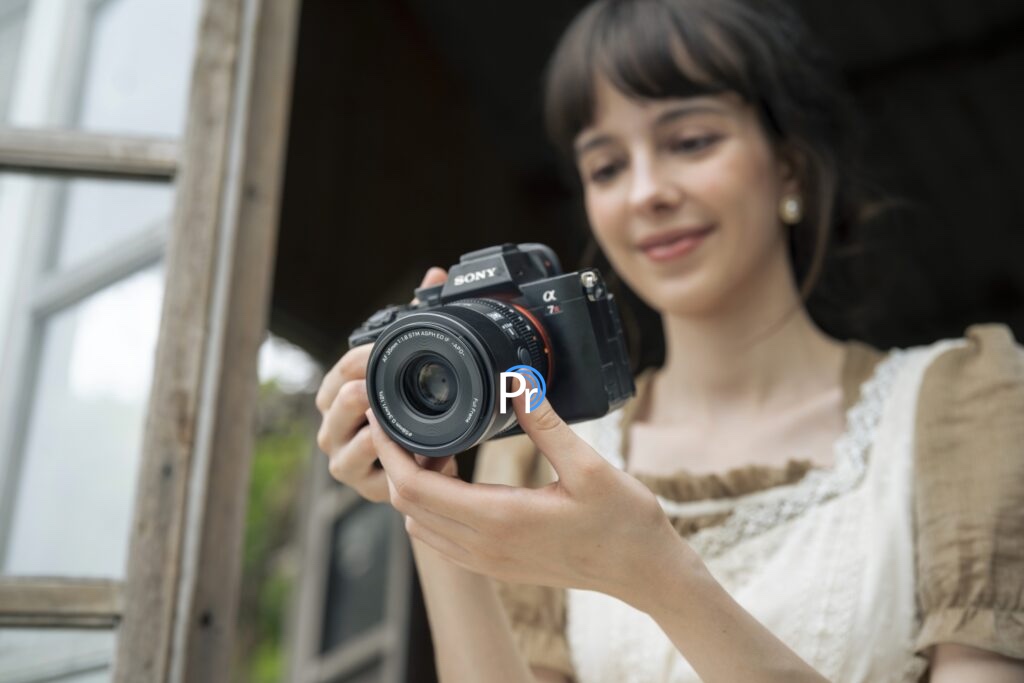
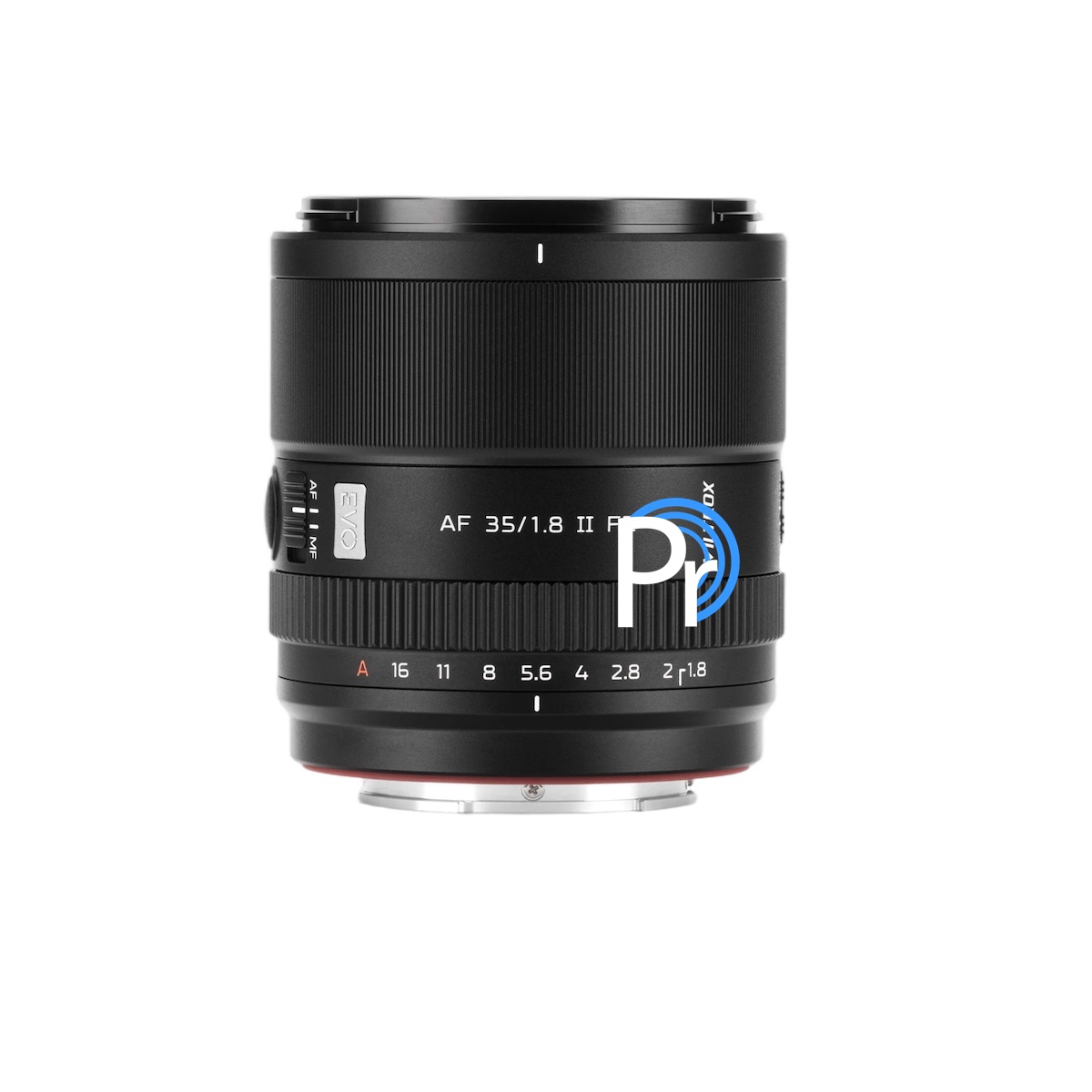
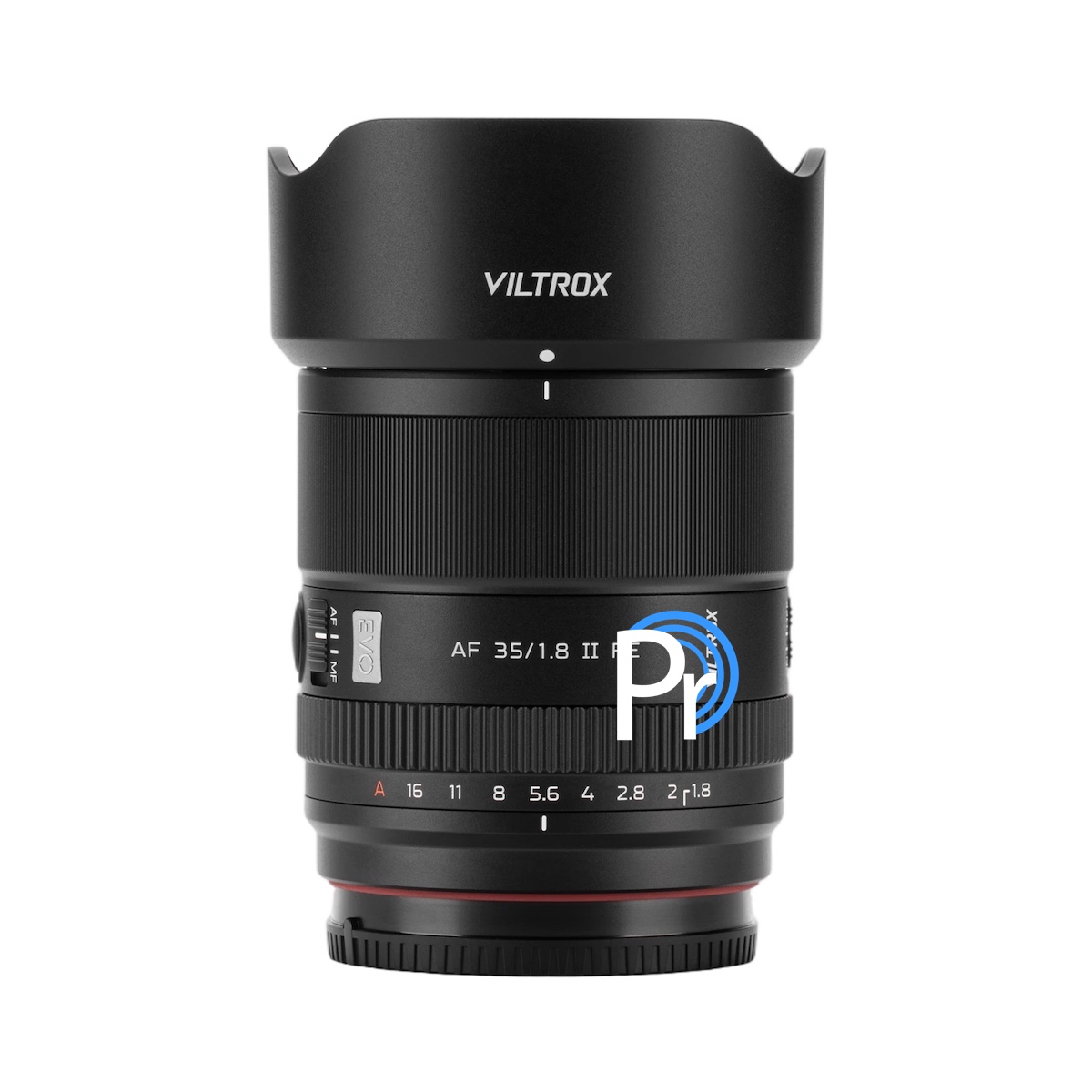
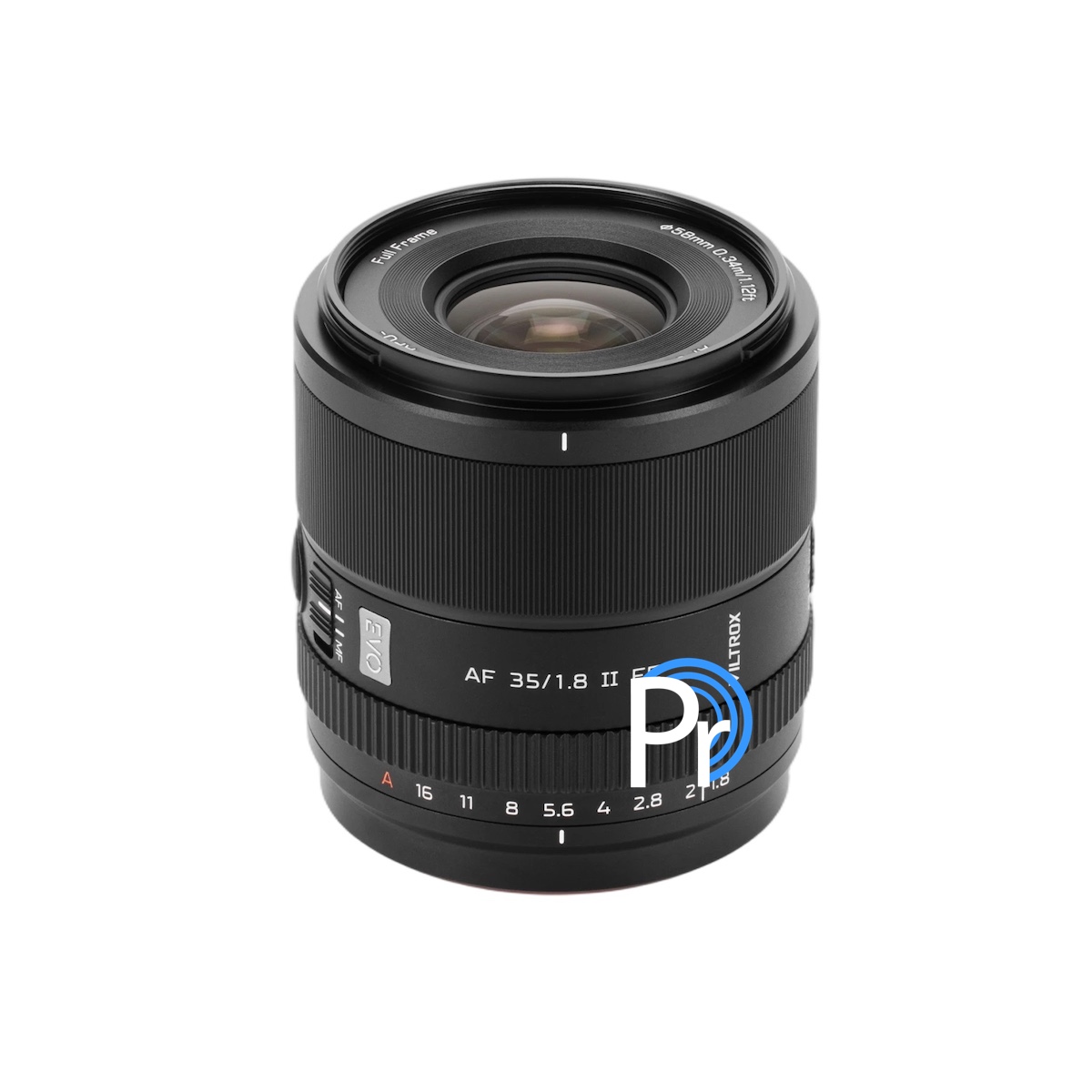
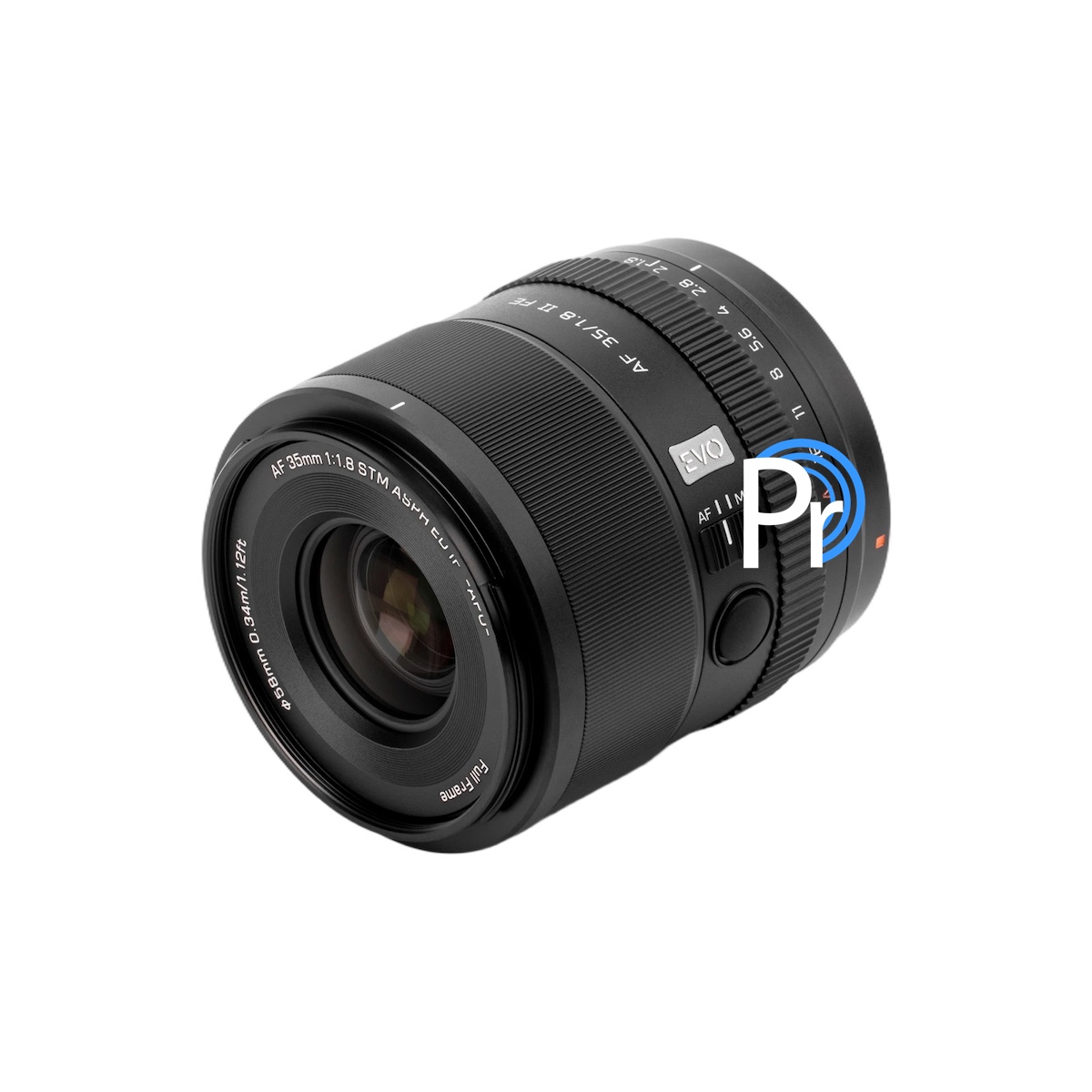
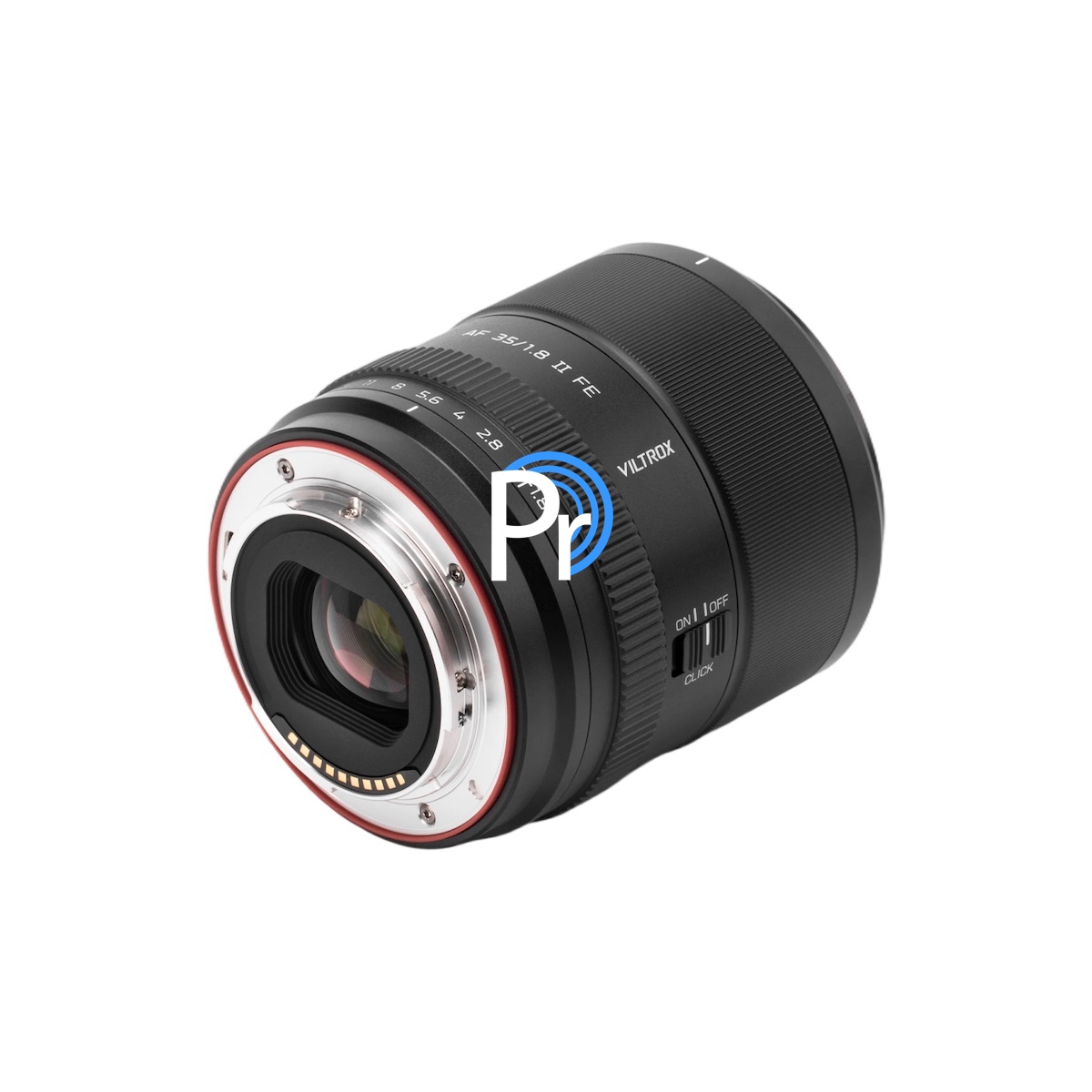
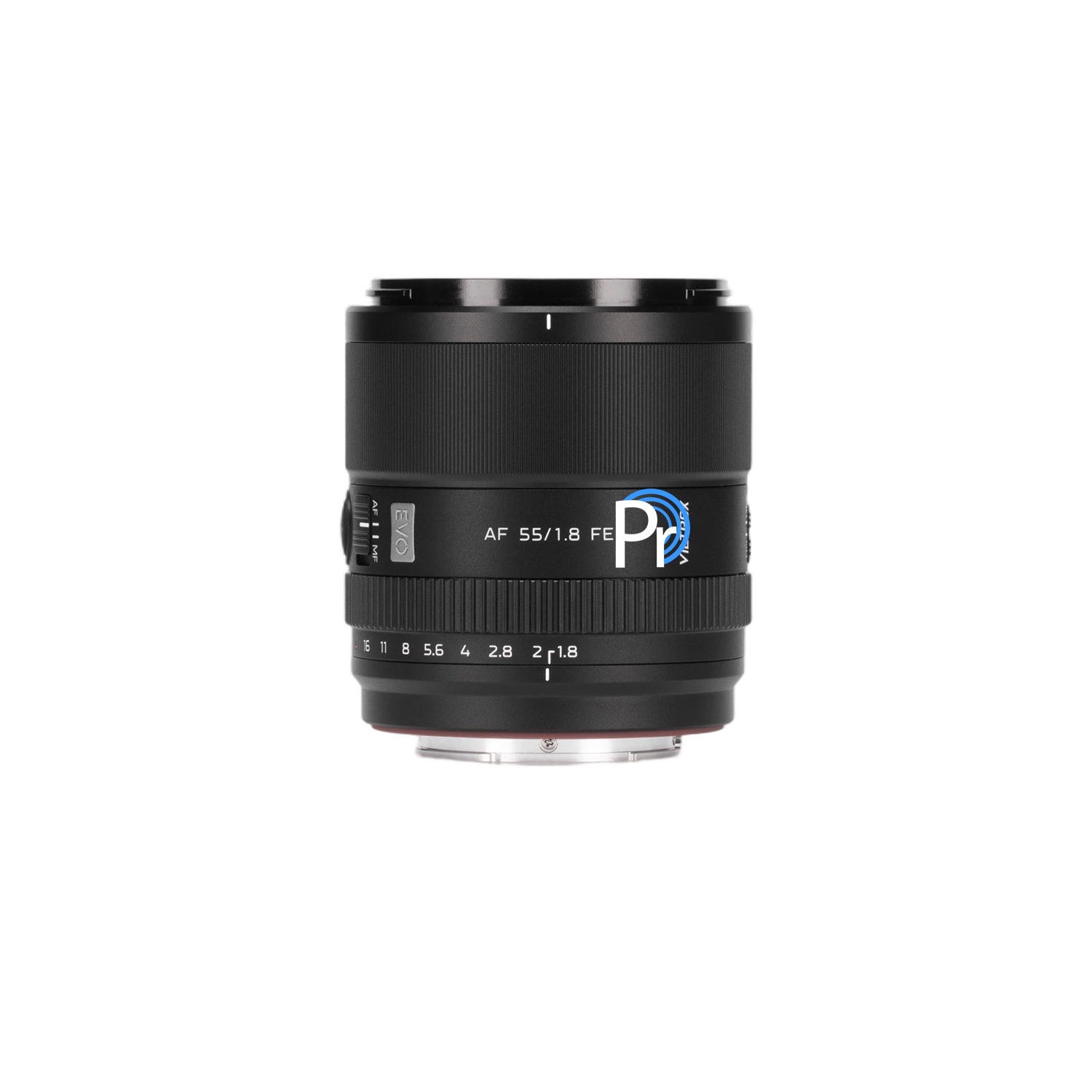
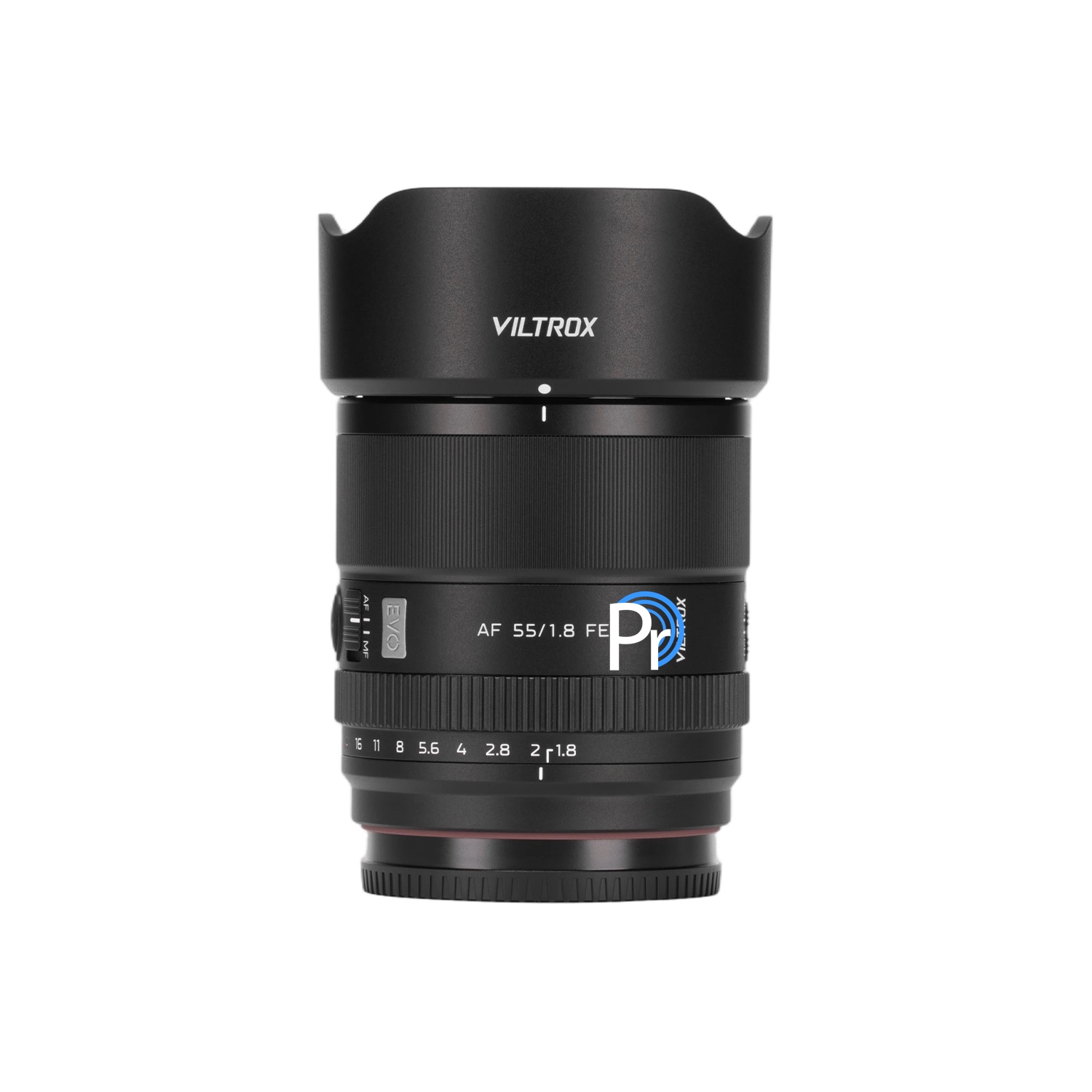
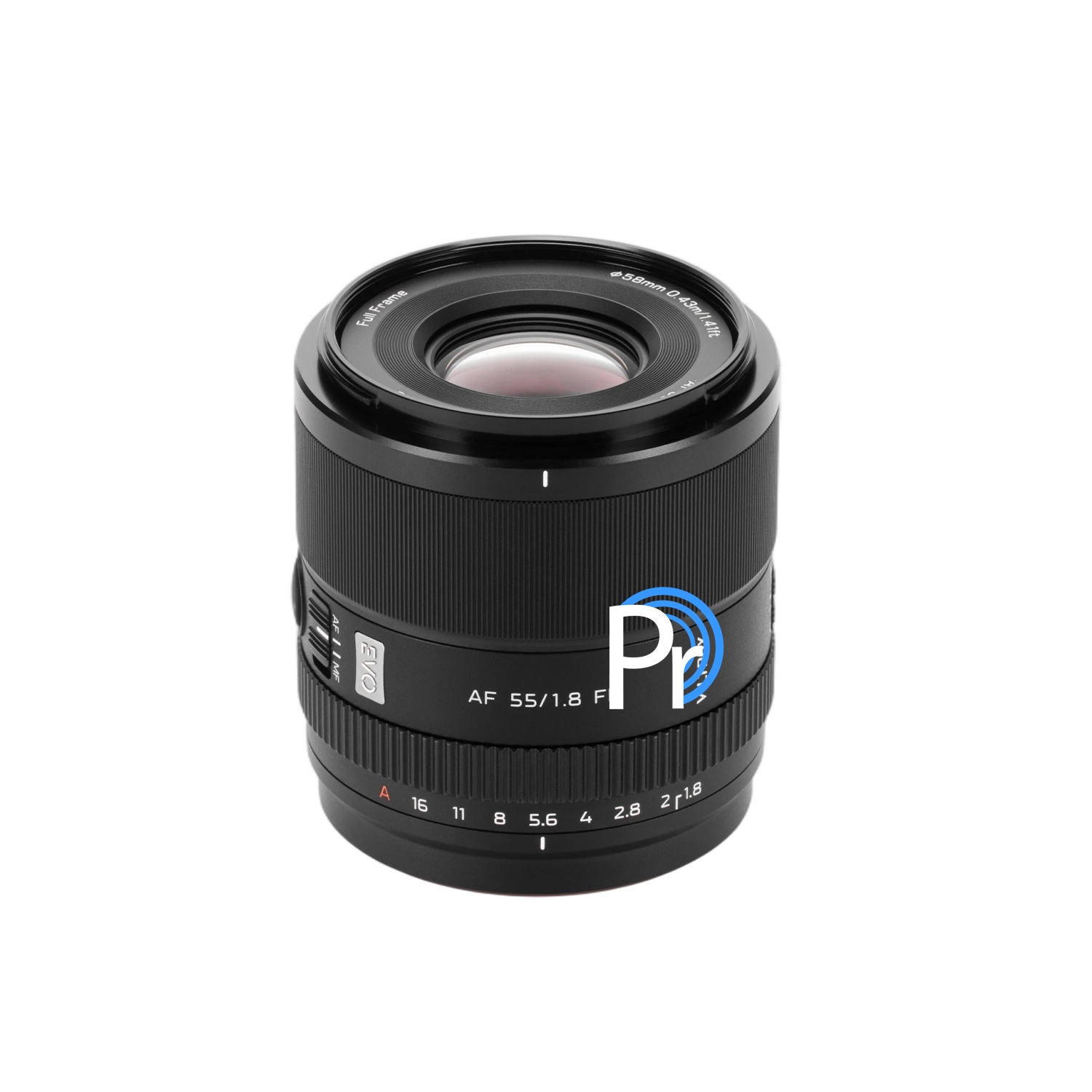
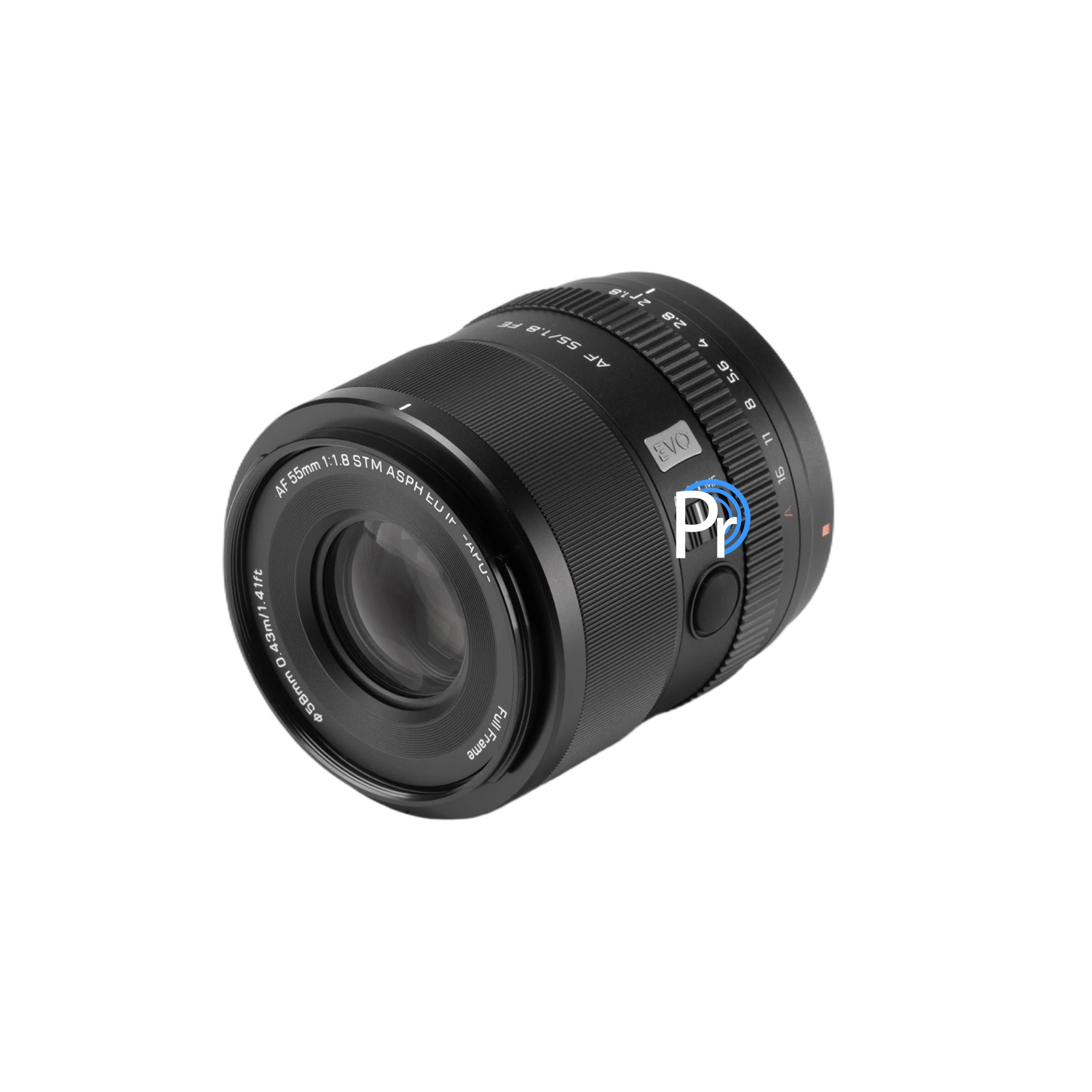
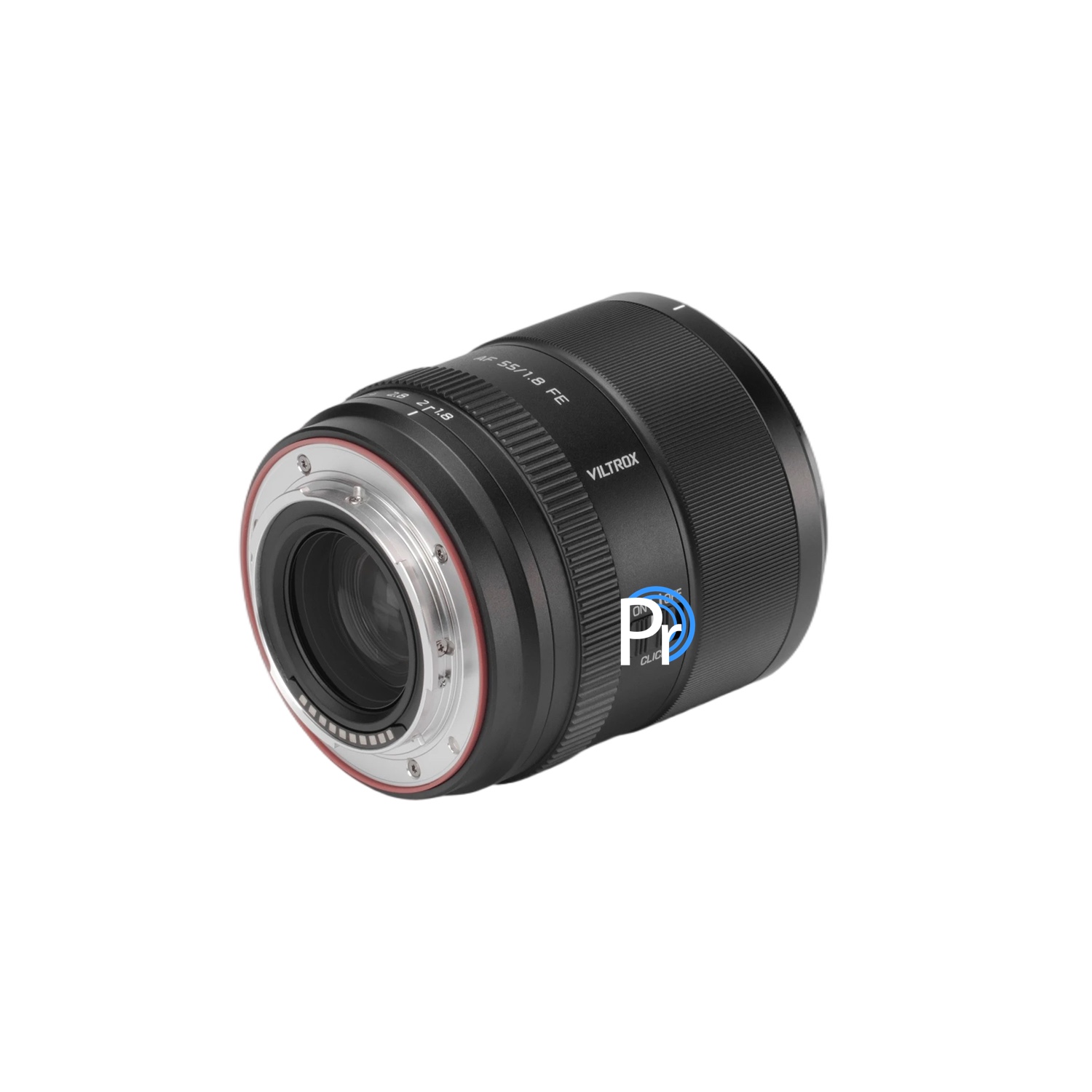
Next week at the 2026 NAB show, Viltrox will introduce the following two EVO APO full-frame lenses for Sony E and Nikon Z mount (you can already pre-order them at Foto Erhardt):
Viltrox AF 35mm f/1.8 EVO APO full-frame lens (Z/E):
The previously rumored DJI Osmo Pocket 4 camera is now officially announced with a 1″ sensor, 4k/240fps video, and 14 stops of dynamic range. The new model will not be available in the US for now. In Europe, you can get one at Foto Erhardt and at WEX Photo.
Here are the main specifications:
Sensor & Gimbal: 1-inch CMOS sensor mounted on a 3-axis mechanical gimbal in a single-lens configuration.
Video Resolution & Framerate: Up to 4K resolution at 240fps, allowing for high-quality slow-motion capture.
Dynamic Range: 14 stops of dynamic range for enhanced detail in high-contrast lighting situations.
Color Profile: 10-bit D-Log, providing greater flexibility for cinematic HDR color grading in post-production.
Zoom: 2x lossless zoom utilizing a sensor crop, controlled via a new dedicated physical zoom button on the handle for single-handed operation.
Autofocus & Tracking: Upgraded to ActiveTrack 7.0 with intelligent autofocus to lock onto and track moving subjects more reliably.
Internal Storage: 107GB of high-speed built-in storage with 800MB/s transfer speeds.The standard model eliminates the need for an external microSD card.
Audio: Built-in quad-channel (OsmoAudio) system capable of capturing immersive, 360-degree sound.
Display: Retains the signature rotatable touchscreen interface.
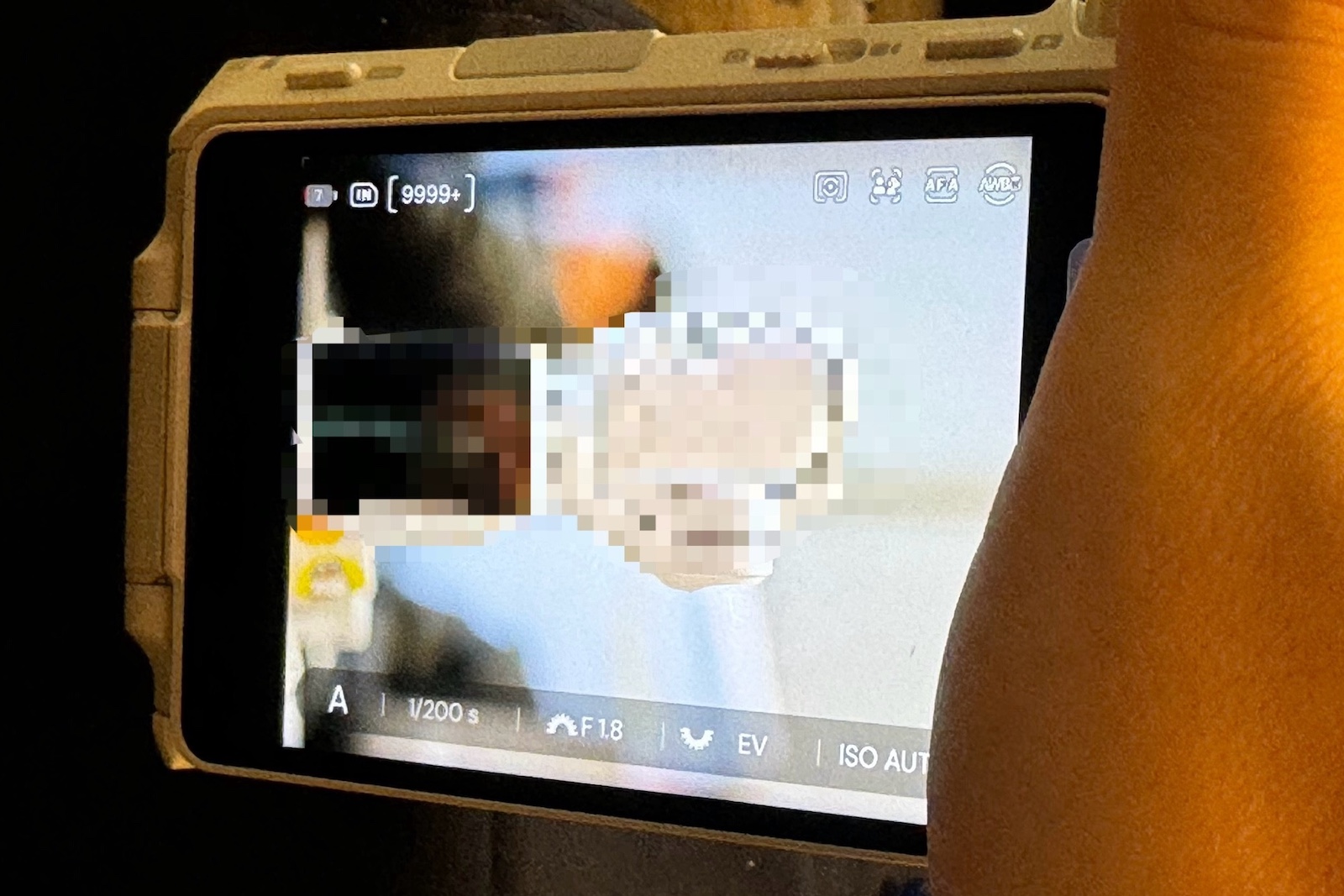
The previously rumored Insta360 mirrorless interchangeable-lens camera will have an MFT mount. This was revealed by the latest leaked pictures from China (now removed) – the camera has an Olympus 14-42mm lens attached:
Here is what we know so far about the Insta360 mirrorless interchangeable-lens camera with MFT mount (check the official Insta360 website for updates):
20MP Four Thirds sensor (Sony IMX472) with native resolution of 5280 × 3956 pixels (same sensor used in OM System OM-1 II / OM-3).
No EVF
Fully articulating/flip-up touchscreen LCD
Physical dials/wheels for aperture and exposure compensation (a first for Insta360), a dedicated photo/video switch, and a play button (top left), on-screen UI appears similar to that of the Insta360 Ace Pro series
Face/animal detection autofocus; sample photos leaked showing the 20MP resolution
Here is a sample picture (5280 × 3956) taken with the new camera and some mockups:
"English Village in the Cotswolds. No EXIF data due to Photoshop processing."
Photo: Stephen Felce
Photography has been a lifelong pursuit for DPReview reader Stephen Felce, known in the forums as keepreal. Over more than seven decades, he has developed a passion for street scenes and beautiful landscapes, moving from black-and-white to color film, and then to digital and mirrorless systems.
"I started photographing at the age of nine, learning to print my own film with guidance from my father. My passion for capturing the world around me has never waned. Photography isn't just a hobby, it's a way of seeing and experiencing life more fully."
Stephen works to bring out the beauty of places like the lochs of the Scottish Highlands and the deserts of the American Southwest, highlighting their unique natural lighting. His approach to post-processing has enabled him to turn complex scenes into images that are quite evocative.
This story is part of our What's in your bag? community spotlight series. The series showcases the diverse gear and photography of our community, and shares their stories of how that gear helped them to capture the perfect shot.
"Piazza in Arezzo, Tuscany, Italy. This is a panorama shot with extensive Photoshop processing to cope with the dynamic range. No EXIF data due to Photoshop processing."
Photo: Stephen Felce
Meet Stephen Felce (keepreal)
Home base: Greater London, UK
Favorite camera and lens: Olympus OM-D E-M5 II with Laowa 6mm and 10mm Zero-D lenses. Stephen likes this setup specifically for landscapes and street shots because it delivers the best detail and edge sharpness. The wide-angle lenses let him capture expansive vistas and architectural subtleties with minimal distortion.
Camera bags: He relies on three Crumpler bags – two for camera bodies and lenses, and one for panorama brackets and accessories. For his longest lenses, such as the 75-300mm, he uses a dedicated Nikon lens case.
Stephen's camera bag
Photo: Stephen Felce
Any other interesting gear you take with you?
"I kept two Nikon SB-26 Speedlights from my Nikon days, which I can fire wirelessly from the small Olympus FL-LM3 flash to get balanced lighting like studio lights. I mostly use a lightweight Hama Traveller Mini Pro Tripod now, though I also have a full-size Velbon Ultra REXi L for heavier setups."
"I even built my own panorama head from hardwood with sections for horizontal and vertical shots, using Manfrotto quick-release adapters for fast and precise alignment. For printing, I use an Epson Stylus Professional 3880 for prints up to A2 and an Expression Photo XP-8605 for everyday use, both with pigment inks for long-lasting color."
"This is a picture of the River Thames in London, England, that I took when I was twelve years old. My father lent me his Leica IIIa, and I took this shot with the 9cm Elmar, processed and printed myself, toning it sepia. A framed copy hangs in my bedroom."
Photo: Stephen Felce
How has your photography changed since you started?
"When I did my own monochrome photography, I settled upon Kodak Panatomic X and Ilford Pan F exposed at about half the nominal ISO. I also developed in the Beutler formula from raw chemicals to give a long scale with beautiful highlights."
"I have always gone for pictures from high-dynamic-range scenes, usually against the light. I rarely consciously decide on contre jour; it just happens, being in my element when those lighting conditions present themselves in brilliant sunshine. You cannot get those Beutler tones on digital, possibly because there is no shoulder to the highlights in a digital image, as the slope there is far too high."
"Still, when I switched to digital, my photography really took off, and somehow I found getting good colors easy, whereas with film I never felt my results were very good."
"When I switched to digital, my photography really took off, and somehow I found getting good colors easy."
How do you post-process a less-than-ideal scene?
"One of my picturesque street scenes, Gold Hill in Shaftesbury, Dorset, is familiar to most Brits because of a famous 1973 Hovis Bread advert. I took my picture there on negative color film and processed it myself. Early on in digital, I used to scan my negatives and got a superior result with Gold Hill, partly because of the light in the shot and partly because of the skills I developed with Photoshop Elements 2."
"Gold Hill in Shaftesbury, Dorset. No EXIF data due to Photoshop processing."
Photo: Stephen Felce
"There was a street sign ruining the picture, weeds growing in the gutters of a nearby dwelling and more distractions spoiling the overall effect. I cloned out the distractions, straightened a wall and changed the creamy cottage to blue as the original looked sad against the white cottage two doors down. Next, I filled in the bald sky and sharpened the out-of-focus wall on the left."
"After two years of digital manipulation and printing, I finally get good results. The photo won me a copy of Photoshop CS2, which I had wanted but cost far too much for my liking."
Have you taken any particularly memorable trips?
"My best holiday ever was to the Southwestern USA in 2011... from San Francisco to LA, 3,000 miles through Utah and Arizona.
"My best holiday ever was to the Southwestern USA in 2011, driving for three weeks from San Francisco to LA, 3,000 miles through Utah and Arizona, as well as in California. I estimated the distance for my route before I went, and amazingly, it was only a mile out."
"I loved Zion National Park, where, unusually, you get different kinds of rock, different textures and colors adjacent to one another, creating a remarkable effect. I loved Zion so much that I had to include it again in a 2018 trip of a similar distance from LA to Denver to see other must-see places like Arches National Park, but I actually preferred Dead Horse Point State Park overall."
"Near the entrance to Zion National Park, Utah. I was lucky with the light, which, though extremely weak, was better than in other images I have seen of this. My favorite self-took picture, so I made an A2 framed print for my living room. No EXIF data due to extensive Photoshop processing."
Photo: Stephen Felce
"Spectacular Rocks in Zion National Park, Utah. Unusual to see such variety in adjacent rocks. No EXIF data due to Photoshop processing."
Photo: Stephen Felce
When capturing that perfect shot, what are your preferred techniques?
"I always take a spot reading for exposure on the brightest part of the image, more often than not, the sky, and set exposure adjustment to +3 stops. That way, highlights are never blown out, and it works in every natural-light situation. If the dynamic range demands it, I use bracketed exposures."
"On the E-M5 II, it is brilliant because I can set the gaps two or three stops apart and simultaneously use exposure adjustment to increase exposure for the deepest shadows, without having to resort to shorter exposures, which is not necessary."
For eager photographers to capture it all, what would you suggest?
"Most camera buffs feel obliged to take pictures. I don't, as I take very few even in the best of places. I can quite literally return from a trip with nothing, enjoying the outing no less for that. Some scenes are beautiful, but do not lend themselves to the camera. Instead, they can be quite an experience in real life if you are able and willing to see with insight."
"Ennerdale Water. Lovely clouds making a beautiful scene in the Lake District, northern England. No EXIF data due to Photoshop processing."
Photo: Stephen Felce
Stephen really enjoyed writing the content for this spotlight article and would be grateful for you to join him in discussion in the forums. Thanks, Stephen, for being featured!
If you'd like to share your photography, tell us about your main camera, lens choices, key settings and strategies. Your photos and story could be featured in the next article!
Editor's note: This article continues a series, 'What's in your bag?', highlighting DPReview community members, their photography and the gear they depend on. Would you like to be featured in a future installment? Tell us a bit about yourself and your photography by filling out this form. If you're selected for a feature, we'll be in touch with next steps.
Meike AF 85mm f/1.4 II full-frame lens (2nd generation)
As an iteration of the classic portrait focal length, the 85mm F1.4 II achieves a comprehensive leap in performance
Upgraded high-speed autofocus system for precise capture of portrait moments, adapting to dynamic shooting needs.
Optimized optical structure delivers delicate and clear image quality and ultimate bokeh effect.
The lightweight body design significantly improves handheld shooting comfort.
Available in black and white, this lens combines professional performance with aesthetics, setting a new benchmark for high-performance full-frame portrait lenses.
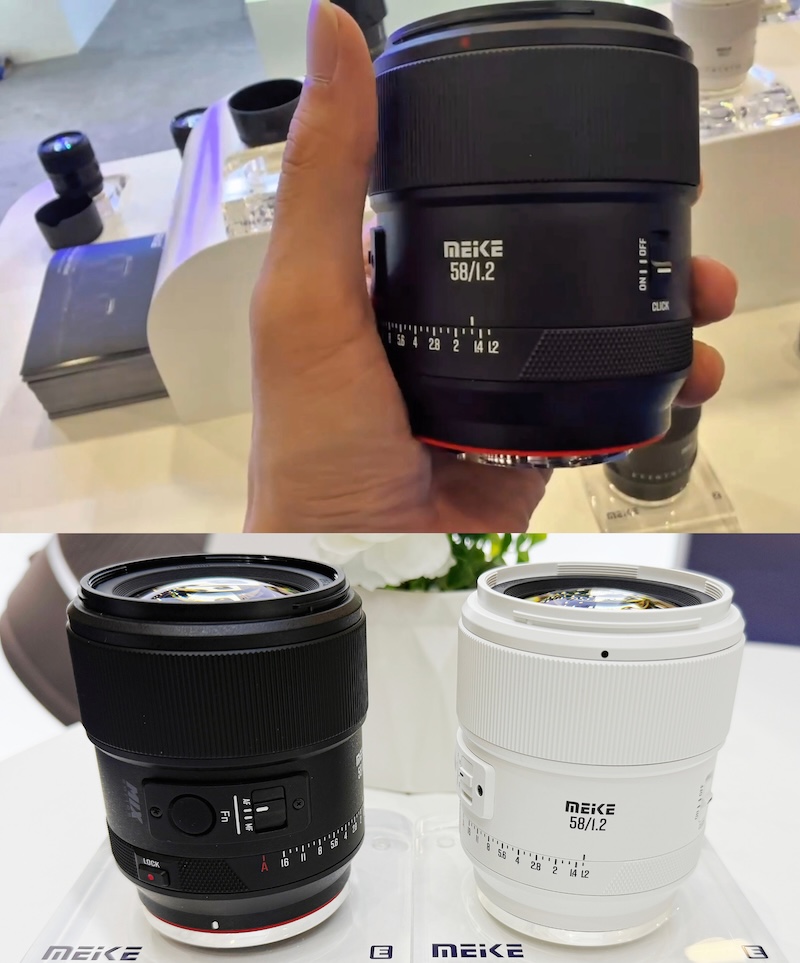
Meike AF 58mm f/1.2 APS-C flagship autofocus lens:
A flagship prime lens designed specifically for APS-C format creators:
The F1.2 ultra-large aperture delivers exceptional bokeh and low-light shooting capabilities, empowering creative portrait and documentary works.
A 58mm focal length is equivalent to approximately 87mm on an APS-C sensor, perfectly covering the classic golden focal length for portrait photography.
Its compact and lightweight design, combined with the portability of APS-C mirrorless cameras, makes it easy to handle everyday creative tasks.
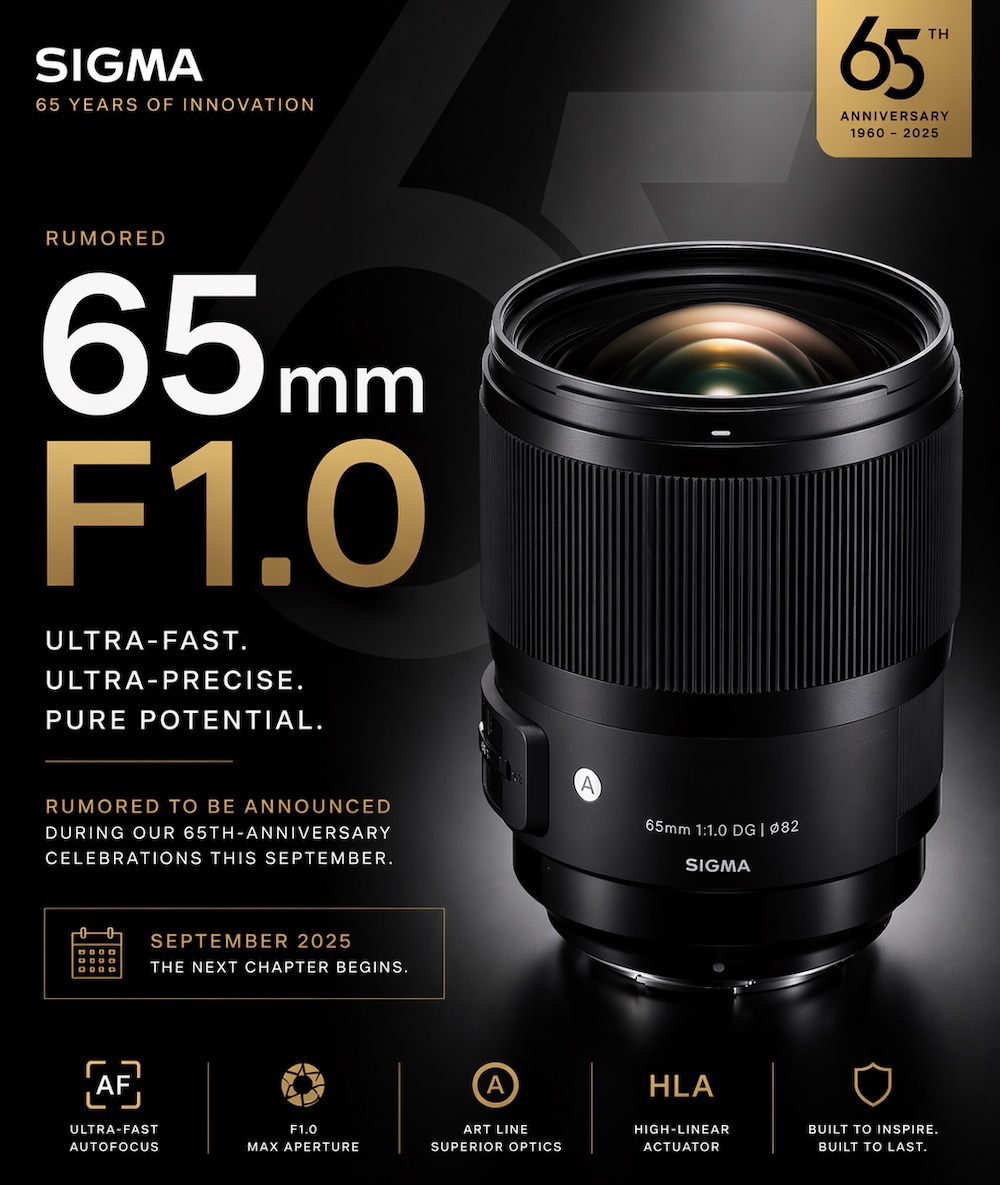
Sigma is rumored to release a new 65mm ultra-fast aperture autofocus lens in September. The lens is supposed to be faster than f/1.2, according to camerainsider, who has provided valid information in the past. My guess is it will be a new 65mm f/1.0 or 65mm f/1.1.
The lens will be announced during the company’s 65th-anniversary celebrations in September.
DJI has announced the latest iteration of its compact gimbal camera, the Osmo Pocket 4. The new generation brings more subtle changes than the last update, with integrated storage, a bump in frame rate, new controls and the promise of better low-light shooting.
Like the Osmo Pocket 3, the fourth-gen camera uses a Type 1 CMOS sensor and an integrated 20mm equiv. lens with an F2 aperture. Unlike the 3, which topped out at 4K/120, the Osmo Pocket 4 doubles its maximum framerate to 4K/240. It also uses 10-bit D-Log instead of the D-Log M found on the previous model, trading a more contrasty image that took less grading work for one with a bit more latitude. DJI promises the Pocket 4 can achieve 14 stops of dynamic range.
DJI says the new pocket camera will perform better in low light, delivering truer-to-life colors and better-looking skin tones. It also says that it will provide better results in high-contrast scenes as well. Given that the sensor hasn't changed, both changes are almost certainly thanks to improvements in processing.
When the screen is in landscape orientation, users have access to two additional buttons.
Image: DJI
The Osmo Pocket 4 keeps the rotating screen that DJI added to the 3, though it adds two additional buttons that are revealed when the screen is in landscape orientation. One button is dedicated to cropping in, allowing users to digitally zoom to 2x or 4x. The second button is customizable, giving users a shortcut to their most-used settings. DJI also says the 5D joystick is new, though it isn't clear what new functions it unlocks compared to the previous iteration.
DJI added 107GB of integrated storage to its latest gimbal camera, compared to the Osmo Pocket 3's full reliance on microSD cards. It's still compatible with 1TB microSD cards as well. It also promises an additional 14 minutes of battery life, for a total of 3 hours of recording at full resolution, or 4 hours at 1080p.
Like many DJI products, the Osmo Pocket 4 supports gesture control and offers multiple subject tracking options to keep subjects sharp and centered in the frame. It relies on DJI's ActiveTrack 7, which it debuted on the Osmo Mobile 7 smartphone gimbal and promises smoother, more natural tracking, better subject reacquisition and the ability to recognize multiple subjects.
The Osmo Pocket 4 is compatible with DJI's vlogging accessories, such as its mic system.
Image: DJI
The Osmo Pocket 4 is priced at £445, which is cheaper than the Pocket 3's launch price of £489. That's especially impressive given that the new model gains 107GB of internal storage at a time when that isn't coming cheap.
The camera will be available for immediate sale in the Chinese market on April 16 and for pre-order in all other regions. Official sales will begin on April 22. The standard combo costs £445 and includes the camera, USB-C cable, gimbal clamp, wrist strap, handle, and carrying pouch. DJI is also offering the Creator Combo for £549, and it includes the addition of the Osmo Pocket 3 Wide-Angle Lens, DJI Mic 3 kit, a fill light and a mini tripod.
As expected, the one exception in terms of availability is the US. DJI says the authorization application is still pending in the US, so it will not be available for purchase.
Press release:
DJI Delivers Next-Generation Imaging Capabilities with Osmo Pocket 4
Powered by a 1-inch CMOS sensor, DJI's new pocket gimbal camera captures stunning 4K/240fps footage and clear low-light shots.
April 16, 2026 - DJI, the global leader in civilian drones and creative camera technology, today announces the Osmo Pocket 4. Building on the worldwide success of its predecessor, DJI has enhanced the imaging capabilities of its popular 1-inch CMOS pocket gimbal camera. It can now capture stunning 4K/240fps1 footage and clearer low-light shots while delivering cinematic depth via 14 stops of dynamic range1 and 10-bit D-Log1. With the Osmo Pocket 4's new intelligent tracking capabilities, creators can keep their subjects in focus and in frame as they move and mingle in a crowd.
Clearer Low-Light Shots and Sharper Views
Osmo Pocket 4's 1-inch CMOS sensor and f/2.0 aperture ensure natural, clear portraits even in low light. The 14 stops of dynamic range1 and 10-bit D-Log1 color profile bring out rich tones and true-to-life colors, whether at dusk, by the seaside, or in other low-light environments. With this improved straight-out-of-camera quality, portrait shots deliver healthier and more refined skin tones. It also achieves superior performance when capturing images in high-contrast lighting conditions. With a dedicated Zoom button, creators can switch between 1x and 2x lossless zoom1 with one tap. Ultra HD slow-motion footage can also be recorded in 4K/240fps1.
Smart Capture, Standout Shots
Osmo Pocket 4's three-axis stabilization enables creators to film steady, high-quality vlogs and livestreams while walking. It features multiple gimbal modes for even smoother, silkier camera movements. With ActiveTrack 7.01, subjects can be tracked even at 4x zoom. Tracking modes, such as Spotlight Follow and Dynamic Framing, make capturing cinematic single-handed shots effortless.
Intelligent AutoFocus keeps subjects sharp. When "Subject Lock Tracking"1 is enabled, the camera automatically locks onto and tracks a selected subject. A new subject can be swapped with a simple tap on the screen. Alternatively, the "Registered Subject Priority"1 can be used to prioritize focusing on a pre-registered subject. Quick Shots can also be captured via gesture control1. For example, showing your palm (Palm Gesture) toggles ActiveTrack1, while flashing a peace sign ("V" Gesture) takes a photo or starts and stops recording.
More Intuitive and User-Friendly
The Osmo Pocket 4 enhances the user experience with several new intuitive features designed to streamline the creative process. To start recording, creators can simply rotate the screen. Below the screen are two new buttons. One is a dedicated Zoom button that can switch between 1x to 2x zoom1, or jump to 4x zoom. The other is a custom preset button that can be customized with the creator's preferred settings. The new 5D joystick allows creators to move the camera backwards, recenter the gimbal, and flip the camera. With 107GB of built-in storage, creators can shoot more footage and easily transfer up to 800MB/s1 of footage without a memory card.
More ways to create with the Osmo Pocket 4 include:
Slow Shutter Video: In Video mode, shutter speeds can be adjusted to create motion blur, capturing movement trails and the passage of time for a unique visual experience.
Film Tone1: Choose from a range of film tones to easily recreate classic styles and capture master-grade tones.
In-Camera Beautify1: Fine-tune skin smoothness, brightness, and tone for a natural look in both selfies and group shots.
Attachable Fill Light1: Adds natural, soft lighting to enhance low-light or backlit scenes, with three brightness and temperature settings.
Extended Runtime & Fast Charging: Recharge from 0 to 80% in just 18 minutes1 for up to three hours of shooting. When fully charged, it can record up to 240 minutes of 1080p/24fps footage1.
Compatible with OsmoAudio Ecosystem
The Osmo Pocket 4 captures clear vocals while recording ambient sounds through its built-in microphone array. It also supports direct connection to DJI Mic transmitters, enabling a 4-channel audio recording. Supported DJI Mic transmitters include Mic 2, Mic 3, and Mic Mini (each sold separately or included in select combos).
1 Only supported by certain camera modes. All data was tested in controlled conditions. For more details, please refer to the official DJI website.
Sigma is now farming rice in Aizu, Japan, where the company's factory is located. According to CEO Kazuto Yamaki, it's an effort to support its own neighbors while maintaining an important Japanese tradition. Photo: Sigma
For Sigma, "Made in Japan" isn't just a marketing ethos; it signifies a commitment to the company's home country, and to the region surrounding the city of Aizu, where its factory is located.
In an industry where most companies manage global manufacturing and supply chains, Sigma CEO Kazuto Yamaki takes pride in anchoring his company not only in its geography but in its culture. In fact, when Sigma introduced its new logo last year, it also doubled down on this regional connection, making "Made in Aizu, Japan" a core part of its brand identity.
Which explains why we find ourselves in Japan talking to Mr. Yamaki about rice. As we wrap up our interview at CP+, he casually mentions, "Actually, I'm not sure if you know it, but we decided to start growing rice."
Sigma products and packaging proudly emphasize the company's roots in Aizu, Japan. Photo: Richard Butler
Sigma announced its rice-growing ambitions a few days before our meeting, and while we saw the same press materials as everyone else, it was fascinating to hear the story behind the project, and what inspired it, in Mr. Yamaki's own words.
It's about history and ecology
"Aizu is known for many things," he tells us. "But one reason it's well known is for being a good production site for rice. There are many rice fields in Aizu, and they produce top-quality rice. But these days, as you know, Japan is a rapidly aging country. Also, the kids don't want to take over the farmers' business. So the farmers are losing their successors. Actually, this is nothing new. This already started in the 90s or late 80s. But thanks to the tractor and combine, we don't need many people."
"Aizu is known for many things, but one reason it's well known is for being a good production site for rice."
According to Yamaki, this represents an important economic and cultural shift from the past.
"Before World War II, we had many big landowners, but after World War II, property was shared by the farmers thanks to the American government, which occupied Japan at the time. So in Japan, there are many small farmers. Until now, some farmers asked neighboring farmers to take care of their fields because, thanks to tractors and combines, they could grow rice through the neighbors."
The Sigma factory in Aizu, Japan. Under Mr. Yamaki's leadership, the company has leaned into its roots in Japan, focusing on the use of Japanese suppliers and working with local partners. Photo: Dale Baskin
But it's not just a matter of changing demographics. As Mr. Yamaki observes, the disappearance of the small farmer is having a lasting physical impact on the land itself.
"But what is happening today is these kinds of farmers are aging, and they are losing successors. I started seeing many abandoned rice fields or paddy fields in the Aizu area. This creates a lot of problems. Paddy fields contain water, right? There's a particular ecosystem there, so we lose that ecosystem."
"The disappearance of the small farmer is having a lasting physical impact on the land itself."
"Once the land loses its ability to absorb water, it creates floods and also mudslides. And the abandoned fields have unexpected, undesirable plants. It invites bugs and harmful animals from the forest. So it creates a lot of problems. And also, the look of the landscape – I mean the traditional Japanese landscape, including the paddy fields – we are losing. So our aim, our purpose, is to keep the traditional Japanese landscape as it is. We are not going to grow the agricultural business, but our purpose is to preserve the paddy fields as they are."
A view from the train
For Mr. Yamaki, the decision to farm was a deeply personal one, rooted in a final request from his father.
"My father [Sigma founder Michihiro Yamaki] passed away 14 years ago. He had liver cancer. At the very last stage, maybe two or three months before he died, he asked me to take him to Aizu several times."
Kazuto Yamaki's father, Sigma founder Michihiro Yamaki (far right), poses with supporting members of the Sigma Research Institute Co., Ltd, around 1961. Photo: Sigma
"Because of his illness, at first I drove him to Aizu. But at some point, he told me he wanted to go by train. The local train in Aizu runs through the paddy fields. And he was looking at the paddy fields. And I realized why he wanted to go to Aizu by train. He was just looking at the rice fields, and since then, I really like looking at the paddy fields."
"But these days," he explains, "I feel very sad looking at an abandoned paddy field. So I was interested in starting agriculture about three years ago, and finally, we can start this year."
Leveraging the experience already inside Sigma
At the Sigma factory, the line between technician and tradition is closer than one might expect; some of the same hands that craft many of Sigma's world-class lenses are now being tasked with a much older form of craftsmanship: maintaining Aizu's rice paddies.
"Many of our factory workers are farmers. They know how to make rice, and they have machines. So, we can ask people over age 60 or 65, "Could you work at the rice paddy rather than the factory?" And if we rent out their tractor, we can pay. If we rent their tractor for a week, it can be revenue for them. So we already have the resources to make it."
Some of the same hands that craft many of Sigma's world-class lenses are now being tasked with a much older form of craftsmanship: maintaining Aizu's rice paddies. Photo: Dale Baskin
However, don't expect to see Sigma brand rice on store shelves anytime soon. Yamaki has a pragmatic plan for what to do with all that rice: keep it within his own family of employees.
"We consume it ourselves, because we have a cafeteria in the factory and we have one at the headquarters. If we sell to wholesalers, we have to sell it very cheaply. But we can sell it directly to the company that runs the cafeterias. So we may not lose much money. So it's a kind of win‑win situation."
For Mr. Yamaki, Sigma's foray into agriculture is an opportunity to lead by example.
"For Mr. Yamaki, Sigma's foray into agriculture is an opportunity to lead by example."
"It's really important to commit to the local community," he states emphatically.
"Well, of course, as a company, making a profit is the most important responsibility. But in today's society, companies play many important roles in society and have many social responsibilities. I think the contribution to the local community is one of the important responsibilities a company has. So we are just doing what we can do."
"Of course, we cannot save the Earth. We cannot save the whole region. But I like the phrase, "Think globally, act locally." By announcing this kind of activity, it may influence others, and if such activity spreads to the world, people may be able to help the Earth."
Welcome back to our Question of the Week series! This reader-focused series aims to get our photographic community to share thoughts on all sorts of photography-related topics in our forums. We pose questions about gear, favorite camera stores, advice, problem-solving and more, and you share your thoughts and opinions.
This week, we’re leaning into the holiday spirit! The season of giving (and occasionally re-gifting) is upon us, and that means it’s time to unwrap some memories – both heartwarming and hilarious.
What are the best (and worst) photography-related gifts you've received?
What’s the best photography-related gift you’ve ever received? Maybe it was a dream lens that caused you to take on an adventure deep in the mountains, or a handmade camera strap that’s now an essential part of your kit. And what about the worst? Perhaps someone thought you needed yet another "World’s Best Photographer" mug, or that odd lens filter set that turned every photo a shade of green.
In this edition of our Question of the Week series, we want to hear your gift stories: the memorable, the useful and the truly baffling. Share your favorites (and flops) in the forum link below. Photos of the gifts (or what you created with them) are also more than welcome! We'll highlight some of your most entertaining and heartfelt responses in next week's roundup.
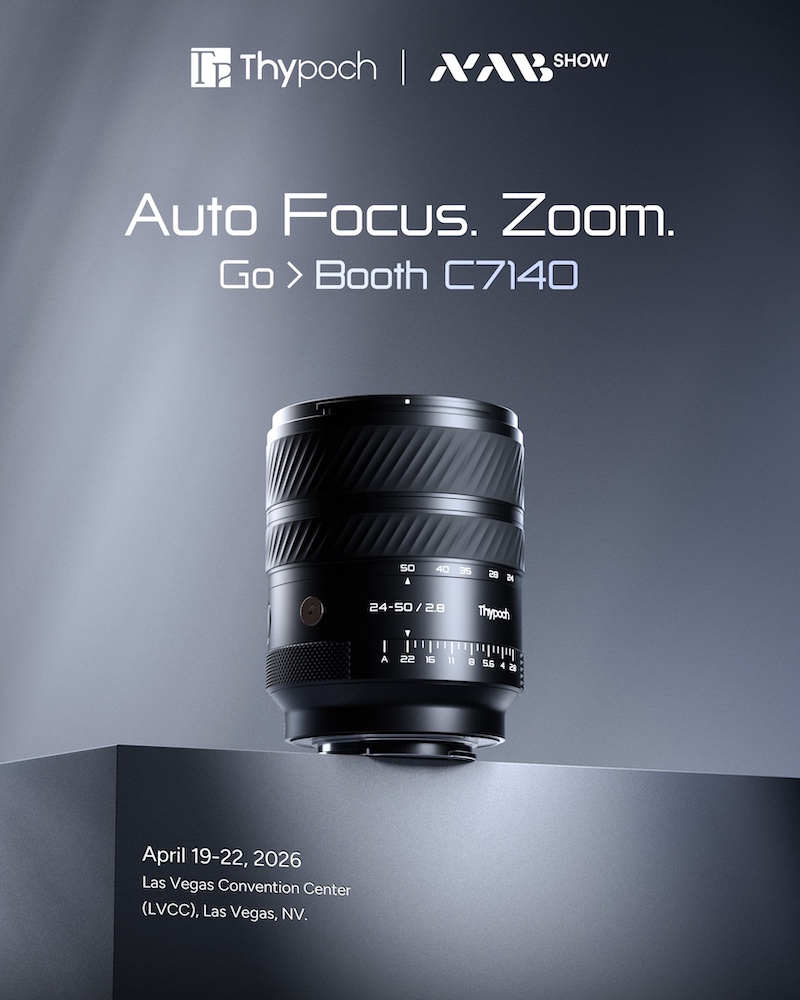
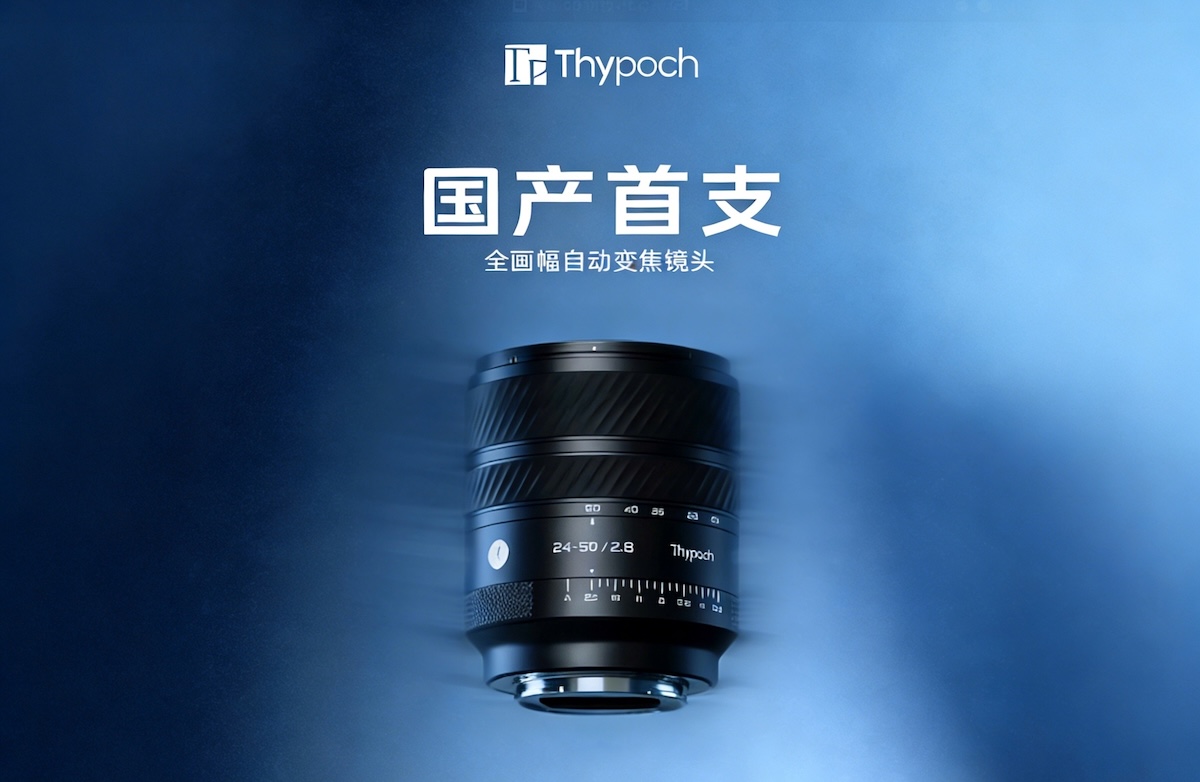
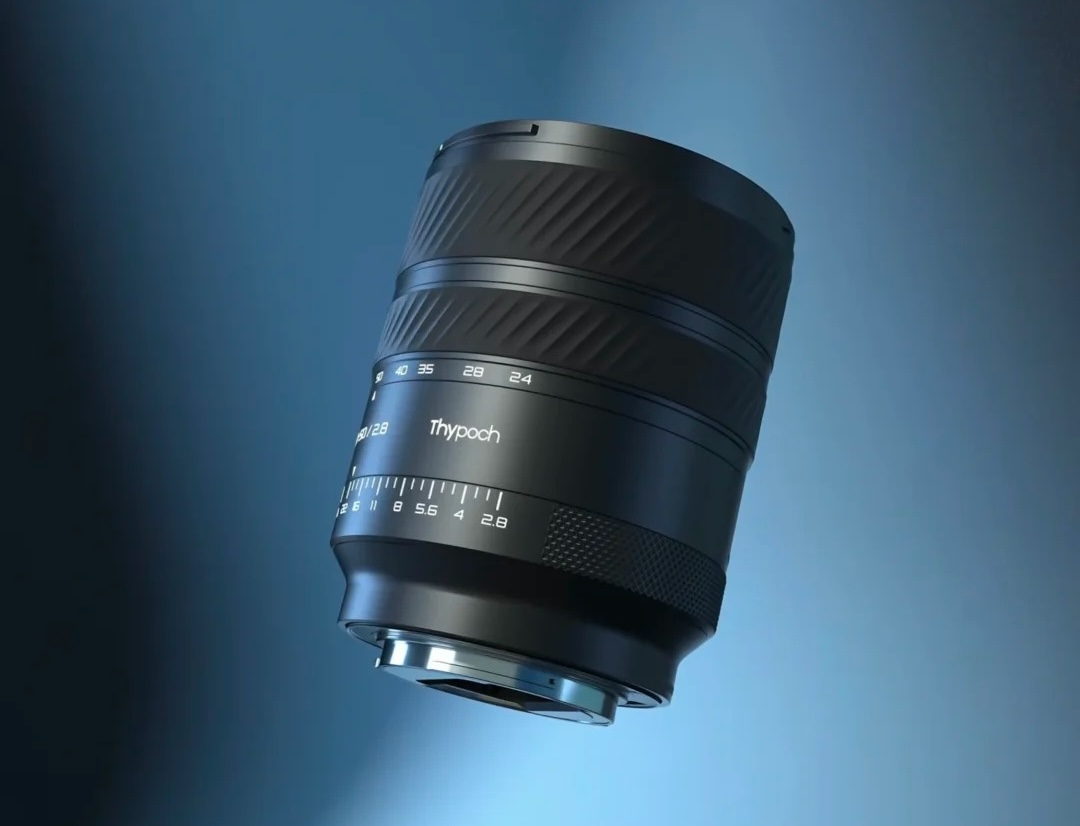
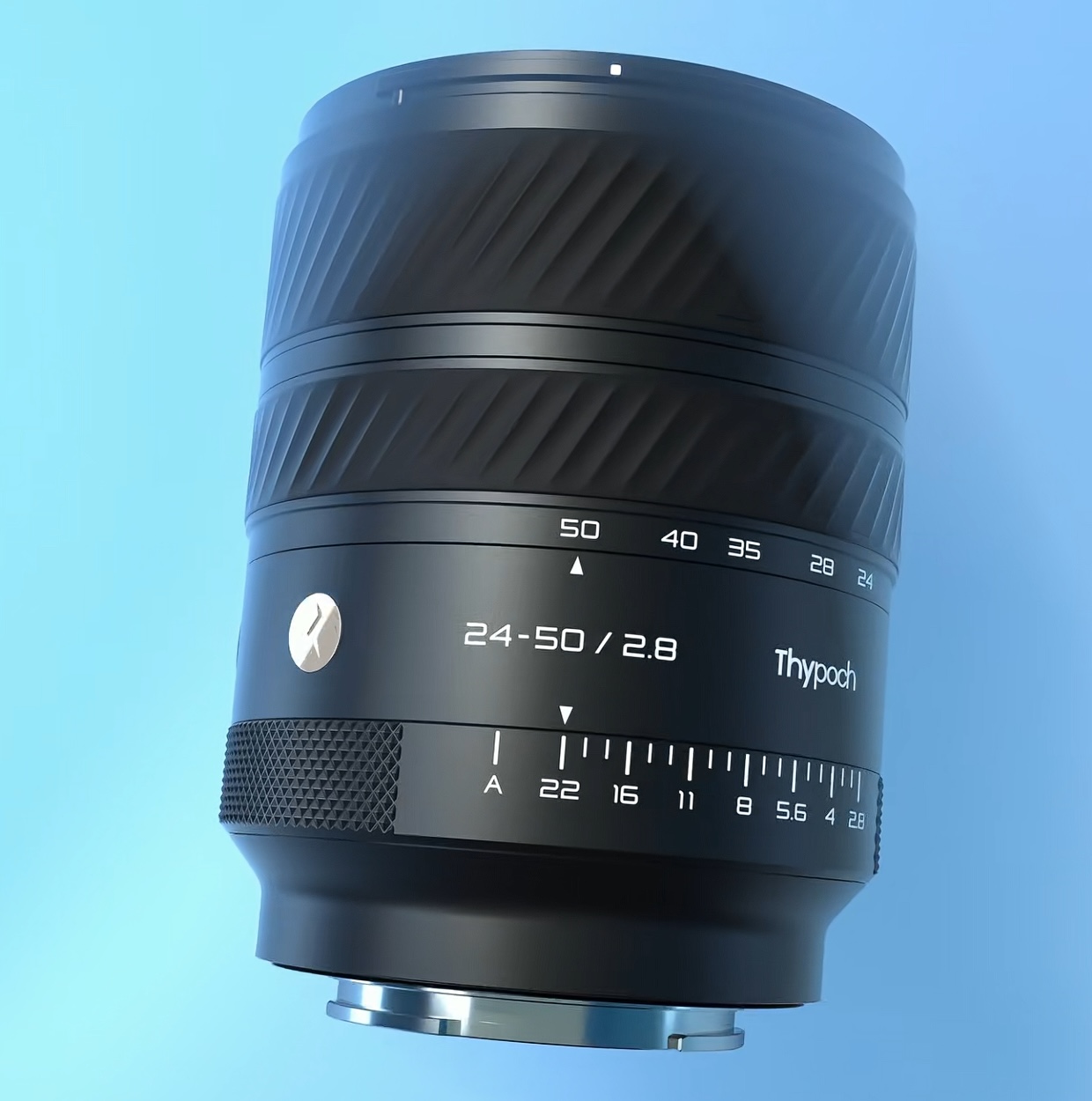
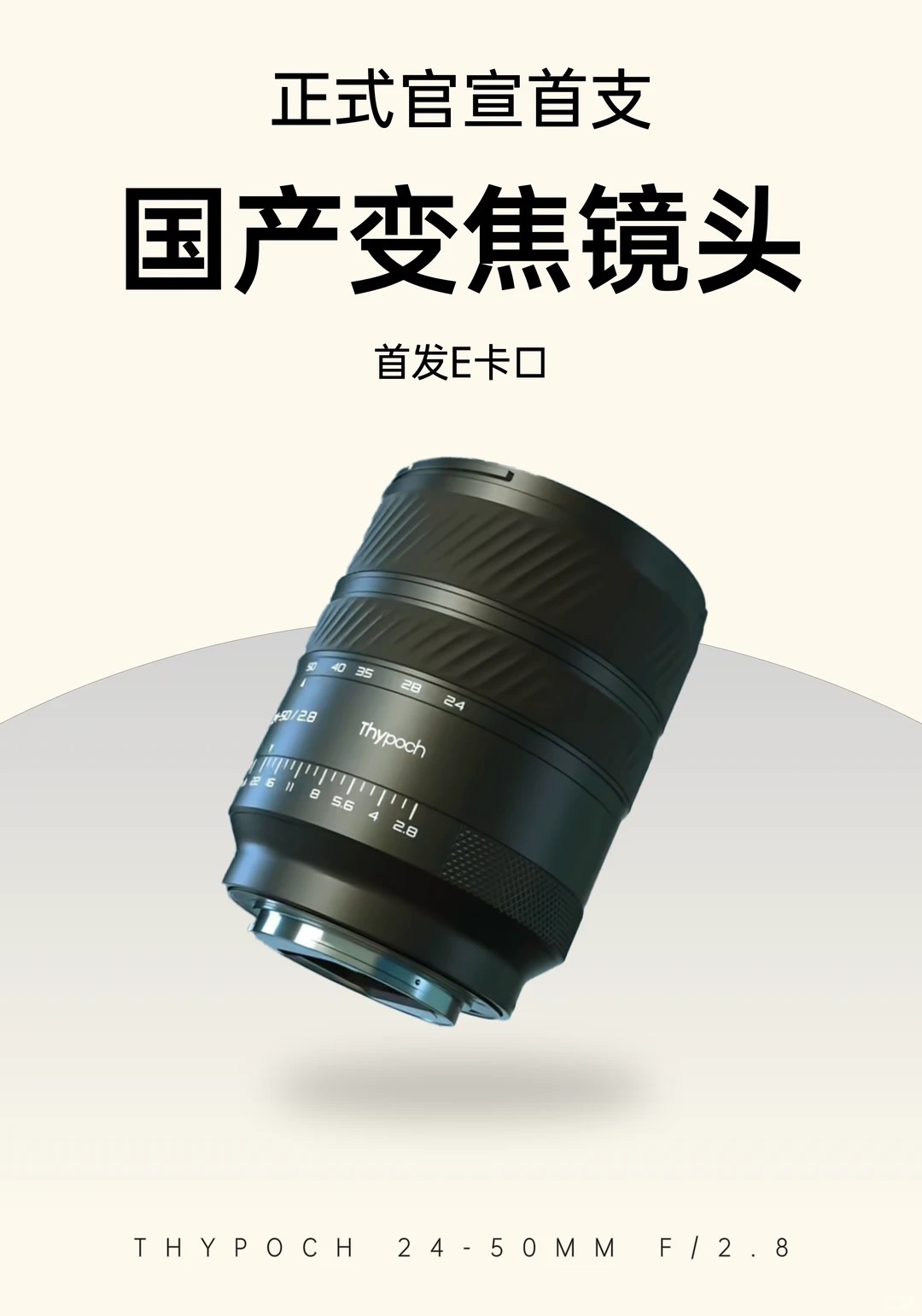
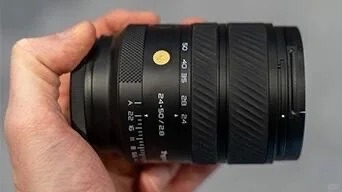
Thypoch will officially release/display their new 24-50mm f/2.8 lens at the 2026 NAB show (the first Chinese full-frame autofocus constant-aperture zoom lens).
Adobe is continuing the flow of video news from the National Association of Broadcasters (NAB) show with its announcement of a new "Color Mode" for Premiere. The company says it's a "first-of-its-kind color-grading experience," designed to be approachable for video editors, rather than professional colorists.
The mode will live as its own tab in Premiere, alongside Import, Edit and Export. Activating it brings up a new interface with a large preview window and several tools for adjusting things like color temperature, saturation, contrast and more. You can apply your adjustment, or multiple adjustments, to a single clip or to all (or most) clips in your sequence, and use masks to apply adjustments only to certain parts of your video. Color mode will also pre-select the most prominent hues in your image, so you can quickly and easily adjust them.
Image: Adobe
The tool will include several pre-made "Style Presets," which have their own adjustable parameters. You'll also be able to save your customized version of a style as its own preset, so you can easily apply it to other footage later. You can use the tools to build those presets on their own, to go beyond basic color grading as well.
Adobe is pitching the mode as an exercise in simplicity; something designed for editors, rather than professional colorists. Rather than tweaking numerical parameters, drawing custom curves on graphs or sitting at a physical piece of hardware with an ocean of knobs and dials, it seems like you mostly control the tools through a simple mouse-based interface that lets you drag controls until you get the look you're going for.
Color mode's simple interface doesn't preclude more advanced edits, like masking. Each tool also includes a "heads up display" window that pops up to show you how your edit is changing the color. Image: Adobe
However, the company also says the system "grows with your ambition," letting you do more complex grades if necessary. Still, it seems the main appeal is its ease-of-use, with Adobe's press release calling it an alternative to unnamed other apps that "pull you out of your edit entirely and force you to study out-of-reach pro-colorist tools that were never designed for you."
In the same vein of making things easier for editors, Adobe has also released a new program called Frame.io Drive, which lets you "mount" your projects stored on the cloud as storage media on your computer. From there, you can access and clips or files directly from your computer's file manager, without having to manually download or sync them.
Color Mode is available in the beta version of Premiere starting today, while Frame.io Drive will "roll out in phases," starting with enterprise users.
The Canon MS-510 surveillance camera is the second to use its SPAD sensor.
Image: Canon
Canon has announced its second camera based around a 'single photon avalanche diode' (SPAD) sensor. It's a completely different sensor technology to the CMOS sensors we typically encounter, based on a completely different physical phenomenon, and able to measure the arrival of individual photons.
The MS510 is a box camera, designed for applications such as nighttime border surveillance and maritime monitoring over long distances. The MS510 has a 3.2MP Type 1 (∼131mm²) sensor, from which it derives 1920 x 1080 video footage, Canon says it has greater sensitivity to near-IR light than the previous model.
In conventional CMOS designs, a charge is accumulated as arriving photons of light trigger the release of electrons via the photoelectric effect. This charge builds up during the exposure and the magnitude of the accumulated charge is read out at the end of the exposure.
In a SPAD sensor, the photoelectrons that are released are then accelerated by a powerful electrical field. The energy of their impact triggers an avalanche of electrons to be released within the semiconductor. This allows sensors to detect down to the sensitivity of individual photons.
Such sensors don't need to accumulate charge before they're read out, so individual photon arrivals can be detected as they arrive: continuously sampling, rather than capturing separate, discrete exposures.
And, because each avalanche of electrons is so distinct from any coincidental electronic noise, it's possible to essentially factor-out all read noise from the system. However, the nature of light means that photon shot noise (the randomness of light) would still be unavoidably present in any photograph.
Nestling behind some magnifying optics is a Type 1 SPAD sensor, capturing 1920 x 1080 footage from its 3.2MP resolution.
Image: Canon
These characteristics lend themselves very well to video capture in extreme low light. Canon has previously show its SPAD sensor visualizing a single pulse of laser light as it moves. The MS510 is geared towards slightly less rapid movement, and has a movable infrared filter, allowing it to capture some light just outside the visible spectrum, for even better performance in extreme low light.
Like its predecessor, the MS510 accepted broadcast lenses designed for Type 2/3 sensors, and features magnifying optics in front of the sensor to make full use of the sensor area.
However, while some of these properties sound like they would be useful for photography, and Canon has previously talked about the SPAD sensor matching the performance of a sensor 10 times its size, you shouldn't expect to see a SPAD sensor in an EOS camera any time soon.
Also, it's woth noting that the quantum efficiency (proportion of the incoming light that it successfully measures) isn't significantly different to that of current CMOS sensors, so the benefits primarily exist in ultra-low light, where read noise plays a significant role, rather than daytime photography where photon shot noise has the most impact.
The electrical field required to accelerate photons as they arrive in the sensor uses much more power than the CMOS sensors we're used to. We only have the figures for the MS510 camera as a whole, which includes powering its controllers and fan but, for reference, Canon's other MS cameras with Super35 and full-frame CMOS sensors consume between 8 and 12W, whereas the MS510 consumes 24W. This suggests both battery life and thermal management would be challenging to produce a photographer's camera. And, for now, at least, resolution.
Spring is synonymous with growth, and it might just be the best time to upgrade your photography kit. That's why we've teamed up with MPB, the leading platform for buying, selling, and trading camera equipment, to give away a $1,000 gift card.
Because MPB has everything from lenses and bodies to bags and tripods, one lucky winner will be able to customize their ultimate shopping spree to precisely their needs. Enter below by April 29 for your chance to win.
Terms: No purchase necessary. Enter from April 15, 2026-April 29, 2026 for your chance to win. Sweepstakes is open to residents of the United States and the District of Columbia who are lawful U.S. residents, and are 18 years of age or older, as of the start date of the sweepstakes. Void where prohibited by law. Sponsor: Gear Patrol. See official rules for details and Sponsor’s privacy policy.
Thomas Riedel, founder and owner of Riedel Communications and the Riedel Group, has acquired ARRI, the Munich-based premium manufacturer of camera and lighting technology for motion picture and live entertainment. The entrepreneur from Wuppertal was chosen in a competitive international process with his concept for a new home for ARRI, marking the largest acquisition of his career to date.
The Riedel Group is a globally recognized specialist in advanced audio, video, and data technology, delivering infrastructure solutions for many of the world’s most demanding broadcast, live event, and sports productions. Through the acquisition of ARRI, Thomas Riedel establishes a close strategic alignment between ARRI and the Riedel Group, expanding its expertise across the entire production chain — from camera optics to distribution. ARRI’s ecosystem of camera, lighting, and systems technology perfectly complements the Riedel Group’s existing portfolio and opens up new technological and strategic market opportunities for both companies.
Founded in 1917, ARRI has been family-owned ever since and is regarded as a global leader in professional film technology, having been recognized with 20 scientific and technical awards from the Academy of Motion Picture Arts and Sciences. “For more than a century, ARRI has stood for engineering excellence, innovation, and the highest quality. This success story will now continue and remain in German ownership,” said Dr. Walter Stahl, Managing Director of ARRI GmbH and member of the founding family.
Through close collaboration, ARRI and Riedel aim to unlock new areas of growth, especially in live entertainment and sports. By combining their respective technologies, the companies plan to develop integrated solutions that open new creative and technical possibilities for customers. As the first joint milestone of this collaboration, ARRI will debut its camera technology at the Eurovision Song Contest, where Riedel serves as the technology provider and NEP oversees production.
Under the new ownership of Thomas Riedel, ARRI’s existing management team will continue to lead the company and further advance its ongoing transformation. The company will retain independent operations and remain headquartered in Munich.
Skylum released a new Luminar Neo version 1.27 that expands its cross-device ecosystem with new AI portrait tools and bokeh AI:
Skylum has released Luminar Neo 1.27, further strengthening its cross-device editing ecosystem across Windows, macOS, iOS, Android, and ChromeOS. The update focuses on expanding AI-powered portrait capabilities while improving creative depth control, helping photographers move seamlessly from capture to final edit on any device.
The new release enhances Luminar’s portrait toolkit with AI-driven tools, including Dark Circles Removal, Blemish Removal, Shine Removal, and Skin Smoothing. These additions allow photographers to achieve natural-looking portrait retouching quickly and without complex workflows. Improvements to masking and feathering also help deliver more realistic results, especially when refining faces and skin.
Luminar Neo 1.27 also introduces an upgraded Bokeh AI tool that goes beyond traditional portrait blur. The new version allows users to apply realistic background blur not only to people, but also to objects and animals, offering greater creative flexibility and more control over depth and focus.
With these updates, Luminar Neo continues to position itself as an accessible AI-powered editor for hobbyist and semi-professional photographers. The combination of fast portrait retouching, creative depth tools, and seamless cross-device editing supports modern workflows—starting edits on mobile and finishing with full control on desktop.

 Connexion