Vue normale

What is ISO invariance, and should I care?

We helped to popularize the term, but it seems to cause some confusion.

An illustration of a camera sensor with a dynamic range graph overlaidRichard Butler / Photons-to-Photos

The term ISO invariance is being used increasingly widely in camera technology circles, but the comments we’ve seen suggest it’s often misused and misunderstood.

This is partly our fault: ISO invariance is the term we chose to describe a phenomenon that was already being discussed, and our usage and tests have helped popularize the term. So we thought it made sense to make clear what it is, what it isn’t, and why it matters.

Sensor performance, not camera behavior

ISO invariance is an assessment of how much or little improvement in noise you get by increasing gain.

It’s an assessment of a sensor‘s performance, not a description of how a camera delivers its ISO settings.

Why add gain?

The best way to understand it is probably to take a look at why gain / amplification is used in cameras in the first place. If you take a photo in low light, your sensor has less light to work with and will generate a smaller signal from your exposure. Amplifying this signal before it’s digitized has two potential benefits:

  • It helps match the signal voltage to voltage range that your analog to digital converter (ADC) is designed to digitize. (In other words, you make sure that the signal is captured using lots of your available Raw values)
  • It reduces the impact of any noise that might be introduced after amplification (if you double the scale of the signal, then any noise introduced later has half the impact).

It also has a major cost:

  • If you take the signal coming off the sensor and amplify it 2x (ie: add one stop of gain), then the brightest stop of highlights will be represented by a voltage that’s too great for your ADC, and those values will be recorded as its maximum value: they’ll be clipped.

In the early days of digital cameras, cameras would add more amplification every time you increased the ISO setting. This link between ISO and gain is no longer as rigid as it was, but in very broad terms, it’s still usually the case that most cameras typically apply more gain when you increase the ISO setting. How’s that for definitive?

Modern sensors are excellent

A dynamic range plot with the data for two ISO settings detailed
On a dynamic range plot, a sensor can be said to be ISO invariant when a one stop increase in ISO results in a one stop reduction in DR: because it means you’re gaining zero shadow improvement in return for the additional gain. Instead you’re just giving away a stop of highlight information.
Photons-to-photos

However, in recent years, sensor and electronics designs have improved to the point that there isn’t much post-amplification electronic noise to overcome. And, after a certain point, it’s worth questioning how much of a shadow improvement am I getting in return for the highlight information I’m throwing away?

And that’s what ISO invariance assesses: are there circumstances in which it would be better to keep the ISO down, and save the highlights, if there’s not much improvement in noise performance?

The Panasonic S1R II with 40mm F2.8 lens attached
In the past year, we’ve started to see cameras that read both their low and high in-pixel gain modes and combine the results. Some of these cameras are almost perfectly ISO invariant across their entire ISO range, meaning there’s almost no benefit, just highlight clipping, when they apply additional gain.
Mitchell Clark

We opted to call this ISO invariance because the existing term “ISO less” sounded like an binary: something sensors either were or weren’t. We hoped the term “invariance” would make it clearer that sensors would have a degree of variance or, as it turns out, ranges over which they are less or more ISO variant.

In hindsight, ISO invariance isn’t the best possible term for this phenomenon, not least because it’s an assessment of the impact of analog gain, and ISO doesn’t necessarily depend on analog gain. But also because it got interpreted by some people as a binary position anyway.

ISO invariance does not tell you how a camera delivers its ISO settings

Another common misunderstanding of the term is that it means the camera doesn’t change gain when you change ISO. This is not the case

Delivering multiple ISO from the same gain level would be a method of exploiting a sensor’s high degree of ISO invariance, but it’s extremely unusual for a camera to do this. There are lots of cameras that deliver some of their ISO settings without changing gain, or have modes that change ISO value without changing gain, but the majority of cameras do change gain when you change the ISO setting.

It doesn’t mean you don’t have to worry about what ISO setting you use

ISO invariance also doesn’t mean it no longer matters which ISO setting you use on your camera. If you’re in a mode with any degree of automation (Program, Shutter Priority or Aperture Priority), your ISO setting will change the exposure your camera tries to achieve. Setting ISO higher than you need will result in capturing less light than you might others, and this reduction in light leaves the image looking noisier.

But also, because most cameras increase gain as you increase ISO, some amount of highlight information is pushed to clipping unnecessarily and this can’t be recovered, later.

Why don’t cameras exploit this?

Interior of a German church with light flooding through the high windows
Taking this photo at high ISO meant that the windows and light on the pews clipped. Maintaining the same shutter speed and aperture but lowering the ISO meant that I could save those details without an appreciable noise cost.
Richard Butler

So far, we’ve not encountered a stills camera that exploits ISO invariance performance by separating exposure and image lightness from gain. There are modes that take some advantage of it, though: many cameras’ DR modes work by intentionally giving lower-than-normal exposure to a given gain level so that the camera captures and retains an extra stop or two of highlight information, then apply a different tone curve that accommodates these extra highlights.

But generally, though, exploiting an ISO invariant sensor is a bit messy: you have to set an appropriate exposure in a low light scene and then lower your ISO setting without changing this exposure, to prevent the highlights in that scene from being amplified into clipping. This usually results in preview that’s multiple stops darker than you want the final image to be. Or, if you turn off exposure preview, fewer cues for assessing exposure. It’s a pretty clumsy, Raw-only way of working.

There is hope, though

Nikon ZR with microphone attached
Video cameras, including the Nikon ZR in its R3D Raw mode and the recent FX5 in its Cinema EI exposure mode, show a way of working that delivers “ISO” without having to change gain
Mitchell Clark

Interestingly, it’s becoming more common on the video side of things. Sony’s FX series cameras (many of which share their core hardware with Alpha models), offer an ‘Exposure Index’ mode, where the camera always operates at the low or high conversion gain states of its sensor, then records ‘ISO’ as a metadata tag that’s interpreted when editing. Increasing the ISO setting doen’t increase gain, so you don’t lose highlight data.

Similarly, the biggest distinction between NRaw and R3D raw video modes on the Nikon ZR is the way ISO is handled. NRaw works like stills mode: adding gain each time you increase the ISO setting, but in R3D mode it sticks to the two native conversion gain states of its sensor. This means that you don’t push data to clipping when you increase ISO, you just change a metadata tag indicating how light or dark the footage should be rendered. This is what makes it possible to adjust the apparent “ISO” after the fact in editing software.

But, for now, we’ve seen no such mode in a stills camera. In part this is because it would require a fundamental rethinking of how exposure, gain and image lightness should be handled. And, for now at least, the industry seems happier to tinker with the increasingly strained-looking ‘it’s just like film speed’ metaphor that is ISO, than to think about how best to make use of modern sensor performance.


About the Author: Richard graduated as a scientist but had a lot more fun writing and shooting for his university magazine. A number of years spent variously as a reporter, writer and editor on science and engineering titles combined his knowledge of science with his interest in images and words. But it was spotting the connections between emission spectra, white balance and all the nonsense he’d taught himself playing around in Photoshop that helped kindle an interest in digital photography. Searching for a camera led to him discovering DPReview and Richard was recruited by Phil Askey in 2007. He’s been combining his love of photography, communication and attention to detail (pedantry?) ever since. He has unusually strong opinions about lenses for the APS-C format.

Want to stay up to date on the latest product news and releases? Add DPReview as a preferred source to ensure our independent journalism makes it to the top of your Google search results.

add as a preferred source on google

Another Fujifilm price increase is coming

Par : PR admin
26 juillet 2026 à 20:02


A German store published the new Fujifilm prices that will take effect on September 1, 2026. Some of the prices will already be increased on August 1st:

Model designation Color Old RRP New RRP
FUJIFILM X100VI Black €1,799.00 €1,999.00
FUJIFILM X100VI Silver €1,799.00 €1,999.00
FUJIFILM X-E5 Housing Black €1,549.00 €1,649.00
FUJIFILM X-E5 Housing Silver €1,549.00 €1,649.00
FUJIFILM X-E5 Kit XF23mmF2.8 R WR Black €1,799.00 €1,899.00
FUJIFILM X-E5 Kit XF23mmF2.8 R WR Silver €1,799.00 €1,899.00
FUJIFILM X-T50 Housing Black €1,499.00 €1,599.00
FUJIFILM X-T50 Housing Silver €1,499.00 €1,599.00
FUJIFILM X-T50 Housing anthracite €1,499.00 €1,599.00
FUJIFILM X-T50 Kit XF16-50mmF2.8-4.8 R LM WR Black €1,899.00 €1,999.00
FUJIFILM X-T50 Kit XF16-50mmF2.8-4.8 R LM WR Silver €1,899.00 €1,999.00
FUJIFILM X-T50 Kit XF16-50mmF2.8-4.8 R LM WR anthracite €1,899.00 €1,999.00
FUJIFILM X-T50 Kit XC15-45mmF3.5-5.6 OIS PZ Black €1,599.00 €1,699.00
FUJIFILM X-T50 Kit XC15-45mmF3.5-5.6 OIS PZ Silver €1,599.00 €1,699.00
FUJIFILM X-T50 Kit XC15-45mmF3.5-5.6 OIS PZ anthracite €1,599.00 €1,699.00
FUJIFILM X-S20 Housing Black €1,399.00 €1,499.00
FUJIFILM X-S20 Kit XC15-45mmF3.5-5.6 OIS PZ Black €1,499.00 €1,599.00
FUJIFILM X-S20 Kit XF16-50mmF2.8-4.8 R LM WR Black €1,799.00 €1,899.00
FUJIFILM GFX100 II Housing Black €7,999.00 €8,499.00

Fujifilm already had several price increases last year.

If you are planning to buy any new Fuji gear, now would be a good time to do so – check the current prices at B&H Photo, Foto Erhardt, and WEX Photo.

Foto Erhardt XXL weekend sale

Additional informtion:

Note regarding FUJIFILM price adjustment on 01.09.2026

FUJIFILM has announced a price increase for selected camera models effective September 1, 2026. The manufacturer cites rising costs in the semiconductor market and higher manufacturing costs as reasons for the increase.

The affected models are FUJIFILM X-S20, X-E5, X-T50, X100VI and GFX100 II, including their respective variants and kits.

Both the manufacturer’s suggested retail prices and our purchase prices are being significantly increased. Therefore, we will also have to make corresponding price adjustments.

For pre-orders up to and including July 31, 2026, the prices shown in our online shop apply.

Starting August 1, 2026 , we will gradually adjust the prices of the affected products. The complete transition to the new price level will be finished by September 1, 2026 .

For particularly popular models and products with longer delivery times, the price adjustment may take place earlier.

Anyone currently planning to purchase one of the affected models can therefore still benefit from the currently advertised prices for a short time.

Should unexpected delivery failures or further price increases occur, we reserve the right to cancel purchase requests (orders) or, after prior notification, to offer a price adjustment; this will only be done with your consent, otherwise the order may be cancelled.

The post Another Fujifilm price increase is coming appeared first on Photo Rumors.

FieldMade released custom indicator labels for OM System cameras and lenses and the new Sony FX5 camera

Par : PR admin
26 juillet 2026 à 00:24


FieldMade has finally released custom indicator labels for OM System cameras and lenses and the new Sony FX5 camera:

  • Get 10% off your FieldMade order with code “Rumors10“ (minimum purchase of $20 CAD, cannot be combined with other discounts)
  • Previous coverage of FieldMade can be found here
  • Additional information on the new labels:

  • Each label is sold separately and includes a rear lens cap indicator and a front cap indicator.
  • Rear indicators feature the filter size, focal length, aperture & lens designations.
  • Front indicators feature the focal length and filter size.
  • Custom-made for the original brand rear and front lens caps.
  • Made of durable, UV & scratch-resistant matte vinyl from North America.
  • Waterproof and outdoor-rated adhesive.
  • Crafted in our Montreal, Canada, workshop.
  • Ships in 1-3 business days
  • Each camera model sticker is sold separately
  • Custom-made for the original brand body cap
  • Made in Quebec, Canada
  • Made of durable scuff-free vinyl: outdoor-rated premium vinyl from the USA with permanent adhesive.
  • Tax-Free for US Customers > Printed in Canada using premium US-made vinyl. As a USMCA-compliant product (Category C), all orders shipping to the USA are exempt from taxes and import duties.

New FieldMade stealth blackout decals kits for Sony, Canon, Nikon, and Leica cameras (coupon code included)

Field Made unveiled a complete customizable battery indicator/labels ecosystem for Canon, Nikon, and Sony cameras (coupon code included)

FieldMade introduced new custom lens hood & Pelican case indicator labels

FieldMade finally released custom indicator labels for OM System cameras and lenses

Via 43Addict

The post FieldMade released custom indicator labels for OM System cameras and lenses and the new Sony FX5 camera appeared first on Photo Rumors.

Stow: a free tool to verify your camera memory card backups before you format

Par : PR admin
25 juillet 2026 à 23:15


This is a guest post by Luke Lv, founder of Lumira Studio, a UK video production studio (Website | Instagram | YouTube | LinkedIn).

There is a small moment that I think most photographers and filmmakers will recognise. You are on the next shoot, you reach for a card, and realise it is still full from the last job.

Then the doubt starts.

Did I definitely back this up properly? Is everything on both drives? Is it actually safe to format? You probably did everything correctly. But when that card holds a full day of work, “probably” does not always feel good enough.

I started Lumira Studio in 2014, and this was something that bothered me for years. So we eventually built a small tool for our own team to remove that doubt.

It is called Stow, and we decided to make it free. It works on both Mac and Windows.

What Stow does

The idea is deliberately simple.

You choose the camera card, then choose two destination drives. Stow copies the files to both destinations at the same time. Once the copy is complete, it reads the files back from the destination drives and verifies them before giving you a clear result:

Safe to wipe.

Or, if something is not right:

Not yet.

The important part for us was that Stow should not simply tell you that a copy process has finished. We wanted it to check the files that had actually been written to the destination drives before we trusted the result.

Why the verification matters

Most of the time, copying a card is completely uneventful. The problem is that the footage or photographs on that card may be impossible to replace. A wedding, a commercial, an interview, a wildlife trip or an entire production day might only exist once.

That is why I wanted a very simple answer at the end of an offload. I did not want to look through folders and wonder whether everything had made it across. I wanted to know whether the copy had been completed and verified before the card was reused.

Stow also saves a short report to the destination drives showing what was copied and verified. For us, that report is useful because the question often comes later. You pick up the card on another shoot and cannot quite remember what happened to the footage that was on it. Having a record removes some of that uncertainty.

Why we made it free

We originally built Stow for our own production work. We wanted something simple that could copy to two destinations, verify the files afterwards and give our team a clear answer before a card was formatted. Once we had built it, there did not seem to be much reason to keep it to ourselves.

So Stow is free.

There is no account to create, no subscription and no paid tier behind it. It is not intended to replace a proper backup strategy. It is simply a tool to make one very important part of the workflow clearer: getting the files safely off the card and verifying the copies before that card is reused.

One honest note

Stow is not yet code-signed and certified by Microsoft or Apple. That means the first time you open it, your operating system may display a security warning. Getting the app properly signed is one of the next things we are working on. In the meantime, we have put together a short installation guide for both Mac and Windows, you will find it on the website.

Where to get it

Stow is available free at:

https://www.lumirastudio.com/stow/

There is nothing to sign up for. And if you try it and find something that would make it more useful, I would genuinely like to hear about it. A lot of the improvements we are already planning have come directly from photographers and filmmakers telling us what they would like the app to do next.

The post Stow: a free tool to verify your camera memory card backups before you format appeared first on Photo Rumors.

A growing problem: compact cameras just aren’t compact

A class that used to be built around tiny sensors has outgrown its original meaning as the smartphone pushed it into niches

Product image of the Canon PowerShot ELPH 180Canon

Compact cameras used to dominate the market. Every manufacturer made tens of new models each year, typically differentiated by pixel count, zoom range and screen size. Plus, usually, a single model with a tunnel viewfinder for the “no viewfinder, no sale” faction, which almost nobody bought.

They were a huge part of the camera market: twenty years ago, compact cameras made up 88% of Canon’s unit sales.

You might have noticed that this is no longer the case. Smartphones obliterated the mass-market compact camera, initially through convenience and then increasingly by combining multiple exposures to surpass small-sensor compacts in terms of image quality, too.

But there’s been an unexpected consequence of the death of the mainstream compact: the remaining models are the ones that aren’t compact.

A Fujifilm GFX100RF being held in a hand, pointing towards the camera
The Fujifilm GFX100RF is no one’s idea of compact, but for historic reasons, we describe it as a compact.
Mitchell Clark

This has left us in an awkward position. We always used the term ‘compact’ to mean any camera on which you couldn’t change lenses because, with very few exceptions, they were the small ones. But, now that the mainstream compact has died, we’re instead left with the more ambitious models, the ones whose larger sensors and longer lenses continue to offer things that smartphones don’t. The Panasonic L10 isn’t especially compact, the Sony RX10 V won’t fit in most pockets, the Fujifilm X100 series is almost as large as the rangefinder cameras it mimics and then there’s the Fujifilm GFX100RF.

All of them ‘compacts’ by our standard. None of them particularly compact.

We can’t call them point-and-shoots, because the models that survived are precisely the ones that you do more than simply frame and click with. We can’t call them fixed-lens cameras, partly because it’s just not a phrase we’ve ever heard anybody use, and also because it can be misunderstood as meaning ‘camera with a fixed focal-length lens.’

So what do we do? Is it really worth trying to come up with a new term, to describe what it ultimately a handful of niche products? For now I think we just have to accept that progress has caught us out again, and that most attempts to arrange cameras (or the world) are imperfect, and prone to their original meaning being outpaced by history.

About the Author: Richard graduated as a scientist but had a lot more fun writing and shooting for his university magazine. A number of years spent variously as a reporter, writer and editor on science and engineering titles combined his knowledge of science with his interest in images and words. But it was spotting the connections between emission spectra, white balance and all the nonsense he’d taught himself playing around in Photoshop that helped kindle an interest in digital photography. Searching for a camera led to him discovering DPReview and Richard was recruited by Phil Askey in 2007. He’s been combining his love of photography, communication and attention to detail (pedantry?) ever since. He has unusually strong opinions about lenses for the APS-C format.

Want to stay up to date on the latest product news and releases? Add DPReview as a preferred source to ensure our independent journalism makes it to the top of your Google search results.

add as a preferred source on google

Canon’s latest vlogging lens shoots stills, too

Sample photos from the RF 20-50mm F4 L IS USM PZ.

Three beautiful flowers grow in front of the geometric branches of a monkey puzzle tree

We recently wrote about the experience of using Canon’s latest RF 20-50mm F4 L IS USM PZ lens for photography, focusing on what it was like to use its manual zoom mode which provides a more satisfying and tactile experience than the typical powerzoom. As usual, the process of writing that article involved – what else – taking lots of pictures in a variety of situations.

You can now see those images in the gallery below, and download the Raws yourself if you want to really dig into its performance. While we were relatively pleased with the images we got out of it, it’s also still clear that this is a hybrid lens that leans towards video use, rather than being a dedicated photo lens. The edges and corners aren’t the sharpest ever, even when stopped down, and it has just okay vignetting performance, with there still being a noticeable improvement going from F5.6 to F8.

Neither of these is likely to be a dealbreaker for photography, and may not even be noticeable in most videos, and it’s worth keeping in perspective just how compact this lens is for something that goes as wide as 20mm, while also being a constant aperture power zoom.

Sample Gallery

Please do not reproduce any of these images on a website or any newsletter/magazine without prior permission (see our copyright page). We make the originals available for private users to download to their own machines for personal examination or printing; we do so in good faith, so please don’t abuse it.

Loading gallery…

Thanks to Canon for the loan of an EOS R5 II to shoot this gallery. All images were processed using our standard lens workflow in Capture One, with the manufacturer’s distortion correction applied but no correction of vignetting. The profile is an essential part of the lens design, especially when shooting at the wide end of its range.

About the Author: Mitchell started taking pictures at 10 and hasn’t stopped since. It’s been a wide-ranging adventure, spanning a wide variety of genres and locales, and occasionally dipping into fascinations with video and filmmaking. They honed their technical knowledge doing documentation, programing and QA, writing for The Verge, and just generally messing around on the computer to see what breaks.

Want to stay up to date on the latest product news and releases? Add DPReview as a preferred source to ensure our independent journalism makes it to the top of your Google search results.

add as a preferred source on google

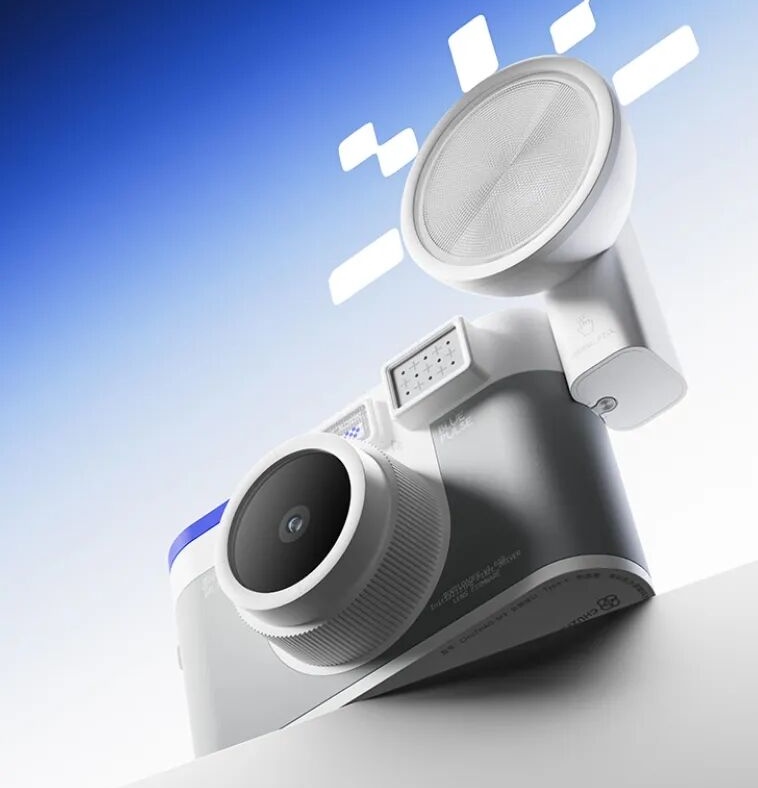
This colorful new Chuzhao M3 fixed-lens compact digital camera costs $69

Par : PR admin
25 juillet 2026 à 01:12


This new Chuzhao M3 fixed-lens compact digital camera was recently released in China and is now available for purchase on Amazon for $69 (Chuzhao cameras are sold on Amazon and AliExpress). Here are the details:

  • Sensor: 1/4-inch CMOS
  • Still resolution: 12 MP (square format, typically ~3456 × 3456 pixels)
  • Video resolution: 1080p Full HD (1920 × 1080)
  • Lens: Fixed (non-interchangeable) wide-angle lens with autofocus; approximate aperture f/2.8
  • Minimum focus distance: Listed as ~90 cm on packaging
  • Display: 1.54-inch LCD (usually 240 × 240 pixels), functions as an electronic waist-level viewfinder
  • Storage: MicroSD card slot (supports up to 64 GB; often includes a 16 GB card)
  • Battery: Built-in rechargeable lithium-ion (commonly listed around 1000 mAh), USB-C charging (roughly 2 hours for a full charge), several hours of typical use
  • Connectivity: USB-C for charging and file transfer
  • Dimensions: Approximately 89.5 × 52 × 42.5 mm
  • Weight: Approximately 115g
  • Other: Fully automatic exposure/ISO, color and black-and-white modes available, no optical zoom, no built-in flash

Chuzhao also makes the popular M1 TLR-style camera: Amazon | Aliexpress.

The post This colorful new Chuzhao M3 fixed-lens compact digital camera costs $69 appeared first on Photo Rumors.

Canon’s latest cameras are getting their first big feature updates

The company has released new firmware for the EOS R6 V and R6 III.

A person attaches a Canon EOS R6 V onto a tripod vertically, using its secondary tripod socket.Canon

Canon has released firmware updates for its vlogging-focused EOS R6 V, and its enthusiast mirrorless hybrid EOS R6 III, adding some new features and quality-of-life improvements.

The EOS R6 V gets the heftiest update, adding the ability to shoot flash with the camera, which the company promised at launch. This comes with a new menu that allows you to adjust your settings when using a flash, though it’s still a relatively limited implementation. To start, the camera is still primarily designed for video, so it doesn’t have any sort of mechanical shutter. This means you can only use flash at up to 1/60 sec, which will be a big limitation if you’re shooting outdoors. The camera also doesn’t have any of the traditional pins on its hotshoe, meaning your limited to flashes that work with the digital mutli-function shoe, unless you happen to have an adapter. (Sorry, fans of the Godox iT32.)

Still, it’s nice to see Canon following through on its plan to add flash support to the EOS R6 V for the niche situations where it’ll be useful. The V1.10 firmware also adds support for the BR-E2 wireless remote that Canon announced alongside the camera, allows the gridline overlay to display on the live view screen while you’re recording video and fixes several bugs.

The EOS R6 III gains a feature introduced by the EOS R6 V

The list of updates for the EOS R6 III, which, as the names imply, features very similar hardware to the EOS R6 V, is unsurprisingly similar. It too gains support for the BR-E2 and grid lines while recording, and receives several bug fixes. It also gains a feature introduced by EOS R6 V: the ability to use the AF for close-up demos setting across video modes. This feature overrides the camera’s facial recognition system if it detects that you’re holding something up to show the camera, and was previously only available in a specific mode that took away most of your manual exposure, focus and audio controls. Now, you can use it while retaining control over the rest of your image, making it much more flexible.

While it’s a relatively small feature, it’s also not always a given that manufacturers will bring features from their newer cameras to their older ones, even if it seems that they should support them. While the EOS R6 III hasn’t received all of the EOS R6 V’s video tricks, it’s nice to see that one of the camera’s quality-of-life improvements isn’t exclusive to people who aren’t as interested in photography.

The firmware updates for the EOS R6 V and EOS R6 III are available for free from Canon’s website.

About the Author: Mitchell started taking pictures at 10 and hasn’t stopped since. It’s been a wide-ranging adventure, spanning a wide variety of genres and locales, and occasionally dipping into fascinations with video and filmmaking. They honed their technical knowledge doing documentation, programing and QA, writing for The Verge, and just generally messing around on the computer to see what breaks.

Want to stay up to date on the latest product news and releases? Add DPReview as a preferred source to ensure our independent journalism makes it to the top of your Google search results.

add as a preferred source on google

User Guide: Making DPReview notifications work for you

With the new website design, it is understandable that some things are in different places than you’re used to. This guide series aims to help you get acquainted with how the site now functions.

notifications word in text form placed inside white pill shape on blue background.DPReview

This is the first of several guides intended to help you navigate the new website and forums. We want you to be able to quickly locate items you’re used to using, and perhaps discover an interesting new feature or two along the way. We will highlight items in both desktop and mobile views if there is enough distinction between them.

Who is this guide for

  • By the end, you’ll know how to control notifications for email and on-site activity
  • You’ll be able to directly set “Watch” preferences on discussions and article comments
  • You’ll know what to change if you’re receiving too many notifications

For this first guide, let’s talk about receiving those important activity notifications. Take a look at the top right of the website, you’ll notice a flag icon and a message bubble icon. These are your activity and direct messages received notifications, respectively:

Notification icons

DPReview notification icons
DPReview

If there are unread notifications, the red-circled number will appear. Clicking an icon will display a summary of those notifications.

We are aware that there are still some display differences between viewing this space on the main website vs. from the forums, such as notifications being completely cleared only in the main website dropdown. Let us know if this guide doesn’t track with what you are seeing.

To the left of those icons, you’ll see your profile icon. If you are in desktop view, you will also see your account name. Clicking your profile image will open a list of settings. This guide is about notifications, so for today, let’s click on the ‘Forum settings’ option:

DPReview user profile main dropdown menu
DPReview

Profile and forum notification settings

The forum settings link takes you to a detailed list of options to customize your forum experience. Near the top, you have several ways to be notified of messages via email. From there, you can set global notifications that will automatically inform you of updates to your created content. The forum system recognizes this action as a “Watch” (aka, “Follow” for the content you are interested in tracking):

Automatic watch settings
DPReview

Mobile users: Ensure push notifications are enabled on your phone. You may also need to click the ‘Enable push notifications’ button in the current forum options page you are in, before seeing the following options:

DPReview user profile push notifications settingsDPReview

Scrolling down a bit further (you can skip past several of the other options for now), you’ll come to ‘Settings by notification category: When someone…’ section.

If you do not see this section, keep scrolling (it’s a long list). Please check:

  • Rotate your phone from portrait to landscape view.
  • May be blocked if you’re using a business phone and it’s company-controlled.

Otherwise, please log in on a desktop device for now to adjust these settings:

DPReview user profile push notification settings
DPReview

There are three checkboxes available for each item, depending on how you want to receive notifications for that item.

  1. Alert: Shows a number indicator on the icons at the top of the page for new unread alerts or messages
  2. Pop-up Auto-read: Displays a small pop-up window that sets any unread notices to have automatically been read upon that window popping up.
  3. Push: Functions just like mobile push notifications, sending alerts directly to your device

The forum system manages notifications across the site, from front-page articles to forum activity. It is designed to give you granular control over what you’re notified about in articles, including responses to your article comments.

Using Watch and Unwatch settings on discussions

DPReview thread Watch option
DPReview

Moving out of the profile settings options, the above image shows a discussion thread as viewed at the top of the thread. Clicking ‘Watch’ will set your account to receive notifications when someone posts in that thread, even if you are not contributing to that thread.

What’s the difference between this watch option and those profile settings from earlier?

  • Profile settings dictate the baseline for how you receive notifications. You will use this when you want to be notified of a response whenever you, say, reply to a forum thread.
  • The ‘Watch’ setting is a manual option that lets you receive specific updates for a particular thread, regardless of whether you’re actively participating in it or not. 

Receiving too many notifications

Your profile settings also have an automatic watch option for threads that you start. It’s one of the easiest ways to stay connected to a conversation without having to manually check whether someone has replied. If you feel that you are receiving too many notifications and are not sure where they are coming from, you may need to:

  • Unwatch threads you no longer want to follow (click the same button, “Watch”, you initially used to watch the thread, which will now read “Unwatch”)
  • Check your profile settings to ensure that automatically enabled settings are disabled
  • Reduce e-mail notifications and rely more on on-site alerts

Personally, I use on-site alerts for most things and reserve email for threads I want to follow more closely. But this is very much a “set it how you like” system.

Try adjusting a notification setting today

Even if everything is working great for you right now, try using the Watch feature on a discussion you’re interested in to explore the many options available. 

If you have any concerns with the notifications system after reviewing these settings, please let us know in the comments below. Also let us know in the comments what other guides we should introduce.

We hope this guide helped your DPReview reading experience!

About the Author: Mathew Anderson is a proud Community Manager for the technology industry and a past visitor to DPReview.com for all his camera needs. He is currently the lead of DPReview’s community and primary communication link between the community and DPReview’s team.

Want to stay up to date on the latest product news and releases? Add DPReview as a preferred source to ensure our independent journalism makes it to the top of your Google search results.

add as a preferred source on google

This documentary takes you on a detailed journey through Kodak’s history

A recent Design Docs video walks through the company’s beginnings and its demise.

The logo for Eastman Kodak, a red box in a yellow square, with lines that make it look like the letter "K".Eastman Kodak

There’s no shortage of content out there about Kodak’s rise and fall, but this deep dive from Design Docs takes a slower, more granular approach to the story behind the company. The feature-length documentary dives into Kodak’s rise, dominance and collapse, and how a lab engineer’s toaster-sized prototype set the company’s eventual downfall in motion.

The video walks through George Eastman’s early years and the business decisions that turned Kodak into a near-monopoly, from roll film and the Brownie to the marketing machine that embedded “Kodak moments” into everyday language. It also spends plenty of time on the culture around Rochester, including an interesting look at how Eastman took care of his employees and supported the community – in Rochester, New York and beyond – in ways that were well ahead of their time.

Of course, the story wouldn’t be complete without touching on what happened to Kodak with the rise of the digital age, and the documentary also covers that. It digs into the internal politics around Kodak’s invention of the digital camera, the fear of cannibalizing film and the decisions that eventually pushed the company toward bankruptcy. At just under an hour, it’s on the longer and slower side for YouTube, but if you’re willing to settle in, you’ll get a level of detail that most Kodak documentaries skip.

About the Author: Abby Ferguson holds an MFA in photography and blends a fine-art background with extensive editorial and commercial experience. She built and led an in-house imaging program for a large vacation rental company and has served as an associate editor at Popular Photography. She also teaches at a local community college and serves on its Photographic Technology Program Advisory Board, sharing her knowledge and enthusiasm for the medium.

Want to stay up to date on the latest product news and releases? Add DPReview as a preferred source to ensure our independent journalism makes it to the top of your Google search results.

add as a preferred source on google

More film options are worth celebrating, even if they aren’t entirely new

A recent film announcement from Flic Film sparked a wave of discourse about what it takes to be a truly new film stock.

Two upright film canisters labeled FUSION, featuring a colorful abstract design, with the left canister larger than the right, set against a gradient teal background.Flic Film

In June, Flic Film, a Canadian manufacturer and distributor of analog photography goods, posted on social media that it had released “an all-new film stock.” While that’s certainly exciting on the surface, the announcement sparked a flurry of questions and speculation, with a bit of contention.

Flic Film isn’t alone in this situation either. There has been an increase in supposedly new film stocks in the last few years, but inevitably, the comments are full of discussion about what the film really is. There also seems to be frustration floating around about how all film stocks these days are the same, and that brands are essentially misleading us into thinking we have options. But all of that oversimplifies what’s really going on.

What’s going on with film these days?

Turquoise ocean water with gentle waves in the foreground; lush green mountains and a partly cloudy sky in the background.
Flic Film is very transparent about the fact that its Elektra 100 film is respooled Kodak Aerocolor IV, meaning it has made no modifications and simply created its own packaging for the film.
Abby Ferguson

If you aren’t closely involved in the photographic film world, some context will help you understand why that post (and similar ones by other brands) ruffled some feathers. At the time of writing, there are only three to four facilities producing color film at a commercial scale. A handful of additional producers are making black and white films.

Despite the limited producers, there seems to be no shortage of film brands. Depending on your location, you can buy film branded by the likes of Lomography, Flic Film, Reto, CineStill, Candido, Japan Camera Hunter, Rollei, Leica and so many more. Even my local film lab has its “own” stock. This is where the confusion stems from. Each of these brands isn’t making their own film from scratch, given the resources and equipment required, so what’s going on?

There are a few things at play here. Some companies are simply repackaging (sometimes referred to as respooling) film. They buy it in bulk from a manufacturer, load it into canisters and boxes with their own label, make no changes to the film itself and sell it as their own.

At times, brands are upfront about this. For example, Flic Film sells Elektra 100, which its website has clearly labeled as re-spooled Kodak Aerocolor IV color negative film. Flic Film named the film something else, but it is upfront about what the film actually is. That’s not always the case, though, and there are certainly instances of repackaged film that don’t have the actual stock disclosed.

It goes beyond repackaging

Row of metal mailboxes mounted on a building wall, lit by four red overhead lamps at night; trash can positioned in the foreground.
I shot this image with CineStill 800T, which CineStill simply says is “color negative motion picture emulsion.” Despite that, the general consensus is that the film is Kodak Vision3 500T with the remjet layer removed.
Abby Ferguson

Another fairly common occurrence is a brand having an existing film stock modified for its use. CineStill is a good example of this, as it takes Kodak’s motion picture stocks and removes the remjet layer for its 800T and 50D films. Other brands also take motion picture stock and modify it in similar ways, so that it’s more easily processed by the general consumer and the labs they take film to.

Modification isn’t only happening on motion picture film, either. Still picture film is also modified in multiple ways in order to create a different look from the base stock. Manufacturers can do things like pre-flashing, which exposes film to a small amount of light to reduce contrast and compress the tonal range, or they can change the backing to alter how light interacts with the emulsion. They can also treat the film in various ways to push the effective ISO higher, add sensitizing dyes to shift spectral sensitivity or add additional coatings.

All that to say that there are quite a few options for altering a film stock that will result in a fairly substantial change in look. Some of these changes happen at the source by the original manufacturer, others are made by the brand in its own facilities. The changes can completely alter the colors you get from a film, its sensitivity to light, its contrast and its grain character, giving it a distinctive look.

Why don’t brands just say what it is?

With that context in mind, let’s look back at what happened with Flic Film’s latest release. When Flic Film posted about its new product, it said explicitly that it is “an all-new film stock.” Given that it seemed highly unlikely that Flic Film managed to establish its own film production facility, or even that they developed something new from the ground up that’s produced at an existing facility, people were upset about the claim that it’s “all-new.”

Flic Film subsequently released a video addressing the questions and complaints. In the video, a representative for Flic Film says, “The only answer I can honestly give is I don’t know.” He goes on to explain that they of course know the manufacturer, but when they receive the film, they get it as a number, not with the original name noted, so they truly don’t know what the stock was originally.

He also explains that when they put out a new film, they buy a master roll from a manufacturer, but that things don’t stop there. “The manufacturers don’t just grab something off the shelf and sell it to us. They actually do little tweaks to that film to make it individual to us,” he says. “They’re not going to sell us their best-selling film straight up and have us just replicate it, that makes no sense and it’s no good for the customers.”

They’re not going to sell us their best-selling film straight up and have us just replicate it, that makes no sense and it’s no good for the customers.

Flic Film

But even when modifications are subtle, or a film is simply respooled, not sharing the name of the original film isn’t inherently nefarious. As Flic Film’s video explained, it’s very possible the brand doesn’t even know what the original stock is.

Close-up black and white photo showing a vintage car’s headlight and front grille, with the Triumph logo partially visible on the hood.
Lomography’s Earl Grey is widely believed to be widely believed to be repackaged Fomapan 100, which is manufactured in the Czech Republic by Foma Bohemia.
Abby Ferguson

Non-disclosure agreements (NDA) are another common practice in this industry. When working with a manufacturer, a film company may have to sign an NDA that prevents them from sharing the manufacturer’s name, the original stock name or both. In the case of CineStill, while it’s a poorly kept secret that it uses certain Kodak motion picture film, it’s never listed outright in CineStill’s marketing. In fact, its FAQ page says, “out of respect for our unique relationships with our suppliers, we are careful not to openly claim and benefit from the goodwill and reputation of the brands and trademarks of the original products.”

CineStill is considered one of the more transparent brands, but just because other companies aren’t sharing as much doesn’t necessarily mean that they are intentionally being deceitful. They could have more strict agreements in place with producers, or other factors could be at play. It certainly would be nice to have greater transparency, and I firmly believe brands should disclose information when they are able to. But it isn’t always a sign of a company trying to scam us out of our money if they aren’t upfront.

Modified film is still legitimate

Two people standing at an outdoor counter of a Japanese restaurant, surrounded by stacked red plastic crates, white paper lanterns, and colorful signage.
CineStill 400D is another example of modified film stock.
Abby Ferguson

Transparency is one thing, but the other frustration I see coming out of recent film launches is rhetoric that all film stocks are the same these days and choice is an illusion sold to us by all of these companies. In the case of simply respooled film, yes, that is absolutely true. But, producers and brands can create quite distinct looks by modifying stocks. If a film looks different than what it came from, it seems reasonable to call it a new film.

Something similar happens in the digital camera world, too. Camera manufacturers source sensors, EVFs, displays and more from a handful of suppliers, yet it’s silly to argue that all cameras are the same as a result. Each camera manufacturer has to make additional decisions in terms of processing, colors, ergonomics and UI. What matters is what a company does with those common components.

We are quite far from the 1990s heyday when you could walk into a store and see a colorful wall of different film stocks. But a recent resurgence has led to more film brands working with producers in new ways, giving photographers more options than they had just five years ago. More options mean more people finding a film they love, and more people shooting film is only a good thing for the medium, which is always worth celebrating in my book.

About the Author: Abby Ferguson holds an MFA in photography and blends a fine-art background with extensive editorial and commercial experience. She built and led an in-house imaging program for a large vacation rental company and has served as an associate editor at Popular Photography. She also teaches at a local community college and serves on its Photographic Technology Program Advisory Board, sharing her knowledge and enthusiasm for the medium.

Want to stay up to date on the latest product news and releases? Add DPReview as a preferred source to ensure our independent journalism makes it to the top of your Google search results.

add as a preferred source on google

Gigapixel photography is the way to go for this DPReview reader

John Freeman takes photography to an extreme resolution – literally. Learn how he creates gigapixel-level detailed photos that make their way to massive wall murals.

Last Light on the Bear’s Lodge, Devils Tower, Wyoming.John Freeman

Community member John Freeman, known as john80504 in the forums, loves peering into the distance at intricate landscapes, capturing them at the highest resolution possible, then framing multiple shots on a wall to admire. Some of his murals are as large as 15 feet by 50 feet, showcasing wide mountain ranges and vast river valleys.

According to John, he’s the only person in the world who teaches a workshop on Gigapixel Photography, the art of taking dozens or even hundreds of photos and stitching them together into a single image with a resolution that measures in the thousands of megapixels.

Editor’s note: because of the nature of the ultra-high resolution images Freeman creates, we don’t have a way to post the full versions to our site in a way that would let you sensibly view them. We’ve provided links to his website that let you experience them in all their glory.

Our ‘What’s in your bag?’ community spotlight series features readers sharing their favorite gear and photography, including from past DPReview collaborators. See below for what John has to share.

Spruce Tree House, Mesa Verde National Park, Colorado.
Canon EOS R5 | 600mm | F11 | 1/640 sec | ISO 400 | 2651 images
John Freeman

Meet John Freeman

Home base: Longmont, Colorado, USA

Photography has been a lifelong pursuit for John, one that has evolved significantly over the decades. It eventually led him to a highly specialized niche that combines technical precision with artistic vision.

“For more than 58 years, starting at age 13, photography has been a central part of my life. My parents gave me a Kodak Brownie camera for Christmas the year I was in 8th grade. Over that time, I’ve explored many different genres and techniques, but few have challenged and rewarded me as much as gigapixel panoramic wall mural photography. My gigapixel photos are among the largest, highest resolution Fine Art Wall Mural Photos available on the internet.”

Gigapixel photography is the process of capturing hundreds – or sometimes thousands – of individual photographs and stitching them together into a single seamless image.

That specialization is gigapixel panoramic photography, a field he has spent more than a decade refining and pushing further with advanced techniques.

“When I first started doing gigapixel photos in 2011, I entered a niche market. Gigapixel photography is the process of capturing hundreds – or sometimes thousands – of individual photographs and stitching them together into a single seamless image. Over the past 10 years I have been doing focus bracketing/stacking of the individual images that are stitched into the final image. Adding focus bracketing/stacking has been the single most important skill that has improved my work.”

What’s in John’s bag

John Freeman
John Freeman’s camera bag
John Freeman

Favorite camera: Canon EOS R5 Mark II, though he still carries a Mark I for nostalgia.

“For the past five years, my main camera has been a Canon EOS R5, but before a trip to New Zealand this past April, I added a Canon EOS R5 Mark II to my bag. It has quickly become my favorite. I especially appreciate that it stores focus-bracketed images at 14-bit resolution rather than 12-bit, like the original R5, and that it captures focus-bracketed sequences much faster, which is a big advantage when photographing large landscapes. Most of the time, you’ll find my Canon RF 100-400mm F5.6-8 IS USM mounted on the camera.”

Lenses used across all cameras:

Palouse Falls, LaCrosse, Washington.
Canon EOS R5 | Canon 100-400mm | 300mm | F11 | 1/60 sec | ISO 400 | 5133 images
John Freeman

Any experienced photographer is going to have a set of gear that works well together and is ready to go at a moment’s notice. Apart from the cameras and lenses above, here’s John’s other interesting gear he takes with him on trips into the mountains.

Support gear: “For panoramic photography, I typically carry a Nodal Ninja M2 manual nodal head mounted to a SLIK carbon fiber tripod with a Really Right Stuff leveler, along with a Vello Wireless ShutterBoss remote shutter release to minimize camera shake. For longer hikes, I also pack granola bars, a CamelBak water bladder and a phone running the PhotoPills app for planning.”

Camera bags: “For many years, I used a Tamrac Expedition 9x backpack, which had plenty of room for all my gear but became too heavy for long hikes. Last fall I switched to a lightweight Mosiso backpack that’s just big enough for my camera, three lenses and the Nodal Ninja. It also has a side pocket for my tripod, although that part could be better.”

What are some great locations for super high-res shots?

Frozen In Time - Dream Lake, RMNP.
Frozen In Time – Dream Lake, RMNP.
Canon EOS R5 | Canon EF 100-400mm f4.0-5.6 | 300mm | F11 | 1/100 sec | ISO 400 | 7090 images
John Freeman

When John goes to a location, one of his goals is to shoot the largest, highest-resolution photo ever taken there – not just by him, but by anyone else.

“One of my most unique and difficult shoots was one I did in February 2026 of the frozen waves that occur in winter at Dream Lake in Rocky Mountain National Park. The frozen ice waves are an unbelievable wintertime phenomenon that is caused by freezing temperatures and strong, dry winds. It is called sublimation, the process in which solid ice changes directly into a gas without becoming a liquid first. The result is a 4.63 gigapixel focus-stacked, stitched image made up of 7090 individual focus-bracketed images. This yielded 225 focus stacked sets in a 9 row by 25 column array.”

While Dream Lake stands out as one of his most technically demanding projects, John is always planning his next destination in search of another record-breaking panorama. Earlier this year, that pursuit took him to New Zealand.

“My wife and I just returned from a second honeymoon trip, a 27-night camper-van tour of New Zealand, in April, 2026. During the trip, we visited both the North & South Islands. While not every photo met my 1 gigapixel requirement, I did manage to capture numerous photos of some of the most beautiful areas of New Zealand.”

Techniques that captured that perfect gigapixel shot

Lake Matheson Reflections - New Zealand.
Lake Matheson Reflections – New Zealand.
Canon EOS R5 II | Canon RF 100-400mm F5.6-8 IS USM | 300mm | F11 | 1/125 sec | ISO 100 | 1790 images
John Freeman

“Even after decades behind the camera, I still find myself excited by the challenges and possibilities of gigapixel photography. One of my current projects is what I call Virtual Rocky Mountain National Park – a long-term effort to create immersive panoramic experiences throughout the park and to preserve these remarkable landscapes in extraordinary detail. This virtual tour of RMNP is free to the public to view and enjoy.

Projects like Virtual Rocky Mountain National Park have also pushed John to refine the technical side of his craft. One of the biggest hurdles comes when photographing scenes with an extreme range of light.

Unlike traditional photography, where HDR techniques can often solve these problems, focus stacking and HDR do not work together because the camera cannot perform both focus and exposure bracketing simultaneously

“One of the biggest challenges in gigapixel photography is dealing with scenes that contain both extremely bright and extremely dark areas. Unlike traditional photography, where HDR techniques can often solve these problems, focus stacking and HDR do not work together because the camera cannot perform both focus and exposure bracketing simultaneously. To overcome this challenge, I rely heavily on a technique called Expose To The Right (ETTR). This approach has become an essential part of my workflow, particularly when photographing complex landscapes that contain bright skies, deep shadows, waterfalls, and other high-contrast elements.”

John’s advice for photographers

Mt. Rushmore Sunrise, South Dakota.
Canon EOS R5 | 300mm | F11 | 1/5 sec | ISO 125 | 85 images
John Freeman

“I always tell my workshop students, don’t be afraid to make mistakes, just make sure that you learn from your mistakes and avoid them next time.”

John really enjoyed participating in this spotlight article and would love to hear what you think of his photography and to answer any of your questions in the comments below.

You can check out John’s other work at abbascreationsphotography.com.


Editor’s note: This article continues a series, ‘What’s in your bag?’, highlighting DPReview community members, their photography and the gear they depend on. Would you like your photography to be featured in a future installment? Tell us a bit about yourself by filling out this form.

About the Author: Mathew Anderson is a proud Community Manager for the technology industry and a past visitor to DPReview.com for all his camera needs. He is currently the lead of DPReview’s community and primary communication link between the community and DPReview’s team.

Want to stay up to date on the latest product news and releases? Add DPReview as a preferred source to ensure our independent journalism makes it to the top of your Google search results.

add as a preferred source on google

Sony RX10 V vs RX10 IV: what difference does a decade make?

It’s been nine years since the RX10 IV was launched. What does the RX10 V bring, other than some AF improvements?

Front-on view of the Sony RX10 VRichard Butler

The Sony DSC-RX10 V appears just as prices of the remaining RX10 IV started to get silly. Nearly nine years have elapsed since the launch of the Mark IV but despite first appearances, almost everything has changed in the new camera.

Basic hardware

Both cameras are based around the same fundamental specs: a 24-600mm equivalent F2.4-4.0 zoom and 20MP Type 1 (116mm2) stacked CMOS sensors.

Sony says the lens is the same, despite reporting the focal lengths differently on the side of the barrel. Our understanding is the RX10 IV reports the effective focal length with corrections applied, whereas the RX10 V lists the literal focal lengths.

We were briefed that the sensor has been “updated” but without any specifics about what those changes are. The new camera has significantly more powerful processors and updated AF algorithms, so it’s hard to be sure which, if any, of the spec changes can be ascribed to sensor differences. It seems notable, though, that Sony no longer mentions DRAM, which it did in its description of the previous version.

Ergonomics

Rear corner view of the Sony RX10 V
The RX10 V no longer has a top-plate LCD but instead gets nice dials, a joystick and various ergonomic improvements from the Alpha series of cameras.

The RX10 V’s ergonomics have been reworked, mostly for the best. It has a more comfortable grip, more prominent command dials on its shoulder and one of the large, easy-to-position AF joysticks we’ve seen on the last few generations of Alpha cameras. It loses its top-plate LCD and its focus drive mode switch on the front of the camera, instead getting an AF/MF switch on the side of the lens.

The net effect is a definite positive: the RX10 V feels a lot more like one of the more recent Alpha models, rather than a box full of goodies that you constantly feel you need a tin-opener to get at. It’s disappointing that all three of the camera’s dials (if you include the awkward little dial on the rear face) need to be controlled with the thumb: a front dial would have been a further boost, but overall it feels much nicer to control. And that’s before you get to the menus which, if nothing else, are much more sensibly arranged, with related options much more logically grouped and labeled.

AF and performance

The new camera has Sony’s latest AF system, which is a surprisingly large step forward. The RX10 IV was the first in the series to gain phase detection AF: delivering a big leap forward over previous models, and early instances of Eye detection and animal eye detection autofocus. In video it fell back on the older, clunkier ‘Center Lock-On AF’ system that required a degree of button-pressing and missed focus that seems unthinkable by modern standards.

The RX10 V illustrates just how far things have come in the meantime. The clutter of AF area modes persists, but it’s now backed up by a subject recognition system that can cope with a wider range of subjects, works more effectively and is available in video. The near decade-long lull in enthusiast compact cameras happens to have coincided with one of the most sustained periods of improvement in AF performance and ease-of-use,

Viewfinder and screen

Close-up of Sony RX10 V viewfinder and rear controlsRichard Butler

Both the viewfinder and rear screen have been upgraded, compared with the RX10 IV. We wouldn’t be at all surprised to find some of this is down to old components no longer being available, but if it results in a better viewfinder, we’ll take it.

The RX10 V has a 3.69M dot EVF, meaning 1280 x 960px resolution, rather than the 1024 x 768px view of its predecessor. It’s a physically larger panel, too, with updated finder optics boosting the magnification from 0.7x to 0.78x.

The rear screen gets a more modest boost: 1.62M dots (900 x 600px) in a 3:2 aspect ratio that matches the camera’s sensor, rather than the 4:3 screen on the RX10 IV, which had 800 x 600px resolution, of which 800 x 533px would be devoted to previewing images. In both instances, the screens tilt up or down, but don’t hinge or tilt sideways.

Movies

For the most-part, the RX10 V’s movie capabilities are greatly enhanced: it can shoot 4K at up to 60p from the full width of its sensor (vs 30p on the old model), or 120p with a crop. The AF tracking is vastly improved, it gains Sony’s Auto Framing system that crops in and follows a subject around, to give movement to otherwise static shots, and it adds the ‘Active’ Steadshot stabilization mode. Above all, though, it gains the ability to capture 10-bit footage, making its Log files much more flexibile than before, particularly S-Log3. It also lets you shoot in S-Cinetone, and attractive, ready-to-go profile we’ve liked on other cameras.

Somewhat contraversially, the RX10 V doesn’t offer the 1000fps (960fps in NTSC mode) 1080 video capture of its predecessor. Whether this is a consequence of a lack of DRAM to buffer all that information, or because Sony has just refocused its attention on more mainstream video needs is unclear. The footage was never particularly good (not least because each frame of a 1000fps burst is made up from very little light), but it was a feature that wasn’t really available elsewhere.

Storage / communication

Side view of the Sony RX10 V with the port door open.
Unlike other recent Sonys, the RX10 V’s second port is still a USB Micro-B socket. It’s essentially an accessory port, at this point. The USB-C port has to be used for power and should sensibly ben the one used for data transfer.
Richard Butler

As you might hope, the RX10 V now accepts UHS-II SD memory cards, letting it write and read data much faster than the older model, which had a UHS-I interface. UHS-II had started to appear in cameras nearly three years prior to the Mark IV, so this isn’t really a case of bringing the new camera up-to-date, and more of reaching the point the IV could have been at, nine years ago. The industry looks unlikely to ever use the newer UHS-III format and may even skip SDExpress, which is based on the same technology as the CF express cards Sony uses elsewhere in its range.

The Mark V does at least gain a modern USB connector, though. It can communicate at up to 10Gbps and can be used for charging the camera. It retains the Micro-B USB socket that the IV had, so that it’s compatible with the same accessories, but this port can no longer be used for charging.

Battery

A view of the lower corner of the Sony RX10 V, with the battery door open and its NP-FZ100 battery sitting alongsideRichard Butler

Finally, there’s the battery. The RX10 V makes room for the much larger NP-FZ100 battery, which has over twice the capacity of the NP-FW50 used in the Mark IV. This doesn’t result in double the battery life, perhaps because of the additional processing power and higher resolution viewinder, but still sees the battery life rating jump by more than 50%. Ratings of 570 shots per charge via the viewfinder and 630 shots per charge using the rear screen are well into the territory that it’s unlikely you’ll ever have to worry about battery life, as a stills shooter. As usual, we’d expect most people to get around double this number of shots, and still more if you shoot bursts.

Overall

It’s easy to look at the RX10 V, see that the lens and pixel count is the same and conclude it’s a minor update. In practice, just about every aspect of the camera has been improved. The RX10 V looks much more expensive, but a lot of that is because inflation – or, to put it another way, the devaluing of the money in your pocket – in the intervening nine years exaggerates the difference.

As always, it’s up to each individual to decide whether they think a product is worth the cost, but in terms of usability, performance and capability, the RX10 V is a big step forward.

About the Author: Richard graduated as a scientist but had a lot more fun writing and shooting for his university magazine. A number of years spent variously as a reporter, writer and editor on science and engineering titles combined his knowledge of science with his interest in images and words. But it was spotting the connections between emission spectra, white balance and all the nonsense he’d taught himself playing around in Photoshop that helped kindle an interest in digital photography. Searching for a camera led to him discovering DPReview and Richard was recruited by Phil Askey in 2007. He’s been combining his love of photography, communication and attention to detail (pedantry?) ever since. He has unusually strong opinions about lenses for the APS-C format.

Want to stay up to date on the latest product news and releases? Add DPReview as a preferred source to ensure our independent journalism makes it to the top of your Google search results.

add as a preferred source on google

❌