❌

Vue normale

The iPhone 18 Pro stops stacking frames when you set shutter speed manually, and it shows in low light

Manual aperture keeps Apple’s multi-frame processing intact, but choosing your own shutter speed gets you a single frame. Here’s when that trade-off is worth making.

Nighttime bridge with colorful lights reflected in water, overlaid by a camera shutter speed setting at 1/30.Dale Baskin

When you use DPReview links to buy products, the site may earn a commission.

When Apple announced the iPhone 18 Pro in September, the headline camera story was a mechanical variable aperture on the main camera, a first for the iPhone. It also came with Apple’s new Pro controls, which include the ability to set aperture, shutter speed and white balance manually.

What Apple hasn’t highlighted is a trade-off photographers should know about: if you set shutter speed manually, the iPhone 18 Pro appears to stop combining multiple frames into each photo. That means giving up some of the computational processing the iPhone relies on for image quality, particularly in low light.

What Pro controls do, and what they stop doing

Like every smartphone, the iPhone relies on computational photography to overcome the limits of its small sensor. All else being equal, a small sensor captures less light than the larger sensors found in most dedicated cameras, and less light equates to noisier images. To compensate, the phone shoots a rapid burst of frames, then aligns and merges them into a single photo, averaging those frames to reduce noise and improve dynamic range. (This is often referred to as frame stacking or frame blending.)

Here’s where it gets interesting: when you use Pro controls to set shutter speed manually, that process appears to stop. Instead, the phone captures one frame at the shutter speed you chose. Night mode also becomes unavailable. In contrast, setting the aperture manually doesn’t have this effect; the iPhone will keep stacking frames, just as it does on full auto.

SettingFrame stacking
Full autoYes
Manual apertureYes
Manual shutter speedNo
Manual aperture and shutter speedNo

There’s a defensible logic to this approach. Multi-frame capture often blends frames of different durations, which runs counter to the idea of choosing your own shutter speed. The phone could, in principle, stack several frames at your selected shutter speed instead, but a burst takes longer to capture than a single frame, and the resulting image would be a blend of several moments in time rather than a record of a single moment.

Tests: auto vs. manual exposure

We shot static scenes on a tripod with the main camera, in conditions ranging from bright daylight to night. Each scene was shot four ways: full auto, manual aperture, manual shutter speed and both set manually.

We matched the aperture and shutter speed across each set. (In bright daylight, auto mode often chose shutter speeds you can’t select manually, such as 1/2500 sec, in which case we used the closest available.) Pro controls don’t include ISO, so the camera selected automatically, but it was typically identical or within a third of a stop across image sets. We also disabled night mode to remove it as a variable.

The comparison below illustrates the impact of using manual shutter speed in low light.

F1.48 | 1/15 sec | ISO 10000 | Night mode disabled

The next example is slightly less extreme, but there’s still a noticeable difference between images.

F1.48 | 1/30 sec | ISO 640 (auto exposure)
F1.48 | 1/30 sec | ISO 400 (manual shutter)

Not surprisingly, when there’s a surplus of light, the difference is much less noticeable, as in this photo of some aspen trees on a sunny day.

F1.8 | 1/2500 sec | ISO 64 (auto exposure)
F1.7 | 1/2000 sec | ISO 50 (manual shutter)

Manual aperture mode produces essentially the same results as full auto mode. However, any configuration with a manually selected shutter speed can result in more noise, regardless of whether the aperture was set manually; it’s most noticeable in low light or deep shadows.

Why it matters

Low light is often where photographers want deliberate control over exposure, and it’s where the trade-off is most noticeable.

Apple hasn’t advertised this behavior, and we don’t read much into that; it’s a level of detail most consumers probably don’t want from a product launch. (Though Apple has explained its image processing in detail at past launches.) However, if you plan to buy an iPhone 18 Pro because of Pro controls, it’s worth understanding what’s happening behind the scenes.

When to use manual, and when to let the iPhone take control

Save manual shutter speed for when creative choices require control over exposure time, like creating motion blur or freezing action and accept that you’re getting a single-frame image. If it’s a photo you couldn’t have achieved without manual control, then the trade-off was likely worth it. But unless you have a deliberate reason for doing so, auto shutter speed will give you a cleaner image, particularly in low light.

To be clear, we don’t think Apple got this wrong. In fact, this approach arguably gives you just what you would expect when manually setting the shutter speed on a camera. But photographers should be aware that the trade-off exists.

Finally, if you’re thinking of upgrading to the iPhone 18 Pro for an improved camera, we recommend reading our comprehensive upgrade guide, which compares the 18 Pro’s camera and photography features to every iPhone Pro going back to the iPhone 12 series.

Two light blue Apple smartphones, one with dual and one with triple rear cameras, positioned on an orange background showing the Apple logo on their backs.Apple

iPhone 18 Pro

About the Author: Dale Baskin is a professional photographer, writer, and filmmaker based in the Pacific Northwest. He is the Managing Editor of DPReview.com.

Want to stay up to date on the latest product news and releases? Add DPReview as a preferred source to ensure our independent journalism makes it to the top of your Google search results.

Four new Sirui lenses coming soon: 15mm f/1.6, 24mm f/1.4, 20mm f/2.4, and 40mm f/2.2

Par : PR admin
12 octobre 2026 à 09:42


Sirui will release four new full-frame autofocus lenses  – two from the Aurora high-performance line and two from the Swift ultra-lightweight line (for Sony E, Nikon Z, Leica L, and Fujifilm X):

  • Sirui Aurora 15mm f/1.6
  • Sirui Aurora 24mm f/1.4
  • Sirui Swift 20mm f/2.4
  • Sirui Swift 40mm f/2.2

Sirui has two new full-frame autofocus lenses: 15mm f/1.6 and 24mm f/1.4

More upcoming lenses from China can be found here:

The latest updates on the upcoming lenses from China

Here are the technical specifications of the four new Sirui lenses (check the official website for updates):

parameter
Aurora AF 15mm F1.6
Aurora AF 24mm F1.4
Swift AF 20mm F2.4
Swift AF 40mm F2.2
Reference Price
Approximately US$535-538
Not announced
Not announced
checkpoint
E/Z/L/X
E/Z/L/X
E/Z/L/X
E/Z/L/X
Adaptive to image format
Full-frame
Full-frame
Full-frame
Full-frame
Optical structure
12 sets of 17 pieces
11 sets of 14 pieces
Not yet announced
8 sets of 11 pieces
Maximum aperture
F1.6
F1.4
F2.4
F2.2
Minimum aperture
F16
F16
F16
F16
aperture blades
11 pieces
11 pieces
9 pieces
9 pieces
closest focusing distance
0.3 meters
0.26 meters
0.25 meters
0.4 meters
Maximum magnification
0.08 times
0.15 times
Not yet announced
0.14 times
Filter aperture
77mm
62mm
58mm
58mm
External dimensions
Approximately 82×106.4mm
Approximately 76×106.6mm
Approximately 69.4 × 58 mm
Approximately 62×69.4mm
weight
Approximately 540g
Approximately 550g
Approximately 205g
Approximately 210g
Optical image stabilization
none
none
none
none
Teleconverter
Not supported
Not supported
Not supported
Not supported
Lens coating
Anti-fouling coating
Dustproof and drip-proof
have
have
have
have
Focusing system
STM stepper motor
STM stepper motor
STM stepper motor
STM stepper motor
Control Configuration
Aperture ring, Fn button, AF/MF switch

Coupon codes for Chinese lenses:

The post Four new Sirui lenses coming soon: 15mm f/1.6, 24mm f/1.4, 20mm f/2.4, and 40mm f/2.2 appeared first on Photo Rumors.

The latest updates on the upcoming lenses from China

Par : PR admin
12 octobre 2026 à 08:35

First, here are some coupon codes for Chinese lens manufacturers:

Next are the latest updates on the upcoming lenses from China:


→ Viltrox is teasing a new lens.


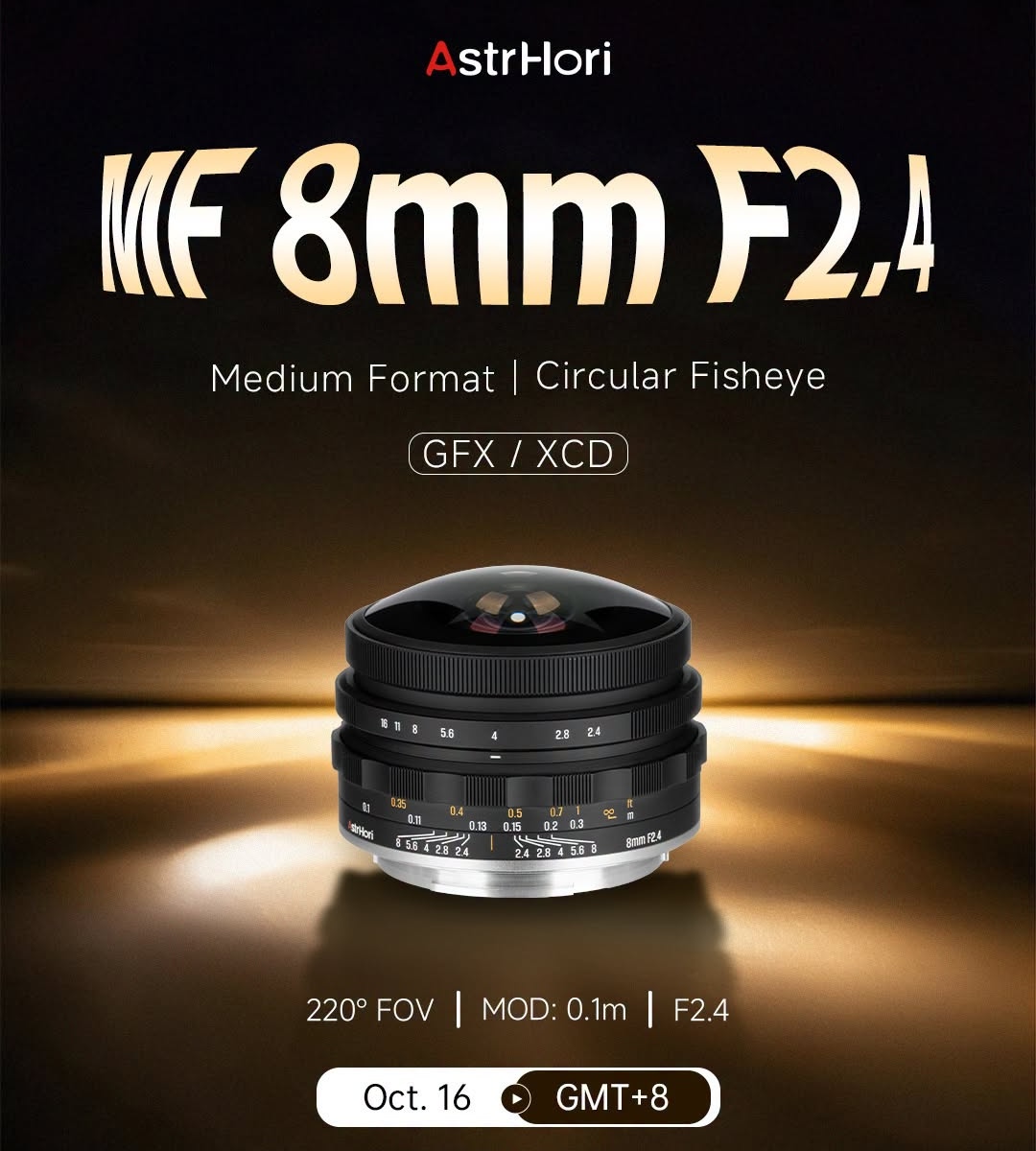
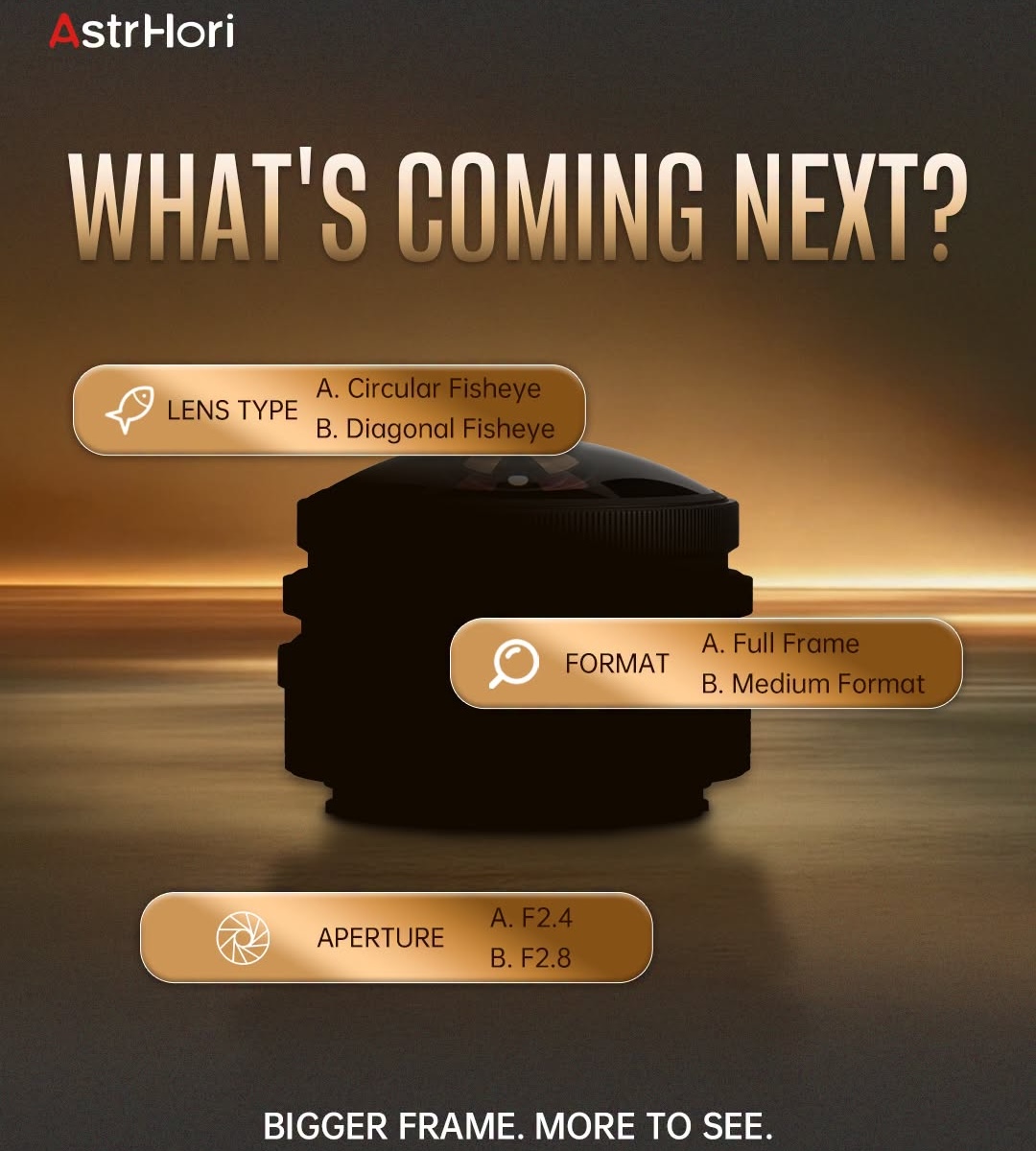
→ AstrHori will announce a new KF 8mm f/2.4 medium-format circular fisheye lens for the GFX/XCD mount on October 16th.


→ Thypoch will announce a new AF 23mm f/1.4 Sculptor lens and three other lenses for Leica M-mount.


→ Sirui has two new full-frame autofocus lenses that will be announced soon: 15mm f/1.6 & 24mm f/1.4.

Update: Sirui will announce four new lenses – 15mm f/1.6, 24mm f/1.4, 20mm f/2.4, and 40mm f/2.2:

Four new Sirui lenses coming soon: 15mm f/1.6, 24mm f/1.4, 20mm f/2.4, and 40mm f/2.2

The latest L-mount lens releases

You don’t have to be a paying member to get discounts from those brands

The post The latest updates on the upcoming lenses from China appeared first on Photo Rumors.

Pergear announced a new 10mm f/5.6 II pancake fisheye lens for $69 (X/E/Z/RF/MFT/EOS-M)

Par : PR admin
11 octobre 2026 à 19:58


Pergear announced a new 10mm f/5.6 II pancake fisheye lens available for X/E/Z/RF/EOS-M/MFT cameras.


Additional information:

What’s New in the Version II

The second generation keeps everything photographers loved about the original pancake fisheye and refines the build:

  • Solid full-metal construction — the new version is built from metal for a more solid, premium feel while staying lightweight and compact at only 120g.
  • Built-in petal-shaped lens hood — now integrated into the front of the lens, it protects the front element and helps prevent stray light from causing flare.
  • Improved multi-layer coating — suppresses flare and ghosting for greater contrast and color fidelity, even in strong lighting.

Key Features

  • 172° ultra-wide fisheye field of view — distort and exaggerate normal perspectives for striking close-ups, skate/sport shots, interiors and fun portraits.
  • Manual focus prime — a compact all-manual lens with a smooth focus ring, ideal for street and travel.
  • Pancake profile — measures just ø50mm x 32mm, so it can live on your camera and slip into any bag.
  • Close focusing — focus from approximately 15cm to infinity.
  • Wide mount support — available for X/E/Z/RF/EOS-M and M4/3.

Specifications

Aperture F/5.6
Lens Construction 6 Elements in 5 Groups
Angle of View 172°
Focal Length 10mm (35mm equiv.: 15mm for E/X/Z, 20mm for M4/3)
Focus Range Approx. 15cm – ∞
External Dimensions ø50mm x 32mm
Weight Approx. 120g (without lens caps)
Mounts Fuji X / M4/3 / Sony E / Canon EOS-M

The post Pergear announced a new 10mm f/5.6 II pancake fisheye lens for $69 (X/E/Z/RF/MFT/EOS-M) appeared first on Photo Rumors.

The gear I travel with as a professional camera reviewer

The cameras and, more importantly, accessories, that help me do my job.

Open Peak Design camera backpack on a white table, featuring organized internal compartments containing a camera, lenses, a GoPro, a tripod, and small accessories, with a smartphone placed beside the bag.

As a camera reviewer, my job often requires me to travel to check out new products, not only to test them, but to also cover them so I can share them with you all. That process requires a bit of supporting gear, and I thought it would be fun to do a run-through of everything I brought with me on a recent trip where I planned on producing three videos, among other tasks.

One of those videos was for this article, where I basically unpack my bag in a (reasonably) quiet section of an airport to show everything that’s in it, and to explain why I use it. Below, I’ll include a list of all the things I cover in the video, and sprinkle in any additional fun facts or info that didn’t make it in.

One last programming note: apologies for the slightly ropy photos: I’ve been between airports for most of this week, and haven’t been able to find a nice backdrop where I wouldn’t have felt exceedingly self conscious taking pictures with a camera. Filming in an empty section of an airport was already enough!

Cameras and lenses

Canon camera body with lens cap beside a Canon 20-50mm lens on a light surface.
Yes, I pack this camera and lens separately, because it’s much easier than having to fit the whole package into one section of a camera cube, especially if theres another camera in the mix.
Mitchell Clark

This trip was primarily focused on shooting a few videos, so my main camera was the Canon EOS R6 V. I’ve already shot several videos with it, but I figured it wouldn’t hurt to get a few more under my belt as I finish up the review. That was paired with its kit lens, the RF 20-50mm F4 L IS USM PZ, which, while being a surprisingly competent stills lens, really shines for the fast-paced filming I was doing this week. (The results of which you’ll see in due time!)

I typically use my PolarPro 2-5 variable ND filter, which magnetically attaches to a screw-on adapter, making it very easy to swap it between lenses. However, weather, indoor filming locations and late shoots meant it mostly stayed in the bag.

Black Panasonic Lumix S1 II mirrorless camera with attached 100mm lens on a light background.
Taking one camera body and two lenses, rather than two camera bodies with their own lenses, is definitely the move. But if you’re a reviewer, that’s not always going to match up with the gear you need to test.
Mitchell Clark

I also brought the Panasonic S1II with a 100mm F2.8 macro lens for detail shots and product photos. It’s a setup I really like and, when I’m not testing a video camera, that kit plus Panasonics 24-60mm F2.8 is my go-to filming setup. If you keep up with our YouTube channel, you’ve seen quite a few videos shot with it.

Finally, another camera I’m reviewing in the background: the GoPro Mission 1 Pro ILS, which I’ve paired with a Laowa 6mm T2.1 and Meike 12mm F2.8 lens. Why those, in a world filled with great Micro Four Thirds lens options? Because the GoPro doesn’t work with any of them that require electrical contacts for aperture and focus control which, it turns out, is most of them.

I stored all of that in two Peak Design camera cubes. And, because I know someone will ask, no, this article isn’t sponsored in any way by PD, despite featuring a lot of it’s gear; I bought everything in this kit with my own money, not necessarily because it’s the absolute best, but because it mostly works well together and meets my needs.

The supporting cast

I won’t cover absolutely every accessory that I pack with me – those are pretty well covered in the video – but I’ll call out some of my favorites, and go into a bit more of the nerdy details that our audience may appreciate.

Godox camera flash unit beside a lit diffuser panel on a gray surface.Mitchell Clark

For this trip, specifically, I brought a Godox iT32 flash and an Aperture MC RGBWW light for taking detail shots. I also brought my Peak Design Travel Tripod that I’ve had pretty much since it launched, which is handy to have when filming yourself (even if I found myself missing the fluid head I got to test with the company’s Pro line, which I just can’t quite justify the price of).

There are a few things that live in my pack (a Peak Design Travel Backpack 45L) full time, because I always need to be able to access them no matter what I’m working on:

  • A gray card
  • A selection of memory cards (I also keep a spare SD in my wallet, which has saved me countless times)
  • Two extra tripod plates
  • Filter ring adapters for common and uncommon sizes
  • Peak Design wrist strap and extra anchors (pro tip: the anchors come in different colors now, so feel free to get the pinkish-orange ones if you like to have fun, or the all-black ones if you’re frustrated with the decidedly not-stealth red ring that’s traditionally graced them)
  • Dual port USB-C charger (35W) and Nitecore NB10000 battery bank
  • Crankbrothers M10 multitool for installing and removing said plates (could we please standardize on hex key or flathead?)
  • Sensi bulb blower and cleaning cloth
  • 2m (6.6′) 20Gbps USB4 cable; great for tethering, offloading, charging, anything really, and long enough to do it (without the crazy ThunderBolt tax)
  • Pens and business cards
  • A snack or two
  • Hand sanitizer

Sharp-eyed viewers may have noticed that I had no fewer than three different kinds of tripod plates in attached to cameras throughout the video: Peak Design’s own-brand one, the Leofoto NP-65 QD quick release plate and the SmallRig quick release plate on the EOS R6 V.

One thing I’ve been careful about is only buying Arca-style plates that will fit onto my Peak Design tripod without needing an adapter, so I almost never have to switch out tripod plates mid-shoot. If I do, that’s where the multitool comes in; despite my best efforts, I haven’t quite achieved a completely toolless tripod plate setup, though the Peak Design Field Plate has helped a bit with that, even if I’m still annoyed at how expensive it is and that it doesn’t come standard. I carry a spare in my bag, though.

Further reading

If you enjoy these kinds of gear breakdowns, I highly recommend checking out our What’s In Your Bag series, where we take a look at great photos taken by members of our community and talk to them about the gear used to produce them.

About the Author: Mitchell started taking pictures at 10 and hasn’t stopped since. It’s been a wide-ranging adventure, spanning a wide variety of genres and locales, and occasionally dipping into fascinations with video and filmmaking. They honed their technical knowledge doing documentation, programing and QA, writing for The Verge, and just generally messing around on the computer to see what breaks.

Want to stay up to date on the latest product news and releases? Add DPReview as a preferred source to ensure our independent journalism makes it to the top of your Google search results.

Ricoh registered a new R10010 camera

Par : PR admin
10 octobre 2026 à 16:31


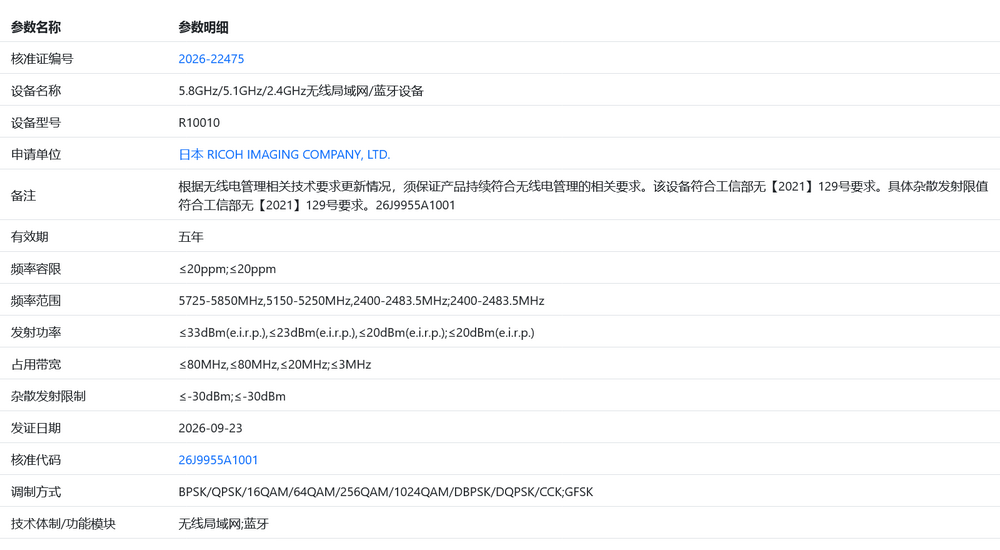
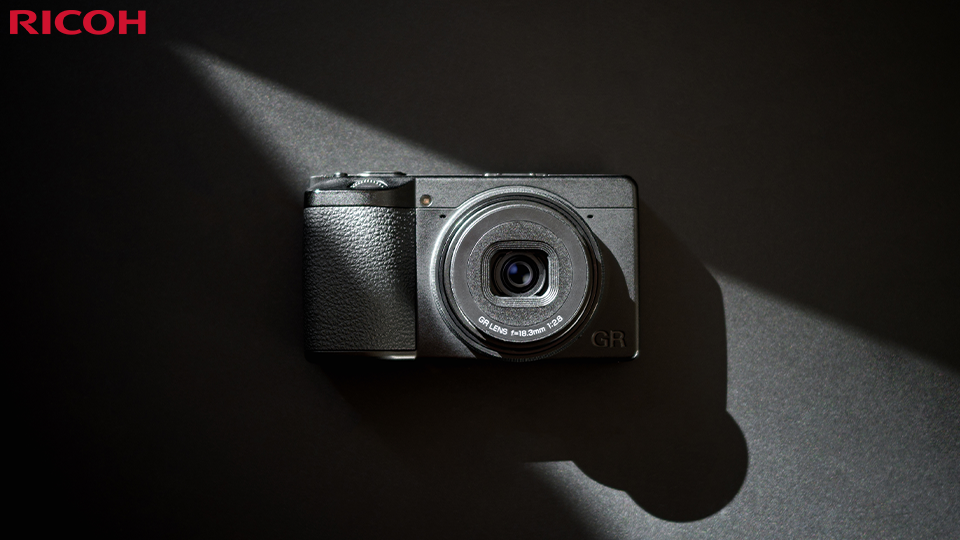
Ricoh Imaging registered a new digital camera in China with the codename R10010:


The new model is equipped with a tri-band Wi-Fi 6 module: 2.4, 5.1, and 5.8 GHz 1024-QAM, which stands for 10-bit Quadrature Amplitude Modulation, which corresponds to Wi-Fi 6. This is the same Wi-Fi module found in the Ricoh GR IV. The Ricoh GR IVx, which was announced two months ago, is the most obvious candidate:

Ricoh announces the development of a GR IVx camera with a newly designed 40mm lens

Via PentaxRumors

The post Ricoh registered a new R10010 camera appeared first on Photo Rumors.

Canon Camera Connect app: how well does it work?

We explored Canon’s connectivity app on both iOS and Android, to see how it behaves

Canon PowerShot V1 compact camera with flip-out screen showing the Smartphone connection menu screenRichard Butler

Easy smartphone connection is one of the most asked-for features we hear when talk to people about cameras, so we thought we’d investigate the current state of all the brands’ apps. Beyond a few frustrations, we found Canon’s Camera Connect to be one of the better options, at least with the recent cameras we had available to test.

Getting started

Before you can even use Canon’s Camera Connect app, you need to create a “Canon ID” using an e-mail address and password and log-in, which can be frustrating: it’s not entirely clear what benefit there is to the user of this. The app will also regularly ask you if you wish to register your camera with your Canon ID and will then remind you that you can do so, even if you say No. There’s no ‘do not show this message again’ option.

Camera menu screen with “Add a device to connect to” highlighted in purple.Richard Butler

To first connect the camera, you need to select your camera model from the app’s list of available models. This helps, in that it means the app should be able to guide you through the appropriate workflow for your camera model. 

Connecting the relatively recent PowerShot V1 to an Android phone was a case of using the displayed QR to download the app then starting the pairing process from the camera. With the app open and the camera trying to establish a connection, a pop-up box with the camera’s ID appeared on the app, letting me confirm Bluetooth pairing. I then had to confirm on the camera, too, then was good to go.

Bluetooth pairing dialog showing detected camera EOSR8m2_F022BD with Cancel button.
Open the app and initiate the pairing process from the camera and your camera’s ID should pop up on the app.
Richard Butler
Canon EOS R8 camera connected in a mobile app home screen.
Once paired, the app’s homescreen gives you the option to import images or engage live view shooting.
Richard Butler

Once the two devices were paired, it was just a case of opening the app and waiting for a bluetooth connection to be established. As soon as the bluetooth icon lights up in the app, you get the choice of importing images from the camera or to engage live view remote shooting. 

Wi-Fi connectivity

Selecting either of these options tells the camera to turn its Wi-Fi on, and after a few moments the phone asks permission to connect to the Wi-Fi network the camera has established. Click ‘Connect’ and it establishes a connection fairly quickly.

Android dialog in Camera Connect app asking to connect to Canon EOSR8m2 temporary Wi‑Fi network.
The Android app will ask your permission to connect to the camera’s Wi-Fi network, when you’re first pairing them.
Richard Butler
iPhone screen showing a Canon Camera Connect Wi‑Fi join prompt for EOSR8m2-876_Canon0A.
The iOS version of the app asks for permission to connect to the camera’s Wi-Fi network every time you re-establish a connection.
Richard Butler

On iOS you have to approve the network connection each time you re-establish a camera-to-phone Wi-Fi connection, whereas Android is happy to trust it, once you’ve given it permission the first time.

Photo gallery grid showing city scenes, beer glasses, a woman, and Big Ben thumbnails dated Apr 25, 2022.
sThe Images on camera option shows all the images on your camera’s storage card, and lets you filter by date or file type. The Apple version of the app lets you download JPEGs, HEIFs or Raws. The Android version is JPEG only.
Richard Butler

The “Imaged on camera” option, once the Wi-Fi connection has been established, shows all the images currently on the camera’s card. On Android, you can only import JPEGs, and the camera will generate a JPEG if you try to import a Raw file. On iOS, the app is happy to transfer JPEG, HEIFs or Raws, probably because all three file types are supported by Apple’s operating system, so it knows what to do with the files. If you try to import an HDR HEIFs using the Android app it’ll tell you you have to manually convert the HEIF to a JPEG (and drop down to SDR) on the camera, first.

Remote live view shooting

Engaging remote live view shooting is a similar process: pressing the button in the app initiates a Wi-Fi connection that you’ll need to approve each time on the iOS version. You’re then given a live feed from the camera with an interface that lets you control a lot of the camera’s settings.

Camera app view of houses on a rainy residential street with a utility pole in the foreground.Richard Butler

You can adjust exposure settings, drive mode, AF mode, white balance and so forth. You can’t change exposure mode, though or, at least, not on a camera whether that’s set using a physical dial. You don’t get fine-grained control like WB fine tune and some functions can be greyed-out for reasons that aren’t obvious.

Camera app viewfinder showing a zoomed in viewRichard Butler

Although not enabled by default, you can set the app to let you double-tap to zoom in the live view display to the area around the AF point. With this done, the manual focus function that lets you drive the focus forward or backward with three degrees of subtlety becomes much more useful, though the zoom only punches in to the 5x level of zoom, not the really fine 10x option you can get on the camera’s rear screen.

Camera app settings overlay with toggles over a live view of a house.Richard Butler

Taking photos in live view shooting mode does not transfer them to the camera: you’ll need to leave the live view shooting option and switch back to the “Images on camera” function. You can review your images and even give them a rating, but that’s it.

Further functions

Away from the App’s Home tab is another called “Functions,” which will show the other modes and functions available with whichever camera you currently have connected.

Canon camera connected in a mobile app home screen with function tiles and disconnect button.Richard Butler

So, for example, most cameras have an Auto Transfer option, that lets you automatically send images from your camera to your phone, as you take them. With this function you have the choice of whether to downsize the files (to 1MB 1620 x 1080px files) before transfer and the option to remove location data from the transferred images.

This mode only continues to function while a Wi-Fi connection is maintained and the Auto Transfer function is still active in the app. Auto Transfer can’t be used in conjuction with the live view shooting mode, frustratingly. Auto Transfer can’t send Raws and won’t send HDR PQ HEIFs, either.

Also in the Functions tab are a ‘Bluetooth remote control’ function, an option to share the smartphone’s location data with the camera, to add it to images as you shoot them, and the ability to send your phone’s date and time to the camera, with the option to update these settings every time you reconnect the app. This last feature sounds especially useful when traveling across time zones.

Camera date/time settings screen with automatic setting toggle, manual date and time fields, area, and daylight saving time switch.
You can share your phone’s time and date to your phone. Handy for travel
Richard Butler
Smartphone app screen showing location information settings with GPS being sent to the camera.
You can also share your phone’s location info to your camera, which it then embeds in the EXIF
Richard Butler

There’s also the option to set your camera up to connect to local Wi-Fi networks, which then lets you engage its Cloud upload and Live Streaming features. You can also do this from the camera itself, but it’s likely to be easier to find and connect to Wi-Fi networks from the app in your phone, rather than having to navigate an on-screen keyboard in the camera’s menus.

Newer cameras may include the option to download Custom Picture color profiles for video from Canon’s LUT library. This downloads standard .cube LUTs to your phone, from where you can push them to your camera. Via a rather convoluted process, you can then save these LUTs into one of the Custom Picture slots in your camera and save them to the SD card to simplify the process in future.

The final option in a link to the camera’s online instruction manual. The precise behavior may depend on how your local Canon subsidiary uploads its manuals, but in the US, at least, you get the choice of the user manual as html pages or in pdf form.

USB connection

What really sets Camera Connect apart from many other manufacturer apps is the ability to connect the two devices directly with a USB cable. Canon’s recent cameras have a “Choose USB connection app” menu option at the end of their network settings menu. Android users can leave it in the default “Photo Import/Remote Control” setting, whereas Apply users will need to select “Canon app(s) for iPhone.”

Camera menu for choosing a USB connection app, with “Canon app(s) for iPhone” highlighted.
Both the Android and iOS versions of the app can make direct connections over USB, but you have to set the camera to a special USB mode to work with an Apple phone.
Richard Butler

Once this is set, connecting a cable between the devices lets you jump straight into features such as image import, live view control or auto upload, that usually require a Wi-Fi connection. The Android version even asked whether you want Camera Connect to be automatically opened, when you connect your camera.

Canon EOS R8 camera shown in a camera app home screen.
Simply connecting the phone and app using a USB cable will let you use most of the modes that usually require a Wi-Fi connection. Only faster, and with none of the hurdles of pairing.
Richard Butler

This USB route is much faster than Wi-Fi and doesn’t require any pairing in advance. The camera doesn’t need to recognize the phone and you won’t need to select which phone to connect to, if you have more than one pairing registered: you just plug in and go. Even with a USB connection, the Android app won’t let you transfer Raws.

Other Apps

Finally, beyond the Functions tab, the Camera Connect app has an ‘Apps’ tab that lets you download Canon’s other smartphone apps, including its Selphy printing app and the EOS Webcam Utility Pro app.

Bluetooth connection success screen with Canon camera registration prompt and Register and Later buttons.
You’ve done something. Would you like to register your camera with your Canon ID?
Richard Butler
Canon app Bluetooth connection screen with a pop-up about registering additional cameras and an OK button.
Are you sure? You can do it later if you like. But what you can’t do is stop the app asking you. Constantly.
Richard Butler

Each time you open the app, it connects to Canon’s servers and checks for firmware updates for the currently active camera model. If an update is available, the app can show you the change log and let you download the firmware to your phone. It’ll then establish a Wi-Fi connection to the camera to transfer the firmware update file. 

Only once that file has transferred completely to the camera are you asked if you want to update the firmware, so you don’t have to worry about connection status during the update.

About the Author: Richard graduated as a scientist but had a lot more fun writing and shooting for his university magazine. A number of years spent variously as a reporter, writer and editor on science and engineering titles combined his knowledge of science with his interest in images and words. But it was spotting the connections between emission spectra, white balance and all the nonsense he’d taught himself playing around in Photoshop that helped kindle an interest in digital photography. Searching for a camera led to him discovering DPReview and Richard was recruited by Phil Askey in 2007. He’s been combining his love of photography, communication and attention to detail (pedantry?) ever since. He has unusually strong opinions about lenses for the APS-C format.

Want to stay up to date on the latest product news and releases? Add DPReview as a preferred source to ensure our independent journalism makes it to the top of your Google search results.
The latest photo editing software news

Par : PR admin
10 octobre 2026 à 07:57

First, here are some coupon codes for photo editing software:

The latest photo editing software news:


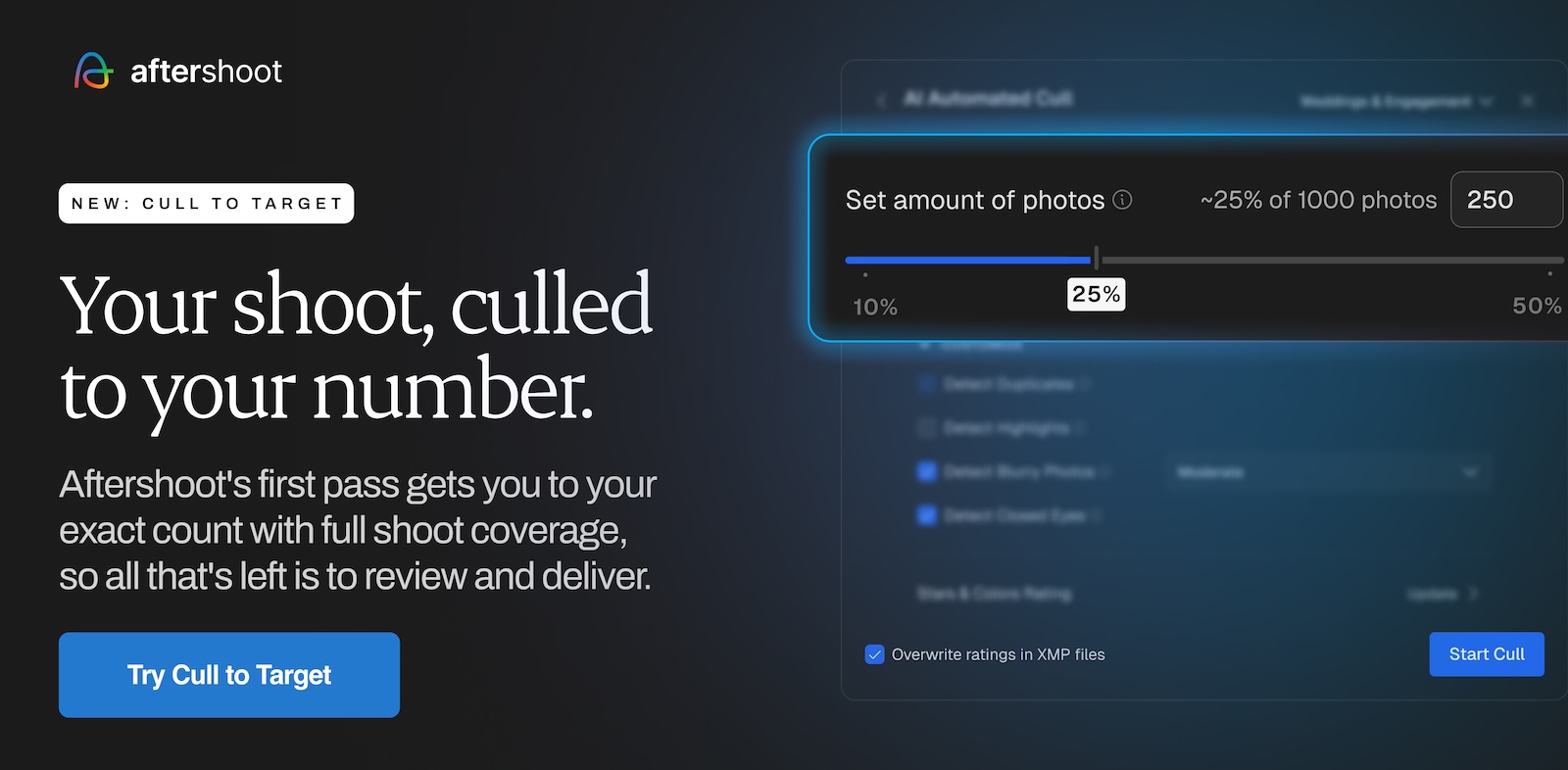
→ Aftershoot’s latest update includes Cull to Target, Improved Highlights, and People Filters:

  • Cull to Target. Choose how many photos you need, and Aftershoot selects exactly that many for you to review.
  • Improved Highlights. A stronger shortlist from your selects, so you can share sneak peeks with clients sooner.
  • People Filters. Find specific people in a shoot and review their photos without scrolling through everything.


→ Aftershoot released Photon: a free RAW editor for macOS and Windows.


→ Affinity and DxO announced a partnership (no subscription required; DxO PhotoLab version 10.1 released – is a perpetual license):

“Your edit no longer stops here. Develop your RAW file in PhotoLab, then send it straight to Affinity as a native .af file, ready for pixel-level editing. RAW perfection on one side, creative freedom on the other. Affinity is free on Mac and Windows.”


→ Imagic is a new desktop photo software for Windows and macOS. It culls a shoot with AI (scoring every frame and grouping bursts and duplicates), then edits and exports the keepers in the same app. Photos are processed on your own computer and are never uploaded.


→ Adobe completed the acquisition of Topaz Labs (more info).


→ Skylum removed the portrait editor Aperty from the app. Aperty will be discontinued on November 4th.


→ Adobe updated their apps on September 29th:


→ Adobe now has a real reason to cry: ArtCraft built almost every App that Adobe makes using Rust.

You don’t have to be a paying member to get discounts from those brands

The post The latest photo editing software news appeared first on Photo Rumors.

Generative AI scandal has come to one of Nikon’s competitions

The company has stripped an entry to its Small World In Motion competition of its first place prize.

Nikon logo with black text centered below a yellow square containing white diagonal rays.Nikon

Photo and video competitions have had to deal with fakes and forgeries since their invention, a task that’s become increasingly difficult in the age of generative AI. Many competitions have had to deal with revelations that entries – sometimes even winning ones – were faked or enhanced by AI. Now, it’s happened with one sponsored by Nikon.

The company has disqualified the video that won first place in its Small World in Motion competition, stating it “did not comply with the competition rules regarding generative AI.” That rule is relatively simple: “AI generated videos are not permitted and Sponsor holds the right to request the original video for verification.”

The video in question supposedly showed “abnormal beating of airway cilia in a child with primary ciliary dyskinesia (PCD), a rare genetic disorder affecting respiratory function,” and the original press release announcing it as the winner had several paragraphs describing the importance of the imagery and how it was captured.

The statement doesn’t say is what role generative AI played in the video’s creation

Nikon’s statement says the decision came “after thoroughly re-evaluating the video and supporting materials and consulting with members of our judging panel.” It also clarifies that the decision “is based solely on the submitted video’s eligibility under the rules outlined for this competition” and “should not be interpreted as a judgment of the entrant’s professional reputation, scientific contributions, or intent.”

What the statement doesn’t say is what role generative AI played in the video’s creation; whether it was fully synthetic, or if it was used to edit something that was once a real image. You can still see it in news coverage of the competition and it looks otherworldly, but, to me, that’s the case for authentic microscopy videos, too. The BBC says the winner “acknowledged using AI,” and reports that other scientists raised the alarm about the video, with one expert in PCD saying that the cells in the video “look nothing like those from PCD patients.”

The new winning video. “A tiny roundworm and a single-celled Dileptus explore their microscopic world.”
Nguyen Nam OME | Chu Se, Gia Lai, Vietnam | Differential Interference Contrast (DIC) | 40X (Objective Lens Magnification)
Nguyen Nam Nhat / Nikon Small World

The company says the incident shows it needs to re-evaluate its rules and procedures moving forward, though as AI tools and people’s familiarity with them and willingness to use them advance, it seems likely that this will continue to happen, despite a growing market of tools designed to identify AI-generated or edited content. The reality is that many of the existing tools are, essentially, guessing, or rely on watermarks embedded by tools made by companies acting in good faith. Someone looking to enter a doctored or generated video into a competition would be able to bypass those relatively easily.

In light of the incident, Nikon has changed the rankings of the Small World In Motion competition, which awards a prize of $3000 for first place. That spot has been awarded to the former second place winner, Nguyen Nam Nhat, who submitted a video of “a tiny roundworm and a single-celled Dileptus” moving around. Second place now belongs to Benedikt Pleyer’s video of jellyfish larvae, and third place goes to Dr. Andrew Moore for their video of “synchronized cell division in neighboring cells.” You can view all the winners on the Nikon Small World website.

About the Author: Mitchell started taking pictures at 10 and hasn’t stopped since. It’s been a wide-ranging adventure, spanning a wide variety of genres and locales, and occasionally dipping into fascinations with video and filmmaking. They honed their technical knowledge doing documentation, programing and QA, writing for The Verge, and just generally messing around on the computer to see what breaks.

Want to stay up to date on the latest product news and releases? Add DPReview as a preferred source to ensure our independent journalism makes it to the top of your Google search results.
Google releases a free tool to check for an increasingly common AI watermark

SynthID Detector has its limitations, but is an important part of an ecosystem.

SynthID Detector logo featuring a shield icon containing a four-pointed star.Mitchell Clark

Google has made its free tool for identifying SynthID watermarks available to the general public, potentially making it easier to tell whether what you’re looking at was created by or edited with generative AI. While the tool is only looking for a watermark, rather than analyzing the image to see if it’s AI-generated, an increasing number of companies are starting to add SynthIDs to the images, video and audio generated by their AI tools.

The tool, called SynthID Detector, is relatively simple. You can upload an image, video file or audio clip to it, and it will scan for a SynthID. Google says that AI tools from itself, Nvidia, OpenAI and Kakao use the standard, so the tool should be able to tell whether AI was used to create the thing you’ve uploaded. Apple has also promised to start using SynthIDs to watermark its AI-powered photo manipulation tools later this year.

Jersey with FLOWERS 8 on the back being used to sign baseballs in a stadium tunnel.
This image was originally a black and white film photo, but was colorized using Google Gemini, which added a SynthID watermark to its output. The tool was then able to detect it.
Mitchell Clark

Rather than try to add easily-removed metadata, SynthIDs are invisible watermarks added to AI-generated media, which should theoretically survive modification like cropping, adjusting colors or being compressed by a platform that isn’t even attempting to preserve the watermark. Also importantly, the watermark shouldn’t be detectable in the final output.

There is one somewhat annoying gotcha with the tool: it requires you to sign in with a Google, Apple or OpenAI account to actually check anything. This extra friction may be enough to dissuade someone from casually checking an image, and doesn’t really feel like it should be necessary.

It’s also worth noting that it is very limited. While many major players are represented in the list of companies on board with SynthID, there are plenty that aren’t. As the tool’s homepage warns, it doesn’t detect whether the image was made by AI, it can only tell you whether it was made with a specific subset of models. It’s also binary, only telling you if an image has a watermark or not. Unlike more robust (and, in some ways, more limited) tools like Apple’s Reference Image system or Coalition for Content Provenance and Authenticity (C2PA) Content Credentials, there’s no way to see the original image, or tell whether the AI simply tweaked a real photo or created an image wholesale.

Hanging angel’s trumpet flowers in a garden, shown in a SynthID detection interface indicating no AI-generated media.
This image was edited using with Apple Photo’s AI tools, but because those don’t yet bake in SynthIDs, the tool doesn’t detect it. Even if it could, though, it wouldn’t be able to tell me that the image is a real photograph that’s had part of it erased using AI, rather than an entirely synthetic image.
Mitchell Clark

Still, it’s an important piece of the puzzle as SynthID is gaining popularity. After all, a watermark isn’t particularly useful if it’s invisible and you have no way of checking it. You’ve been able to ask Google Gemini if an image has a SynthID watermark in it for a while now, and Google’s Chrome browser and Search engine will flag images with them in some cases, but the detector is a much lighter-weight solution, and provides an option for those who may be checking an image because they’re morally opposed to using AI, and who likely wouldn’t view being able to ask an AI chatbot about it as an acceptable option.

About the Author: Mitchell started taking pictures at 10 and hasn’t stopped since. It’s been a wide-ranging adventure, spanning a wide variety of genres and locales, and occasionally dipping into fascinations with video and filmmaking. They honed their technical knowledge doing documentation, programing and QA, writing for The Verge, and just generally messing around on the computer to see what breaks.

Want to stay up to date on the latest product news and releases? Add DPReview as a preferred source to ensure our independent journalism makes it to the top of your Google search results.

With the right lenses, all formats can shine

Proper support lets different formats deliver on their size/price/IQ promise

Two Fujifilm mirrorless cameras with attached lenses, one black and one silver, on a gray surface.Richard Butler

I’m going to argue that Sigma’s 50-120mm F2.8 is one of the most interesting lenses this year. And not just because I’ve been asking for something like it, for years.

Different formats have different strengths and weaknesses, generally offering a different balance of size, price and image quality. But they can only live up to their full potential if they have lenses that let them deliver the size or price benefits they should be capable of.

An array of Fujifilm lenses for APS-C cameras
Many mirrorless systems are now mature enough to include a broad range of lenses, such as Fujifilm’s X-mount lineup, pictured here.

For various reasons that have very little to do with the merits, or otherwise, of APS-C, most of the biggest camera makers have heavily focused their lens development on full-frame. This has left us in the odd situation where Canon, Nikon and Sony all make some quite nice APS-C bodies, but with lenses for them being distinctly few and far between.

But, as was the case in the DSLR era, third-party makers such as Sigma and Tamron have helped fill the gap. And, refreshingly, for the most part, the big camera makers have let them.

Different formats can only live up to their full potential if they have lenses that let them deliver their size or price benefits

Finally, with the arrival of Sigma’s new 75-180mm equiv zoom, APS-C users across multiple systems can put together some pretty flexible kits that take full advantage of the size, price, image quality balance that the format should be able to provide.

Black Sigma 50-120mm camera lens beside a Deschutes Black Butte non-alcoholic beer can.
Until you see it in person, it’s difficult to appreciate just how compact Sigma has managed to make its new 50-120mm F2.8 lens.
Richard Butler

Incrementally, the choice of compact primes for APS-C has expanded, with autofocus options from the likes of Sigma, Tokina and Viltrox spanning a wide range of focal lengths. In terms of zooms there are a choice of wide-angles, and both Tamron and Sigma offer some interesting fast standard zooms

Even the camera makers themselves seem to recognize this need, with Nikon, Sony and Fujifilm all offering 16-50-ish F2.8 options. And, collectively, these options will cover a wide range of photography situations.

Wide-angle zoomsFast standard zoomsFast tele zooms
Fujifilm X-mount• Fujifilm 8-16mm F2.8
• Fujifilm 10-24mm F4
• Sigma 10-18mm F2.8
• Tamron 11-20mm F2.8
• Tokina 11-18mm F2.8
• Fujifilm 16-55mm F2.8
• Sigma 17-40mm F1.8
• Sigma 18-50mm F2.8
• Tamron 16-50mm F2.8
• Tamron 17-70mm F2.8 VC
• Fujifilm 50-140mm F2.8
• Sigma 50-120mm F2.8 OS
Sony E-mount• Sony 10-24mm F4
• Sigma 10-18mm F2.8
• Tamron 11-20mm F2.8
• Tokina 11-18mm F2.8
• Sony 16-55mm F2.8 G
• Sigma 17-40mm F1.8
• Sigma 18-50mm F2.8
• Tamron 16-50mm F2.8
• Tamron 17-70mm F2.8 VC
• Sigma 50-120mm F2.8 OS
Canon RE-mount• Canon 10-18mm F4.5-6.3 IS
• Sigma 10-18mm F2.8
• Tamron 11-20mm F2.8
• Sigma 17-40mm F1.8
• Sigma 18-50mm F2.8
• Tamron 16-50mm F2.8
• Tamron 17-70mm F2.8 VC
• Sigma 50-120mm F2.8 OS
Nikon Z-mount• Nikon 12-28mm F3.5-5.6 PZ VR• Nikon 16-50mm F2.8 VR
• Tamron 16-50mm F2.8
• Tamron 17-70mm F2.8 VC
• N/A

The addition of a modern approximation of a 70-200mm equiv for APS-C rounds out this lineup. It means you can keep your kit small and relatively affordable across an even wider range of photography. And it’s hard to convey just how small the Sigma 50-120mm is, until you see it in person.

Obviously, a 50-120mm F2.8 is not fully equivalent to an F2.8 75-180mm lens on full-frame (120/2.8 ≠ 180/2.8), but it lets you do the things that make a 70-200mm lens on full-frame so popular, while maintaining the size and price benefits you get in return for the image quality trade-off.

I loved the original APO Sigma 50-150mm F2.8 EX II HSM in the DSLR era because it was two-thirds the size of a 70-200 and two-thirds the price. It was a much easier to handle and less potentially intimidating lens than a 70-200, helping give me the confidence to shoot some of my first public portraits. And it was much easier to carry than the second-hand 70-200mm F2.8 I’d previously bought and that sat at home unless I was absolutely sure I’d need it.

3qrt view of the Sigma 50-120mm F2.8 OS DC lens
For years, I described the original APO 50-150mm F2.8 as two-thirds the size of a 70-200mm F2.8, two-thirds the weight and two-thirds the cost. The 50-120mm makes those differences even greater, which will perhaps make it a more compelling alternative to its bigger, more expensive counterpart.
Richard Butler

The new Sigma not only repeats that trick but improves on it. It’s so much smaller and lighter than an actual 70-200mm lens (even compared with Canon’s RF 70-200mm F4 with which it’s approximately equivalent) that it means I can keep it with me, even if I’m not anticipating needing it.

So, APS-C users, you have a choice: you can believe the bottom-line-benefitting talk of ‘upgrade paths,’ and saddle yourself with a heavy, expensive 105-300mm equiv lens (which can have their uses, but that aren’t necessarily the same as those of a 70-200mm), or you opt for the Sigma, and gain approximately 70-200 utility in a lens you can fit in a coat pocket. As an APS-C shooter, I know which makes sense to me.

About the Author: Richard graduated as a scientist but had a lot more fun writing and shooting for his university magazine. A number of years spent variously as a reporter, writer and editor on science and engineering titles combined his knowledge of science with his interest in images and words. But it was spotting the connections between emission spectra, white balance and all the nonsense he’d taught himself playing around in Photoshop that helped kindle an interest in digital photography. Searching for a camera led to him discovering DPReview and Richard was recruited by Phil Askey in 2007. He’s been combining his love of photography, communication and attention to detail (pedantry?) ever since. He has unusually strong opinions about lenses for the APS-C format.

Want to stay up to date on the latest product news and releases? Add DPReview as a preferred source to ensure our independent journalism makes it to the top of your Google search results.

The Yashica Crew is a cheap, tiny compact “inspired by friend groups”

The company says it’s designed for group photos, but it may not be the best for that.

Black Yashica Crew digital camera with a flip-up screen displaying a selfie of three people.Yashica

When you use DPReview links to buy products, the site may earn a commission.

Yashica has announced a new compact camera called the Crew, which it says is “inspired by the collective energy of friend groups, production crew, and travel companions” and designed “to turn distance into connection.”

Unlike the undeniably retro Y16 the company announced last month, the Crew features a more classic compact form factor, looking much like many of the other cameras being sold under the Yashica brand name. However, while cameras like the City 100 feature a fully articulating screen, the Crew features a 3.0″ LCD (in a slightly unusual 16:9 aspect ratio) that flips up, making it ever so slightly quicker to grab a selfie of you and your friends.

That’s the idea, anyways. In practice, that may be a bit of a struggle, thanks to the camera’s retracting lens, which the company boasts features a “6x optical zoom.” According to the images on the company’s website, it has a focal range of 4.3-24.8mm, which works out to around 32-183mm equiv., given the camera’s sensor. While 32mm equiv. is still relatively wide, you may struggle to capture more than a person or two at that setting with sensible framing unless you have particularly long arms.

A collage of images showing the small size of the Yashica Crew compact camera.Yashica

That sensor seems to be the one found in many of Yashica’s other cameras: a 13MP model in the minuscule Type 1/3.06 (16.45mm²) format. For reference, that’s almost three times smaller than the Type 1/1.56 (48mm²) that the iPhone 17 uses for its main camera, and is still substantially smaller than what you’d find in the 2000’s-era compacts it’s aping. That, combined with the lens’ very slow apertures (F3.1-6.4, or F22.8-47.2 equiv.) mean the camera will struggle in all but the best light, though it does have a flash to help out a bit; it’s unclear whether it’s a xenon tube or an LED.

Some people may be able to overlook that because they’re going for a lo-fi aesthetic, or because this camera takes its compact moniker seriously. Yashica says it’s 26mm (1″) thick when powered off, and weighs just 126g (4.4oz), which means it may genuinely fit in a relatively small purse or bag, or even a pants pocket.

It can shoot 2.7K (2688×1512, a bit higher-res than FullHD) video at up to 60p, and can even upscale that to 4K, though we wouldn’t expect stellar results. Likewise, it has the option of producing up to 36MP images though, again, the sensor is only 13MP.

An “approachable introduction to photography for the next generation of image-makers”

The Crew has a removable battery and USB-C charging. The company says it’s designed to be an “approachable introduction to photography for the next generation of image-makers” that offers “more creative flexibility than a smartphone while maintaining point-and shoot simplicity.”

While I’m not entirely sure the inclusion of seven color filters delivers on the promise of creative flexibility – the camera doesn’t seem to offer much manual control – it definitely delivers on the approachability. It costs just $168, or 1,320 Hong Kong dollars for a standalone model, though you can pay $10 more to get a version with a 32GB microSD card. It will be available in black or silver, starting later this month, around October 26.

Like many other compacts on the market, the Crew is being sold under a brand name that people may remember (or be familiar with from shopping for vintage cameras), but it’s not really the same company anymore. The Crew and Yashica’s other cameras are branded and distributed by the Hong Kong-based 100 Enterprises, though it’s not entirely clear who actually produces them.

About the Author: Mitchell started taking pictures at 10 and hasn’t stopped since. It’s been a wide-ranging adventure, spanning a wide variety of genres and locales, and occasionally dipping into fascinations with video and filmmaking. They honed their technical knowledge doing documentation, programing and QA, writing for The Verge, and just generally messing around on the computer to see what breaks.

Want to stay up to date on the latest product news and releases? Add DPReview as a preferred source to ensure our independent journalism makes it to the top of your Google search results.

Why this macro photographer shoots carnivorous plants with a 50-year-old Pentax lens

From delicate flowers to elaborate traps, this photographer reveals the unexpected beauty of carnivorous plants. He shares how a Panasonic S1R and vintage lenses help him balance scientific detail with imaginative close-ups.

Close-up of a Venus flytrap with open orange-red trap and spiky cilia against a dark background.Florent Chouffot

Meet Florent Chouffot

Home base: Belfort, France

Florent Chouffot, known in the community as Adynatoon, is fascinated by the relationship between various insects and plants. From delicate flowers to elaborate traps, Florent reveals the unexpected beauty of carnivorous plants. He shares how a Panasonic S1R and vintage lenses help him balance scientific detail with imaginative close-ups.

“I’m a French amateur photographer who’s been into the hobby since the early 2000s. I’ve always been fascinated by weather phenomena, especially thunderstorms. What frustrated me most was how fleeting these moments are, sometimes lasting only minutes… or just milliseconds in the case of a lightning strike. Photography felt like the obvious way to hold onto them.

Around the same time, I started growing carnivorous plants. I think they are the perfect expression of nature’s extreme adaptations, with extraordinary shapes and colors, and so many fine details you can barely see with the naked eye that deserve to be showcased. So from the very beginning, I’ve had these two interests: skyscapes and plant close-ups.”

Our ‘What’s in your bag?’ community spotlight series features readers sharing their favorite gear and photography, including from past DPReview collaborators. See below for what Lester has to share.

What’s in Florent’s bag

Black camera backpack with assorted camera lenses, batteries, accessories, and a flash laid out beside it.
Florent Chouffot’s camera bag.
Florent Chouffot

Favorite cameras(s): Panasonic DC-S1R

“I’m currently using a Panasonic DC-S1R. It offers the best balance of features for the way I work, and when I bought it, it was a great bargain for what it delivers. I don’t need advanced autofocus – or much autofocus at all – and I don’t need speed. What I value is low ISO noise and very high detail. I also appreciate how many different lenses I can mount on it.”

Favorite lens(s): Pentax K SMC 55mm F4 macro

For plant macro photography, I use a Pentax K SMC 50mm F4 macro – a lens from 1975!

“For plant macro photography, I use a Pentax K SMC 50mm F4 macro – a lens from 1975! 50mm is an easy focal length to work with, perfectly suited to plants, and the lens, stopped down to F8, is fantastic from center to corner, with near-zero aberrations, no distortion and a punchy rendering. It’s also a real pleasure to use, with its beautifully dampened focusing ring.

I also use a Samyang 135mm F2 for more distant subjects, a very affordable lens that delivers excellent image quality. Unlike the Pentax, I almost always shoot it wide open for that dreamy look while keeping the important parts sharp wherever they sit in the frame. For wide-angle work, I have an old Pentax K SMC 28mm F3.5, though I might actually use it more for macro than for landscapes.”

Favorite bag: “My bag is a Manfrotto Gear Backpack M that I bought in 2014. I’ve changed cameras and lenses far more often than I’ve changed bags…”

Any unusual accessories you carry?

Two white-and-pink pitcher plant flowers with red veining against a dark green background.

Canon EOS-1Ds Mark II | Canon EF 70-200mm F4L USM @ 163mm | F5.6 | 1/160 sec | ISO 100
Florent Chouffot

Must-have accessories: “When going out in the field, I usually bring a small Godox flash with a diffuser, a remote controller, a Canon close-up lens and a reverse ring. Of course, a tripod for lightning and any night shooting session.”

“The most unusual camera I’ve used was an Imacon Ixpress 528C medium-format digital back with an integrated fan, mounted on a Mamiya 645DF. It came with a humongous battery-powered dedicated hard drive just to save the photos, so I had to attach it to my trouser belt while shooting. Believe me, I never complained about the size of Compact Flash cards after that. The setup was heavy and clumsy, but I really liked the unique image rendition and later regretted selling it.

The reverse ring has to be one of my favorites, because it turns a wide-angle lens into a high-magnification macro tool for just a few bucks. I use one with the old Pentax 28mm F3.5 lens. There are compromises (image quality isn’t even across the frame, unlike with most dedicated macro lenses), but it’s great fun, and it still amazes my hiking companions a bit like a magic trick.”

What makes carnivorous or insectivorous plants the perfect photo opportunity for you?

Macro close-up of a pink and yellow flower bud with spiky petals against a dark background.
Trap of Dionaea muscipula, the Venus flytrap. What looks like an open mouth is actually a pair of hinged terminal lobes with trigger hairs inside. Touching them makes the trap snap shut in about one-tenth of a second.

Panasonic DC-S1R / Laowa 100mm F2.8 2X Ultra Macro APO.
Florent Chouffot

“I shoot outdoors for obvious reasons when it comes to weather, and indoors with my plants when the sky isn’t particularly interesting. I have a terrarium filled with carnivorous plants that grow year-round under a horticultural LED panel, so I always have subjects available, even if the best angles can sometimes be tricky to get.

The only carnivorous plant I’ve photographed in its natural habitat so far is the oblong-leaved sundew (Drosera intermedia) in a nearby swamp. I sometimes go out looking for small critters as well, though they tend to be a much bigger source of frustration than plants, for a reason I probably don’t need to explain.”

Leaves often look more interesting when backlit, because the light reveals the internal structure rather than just the surface.

“Leaves often look more interesting when backlit, because the light reveals the internal structure rather than just the surface. For carnivorous plants, backlighting can also show what’s inside the traps, creating unique, eerie images. When I photograph my own plants, I have all the time I need to find the best angle, the best light, and the exact moment when the plant looks most interesting.

Fully developed traps are an obvious subject, but many plant parts are actually just as interesting at various stages of their development, both from a botanical and an artistic point of view. I also like to show carnivorous plants both as people expect them to look – animal-like, almost aggressive – and in their much less familiar aspects: delicate, subtle or simply through their flowers.”

What’s changed since the beginning?

Close-up of a curled green sundew leaf with red sticky tentacles on a black background.

Canon EOS-1Ds Mark II | Sigma 105mm F2.8 EX DG OS HSM Macro | F10 | 1/100 sec | ISO 200
Florent Chouffot

“Learning is a permanent process. New techniques, but also a lot of trial and error with gear. I’ve experimented with everything from reverse rings and lens stacking to early digital medium-format equipment, just to explore different looks and understand what various systems are capable of.

What improved my photography most was simply practicing a lot, learning how both my gear and my subjects interact with light, and looking carefully at other people’s work on photography sites and forums like DPReview.”

What unusual environments are there around Belfort?

Close-up of a fly perched on a red pitcher plant against a blurred green background.

Panasonic DC-S5 | 135mm | F4 | 1/160 sec | ISO 1250
Florent Chouffot

“The most unusual environment I’ve worked in was a completely dark bunker where I photographed a cave-dwelling spider, Meta menardi, that had not yet been recorded around Belfort. There was no ambient light at all, so I worked entirely with flash.

Another memorable place is the swamp where I found the Drosera. It’s a fragile ecosystem that requires real care just to move around without damaging anything. The visit felt special because I had to move very slowly, almost the way you do when photographing animals, but for reasons of fragility rather than flightiness.

Simply finding the plants in that specific habitat was already rewarding, as they’re very small.”

While you said plants are easier than insects, what strategies still help to capture a great shot?

Macro of two pink flower buds on a curling hairy stem against a black background.
Florent Chouffot

“Practice as much as you can and don’t hold yourself back. Cameras and lenses are far more versatile than you often read online. People tend to present their own style and preferred gear as a universal truth – “X is better than Y”. For instance, I’m not a film photographer, and I don’t like the usually grainy results, but I think it’s wonderful that the option still exists for those who love the look or want to delve into it.

See what your preferred subjects are and discover how and with what you enjoy shooting them. The results matter, but so does the actual process. With my old Pentax lens, turning the super-smooth focusing ring to find focus is genuinely satisfying and makes me feel more connected to my photography. With so many cameras and lenses available, any of them can serve someone’s creativity if approached with an open mind.

Practice as much as you can and don’t hold yourself back. Cameras and lenses are far more versatile than you often read online.

When I photograph carnivorous plants, I always try to balance the scientific and the poetic. I’m interested in both the morphological features and the atmosphere the scene creates as a whole. It’s about celebrating the beauty and uniqueness of these plants, explaining why they look and function the way they do, while also trying to spark the viewer’s imagination.”

Florent really enjoyed participating in this spotlight article and would love to hear what you think of his photography and to answer any of your questions in the comments below.

You can check out Florent’s other work on Instagram.


Editor’s note: This article continues a series, ‘What’s in your bag?’, highlighting DPReview community members, their photography and the gear they depend on. Would you like your photography to be featured in a future installment? Tell us a bit about yourself by filling out this form.

About the Author: Mathew Anderson is a proud Community Manager for the technology industry and a past visitor to DPReview.com for all his camera needs. He is currently the lead of DPReview’s community and primary communication link between the community and DPReview’s team.

Want to stay up to date on the latest product news and releases? Add DPReview as a preferred source to ensure our independent journalism makes it to the top of your Google search results.

Throwback Thursday: Sigma APO 50-150mm F2.8 EX II

Sigma’s new 50-120mm F2.8 prompts a look back at an oft-overlooked lens that should have been a classic

Purple and pink chive flowers with a bumblebee on a purple bloom.Richard Butler

Sometimes the future creeps up on you quicker than you expected. We’ve been thinking about re-starting our Throwback Thursday series for a while, but Sigma’s announcement of a 75-180mm equivalent lens for APS-C rather forced our hand.

This year marks 20 years since Sigma launched the original APO 50-150mm F2.8 EX HSM DC, a fast 75-225mm equivalent zoom for APS-C. A lens that gave APS-C DSLR users the range and utility of a classic 70-200mm but without the cost or weight of one.

DPReview marked the date with a single-paragraph news story along with Sigma’s press release, which was our standard level of lens coverage, back when the site had only a single full-time member of staff. We described it as “very interesting sounding.” Even for Phil’s level of British understatement, this is to significantly under-sell the lens. At a time when full-frame was out of reach for all but the most committed enthusiasts, this gave APS-C users a lens they hadn’t had before: a dedicated, fast 70-200mm equiv.

Pack of road cyclists emerge from under London's Hungerford Bridge with spectators cheering behind barriers.
Nikon D300S w/ Sigma APO 50-150mm EX II DC @ 150mm | F3.2 | 1/1600 sec | ISO 500
Richard Butler

A slightly revised Mark II with very similar specs was released in 2008 and a copy made its way to the DPReview offices. It must have been a Nikon version as there are samples in the review gallery of the Nikon D5000 and D300S reviews the next year. There’s one shot by Phil, but the rest seem to be by me. Because I loved that lens.

Black Sigma 50-150mm f/2.8 camera lens with zoom and focus rings on a white background.
The original Sigma APO 50-150mm F2.8 EX DC (I used the slightly revised Mk II version). The lens was first launched in 2006, long before we made a habit of preserving the full-resolution product images.
Sigma

I’d arrived at DPReview as the owner of both an APS-C DSLR and a 70-200mm F2.8 that I barely ever used because it was just too big and heavy to casually carry around. Even having bought it second-hand, it ended up being one of my least cost-effective photographic purchases ever.

The 50-150mm was a revelation: it was less than two-thirds the size of most 70-200mm F2.8s, less than two-thirds of the weight and something like two-thirds the price. Unsurprisingly, it was much more directly comparable with the dimensions of Canon’s popular 70-200mm F4, but offering a range I found more useful and with an extra stop of light capture on the APS-C cameras we tended to be testing.

Cyclist wearing a silver helmet and orange Halfords Bikehut jersey against a blue background.
Nikon D300S w/ Sigma APO 50-150mm EX II DC @ 105mm
F2.8 | 1/400 sec | ISO 200
Richard Butler
Close-up portrait of a woman wearing a beaded necklace and gray top outdoors.
Nikon D5000 w/ Sigma APO 50-150mm EX II DC @ 90mm
F2.8 | 1/400 sec | ISO 200
Richard Butler

It had the range to let me shoot things like bike racing and also made a pretty handy portrait lens, as it was much easier to handle and much less intimidating than a full-sized, tripod-footed 70-200 F2.8. And its compact size meant I did actually carry it around with me. And got more photos, as a result. The 50-150mm taught me an important lesson about how different formats can shine, if they’re properly supported.

I used it regularly over the time we had it and was disappointed when its stabilized replacement used the same housing as the 70-200mm F2.8 launched alongside it: giving up the size and weight benefits that appealed so much in the first place. It’s what perhaps made me a little over-excited when, years later, Fujifilm and Samsung produced similar lenses, even though they weren’t as small or light as I’d hoped.

I think I’ve requested or asked after a 50-150mm successor almost every time I’ve met Sigma’s CEO, Kazuto Yamaki. I thought I was reading too much into his response when he seemed more positive about the idea, last time we met.

But the only thing that excited me more than hearing that Sigma was about to lauch a spiritual successor to the 50-150mm F2.8, was unboxing it for the first time and finding out that the new lens is even smaller and even lighter than its DSLR forbear. And, looking at the images: sharper and better able to focus, too. I wonder if this new lens will inspire the same decades-long appreciation.

About the Author: Richard graduated as a scientist but had a lot more fun writing and shooting for his university magazine. A number of years spent variously as a reporter, writer and editor on science and engineering titles combined his knowledge of science with his interest in images and words. But it was spotting the connections between emission spectra, white balance and all the nonsense he’d taught himself playing around in Photoshop that helped kindle an interest in digital photography. Searching for a camera led to him discovering DPReview and Richard was recruited by Phil Askey in 2007. He’s been combining his love of photography, communication and attention to detail (pedantry?) ever since. He has unusually strong opinions about lenses for the APS-C format.

Want to stay up to date on the latest product news and releases? Add DPReview as a preferred source to ensure our independent journalism makes it to the top of your Google search results.

Sigma’s 50-120mm F2.8 OS DC is an APS-C legend in the making, for just $799

Fast 75-180mm equiv lens is coming to most of the popular lens mounts and is smaller than you can believe

3qrt view of the Sigma 50-120mm F2.8 OS DC lensRichard Butler

Sigma has announced the 50-120mm F2.8 OS DC | Contemporary, a fast telezoom for APS-C mirrorless cameras. The lens delivers a 75-180mm equivalent range for Fujifilm X or Sony E mount cameras and an 80-192mm equiv range for Canon RF users.

The lens is a spiritual successor to the excellent APO 50-150mm F2.8 EX DC HSM from 2006, but manages to add stabilization and downsize considerably.

At just 67mm wide and 99mm long (3.90 x 2.63″) for the E-mount version, the lens is smaller than a standard can of Coke (both the 330ml and 12oz versions). Its length extends by 25% when zoomed to its full extreme but is still only a fraction longer (5mm/0.2″) than Canon’s RF 70-200mm F4 in its retracted form. It weighs 390g (13.8oz), which again is remarkably similar to the weight of a full can of Coke.

A Sigma 50-120mm F2.8 OS DC placed alongside a Fujifilm 50-140mm F2.8 lens.
The Sigma 50-120mm F2.8 OS DC alongside the Fujifilm XF 50-140mm F2.8 LM OIS WR, showing the size difference.
Richard Butler

The 50-120mm completes a trio of F2.8 zooms for APS-C mirrorless, alongside the existing 10-18mm F2.8 and 18-50mm F2.8 lenses. Despite its longer range and similarly bright aperture, it shares a 55mm filter thread with the 18-50mm. It’s the only member of the F2.8 DC set to have a dedicated aperture ring and image stabilizaton.

That stabilization is rated at 6.5 stops of correction at 50mm and 4.5 stops at the 120mm long end, per tests conducted to CIPA’s standard methodology.

A Sigma 50-120mm F2.8 OS DC placed alongside a Fujifilm 50-140mm F2.8 lens. The Sigma is extended to its 120mm position.
The Sigma 50-120mm F2.8 OS DC alongside the Fujifilm XF 50-140mm F2.8 LM OIS WR, showing the size difference when the Sigma is extended to its full zoom position.
Richard Butler

The new lens uses a “high response linear actuator” for autofocus and has seemed swift and reliable from our usage so far, though we’ve not been trying sports shooting with it just yet.

The optical design utilizes 18 elements in 13 groups, including one fluorite-like FLD element, three super-low dispersion elements and four aspherics. The company says it’s been designed to exhibit minimal focus breathing, to extend its usefulness to video. It features 11 rounded aperture blades to keep bokeh circular.

The Sigma 50-120mm F2.8 OS DC sits next to Canon's retractable RF-mount 70-200mm F2.8 L, showing the size difference
The Sigma 50-120mm F2.8 OS DC alongside Canon’s retractable RF-mount 70-200mm F2.8L IS, both lenses extended to 100mm-equivalent positions. A fairer comparison would be the RF 70-200mm F4, which is still 25% wider and 20% longer, in its retracted position. And around twice the price.
Richard Butler

The lens barrel features a zoom ring, focus ring and a dedicated aperture ring (on the Sony and Fujifilm versions, at least) with an ‘A’ position. The Canon RF version will have a smooth-rotating control ring instead of an aperture ring.

As part of the Contemporary series it’s been designed to be dust and splash resistant. Its presence in Sigma’s more affordable line also means it’s priced at a remarkably reasonable $799.

Shooting experience

I’ve been shooting with a Fujifilm mount version of the lens for a week or so and I’m still caught off-guard occasionally that I’m using a 70-180mm equivalent, rather than a standard zoom.

Close-up of a gray squirrel eating a nut on a stone surface.
Sigma 50-120mm F2.8 on a Fujifilm X-H2 @ 120mm | F3.6 | 1/500 sec | ISO 160
Richard Butler

The aperture ring, the first on one of Sigma’s DC zooms for mirrorless, works nicely with the X-T4 and X-H2 bodies I used it on, though I did wish the lens could be locked in or out of the A position, rather than it simply being spaced a little further beyond F22.

For the size and the price, I was willing to forgive some pretty major image quality issues but didn’t encounter too many.

Close focus isn’t this lens’s strength, with the corners getting extremely soft and swirly if you shoot a flat subject a 50mm. Things are a lot more predictable near minimum focus distance at the long end of the zoom.

The swirliness makes a reappearance in the bokeh at times, but not in a way I found objectionable. In general, I found the bokeh to be soft and attractive, without any fussiness, which isn’t always a given for a fast tele zoom.

Pine branch with green needles and small brown pine cones against a blurred outdoor background.
Sigma 50-120mm F2.8 on a Fujifilm X-H2 @ 120mm | F2.8 | 1/350 sec | ISO 125
Richard Butler

In general, sharpness seems impressive, despite the use of X-Trans sensors, which our standard lens processing doesn’t always show to its best effect. There appears to be a small degree of pincussion distortion being corrected at both ends of the zoom, but nothing dramatic (it doesn’t appear to account for the close-focus strangeness at short focal lengths).

Orange-and-black butterfly with spread wings resting on a weathered pink wall.
Sigma 50-120mm F2.8 on a Fujifilm X-T4 @ 120mm | F5.6 | 1/680 sec | ISO 160
Richard Butler

It’s hard for me to be completely dispassionate about a lens that I’ve been hoping someone would make, for years, but I’m genuinely stunned by how small and easy-to-carry Sigma has managed to make the 50-120mm F2.8 OS. I look forward to shooting it for longer, once RF-mount versions are available, to see how it behaves on the EOS R7, since that’s currently the highest-res Bayer APS-C sensor.

As always, we’ve included Raws for download in our gallery, including some close-focus examples and a couple of aperture comparisons, so you can make your own assessment.

Loading gallery…

About the Author: Richard graduated as a scientist but had a lot more fun writing and shooting for his university magazine. A number of years spent variously as a reporter, writer and editor on science and engineering titles combined his knowledge of science with his interest in images and words. But it was spotting the connections between emission spectra, white balance and all the nonsense he’d taught himself playing around in Photoshop that helped kindle an interest in digital photography. Searching for a camera led to him discovering DPReview and Richard was recruited by Phil Askey in 2007. He’s been combining his love of photography, communication and attention to detail (pedantry?) ever since. He has unusually strong opinions about lenses for the APS-C format.

Want to stay up to date on the latest product news and releases? Add DPReview as a preferred source to ensure our independent journalism makes it to the top of your Google search results.

❌