Welcome back to our Question of the Week series! This reader-focused series aims to get our photographic community to share thoughts on all sorts of photography-related topics in our forums. We pose questions about gear, favorite camera stores, advice, problem-solving and more, and you share your thoughts and opinions.
This week, we’re leaning into the holiday spirit! The season of giving (and occasionally re-gifting) is upon us, and that means it’s time to unwrap some memories – both heartwarming and hilarious.
What are the best (and worst) photography-related gifts you've received?
What’s the best photography-related gift you’ve ever received? Maybe it was a dream lens that caused you to take on an adventure deep in the mountains, or a handmade camera strap that’s now an essential part of your kit. And what about the worst? Perhaps someone thought you needed yet another "World’s Best Photographer" mug, or that odd lens filter set that turned every photo a shade of green.
In this edition of our Question of the Week series, we want to hear your gift stories: the memorable, the useful and the truly baffling. Share your favorites (and flops) in the forum link below. Photos of the gifts (or what you created with them) are also more than welcome! We'll highlight some of your most entertaining and heartfelt responses in next week's roundup.
When you use DPReview links to buy products, the site may earn a commission.
Playing 'Top Trumps' with camera specs doesn't give the full picture, but it can still reveal something interesting.
Composite image: Richard Butler
It occurred to me, recently, that the latest enthusiast cameras can often shoot faster than the pro cameras of just a few years ago. So I decided to do some quick comparisons to get a sense of how far cameras have come, in a series of regards, since the last generation of pro-level sports cameras.
The biggest change, of course, is the move from DSLRs to mirrorless. The previous gen pro sports models from both Canon and Nikon were DSLRs, whereas Sony's launched its pro tier cameras in earnest with the mirrorless a9, back in 2017.
Speed
Max frame rate (Mechnical / Electronic)
Canon EOS-1D X Mark III (2020)
Canon EOS R6 Mark III (2025)
16 fps / 20 fps
12 fps / 40 fps
Nikon D6 (2020)
Nikon Z6 III (2024)
14 fps / 10.5 fps
14fps / 20 fps
Sony a9 II (2019)
Sony a7 V (2025)
10 fps / 20 fps
10 fps / 30 fps
The most obvious spec comparison is shooting speed, as that's historically been the main area in which pro models stand out from more mainstream offerings.
The enthusiast models are all faster than the pro models in their e-shutter modes, but this does come with some rolling shutter distortion. It's worth highlighting that, despite its maximum shooting rate being lower, the Sony a9 II, with its Stacked CMOS sensor, still reads out faster than any of the newer cameras.
But in many of these instances, the enthusiast models are just as quick in their mechanical shutter modes as the previous generation sports camera was. The enthusiast models don’t always have such deep buffers as their pro forebears, but they increasingly have at least one CFexpress slot to help clear those buffers quickly.
Autofocus
Of course shooting speed means nothing if your images aren’t in focus, but the modern cameras will do remarkably well in this regard. The pro DSLRs had AF systems honed by decades of development, and could be adjusted to suit a wide range of sports and subjects.
Subject recognition (Number of subjects recognized)
Canon EOS-1D X Mark III
Canon EOS R6 Mark III
Eye detection (LV), Face / head (OVF)
9 subjects + Auto
Nikon D6
Nikon Z6 III
Face detection
9 subjects + Auto
Sony a9 II
Sony a7 V
2 subjects
6 subjects + Auto
However, we’d expect the enthusiast models to be competitive, as they all have AF systems that directly derive from their respective company’s most recent pro cameras. They also have subject recognition AF systems and much wider AF coverage that makes them much easier to get the best out of, for those of us who aren’t full-time professionals.
As a rough generalization, modern lenses perform better and the number of pin-sharp images delivered by mirrorless camera focus systems tends to be higher.
All three of the modern enthusiast models also offer some degree of pre-burst capture, again helping to boost the success rate of photographers who can't perfectly anticipate when the key moment is going to occur.
Viewfinders
The biggest difference we see is the move from optical viewfinders in the DSLRs to electronic viewfinders in the mirrorless cameras. Whether in terms of response time or just preference, there will be some photographers who simply prefer an optical finder, regardless of the spec of an EVF.
However, it's worth noting that each of the mirrorless cameras has a viewfinder that's at least as large as the largest optical viewfinder in play here. The 0.8x magnification, high brightness finder in the Nikon Z6 III is going to feel appreciably larger than the 0.76x finder in the EOS-1D Mark III, and even more spacious in comparison with the D6's 0.72x OVF.
Image stabilization
Another big difference is that the two most popular DSLRs didn't have in-body image stabilization, instead making use of in-lens stablization. This tends to be more effective for the long focal lengths used for sports, but less effective than in-body stabilization for the wide-to-normal focal lengths used in a lot of photojournalism and general photography.
Image stabilization (Max correction posisble, per tesing using the CIPA standard)
Canon EOS-1D X Mark III
Canon EOS R6 Mark III
In-lens only
Up to 8.0EV
Nikon D6
Nikon Z6 III
In-lens only
Up to 8.5EV
Sony a9 II
Sony a7 V
Up to 5.5EV
Up to 7.5EV
As well as the shift to in-body stabilization, Canon, Nikon and Sony have subsequently developed systems that can combine the effect of in-body and in-lens stabilization to boost the overall amount of correction that's possible and to play to the strengths of both systems.
Video
Max frame rate (Mechnical / Electronic)
Canon EOS-1D X Mark III
Canon EOS R6 Mark III
4K/60 (10-bit)
5.5K/60 (Raw)
4K/60 (10-bit)
7K/60 (Raw)
Nikon D6
Nikon Z6 III
4K/30 (8-bit)
5.4K/60 (10-bit)
6K/60 (Raw)
Sony a9 II
Sony a7 V
4K/24 (8-bit)
4K/60 (10-bit)
Unsurprisingly, perhaps, video is an area in which the modern cameras show the greatest advantage, not just in the resolutions and frame rates listed here, but in terms of the support tools and capabilities. It’s increasingly common to have false colour displays or waveforms to aid with exposure, as well as 10-bit Log or Raw capabilities, that still weren’t commonplace, just one generation of pro camera ago.
Video is one of the biggest areas of difference: even the mirrorless Sony a9 II, for all of the advances of its Stacked CMOS sensor, the a9 II still only shot 8-bit video footage, which gives much less scope than 10-bit or Raw footage for color grading.
Photo: Dan Bracaglia
Battery life
One difference not captured here is battery life. We haven’t quoted the CIPA figures, as they aren’t especially comparable between DSLRs and mirrorless cameras, but the pro DSLRs will have vastly better endurance, as much from not having to power a screen to show a preview as from their significantly larger batteries. The Sonys are the outliers, in that the a9 II and a7 V use the same battery, and the newer camera is rated as giving more shots per charge.
The 'pro' differences
There are differences beyond specs and capabilities, though. In all three instances, the pro models have a level of build quality and environmental sealing that are essential for high-priced tools that need to keep working, day in, day out, regardless of the rigors of the job. All three also have features such as Ethernet connections that are essential for some professional applications but irrelevant for the majority of enthusiasts.
Weight (with battery & card)
Canon EOS-1D X Mark III
Canon EOS R6 Mark III
1440g
699g
Nikon D6
Nikon Z6 III
1450g
760g
Sony a9 II
Sony a7 V
678g
695g
Price
Even with the high levels of inflation over the past few years, the enthusiast models are significantly less expensive than the pro models were. Even without taking inflation into account, the professional DSLRs here cost at least twice as much as the latest enthusiast cameras. Factor inflation in and the new cameras come in at as little as 1/3rd the original list prices of the pro models.
MSRP at launch (Money terms / Real terms)
Canon EOS-1D X Mark III
Canon EOS R6 Mark III
$6500 / $8170*
$2800
Nikon D6
Nikon Z6 III
$6500 / $7890*
$2500
Sony a9 II
Sony a7 V
$4500 / $5670*
$2900
*Price adjusted using the consumer price index inflation figures, adjusted to the launch date of the newer camera
And, while we’re not saying enthusiast cameras are in every way a match for the pro cameras of the last generation, it’s striking at how close they are. And at how far we’ve come, during a period where you could easily make the mistake of thinking things haven't particularly changed.
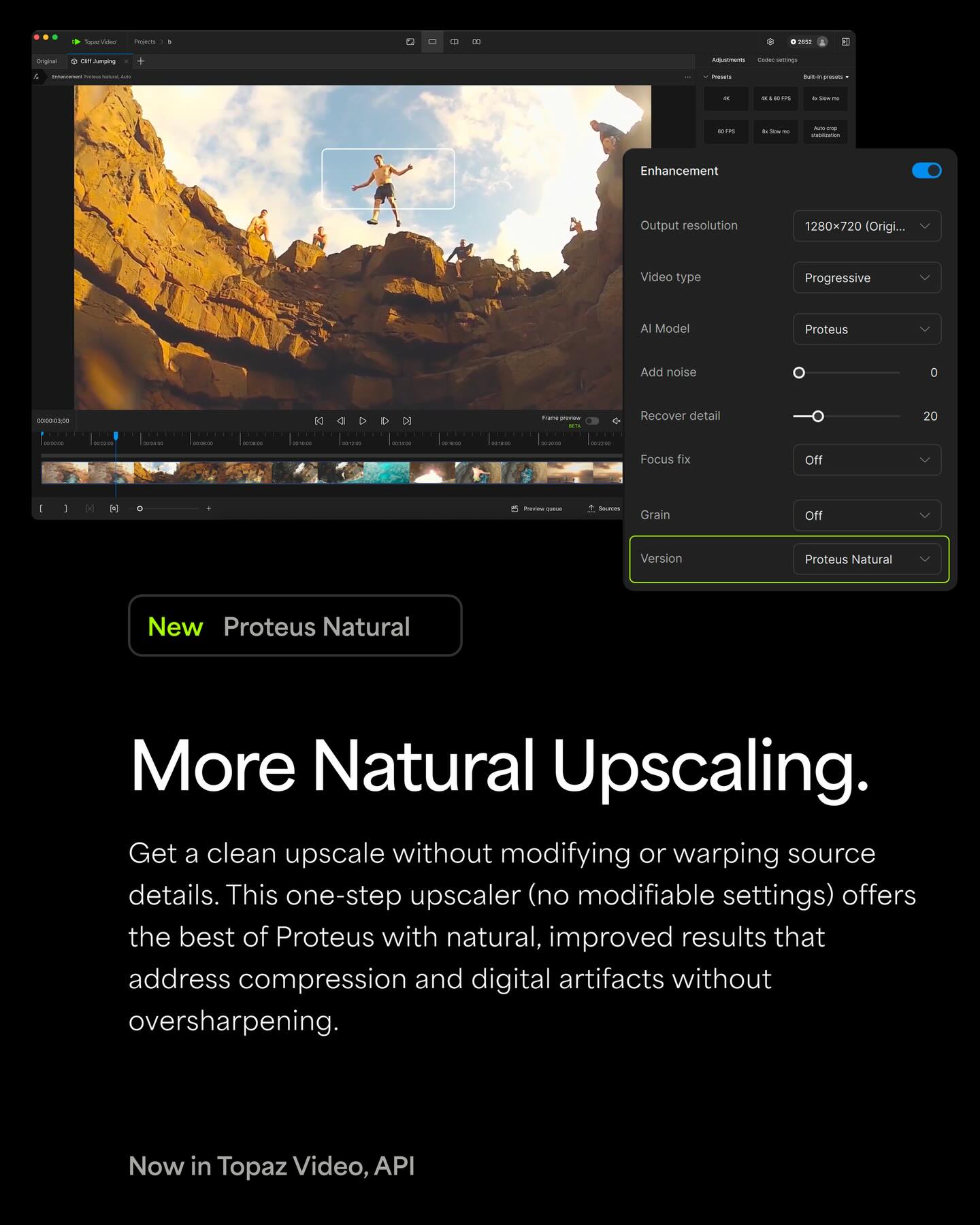
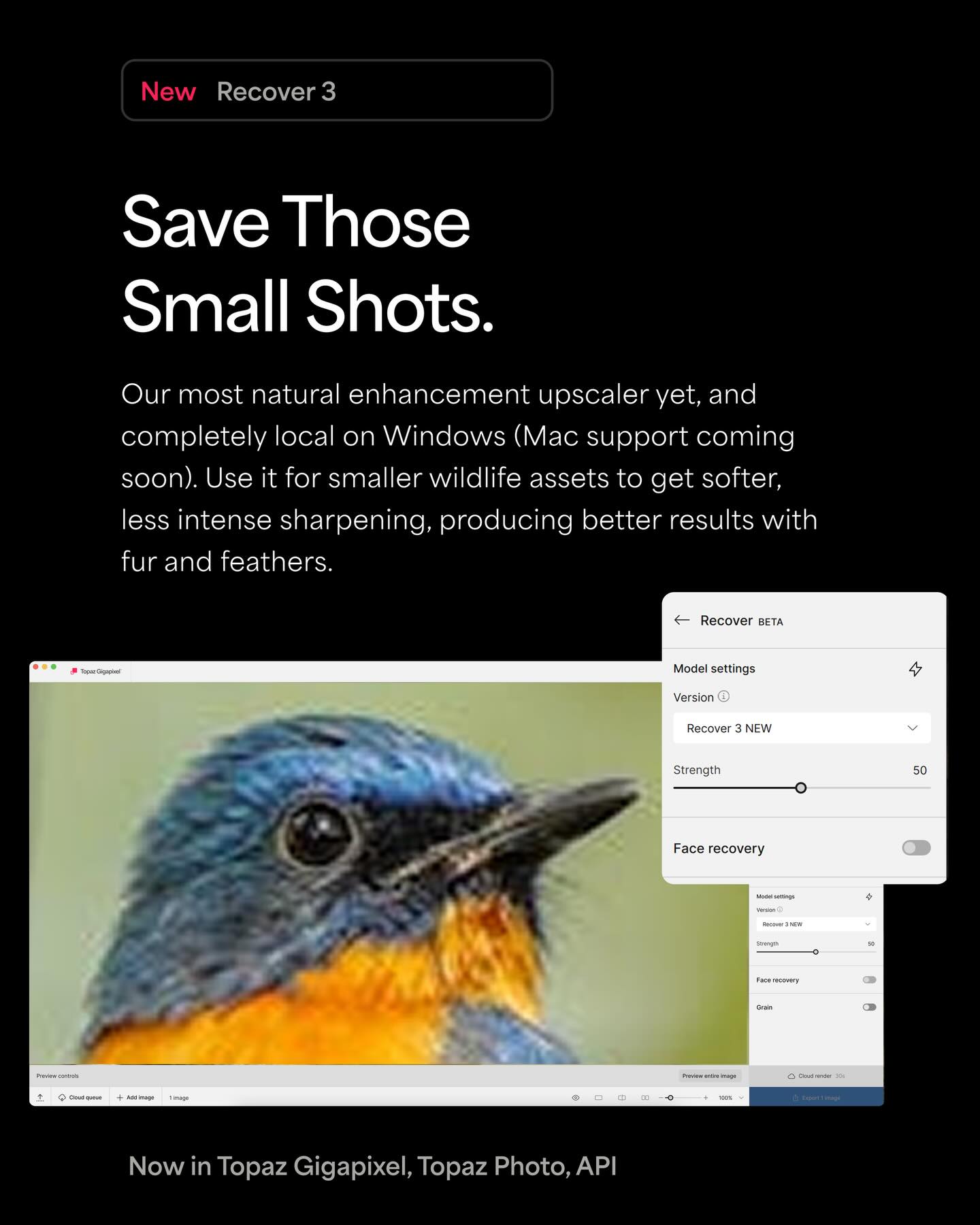
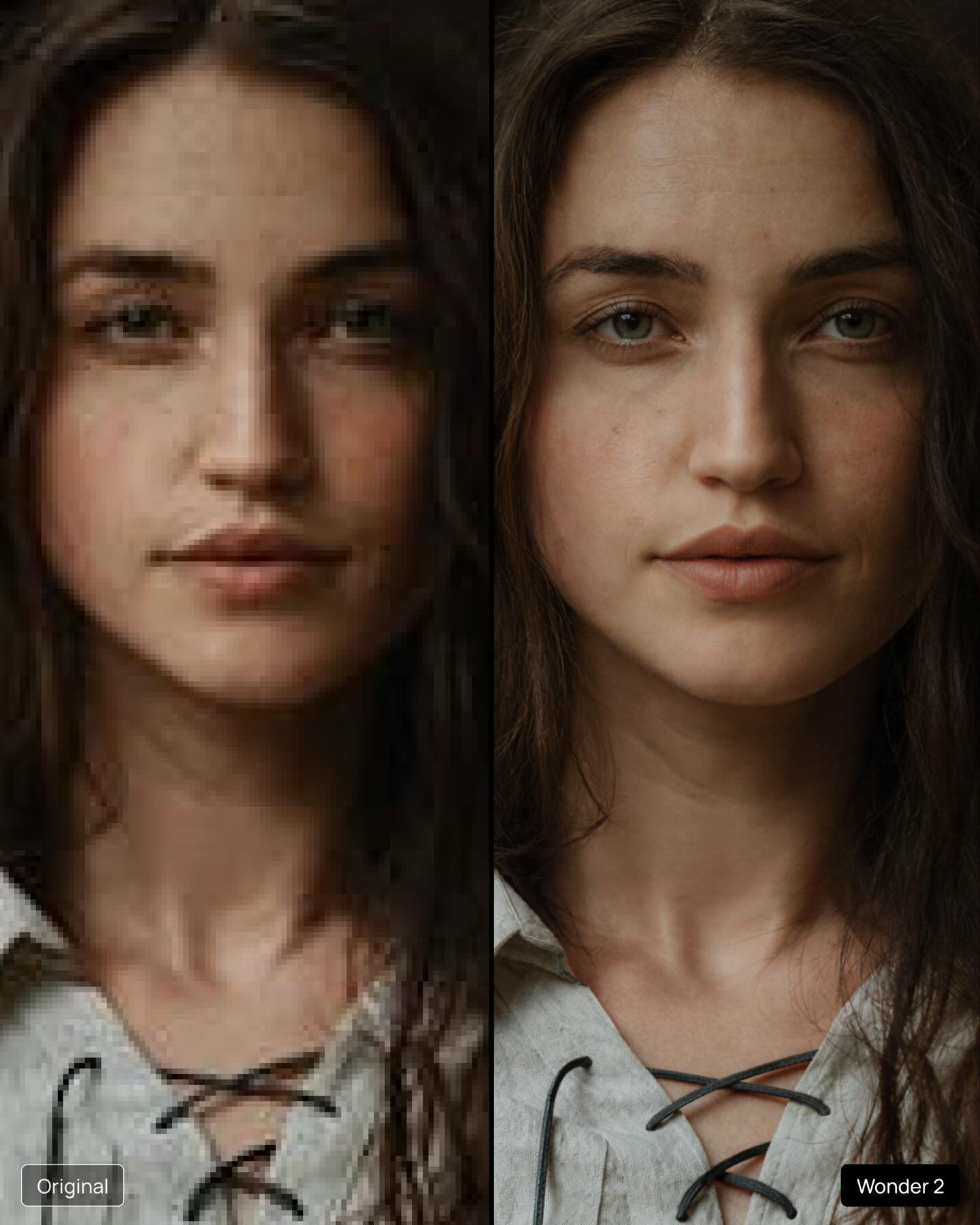
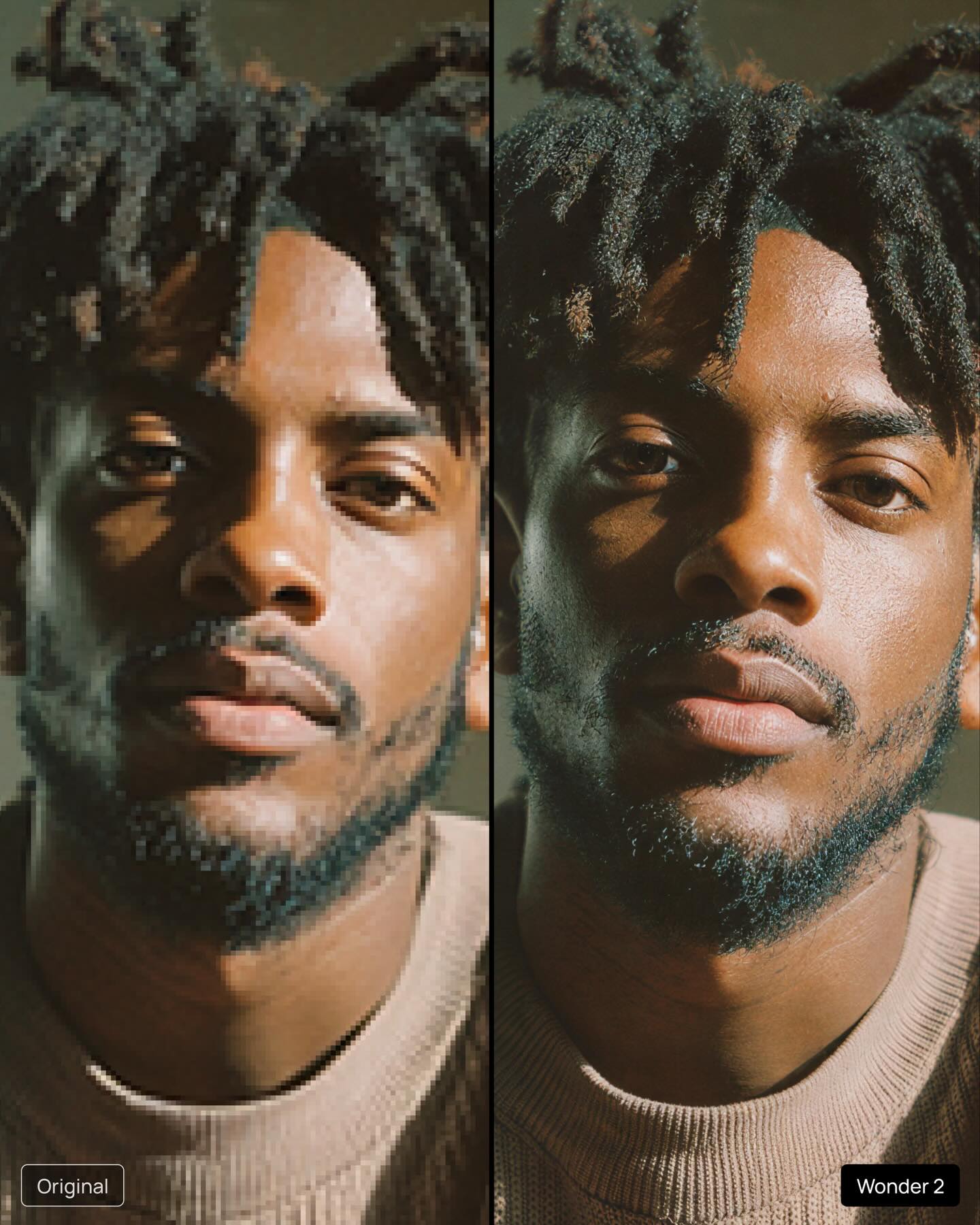
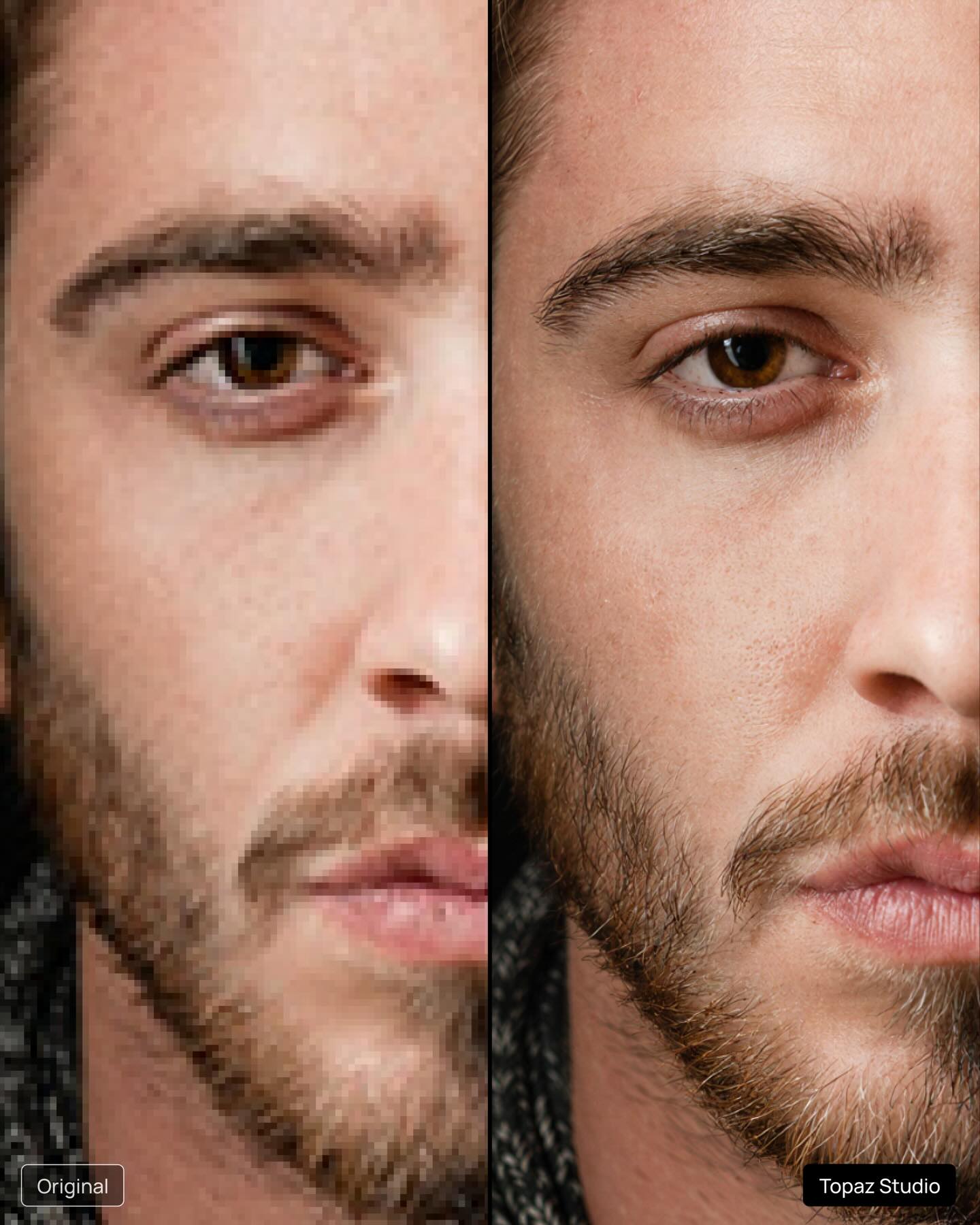
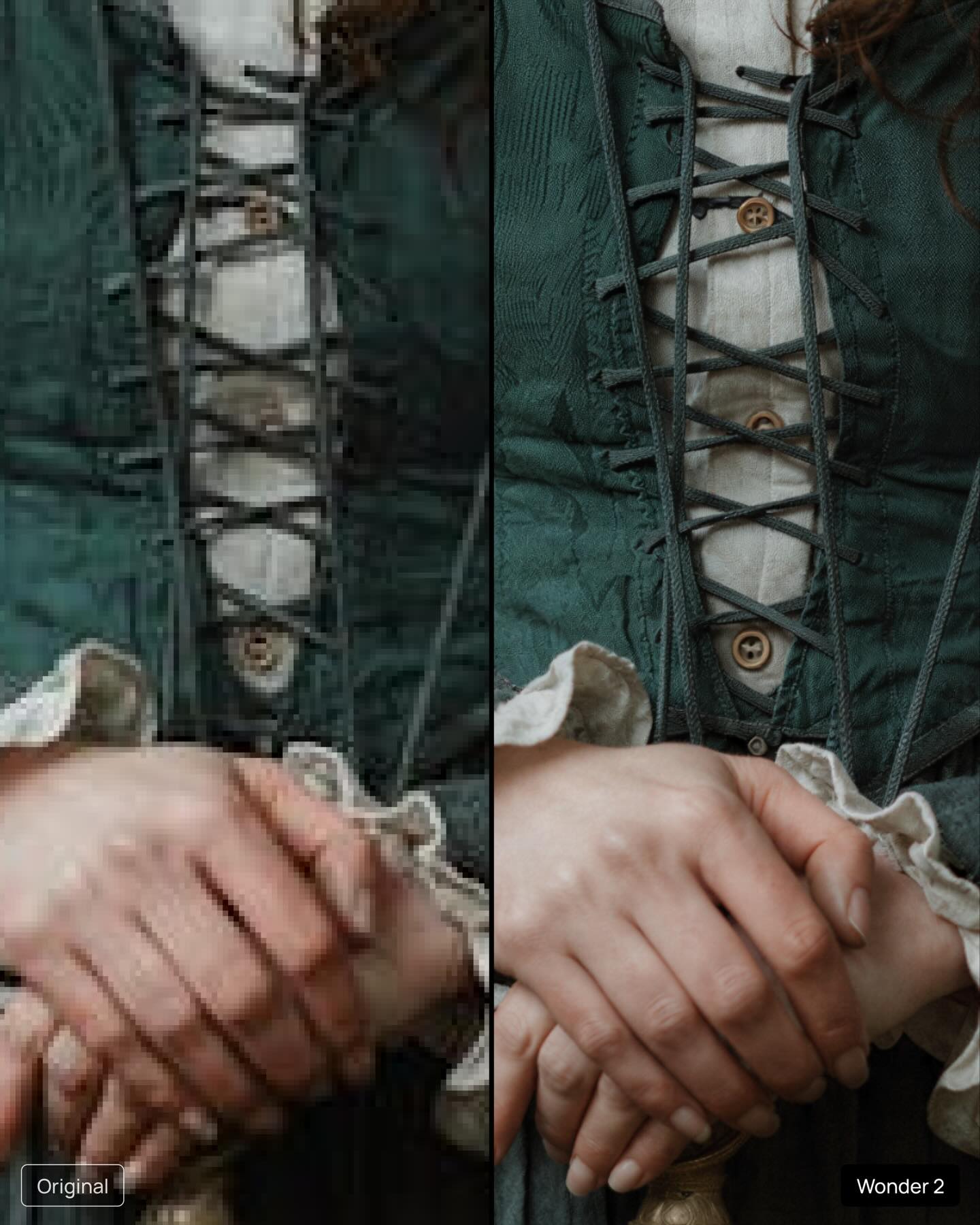
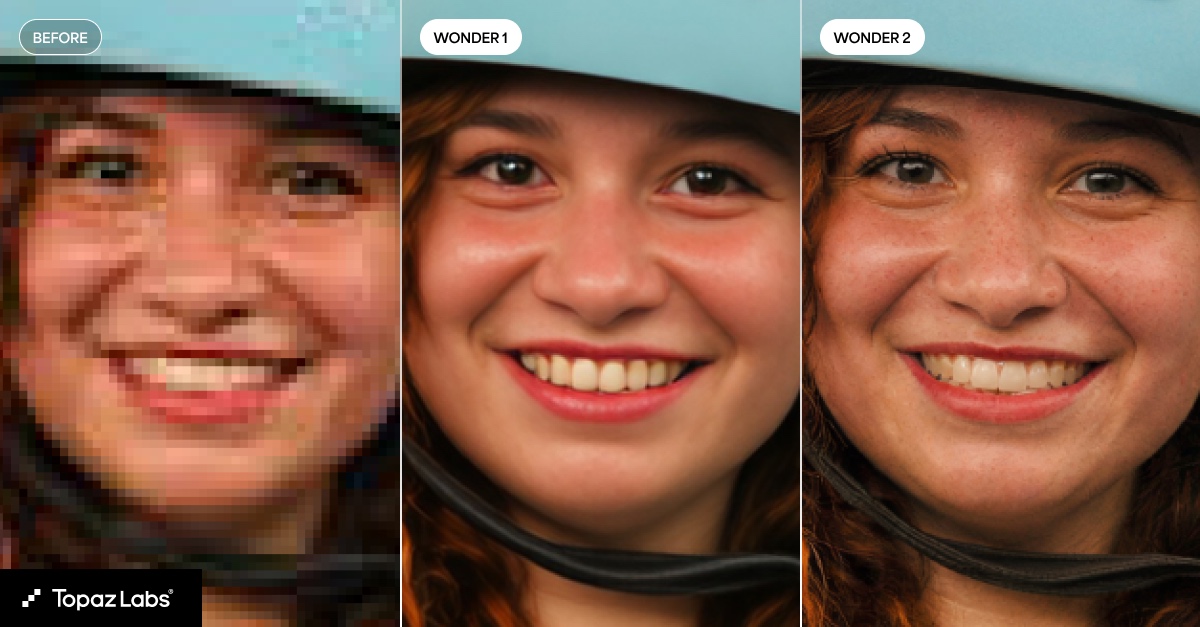
Topaz Labs released several new fidelity models across their apps. These updates focus on more natural detail, reduced artifacts, and improved consistency across different content types. The models support use cases like portraits, animals, vintage photos, and older videos. Here’s what’s new:
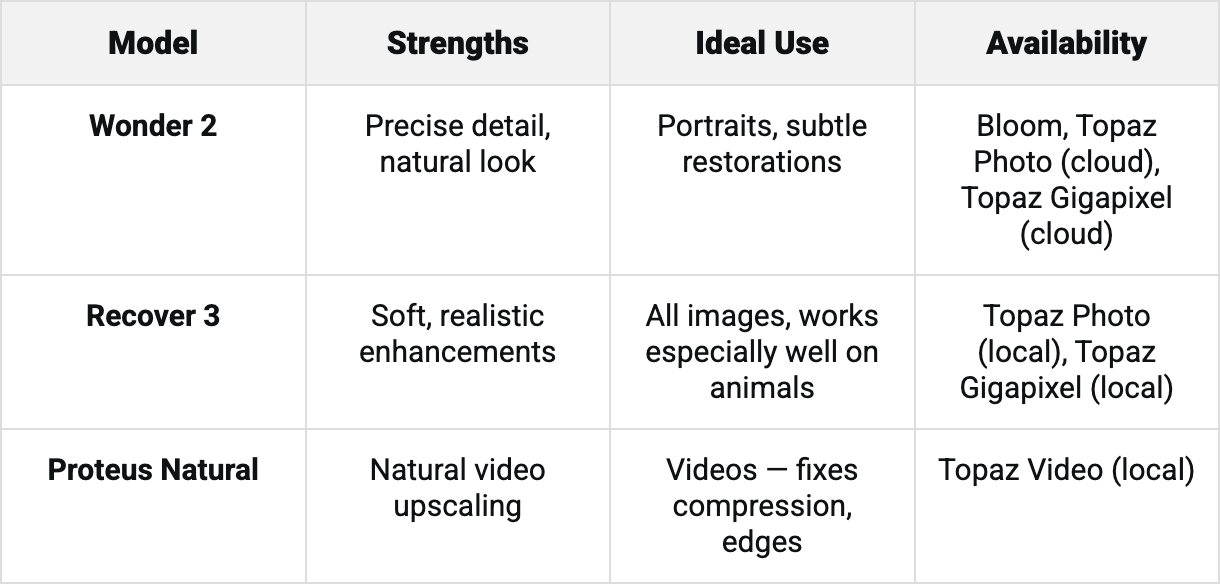
WONDER 2
The most precise detail-restoration model yet. Wonder 2 brings back facial detail and textures without the “AI look” – cleaner results, fewer artifacts, and faster performance.
Ideal for portraits and subtle restorations
Available in Bloom, Topaz Photo (cloud), and Topaz Gigapixel (cloud)
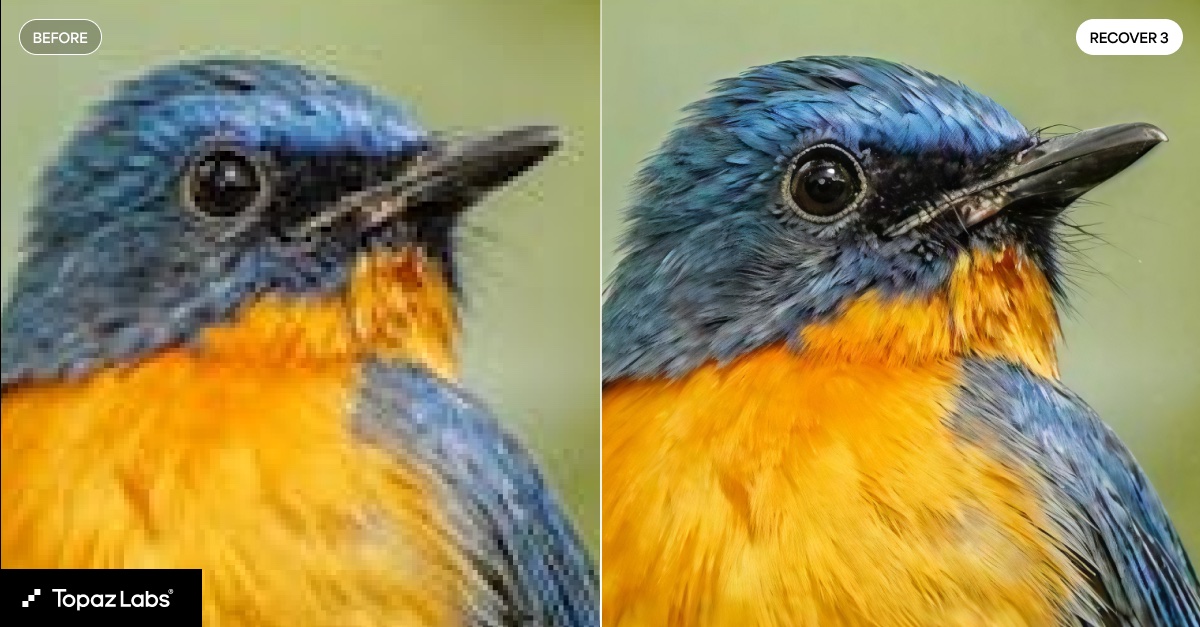
RECOVER 3
A versatile enhancement model that works on a wide range of images, including portraits, landscapes, and animal photos. Recover 3 delivers softer, more realistic results with improved detail.
Works especially well on wildlife and pets
Available in Topaz Photo (local) and Topaz Gigapixel (local)
PROTEUS NATURAL
A fresh take on our Proteus model for clean, natural video upscaling. It fixes compression issues, halos, and aliased edges while preserving the original look.
Works alone or alongside another enhancement model
I created this image while I was working full-time, applying to far too many graduate schools and navigating a long-distance relationship. Photo: Abby Ferguson
It's well established that photography is a superb tool for documentation purposes. It's also fairly well accepted as an art form. It's less recognized, or at least talked about, as a therapeutic tool, but it can be a powerful resource for just that. If you'll allow me to get a bit personal, photography has helped me get through some very challenging times. I won't go so far as to say that it's saved my life, but I know many people can say that is the case for them.
To be clear, I'm not a therapist, and I don't see photography as a replacement for therapy with a licensed professional. Instead, I view it as a therapeutic tool. I have seen the impact the medium has had on my own life and the lives of others. For those who haven't used photography intentionally as a tool for healing or growth, perhaps this can be a helpful guide on how to do so, or a gentle push to lean on the medium as such when you need it.
Distraction and mindfulness
Sometimes using the camera as a distraction tool can be just what you need. Photo: Abby Ferguson
Sometimes, photography can simply be a good distraction. There are times when it's best to focus on something other than current events or difficulties in your personal life, and photography can be an excellent method for that. Taking photographs requires focus (no pun intended) and attention. Instead of dwelling on heavy or hard things, you can, at least momentarily, put your energy towards something else.
When taking photographs, you pay more attention to light, shadow, shapes and details. You look carefully at the things directly in front of you at that particular moment. It forces you to stay in the here and now, which is similar to general mindfulness practices that aim to help you manage stress. It's a simple thing, but it can make a significant difference.
Having my dog with me on hikes often has the added bonus of some comedic relief. Photo: Abby Ferguson
For some, photography is a solitary endeavor, which can be an excuse to give yourself time and space to just breathe. When I need stress relief, I often find myself going on a hike by myself (and my dog) with my camera. I typically come back feeling more refreshed and in a much better headspace than when I set out.
Simply being in the outdoors is a big part of that for me, but the camera also helps me tune out everything else more effectively while I'm hiking. Even if I only feel inspired to take a few photographs, it at least makes me pay more attention to what's around me instead of putting my head down and trudging through. Plus, if I do manage to get a photograph that I think is cool, it gives me a sense of accomplishment, which is always a nice mental boost.
Photography as an outlet
I took this self-portrait just last weekend, since I was in desperate need of a creative outlet, and this concept kept coming to mind. Photo: Abby Ferguson
What's been even more important for me at various points in my life is using photography as an outlet and a means of self-reflection. Creating photographs can be excellent for self-expression, and also a tool for working through difficulties and managing emotions.
Photography is a fantastic resource when I don't want to talk about what I'm going through but still want to express it in some way. Alternatively, sometimes I haven't even fully processed what I'm dealing with and don't have words for it. Photography helps me get out some of the emotion instead of simply bottling it up. There are even times when creating a photograph has helped me better understand my current mental state, even if I hadn't been willing to acknowledge it prior to that.
"Photography helps me get out some of the emotion instead of simply bottling it up"
For a long time, self-portraits were my preferred method of photography as therapy. I've produced some deeply emotional and personal self-portraits over the years for that reason. Some of them were the result of my knowing exactly what I was dealing with and what I wanted to convey. Others were simply a result of struggling with something and not quite knowing how to articulate it, so I poured my emotion into a self-portrait. At times, these were somewhat elaborate and thoroughly planned; others were more spontaneous. Both formats helped in their own way.
Still life has become a relatively new therapeutic tool for me. Photo: Abby Ferguson
These days, I've been using still life as my primary outlet. Instead of putting myself in front of the camera, I'm photographing objects that I feel can convey what I'm working through in my head. They may not look as personal at first glance, but they were incredibly valuable as I processed and dealt with things going on in my life.
My method of using photography as an outlet involves conceptual work, but that doesn't have to be the case. Any type of imagery that helps you express yourself or process your emotions is beneficial, even if it isn't intentionally done.
Photography can just be for you
Photo: Abby Ferguson
The bigger picture here is that photography doesn’t always have to be for an audience or a client; it can simply be for you, and that’s often where its most therapeutic power lives. I've recently written about tackling photo projects to find your creative spark again and about embracing bad photos. In all of these cases, the key is that photography can be a personal endeavor that can have a significant impact on your life. When you give yourself permission to create without pressure, photography becomes a method to clear your head, listen to yourself, notice what you’re feeling and be present with it.
Whether you’re a working photographer or a hobbyist, making space for personal projects can be therapeutic. It can reconnect you with why you picked up a camera in the first place, help you process what you’re going through and simply remind you that the act of paying attention is worthwhile in itself.
So, whether you're going through a particularly hard season or not, let me encourage you to pick up your camera with no goal other than to see what comes out. Or plan a shoot with the specific intention of showcasing your emotion or mental state. The photos don’t have to be "good." They just have to be honest, and they only ever need to mean something to you.
Adobe has announced an update to Photoshop that brings new types of adjustment layers and improves generative AI-powered fill tools. It's also adding a feature in beta that makes it easier to manipulate text into certain shapes.
Late last year, Adobe announced it was adding two new adjustment layers to Photoshop: one that controlled dehaze and clarity, and another for adding a grain effect. Now, those are coming out of beta and should be available to everyone using the app. While you've been able to use similar effects in Photoshop before, you had to bake them into a specific layer in your image, and once they were added, you couldn't adjust them. Having them as an adjustment layer, though, lets you easily adjust the effects after adding them, and easily have them apply to multiple parts of your image.
The update also brings some of Photoshop's AI-powered features out of beta, with the company promising better, higher-resolution results when using the Generative Fill, Generative Expand and Remove tools in the web version of Photoshop. The company also says it's improved the reference image feature in the Generative Fill tool, which lets you use an existing image to give the model a better idea of what you want it to generate.
Finally, there's a feature that Adobe's calling Dynamic Text, which the company says will make it "easy to transform any text layer into circular, arched, or bowed shape." While you could obviously already achieve something similar with paths and the text tool, Adobe says the Dynamic Text tool will automatically fit your text to the shape, something you'd have to manually manage using other techniques.
The new adjustment layers are available in the latest version of Photoshop, which Creative Cloud subscribers can download starting today. Dynamic Text will be available in the Photoshop Beta app.
When you use DPReview links to buy products, the site may earn a commission.
Image: Nikon
Nikon has announced firmware V1.10 for the ZR camera, heralding the first update for the video-focused camera. Given that it comes only a few months after it launched, it's no surprise that the changes it brings are mostly small quality-of-life tweaks, rather than massive overhauls to how the camera works.
Perhaps the biggest change is that Nikon says it has "significantly extended" the amount of time the camera can record for in many of its modes. While it used to top out at 125 minutes, it can now continuously capture for up to six hours in its sub-100fps compressed modes, though doing so will require the use of an external power supply or battery.
The company has also added the option to display a red line in your histogram or waveform to make it obvious where the clipping point is, which can be especially useful as you switch between modes with different base ISOs.
When it launched, the ZR supported timecode synchronization via Bluetooth, making it easier to keep track of footage and audio captured with multiple devices in the edit. The update adds support for timecode sync over a wired connection through the microphone jack. Other quality of life features include a setting to keep the green light around the power button illuminated while the camera is on (by default, it turns off quite quickly) and the LUT import screen can now display up to 50 CUBE files, rather than 10 (though the camera can still only store 10).
The firmware update is available today as a free download from Nikon's website.
Press release:
NIKON RELEASES FIRST FIRMWARE (V1.10) FOR THE NIKON ZR CINEMA CAMERA
MELVILLE, NY (January 26, 2026) - Nikon Inc. is pleased to announce the first firmware update for the recently released Nikon ZR full-frame cinema camera. Version 1.10 is available now and adds an assortment of functional enhancements and features to benefit a wide range of videographers.
Firmware version 1.10 supports timecode input over a wired connection, making it easier to synchronize with audio recording devices and other cameras. The update also significantly extends the maximum recording time, making continuous shooting possible even for long recording sessions. In addition, a file-naming convention similar to that of RED cameras has been adopted, enabling more efficient data management, especially when shooting with multiple cameras. A number of features that enhance usability have also been added, including a function that displays a warning line indicating the maximum brightness level in the brightness information display (histogram and waveform monitor) when recording R3D NE videos in Log3G10, as well as a setting to prevent unintentional battery drain.
Nikon will continue to enhance its products through firmware updates that address user needs, while also contributing to the development of imaging culture in the field of cinema.
Enhanced Multi-Camera Production and Workflow Features
In addition to conventional timecode synchronization over a Bluetooth connection, the camera now supports a simpler and more reliable wired connection that enables timecode synchronization with external devices connected to the camera via the external microphone/line input connector. Timecode synchronization is simplified, as Bluetooth pairing is not required. Once initially synchronized, the timecode remains running even after disconnecting the generator (jam sync), eliminating the need to re-synchronize.
In addition, a file-naming function similar to that of RED cameras has been implemented to enhance production workflows. This feature prevents duplicate video file names, and makes managing large numbers of files from multiple cameras much more efficient with video-specific file names and the display of file names on the live view screen.
Significantly Extended Recording Time
The maximum recording times for continuous recording have been significantly extended from 125 minutes to up to 360 minutes (6 hours)1. This enables long takes and shooting at events that require extended recording, such as interviews, concerts, documentaries and special events. This extended recording time applies to ProRes 422 HQ, H.265 and H.264 formats at various frame rates.
Improved Exposure Monitoring
Firmware version 1.10 offers users a function that displays a warning line indicating the maximum brightness level in the histogram or waveform monitor to avoid unintentional clipping. This indicator line varies according to ISO sensitivity when recording R3D NE videos in Log3G10, making exposure easier to control.
Additional Enhancements
A [Power-on lamp energy saver] option has been added to the setup menu, allowing users to choose an option that keeps the power-on lamp lit at all times when the camera is powered on. This allows users to check whether the camera is on or off at a glance, even when the monitor is closed, helping to prevent unintentional drain on the battery while carrying or transporting the camera. In addition, [Video file type] can now be set to [R3D NE 12-bit (R3D)] in the video recording menu even if the shooting mode is set to AUTO.
Furthermore, the number of LUTs that can be viewed while importing from a memory card using Custom Setting [3D LUT] > [Import CUBE file] has been increased from 10 to a maximum of 50. This allows users to have greater variety when choosing the LUT that will best match the intended final look from a broader range of options while on location.
For more information about the latest Nikon products, including the vast collection of NIKKOR Z lenses and the entire line of Z series cameras, please visit nikonusa.com.
Specifications, equipment, and release dates are subject to change without any notice or obligation on the part of the manufacturer.
*SRP (Suggested Retail Price) listed only as a suggestion. Actual prices are set by dealers and are subject to change at any time.
1.When [ProRes 422 HQ 10-bit (MOV)] (except 119.88p or 100p), [H.265 10-bit (MOV)] (except 239.76p–100p), [H.265 8-bit (MOV)] (except 239.76p–100p), or [H.264 8-bit (MP4)] (except when recording slow-motion videos), at 25°C/77°F with [High] selected for [Auto temperature cutout]. Use of an external power source such as a portable battery is required.
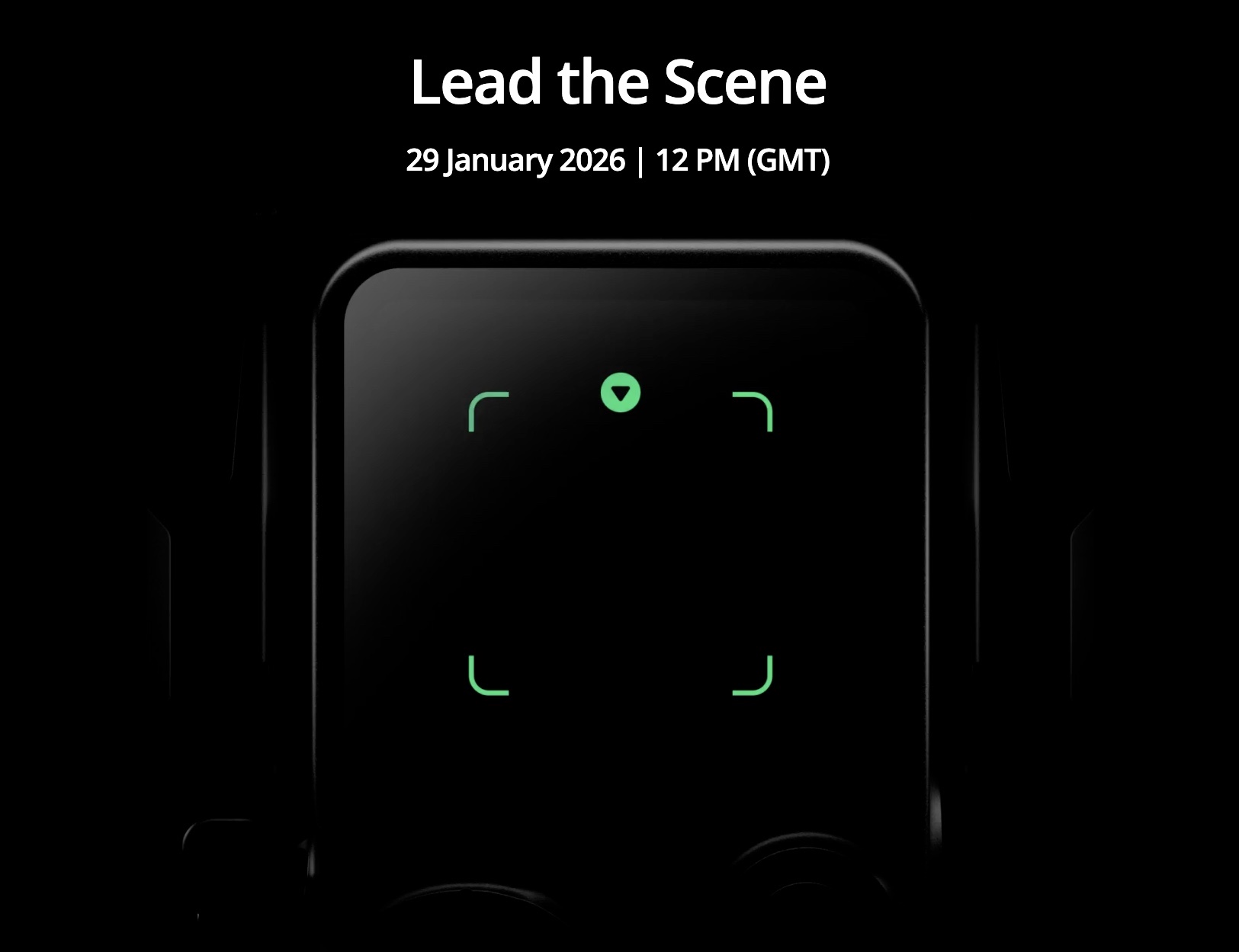
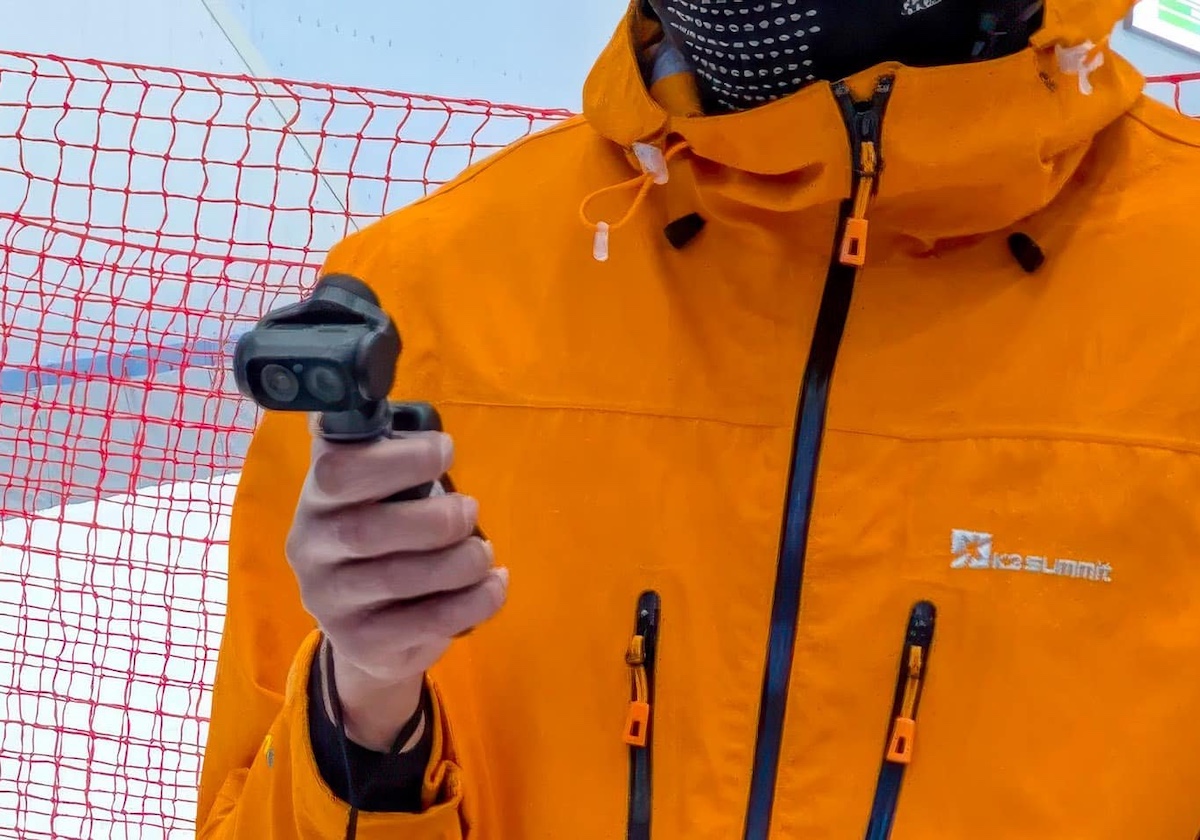
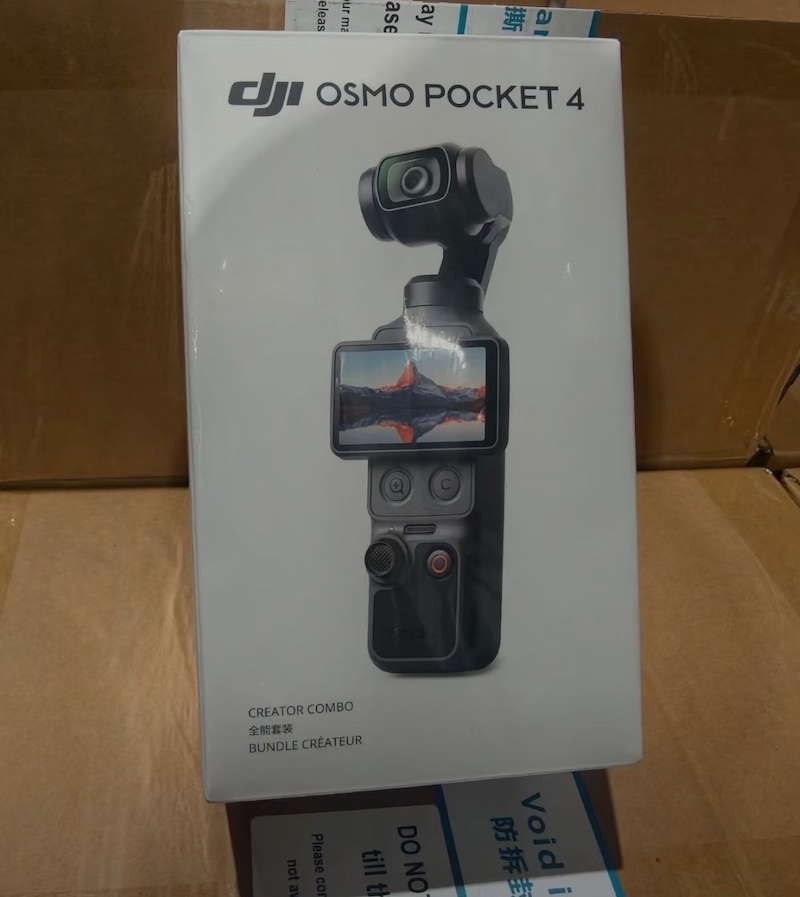
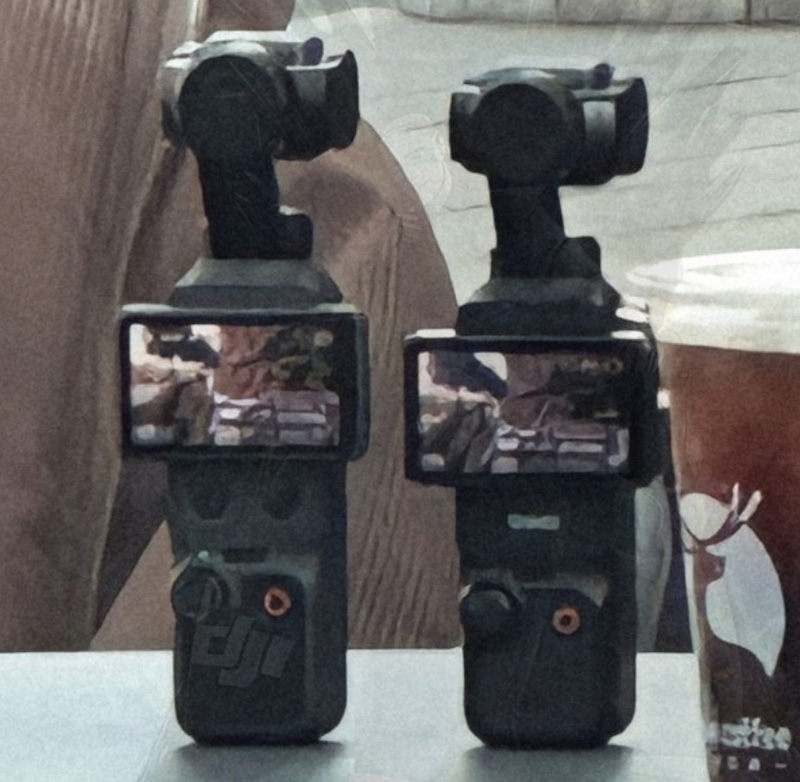
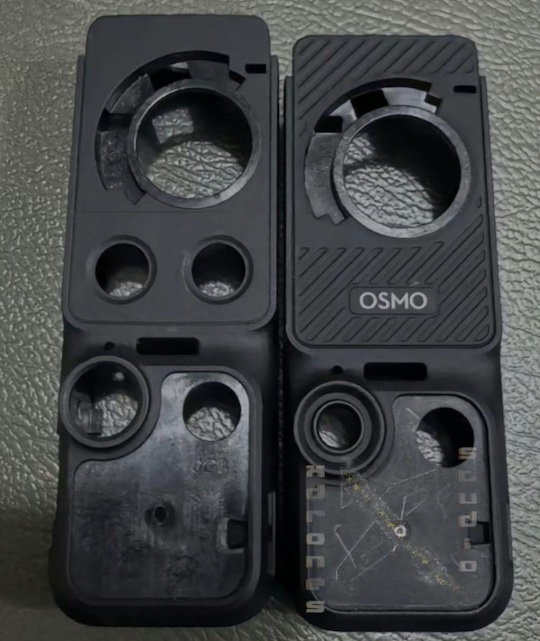
Here are the latest leaks on the upcoming DJI Osmo Pocket 4 camera – the official announcement is rumored to be on January 29th:
Standard Model
Sensor: 1-inch CMOS sensor for improved low-light performance and dynamic range.
Video Capabilities: Up to 4K at 120fps for high-frame-rate slow-motion footage; potential support for higher resolutions or frame rates in certain modes.
Stabilization: 3-axis mechanical gimbal for smooth handheld shooting, with refined tracking for faces and objects.
Display: 2-inch rotating OLED touchscreen for easy vlogging and composition.
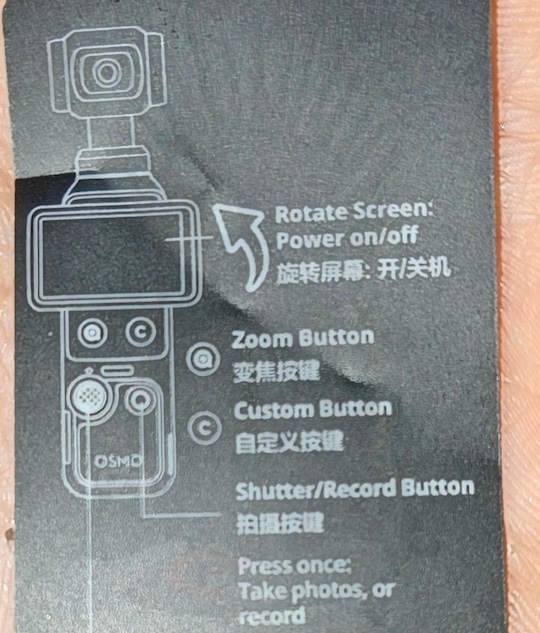
Controls: New dedicated zoom button and customizable “C” button for quick access to functions like mode switching.
Battery: 1545mAh capacity, offering around 20% more runtime than the Osmo Pocket 3 (potentially over 200 minutes of use).
Connectivity: Wi-Fi 6 support for faster file transfers and app integration; seamless DJI Mimo app compatibility for editing and sharing.
Design: Compact pocket-sized form factor similar to the Pocket 3, with single-lens setup and improved build for one-handed operation.
Accessories (Creator Combo): Includes wide-angle lens attachment, battery handle, mini tripod, protective case, and possibly new add-ons like a “FrameTap” module.
Pro Model (Rumored Variant)
Camera Setup: Dual-camera system with wide-angle and 2-4x telephoto lenses for optical zoom, variable aperture (f/1.7-f/2.8), and Hasselblad color science.
Sensors: Larger dual 1/1.1-inch CMOS sensors for enhanced low-light and portrait capabilities.
Other Features: Builds on the standard model with instant lens switching, potentially higher frame rates (e.g., 6K support), and pro-level controls; larger camera block integrated with rotating display.
Pricing for the standard Creator Combo will be around $699-$749. The Pro version might follow in Q2 of 026.
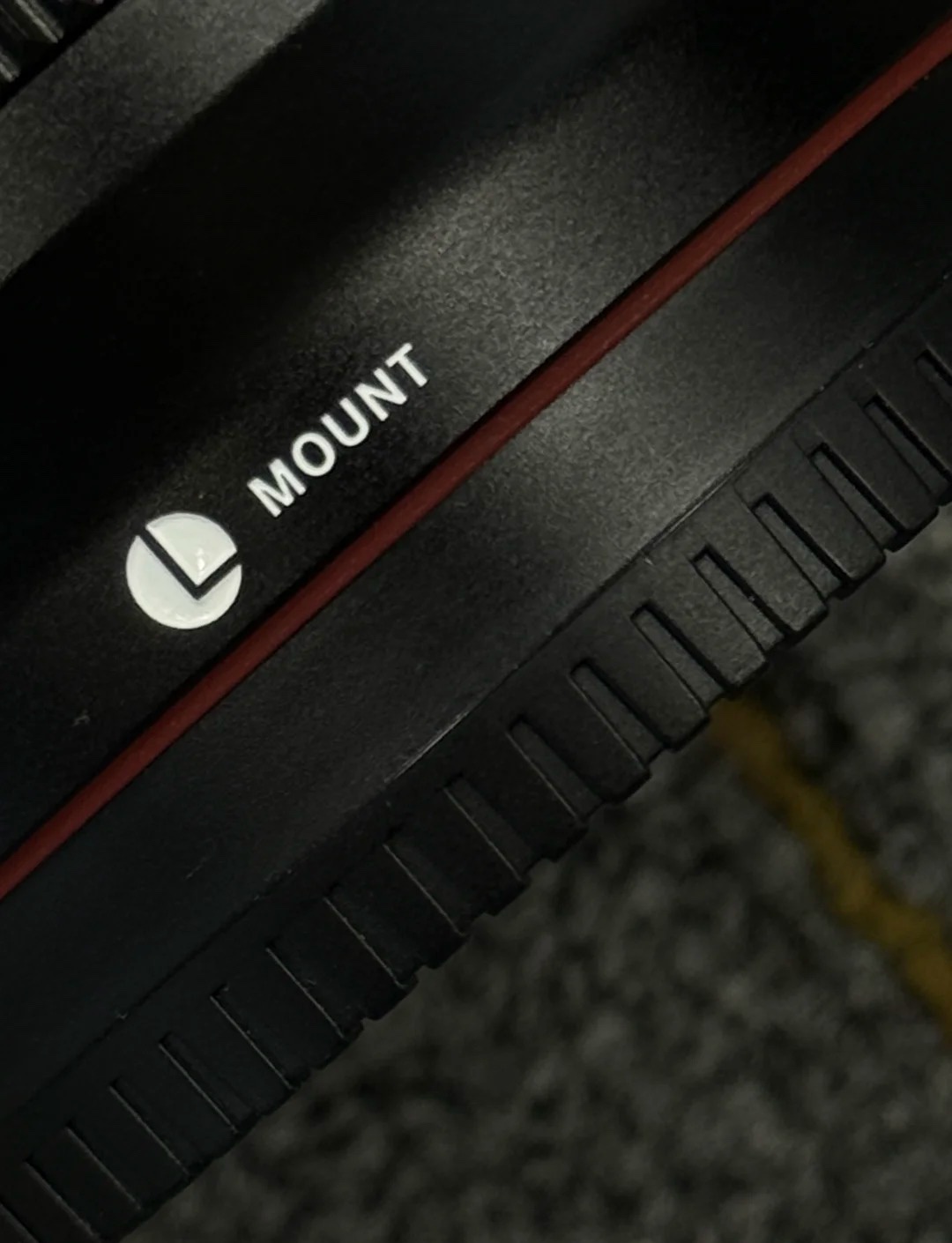
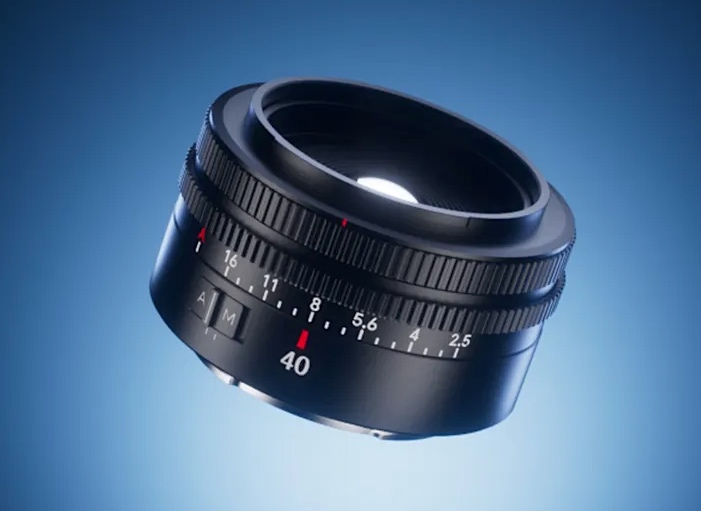
Viltrox will announce their first L-mount lens(es) on February 5th. I have been reporting for a while that the first two Viltrox lenses for L-mount are rumored to be:
In part one of my series about photographing Mongolia in winter, I wrote about my experience shooting the Khongor Sand Dunes and Lake Khuvsgul. This time, I'd like to take you to another north-Mongolian destination, and to the east of this vast country.
After I was done shooting in Lake Khuvsgul, I took a long 4X4 drive further north-east, across some harsh terrain and interesting, frozen landscapes. We made a short stop to drone over the mountains and valleys of the Khoridol Saridag range.
After long hours, we finally arrived in our next major destination: Jargant River. This river is unique in that its waters come from an underground spring, and so parts of it do not freeze even when it's -40ºC (-40ºF) outside. The temperature difference between the river and the air causes water to rise as droplets, which stick and coat the trees and totally cakes them in white ice. These foggy conditions are great because it emphasizes the sun penetrating between the trees, creating beautiful light rays that work really nicely with the other compositional components around.
The fog here serves both as a compositional element and as a medium through which the trees' shadows show.
Here, the fog serves the separation between compositional elements: the closer tree is perfectly visible, whereas the background trees are shrouded in fog, helping the viewer's brain understand that they are at different distances, thus creating depth. The light rays penetrating between the trees add a lot to the image, do you agree?
Canon EOS R5 Mark II | Canon RF 24-105mm F4 L IS USM | ISO 100 | 1/320 sec | F11
A nice example of sun rays shining between the trees.
Canon EOS R5 Mark II | Canon RF 24-105mm F4 L IS USM | ISO 200 | 1/250 sec | F8
A top-down image showing the icy coating of the trees. Note that this is definitely not snow, but water droplets that stuck to the trees.
DJI Mavic 3 Classic | 1/30 sec | ISO 100 | F5.6
Jargant River is especially winding, which is useful for creating nice compositions. The fog above it adds another layer of interest.
DJI Mavic 3 Classic, 1/100 sec, f/6.3, ISO 100
The fog from the river had spread across the planes, allowing me to create a dreamier scene in which only the higher-elevation elements are clearly visible.
DJI Mavic 3 Classic | ISO 100 | 1/100 sec | F6.3
Photos: Erez Marom
There are a few nice locations in the Jargant Valley area. If you're there, it's worth your while to take a drive to the Singing Springs (known locally as Duut Spring), another location where liquid water is visible even at a bone-chilling -40ºC or even -50ºC (-40º to -58ºF). The moisture carried in the air coats not only trees, but low bushes and different kinds of plants that look somewhat weird dressed in white.
An aerial shot of the Singing Spring. At -37ºC (-35ºF), liquid water is still visible and usable as a compositional element. Note that the slanted, closer, more visible tree is located in the gap between the left- and right-side trees, to avoid overlap. In general, since the colors are quite homogeneous in this image, separation and depth become more important: apart from the slanted tree's location, I also used the background fog to separate the trees from the mountains. In turn, the warm sunrise tones separate the mountains from the clouds. These planes of separation contribute to the overall feeling of depth in the image, which is critical, especially in winter imagery.
After returning from northern Mongolia, I took a very long drive toward the far east region of Mongolia: the Steppe, where I spent several days shooting wildlife. My main goal was to get interesting shots of one of the cutest and grumpiest creatures on Earth: the Pallas's cat. This bundle of joy isn't much bigger than a house cat, but its super-dense fur, round pupils and less-than-friendly attitude give it a very special kind of charm.
What it lacks in size, it makes up for in ferocity and in cuteness!
Canon EOS R5 Mark II | Canon RF 100-500mm F4.5-7.1 L IS USM | ISO 400 | 1/2000 sec | F6.3 Photo: Erez Marom
I teamed up with an organization dedicated to the preservation of this beautiful species and stayed in a ger camp, from where we would head out twice daily to try to find the wildlife. The mornings were usually devoid of cats, as they primarily roam in the afternoon, so we dedicated them to other wildlife. I got some nice images of owls, which show the snowy, rocky environment.
A little owl perching on the snowy ground. Note how I did my best to show the animal in its environment in a compositionally-appealing way: there is a foreground subject (the owl), another small rock on the left to counterbalance it, and a clear (even if out of focus) background subject comprised of distinct elements with proper separation between them.
Canon EOS R5 Mark II | Canon RF 100-500mm F4.5-7.1 L IS USM | ISO 800 | 1/400 sec | F8
The nice thing about this image is the similarity in colors between the owl and the rocks. Both are brown with white blotches: in the owl, it's the feathers. In the rocks, it's the patches of snow.
Canon EOS R5 Mark II | Canon RF 100-500mm F4.5-7.1 L IS USM + Extender RF 1.4x | ISO 400 | 1/640 sec | F10
Photos: Erez Marom
The owls were nice, but naturally, my main focus was the Pallas' cat. The cat shooting was very much unlike any wildlife photography I'd ever done. First of all, the cats can be hard to find. We sometimes had to send a tracker to locate one of them, which, considering the vastness of the area, was an astounding feat. Once found, however, the Pallas' cat is a surprisingly easy animal to get close to and shoot. Contrary to more easily-agitated species, their natural behavior is such that they disguise themselves as rocks and stay perfectly still unless you get really close to them.
In this image, I used the color similarity between the grass and the cat's eyes to enhance interest.
Canon EOS R5 Mark II | Canon RF 100-500mm F4.5-7.1 L IS USM | ISO 400 | 1/2500 sec | F7.1
A very grumpy blob assuming the shape of a rock.
Canon EOS R5 Mark II | Canon RF 100-500mm F4.5-7.1 L IS USM | ISO 800 | 1/1600 sec | F7.1
Cats will be cats.
Canon EOS R5 Mark II | Canon RF 100-500mm F4.5-7.1 L IS USM | ISO 200 | 1/3200 sec | F5.6
Photos: Erez Marom
As stationary as they often are, once the cats decide to go, they bolt. This gives the photographer a chance to get some action shots. It's a hard mission, since you don't know exactly when the cat will run or in which direction, but here are my best attempts.
When the Pallas' cat is sitting down, it's possible to get relatively close to it. Morally speaking, as long as you do it in a responsible manner and understand when you're too close, there's no harm in that. This last shot shows exactly such an event: I was still at a comfortable distance, but the cat made sure I knew I'd gotten on its nerves, and so I backed up and went away.
This threatening gesture meant it was time to go.
Canon EOS R5 Mark II | Canon RF 100-500mm F4.5-7.1 L IS USM | ISO 1600 | 1/8000 sec | F5 Photo: Erez Marom
I hope you've enjoyed my images from frozen Mongolia. If you are well-equipped for winter photography and mentally able to handle extreme cold, I can highly recommend it as a unique photographic experience.
Erez Marom is a professional nature photographer, guide and traveller. You can follow Erez's work on Instagram and Facebook, and subscribe to his mailing list for updates.
Erez has recently published his first e-book, Solving the Puzzle, thoroughly explaining his views about composition in landscape photography and beyond.
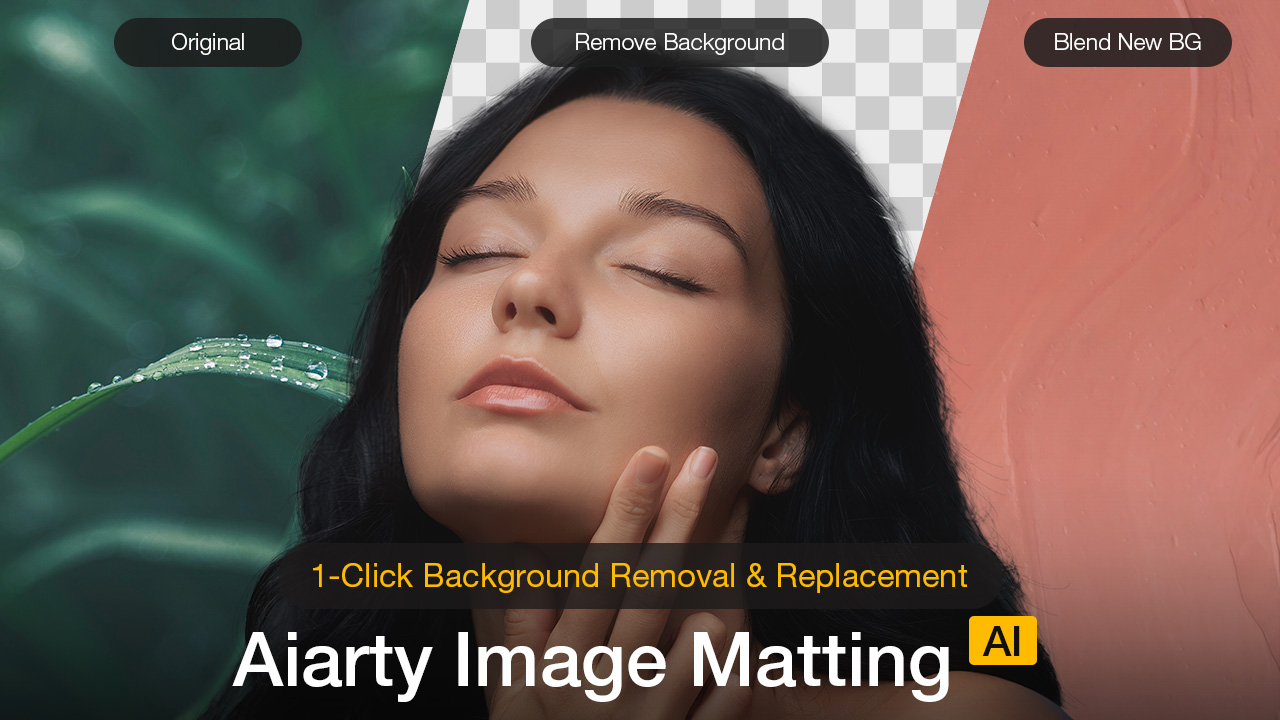
Extracting a subject from its background is often a tedious, mechanical chore, especially when dealing with fine edges like hair, cluttered backgrounds, or scenes where the foreground and background share similar colors.
Aiarty Image Matting aims to simplify this process using AI, turning what used to be time-consuming manual work into a much faster and more streamlined step in a photographer’s editing workflow.
What Is Aiarty Image Matting?
Aiarty Image Matting is an AI-powered image background remover that automatically separates subjects from their backgrounds with high accuracy, while also making it easy to replace the background with a solid color or a custom image when needed.
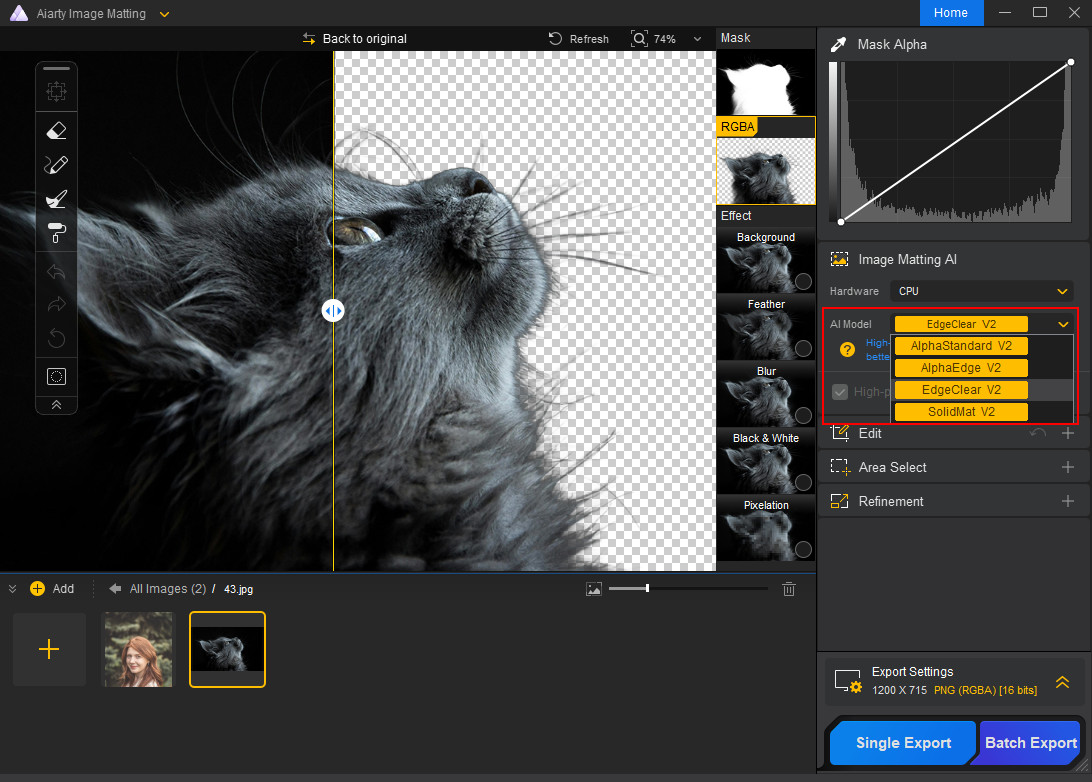
It features four dedicated AI models that adapt to different image types and subject characteristics, allowing it to handle a wide range of photographic scenarios. The software works fully offline, processes images quickly, and combines automatic background removal with simple manual tools for fine adjustments when needed.
New Year Exclusive Offer: Get Aiarty Image Matting with lowest-ever price
For photographers who regularly deal with background removal or subject isolation, Aiarty Image Matting is also currently more affordable than usual.
As part of its New Year promotion, Aiarty is offering 43% OFF the Aiarty Image Matting Lifetime License. This one-time purchase gives you full access to the software and all future updates with no subscription required.
Licensed for use on 3 Windows or Mac computers
Unlimited access to all features and lifetime updates, with no ongoing costs
30-day money-back guarantee.
Exclusive time-limited discount: At checkout, enter the coupon code NYSPECIAL to enjoy additional $5 off on top of the discounted price. That’s the lowest price you can ever find. The coupon will expire on January 31.
Key Features That Matter for Photographers
Multiple AI Models Tailored to Different Subjects
Unlike basic background removal tools that rely on a single algorithm, Aiarty Image Matting uses multiple AI models optimized for different types of subjects. This allows photographers to select a model that best matches the content of the image rather than forcing every scene through the same processing logic.
In practical terms, some models are better suited for subjects with clean, well-defined edges such as products or vehicles, while others perform more reliably with semi-transparent materials, fine hair, or soft transitions. This flexibility helps produce more consistent results across portrait, product, and commercial photography without constant trial and error.
The overall workflow remains simple: import an image, choose the appropriate AI model, start the matting process, and export the result.
High-Precision Edge Detection for Fine Details
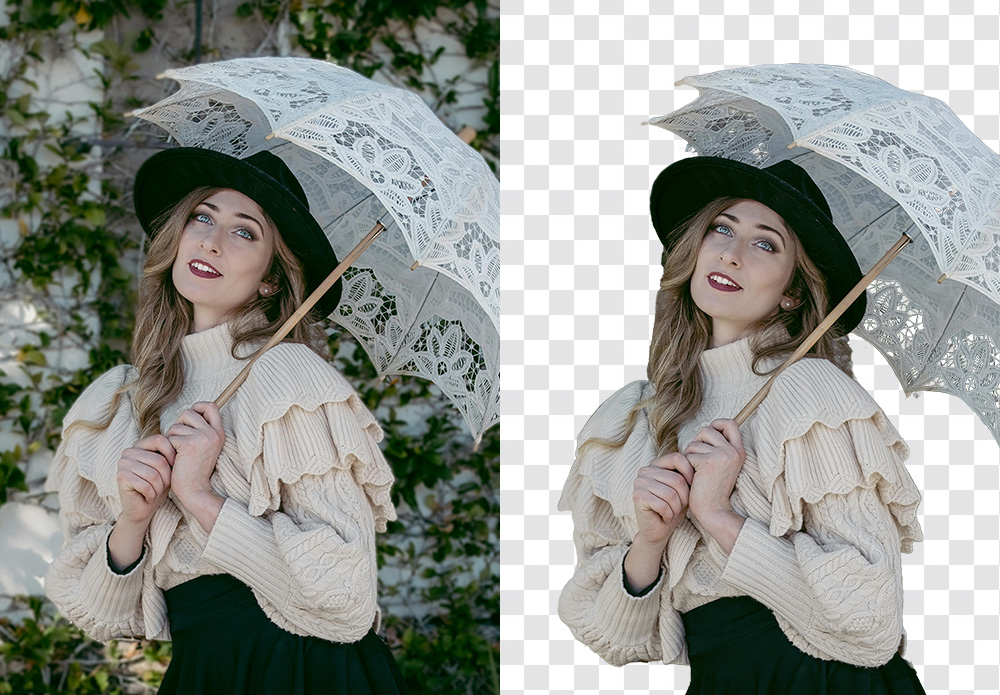
Edge quality is where most background removal tools struggle, and it is also where photographers notice problems immediately. Aiarty Image Matting places strong emphasis on preserving fine details around complex edges, including hair, fur, and overlapping elements.
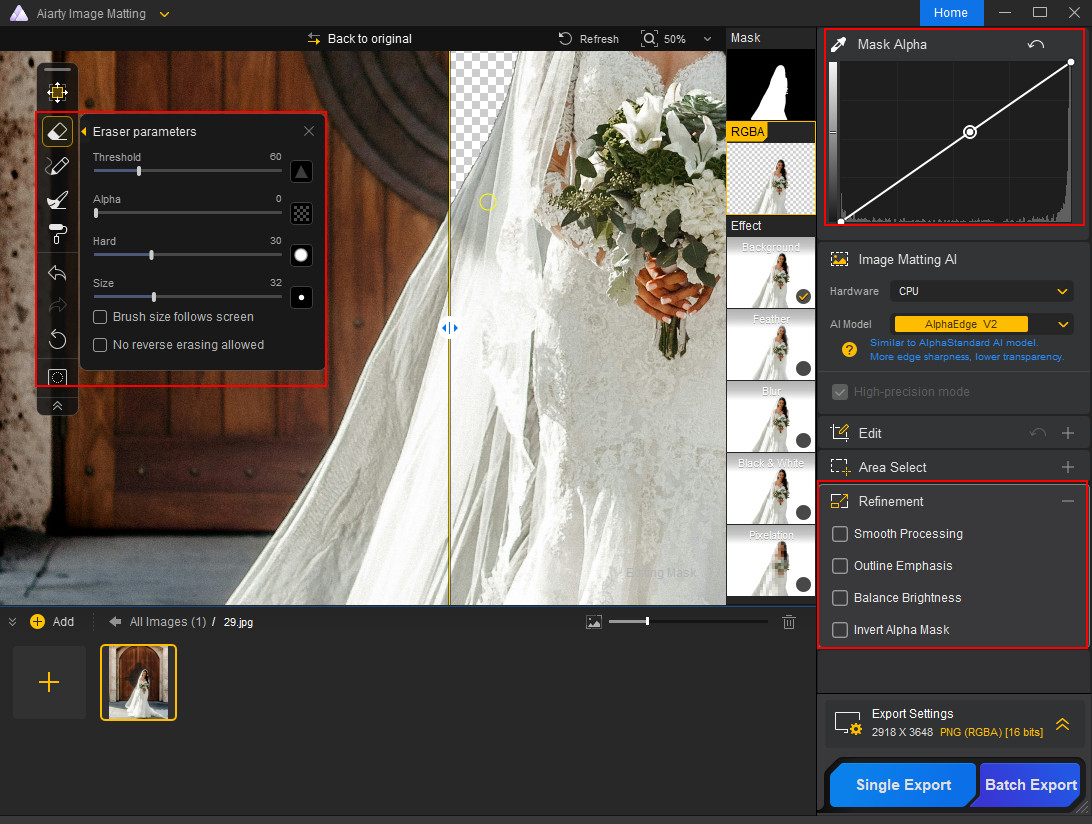
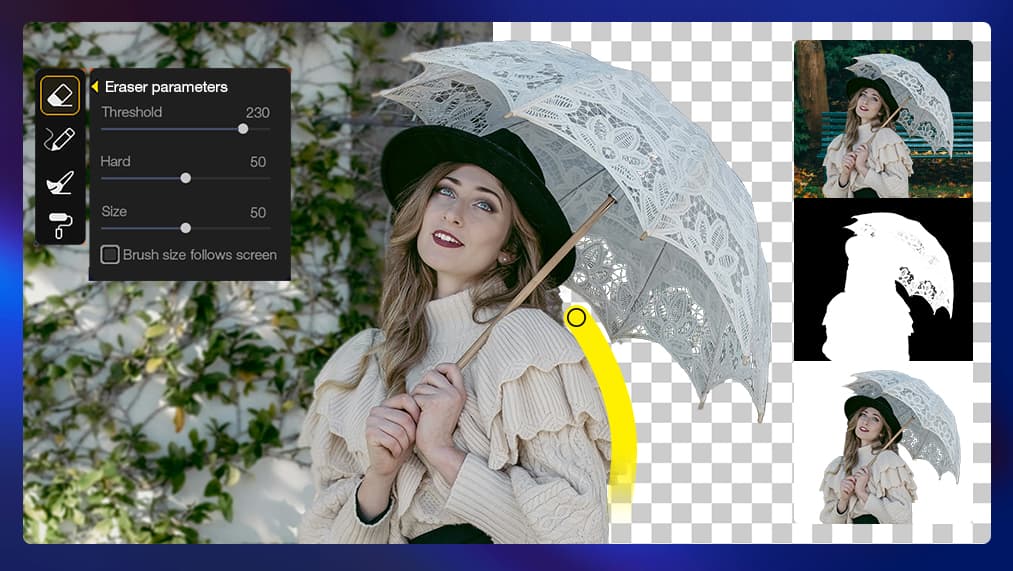
Example of automatic background removal processed by Aiarty Image Matting
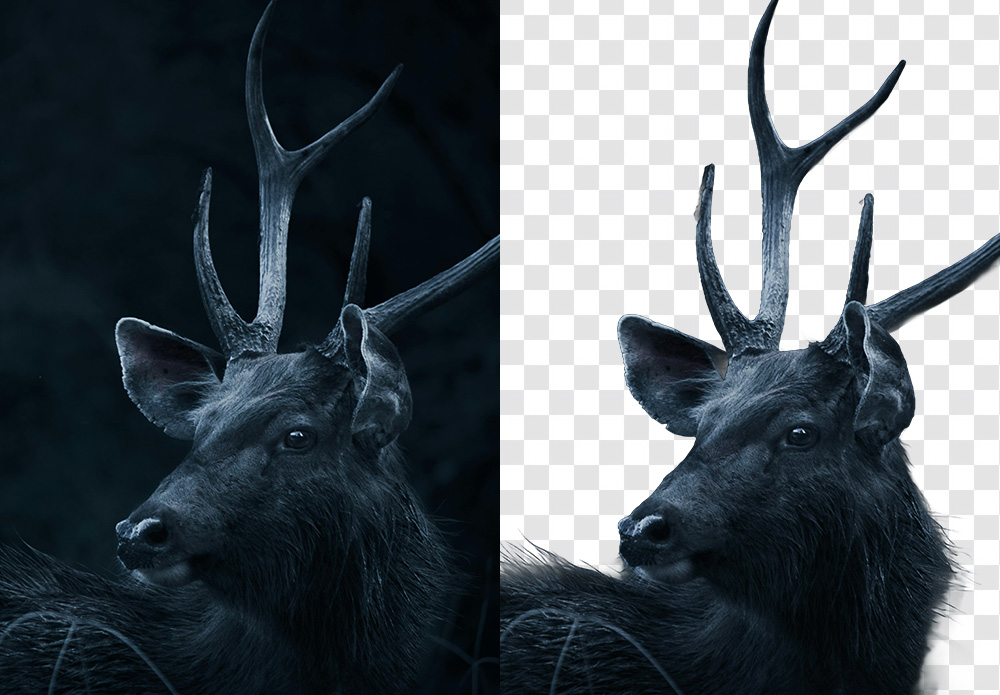
Even in situations where the subject blends into a busy background or shares similar colors, the extracted results tend to maintain natural transitions rather than overly hard or artificial outlines. This is particularly valuable for portrait, fashion, and pet photography, where realistic edges are essential for believable composites.
Example of automatic background removal processed by Aiarty Image Matting
The goal here is not just isolation, but extraction that remains visually convincing when placed into a new scene.
Automatic Extraction with Practical Manual Control
Aiarty Image Matting is designed to work automatically first, minimizing the need for manual masking. In many cases, a clean subject extraction can be achieved with a single click, making it suitable for repetitive or time-sensitive workflows.
When adjustments are needed, the software includes a small set of intuitive mask refinement tools that allow photographers to correct problem areas or fine-tune transparency. These tools are optional and focused, helping refine results without turning the process into a full manual selection job.
This balance keeps the workflow fast while still giving users enough control to handle challenging images.
Fully Offline Processing for Speed and Privacy
All processing in Aiarty Image Matting is performed locally, without uploading images to the cloud. For photographers working with client material, this offline approach offers both privacy and reliability.
Local processing also avoids delays caused by internet connections and makes it easier to work consistently with large images. This is especially useful in professional environments where stability and file control matter as much as speed.
Flexible Background Replacement for Practical Use Cases
Once a subject is extracted, Aiarty Image Matting allows it to be placed against a solid color or a custom background. This is particularly useful for product photography, catalogs, marketing visuals, and social media content where clean and consistent backgrounds are required.
Batch Processing for High-Volume Projects
For workflows involving large numbers of images, Aiarty Image Matting supports batch processing, allowing multiple photos to be handled in a single session. This can significantly reduce post-production time for e-commerce shoots, content libraries, or repeated background replacement tasks.
A Useful Extra: Built-In AI Enhancement
In addition to background removal, Aiarty Image Matting also includes a basic AI enhancement option that supports up to 2× image upscaling. While not a replacement for dedicated enhancement tools, it can be useful for preparing extracted subjects for different output sizes or platforms.
Final Thoughts: A Smarter, More Seamless Cutout Tool for Photographers
Background removal no longer has to be a slow, tedious process. Aiarty Image Matting combines AI-powered automatic extraction with optional manual refinement, making it a fast and reliable tool for photographers.
Right now, all PhotoRumors readers can save up to 43% on Aiarty Image Matting Lifetime License, which includes free updates forever and installation on up to three computers. Remember to enter the coupon code NYSPECIAL at checkout for an extra $5 off. Again, there are no subscriptions and no hidden fees. This limited-time deal ends January 31.
The photo John Abernathy took, showing his point of view as he was being surrounded by ICE officers, right before he threw his camera to another photographer. Photo: John Abernathy | Instagram: @john_abernathy_
By now, you've probably seen the viral photo of John Abernathy, an independent photographer, throwing his Leica M10-R to another photographer after being pinned to the ground by officers of the US Immigration and Customs Enforcement (ICE) agency. It's from a striking sequence of images taken by freelance photographer Pierre Lavie, which show Abernathy being tackled, locking eyes with Lavie – then a stranger – and tossing his camera and phone to him in an attempt to keep them from being confiscated.
We caught up with both photographers to get the story behind the photos they took that day, see how they've dealt with suddenly having their work presented on a global stage, and talk about how this incident, and others like it, have affected how they cover protests and other similar events.
If you haven't seen the photos or aren't familiar with the backstory, this is what happened: Abernathy and Lavie were photographing a protest against ICE around the Whipple Federal Building in Minneapolis, MN. Both photographers say that, throughout the event, police forces would gather to press into the crowd. Abernathy says that, while photographing protesters and counter-protesters, he lost his situational awareness for a moment as he was trying to simultaneously live-stream with his phone and take photos. That's when he was tackled from behind and wrestled to the ground by several ICE officers, who then pepper-sprayed him.
Lavie, who was shooting nearby, saw this happening and turned to photograph it. That's when the now-famous moment was captured. Abernathy, concerned that the police might delete photos from his camera, locked eyes with Lavie and tossed his Leica M10-R and phone to the other photographer.
"It was instinctual at that moment"
"It was instinctual at that moment," Abernathy says, adding that he believes an ICE agent was trying to grab his phone out of his hand. "I didn't know what would happen to me after that, so in a split second I decided: 'I gotta throw it.'" Lavie, who was crouching down to photograph what was happening, says it was all very quick. "It's not more than a handful of seconds that he went from being tackled to being on the ground, tossing his camera and his phone, and then being pulled back in and detained."
Lavie admits he briefly hesitated before going for the camera and phone. "In my head, I was like, 'Do I grab this? Do I not? If I do, am I gonna get pulled into this thing?" But then he told himself, "Okay, screw it. I'm doing it."
After Abernathy was released, he says he looked around for his camera, asking someone with a bullhorn to ask if anyone had seen it, but nobody had. "After they let me go, I was in an absolute panic to know where my camera was," he says. "I was like, fuck, maybe I made the wrong decision. I shouldn't have done that, why did I do that?" Eventually, though, he and a friend were able to track his phone, letting him meet up with Lavie and retrieve his camera and the images on it, some of which he's posted to Instagram.
One of the last photos Abernathy took before he was tackled. Photo: John Abernathy | Instagram: @john_abernathy_
"When I finally got back to the images that I shot during the protest, there are some very aggressive shots of agents coming down on protesters," Abernathy says. "So in hindsight, throwing my camera was the right thing to do, for multiple reasons. One, bringing attention to this entire issue we're having. And two, the images show the aggression that they're coming down on for no apparent reason."
The photos Abernathy took while being detained, and the photos Lavie took during the event, have received a lot of attention both in national outlets and on several social media platforms, something neither photographer expected.
"I'm actually getting chills right now," Abernathy says when asked whether he was surprised at people's reactions. "I did not obviously expect literally any of this attention. If it wasn't for Pierre's photo, I literally don't think any of it would have happened. There were a lot of other photographers there, and they got some good shots as well, but his shot is literally epic. It shows so much. It's more than a photo of me. It shows the struggle against this... unidentified ominous power."
"It's resonating with everybody for a reason"
Lavie calls the response "surreal" and says he's thankful, flattered and humbled by the outpouring of support. "It's resonating with everybody for a reason. And I don't think it's a good reason. As much as I would love it to be some miraculous picture of a butterfly or something like that, unfortunately, this is the situation, and that's where we are right now. Hopefully it's gonna work its way through the system in a healthy way."
Abernathy also understands why the photos have resonated so much. "I'm most grateful that it's become a focal point to bring attention to not only this area but what's happening in the whole United States," he says. "It speaks to freedom of the press. A lot of people are picking up on that for obvious reasons, but it speaks way beyond my personal experience. It's freedom of the press, and it's individual people trying to struggle against that massive power. Both his shot and my last shot show only legs in power positions. And they're dominating, and there's weapons, and it really represents a lot more."
"it is always shocking"
The incident is just part of a recent wave of police and ICE officers tackling, pepper-spraying and arresting photographers and journalists as the agency gains an unprecedented level of power, budget and legal immunity. "I've seen it quite a few times now, unfortunately. But it is always shocking," says Lavie. "It's a fine line that journalists of all types walk out there to make sure that they can be there and not be involved, and yet still do their job to record."
It's a job both men plan to continue doing, though Abernathy says he'll make sure to have more personal protective equipment the next time he covers a protest, including vapor-tight goggles. He also says he's considering getting a ballistic helmet and bulletproof vest, both things Lavie tells me he already wears when covering similar events.
When we spoke, Abernathy said he was still recovering from the incident, with some serious bruising from the pepper spray balls and being thrown to the ground, and occasional shivers. But despite knowing that he'll need to take more precautions in the future, he still sees the need for photographers like him to document these kinds of events. "I think that's more important than probably most people realize," he says. "The amount of things that are going on – I don't know what's going on in other parts of the country except for what's been in the news, and I don't even see all of that. I know that people are seeing bad things, but they're not seeing all of it; they're not seeing the volume of it and the random moments."
Abernathy was out shooting a protest a few days afterwards, with the same camera he threw.
The event has reminded both photographers of the importance of community. Abernathy says he's received messages from all over the world expressing horror at what's happening in the US, and gratitude for those documenting it. He also spoke about how other protests he's covered in Minnesota were moments of bonding for the community, citing how, at the end of a protest over the death of Renee Good, a Somali woman and her husband showed up to feed protesters and give them tea. Lavie spoke of the camaraderie he's seen between photographers and advised people looking to document events like this to be friendly and ask questions to folks who look like they've been doing it a long time.
Finally, there's the camera. While Abernathy initially thought his Leica had come away unscathed, besides a few new scratches, he said he later discovered that its rangefinder patch had stopped working, forcing him to focus based on his finger's position on the focusing ring (a task made slightly easier by the fact that he shoots at F11 on a 28mm lens). When we spoke, it was working again, but he was unsure whether the critical focus had shifted. He also says his phone survived the ordeal, despite having been stomped on.
Still, that didn't stop him from going out and shooting another protest with it, which Lavie was also at. "I'm glad John wasn't hurt badly," Lavie says. "He was out that following Saturday taking pictures again. I saw him walk by me. I was like, 'Oh, dude, you're out here.'"
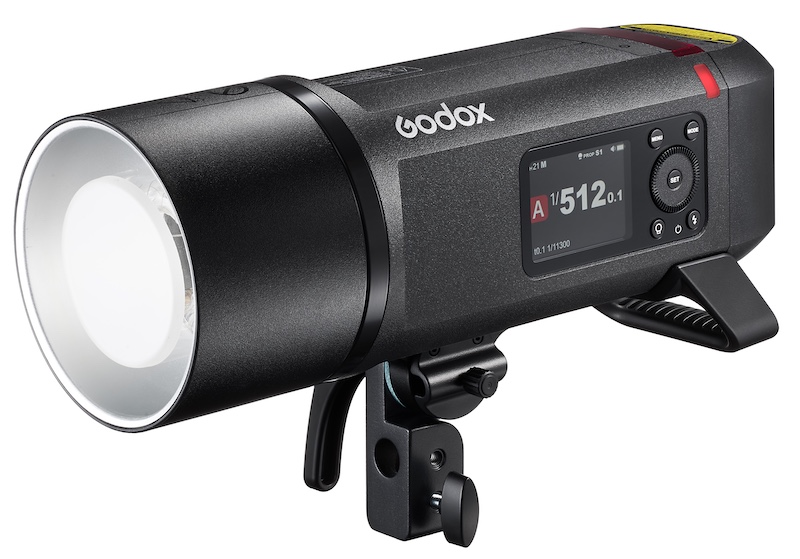
With 800 Ws of output, the AD800Pro delivers decisive main-light performance that overcomes bright sunlight. It yields up to 300 full-power flashes per charge and a fast recycle time of 0.01–1.5 s, keeping pace with demanding on-location shoots.
Precision Power Control
Power is adjustable across a 10-stop range (1/512–1/1) with 0.1-stop increments, enabling extremely fine exposure control. This level of precision makes the AD800Pro ideal for product and still-life work, layered multi-light setups, and any situation that demands subtle highlight and shadow placement.
Advanced Pro Modes
The AD800Pro includes pro-grade modes — Freeze, Stable Color-Temperature, HSS, Multi, and more — so photographers can reliably handle fast-action, product and color-critical work.
Freeze Mode: Ultra-short flash duration down to 1/35,710 s (t0.1) for razor-sharp captures of splashes, jumps and other fast motion.
Stable Color-Temperature Mode: Minimizes color drift as power changes (typical drift ≤ 100 K), ensuring consistent color across the output range.
Supports HSS (up to 1/8000s), Multi flash, and first- and second-curtain sync—covering everything from bright outdoor portraits to motion trails and creative strobe effects.
Triggering Versatility
Built around Godox’s 2.4 GHz X wireless system, the AD800Pro delivers robust, long-range wireless control — including one-tap pairing with X3Pro/X3 and full compatibility with other X-series transmitters. It also supports wired sync via a 3.5 mm PC jack and external 433 MHz receivers via USB-C, giving photographers multiple reliable triggering options for on-location and remote shoots.
Flexible Power Solutions
To keep you shooting without compromise, the AD800Pro supports multiple power options. The optional AC26 adapter enables direct AC operation for continuous power, while the optional UC-46 fast charger reduces battery charging time to about 1.5 hours.
Creative Accessory Ecosystem
Native Bowens Mount — Compatible with a wide range of light-shaping tools (softboxes, beauty dishes, grids, snoots, etc.), giving photographers instant access to an extensive professional modifier system.

 Connexion