Vue normale

No, Sony is not working on a new display technology that will noticeably improve battery life

Par : PR admin
29 mai 2026 à 21:46


Another clickbait story is circulating the Internet:

“Sony is working on a new display technology for its Alpha cameras after 2026/Q3”
“New rumor suggests upcoming Sony cameras could have noticeably better battery life”

Editors are publishing made-up stories without even doing a simple Google search. The article in question is a 2011 research paper by Korean academics and has nothing to do with Sony or any upcoming Sony cameras. Here are the details:

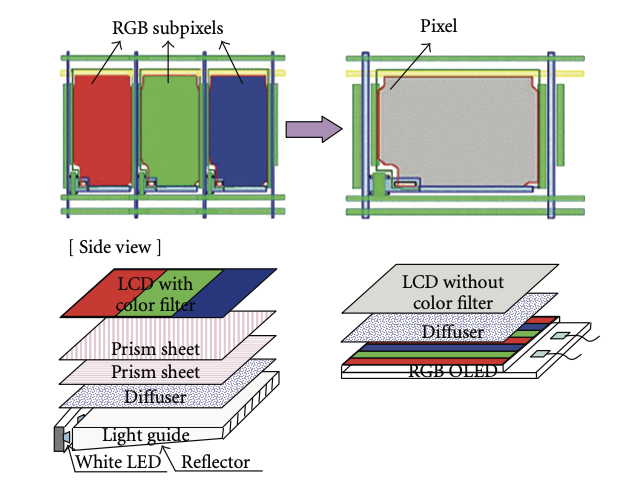
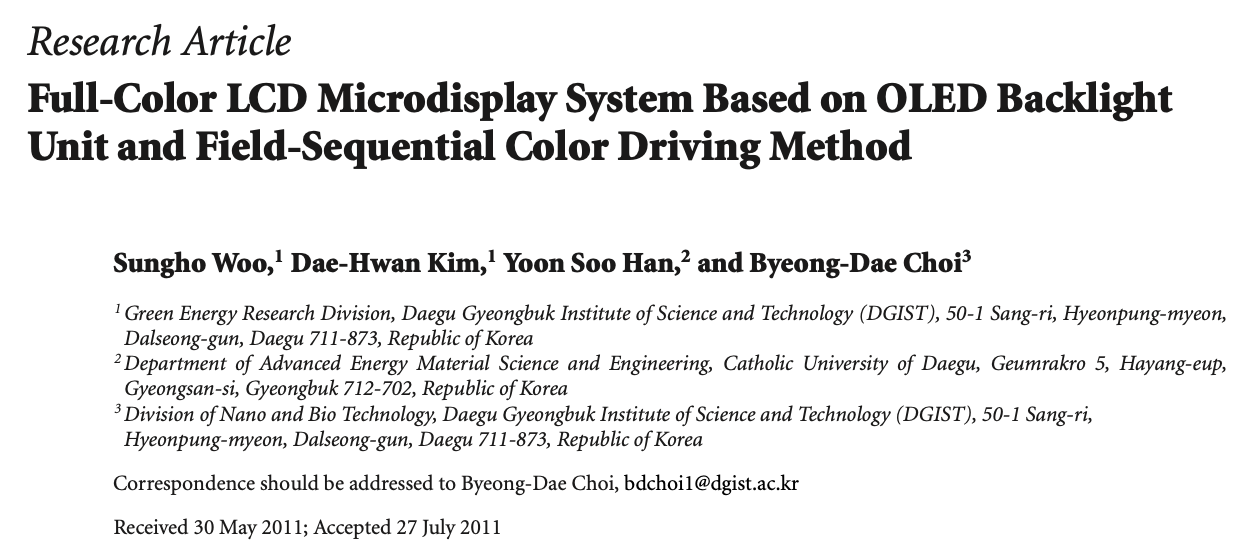
The 2011 paper (“Full-Color LCD Microdisplay System Based on OLED Backlight Unit and Field-Sequential Color Driving Method”) was written by researchers from Daegu Gyeongbuk Institute of Science and Technology (DGIST) and Catholic University of Daegu in South Korea. It describes a prototype 0.7″ FSC (field-sequential color) LCD microdisplay using a custom 0.76″ patterned RGB OLED as the backlight unit (BLU), combined with a high-temperature polysilicon (HTPS) LCD panel supplied by ILJIN Display Co., Ltd. (a Korean company).

There is no mention of Sony anywhere in the paper (including the authors, acknowledgments, references, or experimental details). The work is independent academic/industrial research from Korean institutions focused on low-cost, high-efficiency microdisplays for potential use in viewfinders, projectors, HMDs, etc.

Sony does not appear to be implementing (or planning to implement) this specific technology. Sony’s actual microdisplay approach: Sony Semiconductor Solutions develops and uses direct-emissive OLED microdisplays (OLED-on-silicon/OLEDoS) for electronic viewfinders (EVFs) in its cameras. These are self-emissive panels with high resolution, contrast, and fast response – no separate backlight or color filters in the same way as the paper’s LCD + OLED BLU design. Sony has released multiple generations of these for Alpha cameras and AR/VR applications.

In short, the paper is unrelated to Sony, and while Sony is exploring FSC-based LCD improvements for efficiency in future cameras, there is no indication that it involves the specific OLED-backlit microdisplay approach described in the 2011 paper.

You can download the original PDF research paper from 2011 here.

The post No, Sony is not working on a new display technology that will noticeably improve battery life appeared first on Photo Rumors.

Update: Panasonic still has one registered but not yet announced new camera

Par : PR admin
29 mai 2026 à 14:17


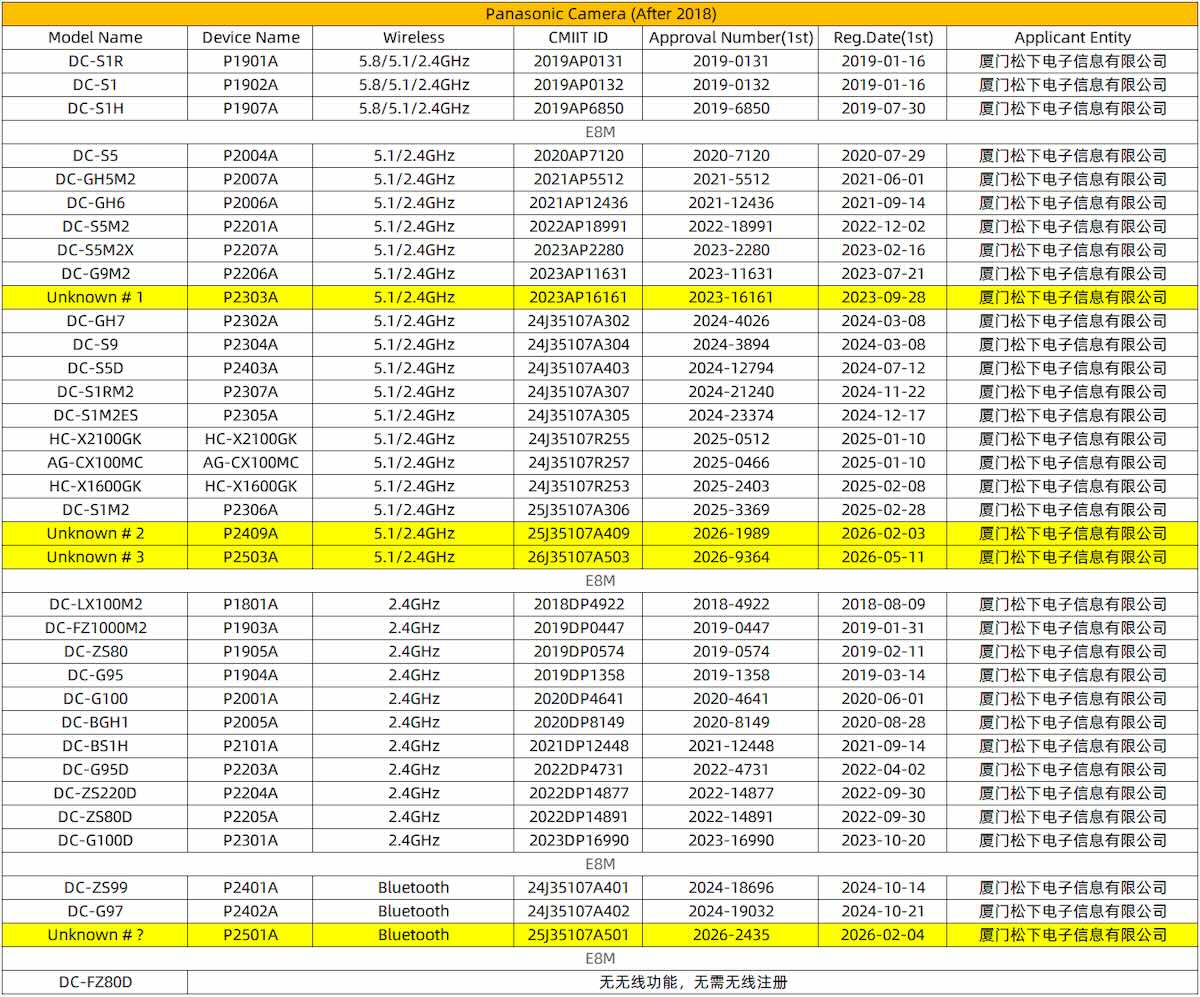
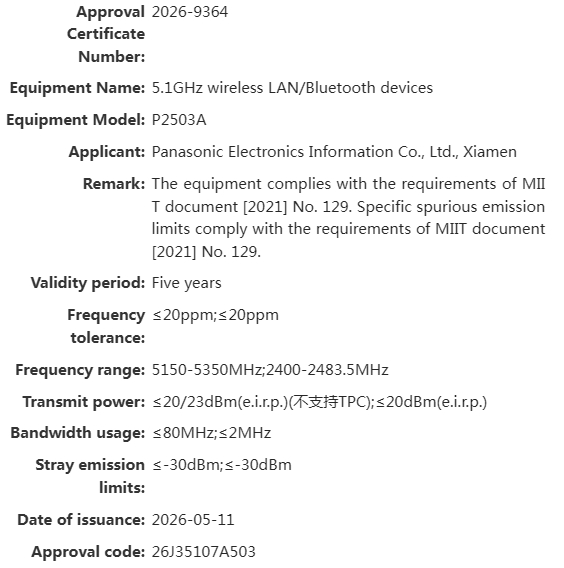
A quick update to my previous postPanasonic now has one registered but not yet announced new camera under the code name P2503A:

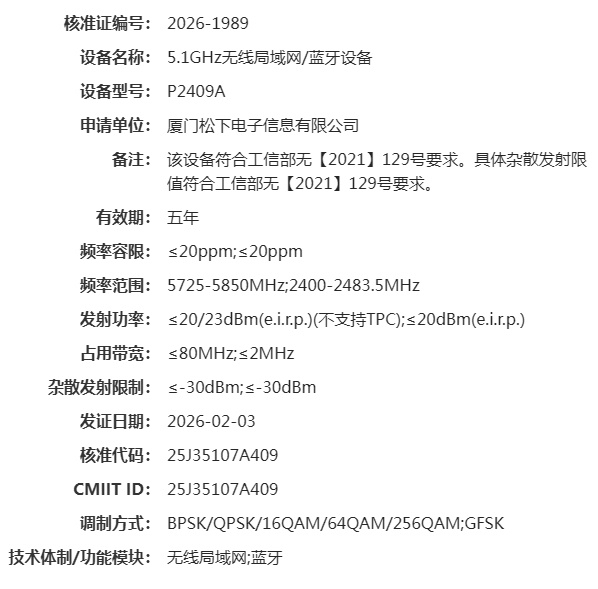
  • Panasonic P2409A: Wi-Fi 5 and Bluetooth. This could correspond to the new Lumix L10.
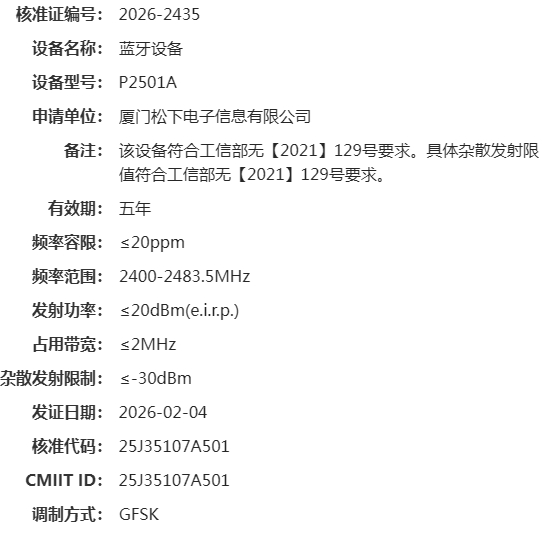
  • Panasonic P2501A: Bluetooth only, no Wi-Fi. This could correspond to the Lumix ZS300/TZ300, which was announced on March 24th.
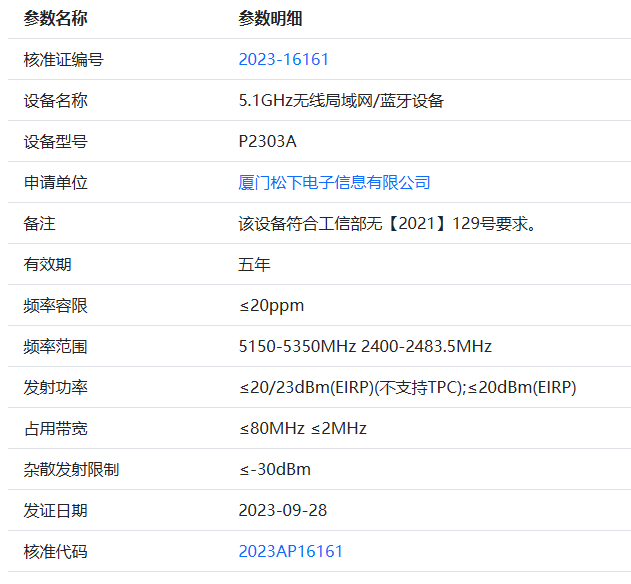
  • Panasonic P2303A: Wi-Fi 5 and Bluetooth. It was registered on September 28th, 2023, so it may correspond to an abandoned project.
  • Panasonic P2503A: Wi-Fi 5 and Bluetooth, not yet announced.


Panasonic still has four registered but not yet announced cameras

Thanks, Mistral75!

The post Update: Panasonic still has one registered but not yet announced new camera appeared first on Photo Rumors.

Godox announced a new MF-T76 macro twin flash for Nikon, Canon, and Sony cameras

Par : PR admin
26 mai 2026 à 03:35


Godox announced a new MF-T76 macro twin flash for Nikon, Canon, and Sony cameras:

Product Name Macro Twin Flash
Model MF-T76 C / MF-T76 S / MF-T76 N
Flash Power (1/1 step) 76Ws
Guide No. (1/1 step) Approx. GN22.4 (ISO100, in meters)
Flash Power Range 1/1-1/256 (with ±1/3 increment)
FEB ±3 step, with ±1/3 increment
Flash Duration (t0.1) 1/700s~1/19300s
Number of Flashes (1/1 step) Approx. 550
Recycle Time (1/1 step) Approx. 1.2s
Flash Mode TTL Flash, M (Manual) Flash
Flash Head Angle 0°~150°
Modeling Lamp Power 1W×2
Modeling Lamp CCT 4800K±300K
Wireless Transmission Distance 0-100m
CH 32 groups: 01-32
ID 99: 01-99
HSS Yes
Second Curtain Sync Yes
First Curtain Sync Yes
Lithium Battery 7.2V/2980mAh
Working Environment Temperature -10~50°C
Flash Head Dimension (excluding connecting cable) 2.97″×3.21″×1.18″
Controller Dimension (excluding connecting cable) 5.35″×2.78″×2.44″
Net Weight (excluding battery) ≈466g


A list of the latest Godox products can be found here.

Several Godox flashes are currently on sale.

The post Godox announced a new MF-T76 macro twin flash for Nikon, Canon, and Sony cameras appeared first on Photo Rumors.

Viltrox launches the Z1 Pro vintage/retro-inspired compact flash for Canon, Nikon, Sony, and Fujifilm cameras

Par : PR admin
26 mai 2026 à 01:38

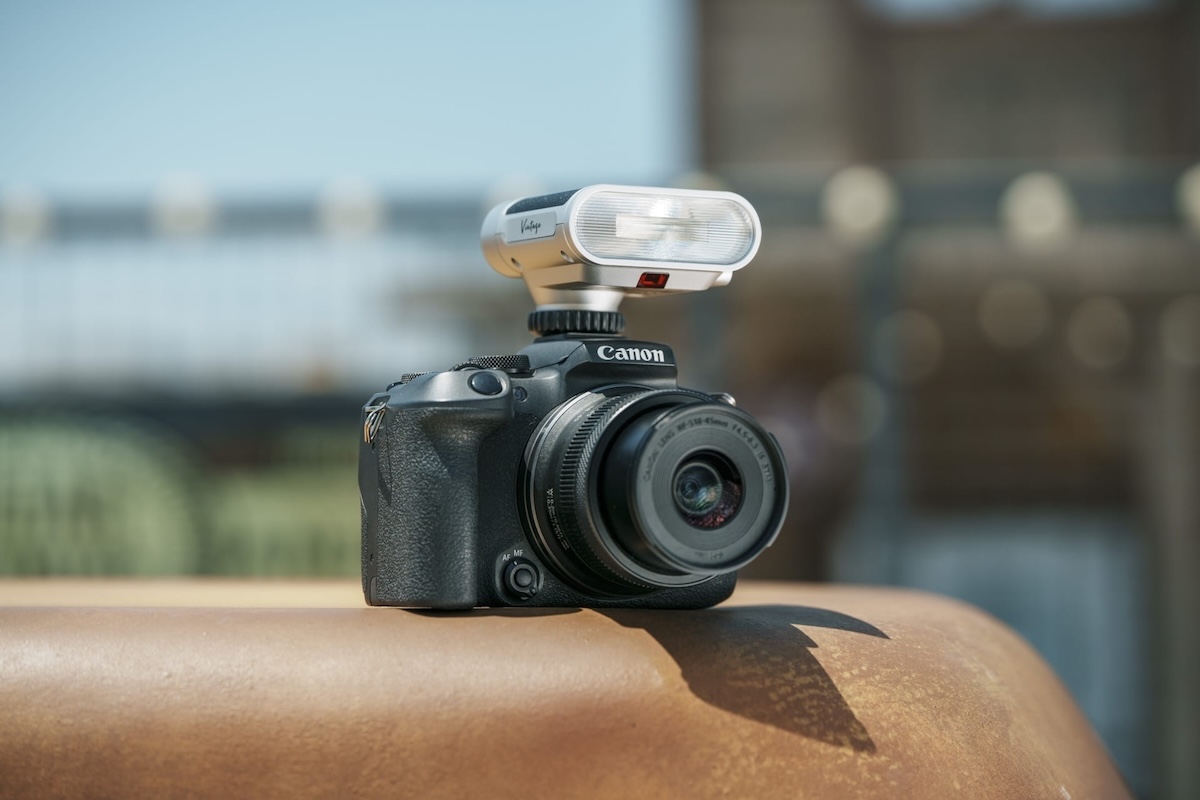
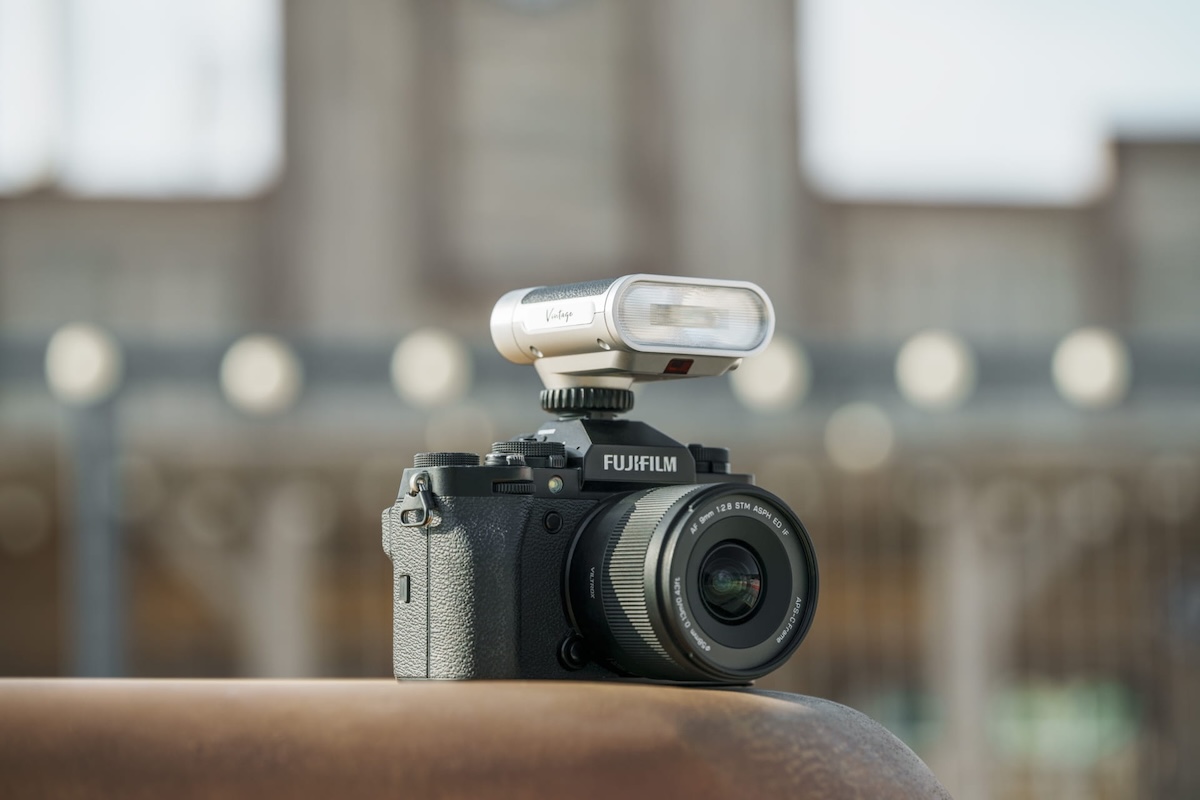
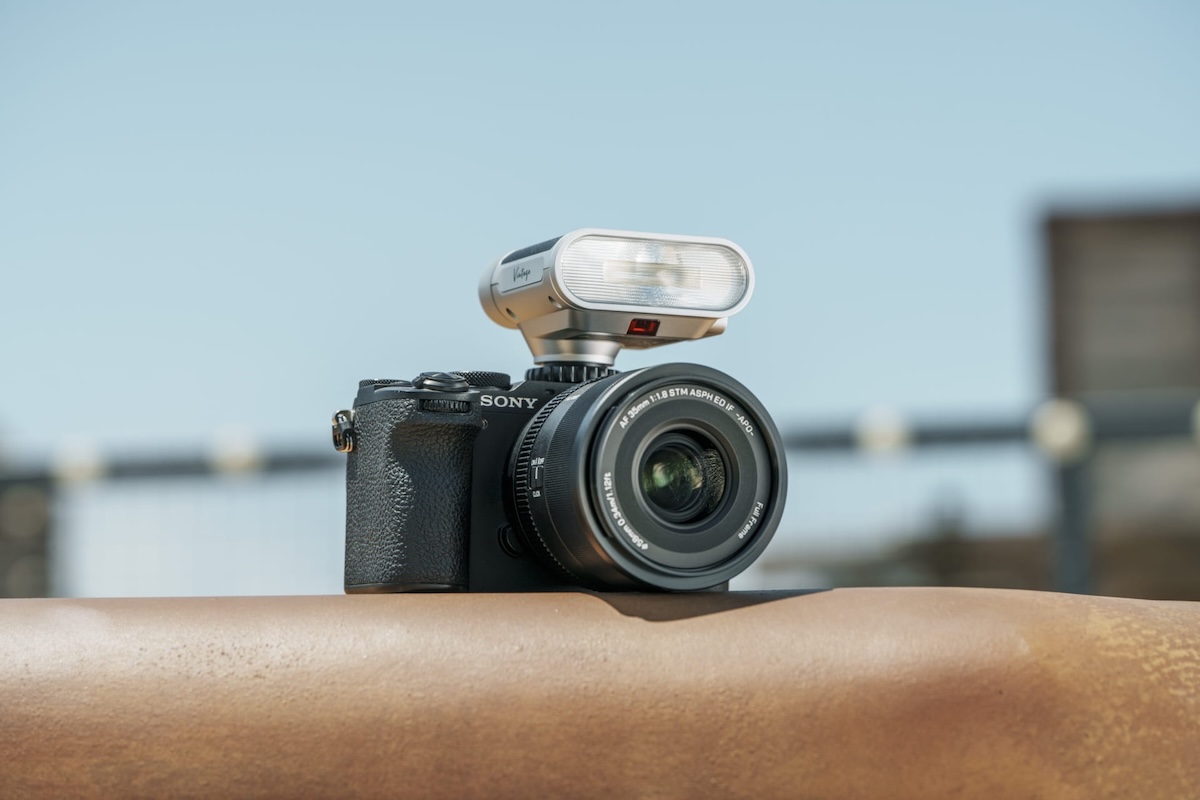
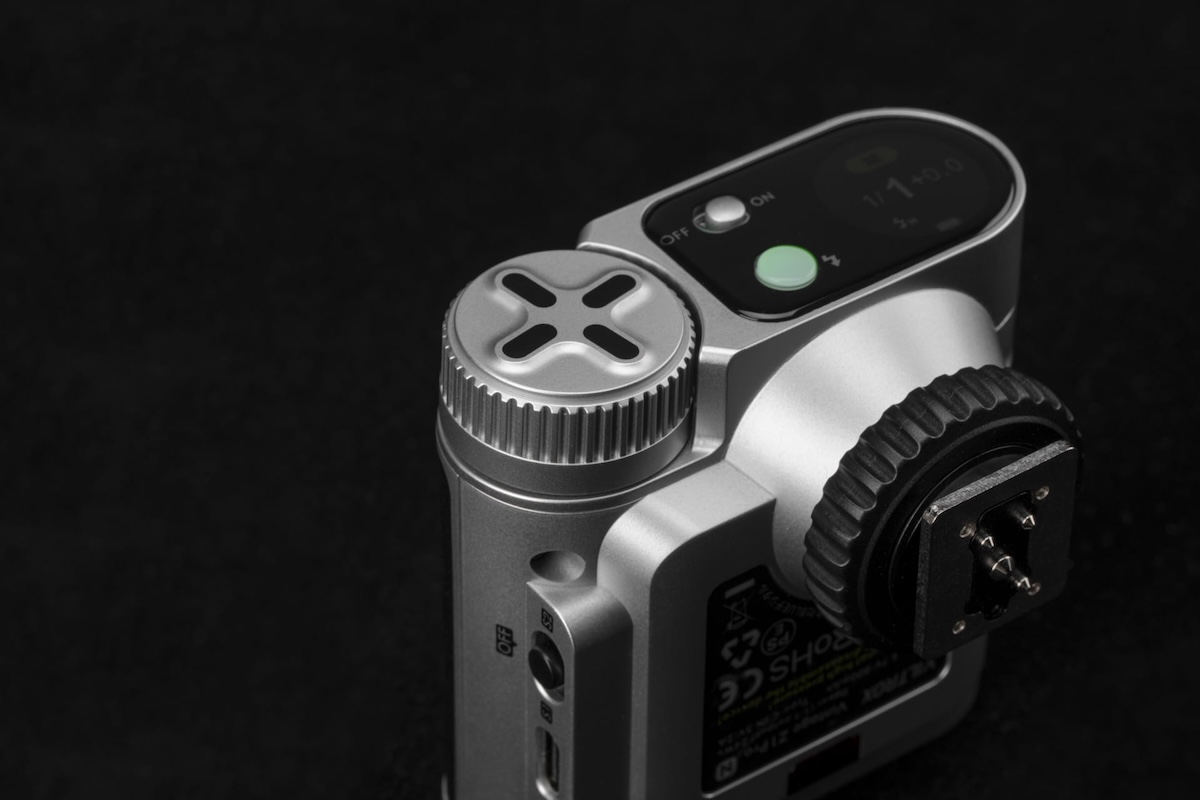
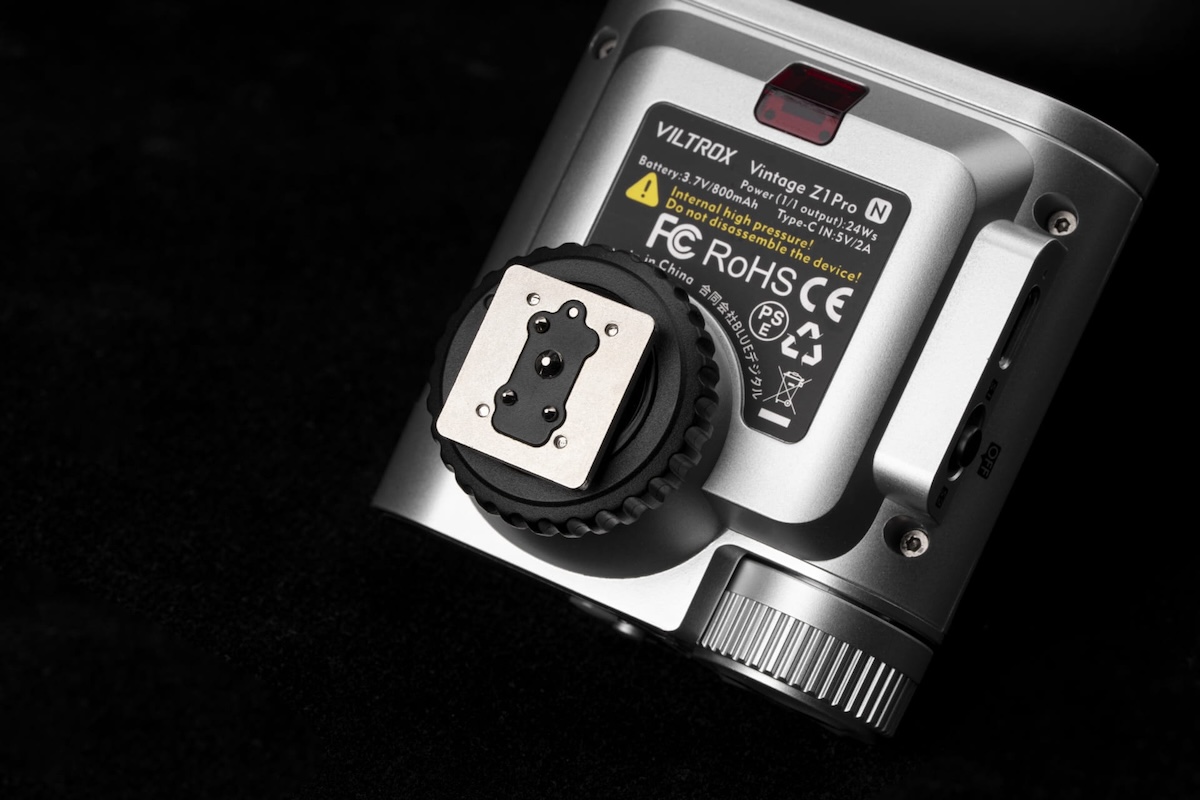
Viltrox announced a new Z1 Pro vintage/retro-inspired compact flash for Canon, Nikon, Sony, and Fujifilm cameras (the pro version of the existing Z1)

  • Pre-orders: B&H Photo | Amazon US | Amazon DE | Viltrox
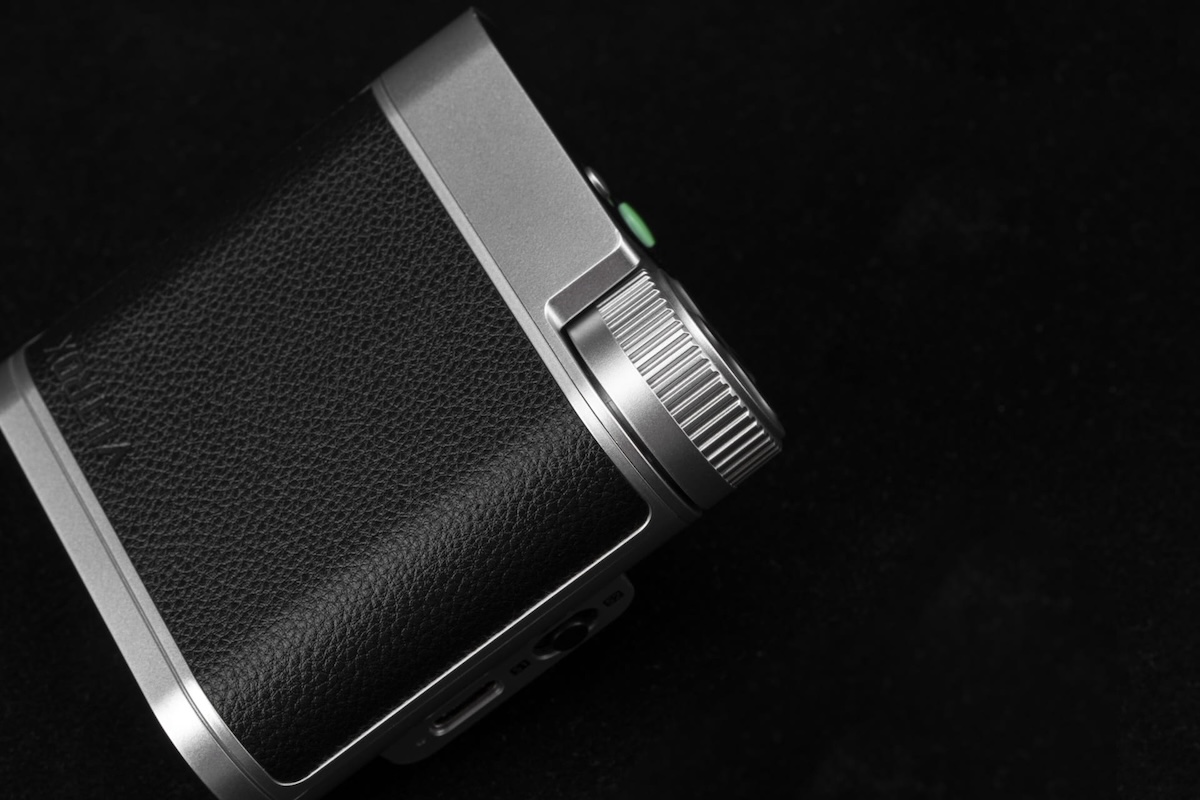
  • Modern functionality with signature vintage styling
  • Great for beginners, versatile enough for professionals
  • First Vintage-series flash with High-Speed Sync (HSS)
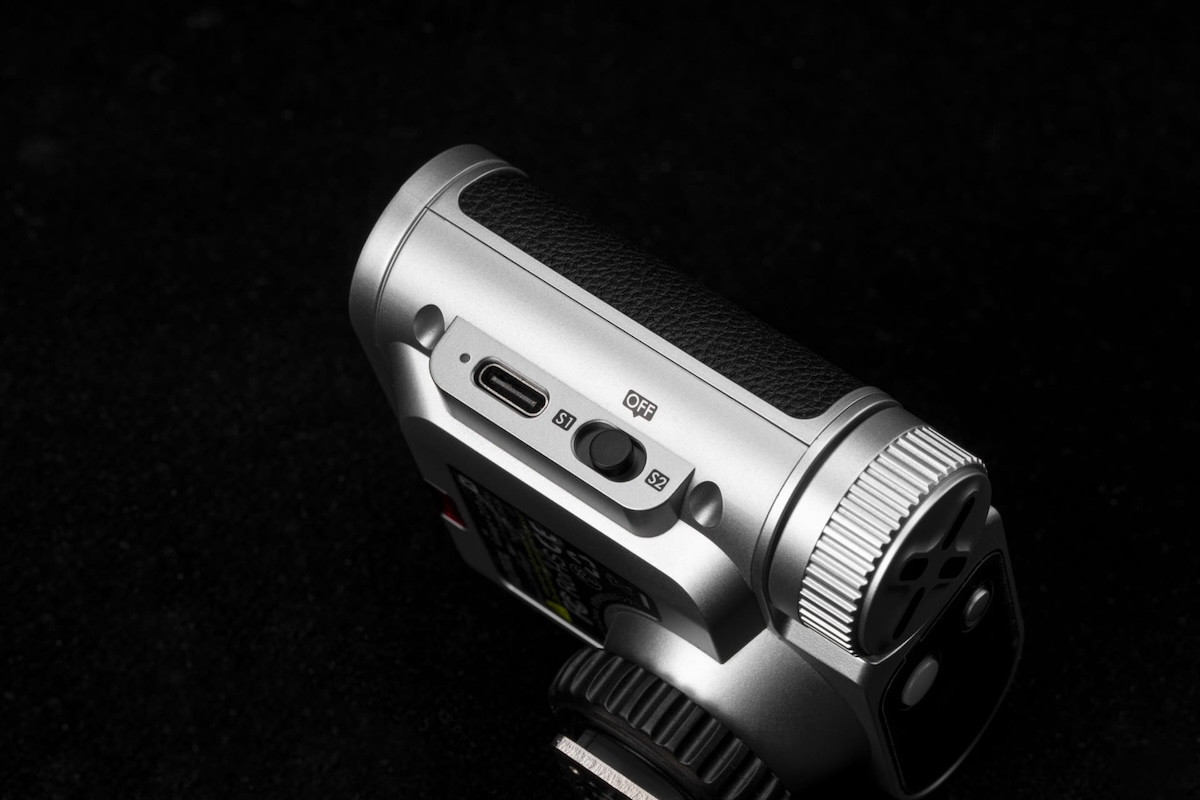
  • TTL Automatic Flash Metering with S1/S2 modes
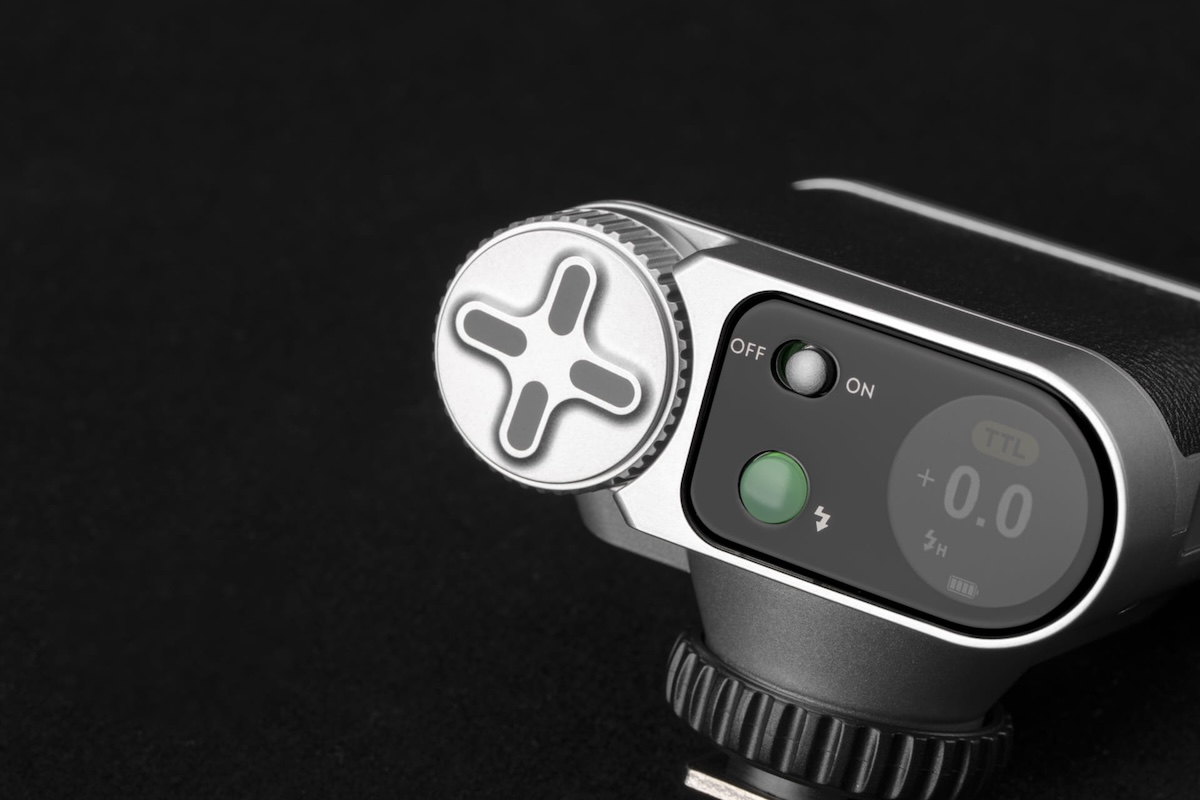
  • Circular color touchscreen control simplifies workflows
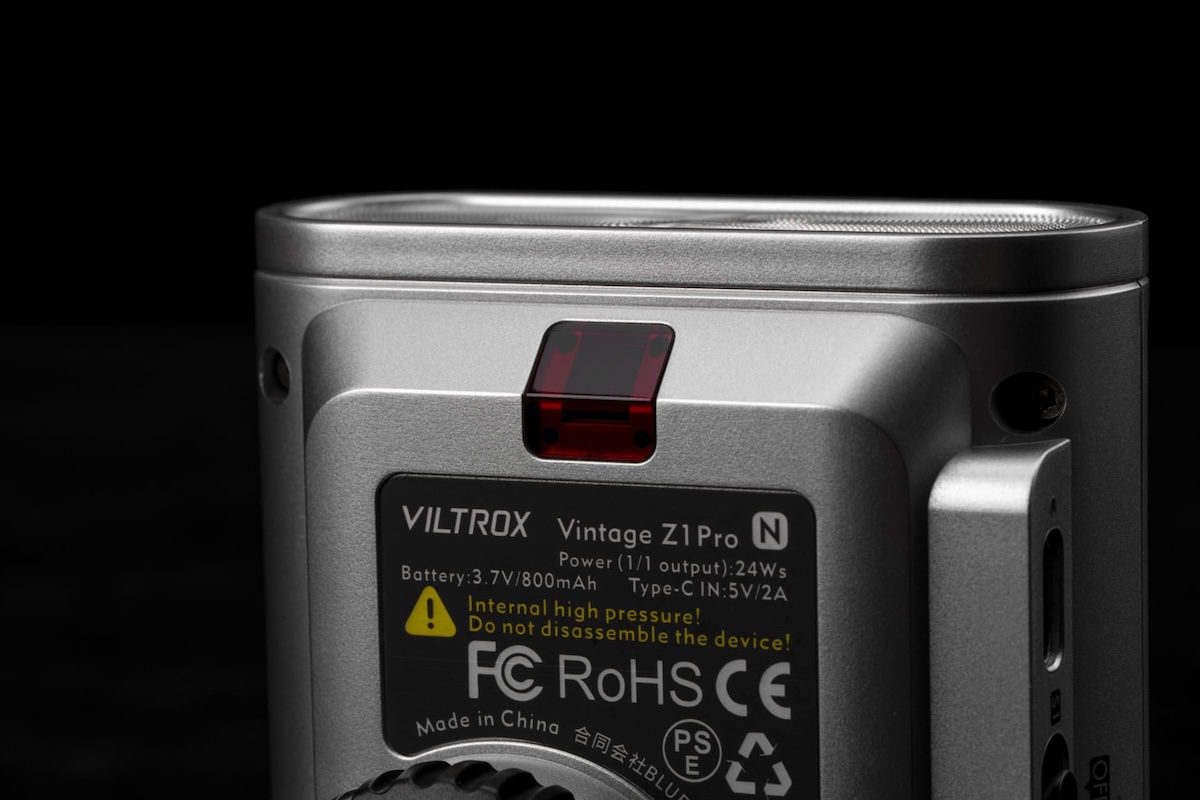
  • 24W output with 1 second recycle time
  • High-capacity battery supports 350 full-power flashes
  • Additional information:

  • Up to 1/8000s High-Speed Sync for Greater Shooting Flexibility.
  • TTL & Manual Flash Modes for Versatile Creative Control.
  • Retro-Inspired Design with Timeless Mechanical Styling.
  • Touchscreen Interface with Dial Control for Intuitive Operation.
  • 24Ws Flash Power with Fast 1s Recycle Time.
  • S1/S2 Optical Trigger Modes for Multi-Flash Setups.
  • Multi-System Hot Shoe Compatibility for Broad Camera Support.
  • Up to 350 Full-Power Flashes for Extended Shooting Sessions.

TTL Automatic Flash Metering and New High-Speed Sync

The Vintage Z1 Pro is the first in the series to include High-Speed Sync (HSS) functionality up to 1/8000s, enabling photographers to shoot in bright daylight with wider apertures and capture fast-moving subjects in natural ambient conditions.

TTL flash metering automatically adjusts flash output based on ambient lighting conditions. The Vintage Z1 Pro supports two optical trigger modes: S1 mode, which triggers simultaneously when another flash burst is detected, and S2 mode, which ignores TTL pre-flashes and triggers on the primary flash burst, enabling flexible multi-light arrangements and off-camera flash setups.

Intuitive Circular Color Touchscreen

The Vintage Z1 Pro features a newly integrated circular color touchscreen UI designed to simplify workflows. The display provides clear access to flash output levels, shooting modes, battery status, and sync settings, while touch-based controls enable faster and more intuitive adjustments compared to traditional button-operated interfaces.

High-Speed, High-Performance Flash

The Vintage Z1 Pro delivers 24Ws flash output with a 1-second recycle time. The high-capacity battery supports up to 350 full-power flashes per charge, helping creators maintain a smooth shooting rhythm. Integrated USB-C charging allows the flash to fit conveniently into modern loadouts, with a full recharge taking just 70 minutes.

Broad Camera Compatibility

The Vintage Z1 Pro supports Sony, Nikon, Canon, and Fujifilm camera systems (hot shoe versions) across a wide range of mainstream cameras.

The Diversity of Style in Viltrox’s Flash Series

With the launch of the Vintage Z1 Pro, Viltrox continues to expand its flash lineup, offering creators a broader range of lighting solutions across different shooting styles, creative preferences, and performance needs.

Additional pictures:

The post Viltrox launches the Z1 Pro vintage/retro-inspired compact flash for Canon, Nikon, Sony, and Fujifilm cameras appeared first on Photo Rumors.

New: Lensbaby Twist 28mm f/3.5 full-frame manual-focus pancake lens for $190

Par : PR admin
25 mai 2026 à 21:25


Lensbaby recently announced a new Petzval-inspired Twist 28mm f/3.5 full-frame manual-focus pancake lens with a classic swirling character:

  • Pre-orders: B&H Photo | Amazon
  • Petzval-Inspired Swirl
  • Fixed f/3.5 Aperture
  • Lens design: 4 elements in 3 groups
  • Antireflective Multicoated Lens Element
  • Weight: 140g
  • Minimum focusing distance: 200mm (8 inches)
  • For Canon RF, Fuji X, Nikon Z, Sony E, and MFT mounts
  • Price: $190
  • Additional information:

The Twist 28 draws on 19th-century Petzval optical design, which produces a sharp center of focus with a swirling blur effect in the outer portions of the frame. At 28mm, this optical characteristic applies across a wider field of view than prior Twist lenses, which photographers have used to create layered, motion-influenced images in tighter focal lengths.

The post New: Lensbaby Twist 28mm f/3.5 full-frame manual-focus pancake lens for $190 appeared first on Photo Rumors.

Panasonic Lumix L10 camera “received significantly more pre-orders than anticipated”

Par : PR admin
25 mai 2026 à 21:02


Panasonic Japan issued a notice that the new Lumix L10 camerareceived significantly more pre-orders than anticipated” and customers who pre-order in the future may experience delays in delivery after the release date of June 18th (pre-orders: B&H Photo | WEX Photo | Foto Erhardt):

Notice Regarding Delivery of Digital Camera DC-L10

Thank you for your continued patronage of Panasonic products.

Regarding the LUMIX “DC-L10” digital camera, scheduled for release on June 18th, we have received significantly more pre-orders than anticipated. Therefore, some customers who have already pre-ordered may not receive their product on the release date. Furthermore, customers who pre-order in the future may experience delays in delivery after the release date.

We sincerely apologize for the considerable inconvenience caused to our customers who are eagerly awaiting the product, as well as to all those involved.

We will do our utmost to meet customer expectations and deliver the product as quickly as possible, and we appreciate your understanding.

Affected Products:

  • DC-L10-K/S
  • DC-L10-N (Panasonic Store Plus Model)

New Panasonic L10 camera announced for the 25th anniversary of LUMIX

Comparing the new Panasonic Lumix L10 camera with the LX100 II

Panasonic announced a new L10 camera today, is the Leica D-Lux 9 coming next?


The post Panasonic Lumix L10 camera “received significantly more pre-orders than anticipated” appeared first on Photo Rumors.

Memorial Day photography deals

Par : PR admin
24 mai 2026 à 03:10


Here are some of the Memorial Day photography deals and specials:

The post Memorial Day photography deals appeared first on Photo Rumors.

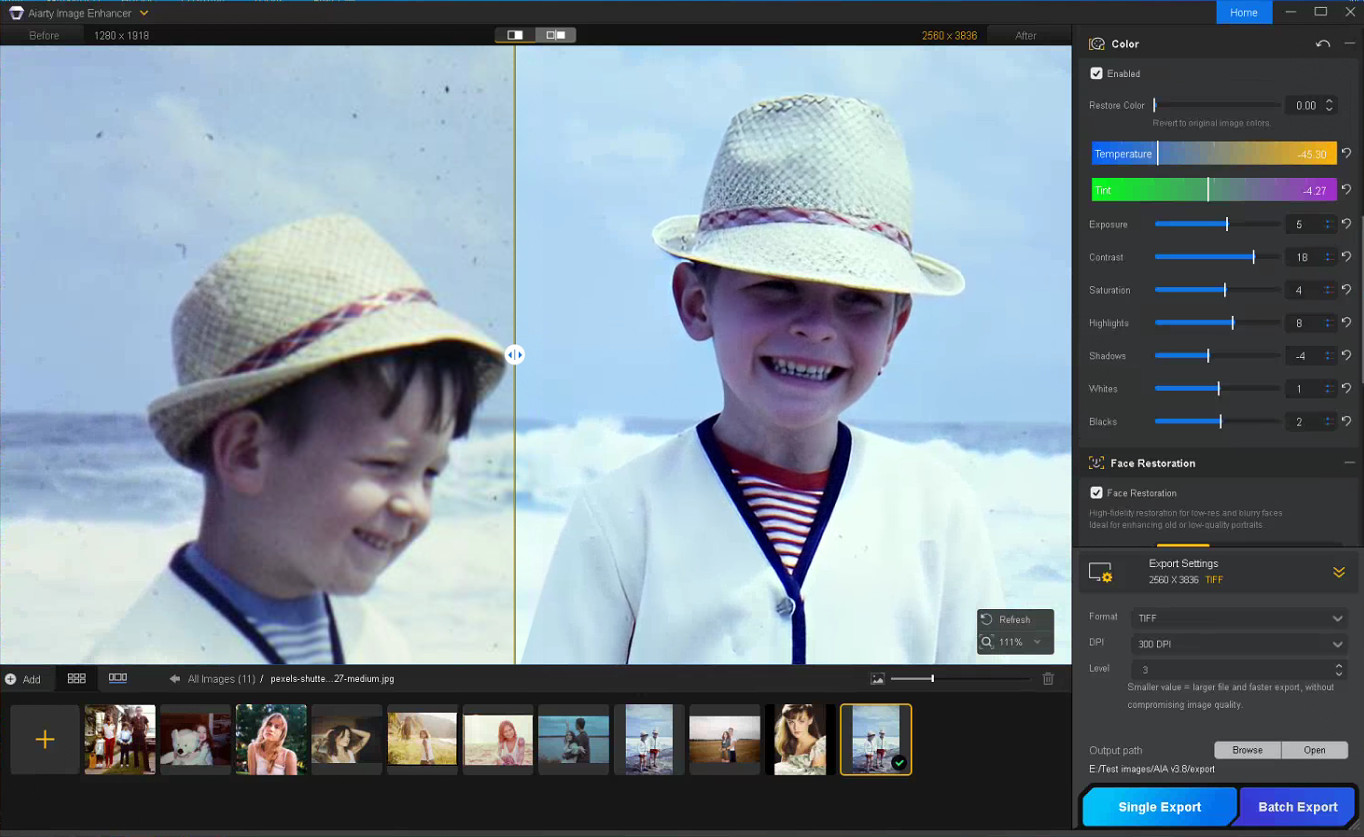
Aiarty Image Enhancer: Restore Old Photos and Recover Blurry Faces with AI (49% Lifetime License)

Par : PR admin
23 mai 2026 à 18:27

Aiarty Image Enhancer: Restore Old Photos and Recover Blurry Faces with AI (49% Lifetime License)

Restoring old photos is rarely as simple as increasing sharpness or removing visible damage. Many photographers and families are now digitizing decades-old prints, film negatives, and family albums to preserve them before physical deterioration becomes irreversible. However, scanned family photos and aging film prints often suffer from multiple issues simultaneously, including faded colors, scratches, dust, low-resolution scans, compression artifacts, and facial detail loss accumulated through years of storage, rescanning, and digital compression.

For photographers and archive enthusiasts, the challenge is restoring clarity without destroying the original texture and character of the image. Film grain is often mistaken for digital noise, facial details become overprocessed, and low-quality scans leave limited data for accurate restoration or upscaling.

Traditional workflows still rely heavily on manual Photoshop adjustments such as denoising, retouching, sharpening, scratch removal, and color correction, especially when processing larger photo archives or film scan collections.

AI-assisted restoration tools are increasingly being used to simplify repetitive cleanup tasks within a broader editing workflow. Designed around a restoration-oriented approach rather than one-click filters, Aiarty Image Enhancer combines denoising, deblurring, face recovery, scratch cleanup, upscaling, and color correction into a single workflow pipeline while maintaining more natural-looking results.

To celebrate its anniversary, the software is currently available at 49% OFF lifetime pricing, with the coupon code ANNIVERSARY providing an extra $5 off single products and $10 off bundles. The special offer runs through June 8.

The lifetime plan includes:

  • Use on up to 3 Windows or Mac computers
  • Unlimited access to all features
  • Free lifetime upgrades and priority technical support
  • 30-day money-back guarantee

How Aiarty Image Enhancer Fits Into Modern Photo Restoration Workflows

Rather than functioning as a one-click AI filter, Aiarty Image Enhancer is designed around a workflow-oriented approach for restoring old photos, film scans, and archived images while maintaining natural-looking detail.

A video demonstration showing real restoration results can be viewed below:

Its AI denoise and deblur tools help recover clarity from noisy or slightly soft scans without aggressively removing texture. A built-in Strength slider allows more controlled adjustments, which is particularly useful when working with film grain or older portraits where overprocessing can quickly create artificial-looking results.

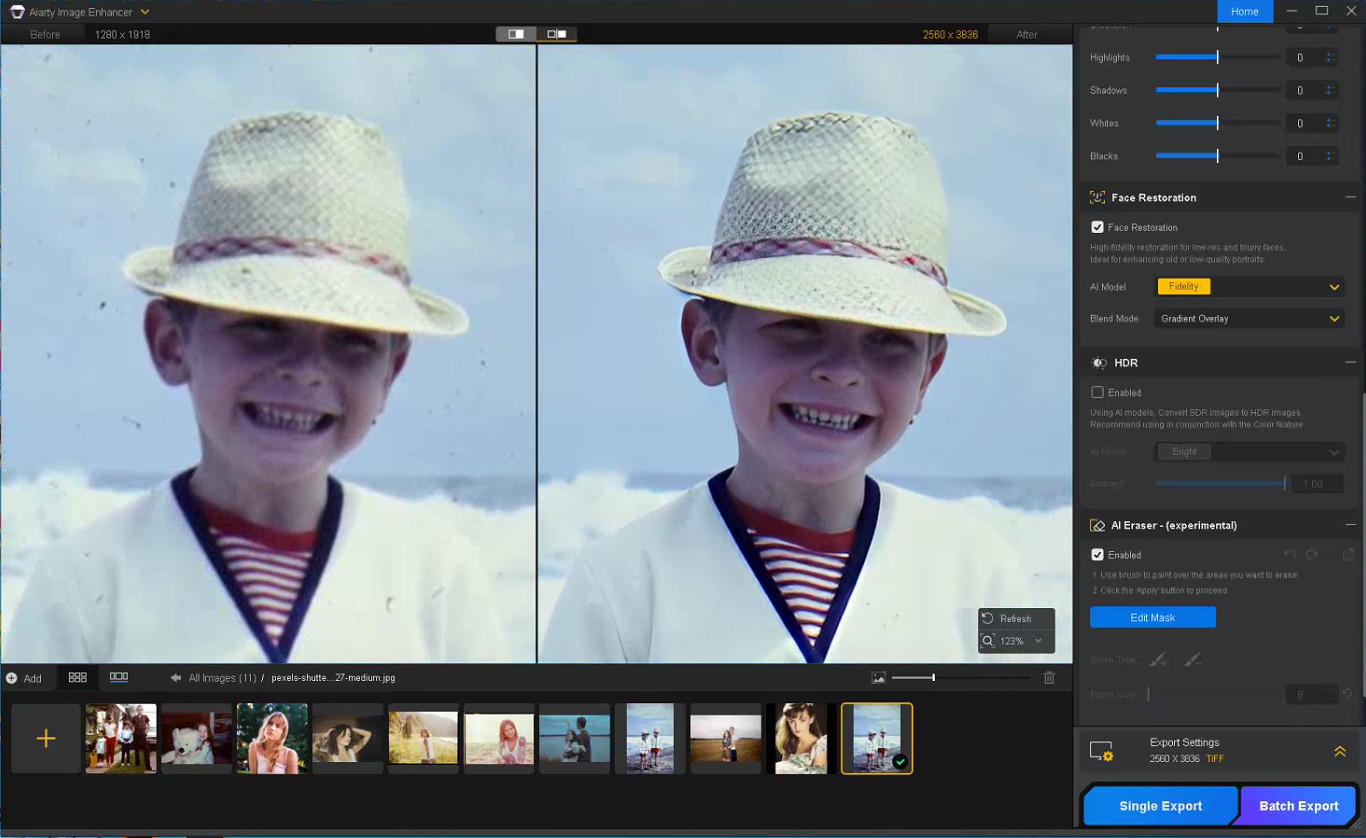
The latest Face Restoration improvements focus on rebuilding blurred facial areas while preserving realistic skin texture and facial structure. For damaged prints, the integrated AI Eraser can remove dust spots, scratches, stains, fold marks, and other small distractions commonly found in archived photographs.

The software also supports AI upscaling for printing, digital archiving, and recovering low-resolution scans. Upgraded color controls help correct faded tones and yellow aging, while TIFF/DNG export support improves compatibility with Lightroom, Photoshop, and non-destructive editing workflows. Batch processing can further simplify repetitive cleanup work across multiple images or film scans.

A Practical Workflow for Restoring Old Photos

Step 1: Scan the Original Photo Properly

The quality of the restoration process still depends heavily on the original scan. For best results, scan photos at least 300dpi or higher, use TIFF when possible, avoid repeated JPEG compression, and clean the scanner surface before digitizing older prints.

Step 2: Reduce Noise and Upscale the Photo

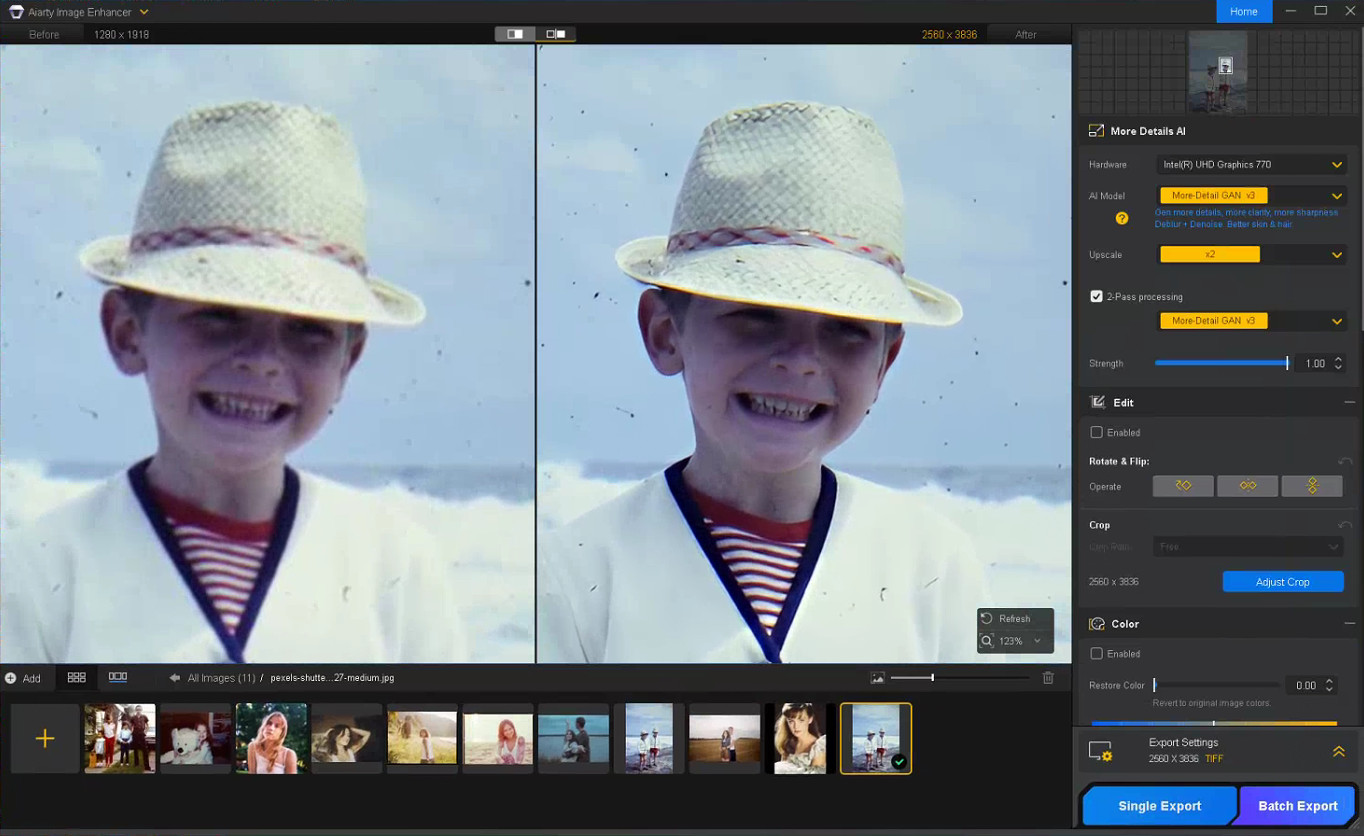
The first stage of restoring old photos usually focuses on improving image clarity while preserving the original texture of the photo. In Aiarty Image Enhancer, denoising, detail enhancement, and AI upscaling are processed together within the same AI pipeline.

Choose a suitable AI model and upscale factor depending on your old/damaged photo restoration goal. Using x1 applies denoising and enhancement only, while higher upscale settings can help AI upscale photos from low-resolution scans and prepare restored photos for printing or digital archiving without heavily over-smoothing fine details.

Step 3: Restore Facial Details Carefully

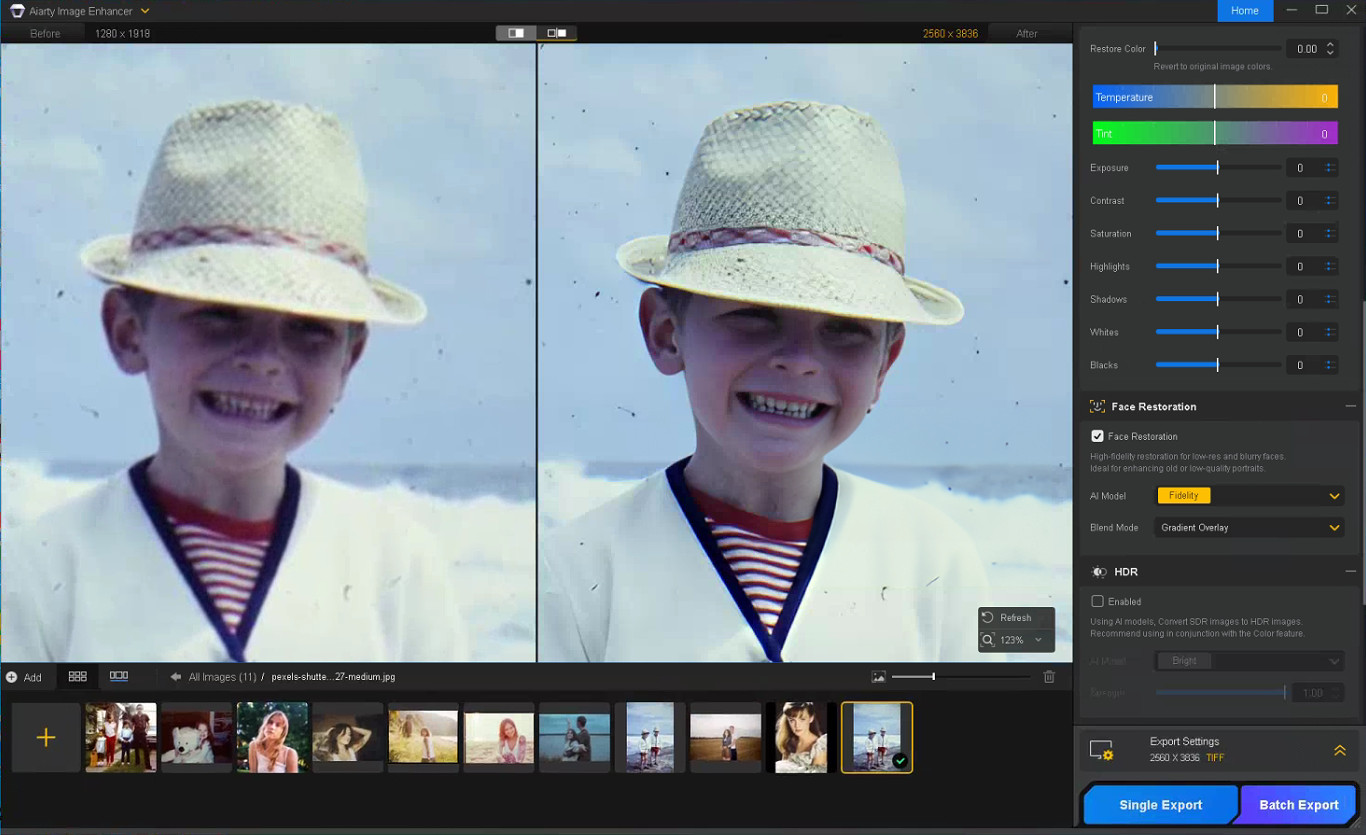
Enable Face Restoration and choose the Fidelity mode to better preserve the original facial structure and maintain more realistic-looking results. Rather than aggressively sharpening every facial feature, Aiarty’s Face Restoration focuses on recovering eye clarity, hair detail, facial edges, and natural skin texture while avoiding an over-smoothed or artificial appearance.

Step 4: Remove Scratches, Dust, and Small Damage

Enable the AI Eraser and mask scratches, stains, fold marks, or other distracting elements. Working in smaller sections with a properly adjusted brush size generally produces more natural-looking results than masking large areas at once.

Step 5: Correct Faded Colors and Improve Contrast

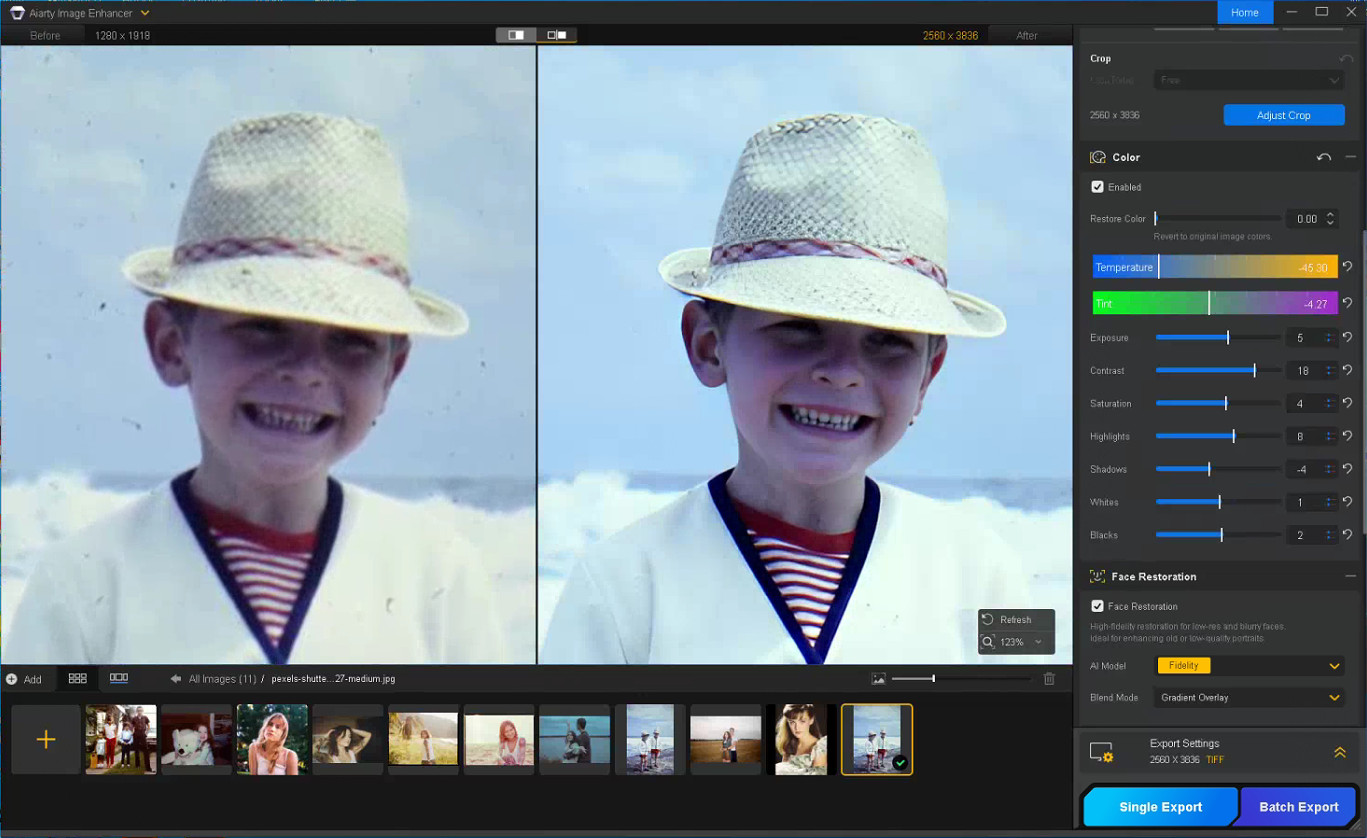
With the Color option enabled, you can fine-tune temperature, tint, contrast, exposure, shadows, and other parameters to correct yellow tint, faded contrast, washed-out shadows, and uneven color fading commonly found in older photos, helping restore depth and readability without making the image look overly processed.

Step 6: Export the Restored Photo

Once restoration is complete, choose the output format, DPI, and quality settings before exporting the final image. TIFF and DNG formats are recommended for preserving image quality and maintaining compatibility with Lightroom and Photoshop workflows.

Notes for Getting Better Restoration Results

Old photo restoration results can vary depending on the condition of the original image, so small workflow adjustments often produce better outcomes.

Trying Different AI Models

Each AI model in Aiarty Image Enhancer is optimized for different enhancement scenarios.

  • More-Detail GAN v3: Enhances detail and sharpness while reducing blur and noise
  • AIGCsmooth v3: Optimized for AI-generated images and smoother surfaces
  • Real-Photo v3: Designed for high-quality photos with more natural detail recovery

Experimenting with different AI models can help identify which one produces the most natural-looking old photo restoration for a specific image.

Adjusting the Strength Setting

If the restored image looks slightly waxy or overprocessed, lowering the Strength value can help preserve more natural texture and finer details.

Restoring Before Upscaling

For printing or digital archiving, it is generally recommended to complete denoising and face correction before applying upscaling, as cleaner base images usually produce more stable results.

In some cases, sequential upscaling (such as 2x + 2x) may also preserve detail better than applying a direct 4x upscale in a single pass.

Using Face Restoration Selectively

Face Restoration works best on photos where facial details are still partially visible but have become soft or faded over time. Fidelity mode keeps results closer to the original image, while Rebuild focuses more on reconstructing missing facial details.

Final Thoughts

The photo restoration workflow used in Aiarty Image Enhancer helps streamline the process while preserving more natural-looking detail compared to isolated manual adjustments. By combining cleanup and enhancement into a structured sequence, it reduces repetitive Photoshop work and improves consistency across different image types.

Beyond old photo recovery, the same workflow can also improve compressed social media uploads, AI-generated images, low-quality web photos, and images prepared for posters or large-format printing.

With the anniversary promotion, users can get the Aiarty Image Enhancer Lifetime License for only $74 (up to 52% OFF) with the code “ANNIVERSARY”, including lifetime access, lifetime free updates, and a 30-day money-back guarantee with no hidden fees.

The post Aiarty Image Enhancer: Restore Old Photos and Recover Blurry Faces with AI (49% Lifetime License) appeared first on Photo Rumors.

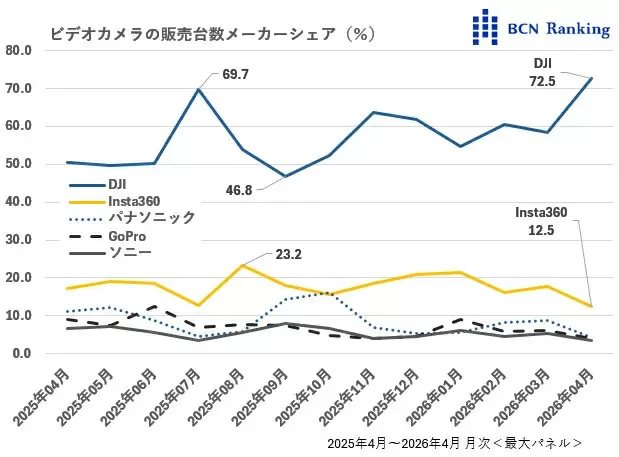
DJI currently holds a whopping 72.5% of the video camera market in Japan

Par : PR admin
23 mai 2026 à 18:06


DJI currently holds a whopping 72.5% of the video camera market in Japan (Insta360 is at 12.5%):

DJI’s share of the video camera market has also risen, reaching an astonishing 72.5%, its highest ever. New products have also revitalized the entire video camera market. Sales in April increased significantly, with a 158.1% year-on-year increase in units and a 135.2% increase in sales value. This was revealed by the BCN ranking, which compiles actual sales data from 2,400 electronics retailers and online shops nationwide. (source)

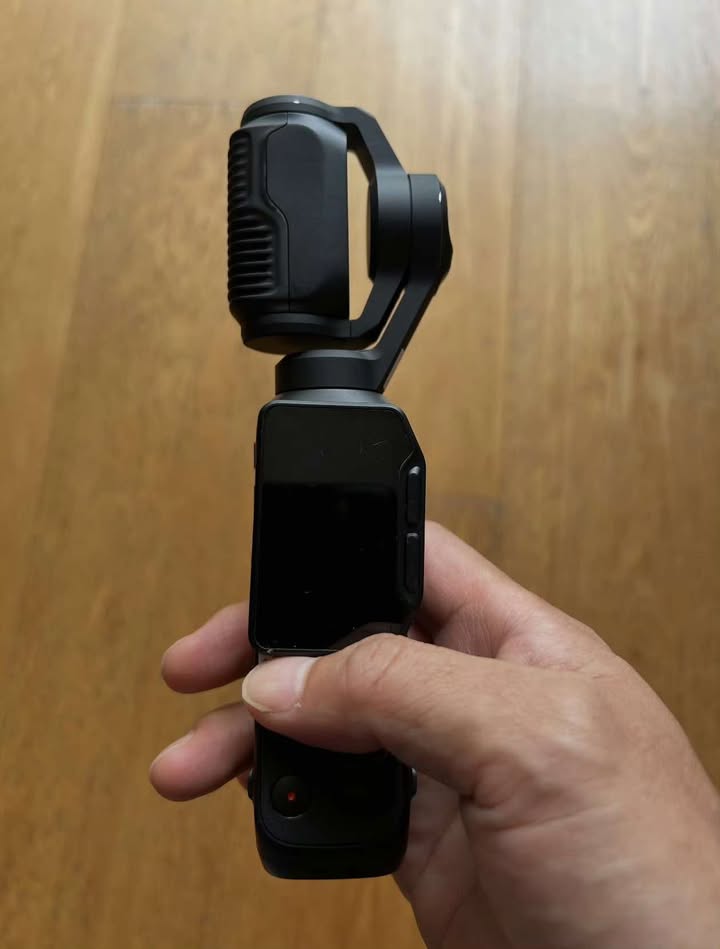
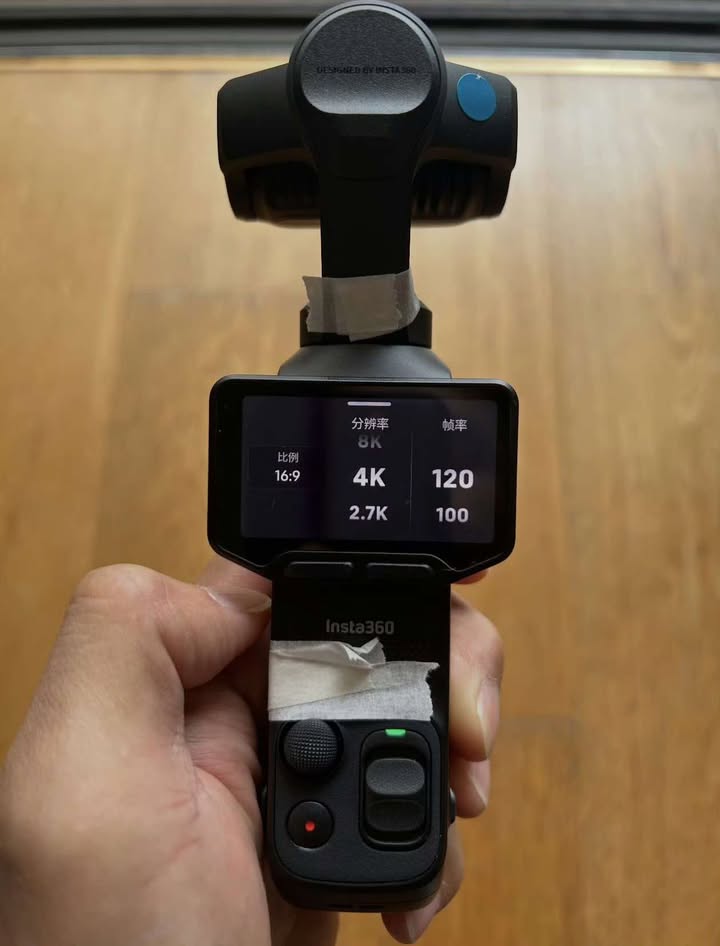
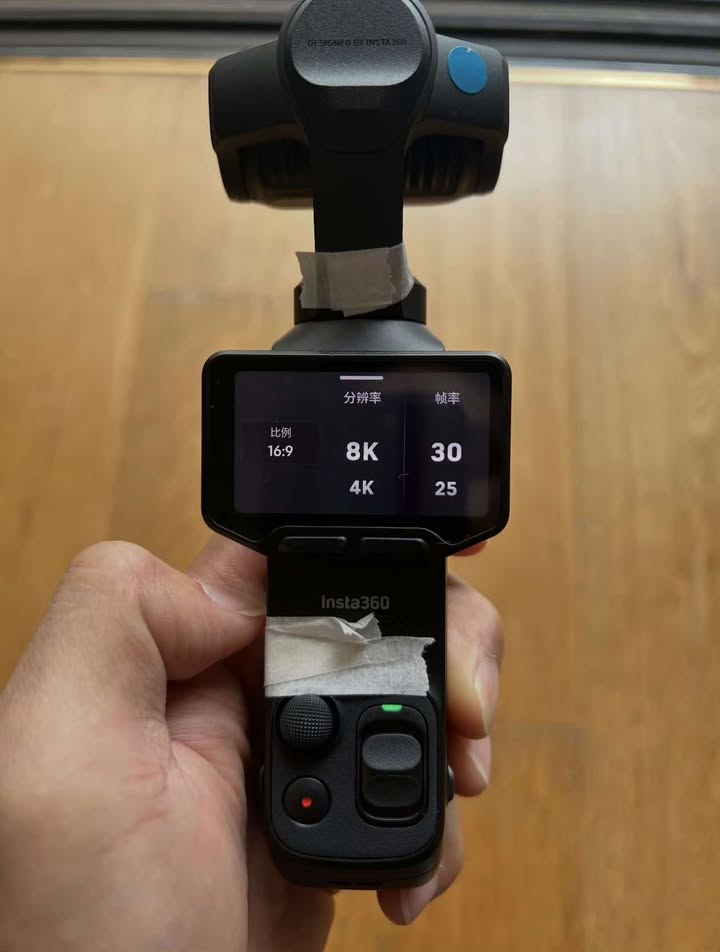
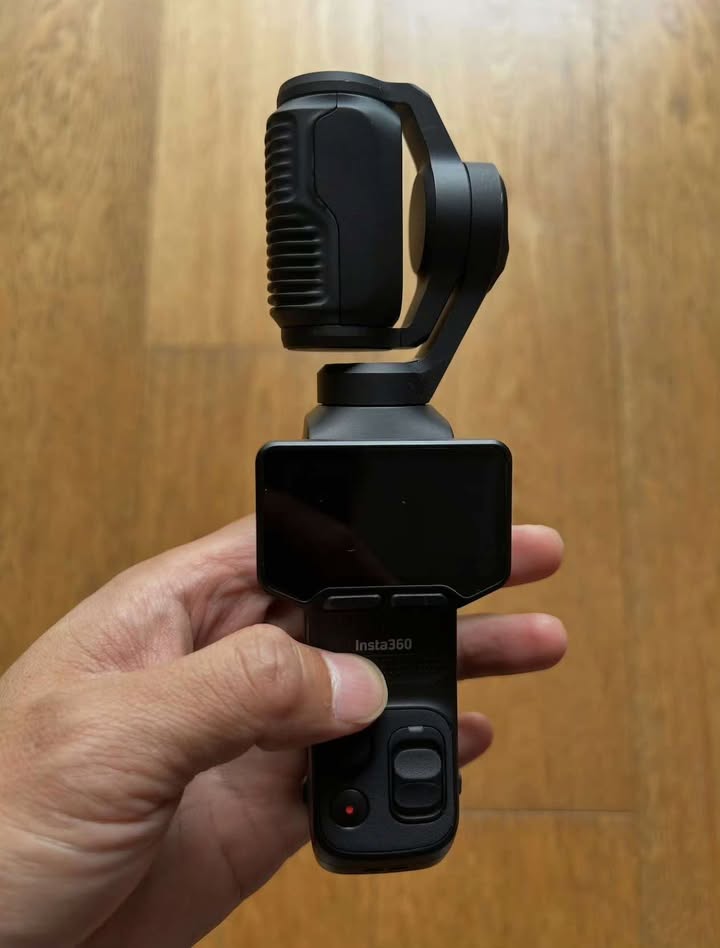
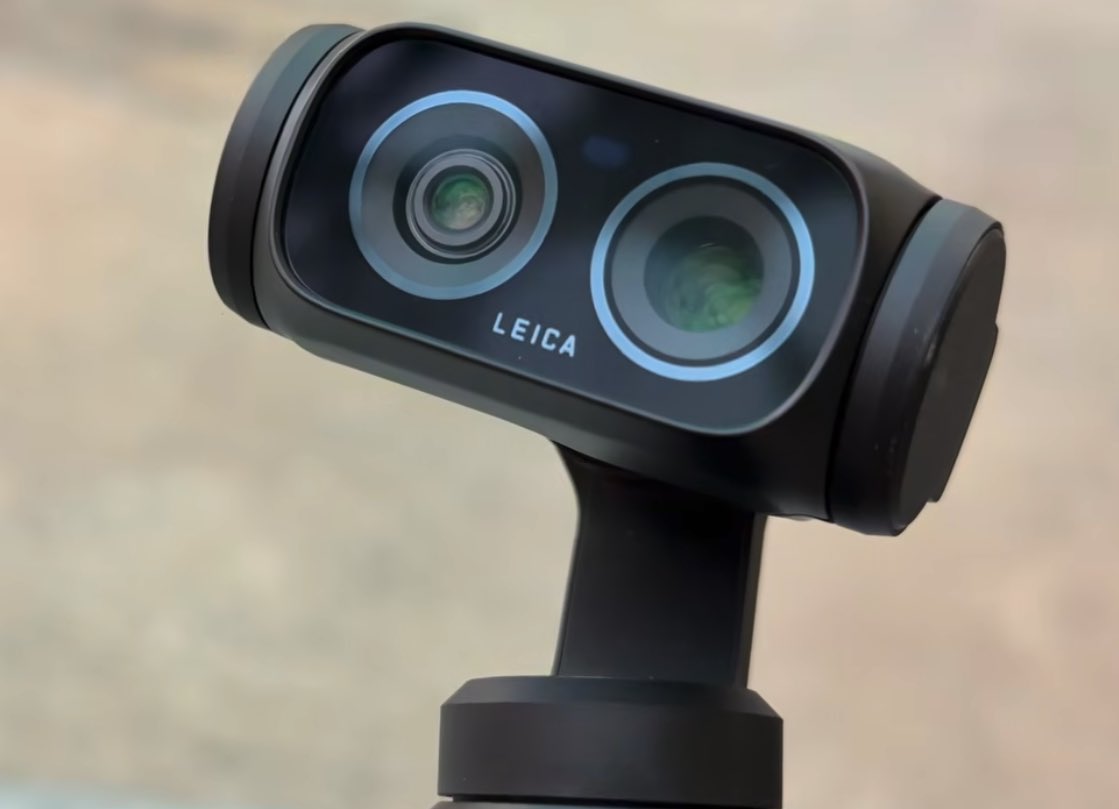
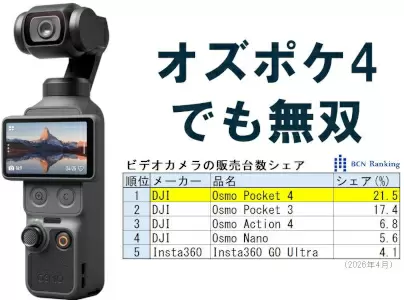
Various DJI Osmo Pocket camera models currently hold the top 4 spots:

New DJI Osmo Pocket 4P camera teaser and additional information

The post DJI currently holds a whopping 72.5% of the video camera market in Japan appeared first on Photo Rumors.
Comparing the new Canon EOS R6V with the Nikon ZR
Par : PR admin
23 mai 2026 à 13:22


Comparing the new Canon EOS R6V ($2,499) with the Nikon ZR ($2,197):

Canon EOS R6V vs. Nikon ZR specifications comparison


The Canon EOS R6V and Nikon ZR are both compact, full-frame, video-focused mirrorless cameras without an EVF. They prioritize internal RAW recording, strong IBIS, and run-and-gun usability in a small “cinema-style” body rather than traditional stills photography.

The Canon EOS R6V is a higher-resolution hybrid that builds on the R6 III sensor/platform with creator-friendly upgrades like active cooling and open-gate recording. The Nikon ZR is Nikon’s first Z Cinema camera, incorporating RED Digital Cinema technology for RAW recording, color science, and a more cinema-oriented design.

Key specs comparison:

  • Sensor & Resolution Canon: 32.5 MP full-frame CMOS (≈6960 × 4640). Nikon: 24.5 MP full-frame partially stacked CMOS (same family as Z6 III). Advantage: Canon for stills, cropping, and higher-resolution open-gate video; Nikon for potentially better readout speed/low light with its stacked design.
  • Processor Canon: DIGIC X. Nikon: EXPEED 7.
  • Video Capabilities Canon: Up to 7K 60p RAW (Cinema RAW Lite), 7K 30p open-gate (3:2 full sensor height), oversampled 4K 60p, 4K 120p, high-bitrate options, Canon Log 2/3. Active cooling fan for sustained recording without overheating. Nikon: Up to 6K 60p (R3D/NE RAW codec), ProRes RAW options, 4K 120p, 15+ stops dynamic range in Log3G10, N-Log, HLG. Dual base ISO (800/6400). Advantage: Canon for higher resolution and open-gate flexibility (great for vertical/social content); Nikon for industry-standard RED RAW workflow and color science.
  • Image Stabilization Both: 7.5 stops IBIS (Canon may reach 8.5 with compatible RF lenses via coordinated control). Tie: Excellent for both.
  • Autofocus Canon: Dual Pixel CMOS AF II with excellent subject detection (people, animals, vehicles). Nikon: Advanced subject detection (people, animals, vehicles, planes) with auto mode. Slight edge: Canon Dual Pixel is often praised for reliability in hybrid shooting, but Nikon is very capable.
  • Screen & Monitoring Canon: 3″ vari-angle touchscreen (≈1.62M dots). Nikon: Larger 4″ vari-angle DCI-P3 LCD (≈3.07M dots, 1000 nits brightness) – much better for bright outdoor use. Advantage: Nikon (significantly larger and brighter).
  • Viewfinder: Neither has a built-in EVF (both are video-first designs with optional external EVF support via hot shoe).
  • Audio Canon: Standard high-quality inputs. Nikon: Internal 32-bit float recording (a standout feature for clean audio without clipping worries). Advantage: Nikon.
  • Storage Canon: CFexpress Type B + SD UHS-II (full-size slots). Nikon: CFexpress Type B + microSD. Advantage: Canon for easier media handling.
  • Build & Ergonomics Both are compact and lightweight (Canon ≈688g with battery; Nikon ≈630g or lighter). Canon has a more traditional hybrid grip; Nikon has a blockier cinema-style body. Both have weather sealing and full-size HDMI on Canon (Nikon uses micro variants).
  • Stills Performance Canon: Stronger – up to 40 fps electronic burst, better resolution for prints/cropping. Nikon: Capable but more video-prioritized (electronic shutter only).
  • Battery & Power Canon: LP-E6P. Nikon: Standard Z battery. Real-world runtime depends heavily on cooling, codec, and frame rate.

Who Should Buy Which?

Choose the Canon EOS R6V if:

  • You want higher resolution stills + video hybrid capabilities.
  • Open-gate 7K recording and active cooling for long takes are priorities.

Choose the Nikon ZR if:

  • You value RED RAW workflow, color science, and 32-bit float audio for professional post-production.
  • A larger, brighter 4″ screen and compact cinema form factor matter more.

Overall: These are very close competitors aimed at similar users (creators who want full-frame RAW in a small body). The Canon edges out in resolution, cooling, and hybrid versatility; the Nikon stands out with its screen, audio innovation, and RED-backed RAW/color pipeline.

https://photorumors.com/2026/05/13/announced-canon-eos-r6-v-rf-20-50mm-f-4-l-is-usm-pz-lens-pre-orders-now-open/

The post Comparing the new Canon EOS R6V with the Nikon ZR appeared first on Photo Rumors.

❌