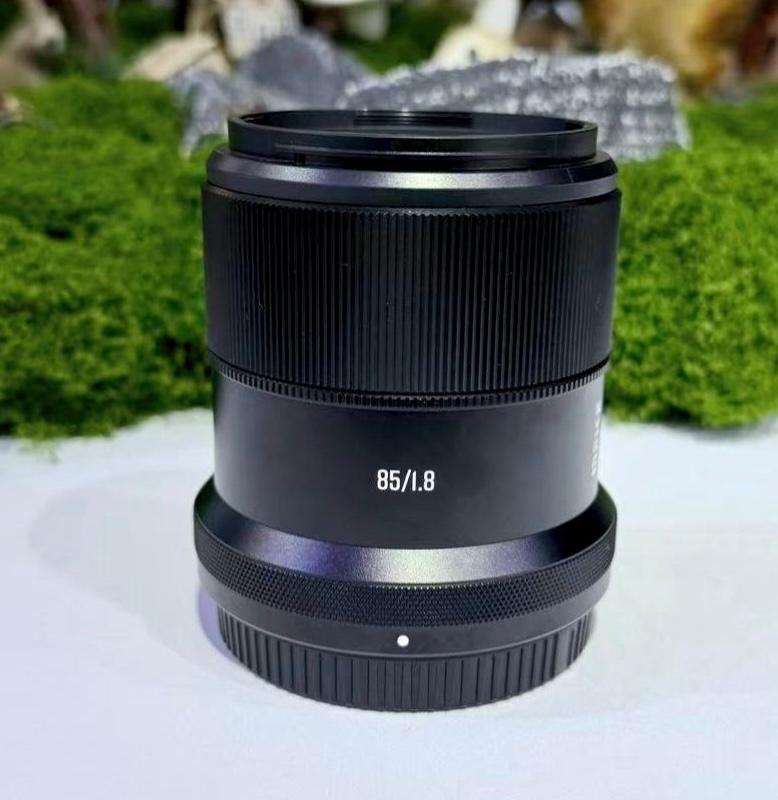
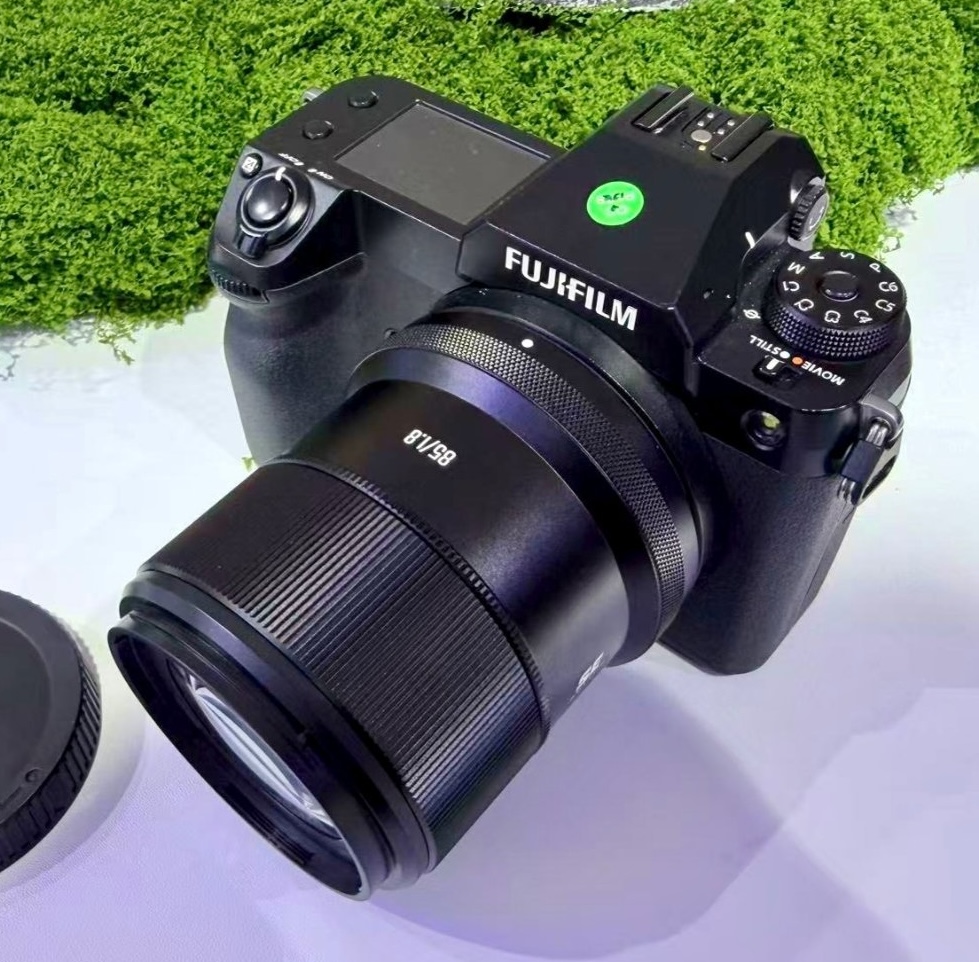
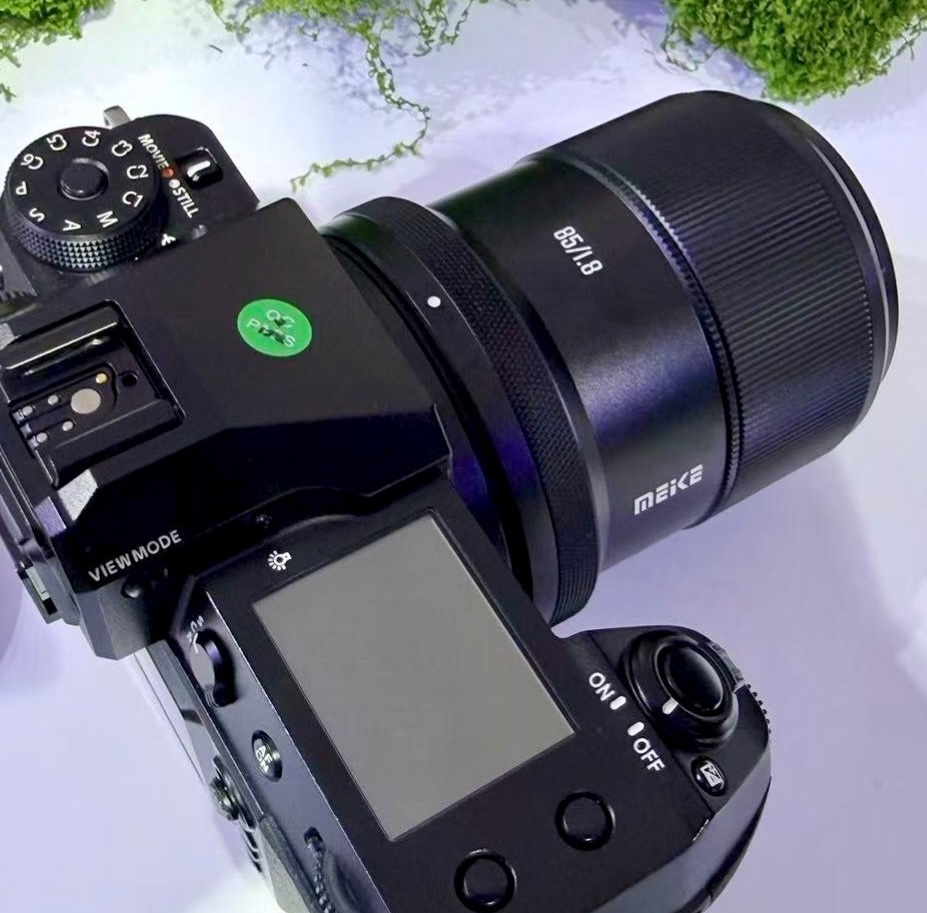
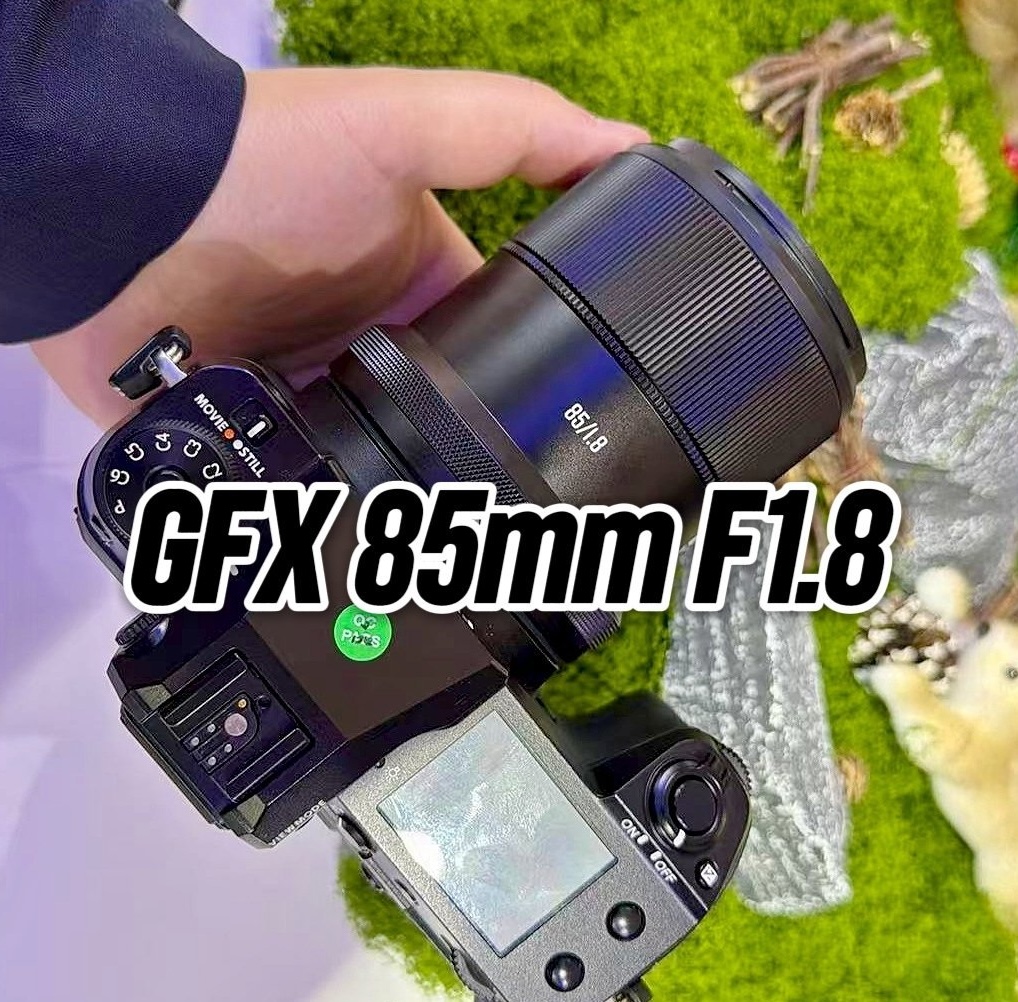
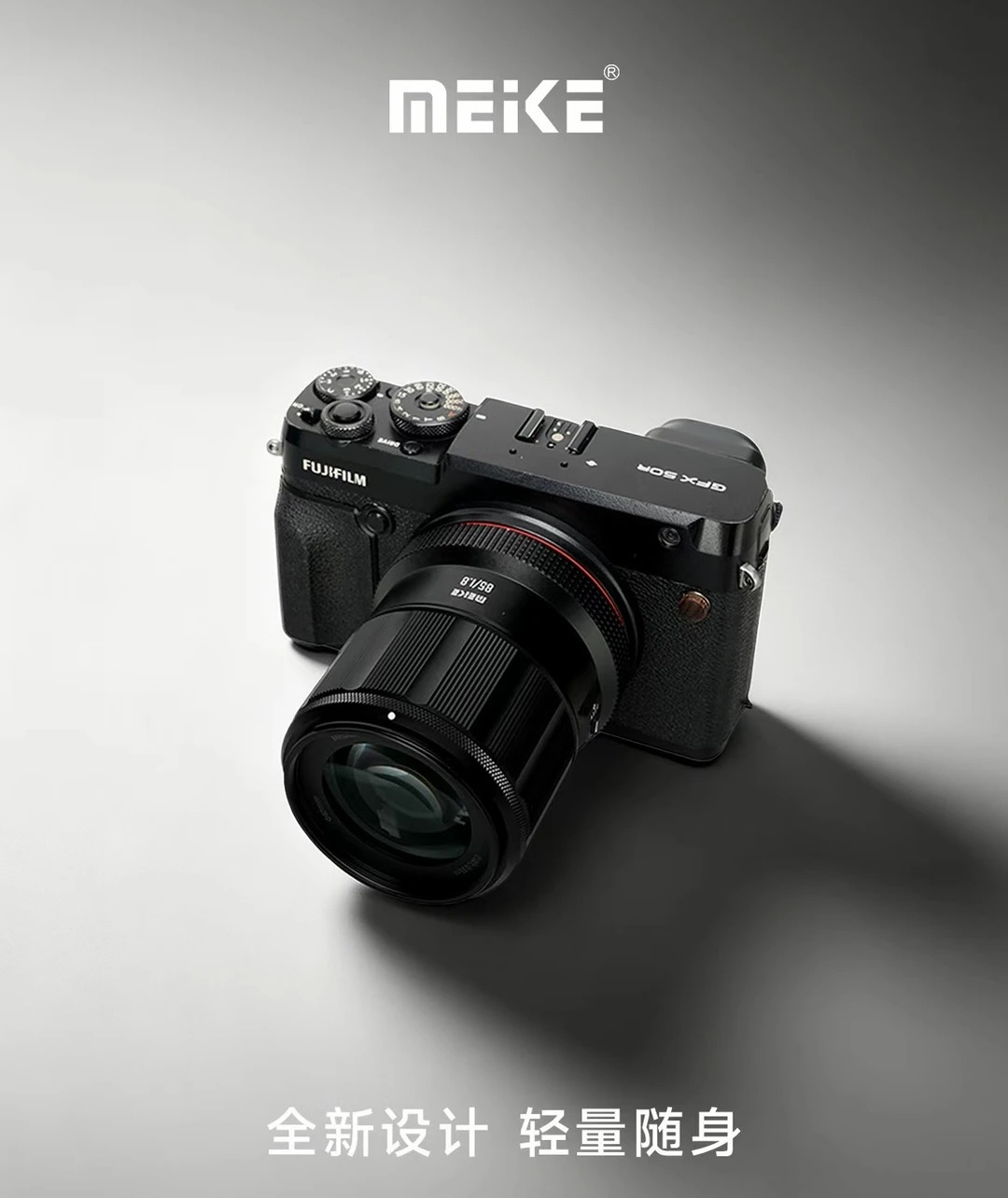
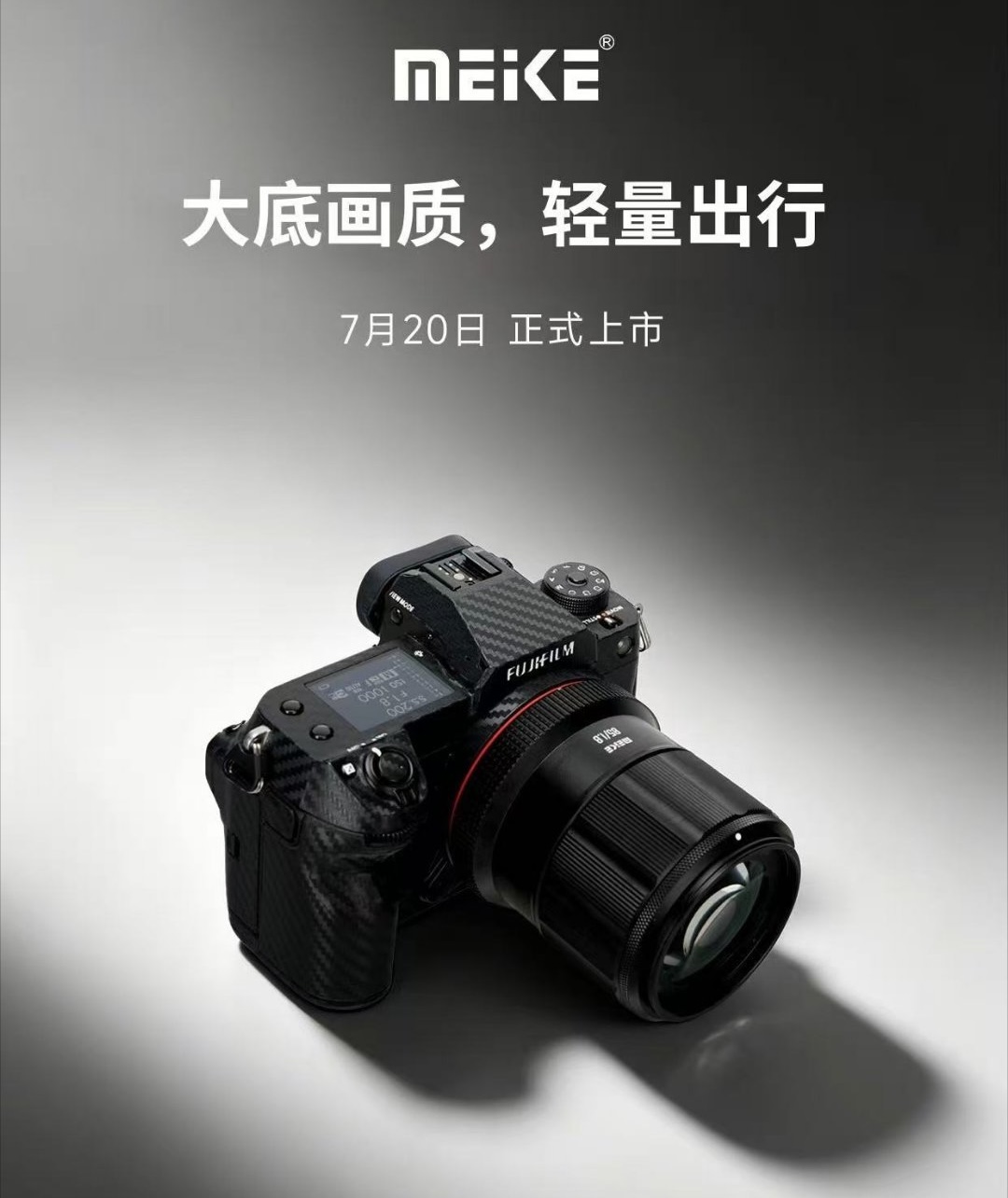
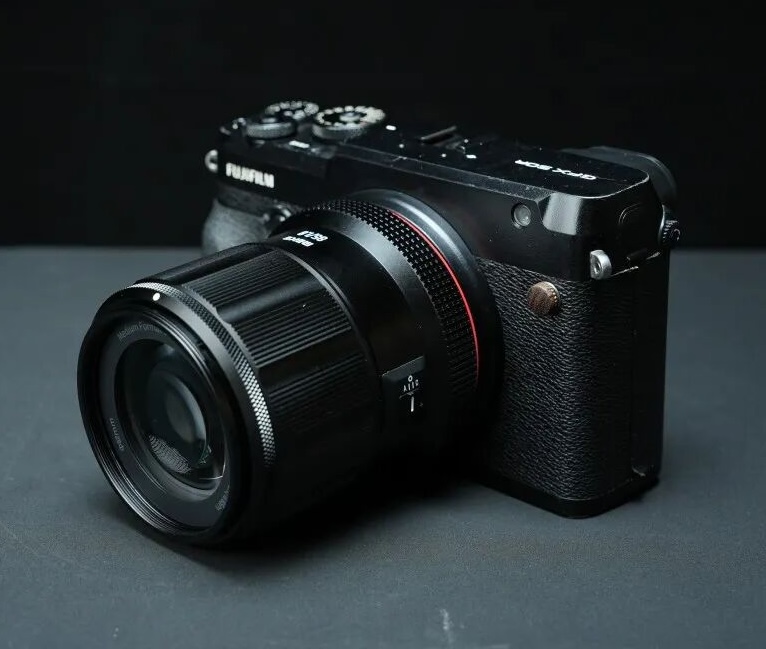
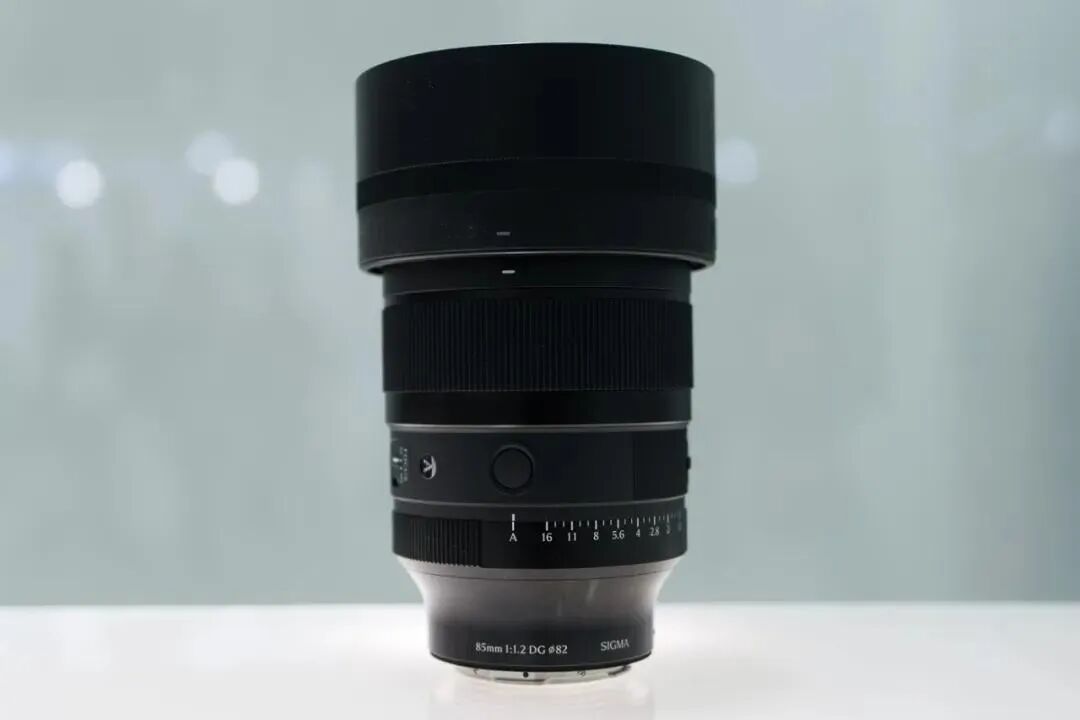
If you are planning to buy any new Fuji gear, now would be a good time to do so – check the current prices and availability at B&H Photo, Foto Erhardt, and WEX Photo.
Here are the new Fujifilm prices published by a German store:
From missed focus and accidental overexposure to a caption error, six image-makers share the mistakes that resulted in something good.
Nancy Borowick
Mistakes are part of life as a photographer or videographer. I’ve messed up too many times to count, forgetting to pack an extra battery, showing up to a shoot with a full memory card and botching my settings badly enough that the images were unusable.
Most of those just cost me lost photographs or some added stress. But sometimes a mistake leads somewhere better than the plan. While attending Sony’s Kando event, where Sony invited me along with fellow press and other image-makers, I asked six photographers and videographers about a mistake they’re glad they made. Here’s what they said.
These conversations happened on the fly at the event, so most of the creatives didn’t have the specific image handy. The photos below are from their portfolios, with the exception of Nancy Borowick and Jabin Botsford.
Sarina Soriano (@sarinasoriano_)is a senior producer and director of photography (DP) for the San Francisco 49ers, where she’s a nine-time regional Emmy winner and was the first woman in the role, as well as one of the first Latina cinematographers in the NFL.
Her mistake was a setting she didn’t intend to be shooting at. “A mistake that I made that ended up actually turning out well was that I put a high shutter on one of my videos, but was able to really slow it down in DaVinci, and it looked absolutely epic,” she said.
Nate Luebbe
Nate Luebbe (@nateinthewild) is a landscape, wildlife and adventure photographer and a member of Sony’s Alpha Imaging Collective, with a portfolio built around grizzlies, northern lights and remote wilderness.
Luebbe’s mistake was accidentally using too slow a shutter speed for wildlife, which ended up being a visual tool that he likes utilizing. “Every now and then, a little bit of motion blur can tell a good story about an animal that’s moving fast,” he said.
He pointed to an image he took in Katmai National Park as an example of where the approach works: shooting the bears at the top of the falls in low light, he kept his shutter slow rather than pushing his ISO. “I ended up getting some motion on the water, but the bears were standing still. It looks kind of cool, and you can still see what’s going on. It added a little more depth to it.”
Nancy Borowick
An incomplete caption led Borowick to these women, who invited her into their home to photograph them with their dogs, which turned into the start of a long-term project called Part of the Pack.Nancy Borowick
Nancy Borowick (@nancyborowick) is a documentary photographer, author and Sony Artisan of Imagery who has worked regularly with The New York Times since 2013 and whose work often centers on health and relationships.
Borowick’s mistake was a missing caption. Early in her career, she was photographing the Westminster Kennel Club Dog Show, which she describes as “the most fun in the entire world,” she said. When prepping to send images to her editor, she realized one frame’s caption was incomplete. “I had asked the name of the dog, because we were at a dog show, but I never asked the name of the human, and I felt like that was important to have,” she said.
So she went looking online. “All the champion dogs have these Facebook pages, naturally,” she said, and the dog’s page led her to its owner, who, as it happened, was also named Nancy.
Two hours of messaging later, they were friends. That turned into permission to photograph the woman, her wife and their pack of golden retrievers at home, which has now become a long-term project called Part of the Pack, a series dedicated to photographing the relationship between dogs and those who breed, own and show them. “Caption information is so important, especially getting it right,” Borowick said, “but on occasion, mistakes lead to happy accidents and long-term projects.”
Jabin Botsford is a Pulitzer Prize-winning photojournalist who spent 11 years on staff at The Washington Post covering politics, breaking news and, since 2014, Donald Trump.
Botsford’s mistake was a moment of missed focus. In 2020, he was in the Rose Garden for one of many Trump press conferences, this one running well past its expected length. “While the rest of my colleagues were just filing and hiding in the shade, I went around the side and shot all these photos with a 400mm,” he said. He noticed a fly circling the president and fired off a long burst. In one frame, his autofocus locked onto the fly rather than Trump, right when the insect flew in front of Trump’s open mouth. “It looked kind of like it was coming out of his mouth,” he said.
An example of Hamm’s high-key work, not the original frame that she mentioned.
Dani Hamm (@danigoinghamm) is an adventure, wildlife and nature photographer. Her portfolio is filled with stunning portraits of animals, from tiny birds to massive buffalo.
When I asked about a mistake that turned out for the better, she instantly had an answer: “Overexposing an image and it ending up being a really cool high-key photo.” The blown-out background stripped away context and left just the animal, and she now creates high-key images on purpose.
Allison Anderson (@photoallison) is a travel and lifestyle photographer, videographer and Sony Alpha Ambassador who documents her solo trips all over the world.
Anderson’s mistake took a decade to pay off. Very early on in her photography path, she shot everything as JPEGs, mostly because she didn’t like how much space Raw files took up on cards and hard drives. Then she took a trip to Italy. “When I got home, I went to import all my photos, and I realized that somehow the camera had gotten set to shooting in Raw. And I was so annoyed because the file sizes were enormous,” she said.
She dumped them on a hard drive and forgot about them. “Ten years later, I went back, and I went through the hard drive again, and everything I’d shot at that time was mostly in JPEG except for this one trip that was all in Raw.” Because of that, she was able to edit the file, and one of those images is now printed large and hanging over her fireplace.
About the Author: Abby Ferguson holds an MFA in photography and blends a fine-art background with extensive editorial and commercial experience. She built and led an in-house imaging program for a large vacation rental company and has served as an associate editor at Popular Photography. She also teaches at a local community college and serves on its Photographic Technology Program Advisory Board, sharing her knowledge and enthusiasm for the medium.
Want to stay up to date on the latest product news and releases? Add DPReview as a preferred source to ensure our independent journalism makes it to the top of your Google search results.
Each day in September, we will announce a new theme for the month’s photo album mini-challenge. Share your photos, and they may be selected for a special spotlight article.
Getty Images
We’re celebrating Save Your Photos Month in September with a new type of photo-taking mini-challenge. We’d love for you to participate to show off your photography.
Save Your Photos Month is all about treasuring life’s moments and experiences captured in your photography, whether they are mundane, magical or melancholic. Expect this mini-challenge to support this idea throughout the month as we reveal daily challenge updates.
Here’s how it will work
Every 48-hours this September, we’ll announce a new photo theme. Your challenge: shoot and upload a matching photo to our community album before the period ends. At the end of the month, we’ll feature our favorite photos in a front-page DPReview spotlight.
The photo album we create at the start of the mini-challenge will be the same one you use for submitting each period’s themed photo. As soon as we announce the update for the new period, submissions will no longer be possible. Think of it as an advent calendar of sorts, where we reveal the next period’s theme every 48-hours.
We will reveal the next theme at 8pm PDT / 3 am UTC, 48-hours after the prior one (see schedule below).
Steps to share your photos
Stand by for the 48-hour’s announcement here on this post (see the schedule below).
Take a photo that supports the theme. It must be taken during that period.
Upload that photo to the shared album with at least a one-sentence caption. Feel free to write more if you have a story to tell.
Feel free to announce your photo upload and discuss the mini-challenge below (but please only share the actual photo in the album).
Notice: If you are a new forum member, you need TWO normal posts before you can upload photos to the album.
That’s it!
To share your photos outside of the forums and on social media, be sure to use the hashtag #SaveYourPhotosMonth. DPReview has an Instagram channel you can mention as well (thank you).
Daily theme reveals
Watch here daily at 7 pm PDT / 3 am UTC to see the next 48-hour’s theme announced.
We’ve already revealed the opening theme, so you can prepare to upload once the album opens on that morning:
September 1: What’s on your dinner plate
3: Something interesting on or around the outside of your home
5: When the light hits just right (indoor photo of an amazing lighting and shadow scene)
To continue…
We’re excited to see your photos, so get ready for Tuesday’s mini-challenge kick-off. Have fun!
About the Author: Mathew Anderson is a proud Community Manager for the technology industry and a past visitor to DPReview.com for all his camera needs. He is currently the lead of DPReview’s community and primary communication link between the community and DPReview’s team.
Want to stay up to date on the latest product news and releases? Add DPReview as a preferred source to ensure our independent journalism makes it to the top of your Google search results.
On being surrounded by people with cameras who aren’t necessarily part of the photography tribe.
Mitchell Clark
Last week, Canon was kind enough to give me the opportunity to attended a Formula Drift event, featuring a high-horsepower competition and a car show with a lot of really interesting vehicles. The shooting experience was highly informative for some upcoming reviews – stay tuned – and I came away with several pictures that I’m really proud of. But I also got something I didn’t expect: a renewed hope for the future of photography.
As a lifelong photographer and someone whose job is writing about cameras, it’s been a bit easy to fret over the future of the artform. Sales of dedicated cameras are recovering, sure, but they’re still far from what they once were. And while phone photography is just as legitimate, the culture at large treats it as cheap and disposable. Even the most meaningful, carefully considered and composed image becomes another piece of content to look at for half a second while scrolling Instagram.
But walking through the car show in the evening, I found myself surrounded by people with cameras, ranging from DSLR kits that could’ve been purchased at Costco to serious pro photography and video rigs. And while the latter were typically used by professionals and content creators (or people hopeful to join those ranks), plenty of others were people who just really liked cars, and who wanted to take cool photos of them to share with their fellow enthusiasts.
I asked one person walking around with a camera what they were taking photos for, and they said it was basically for their personal enjoyment adding with a laugh that they also post to their 200 followers on Instagram. That’s righteous; as someone who’s successfully turned their hobby into a job, I wish I could occasionally just shoot photos for the love of the game like they were.
At Formula Drift, shutter drag was the name of the game. But I’ll admit, as an elder Gen Z I might not have thought to try it myself had I not seen all the drift-first photographers doing it. Canon EOS R1 | RF 70-200mm F2.8 L IS USM Z | 200mm | F18 | 1/40 sec | ISO 100Mitchell Clark
Even photographing the Formula Drift event itself, the trend held. Several of the people I talked to in the official media pit had started with a love of drift racing, which eventually turned into using photography or video to tell the story of it. Folks there were just as excited about who was winning as they were about the amazing shots they got. That kind of passion is infectious, and they had a lot to teach me. When you start doing photography within a niche, you have a much deeper understanding of what that subculture values, and can push at the edges in a way that a generalist photographer won’t know to.
Not everyone who gets into photography tangentially will think of themselves as a photographer
I suspect there’s actually a pretty strong tie between camera and car culture, and I know that many hobbies have this effect. People will get into something entirely unrelated, want to share it, and discover that the mediums of photo and video are great ways to do it. There’s a storied history of actors, athletes and musicians (yes, including Taylor Swift) picking up photography, and my coworker Abby Ferguson has talked to several photographers with a similar journey in her Behind the Photo series. In it, she showcases people creating amazing work, some of whom started out as VFX artists, cellists or divers. Not everyone who gets into photography tangentially will think of themselves as a photographer, but if they’re out there taking pictures, what else should we call them?
The photo pits at the race were filled with image-makers of all stripes. Professional photographers and videographers, drift experts capturing the race, and fans of the sport who had purchased the Photo Experience (and who later shared their very impressive photos in the official media Discord channel). People were using everything from top-end pro cameras, to enthusiast APS-C models; I even saw one person with a Rolleiflex. Canon EOS R1 | RF 70-200mm F2.8 L IS USM Z | 95mm | F2.8 | 1/400 sec | ISO 8000Mitchell Clark
I’ll admit that sometimes it’s easy to get a bit high-and-mighty about photography as an artform, as someone who started doing it for its own sake. This person bought an EOS R5C to take photos? Don’t they know there are so many better options? Those Gen Alpha kids are getting into compacts? Don’t they know about all the downsides, and are they even learning the fundamentals?
Whenever I catch myself thinking things like that, I try to take a step back because that attitude is deeply unhelpful. I should be glad whenever anyone picks up a camera and tries to learn it, and realize that shaming people for not knowing everything – even if they’ve been doing it for decades – is going to hurt the medium, not help it.
So snap on. Whether you’re the most dyed-in-the-wool, capital P Photographer, or whether you just picked up a camera to try and show your friends your latest skateboard trick, finished knitting project, favorite car, or anything else. We’re all doing the same thing here: trying to capture the world as we see it, and share that vision with others.
About the Author: Mitchell started taking pictures at 10 and hasn’t stopped since. It’s been a wide-ranging adventure, spanning a wide variety of genres and locales, and occasionally dipping into fascinations with video and filmmaking. They honed their technical knowledge doing documentation, programing and QA, writing for The Verge, and just generally messing around on the computer to see what breaks.
Want to stay up to date on the latest product news and releases? Add DPReview as a preferred source to ensure our independent journalism makes it to the top of your Google search results.
Plug in any cable and see its real speed, wattage, and certification status in seconds – including whether it’s been mislabeled.
When you use DPReview links to buy products, the site may earn a commission.
We live in the USB era. Almost everything that connects to our computer these days goes through an interface so ubiquitous that the word “universal” appears in its name – the Universal Serial Bus. USB has been a godsend in many ways, replacing all manner of connectors encountered in earlier technologies.
Simple, right? Well, not so much.
The problem with USB-C
Standards are great. Except when they’re not. USB-C, introduced in 2014, is the closest thing we have to “one plug to rule them all.” The problem is that despite supporting a wide range of standards, all USB-C cables look pretty much the same. A cable that supports the latest and greatest technology can look identical to a dumb charging cable.
And, as if things weren’t complicated enough, ThunderBolt has used the same-shaped connector since ThunderBolt 3, despite being vastly more capable than standard USB.
Which is why I recently found myself staring into the abyss – in this case, a drawer in my office – trying to figure out which of the dozen or so USB-C cables in front of me was the right one to use with an SSD. I doubt I’m alone in this, and I suspect most photographers or content creators have a similar drawer or box full of cables. That’s the exact problem a Mac app called WhatCable is built to solve.
Most USB-C cables don’t include any visible information about what specs they support, so it’s worth giving credit where it’s due: This Sandisk SSD arrived in our office with a cable that clearly labels its specs (40Gpbs, 240W).Mitchell Clark
Hoping for the best, I grabbed a cable that looked new, plugged it in, and got on with finding the photos I needed. It seemed to work, so I didn’t stop to check whether I was actually getting the fastest speed the SSD could support.
Sound familiar?
WhatCable to the rescue
I tried WhatCable on my MacBook Pro and was immediately hooked. While it’s not specifically designed for photographers or content creators, it solves a very real problem for anyone who manages lots of SSDs and card readers: ensuring the cables you use deliver maximum performance. Because if they don’t, you’re going to spend a lot more time waiting around while files transfer.
I tried WhatCable on my MacBook Pro and was immediately hooked.
When you plug a USB device into your Mac, WhatCable will tell you everything you need to know about the cable: the generation of USB the cable supports, the speed the connected device is running at, its power delivery capabilities, and, if available, details like the manufacturer and whether it has an e-marker chip (more on that in a bit).
To my surprise, the cable I’d grabbed for my SSD not only supported its native USB 3.2 Gen 2 (10 Gbps) speed, but was actually a USB4 cable capable of up to 40 Gbps. I’d ordered some of these faster cables, thinking they’d be future-proof for a while, but since there’s no visual way to tell them apart from my older ones, I’d had no idea which was which.
WhatCable reports a cable’s USB generation, connection speed, power delivery capability and manufacturer details when you plug it in.
Analyzing the cable connecting my MacBook Pro to my Dell display is even more revealing, and gives a sense of how much detail WhatCable can report, including specifics about the built-in USB hub. You can see the details in the screenshot below.
The report for the cable that connects my MacBook Pro to my monitor is particularly detailed, including info about its built-in USB hub.
Elsewhere, the results ran the other way. When I plugged in a Samsung T7 SSD with yet another USB-C cable – short, and similar to the ones that ship in the box with many portable drives – WhatCable informed me that it could only manage USB 2.0 speeds. My guess is that it’s actually a charging cable that came with some other device.
WhatCable revealed that a cable I attached to an SSD was only rated as USB 2.0, despite looking just like the short cables that ship with many SSDs. It was probably a charging cable that came with another device.
WhatCable also includes widgets for the macOS desktop, letting you see at a glance what speed all your connected devices are running at; clicking one takes you straight to that device’s report in the app. You can also park WhatCable in the menu bar for one-click access to all your USB info.
The app includes a variety of MacOS desktop widgets that allow you to monitor USB info in real-time.
Suspicious cables
USB cables include an e-marker, a microchip embedded in the connector that acts as a kind of ID card and safety controller. It reports information such as how much power the cable can deliver, its data transfer rates, and its video capabilities, which helps your computer negotiate speed and power at levels that are safe for the connected device.
WhatCable checks whether a cable’s e-marker claims are consistent with USB-IF certification data and flags cables whose reported specs look implausible. The company’s product page describes this trust-checking feature in detail, noting that it can help surface mislabeled or counterfeit cables – a real concern when buying inexpensive cables online.
Has one of your cables gone rogue? WhatCable flags cables whose reported specs look implausible, which can help surface mislabeled or counterfeit cables.
System requirements and download
WhatCable requires a Mac with Apple Silicon (M1 or later) and running MacOS Sonoma or later. The free version is open source under the MIT license, promises no ads or tracking, and doesn’t report any analytics or telemetry back to the developer. It’s also available in 19 languages, making it broadly accessible. It can be downloaded directly from the developer.
For real nerds, there’s WhatCable Pro, which adds features like the ability to name individual cables and track their performance history, live power metering, display diagnostics, Thunderbolt link analysis, and more. It’s a one-time purchase of £9.99 (about $14) and covers up to two Macs.
So next time you find yourself staring into that abyss, not knowing which cable to grab, you know what to do. One warning: WhatCable is addictive. I found myself testing every USB-C cable in the house, and most of the DPReview staff succumbed to the same temptation after I shared it in our Slack channel. You’ve been warned.
WhatCable Pro — USB-C cable diagnostic app by Bitmoor
About the Author: Dale Baskin is a professional photographer, writer, and filmmaker based in the Pacific Northwest. He is the Managing Editor of DPReview.com.
Want to stay up to date on the latest product news and releases? Add DPReview as a preferred source to ensure our independent journalism makes it to the top of your Google search results.
Amish Chhagan spent days chasing lions, rhinos and elephants across Kenya, putting Novachips storage to the ultimate test.
Amish Chhagan
Award-winning wildlife and conservation photographer Amish Chhagan spent a recent expedition across Kenya photographing lions, rhinos and elephants, doing it all with Novachips Express CFexpress 4.0 Type B cards in his Nikon body. Novachips, a Seoul-based flash storage company that develops its own custom card firmware, leveraged Chhagan’s Kenya fieldwork as a real-world stress test for cards engineered to hold up in exactly the kind of dusty, high-temperature, remote environment a Kenyan wildlife expedition delivers.
What the expedition demanded
Amish Chhagan
Wildlife photography in Kenya is unforgiving on gear. Heat, dust and distance from any repair shop mean there is no margin for a card that throttles write speeds mid-burst or corrupts a file. Chhagan, who also works as an official Nikon MEA Creator, was documenting some of Africa’s most iconic and behaviorally unpredictable subjects — the kind of shooting that means sustained bursts of high-resolution frames and high-bitrate video capture.
Chhagan described the demands plainly: “Out in the field, reliability and speed matter more than anything. I ask a lot of my gear when I’m photographing wildlife, often in remote locations where there’s no room for failure. The Novachips CFexpress Type B cards have performed exactly as I need them to throughout the expedition — fast, dependable, and with more than enough capacity for long days of shooting. They’ve become a dependable part of my workflow, simply doing their job without ever getting in the way.”
Built for the harshest conditions
Amish Chhagan
Two design decisions in the Express CFexpress 4.0 Type B are directly relevant to safari field use. The first is a sticker-free metal enclosure. Removing the sticker puts metal in direct contact with the camera’s card slot, which Novachips says improves heat transfer away from the NAND during long shooting sessions — a meaningful advantage when ambient temperatures on the Kenyan savanna can climb well above what a studio environment ever produces.
The second is custom firmware developed to maintain stable sustained write speeds during continuous recording. Rather than allowing speeds to drop as the card warms up or the buffer fills — a common failure mode in demanding field conditions — the firmware is designed to keep performance consistent across a long day of shooting. For a photographer tracking a pride of lions or waiting on an elephant herd at a waterhole, a card that slows down mid-sequence is a card that costs you the shot.
CFexpress 4.0 as a standard doubles the interface bandwidth available versus CFexpress 2.0, giving the card more headroom to deliver those sustained speeds without hitting a bus bottleneck. Camera support for the full CFexpress 4.0 specification is still rolling out across the industry, though the cards are backward compatible with CFexpress Type B slots.
For those who want an external benchmark to anchor the performance claims, the Express cards carry VPG 800 certification from the CompactFlash Association on all capacities except the 500GB model. That certification verifies a minimum guaranteed sustained write speed of 800 MB/s — the threshold the CompactFlash Association sets for demanding professional video workflows.
The broader picture
Amish Chhagan
Novachips framed the partnership as more than a marketing exercise. “Professional photographers don’t evaluate equipment in a laboratory — they evaluate it in the field, where conditions are unpredictable and opportunities can disappear in an instant,” a company spokesperson said. “Real-world use like this also gives us valuable insight as we continue developing storage solutions for photographers and filmmakers.”
Pricing and availability
Available in 500GB, 1.0TB, 2.0TB, and 4.0TB sizes, Novachips Express CFexpress 4.0 Type B cards start at $299, and are available from major retailers nationwide including District Camera, B&H, Adorama, and K&M.
Variable apertures historically haven’t made much of a difference to mobile photography
Apple
The rumor mill around Apple’s upcoming iPhones, set to be announced September 9, has been in full swing for months, and the word on the street is that there’s supposedly one big change coming to the new phone’s cameras: the iPhone 18 Pro Max will get a variable aperture on its main camera. While people have been making this prediction for years, Bloomberg‘s Mark Gurman, who has a pretty decent track record, recently threw his weight behind it.
As an iPhone nerd, there are a lot of things that interest me about this. The first is that it marks a return of Apple differentiating the camera on its biggest, most expensive* model. The Pro Max phones have historically received new camera updates first – the 15 Pro Max got the 5x telephoto camera a year before it came to the standard Pro – but we’ve been in a stretch where the cameras on the Pro models have been exactly the same. If this rumor is true, that’s about to change.
But as a photographer and camera reviewer, I’m skeptical whether this change will matter much. Before we get to the reasons why, let’s talk about the theoretical benefits. At a high level, changing your lens’s aperture lets you control how much light is hitting the sensor and your depth of field (i.e., how blurry the background of your photo is). The smaller the aperture (or, counter-intuitively, the higher your F-number), the less light it lets in, and the more of your image will be in focus. Phones, historically, have quite fast lenses; the iPhone 17 Pro’s main camera shoots at a fixed F1.78.
In bright, sunny conditions, this means the phone has to cope with a lot of light hitting the sensor, resorting to tricks like using extremely low ISOs and very fast shutter speeds. And as phone companies push to make their lenses faster to improve image quality and flexibility in low light, this becomes even harder. Adding an aperture that can stop down to, say, F4, would help take some of that pressure off.
Even photographing a bright white object in the sun, the iPhone is able to compensate for its faster aperture with ultra-quick shutter speeds and low ISOs. iPhone 15 Pro main camera | F1.78 | 1/7937 sec | ISO 80Mitchell Clark
It’s worth noting that this would almost certainly be the direction Apple goes in, rather than making one that could open up from F1.78 to, say, F1.2. If it was able to make the lens faster, it already would’ve done so. And for phone photographers, that reduces the potential practical benefits; I’ve personally never run into a situation where it was physically too bright for my phone to cope, so an aperture that can stop down isn’t fixing a problem I currently have (with the one exception of video, where the closer you can get to a shutter speed that’s double your frame rate, the more natural motion will look).
The same is true for the other half of the equation, depth of field. To understand why, we have to introduce the concept of equivalent apertures. A F number is absolute; an F1.8 lens on a phone will transmit the same amount of light per square millimeter of sensor as a full-frame F1.8 will. However, because iPhones use much smaller sensors than traditional cameras, the amount of light gathered over the whole image area and the depth of field won’t be equivalent to what you’d get on a full-frame camera with an F1.8 lens.
Even with its fixed F1.78 aperture, I never find myself wishing my iPhone’s lens had more depth of field. iPhone 15 Pro main camera | F1.78 | 1/9009 sec | ISO 80Mitchell Clark
The current iPhone 17 Pro main camera has a Type 1/1.28 (71.5mm²) sensor. That means that its F1.78 lens will produce the same depth of field as an F6.1 lens on a full-frame camera. If Apple makes it stop down to, say F4, that would give you a lens with two settings: F6.1 and F13.7 equiv. That’ll definitely make a difference in your available depth of field, but it’ll be a change from “enough” to “more than enough,” rather than making a huge difference to the types of shots you can get in most cases. It also, importantly, won’t make any difference if you want to get the coveted shallow depth of field look that the iPhone currently has to emulate with portrait mode.
Finally, let’s consider some historical context. Back when compact cameras were dominant, many of them used sensors that were similar sizes to the iPhone, and had the ability to change apertures. But while some had actual aperture blades like a traditional lens, others used a Waterhouse stop, moving a plate with a fixed aperture in between the lens and the sensor to stop down when needed.
This is less flexible – you don’t get the stops in between wide open and the plate’s diaphragm – but is mechanically simpler. That’s likely a huge consideration for Apple when it comes to building a device that will be subjected to pretty much every condition and abuse you can think of. This is, after all, a company that replaced a physical home button with a solid state one (and is rumored to have at least considered doing the same for the rest of the phone’s buttons, too).
The Samsung Galaxy S9’s main camera had an aperture that could be set to F1.5 or F2.4. The feature didn’t last long.DPReview
Some compacts also simply slotted in an ND filter, and reported it as a stopped down aperture, since it had the same effect on the incoming light. (It didn’t affect the depth of field, but, again, they already had plenty). Apple could go either of those routes rather than building a standard aperture, and it would have good reason to; going the traditional way may have reliability concerns, and could cost more at a time when Apple’s also being squeezed when it comes to chip pricing and availability.
With that said, we’ve seen phones with physical aperture mechanisms before. Samsung included the feature on the Galaxy S9 and S10, to extremely middling results. You essentially couldn’t tell the difference, and the company ended up dropping the feature. Huawei has several phones in its lineup today with variable apertures, but it essentially never gets a mention on the feature pages, despite how much of them are dedicated to talking about the cameras.
It’s unlikely to be something you notice when it comes to the experience of using your phone as a camera or the photos you get out of it
However Apple decides to implement it, if it does at all, the point is the same: it’s unlikely to be something you actually notice when it comes to the experience of using your phone as a camera or the photos you get out of it. But that’s not to say that Apple has just decided to make one of the most mechanically complex parts of its phones even more complicated for giggles, or that it’ll purely be a marketing gimmick.
To the latter point, I’m honestly 50/50 on whether I think it’ll bring it up in the keynote presentation at all (again, assuming the rumors are even accurate). There’s probably some technical reason why it’ll be nice to have as part of its computational image processing pipeline, and there may even be a slight noticeable benefit to it. And if, by some miracle, Apple has decided to massively increase the size of the camera sensor, then it could genuinely be an important inclusion, though, to be clear, that change hasn’t been rumored at all.
But don’t get your hopes up. At the end of the day, the odds are that iPhone photos will still look like iPhone photos (which is to say: pretty good, for a phone), and that there won’t be an appreciable difference between the camera on the iPhone 18 Pro and the one on the 18 Pro Max… or, for that matter, between the new phone and the one it’s replacing. Sometimes, a change is just a change, no matter how much buzz there is about it leading up to it.
* – Currently most expensive, anyways. Apple is also expected to introduce a folding phone that will almost certainly be priced above the Pro models and that will have worse cameras, if other major foldables are any indication.
About the Author: Mitchell started taking pictures at 10 and hasn’t stopped since. It’s been a wide-ranging adventure, spanning a wide variety of genres and locales, and occasionally dipping into fascinations with video and filmmaking. They honed their technical knowledge doing documentation, programing and QA, writing for The Verge, and just generally messing around on the computer to see what breaks.
Want to stay up to date on the latest product news and releases? Add DPReview as a preferred source to ensure our independent journalism makes it to the top of your Google search results.
Spending time around people who are actively creating offered a needed reminder to make more room for my own photographic practice.
Abby Ferguson
I spend a lot of time thinking about my own photographic practice, but not nearly as much time doing anything about it. I have ideas for individual photos, for series I want to start or expand and concepts I would like to explore deeper. I’ve thought of different ways of printing and hanging my work, in case I ever get to show any of it. But when it comes to actually making the work, my follow-through is often lacking.
That tension was on my mind this week while attending Sony’s Kando event in Vermont, where Sony invited me, along with fellow press and other image-makers. One session in particular, Works in Progress, brought some of those thoughts into focus.
Works in Progress is modeled after National Geographic sessions, where photographers briefly present a single project they are currently working on in order to get feedback and find inspiration from each other. At Kando, individuals get seven minutes to share images or videos and a little bit about the body of work.
The session isn’t about gear at all; in fact, it was rare for someone to mention their setup and no technical details were mentioned. Instead, each presentation focused entirely on the ideas and images from a particular project they are passionate about and currently developing.
Jean Fruth, a Sony Artisans of Imagery, shared about a documentary project she’s working on dedicated to women’s hockey. Abby Ferguson
That passion is my favorite part of the session: seeing people’s commitment to the work. Ira Block, a Sony Artisan of Imagery who co-chaired the session, summed it up well after the presentations: “Nothing is more inspiring than watching the inspiration of others.” There were remarkable photographs and videos throughout, but what stayed with me was watching people stand in front of a room and talk openly about the projects that matter to them. It made me look at my own work with a bit of renewed lens.
Nothing is more inspiring than watching the inspiration of others.
Ira Block
I could give a long list of reasons for pushing my own photography to the side. I have a full-time job and teach a college photography course. My husband and I just bought a house that needs a fair amount of work. My studio space is not really a studio at the moment, and it may not be for some time. It is expensive. I struggle to find the right venues, calls for art, and people to connect with. The list goes on.
Thankfully, I have been slightly more active with my art over the past month, and that feels like progress. I recently made time for a self-portrait that had been on my mind for months, and the process was deeply fulfilling. I also joined two friends to install a small exhibition at the campus gallery where we teach. Even better, the work I hung was from a series I have barely shown or discussed.
Katie Tasch
Those were small steps toward finding my artistic voice again. They were a small flex of the creative muscles. And they also reminded me that I need to make something regularly, even if it is small.
I also need to remember the value of being around other creative people from time to time. I have written before about how joining local photography groups helped me find community in what can be a very solitary practice. This was a different kind of gathering, but it offered a similar reminder: making work can become isolating, especially when it keeps getting pushed behind work, responsibilities and everyday life. Being in a room with people who are actively wrestling with ideas, taking creative risks and sharing unfinished work can be an important kind of fuel.
That is what the Works in Progress session offered. Seeing what others were making and the care they were bringing to it gave me a burst of energy to return to my own work. It was a reminder to keep making photographs, even if I don’t yet know where a project is going, whether anyone will like it or whether it will ever see the light of day.
I know this session won’t be a magical kick in the pants that suddenly makes me create on a regular basis. But hearing that voice in my head more often can only help. And maybe my writing this can be that voice for someone else who also needs a gentle push to get out that camera or make some art. I hope it is.
About the Author: Abby Ferguson holds an MFA in photography and blends a fine-art background with extensive editorial and commercial experience. She built and led an in-house imaging program for a large vacation rental company and has served as an associate editor at Popular Photography. She also teaches at a local community college and serves on its Photographic Technology Program Advisory Board, sharing her knowledge and enthusiasm for the medium.
Want to stay up to date on the latest product news and releases? Add DPReview as a preferred source to ensure our independent journalism makes it to the top of your Google search results.
OM Digital Solutions (the company behind OM System) is privately held, so it does not publish its financial reports. The numbers in this post come from Toyo Keizai’s Japan Company Handbook Industry Map. OM Digital Solutions continues to operate in the red for 2025, with sales plateauing after a few years of steady growth. Here is how the latest numbers break down compared to previous years since the company spun out of Olympus:
Year
Sales (Revenue)
Operating Profit
Mirrorless Units Sold
2025
¥36.3 billion
-¥1.6 billion
120,000
2024
¥36.6 billion
-¥1.2 billion
130,000
2023
¥29.2 billion
-¥210 million
–
2022
¥28.2 billion
-¥640 million
–
2021
¥21.9 billion
-¥1.8 billion
–
Sales essentially flatlined. The operating loss widened. Mirrorless volume slipped by about 10,000 bodies. A separate corporate-data compilation is more precise for the fiscal year ended March 31, 2025:
Sales: ¥36.619 billion
Operating profit: -¥1.242 billion
Ordinary profit: -¥1.247 billion
Net income: -¥1.403 billion
Total assets: ¥33.28 billion (down from ¥41.13 billion a year earlier)
Community member Lester Lefkowitz is a frequent contributor to the DPReview forums and a prominent technical and scientific photographer.
Lester Lefkowitz
Meet Lester Lefkowitz
Home base: New York State, USA
Community member Lester Lefkowitz is a frequent contributor to two notable DPReview forums: Fujifilm X System Talk and Macro & Still Life Photography. Once we told him that his photography and story would be featured, he also provided a really great look at his gear, which you can check out below. His gear bag has one of the most unique spreads of accessories we’ve seen yet in this series.
“A moderator of the Fujifilm X System Talk forum asked me to create a special post about the automatic focus bracketing feature of Fuji cameras, so I was happy to oblige. I enjoy discussing photography and showing my work in the community.”
Our ‘What’s in your bag?’ community spotlight series features readers sharing their favorite gear and photography, including from past DPReview collaborators. See below for what Lester has to share.
Lester’s two macro photography books: Volume I for beginners and intermediate folks, Volume II for advanced practitioners. Combined total of almost 700 pages containing 1,700 photographs made specifically for these books. Available at Amazon, B&H Photo, and eBay (for overseas orders).Lester Lefkowitz
“I taught myself photography while working on my college yearbook. After graduate school, I ran a technical and scientific photography service at a university with occasional needs for macro photography.
Eventually, I transitioned to teaching at the college level, then became the Director of Education at The International Center of Photography, and eventually went into commercial photography (30 years), specializing in industrial, scientific and medical fields (again with an occasional need for macro work).
Along the way, I was recommended to write a major textbook on macro photography (the bestseller in the Popular Photography Book Club, back in the day). Recently, I decided to make a total rewrite of the macro book, resulting in the recently published two-volume set The Manual of Close-Up and Macro Photography, Volumes I & II, which has become the definitive work in the field.”
Must-have accessories: “I laid out in the photo all of the main accessories I will consider taking with me on a photography trip. There’s quite a bit of stuff, so here’s the list for your perusal:
Raynox DCR-150 and DCR-250 achromat close-up filters and adapter rings
And a bunch of plant ties, garden snips, a homemade adjustable ground-level pod and a rocket blower.
Not shown in the photo above: ThinkTank backpack (at least 25 years old) and even more miscellaneous items: paper towels, lens wipes, sweatband, sun hat, water bottle and insect repellent.”
Do you recognize these accessories and have them in your gear bag?
What do you like to shoot?
“Butterfly, available light, handheld.”
Panasonic Lumix G9 | 1/40 sec | ISO 800Lester Lefkowitz
“I spent many years with film, and then digital changed everything (I was a very early adopter), especially the ability for immediate feedback. As digital technology progressed, high ISO has become a godsend, as has modern noise reduction and sharpening. Though focus stacking is really the greatest thing to happen to macro photography since the invention of color film.
Macro photography requires patience – lots of it. Another strategy for getting a good photo is to experiment with the same subject, studying it from different angles and magnifications. DPReview folks: if you’re interested, I would be happy to provide examples!”
What draws you to Costa Rica?
“Bee in a flower. Flash, 50-200mm zoom lens with a Raynox 150 close-up filter.”
“Anything small is of interest. As you can see in the photographs I am sharing with you today, I enjoy taking close-up photos of insects and flowers, as well as seashells, minerals and fungi. Nature is amazing and infinitely interesting. But there are lots of things around the house that look pretty cool too when photographed close-up, like food.
There are interesting and unexpected things to photograph all over the world. Some worry that inclement weather will get in the way of their experience, but even then, there are many great subjects I can photograph indoors. When the weather is good, I go to Costa Rica. The variety of flora and fauna is extraordinary there – just be careful exploring around, as there are critters out to get you.”
“As I said before, macro photography requires patience – it cannot be done well casually. There is no such thing as a poor macro lens, and old macro lenses are often a bargain. Just start with an inexpensive set of close-up filters to see if you like the endeavor.”
Lester really enjoyed participating in this spotlight article and would love to hear what you think of his photography and to answer any of your questions in the comments below.
Editor’s note: This article continues a series, ‘What’s in your bag?’, highlighting DPReview community members, their photography and the gear they depend on. Would you like your photography to be featured in a future installment? Tell us a bit about yourself by filling out this form.
About the Author: Mathew Anderson is a proud Community Manager for the technology industry and a past visitor to DPReview.com for all his camera needs. He is currently the lead of DPReview’s community and primary communication link between the community and DPReview’s team.
Want to stay up to date on the latest product news and releases? Add DPReview as a preferred source to ensure our independent journalism makes it to the top of your Google search results.
The Light Adjustment Layer lets you easily adjust brightness, shadows, highlights and more without having to understand curves.
Adobe
Adobe has announced a new collection of features for Photoshop, including one that it promises will let you do the type of processing you’d previously have to go to Adobe Camera Raw to do, without leaving the app’s standard workspace.
The feature is called the “Light Adjustment Layer,” which gives you control over brightness, contrast, and whites, highlight, shadow and black levels. Like other adjustment layers, it’s relatively flexible. You can use masks to have it only apply to certain parts of your image, and it’s non-destructive; unlike filters, you can easily tweak or remove it after you’ve added it.
Adobe
As with many of the recent features we’ve seen from Adobe, this isn’t necessarily going to unlock new ways of working for Photoshop pros; most of what the layer does could be achieved with Curves and/or Levels adjustment layers. But it makes things that bit easier and friendlier to beginners.
The other major feature in the release takes that even further, introducing a whole new mode to Photoshop that strips away most of the interface. It’s called the ‘AI Assisted Editor’, and it bundles the tools you’d need to do some common and basic tasks into a simpler UI. The company says it’s designed for people who are new to the software and want to use it to make edits, but who might be overwhelmed by trying to figure out which tool to use, and by a layer-based workflow.
The AI Assisted editor mode strips away most of what people think of as the Photoshop UI – the toolbar, layers panel, properties pane and more – and replaces it with a select set of features.Adobe
As the name implies, many of its features revolve around AI. There’s the maximal version, where you just type a prompt into a box with the edits you want made, which Photoshop will try to carry out using a generative model of your choice, but there are also modes that use some of the other AI tools the company’s built into the app. For example, one pane will let you remove the background, and another will let you remove unwanted objects in your image. Yet another gives you access to the Generative Expand feature, which attempts to fill in the area beyond the edges of your image.
Adobe has also introduced other AI tools, such as the ability to have generative edits using its FireFly models only apply to a masked portion of the image, a “markup” mode that lets you guide generative AI edits with drawings and an option in the task bar that lets you type a prompt that will edit the entire image.
Finally, the company has expanded the dynamic text tool, letting you create text that will adapt to a custom shape or path; previously, it only worked with circular, arched or bowed shapes. It’s also added a panel dedicated to Adobe Stock, letting you access the company’s library of stock images and graphics from right within Photoshop.
The AI Assisted Editor feature is launching in beta, while the other features will be available via an update to the app, coming for free to Creative Cloud subscribers (though, as always, many of the AI features will use some number of credits, which you’ll only have a limited number of per month, depending on your plan).
About the Author: Mitchell started taking pictures at 10 and hasn’t stopped since. It’s been a wide-ranging adventure, spanning a wide variety of genres and locales, and occasionally dipping into fascinations with video and filmmaking. They honed their technical knowledge doing documentation, programing and QA, writing for The Verge, and just generally messing around on the computer to see what breaks.
Want to stay up to date on the latest product news and releases? Add DPReview as a preferred source to ensure our independent journalism makes it to the top of your Google search results.
Or: DPReview writers Mitchell and Abby discuss a contentious photography trend.
Mitchell Clark
Editor’s note: the text of this article was written by Mitchell, which is who is referred to using first-person pronouns. Abby is credited in the article as she makes up half the conversation it’s based on, and gave input on its content.The lede image was taken in real life, not from a television.
It was a title and thumbnail that was bound to get my attention. YouTuber Hunter Creates Things’ video “The Internet’s Most HATED Photography Trend” shows a blurry picture and with the word “tv.” in red. Clicking on it, I thought it was going to be about shutter drag (“TV” being how some brands refer to their cameras’ shutter priority modes), a photographic technique that’s almost inescapable amongst photographers right now. “I can see why people don’t like this,” I thought, “but I’m interested what this person has to say.”
Treat this video as required viewing; the rest of the article probably won’t make much sense if you haven’t seen it.
That’s not at all what it was about. Instead, it’s about a trend I’d totally missed: one where photographers will use their cameras to capture what’s playing on their televisions, often producing an image that looks very different to the one originally broadcast. I reacted… strongly to both the concept and the video about it, immediately sending it to my coworker Abby Ferguson with the message: “not gonna lie, I don’t think I can get behind this.”
This kicked off a conversation that was interesting enough that we thought it’d be worth sharing with you. But first, a bit of background info for context: Abby has an MFA in fine arts, thus is more well-versed in art history and theory than I am. Meanwhile, I have a background in video, and have even filmed sports for television before.
This image by Matthew Johnson is one of the examples Hunter discusses in his video.
When I first shared the video Abby had, unsurprisingly, already heard of the controversy.
Abby: I remember when those photos of the figure skater came out. I also didn't realize at the time that he was just taking photos of his TV and was pretty disappointed. I have very, very mixed feelings about them.
I replied that two of Hunter’s comments got under my skin in particular: the first was his assertion that “neither you or I are qualified to say whether this is good art,” which both of us disagreed with. The second was when he said “The goal of sports broadcast television is not to be art, but these photos don’t have to be information-first, aesthetics second. If you think about it, I don’t think I would ever take a screenshot of ESPN, and put that on my wall.”
Mitchell: Spoken like someone who honestly hasn't watched a sports broadcast in the last… I dunno, decade. They're so well-produced now, and there's clearly artistic shots and compositions on display?
Abby: I do kind of get what he's saying with that line actually. Yes, broadcasts do now have artistic shots and compositions, but they are still more in the realm of documentary/photojournalism. These photos (though I kind of have a hard time calling them photos), take a more abstract approach.
Mitchell: Sure. But if I took a screenshot from that and edited it to produce the same effect that the photographers have, I feel like people would rightly call that plagiarism.
There’s never been a clear black and white line
I’m not entirely sure, in retrospect, that this statement holds water. It’s probably more defensiveness based on having been on the opposite side of the TV. Abby pointed out that things are rarely that clear cut.
Abby: Maybe…but in the art world there's a rough understanding that you can take someone's original art and modify it to become your own. There's never been a clear black and white line about HOW modified, so I think these would very much fall into the gray area. They don't look like the original broadcast, so they become something new.

I still have issues with it, but from a legal perspective, I'm not sure they would be considered plagiarism.
We both agreed that things get extra dubious when creators taking pictures of their TV try to obscure what they’re doing, or don’t credit the source. And neither of us thought that taking what is essentially a crop of an existing composition is the same as actually being there and deciding how to capture the scene.
Abby: It feels….lazy? Like he's just doing this from the comfort of his living room while the actual footage is from people working their butts off.
Mitchell: But yeah, to your point, there is an art to the remix
Abby: I like the images, I just wish his process was different. Do that on actual subjects in real life.
In his video, Hunter brings up the 1974 series “TV Shots” from famed photographer Harry Gruyaert, where he also took photographs of his television playing the Olympics, sparking a similar debate. But both Abby and I agreed that Gruyaert’s work just… feels different. There are a lot of potential reasons why. Maybe subconsciously we’re appealing to authority; surely it must be more meaningful when a Magnum photographer does it? Perhaps it’s framing. Gruyaert posed his images as an interrogation of the medium of television itself. Or maybe it’s simply technological. A film photo of a CRT television showing a standard definition broadcast with deliberately wonky colors looks nothing like a photo taken by someone who was actually there. With 4K livestreams, the lines between shots for TV and shots of it blur.
We more or less left the conversation there, as we remembered that we probably had more productive things to do. But it’s also easy to see why we wound up talking about a video that I had mostly sent as a throw-away: it, and the pieces it discuss, relate to a lot of hot-button topics in 2026. Ever since YouTuber HBomberGuy released his four-hour magnum opus on plagiarism, there’s been renewed scrutiny around crediting people’s work (further fueled by how many generative AI systems are trained on existing material), and there are still people who, during debates on what counts as art, bring up Marcel Duchamp submitting a signed urinal* for an exhibition in 1917.
That’s part of what made us decide to share this conversation; obviously, we have our own perspectives, but they’re not going to be the only ones. Consider this the start of a discussion, as we’d be very interested to hear your thoughts on the trend and Hunter’s video. Be sure to join us in the comments below.
* Whether he was the one that signed it is up for debate.
About the Author: Mitchell started taking pictures at 10 and hasn’t stopped since. It’s been a wide-ranging adventure, spanning a wide variety of genres and locales, and occasionally dipping into fascinations with video and filmmaking. They honed their technical knowledge doing documentation, programing and QA, writing for The Verge, and just generally messing around on the computer to see what breaks.
Want to stay up to date on the latest product news and releases? Add DPReview as a preferred source to ensure our independent journalism makes it to the top of your Google search results.
We met countless talented photographers and videographers at Sony’s Kando event in Vermont. Here are some who stood out.
Abby Ferguson
I’m at Sony’s Kando event this week, where Sony invited DPReview to join press, photographers, filmmakers and educators from across its creative community. There’s no new gear being announced here, but the event is a chance to meet people doing genuinely interesting work across a wide range of genres. Below are five of them whose projects, approaches or images caught my attention.
Calling Eli Reed a creative is like calling the ocean wet; it’s technically true, but wildly insufficient. He was the first Black photographer to join Magnum Photos, coming on in the early 1980s and becoming a full member in 1988. He was also a Pulitzer finalist for his photographs of life in a San Francisco public housing project, and he has taught photojournalism as a clinical professor at UT Austin since 2005.
The core of his work is photojournalism, ranging from Beirut, Haiti and Central America to a decades-long documentation of Black life in America. But he’s also spent years on film sets, photographing Tupac for “Poetic Justice” and stills for “A Beautiful Mind” and “8 Mile.”
Reed has been a Sony Artisan of Imagery since 2014, which is what brought him to Kando. I had the privilege of riding on a bus with him for an hour, listening to him tell stories from past projects and about the people he’s worked with. You can see his work on the Magnum website.
I love the natural world but prefer tighter images of specific things in it over broad landscapes, so Gina Danza, who goes by Wild Gina, has an approach and a philosophy that resonate with me. Danza is a Sony Alpha Ambassador and Alpha Collective member who describes herself as an intimate landscape photographer and SciArtist, and her work centers on finding what she calls the “intimacy of nature.” In practice, that means a lot of macro and close-focus nature work.
During a panel discussion on this trip, she said she wants her work to feel like a fantasy, or like she’s a kid again. Her images are vibrant and playful, and I love the idea of seeing things with the eyes of a child, when everything still seems fresh. She also collaborates with scientists and shares a great deal of information about what she photographs, which, as someone who strives to be a lifelong learner, is very exciting to see.
Speaking of macro and science, Hannah Alexander, who posts as Hannah’s Honeycomb, is doing remarkable work in the same close-focus space. She picked up a camera to share insight into beekeeping, and it grew from there. In 2021, she won a Sony Alpha Female+ grant to fund the Pollinator Project, documenting the lives and behavior of pollinator species through stills, video and high-speed slow motion.
An environmental educator by day, Alexander is deeply knowledgeable about all things insect- and plant-related, and she uses her photography to pass that knowledge along and build appreciation for the natural world at that scale. Her photographs of bees, insects and plants show them up close in a way we rarely get to see them. She’s also an ideal person to bring on a photo walk, since she can tell you where to find interesting macro subjects and what you’re looking at.
Criz Quinn
Heading in the opposite direction from macro is Criz Quinn, an aerial photographer and cinematographer who co-founded Aerial Media and serves as its lead photographer. She’s a licensed commercial drone pilot in both the US and EU, and she travels the world shooting aerial landscapes in some genuinely unreal places. She’s part of Sony’s Alpha Female community and won one of its micro-grants, and she’s also a molecular pathologist by training, which puts her in good company on this list.
Surrounded by photographers working with models and chasing wildlife, Quinn pointed out that she photographs “things that don’t move.” Though she’s underselling herself a bit: her subjects may be patient, but the light and the weather aren’t. If aerial work is your thing, she’s worth following on both YouTube and Instagram.
Lastly, switching gears again is Becca Farsace, who was The Verge’s senior video producer and the face of much of its camera coverage before going independent in 2024. She now runs her own YouTube channel, where, as she told me, she covers “anything with a battery in it.” That includes cameras and accessories, but also mobility aids, projectors and plenty more. Her videos are highly approachable and engaging, and an easy way to keep up with new tech or trends in the creator space.
About the Author: Abby Ferguson holds an MFA in photography and blends a fine-art background with extensive editorial and commercial experience. She built and led an in-house imaging program for a large vacation rental company and has served as an associate editor at Popular Photography. She also teaches at a local community college and serves on its Photographic Technology Program Advisory Board, sharing her knowledge and enthusiasm for the medium.
Want to stay up to date on the latest product news and releases? Add DPReview as a preferred source to ensure our independent journalism makes it to the top of your Google search results.

 Connexion